John Voorhees

5810 posts on MacStories since November 2015

John is MacStories' Managing Editor, has been writing about Apple and apps since joining the team in 2015, and today, runs the site alongside Federico. John also co-hosts four MacStories podcasts: AppStories, which covers the world of apps, MacStories Unwind, which explores the fun differences between American and Italian culture and recommends media to listeners, Ruminate, a show about the weird web and unusual snacks, and NPC: Next Portable Console, a show about the games we take with us.

This Week's Sponsor:

Crickets

The first alarm app for families.


Spotify Is Testing Voice Control of Its iOS App

Spotify is testing a voice navigation feature that lets users search for and play songs, albums, and playlists in the music streaming service’s iOS app. The feature, which was first reported by TechCrunch, is found under the Spotify app’s Search tab, but it’s currently only available to a small number of users.

Casey Newton of The Verge got a chance to try the feature:

I got early access to the test and tested out the feature set. In short, it’s an excellent step forward for navigation in app that has historically required too much tapping and typing to get where you’re going.

Spotify confirmed the test to both TechCrunch and The Verge but declined to provide any details.

If you have the feature, it appears as a microphone icon inside a circular white button in the search view. According to Newton, voice search provided ‘mostly accurate results.’

Spotify’s experiment with voice commands is notable because rumors have been circulating that it is developing a smart speaker to compete with offerings from Apple, Amazon, and Google. It’s not as useful as having built-in voice search functionality, but unless Apple opens up Siri to other music services, building the feature into its iOS app is also the closest Spotify can get to working like Apple Music on the HomePod.

Overcast Adds Smart Resume, New Auto-Deletion Option, and Support for Password-Protected Podcasts

Overcast 4.1 is out with a handful of new, notable features and bug fixes.

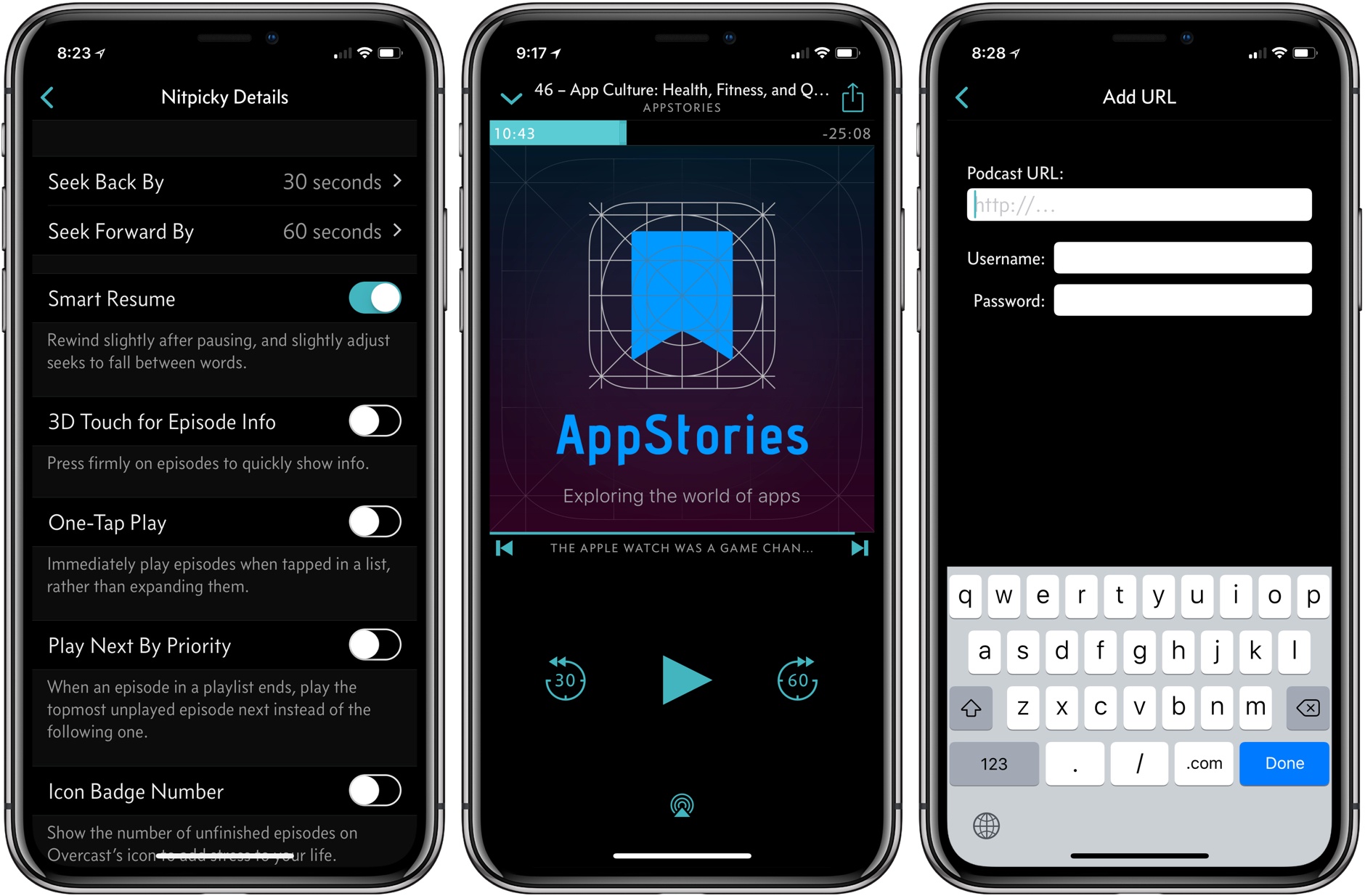
My favorite addition is what Marco Arment calls Smart Resume, which does two things. First, when resuming playback, Overcast skips back a few seconds to remind you of where you left off in a paused episode. Second, Overcast resumes playback in the dead space between words where possible.

The effect is understated but perceptible. During the beta of 4.1, I had a sense that something more than simple skipping back was going on with Smart Resume, but I couldn’t put my finger on it until I dug into Arment’s release notes. Smart Resume reminds me of what happens when an in-person conversation is interrupted. If you’re sitting at a table in a restaurant with a friend and the waiter interrupts one of you mid-sentence, you don’t pick up where you left off mid-word. You back up and start over.

Smart Resume is similar. I hadn’t realized it, but when resuming a podcast, I’d gotten into the habit of skipping back 30 seconds when I lost track of where I was in an episode. That was more time than necessary to recall where I had left off, but it worked. With Smart Resume, I’ve found I rarely do that anymore. Instead of the extra fiddling with the app’s buttons, Overcast skips back just far enough to jog my memory but not so far that I feel like I’m re-listening to too much of an episode. Moreover, dropping the seek point in between words makes the feature feel natural. Smart Resume can be turned off in Settings, but I wouldn’t recommend doing so.

Overcast 4.1 also adds a new auto-deletion setting. Previously, you could choose between auto-deleting episodes immediately after finishing them or leave them on your iOS device for manual deletion. Overcast now has a third choice, which is automatic deletion after 24 hours. Premium members’ uploads to Overcast are no longer subject to auto-deletion either.

Password-protected podcasts are now officially supported in Overcast too. In the Add URL screen, there is an option to ‘Use Password,’ which reveals username and password fields when tapped. Podcasts that require a password do not show up in Overcast’s search results or show recommendations.

Smart Resume is an excellent example of what I like most about Overcast. The feature highlights the app’s overall attention to detail when it comes to the listening experience, which makes it a pleasure to use.

Overcast is available on the App Store.


Apple Announces That WWDC 2018 Will Return to San Jose June 4 - 8, 2018

Apple today announced that WWDC will return to the McEnery Convention Center in San Jose, California from June 4 - 8, 2018. Last year, the annual developer conference switched venues from the Moscone Convention Center in San Francisco to San Jose. The change came as quite a surprise, as did the timing of the announcement, which in past years came closer to the event. By and large though, the move was well-received by developers and easier for Apple engineers due to the venue’s proximity to Cupertino, so it’s not surprising to see WWDC return to San Jose for 2018.

According to Apple’s press release:

Every year, WWDC provides an opportunity for millions of developers to learn more about how to create new experiences across Apple’s platforms for iPhone, iPad, Apple Watch, Apple TV, Mac and HomePod.

Tickets are available now through March 22nd at 10 a.m. PDT. According to Apple’s press release:

Tickets are issued through a random selection process, and developers will be notified of application status by March 23 at 5 p.m. PDT.


It’s Time for a Complete Home App Makeover

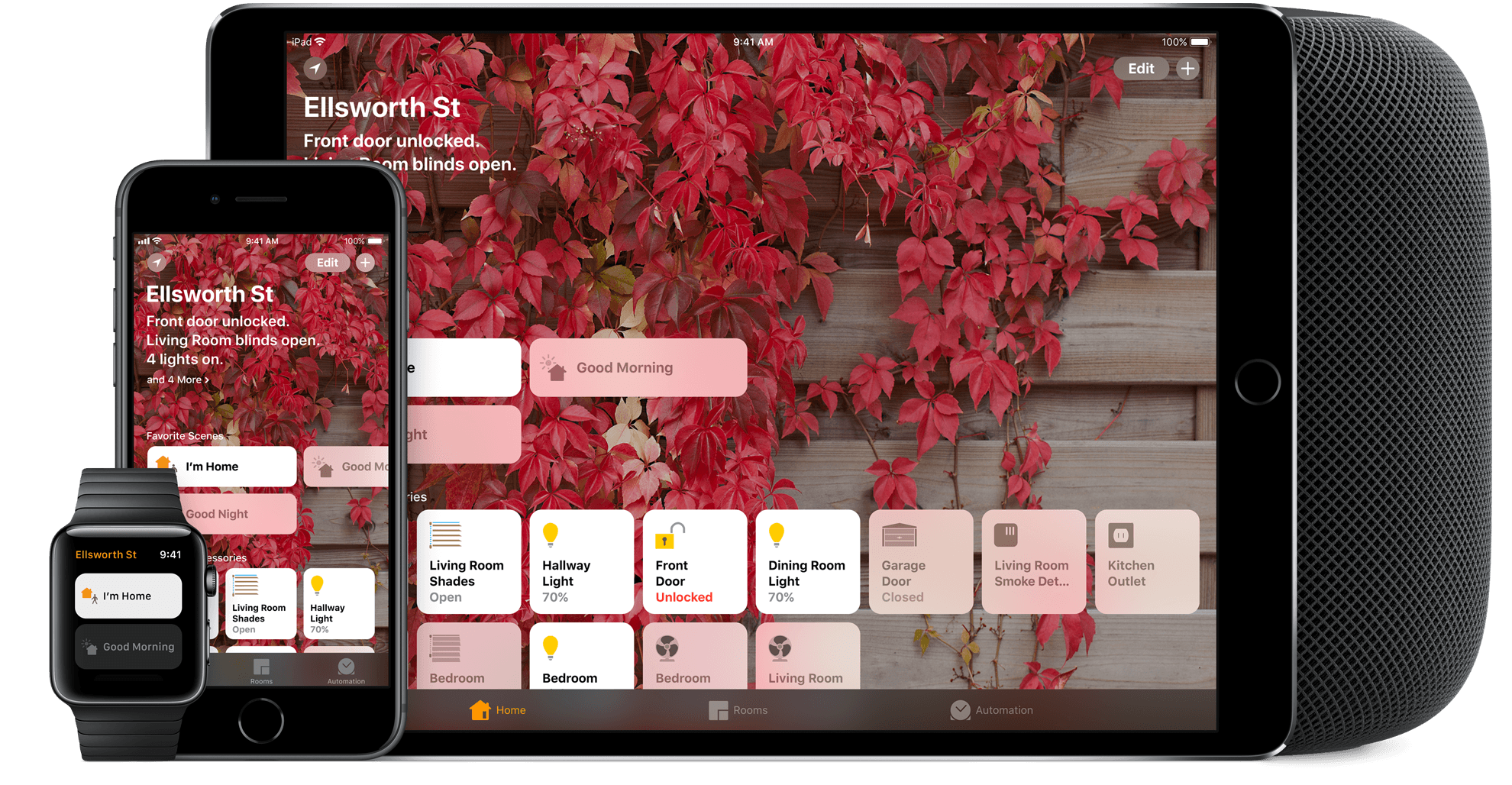
I’ve spent a lot of time experimenting with home automation gear since late last year: lightbulbs, light strips, electrical plugs, and door sensors, among other things. Most of the devices I’ve tested support Apple’s HomeKit APIs and those that don’t, I plan to integrate with Homebridge. That means I’ve also spent a lot of time in Apple’s Home app, and despite poking around in every corner of the app, I still find it frustrating and hard to use.

Last week, I tried to configure something new in my studio that illustrates several of the Home app’s problems. I have several Hue lights: there’s one over the steps leading to my workspace, four recessed ceiling lights, a floor lamp, and a desk lamp. It’s a lot of lights, but my studio is in the basement, and the lights help keep it from feeling like a cave.

I set the lights up as a group in Home and trigger them with a motion sensor. As soon as I open the door to the basement, the lights come on. I added a Hue switch on the wall as a shortcut for turning the lights on and off too.

I recently got an Elgato Eve door sensor for my back door. I figured it would be nice to know when my wife and son got home in the afternoon if I’m working away with the door closed, listening to music, and don’t hear the back door open. I can get alerts from the sensor on my Apple Watch and iPhone, but I thought it might be fun to also turn the Hue light on my desk red when the door opens as a visual cue. That turned out to be harder than I anticipated.

Read more


AppStories, Episode 46 – App Culture: Health, Fitness, and Quantified Self Apps→

On this week’s episode of AppStories, we look back at where health, fitness, and quantified self apps have been, where they’re going, and how hardware and software advancements are changing the way we track and gain insights about our health and fitness.

Sponsored by:

AppStories+ Deeper into the world of apps

AppStories Episode 46 - App Culture: Health, Fitness, and Quantified Self Apps

0:00
35:51

↓

AppStories+ Deeper into the world of apps

Permalink

Apple Adds USB-C Connectors and Lightning to 3.5mm Output Cables to MFi Specification→

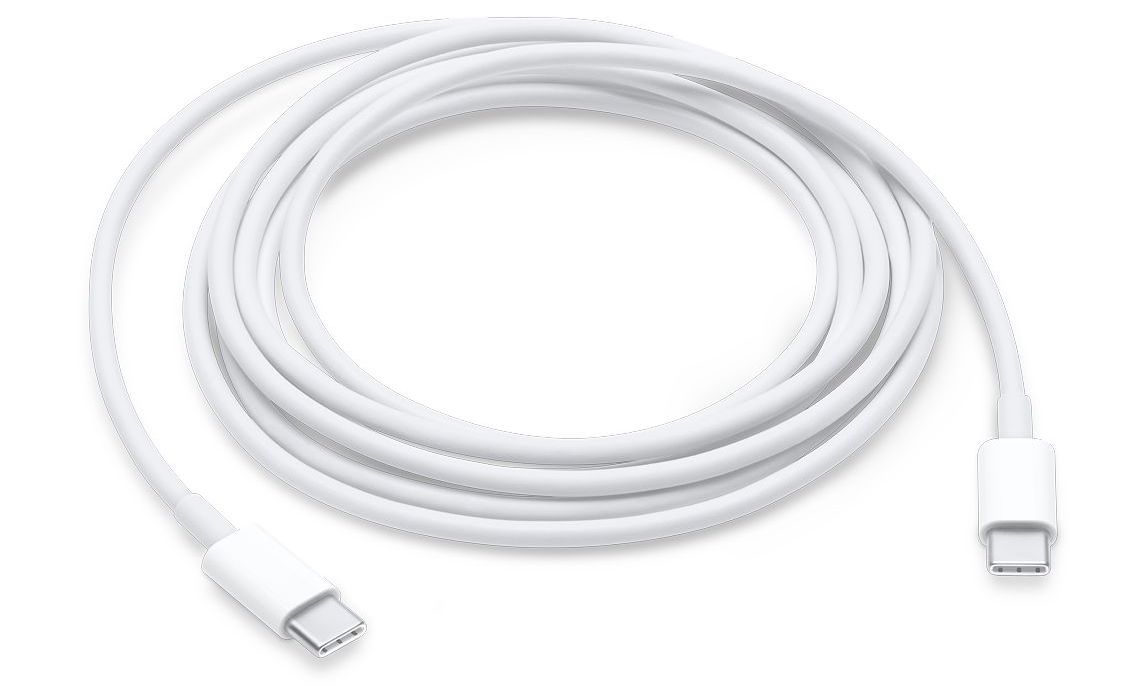
Apple’s MFi licensing program, which allows accessory makers to manufacture Apple-certified products that are compatible with iPhones, iPads, and iPods, has been updated to allow accessory makers to create licensed devices that feature USB-C connectors. According to a report by 9to5Mac, the connectors cannot be used for passthrough charging or syncing of iOS devices, but will allow battery packs, speakers, and other accessories to be charged using the USB-C cables included with compatible Macs and from third parties. The specification does not include USB-C to Lightning cables, which are only available from Apple and are necessary to fast-charge iPhones and iPads.

The Lightning to 3.5mm output cable specification allows accessory makers to make cables to route the output of a Lightning port to a 3.5mm headphone jack input. This was only possible previously by chaining Apple’s Lightning to 3.5mm input adapter with a male-to-male 3.5mm cable. With the new specification, accessory makers will be able to reduce that setup to a single cable that will work with devices like speakers that include a 3.5mm input.

Permalink

Apple and Ito World Strike Bike Sharing Data Deal

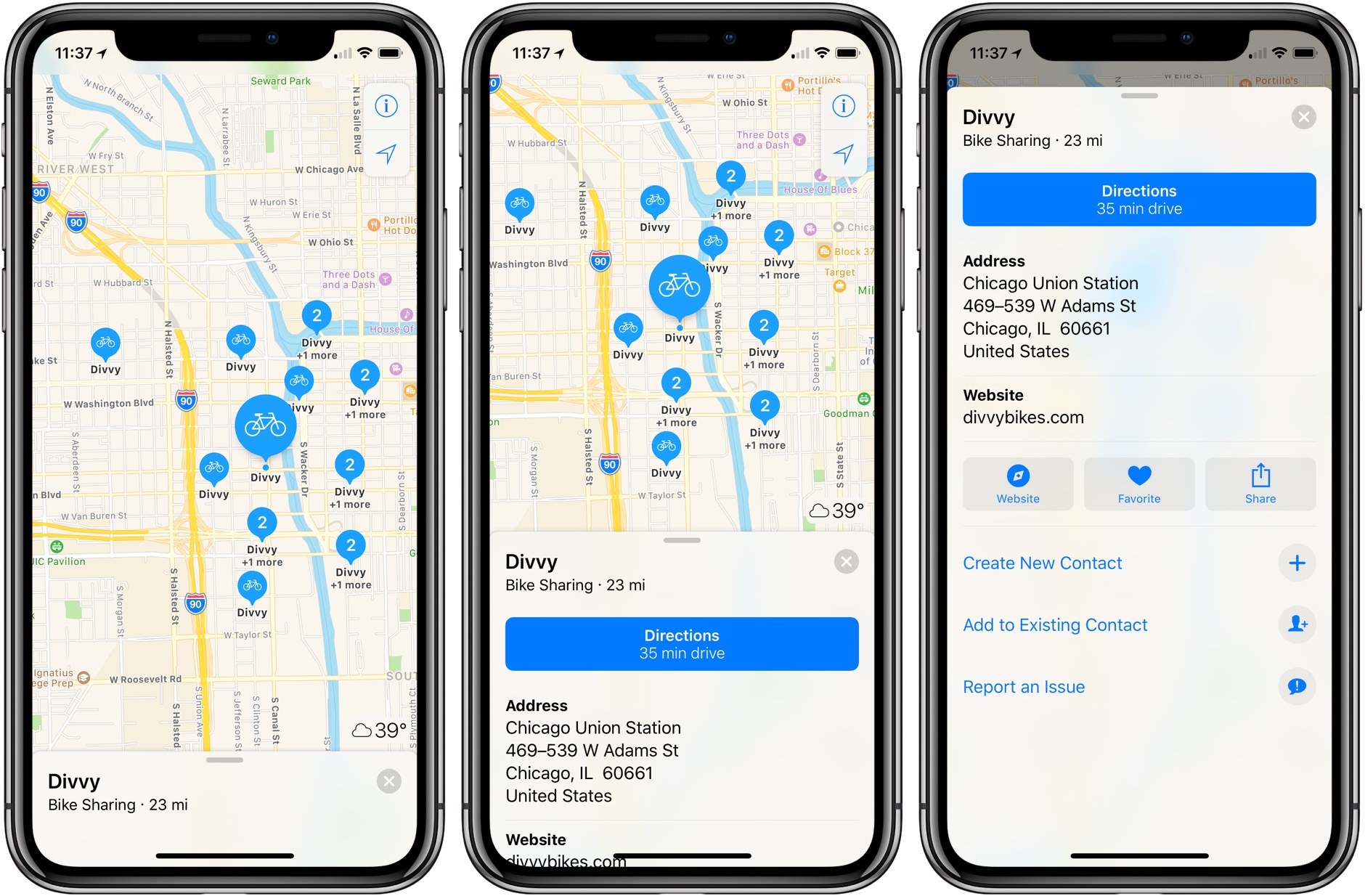
Bike sharing data in Apple Maps got a big boost today in a deal struck with Ito World, a real-time transit data company. Apple Maps already included some bike sharing data, but according to TechCrunch, the partnership means Apple Maps now has bike sharing data in more than 175 cities in 36 countries.

If you type ‘bike sharing’ into Apple Maps, it will scroll to the bike sharing station closest to you. The app also supports searches near other locations, using queries like ‘bike sharing near Chicago Union Station.’ Each entry in Apple Maps provides the address of the bike sharing station and a link to the website of the company that operates it, but there are no details about the number of available bikes or parking spots.

Apple has struck several deals with third parties over the past couple of years to add data like electric vehicle charging stations and parking lot data to Apple Maps. I expect we will continue to see third-party arrangements like the one with Ito World because it’s a faster way for Apple to try to close Google Maps’ local data lead over Apple Maps than collecting the data itself.


FlightLogger: Real-Time Flight Tracking for Worry-Free Travels [Sponsor]

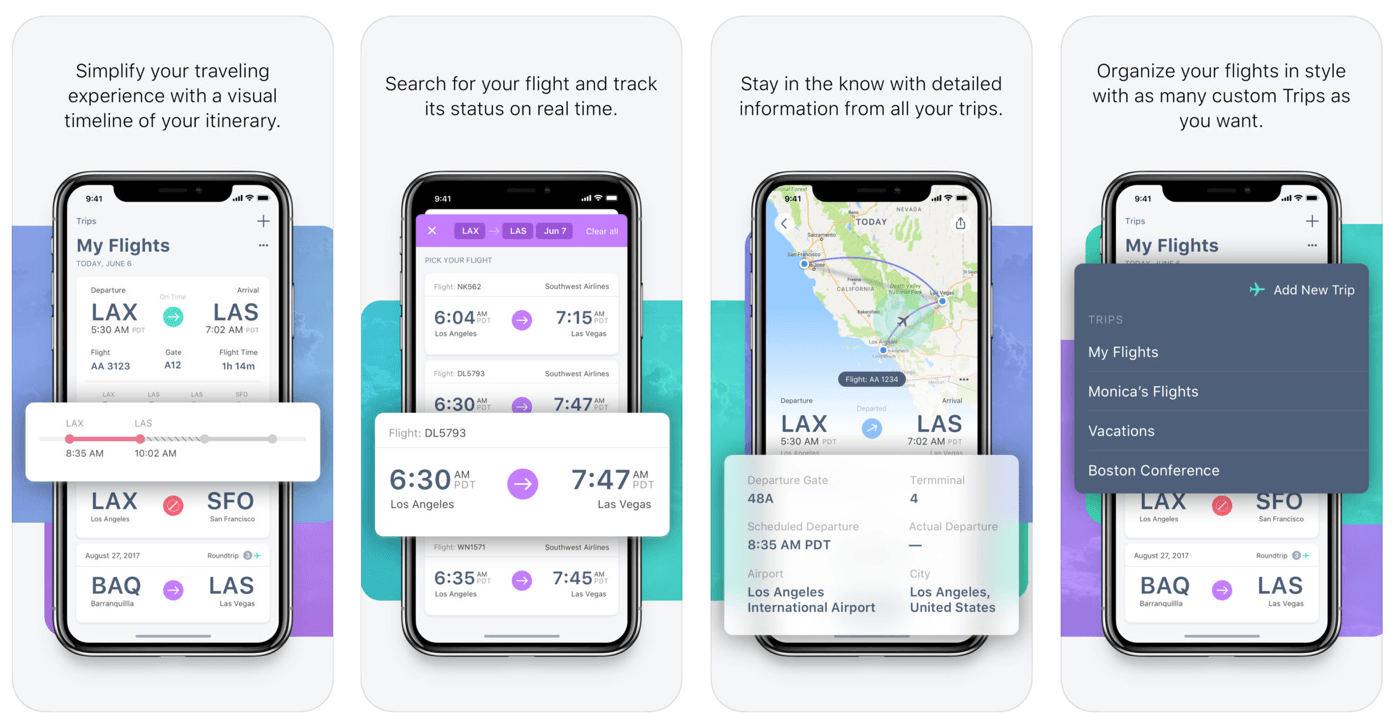
Air travel can be stressful. FlightLogger, which is available on iOS and Android, reduces the stress of travel by making it simple to search and save your flights, get up-to-date notifications on any changes to gates and terminals, share your travel plans with friends and family, and much more.

Too many flight tracking apps are a cluttered mess. FlightLogger’s design reduces the number of taps and information you have to input. Combined with a clear, glanceable timeline of your itinerary, FlightLogger is the perfect companion for the modern traveler.

FlightLogger is packed with innovative features:

  • Track the flights of over 1500 airlines and 30,000 airports worldwide for worry-free travel.
  • Add flights in-app or by forwarding flight confirmation emails to FlightLogger.
  • Track departure and arrival times, delays, cancellations, and gate and baggage claim information.
  • Receive flight status notifications on your iOS devices and Apple Watch.
  • Track flights on your Apple Watch and other iOS devices with iCloud sync.
  • View the approximate location of aircraft during flights.
  • Keep family and friends up-to-date by sharing your travel details.
  • Organize flights by trips, so you only see the information you need, when you need it.

The spring and summer travel seasons are just around the corner. Make your life easier by heading over to FlightLogger’s website to learn more and download the app today.

Our thanks to FlightLogger for sponsoring MacStories this week.


App Culture: Health, Fitness, and Quantified Self Apps

AppStories+ Deeper into the world of apps

AppStories Episode 46 - App Culture: Health, Fitness, and Quantified Self Apps

0:00
35:51

↓

AppStories+ Deeper into the world of apps

Federico and John look back at where health, fitness, and quantified self apps have been, where they’re going, and how hardware and software advancements are changing the way we track and gain insights about our health and fitness.

Read more