John Voorhees

5641 posts on MacStories since November 2015

John is MacStories' Managing Editor, has been writing about Apple and apps since joining the team in 2015, and today, runs the site alongside Federico. John also co-hosts four MacStories podcasts: AppStories, which covers the world of apps, MacStories Unwind, which explores the fun differences between American and Italian culture and recommends media to listeners, Ruminate, a show about the weird web and unusual snacks, and NPC: Next Portable Console, a show about the games we take with us.

AppStories, Episode 56 – Controlling The Time Spent on Your iPhone

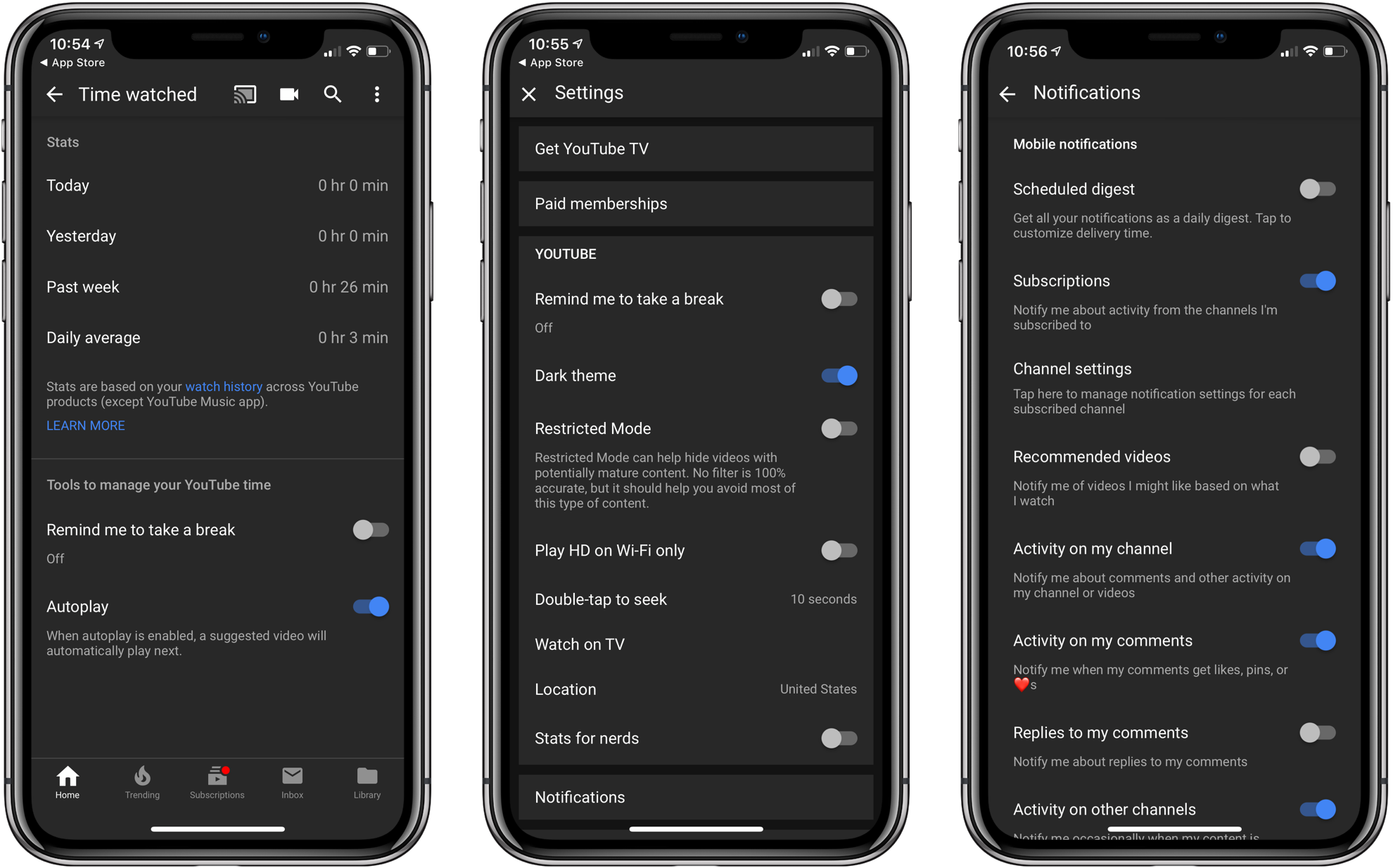
On this week’s episode of AppStories, we talk about managing time spent on smartphones, including what manufacturers like Apple and Google are doing to address the issue, what users can do, and how we deal with being on our iPhones too much.

Sponsored by:

  • Techmeme Ride Home – Search for Techmeme Ride Home on your podcast app now.
  • AutoWake - the world’s first haptic smart alarm for your Apple Watch.
    • The first 11 people to tweet at @AutoWakeApp with the code word ‘Espresso’ will receive a free promo code.
AppStories+ Deeper into the world of apps

AppStories Episode 56 - Controlling The Time Spent on Your iPhone

0:00
32:26

AppStories+ Deeper into the world of apps

Permalink

A Redesigned 1Password 7 for Mac Enhances Watchtower and Adds Flexibility to Vaults, App Login Support, and More

AgileBits has released 1Password 7 for Mac, a significant update that is free to subscribers but also available as a standalone download. I’ve used 1Password since I started using a Mac. The app has always been the best way to store passwords for websites, and for years, that’s primarily how I’ve thought of it.

There’s been more to 1Password than just password storage for a while now though, and what sets this update apart is the depth of those other features and the ease with which they can be incorporated in your everyday computing life. That’s important because it doesn’t take much friction for someone to get lazy about security.

1Password 7 is a comprehensive update that touches every corner of the app. The app will still be familiar to long-time users, but features like Watchtower and Vaults have been extended with new capabilities that are worth exploring if you haven’t in a while. 1Password also works better than ever with app logins. There are dozens of other changes big and small that along with a design refresh that make 1Password 7 an excellent update.

Read more


Gemini Photos Declutters Your Photo Library

MacPaw has released a brand new iPhone app that takes the ideas from Gemini 2, the company’s duplicate file finder on the Mac, and applies them to your iOS photo library. Gemini Photos uses an algorithm to analyze your photos that suggests the ones you should consider deleting. With photo files getting bigger with each improvement of the iPhone’s camera and features like Live Photos and burst mode, a utility like Gemini Photos can save significant amounts of space on your iPhone.

Read more


Regain Control of Your Inbox with SaneBox’s Customizable Tools [Sponsor]

At its core, SaneBox is about making sure that only your most important messages hit your inbox. Other messages are safely stored in automated folders like the @SaneLater, @SaneBulk, and @SaneNews folders for reviewing later.

But email sorting is just the tip of the iceberg. With custom folders, custom snooze settings, and @SaneReminders, SaneBox takes email management to the next level.

Set up a custom folder and train it by dragging in a few messages. SaneBox will send all messages from the senders to your new folder. It’s a painless way to organize messages for a special project.

SaneSnooze folders can be customized to defer messages anywhere from hours to weeks. SaneBox comes with default snooze folders like @SaneTommorrow and @SaneNextWeek, but adding custom snooze folders lets you set when messages reappear in your inbox with precision.

SaneReminders are a great way to keep on top of tasks. Send yourself a reminder to do something later or get a reminder that someone hasn’t responded to a messages. For example, blind copy [email protected] and the message will show up back in your inbox only if the recipient doesn’t reply within 3 days.

Also, don’t forget that SaneBox works on top of your existing email setup. There’s no app to download or new email account to set up. You can use any email client you want.

Sign up today for a free 14-day SaneBox trial to take back control of your email. MacStories readers can receive a special $25 credit automatically by using this link to sign up.

Our thanks to SaneBox for sponsoring MacStories this week.


Controlling The Time Spent on Your iPhone

AppStories+ Deeper into the world of apps

AppStories Episode 56 - Controlling The Time Spent on Your iPhone

0:00
32:26

AppStories+ Deeper into the world of apps

Federico and John talk about managing time spent on smartphones, including what manufacturers like Apple and Google are doing to address the issue, what users can do, and how they deal with being on their iPhones too much.

Read more


Just Watch

With so many video streaming and purchasing options available, it’s hard to know what to use. Services have come and gone that try to solve this problem, but none that I’ve tried tackle the issue quite as well as Just Watch. Available on the web and as an iOS app, Just Watch tracks more...


App Debuts

DIRECTV NOW This week the cord cutter-friendly streaming service DIRECTV NOW launched a redesigned app across both iOS and tvOS. Besides an nicer looking, simpler interface, this update will be home to the new DVR features that are rolling out to users in beta now. The service’s DVR can store up to 20 hours...


Finally, It’s Summer

Summer finally arrived in the Chicago area over the past few weeks. After being cooped up inside far too much over the winter, I committed to spend as much time sitting outside writing as possible. I’ve worked outside during past summers. We’ve got lots of windows on the back of the first floor of...


Apple Updates Its Website for Global Accessibility Awareness Day

Apple has updated its homepage and accessibility webpage to celebrate Global Accessibility Awareness Day. The event, which Apple has marked in a variety of ways over the years, was created to promote access to technology and foster inclusion for people with disabilities.

Apple’s homepage includes a banner image highlighting the accessibility features of its products with the statement ‘Technology is most powerful when it empowers everyone.’ The Accessibility section elaborates on that idea with a video first published in 2016 and the following:

Taking a family portrait. Catching up over FaceTime. Raising the blinds to let in the morning light. We want everyone to enjoy the everyday moments that technology helps make possible, so we work to make every Apple product accessible from the very start. Because the true value of a device isn’t measured by how powerful it is, but by how much it empowers you.

The remainder of the Accessibility page is organized into sections dedicated to vision, hearing, physical and motor skills, and learning and literacy that outline accessibility features of Apple’s products and demonstrates them with animations and videos.

The updates to Apple’s website and its announcement that it is working with schools for blind and deaf students to help teach them to code is a reminder of the importance of accessibility to the company that hopefully encourages third-party developers to make accessibility a priority too.