

I generate a lot more files on my Mac than I used to, which can make finding things difficult at times. I keep my files and folders reasonably well-organized, but sometimes I’m looking for multiple files that span different folders or may have wound up in an unexpected place for whatever reason. The Finder...
 Productizing the App Store
For its first nine years, the App Store wasn’t much more than a directory. If you heard about an app, you could go to iTunes on a Mac or the App Store app on an iOS device, and if the search gods were smiling on you, you might find what you were looking for and...
My Most Frequently Used PopClip Plug-Ins
PopClip, which we are giving away 10 copies of this week, is a Mac app that works a lot like the contextual menu that pops up when you highlight text on an iOS device. The app is triggered as soon as you highlight text, displaying the PopClip default actions and any plug-in actions you...
App Debuts
 Federico
Sorted³ Sorted started out as a simple todo app for iOS inspired by Clear; version 3.0, released on the App Store this week, has turned Sorted into a more powerful and complex task manager that appears to be heavily inspired by Things and Bear. The core idea behind Sorted 3 is making it easy...
Apple Announces September 12 Event
As first reported by Tim Bradshaw Apple has announced a media event for September 12, 2018 at 10:00 am. The event will be held at Steve Jobs Theater in Cupertino.
https://twitter.com/tim/status/1035197076437577728
Based on widespread speculation, Apple is expected to introduce new iPhones based on the iPhone X design. Rumors also point to the introduction of new iPad Pros with smaller bezels, no home button, and Face ID, a revised Apple Watch with a larger display, and perhaps a new Mac mini and MacBook Air replacement.
In addition to hardware, Apple is expected to announce release dates for updates to its operating systems, including iOS 12, macOS Movjave, and watchOS 5. As in the past, Apple should release a Gold Master of iOS 12 and Mojave shortly after the event with a public release date within approximately 10 days.
Update: Apple has announced that the September 12th event at the Steve Jobs Theater will be live-streamed.
Affinity Publisher Beta for Mac Available

Serif, the maker of Affinity Photo and Designer, announced the launch of a public beta for Affinity Publisher, a desktop publishing app that it is developing for the Mac and Windows. In a press release today, Serif says that the feature set will include:
- Advanced typography
- Linked text frames
- Master pages
- Facing page spreads
- Dynamic photo frames
- Tables
- Baseline grids
- Linked resources
- End-to-end CMYK
Of course, Serif cautions that it is not ready to use in production work, but you can download the app from Affinity’s website and take it for a spin to get a sense for what is coming and provide input to Serif. The final product is expected to ship in ‘a few months’ according to the Publisher preview webpage.
In addition to the signup page, Serif has published a series of 16 short video tutorials explaining the basic functionality of the app. There is also a sample brochure you can download to use as a playground for experimenting with the app’s features.
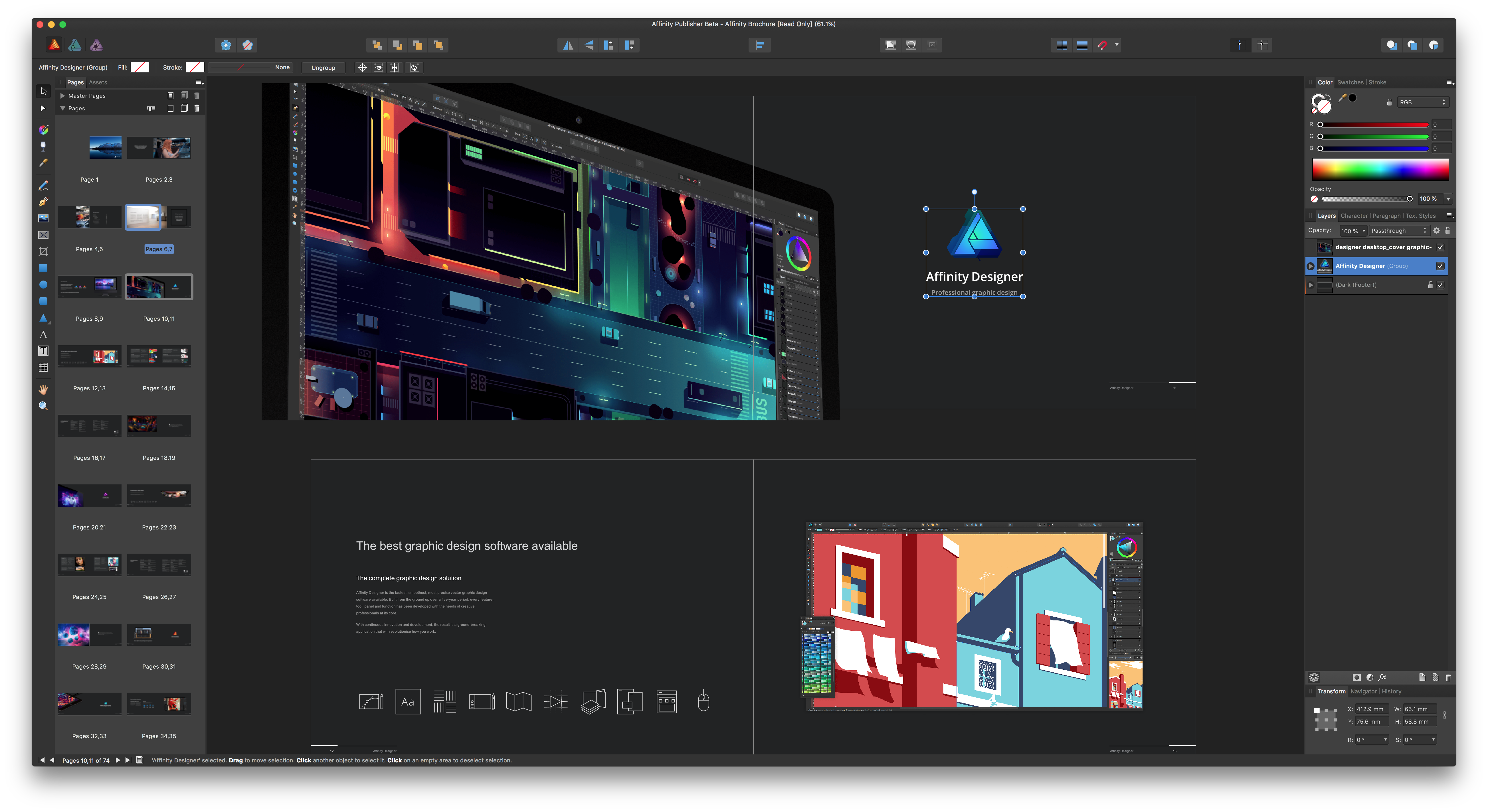
From my initial look at the beta and tutorials, Publisher is an ambitious effort to build an integrated suite of creative apps by leveraging Affinity Photo and Designer, which will be accessible directly from within Publisher. Those integrations are not yet available in the beta but will be activated in a later build.
It’s been interesting to watch Serif invade an app category, in which Adobe has been the dominant player for so long, with sophisticated but cost-effective alternatives that suit the needs of many users. Publisher looks like an app that could round out the Affinity suite of apps nicely, making the trio of apps appealing to an even greater audience.
Due 3.0 Adds Pure Black Theme, Custom Snooze Times, and Haptic Feedback
My task manager is packed with personal and work tasks. I rely on it to keep me on track day-to-day and week-to-week. The reason my task system works though is that it doesn’t include absolutely everything. If I started adding the minute-to-minute minutiae of life, I’d get bogged down in the volume of tasks each day.
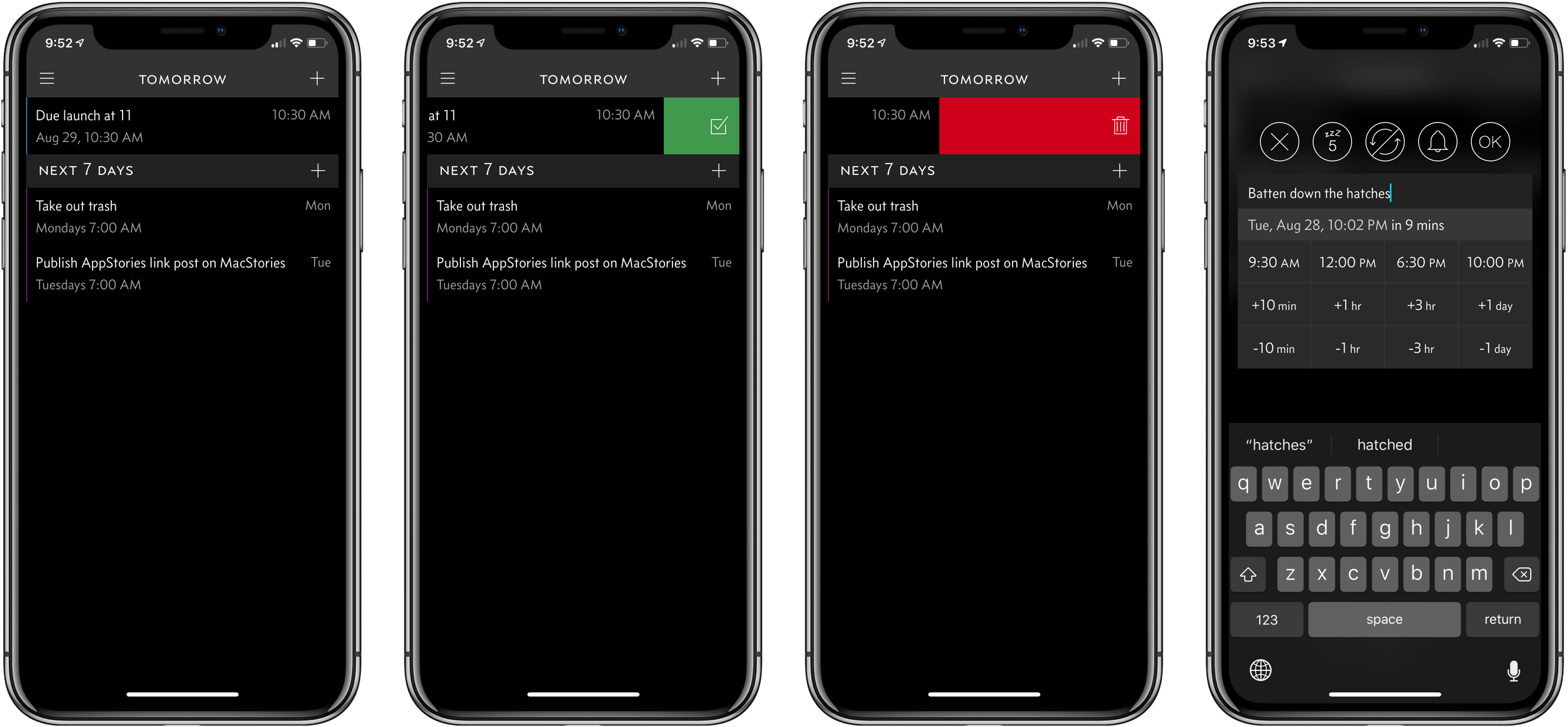
For a while now, I’ve been using Apple’s Reminders app to keep track of one-off tasks, little things I might forget to do, errands, and tasks with deadlines. I’ve found that it’s a great way to stay on top of items that don’t have a home in a formal project. For the past couple of weeks though, I’ve largely replaced Reminders with Due, which was updated to version 3.0 today.
Apple Updates AirPort Express Firmware with AirPlay 2 Support

Apple has released version 7.8 of the firmware for compatible AirPort Express WiFi routers to add AirPlay 2 support. Although there had been hints in iOS betas that the latest iteration of Apple’s peer-to-peer streaming technology was coming to the Express routers, its addition still came as a surprise since the routers were discontinued in April.
One of my favorite features of the AirPort Express is an audio out port that works with a 3.5mm analog or digital cable. Add an amplifier and speakers, and you’ve got a nice music streaming setup.

As soon as I heard about the new firmware, I had to try it. I have a Griffin 20 that was designed for use with the first generation AirPort Express that looked more like a MacBook power brick than an Apple TV. Unfortunately for Griffin, Apple changed the form factor of the Express in 2012, the same year its amp was released.

Still, I used the Griffin 20 and a first generation AirPort Express to drive speakers on the outside of my house for years. It was a simple way to enjoy music outside. It came with the downside that the original iteration of AirPlay had buffering issues, so I usually needed to leave my iPhone inside the house to stream. More recently, my six-year-old Express started to become flakey too.
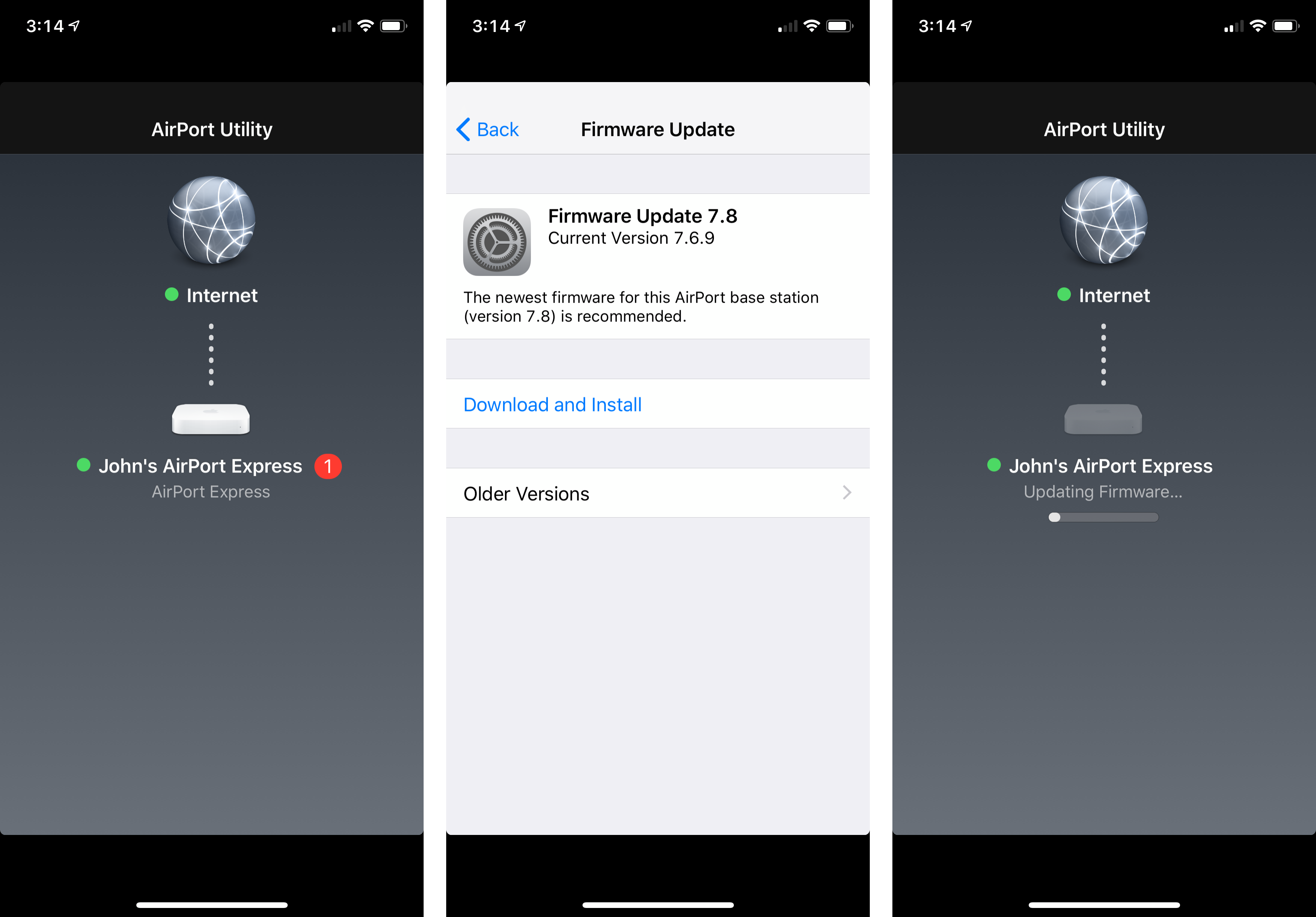
I couldn’t update the first-generation Express to the new firmware, but I had a newer second-generation model in a box in my basement. I dusted it off, plugged it in, and updated the firmware using the Airport Utility app. I had to fiddle with my overly-complicated network setup to get it to work properly, but it didn’t take long before the Express was working.
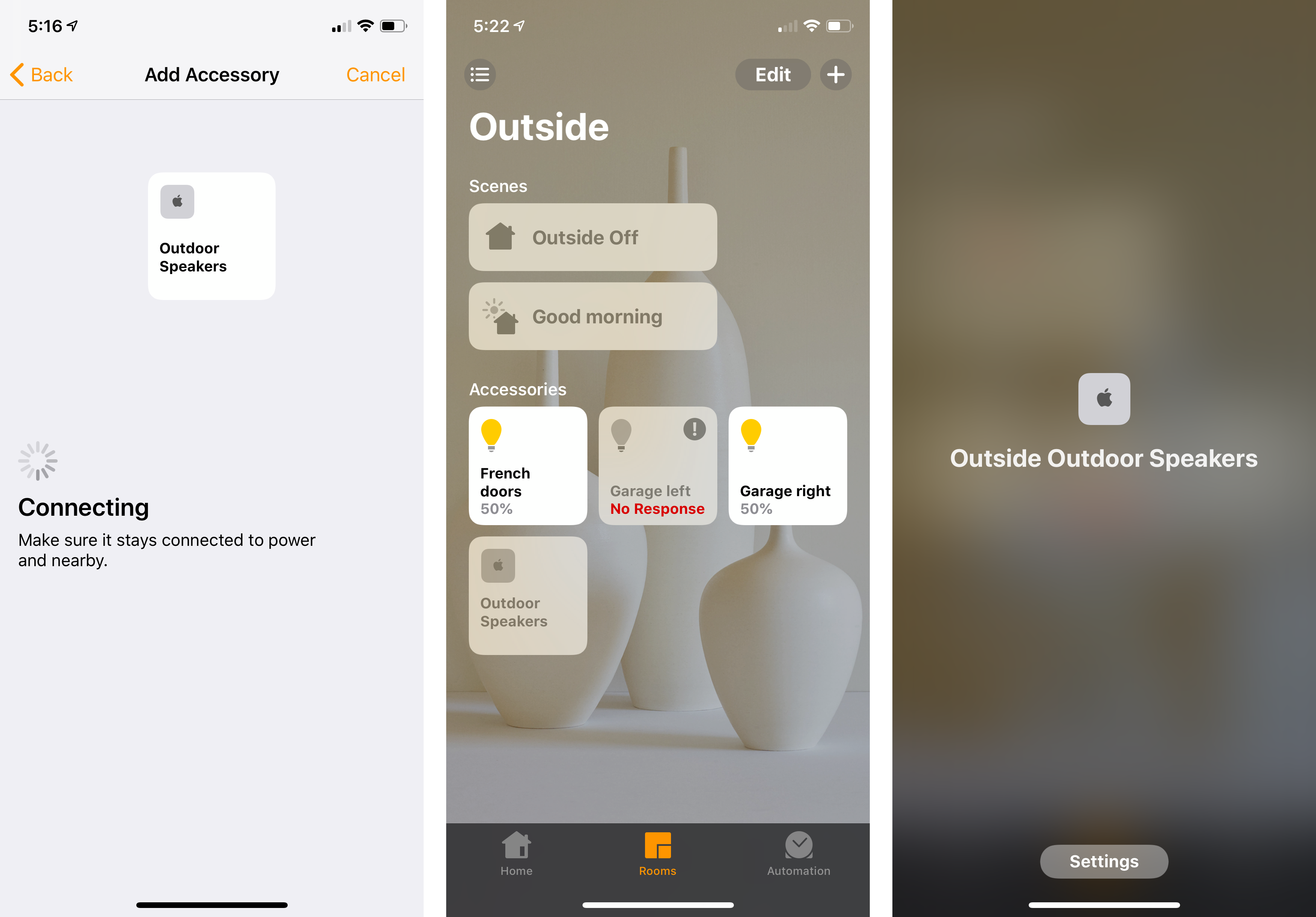
The final step was to go into the Home app and add the Express as a new accessory. Because it predates HomeKit accessories, I couldn’t scan a code to add the Express. Instead, I added it manually using the ‘Don’t Have a Code or Can’t Scan?’ button in the Home app. Now, I have music playing perfectly synced on our back patio using the AirPort Express and in our living room using my HomePod and Apple TV. I also have the convenience of picking my outdoor speakers from the sources list in Control Center and using Siri to move music to those speakers without the buffering issues I experienced with the first version of AirPlay.
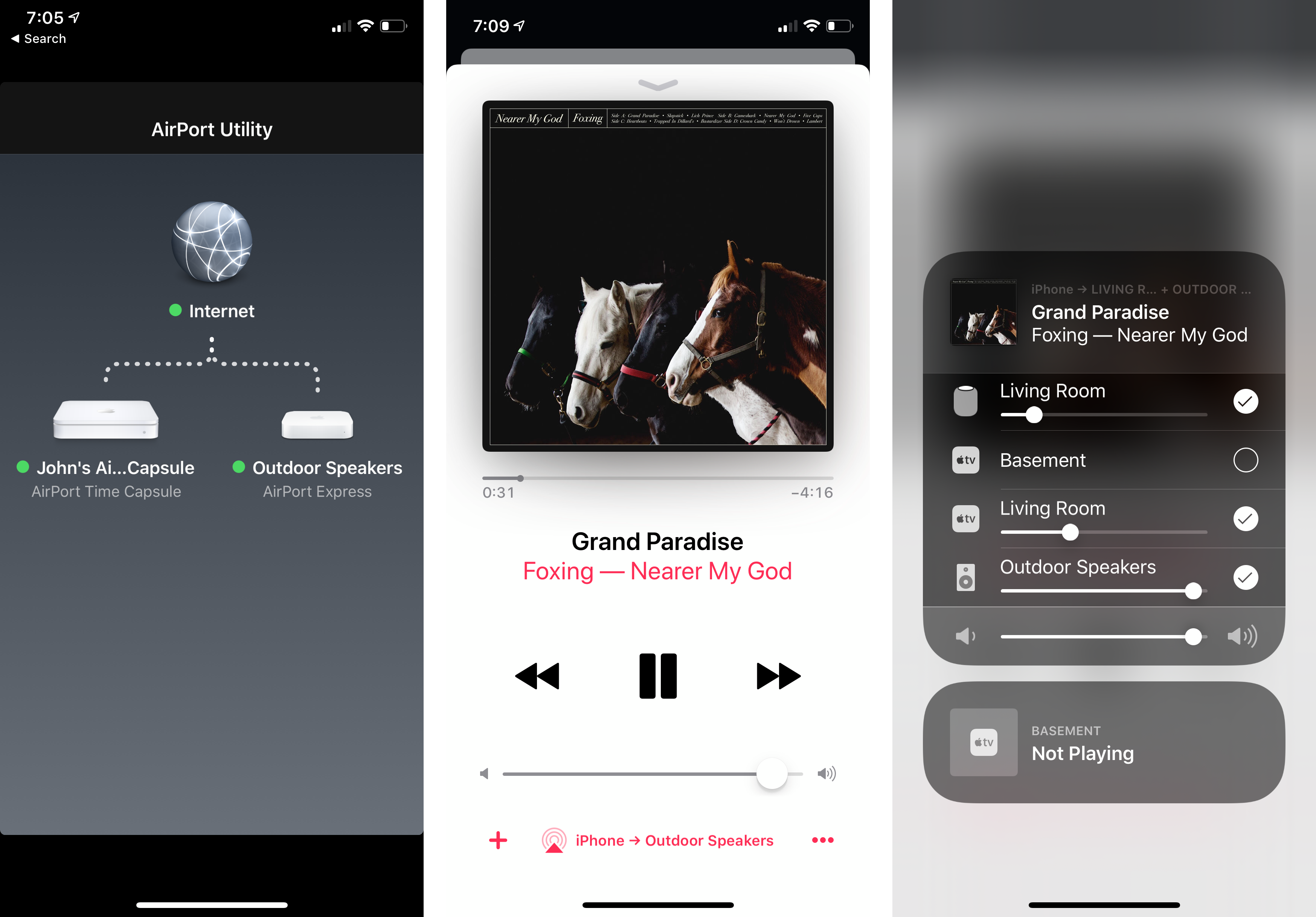
It’s a shame the AirPort Express was discontinued. Not every situation justifies the expense of a HomePod. Nor are those devices practical outdoors or in other environments. Fortunately, the AirPort Express remains an option for now if you already own one or can find a used or refurbished one for sale.
Instagram Updates Two-Factor Authentication and Verification Process
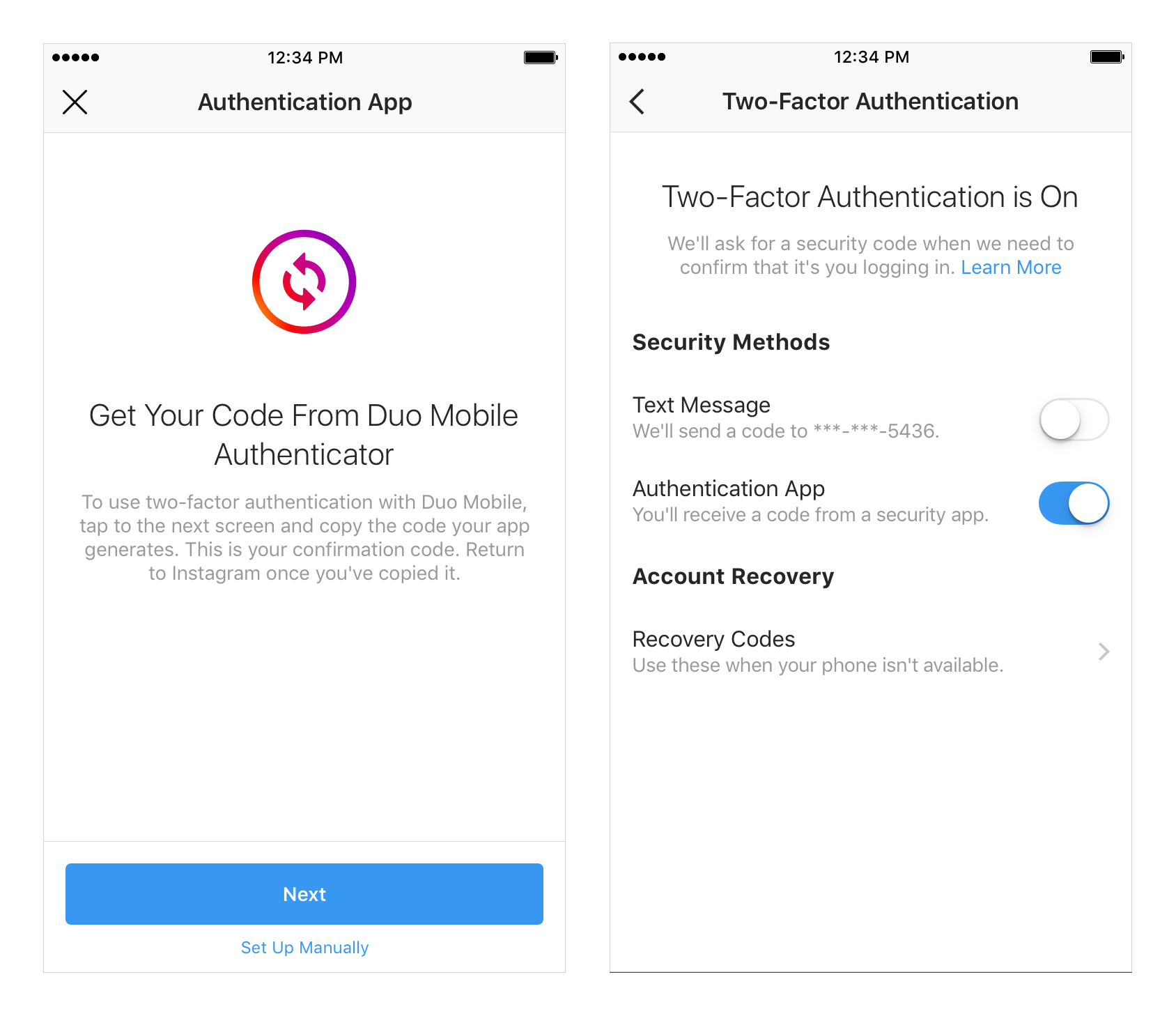
You may not see the changes yet, but Instagram has announced that it has begun rolling out changes to two-factor authentication. The company is also changing the account verification process but not the standard by which accounts are verified.
In the wake of recent high-profile Instagram hacks, the company has added the ability to use authenticator apps to its two-factor authentication setting. Receiving a code by text message is still an option, but it’s a technique that has come under scrutiny due to its susceptibility to SIM card hacking. The new option requires a code generated by an app like Google Authenticator, 1Password, or Authy.
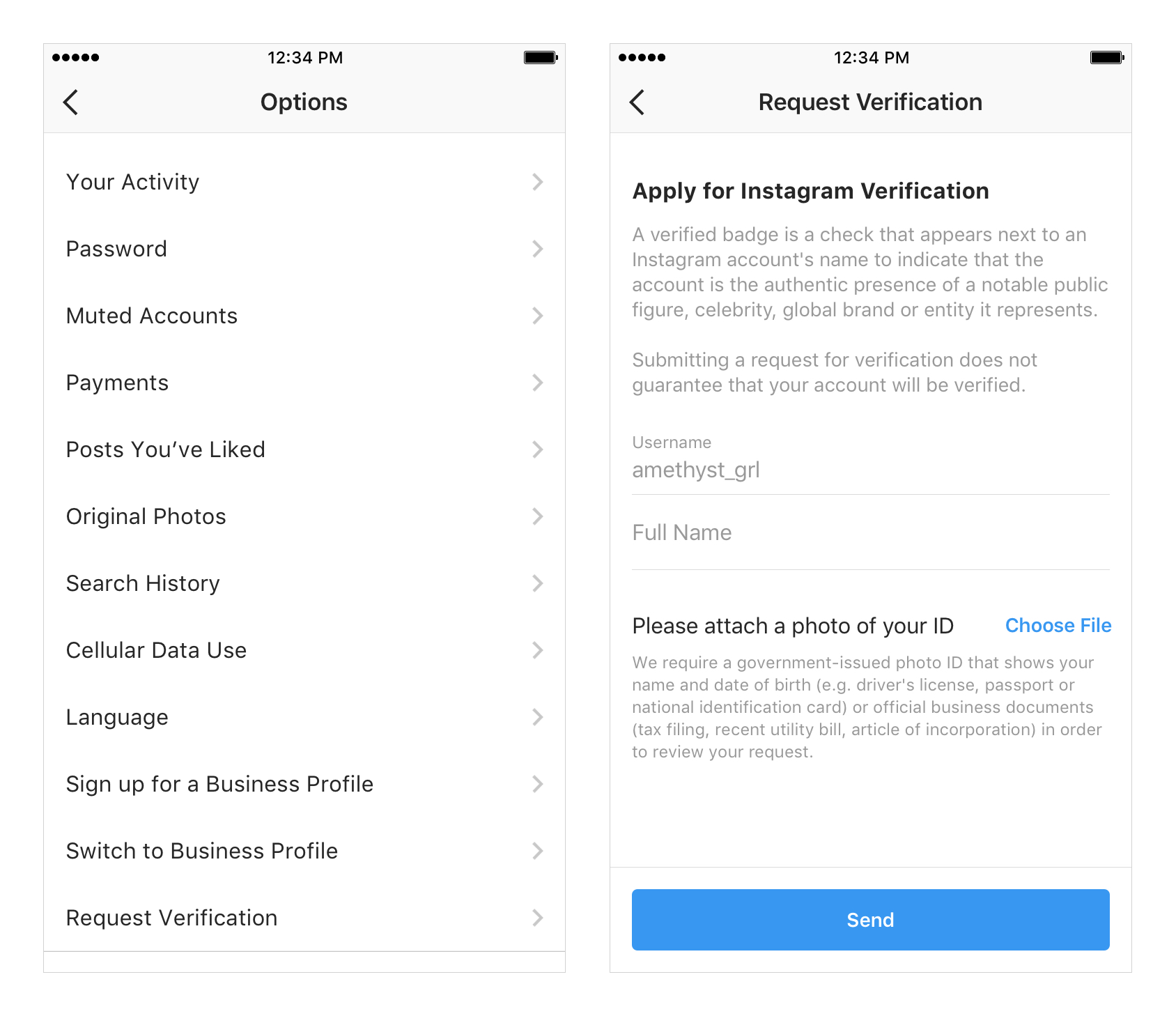
Instagram has also modified the account verification process. A form requesting verification will be available from the app’s settings. After a request is reviewed, Instagram will contact the user accepting or denying it.
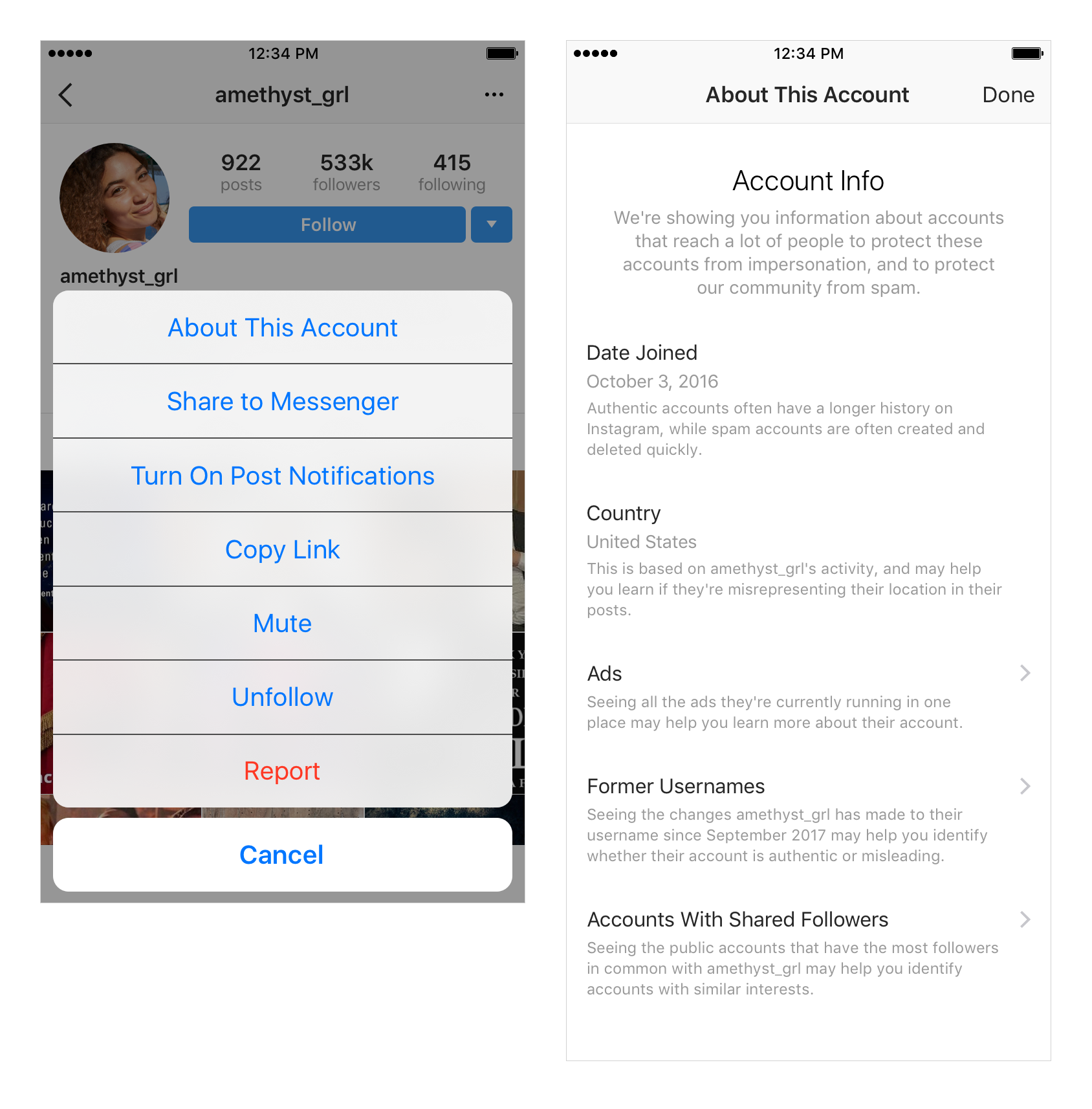
A new ‘About this Account’ section is also being added to Instagram accounts with large followings to help users judge the authenticity of qualifying accounts. Information like when the account was set up, its country of origin, ads it runs, and other data will be listed beginning in September.