John Voorhees

5803 posts on MacStories since November 2015

John is MacStories' Managing Editor, has been writing about Apple and apps since joining the team in 2015, and today, runs the site alongside Federico. John also co-hosts four MacStories podcasts: AppStories, which covers the world of apps, MacStories Unwind, which explores the fun differences between American and Italian culture and recommends media to listeners, Ruminate, a show about the weird web and unusual snacks, and NPC: Next Portable Console, a show about the games we take with us.

This Week's Sponsor:

GoodLinks

Save articles for later and enjoy them when you have time


Loupedeck+ Review: Faster, More Natural Image and Video Editing with a Dedicated Control Panel

Source: Loupedeck

Source: Loupedeck

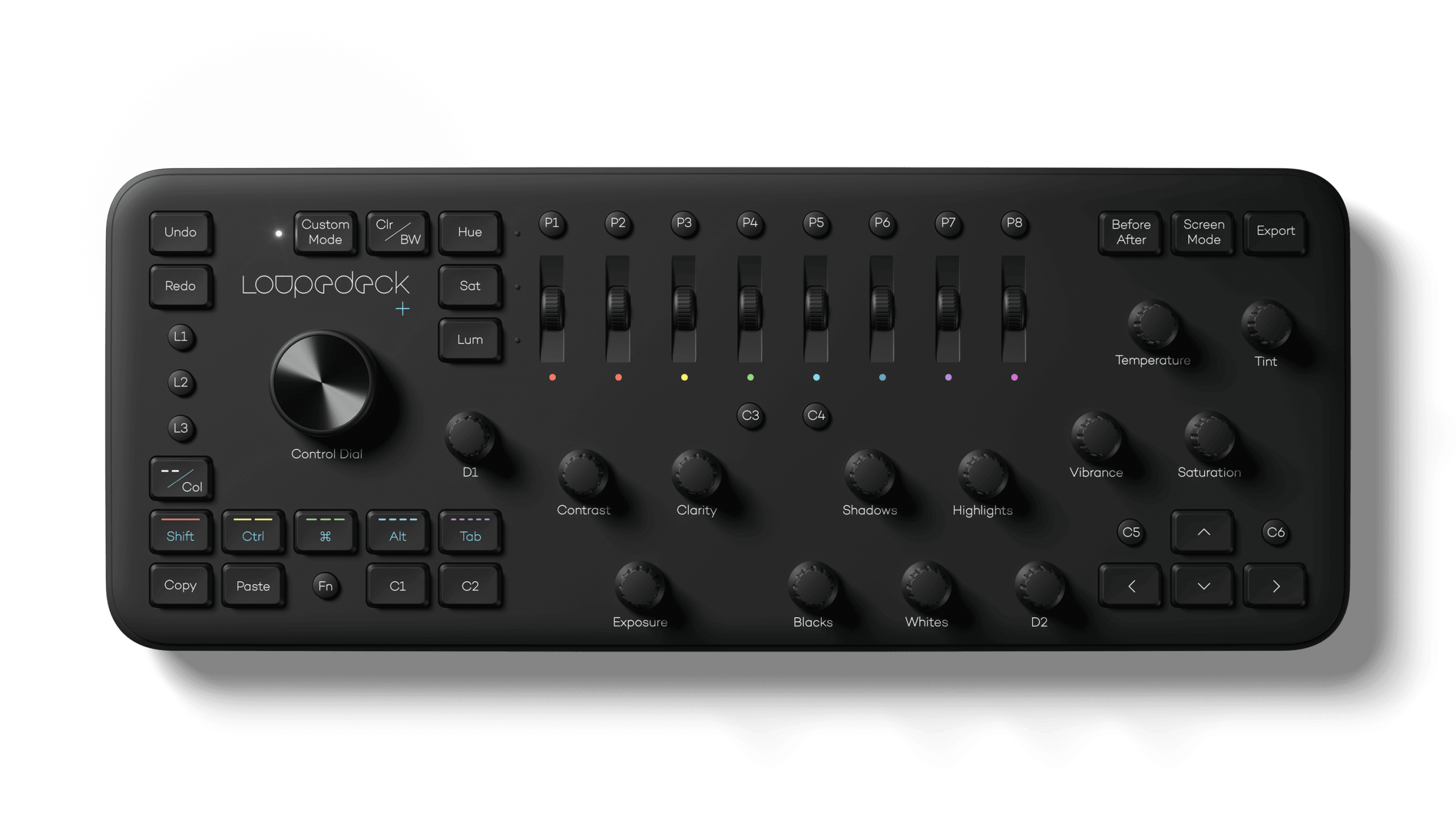
The Loupedeck+ is a hardware control panel for editing photos and video that transforms the software tools you’re accustomed to using with a mouse or trackpad into physical buttons, knobs, and dials. By eliminating the need to dive into menus and hunt for software, the Loupedeck+ changes the image editing process into something much closer to the feeling of editing on an iPad with the Apple Pencil. The seemingly endless series of swipes, drags, and clicks are replaced by something far more tactile and natural.

The result is a clear example of the benefit of using a dedicated tool for a particular task. Photo and video editing is often a high-volume, high-precision activity with lots of repetition, and depending on your job, tight deadlines. That makes any tool that can shave a little time off of editing each photo a win for professionals who often edit thousands of images in a week.

What I didn’t expect, though, is that the Loupedeck+ also makes editing more accessible for beginners like myself. As I’ll explain in more detail below, when Loupedeck sent me their device to test, I spent most of my time using it in Adobe Lightroom Classic, which I hadn’t used before. However, after a short time familiarizing myself with the Loupedeck+ layout, I found myself deep in the editing process with my eyes fixed on the images I was working on instead of darting back and forth hunting for the tools I wanted to use.

I may never enjoy the sort of time savings that a professional photographer could squeeze out of the Loupedeck+. However, simply knowing that I can dip in and out of Lightroom Classic for my editing needs with virtually no learning curve eliminates a significant hurdle that has slowed me down in the past. Although there are aspects of the Loupedeck+ that could be improved, it’s an incredibly powerful tool that fits into more workflows than I anticipated, which makes it an accessory worth considering for a wide range of users.


Read more


AppStories, Episode 140 – Our Favorite HomeKit Gear, Apps, and Automations→

This week, we dive into our favorite HomeKit devices, apps, and automations.

Sponsored by:

  • Luna Display – Turn any Mac or iPad into a wireless second display.
  • Linode – High-performance SSD Linux servers for all of your infrastructure needs. Get a $20 credit.
  • Moo: Custom business printing and design. Save 15%.

AppStories+ Deeper into the world of apps

AppStories Episode 140 - Our Favorite HomeKit Gear, Apps, and Automations

0:00
47:05

↓

AppStories+ Deeper into the world of apps

Permalink

Apple Releases Annual Holiday Video ‘The Surprise’

It’s become a tradition for Apple to release a special holiday season video each year, and this year is no different. Today, the company revealed the 2019 version entitled ‘The Surprise.’

The storyline follows a family as they visit the mother’s father. The video chronicle’s the family’s journey and visit with their two young children. To appease the kids when they fight or get in the way, their parents hand them an iPad to watch movies and play games. However, the children’s use of the iPad evolves over the course of the video, which reveals they’ve used it to create an interactive story about their family and their grandfather’s wife who had passed away.

It’s a touching video packed with emotion that does an excellent job of showing off the kind of creative projects that are possible with an iPad and pulls it off without being overbearing. The video reminds me a lot of the Emmy award-winning video called ‘Misunderstood’ from the 2013 holiday season.


iOS Photo Metadata Utility Metapho Adds Deep Fusion and Night Mode Photo Detection

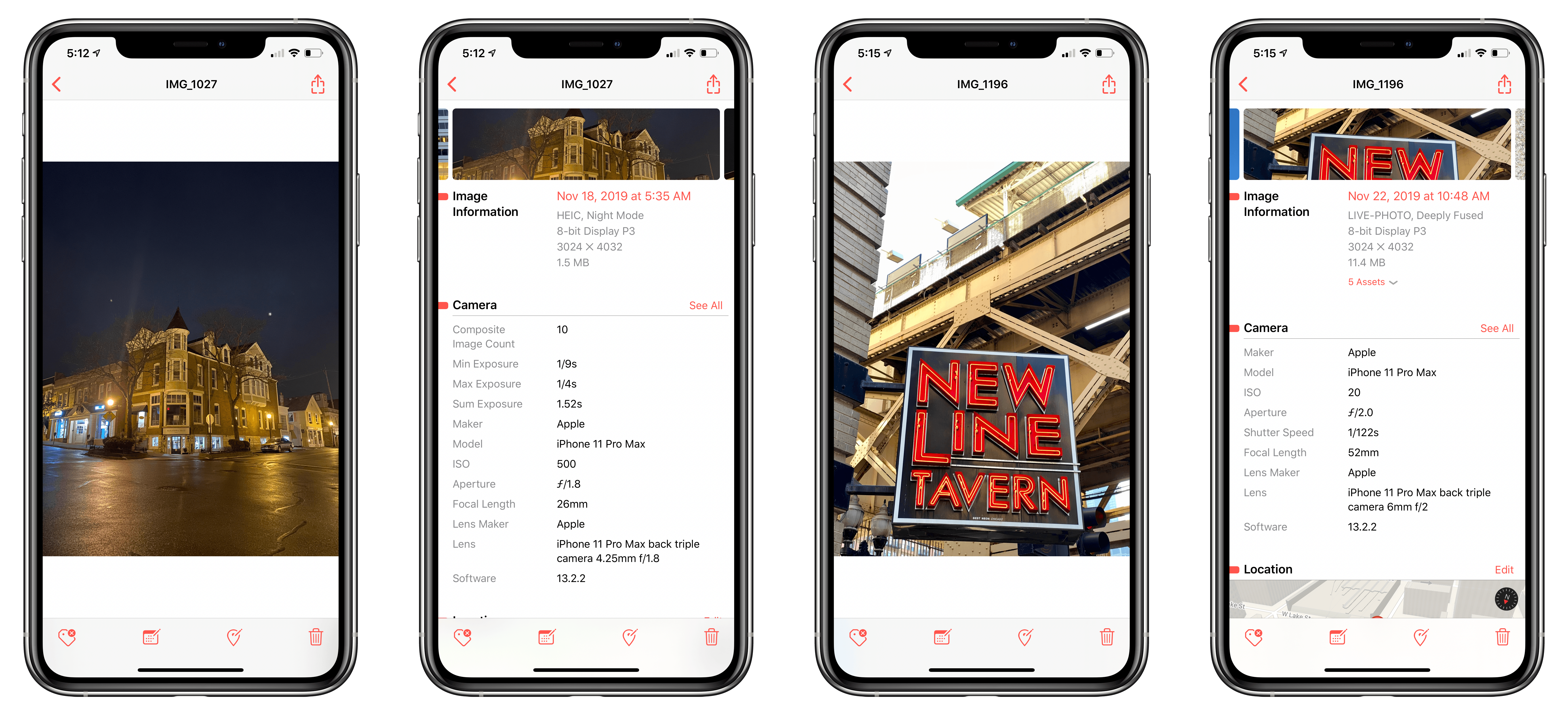
Metapho has been one of my favorite photo utilities on iOS for years. The marquee feature has always been its ability to strip metadata from images, which is handy when sharing photos online, for instance. Over time though, Metapho has grown to incorporate other functionality for inspecting and editing photo metadata that has made the app a must-have iOS utility. With its latest update, Metapho has added Deep Fusion and Night Mode photo detection, an intriguing addition that I haven’t seen any other app offer.

Read more


TouchRetouch

There are a lot of apps that can handle photo retouching and many have other features, but when I’m in a hurry and just want to make a few tweaks to an image before sharing it, I’ve found that TouchRetouch can’t be beat. My primary use of the app is to erase objects from...


App Debuts

Spring Falls Relaxing puzzle games are one of my favorite genres, and Spring Falls is another great example of the genre. The game features 60 levels that require you to manipulate the landscape as water tumbles down the side of a mountain composed of geometrically-shaped columns. As you guide the water down the mountainside,...


Q&A

Question: Can I build an automation in HomeKit or Shortcuts that sends me a text message when motion is detected in my home by my Arlo security camera? (Eric, @Tr14more)

From the Home app’s Automation tab, you can trigger shortcuts when the motion sensor, like the one in the Arlo camera, detects motion. However,...


Adobe Previews Features Coming to Photoshop for iPad Through mid-2020

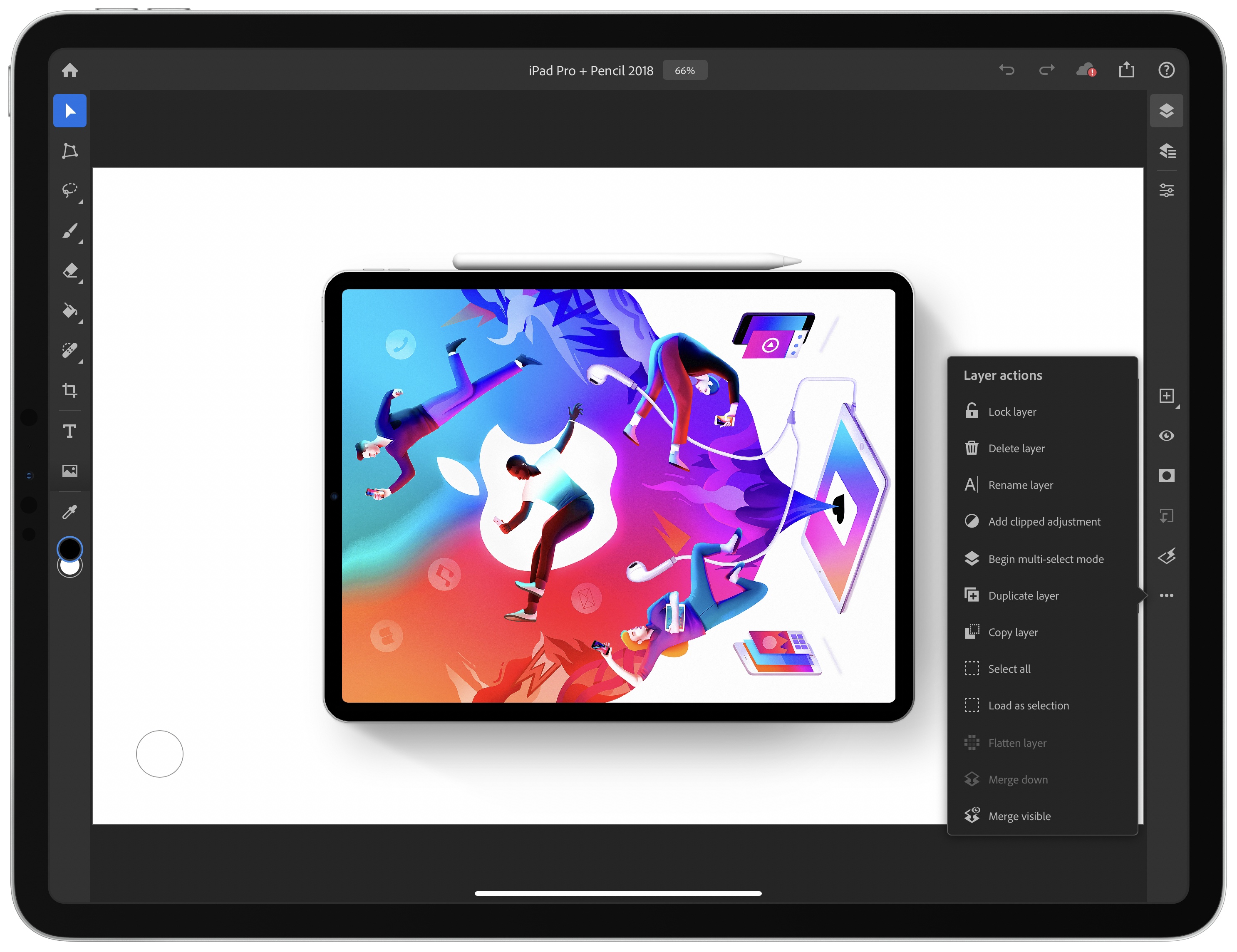
The long-anticipated release of Photoshop for iPad was met with disappointment by many users who felt that significant functionality was missing. Although Adobe explained at the time that version 1.0 was a foundation upon which it intended to build rapidly, the length of time it took to create that foundation left many people skeptical. Today, to try to dispel some of the doubts surrounding Photoshop for iPad, the company published a blog post previewing some of the features coming later this year and in the first half of 2020.

Before the end of 2019, Adobe says it will ship the ‘Select Subject’ feature that it showed off at the Adobe MAX Conference earlier this month. The feature takes advantage of the company’s Sensei AI machine learning technology to facilitate complex subject selection. Adobe also says that cloud PSD files will upload and download faster in December after it makes changes to its systems.

Selection tools will get another boost in the first half of 2020 with Refine Edge allowing for soft edge selections. Curves for tonal adjustments and new adjustment layer options will be available too. Adobe also plans to bring features over from apps like Fresco, including brush sensitivity and canvas rotation. Finally, Adobe says it will integrate Photoshop with Lightroom for iPad, so you can process RAW images in Lightroom and use them in compositing projects in Photoshop.

With the reaction at Photoshop for iPad’s launch, I’m glad Adobe chose to showcase these new features in advance. It makes competitive sense too, given that alternative iPad apps that compete with at least some aspects of Photoshop continue to move forward rapidly. It’s that sort of competition that I expect will make pro iPad apps interesting to watch in 2020.