Federico
AppStories Episode 153 - iOS and iPadOS Utilities We Love
0:00
42:52
42:52
This week, Federico and John explore some of their favorite iOS and iPadOS utility apps.

Save articles for later and enjoy them when you have time
 iOS and iPadOS Utilities We Love
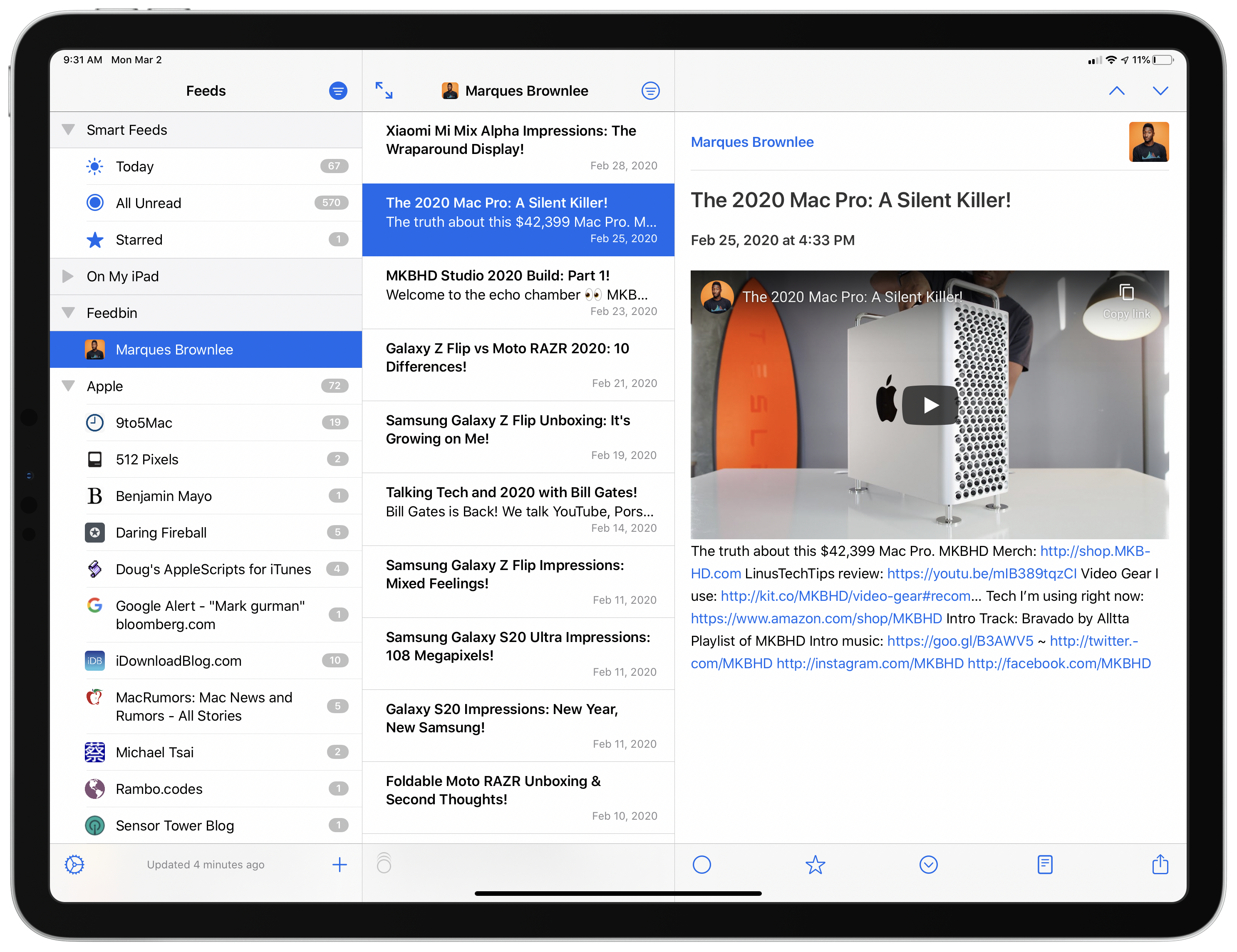
 NetNewsWire, which was relaunched on the Mac last August, is now available on iOS and iPadOS. Like its Mac counterpart, the iOS and iPadOS version is built on a foundation of fast syncing and sensible, bug-free design. As with any 1.0 app, there are additional features and refinements I hope to see in future releases. Unlike most 1.0 releases, though, you won’t find lots of rough edges and bugs. NetNewsWire is ready to be your primary RSS client today.
 App Debuts
 Tot Pocket Tot, The Iconfactory’s ingenious plain text scratchpad app, received its first update earlier this week. Your chosen text mode is now synced across devices with iCloud; additionally, there are some new keyboard shortcuts on both iPad and Mac, and the app sports better integration with the system’s Dynamic Text setting. WhatsApp Messenger...
Q&A Question: I often listen to songs I have to learn for a band I’m in, but I don’t want those songs to pollute Apple Music recommendations. Is there anything I can do to prevent this short of paying for a second music streaming service? (Kevin, @Kevinrothermel)
As long as a song you’re learning for...
Mac RSS Readers I never bought into the post-Google Reader narrative that RSS was dead. Sure, it struggled, but there wasn’t a mass exodus by websites. It’s rare that I come across a site that publishes news and doesn’t have a feed. What changed is that without the support of a big player like Google Reader,...
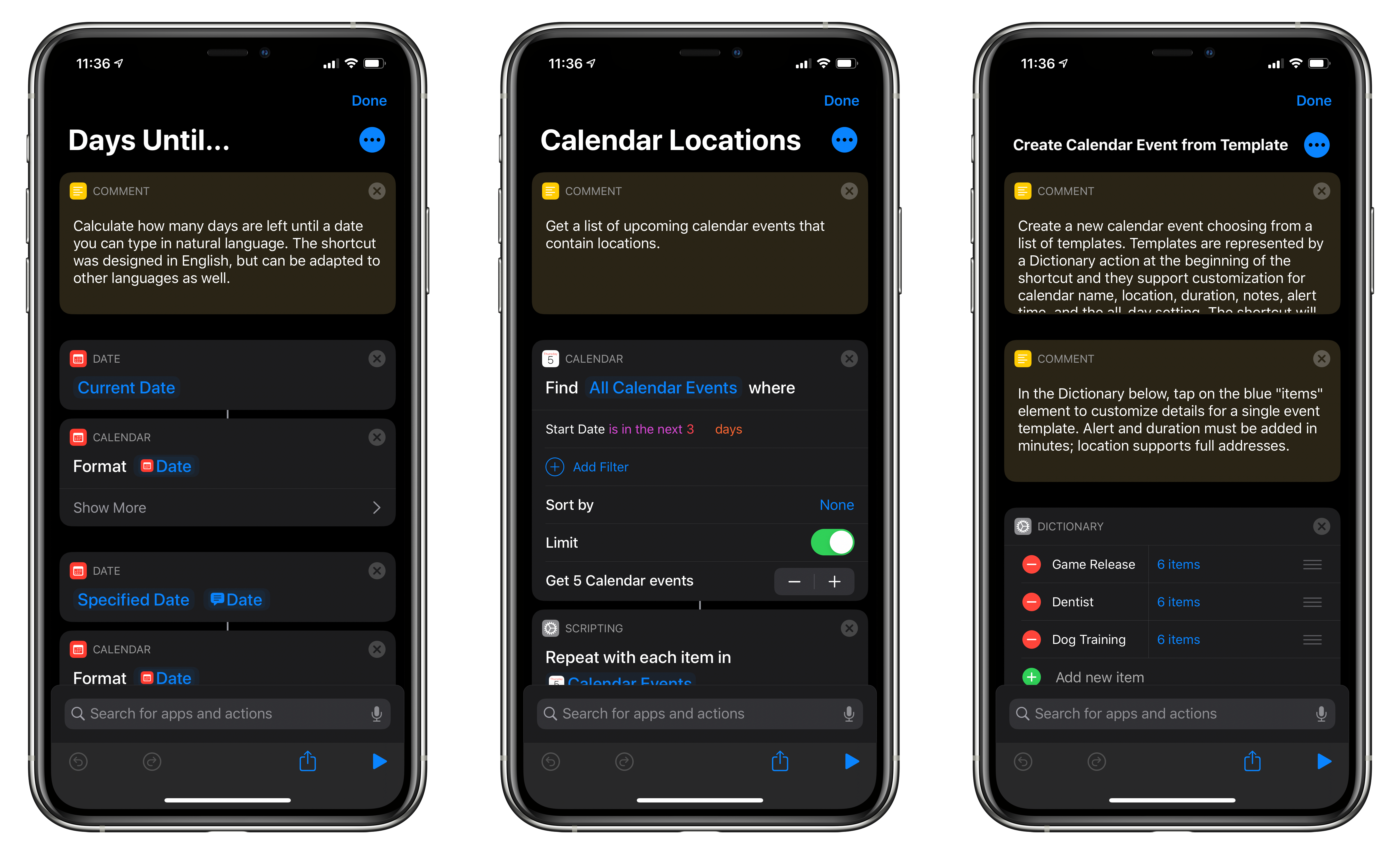
For this installment of Shortcuts Rewind, I’m going to focus on date and calendar actions. I’ll also touch on some of the Shortcuts actions that Apple Maps offers and explain dictionaries.
I wanted to cover date and calendar actions early in the Shortcuts Rewind series because they’re the sort of actions that come in handy over and over in a wide variety of shortcuts. Plus, date-based shortcuts are useful to lots of people. After all, everyone deals with schedules and meetings to some degree.
With Shortcuts, dates become modifiable building blocks that go hand-in-hand with events that the app allows you to decouple from your calendar app and recombine in new ways. It’s a powerful pairing that, along with an understanding of dictionaries, can be extended to other contexts over and over.
You can download each of the three shortcuts I cover at the end of each section of this story or by visiting the MacStories Shortcuts Archive, where you’ll find these and over 200 other shortcuts. Once you download one of the shortcuts, opening it on an iPad side-by-side with this walkthrough is a terrific way to learn how each works. Another technique that is effective is to rebuild each shortcut from scratch yourself, as you follow along below.
This week on AppStories, we revisit the topic of app subscriptions and what we learned in the nearly three years since we covered subscriptions in episode 5.
Sponsored by:






Apple has announced the six winners of its Shot on iPhone challenge. The contest, which was announced at the beginning of the year, asked photographers to submit their best Night mode shots taken with the iPhone 11 Pro and iPhone 11 Pro Max.
The winning photos, which were taken by photographers from China, India, Russia, and Spain, were judged by a panel of professional photographers and Apple executives and employees. The photos are currently being featured on apple.com, Apple’s Instagram account, and will appear on billboards worldwide in the future.
The images chosen by Apple’s panel of judges are fantastic. It’s remarkable what can be accomplished with Night mode, especially when you look back at what nighttime photography was like on the iPhone just a few years ago.
Don’t miss all six winning Night mode shots in Apple’s press release.
App Subscriptions Revisited