

I’m excited about the new iPad Pros, but the new 24” iMac took my breath away. I’ve long wanted Apple to return to the vivid colors of past Macs but wasn’t convinced the company would go that direction. Leading up to today’s event, mockups of iMacs in the pale color schemes of the iPhone 12 circulated. Today, however, Apple took the iMac in a wholly different direction with bright, saturated colors on the back of the new computer and paler hues on the front.
Replay Apple’s April 20, 2021 Keynote and Other Videos

If you didn’t follow the live stream or announcements as they unfolded at Apple Park today, you can replay it on Apple’s Events site and catch the product videos on Apple’s YouTube channel.
The keynote video can be streamed here and on the Apple TV using the TV app. A high-quality version is also available through Apple Podcasts as a video and audio podcast or you can watch it on YouTube. First debuted last fall, there is also an American Sign Language version of the event, which is available here.
Apple also posted other product videos on its YouTube channel, which are embedded after the break.
New iPad Pros Announced with the M1 Chipset, Thunderbolt, 5G, New Cameras, and a Liquid Retina XDR Display on the 12.9” Model
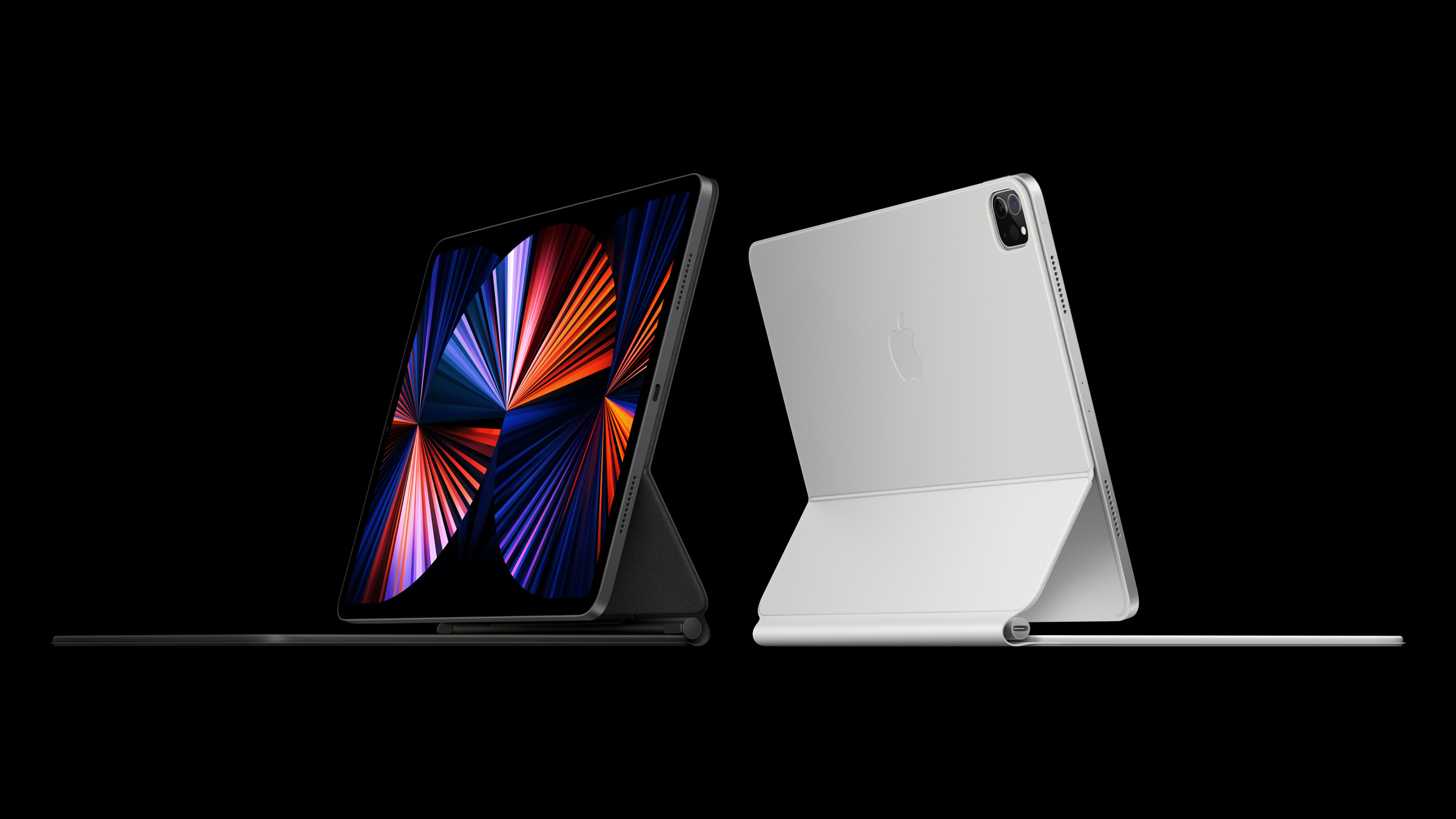
Apple today announced all-new iPad Pros featuring the same M1 chip found in the company’s latest Macs along with several other new features, including a Thunderbolt-compatible port, 5G connectivity on cellular models, updated cameras, and on the 12.9” model, a Liquid Retina XDR display that shares many of the specs as the company’s Pro Display XDR.
Bartender 4.0 Offers Powerful New Control Over Your Mac’s Menu Bar Apps
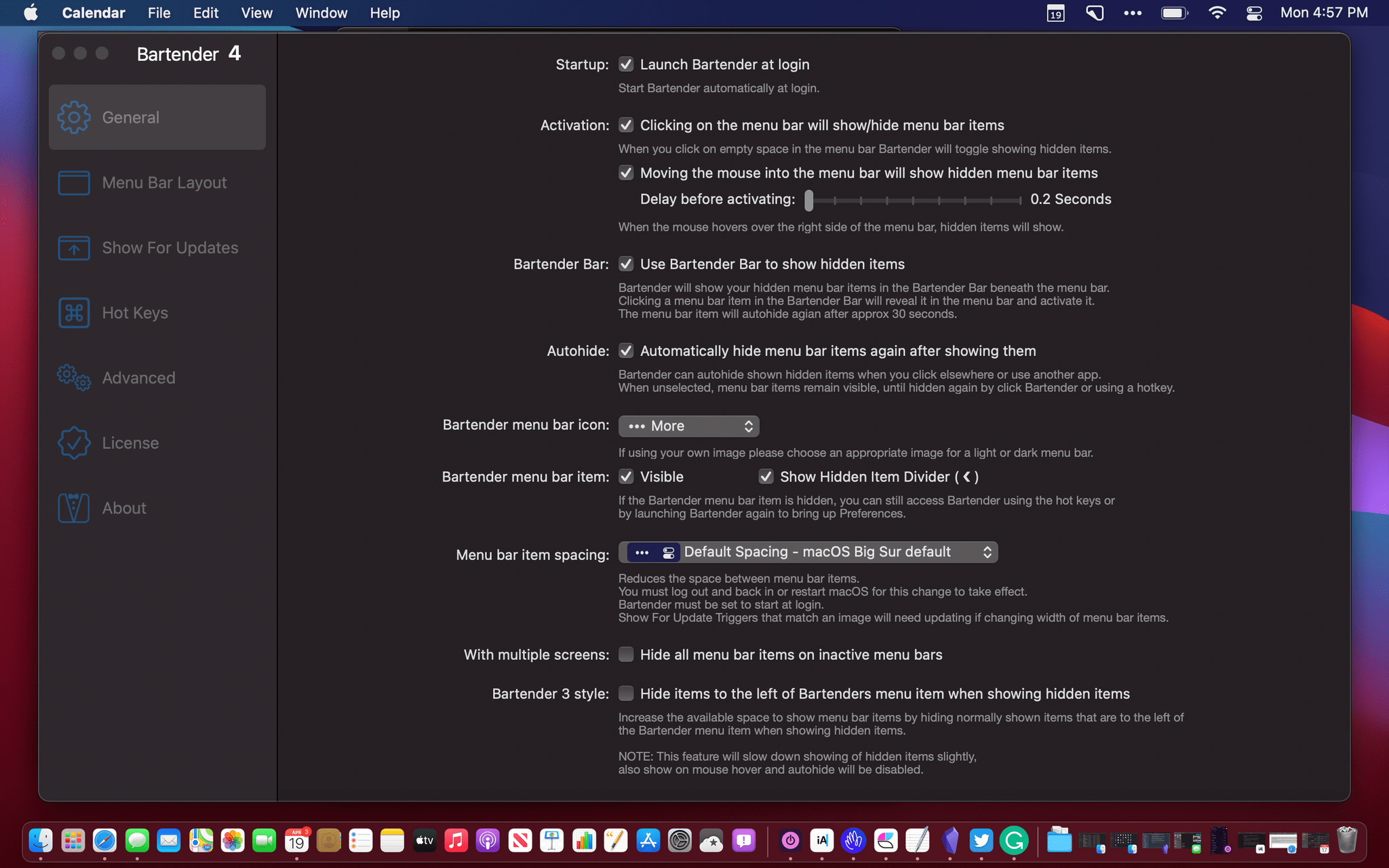
Bartender 4.0 was in beta for a long time, and the time and attention to the details paid off. If you were waiting to update until the app was officially released, now’s the time to act because it’s out, and the update is excellent.
I use Bartender on all my Macs, but I appreciate it most on my MacBook Air. The updated app, which manages your menu bar apps, retains its core functionality, allowing you to rearrange your menu bar apps and hide the ones you don’t need regularly. However, with version 4.0, Bartender does a lot more too.
 Music Part 3: Alternative and Companion Streaming Services
 Federico
AppStories Episode 214 - Music Part 3: Alternative and Companion Streaming Services
0:00
01:05:26
01:05:26
This week, Federico and John conclude their music miniseries with an episode dedicated to alternative and companion streaming services after checking in on Federico’s early experiments with an extensible text editor.
Microsoft to Begin Beta Testing Xbox Cloud Gaming on the iPhone and iPad→

Tomorrow, April 20th, Microsoft Xbox Cloud Gaming, also known as xCloud, is coming to the iPhone and iPad and the PC as a limited, invitation-only beta. The service will allow invited Xbox Game Pass Ultimate subscribers to stream over 100 games using the Edge, Chrome, and Safari browsers.
In an announcement on Xbox Wire, Catherine Gluckstein, Microsoft’s head of xCloud said:
The limited beta is our time to test and learn; we’ll send out more invites on a continuous basis to players in all 22 supported countries, evaluate feedback, continue to improve the experience, and add support for more devices. Our plan is to iterate quickly and open up to all Xbox Game Pass Ultimate members in the coming months so more people have the opportunity to play Xbox in all-new ways.
Xbox Game Streaming was launched on Android last year but was delayed on iOS and iPadOS when Apple told Microsoft it couldn’t stream the games to a dedicated app unless each game was approved by Apple App Review.
MacStories Unwind: Apple Event Announced, Spotify’s Car Thing, Fitness+ Expanded, and HomeKit Advice






Sponsored by: MindNode – Ever Had a Geistesblitz?
This week on MacStories Unwind:
MacStories
- Apple Announces Online Media Event for April 20, 2021
- Spotify Announces Car Thing: Dedicated Audio Streaming Hardware for Drivers
- Apple Expands Fitness+ Offerings with New Classes Designed for Pregnancy and Older Adults, New Trainers, and Time to Walk with Jane Fonda
- Quinn Nelson’s Approach to Home Automation
Club MacStories
- MacStories Weekly
- Federico unveils MusicLink a shortcut that creates links to multiple music services and John shows how to link GoodTask and Craft using a shortcut
- John recommends CardioBot
- An interview with iOS developer and Sofa creator Shawn Hickman
- Apps, and more.
AppStories
Unwind
- Federico’s Pick:
- By the Lips EP by Glimmers
- John’s Pick:
 App Debuts
Anybuffer The latest version of the popular clipboard manager and shelf app for iPhone and iPad has added the ability to organize your clippings with tags, which brings a new layer of organization to the app. Furthermore, you can now secure access to Anybuffer with Face ID, set a default shelf that opens every...
Generating Links for Multiple Music Streaming Services with MusicLink
Ever since I switched to Spotify late last year, one thing that’s increasingly annoyed me has been the lack of an easy way to share links to songs and albums with my friends. You see, in my group of close friends, I’m the only brave soul who’s decided to give Spotify a try in...