 Q&A
Q&A
...

 Q&A
Handling Music Links from Other Services with Opener
Q&A
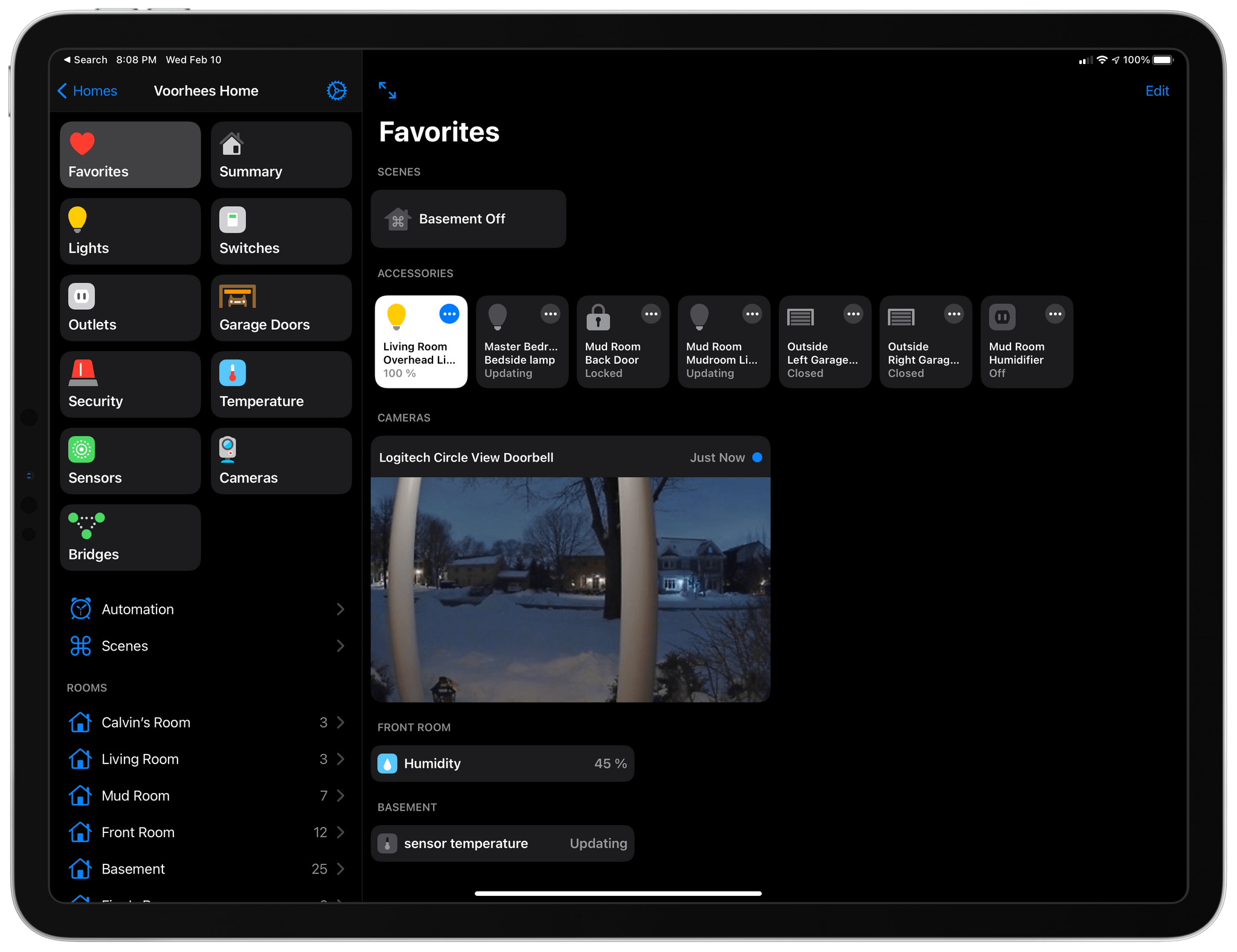
Handling Music Links from Other Services with Opener With the release of Home+ 5 by Matthias Hochgatterer, there are more reasons for HomeKit power-users to try the app than ever before. One of the app’s strengths has always been creating automations based on device attributes that aren’t available in Apple’s Home app. That’s why I was already using Home+. However, now, the app has added a new design, folders to organize automations, Smart Groups for accessories, a Favorites view, and backups, which make the app more compelling than ever.
This week on AppStories, we discuss the iPhone and iPad accessories we use the most and explain a couple of recent failed accessory experiments.
Sponsored by:






Starting today, Insta360 is offering an exclusive bundle of the Insta360 ONE X2 camera and an assortment of accessories through Apple’s online store for $479.99.
I’ve been intrigued by Insta360’s action cameras since coming across them during CES in 2020. I bought a DJI Osmo Pocket when it launched at the end of 2018, which sold me on the notion of a tiny, versatile camera that integrates with the iPhone. So, when Insta360 offered to send me the Apple Store bundle to try, I was curious to see what it can do and what a 360-degree perspective would add to the mix. I’ve only had the ONE X2 for a few days during a brutal Chicago cold snap, so my use of the camera has been limited. Still, the excellent app integration has made getting started a breeze, so I wanted to share my first impressions.
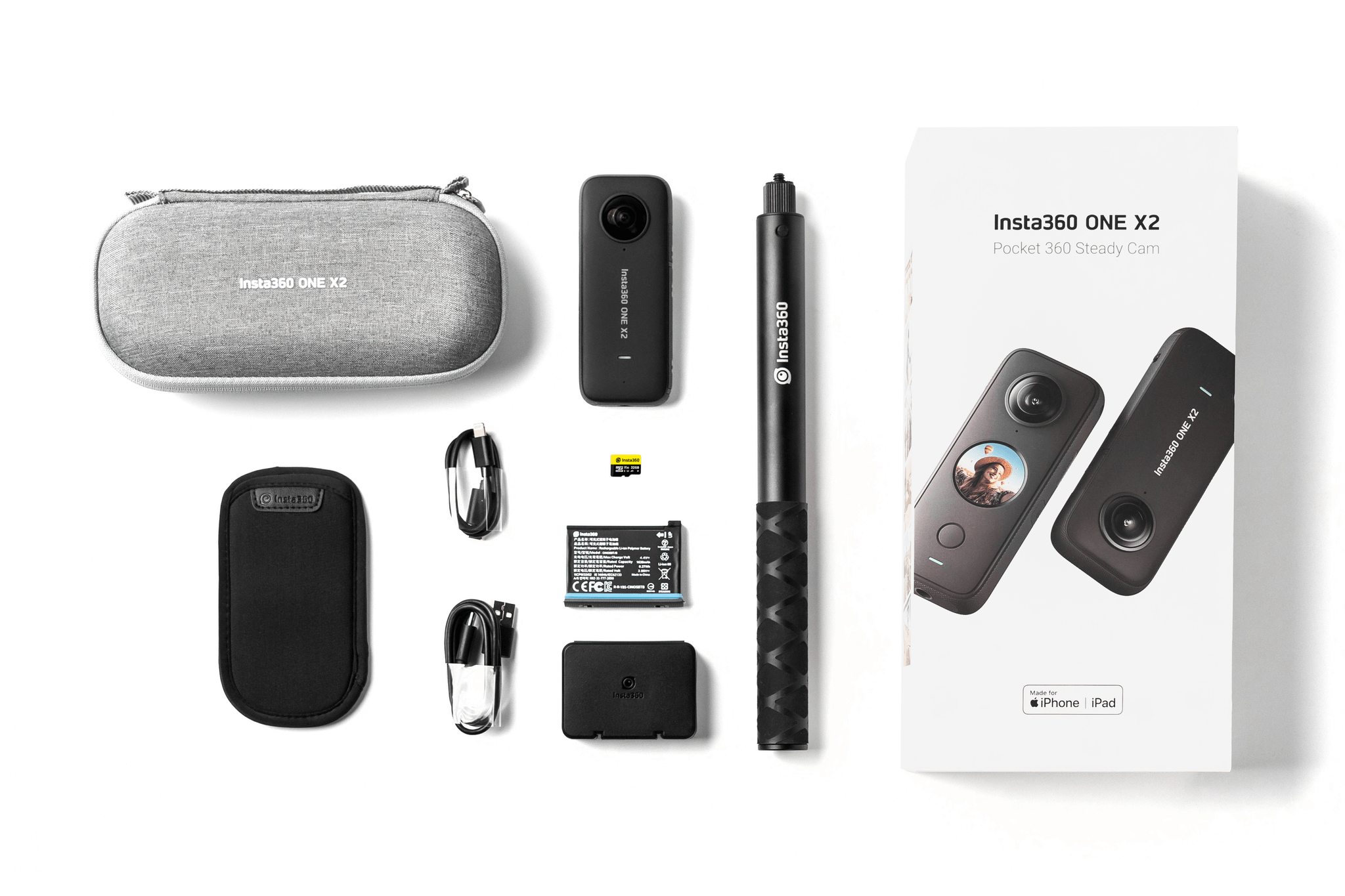
The Insta360 ONE X2 bundle being sold by Apple is a great starter package that includes the ONE X2 camera, an Invisible Selfie Stick, an extra battery and case to carry it, a 32 GB MicroSD card and SD card adapter, two charging cables (USB-A to USB-C and USB-C to Lightning), a carrying case, and a soft pouch. Separately, the camera retails for $429.99, and with the accessories, the entire package would cost around $511 based on the prices listed on Insta360’s website. However, through Apple’s online store, you can purchase the kit for $479.99, saving some money and getting everything you’ll need to get started.
Apple has rolled out another new feature to iOS 14.5 beta testers in the US: accident, hazard, and speed check reporting in Maps.
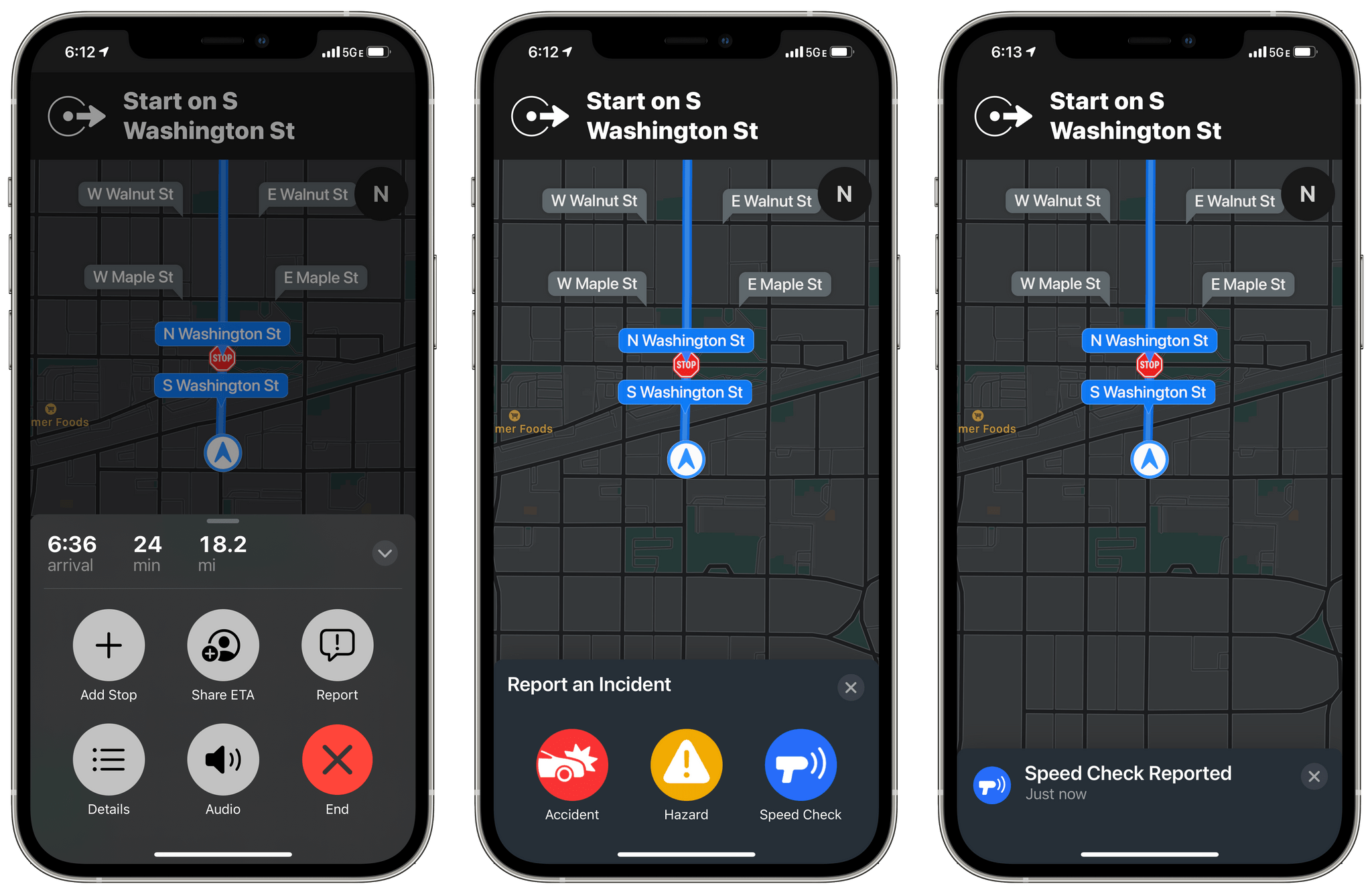
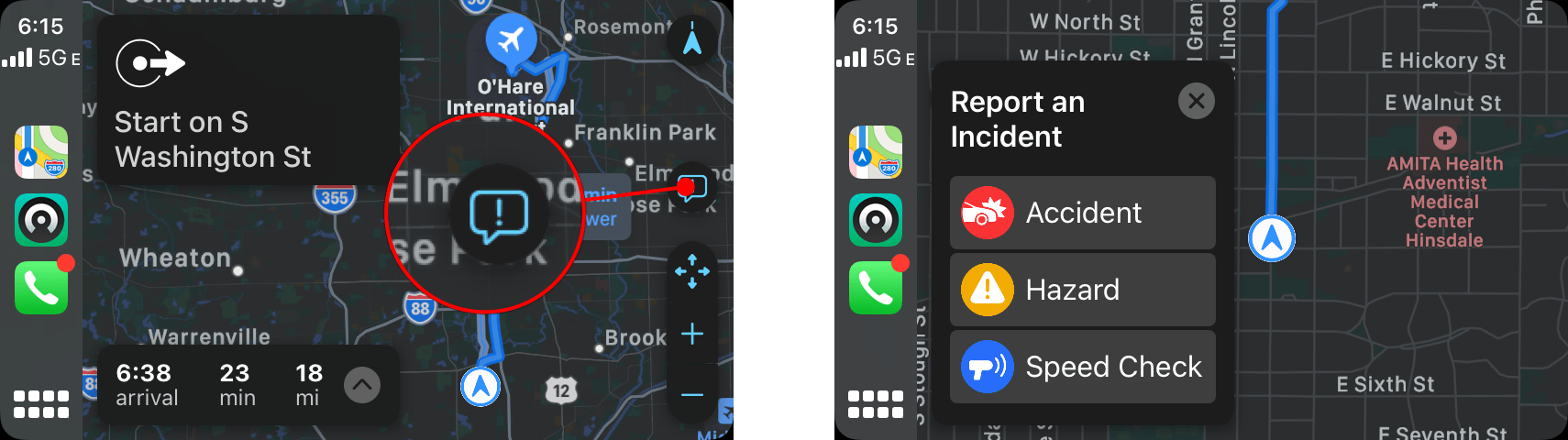
The new feature, which appeared today, is available once you begin navigating to a destination using Maps on your iPhone or via CarPlay. After you tap the ‘Go’ button, you can tap or swipe up from the bottom of the Maps app on your iPhone or tap the new ‘Report’ button on the right side of the CarPlay UI to reveal options to report traffic accidents, road hazards, or speed checks. All three alerts can be reported and cleared using Siri too.
I did some preliminary testing of the feature using Maps with my iPhone, CarPlay, and Siri, and it worked well without any issues. My one quibble is with the placement of the Report button in CarPlay. It’s quite small and on the far side of the screen from the driver. You can use Siri to send a report instead, but I expected the Report button to be revealed when I tapped on the strip along the bottom of CarPlay’s Maps view that lists information like the estimated arrival time at your destination.
It will probably be a while before enough people are using iOS 14.5 for accident, hazard, and speed check alerts to begin popping up as I drive somewhere. However, there are enough other big features coming in 14.5, like the Face ID plus Apple Watch iPhone unlocking when you’re wearing a face mask, that I expect we’ll begin to see notifications pop up in Maps once iOS 14.5 is officially released.
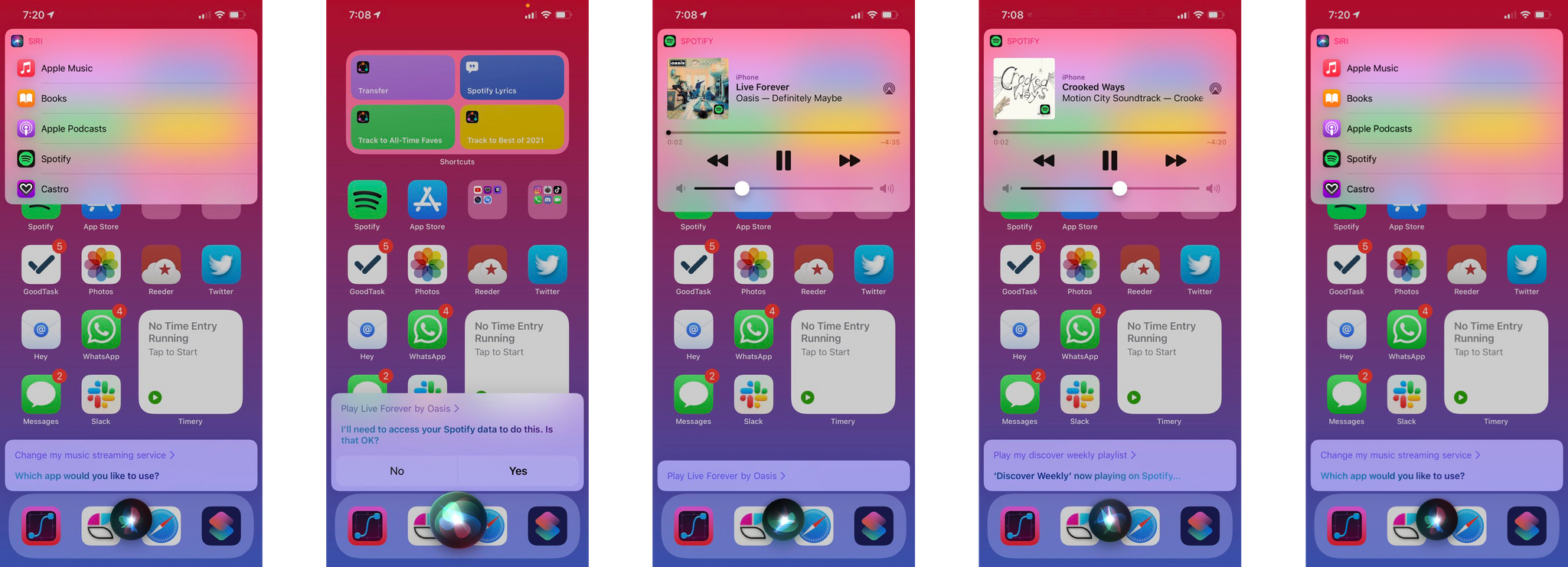
As MacRumors’ Tim Hardwick reported earlier today, the iOS and iPadOS 14.5 betas permit users to change the default music streaming service used for playback by Siri.
The new feature, which originally surfaced on Reddit and reported on by The 8-Bit, appears the first time you ask Siri to play music. Siri displays a list of audio apps installed on your device, asking you to pick one. As you can see from screenshots of Federico’s iPhone above, the feature currently suggests audio apps that can’t respond to music requests like podcast players, but he has confirmed that it works with Spotify for playing individual songs and playlists. Switching streaming services after the initial prompt to pick one can be accomplished using Siri too.
Late last year, Apple introduced the ability to change the streaming service used with the HomePod and HomePod mini, so it’s not surprising that the feature that Apple is expanding the feature to all Siri requests. However, the new iOS and iPadOS 14.5 feature is nonetheless significant because it will reach a far larger audience of iPhone and iPad users that don’t own a HomePod.
 iPhone and iPad Accessory Extravaganza
Sponsored by: SaneBox – Organize Your Inbox, and Never Waste Time on Email Again
This week on MacStories Unwind:
 Federico