 Ejecting External Drives Should Be as Easy on the Mac as It Is on the iPad
...

 Ejecting External Drives Should Be as Easy on the Mac as It Is on the iPad
 Gui Rambo, the maker or AirBuddy, the Bluetooth headphone and peripheral menu bar utility that I’ve covered before, has released a new app called DarkModeBuddy that can automatically switch between light and dark mode on Mac laptops based on ambient light levels. DarkModeBuddy runs in the background monitoring the ambient light readings from the same sensor that automatically adjusts your screen’s brightness. When the ambient light drops below a threshold you pick for an amount of time that you also choose, DarkModeBuddy automatically switches Big Sur from light to dark mode.
The app is a terrific example of the sort of single-purpose, useful utility available on the Mac. The app’s settings helpfully display the current light reading, which will assist you in deciding what light threshold to pick. The easiest way to dial in a comfortable setting is to choose something you think might work and then adjust it as you work in different lighting environments based on the readings reported by DarkModeBuddy.
If you watch the ambient light readings in DarkModeBuddy, you’ll see they jump around a bit as the lighting of your surroundings changes. That’s why the app has a Delay Time setting, which only switches between light and dark modes if the lighting conditions cross the threshold you set for a certain amount of time. The timer prevents flickering back and forth between light and dark modes based on small, temporary changes in lighting.
I generally run my Macs in dark mode full time, so I’m not planning to run DarkModeBuddy all the time. However, I like Gui’s approach to light and dark mode switching better than Apple’s. If I’m in a dark environment, light mode, especially with Big Sur’s emphasis on bright white UI elements, can feel like having someone point a spotlight at your face. You may find yourself in those conditions because it’s nighttime, but the time of day doesn’t account for when you’re working in a poorly lit room, which is where DarkModeBuddy really shines.1
DarkModeBuddy, which is an open-source project, is available with a ‘name your price’ model via Gumroad.
This week on AppStories, we flip last week’s episode around and ask which hardware and software features the iPad should steal from the Mac.
Sponsored by:






At its Stream On event today, Spotify announced that it is adding a new CD-quality lossless tier to its music streaming service later this year. Spotify says the high-resolution streaming is one of its users’ most-requested features and that it is working with speaker manufacturers to ensure there are Spotify Connect devices at launch that take advantage of the new tier.
There are no details on pricing or other aspects of the new service yet, which will be called Spotify HiFi. In a not-so-subtle jab at Apple Music, which has worked closely with Billie Eilish and heavily promoted her music, Spotify coupled today’s announcement with a short video of Eilish and her brother Finneas discussing the importance of high fidelity audio.
It will be interesting to see how Apple Music responds. As competing music streaming services have grown more alike than different, high-resolution audio is being used by several services to try to differentiate themselves from competitors and support higher prices.
Apple has had a ‘Mastered for iTunes’ program since 2013 to ensure that the highest-quality source material is available. However, the music the company streams to Apple Music subscribers is compressed. With the introduction of the HomePod and AirPods Max, high-resolution audio already seemed like a natural next step to expand Apple’s services business. I wouldn’t be surprised if Spotify’s announcement today pushes Apple to announce high-fidelity streaming this year too.
My scanning needs are modest. I occasionally need to scan a receipt or document for personal or work reasons, but the frequency with which I do that has steadily declined over the years. I have a Fujitsu ScanSnap scanner, which is excellent, but if it broke, I wouldn’t replace it. That’s because iPhone and iPad scanning apps have improved just as steadily as my scanning needs have declined.
These days, the ScanSnap sits in a drawer, demoted from taking up valuable desktop space that I need for the tools I use every day. I still set it up from time to time when I’m working at my desk, but more and more often, I’ve found it to be more trouble than it’s worth to set up.
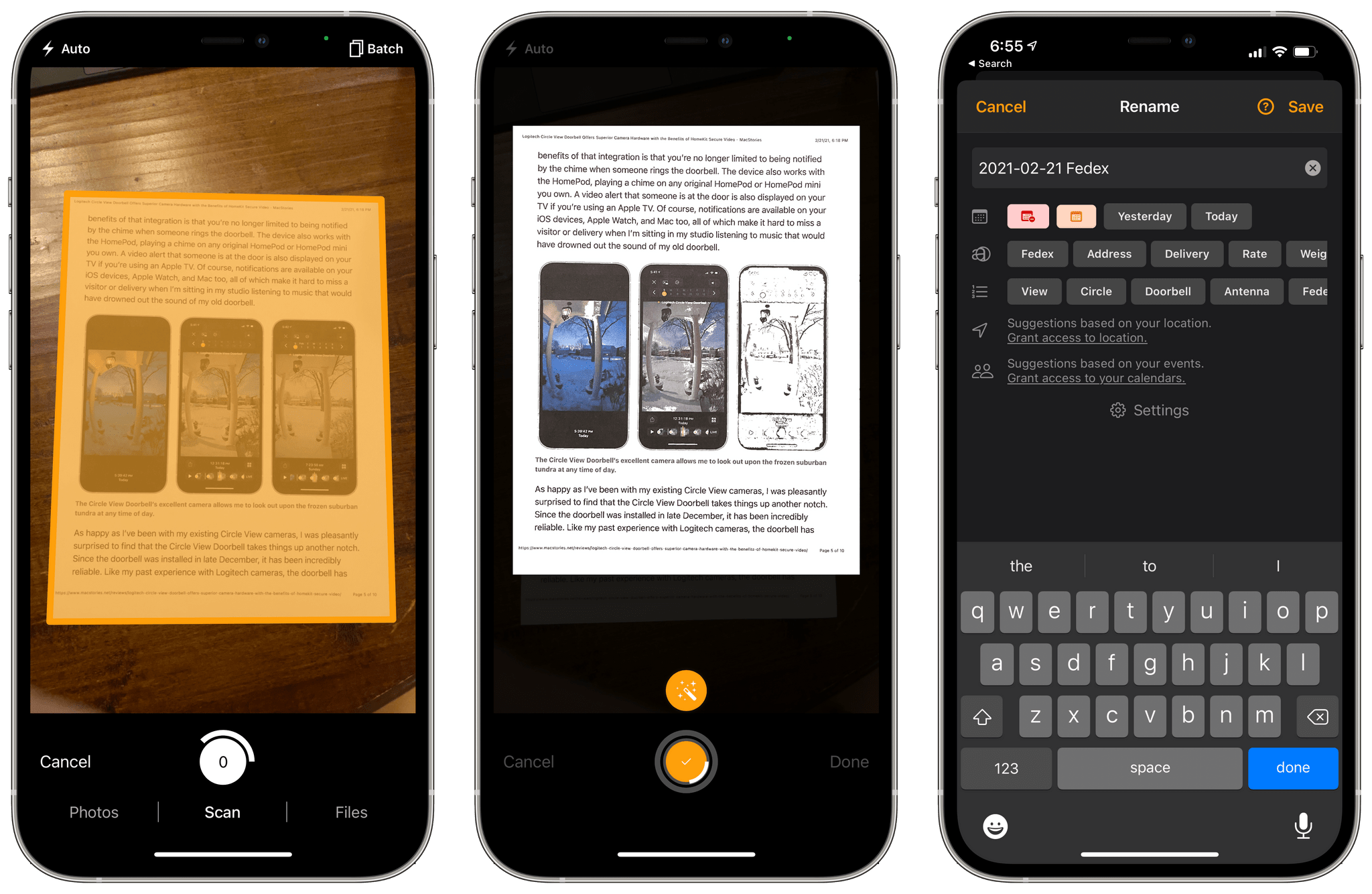
Instead, I’ve been experimenting with a variety of iPhone and iPad scanning apps, including Genius Scan 6, which was released today. The app has a long list of features, but at its core, what I like most about Genius Scan is its fast, flexible scanning workflow and business model that fits with a wide range of user needs from someone like me who doesn’t scan documents very often to people for whom scanning is essential to their daily tasks.
 What Should the iPad Steal from the Mac?
Sponsored by: UpNote – The Best App for Notes Writing and Organizing
This week on MacStories Unwind:
My GoodTask System
App Debuts 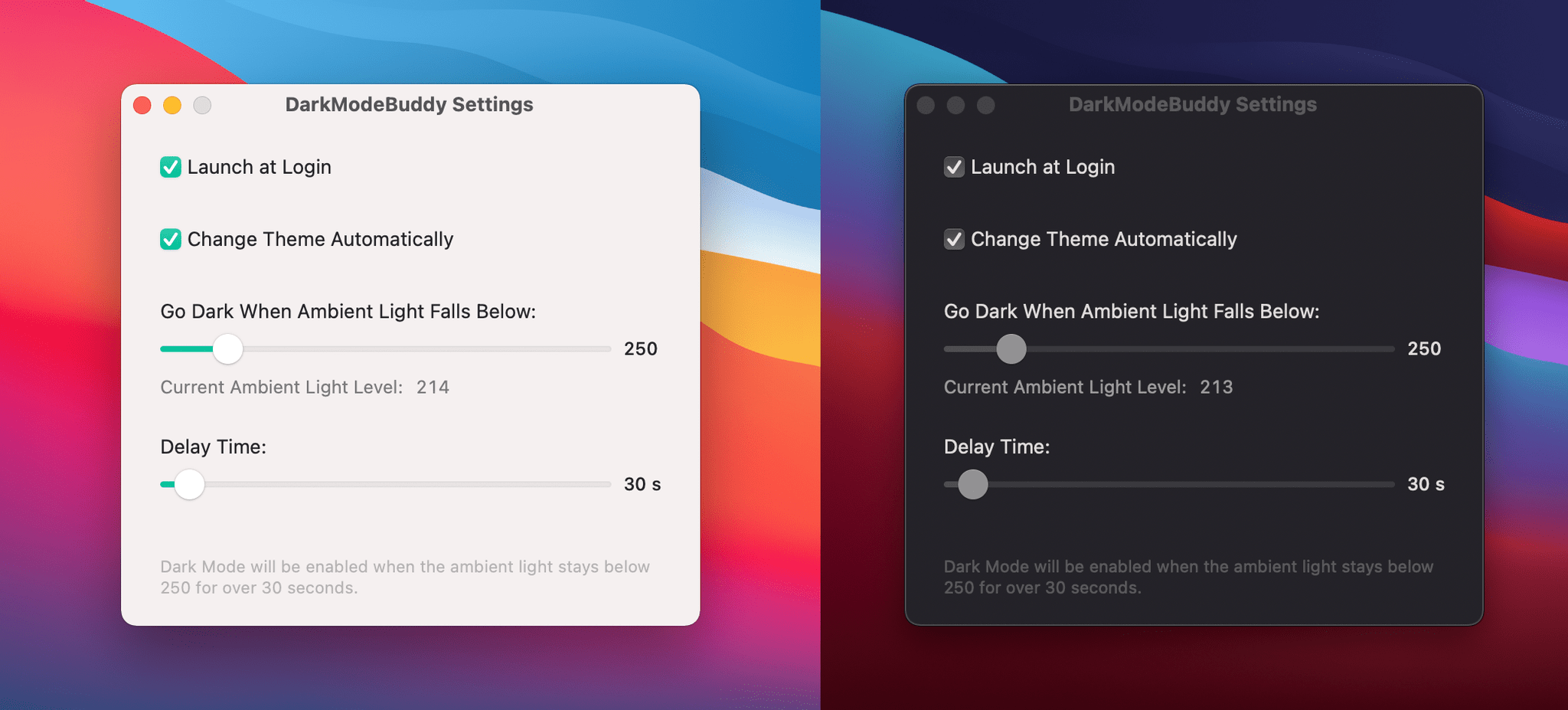

 Federico