 My Safari Tab Groups Workflow
...

 My Safari Tab Groups Workflow
 We kicked off the MacStories Summer OS Preview Series on AppStories a couple of weeks ago with interviews of four 2021 Apple Design Award winners. We’ll also publish a series of in-depth first-looks at what users can expect this fall from iOS and iPadOS 15, macOS Monterey, and watchOS 8. We’ll also be interviewing developers on AppStories, exploring the technical details that we expect will have the biggest impact on upcoming app updates and releases. You can follow along with the series through our dedicated hub or subscribe to its RSS feed.
Today, we wanted to continue the conversations that began with the AppStories ADA interviews by talking to seven more developers about a wide range of topics. Now that the initial excitement has passed and the dust settled from WWDC, we wanted to hear more from the developers who will be using Apple’s latest technologies to bring readers new apps and innovative updates to readers this fall.
This year, we spoke to:
The following is a collection of the responses from each of the developers I interviewed on a wide range of topics from new frameworks and APIs to Shortcuts on the Mac, the ability to publish apps built on the iPad, SharePlay, SwiftUI, Swift concurrency, and more. Thanks so much to everyone for sharing their insights on these topics with MacStories readers. We greatly appreciate everyone taking time out of their busy post-WWDC schedules to participate.
I received fantastic, thoughtful responses from all of the developers I interviewed, which resulted in more material than I could use for this story. However, we’ll be featuring unabridged versions of the interviews in the next two issues of MacStories Weekly. It’s an excellent way to get an even deeper sense of the ramifications of this year’s WWDC announcements. If you’re not already a member, you can learn more at //www.macstories.net/club or sign up below.
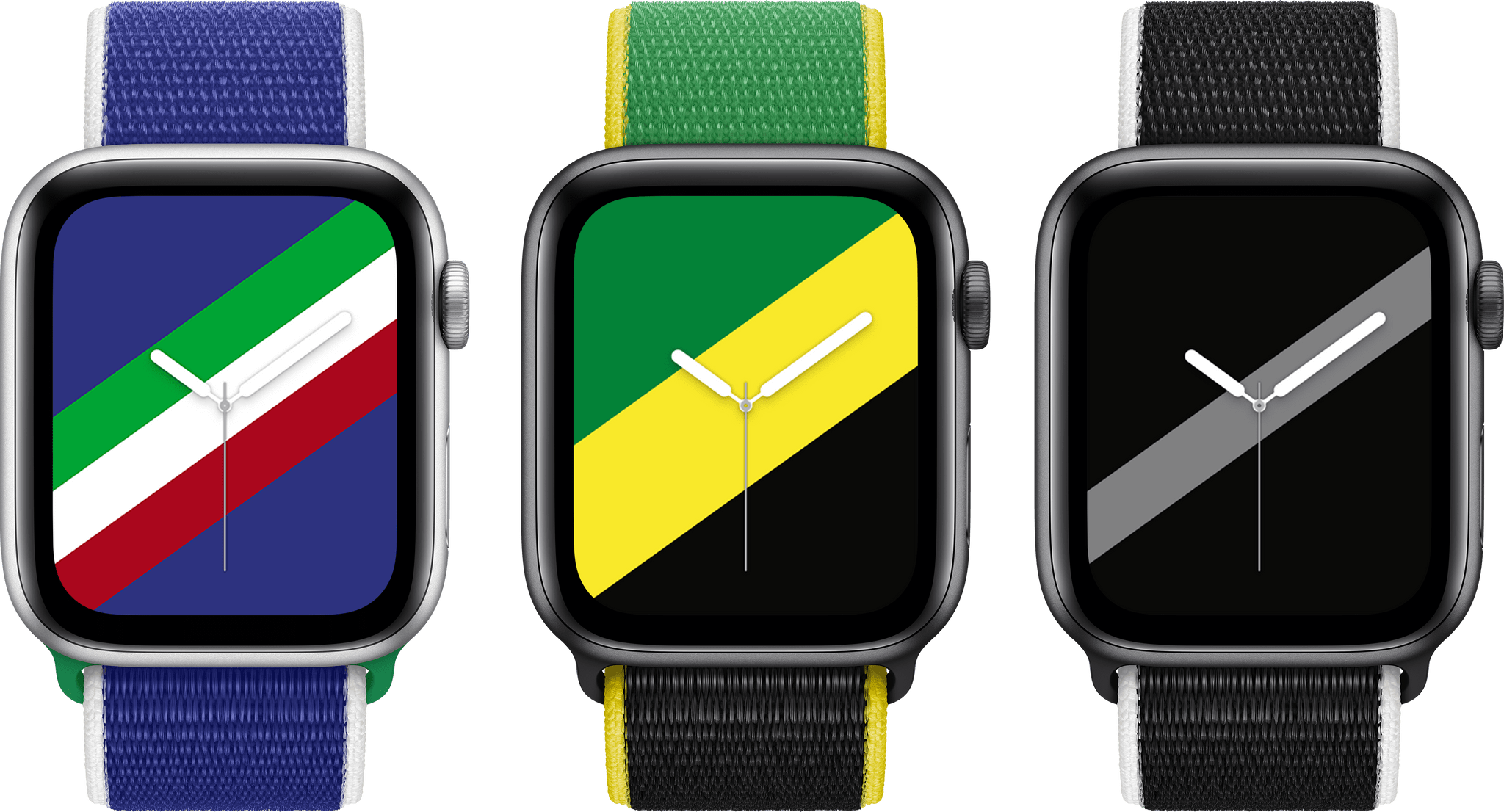
Apple has announced the Apple Watch International Collection comprised of 22 Sports Loop bands and downloadable Stripes watch faces that feature the colors of countries around the world.
According to the company’s press release:
The soft, breathable, and lightweight International Collection Sport Loop bands are available representing the following countries: Australia, Belgium, Brazil, Canada, China, Denmark, France, Germany, Great Britain, Greece, Italy, Jamaica, Japan, Mexico, the Netherlands, New Zealand, Russia, South Africa, South Korea, Spain, Sweden, and the US.
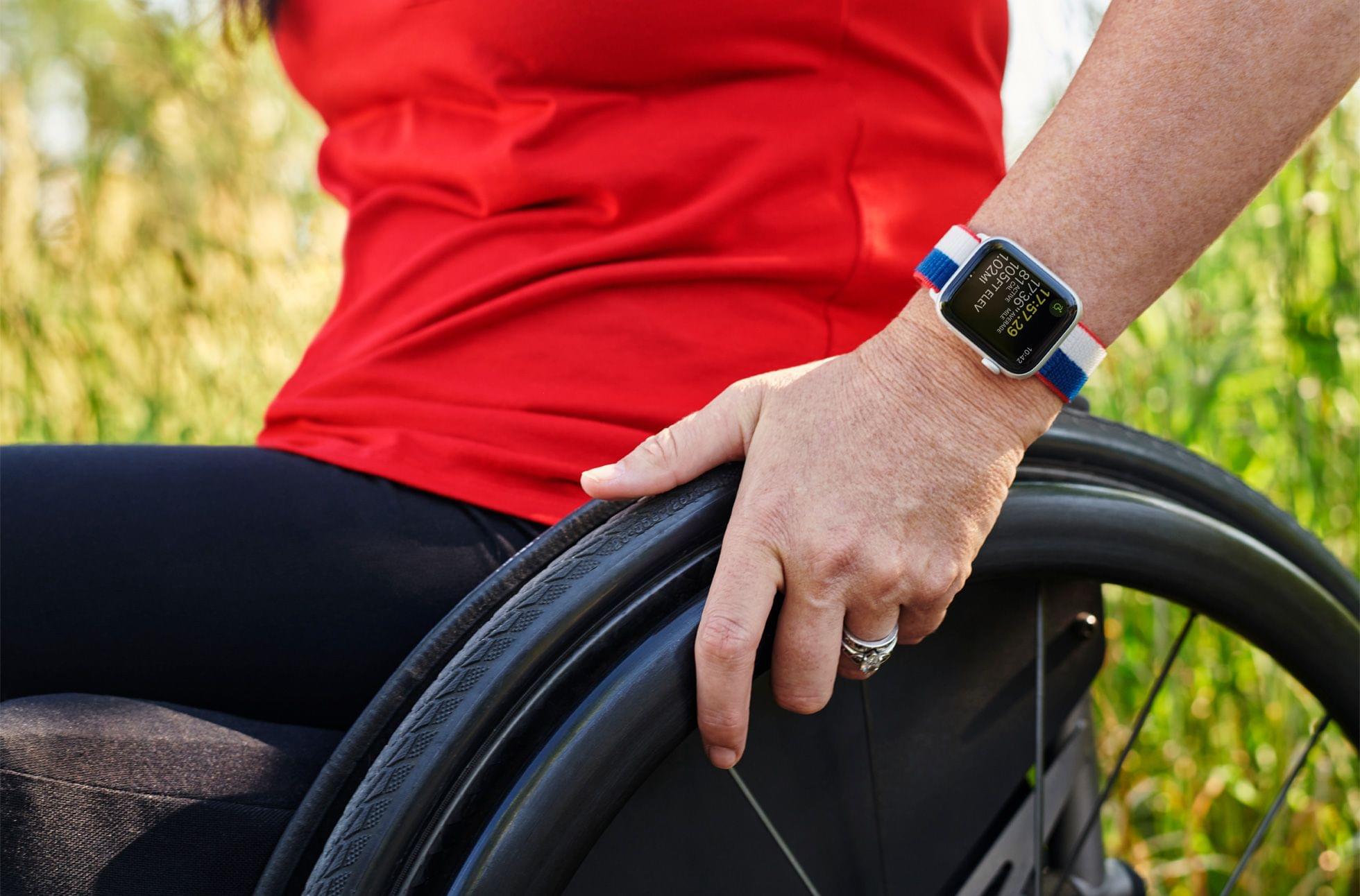
The US Sports Loop band from Apple’s International Collection modeled by Olympic gold medalist Amy Van Dyken.
Apple’s press release also features photos of Amy Van Dyken, a six-time Olympic swimming gold medalist and activist for the disabled community, showing off the US-themed band and watch face.
With the Olympics having been delayed until this summer, I suspect Apple has been sitting on these Watch band and face designs for a while. There are a lot of terrific color options available, so be sure to check out Apple’s press release or apple.com, to see all 22.
The team at Pixelmator has released an update to its Mac photo and image editing tool Pixelmator Pro that includes several new features.
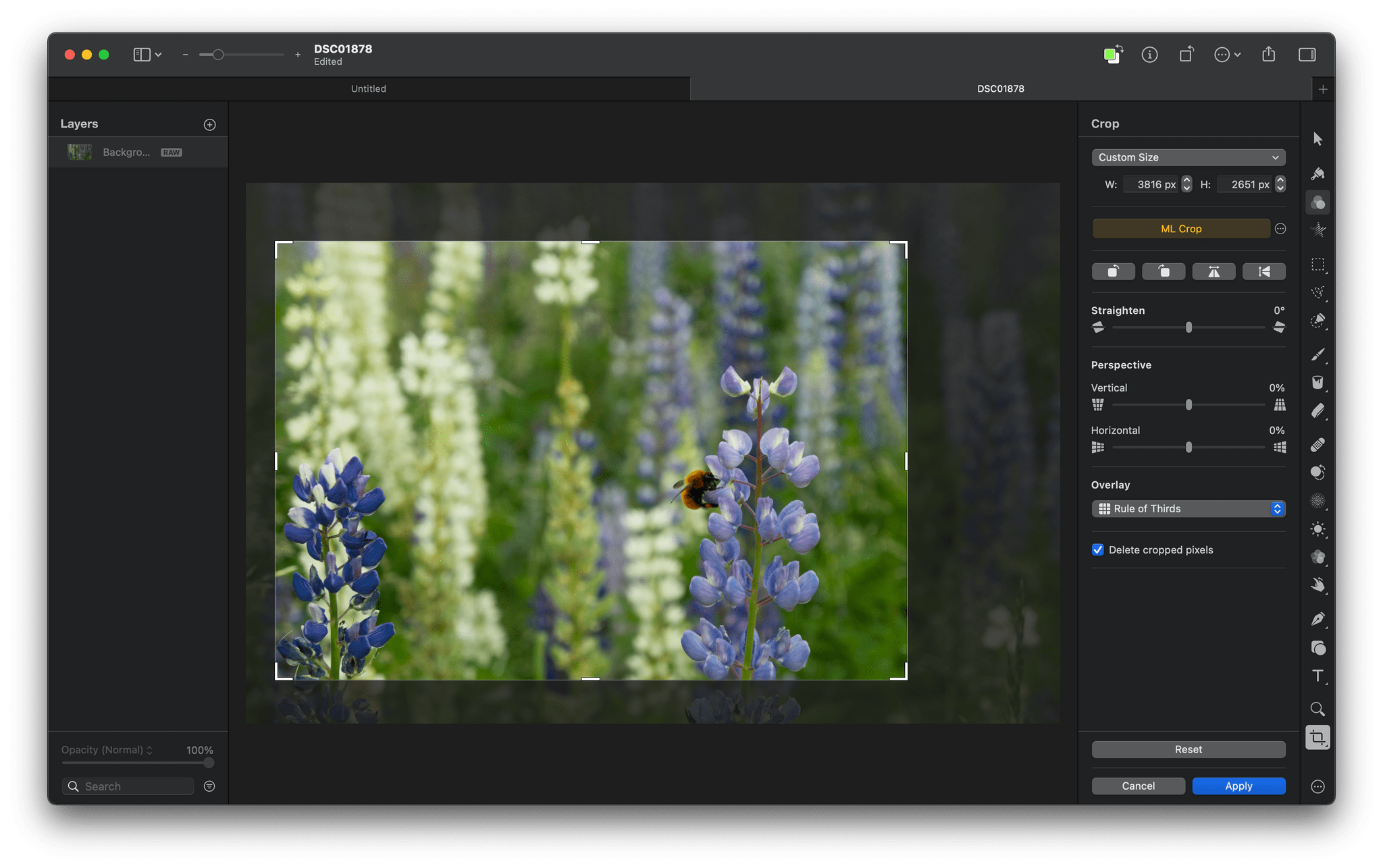
Teased last month, Pixelmator Pro 2.1 has been updated with ML Crop, a machine learning-based cropping tool that algorithmically suggests ways to crop your images. The feature joins several other machine learning-based features that the app has added in the past couple of years. In my limited testing, ML Crop works well, suggesting crops based on the subject of photos that are more dramatic and focused on the image’s subject. The entire cropping process is non-destructive, so even if you aren’t entirely happy with a suggested crop, it can be used as a starting point and easily tweaked manually.
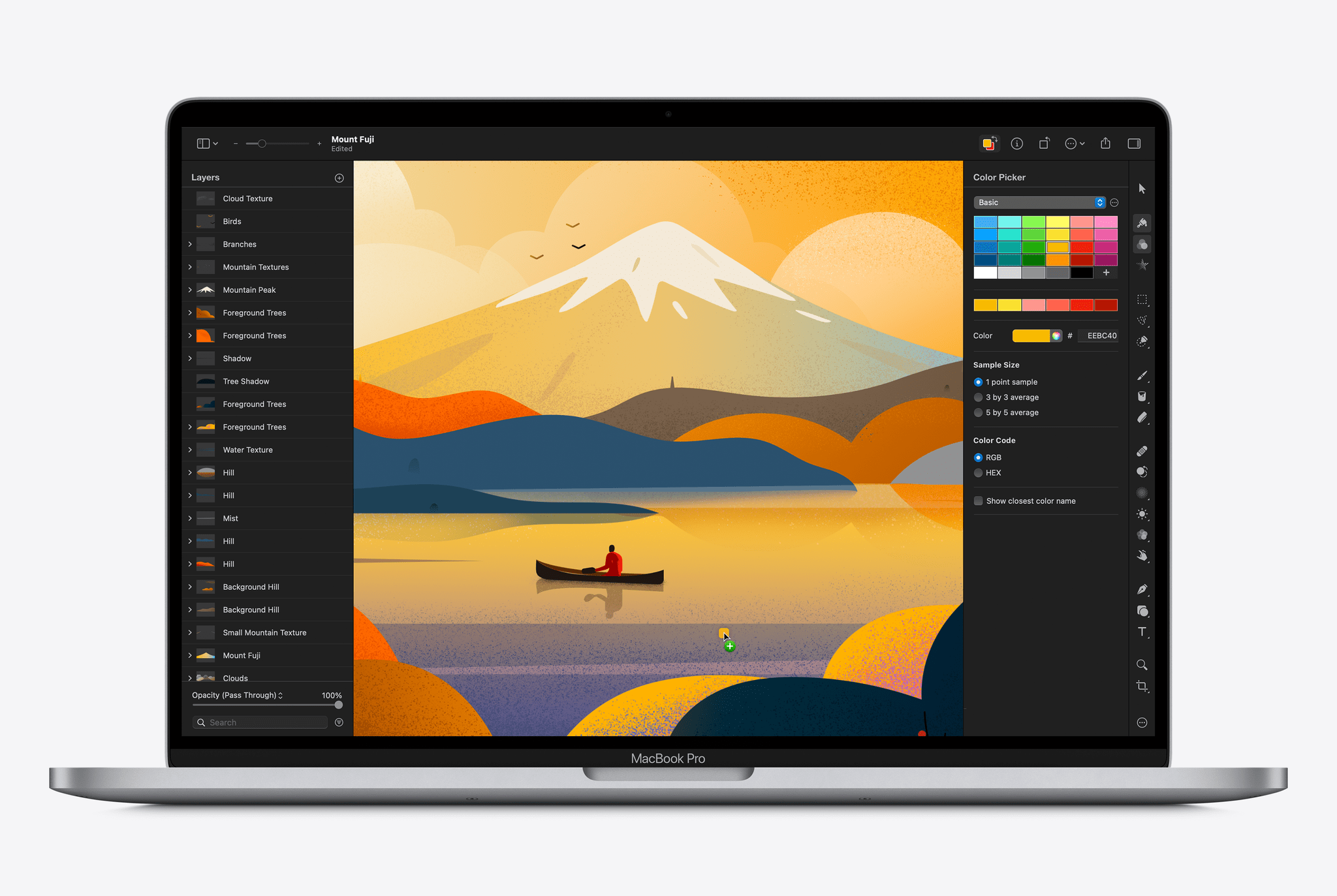
Pixelmator Pro has evolved into more than just a photo editor. The app includes powerful image creation tools that got an update today too. Quick Fill is a fast way to fill an image layer with color by simply dragging the color from the app’s new color well that also supports switching between foreground and background colors.
The app has added a Stroke with Brush feature that facilitates painting with the app’s brushes along the path of shapes and image layers too. The feature joins a new brush picker and an option for smoothing strokes. Also, the Type tool has been updated to add a slider that quickly resizes text and the ability to control paragraph spacing.
There are other smaller refinements throughout the app too. For instance, when you hover the pointer over a predefined crop, your image updates with a preview of what the new crop will look like. The feature works dynamically in tandem with ML Crop when that feature is turned on, and there are now multiple crop overlay options in the latest update like the Rule of Thirds, the Golden Ratio, the Golden Spiral, and others. Image perspective can be adjusted, and the background of the app’s editor can be changed too. For a quick demo of the highlights, Pixelmator’s announcement video is worth watching:
I haven’t had a chance to try all the new features of Pixelmator’s latest release yet, but I like what I’ve seen so far. The app’s machine learning-based features are fast, especially on an M1 Mac, and they work well in most circumstances. Even when the results aren’t exactly what I want, the app’s machine learning tools are a handy head start with editing.
Pixelmator 2.1 is a free update on the Mac App Store, and currently, the app is available for $19.99, which is 50% off of its usual price until July 6th.
 Shortcuts Preview
 This week, Federico and John walk through all the changes coming to Shortcuts this fall, including changes to the Shortcuts editor and the new actions you’ll find in Shortcuts on the iPhone, iPad, and Mac.
On AppStories+, Federico explains his new iPad Home Screen for writing his annual iOS and iPadOS review and other Home Screens he’s considering and Federico and John discuss Shared With You.






Sponsored by: GoodTask – Get It Done With the Task Manager Based on Apple’s Reminders and Calendars
This week on MacStories Unwind:
App Debuts This week on AppStories, we dig into the latest iteration of the research and note-taking setup that Federico is using to prepare his annual iOS and iPadOS review, a big part of which features Obsidian.
Sponsored by:
We speculated for years about whether Shortcuts would come to the Mac and, if so, in what form. In 2019, Dr. Drang wrote about his concern that Shortcuts would come to the Mac as a Catalyst app that couldn’t interoperate with existing Mac automation tools. It was a legitimate concern, especially given the state of Mac Catalyst apps at the time.
As Drang explains in a post today, those early concerns haven’t materialized. Shortcuts for Mac isn’t limited by Mac Catalyst, and Apple has directly plugged the app into the existing Mac automation ecosystem. Drang concludes that:
All in all, this is looks like everything I wanted in Mac Shortcuts. As I said in the post two years ago, the ability to run every kind of automation from every other kind of automation is key to making a fluid system, where you can use each tool for what it does best. Also, it means that third-party automation tools like Keyboard Maestro, which has a good AppleScript dictionary for running its macros, will fit in well with the new environment even before they incorporate Intents that are directly accessible from Shortcuts.
As Drang notes, Shortcuts for Mac’s ability to run AppleScript and for shortcuts to be run from AppleScript or from the command line is an important feature that promises to significantly increase the app’s utility from day one. Even before existing Mac automation apps do anything to support Shortcuts, they will work with it if they support AppleScript or shell scripting. That will allow users to build shortcuts that incorporate workflows created in apps like Keyboard Maestro and for Keyboard Maestro to run shortcuts from the very start.
However, before automation fans run out and install Monterey to start building new automations, it’s worth noting that Shortcuts for Mac is a brand new app in the first beta of Monterey. As Drang notes, some functionality isn’t enabled yet, and there are significant bugs that need to be worked out throughout the app. That’s to be expected, and there are still good reasons to be excited about Shortcuts for Mac. For now, though, adventurous automators should approach Shortcuts for Mac with realistic expectations about what they will be able to create.

 Federico