John Voorhees

5627 posts on MacStories since November 2015

John is MacStories' Managing Editor, has been writing about Apple and apps since joining the team in 2015, and today, runs the site alongside Federico. John also co-hosts four MacStories podcasts: AppStories, which covers the world of apps, MacStories Unwind, which explores the fun differences between American and Italian culture and recommends media to listeners, Ruminate, a show about the weird web and unusual snacks, and NPC: Next Portable Console, a show about the games we take with us.

Interesting Links

Twitter has acquired Threader, the popular web service that allowed people to “compile” Twitter threads into longform “posts”. Threader functionality will likely be integrated with Twitter’s Blue subscription plan, which already comes with a dedicated reader mode for threads. (Link) Writing at HeyDingus, Jarrod Blundy has shared a shortcut that makes it easier to...


My Stream Deck Setup

For Club MacStories+ and Club Premier members who read my Macintosh Desktop Experience columns on the Loupedeck Live, you’ll see some similarities between the way I set that device up and how I’m using the Stream Deck. However, there are important differences. First and foremost, I didn’t set up many shortcuts with the Loupedeck Live...


App Debuts

Linea Sketch Linea Sketch was updated to version 4.0 this week with lockable layers, a new set of watercolor brushes, and the ability to annotate your artwork with labels, something that collaborators should find useful. Annotations support both the keyboard and Scribble with the Apple Pencil and support adjusting their color, size, font, and...


MacStories Unwind: Shortcuts and the Stream Deck, a Tweetbot Update, Lots of Music Recommendations, and a Tech Documentary

AppStories+ Deeper into the world of apps
0:00
36:56

AppStories+ Deeper into the world of apps


This week on MacStories Unwind:

MacStories

Club MacStories

  • MacStories Weekly
    • A tip for simplifying Shortcuts and Alfred integration
    • Federico’s Obsidian shortcuts for appending text and webpage links to a section of his Dashboard note
    • Details on how John is using the Stream Deck,
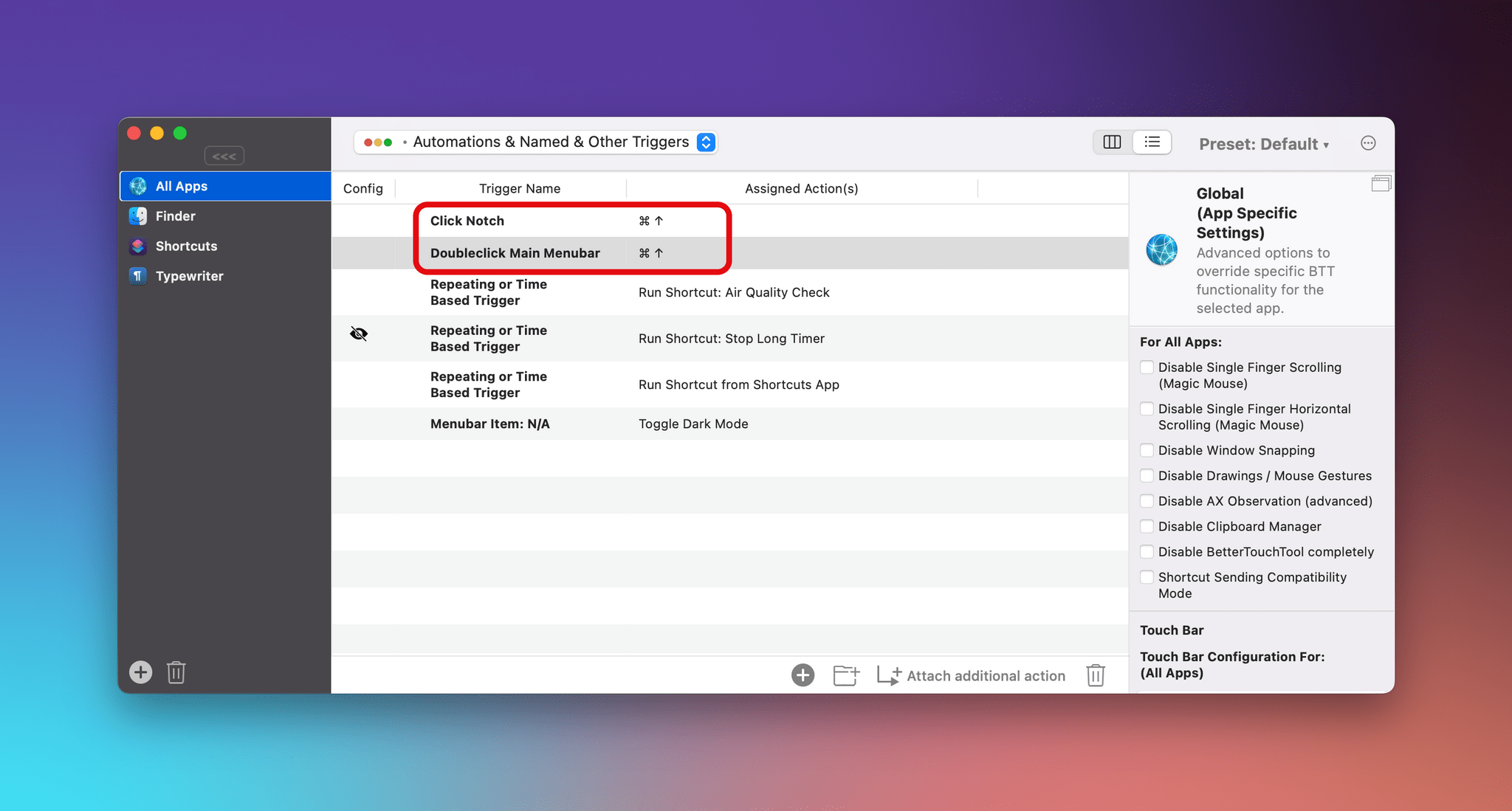
    • An interview with BetterTouchTool developer Andreas Hegenberg

AppStories

Unwind


AppStories, Episode 249 – More iPhone, iPad, and Mac Tips

This week on AppStories, we dive back into our favorite iOS and iPadOS 15 and macOS Monterey tips.


On AppStories+, John is back home, which means we’re resuming our normal routines, John covers the gear relied on while traveling to Rome, and Federico shares his first impressions of the M1 MacBook Pro and Shortcuts for Mac.

We deliver AppStories+ to subscribers with bonus content, ad-free, and at a high bitrate early every week.

To learn more about the benefits included with an AppStories+ subscription, visit our Plans page, or read the AppStories+ FAQ.

Permalink

Apple Announces Self Service Repair Program That Will Provide Customers With Access to Tools, Parts, and Manuals

Apple announced today that its customers will be able to order tools, parts, and manuals to make repairs to iPhones, and later, M1 Macs beginning early next year:

Available first for the iPhone 12 and iPhone 13 lineups, and soon to be followed by Mac computers featuring M1 chips, Self Service Repair will be available early next year in the US and expand to additional countries throughout 2022.

The initial phase of the program will focus on the most commonly serviced modules, such as the iPhone display, battery, and camera. The ability for additional repairs will be available later next year.

Repair materials will be offered in a new store:

The new store will offer more than 200 individual parts and tools, enabling customers to complete the most common repairs on iPhone 12 and iPhone 13.

Also, the company will offer a credit toward new part purchases when used parts are sent back to encourage recycling.

It’s excellent to see Apple expanding customer repair options. As the company notes in its press release, the number of authorized repair providers has expanded in recent years, but not everyone has easy access to existing alternatives. More repair options also address complaints that Apple’s devices are too hard to repair, although there remains room to make more kinds of repairs easier. Still, today’s move is a step in the right direction and one that will be interesting to follow in the coming year.


Getting Started with Shortcuts for Mac and the Stream Deck

The Stream Deck has been a favorite of Mac users who are into automation for a while now, but the device’s utility has grown substantially for a couple of reasons. First, you can use the Stream Deck to run Shortcuts, which expands the device into an entirely new realm of automation.

Second, the Stream Deck opens up new ways to approach all automation on your Mac that aren’t possible with any single Mac app, allowing you to mix and match different kinds of automation in one interface. It’s a powerful combination that unlocks the ability to organize the automation tools you use to fit with the way you think and work.

To get you started, I’m going to cover:

  • What the Stream Deck is and how it works
  • The many ways to run your Shortcuts from the device
  • Approaches for organizing your shortcuts and other automations with the Stream Deck
  • An alternative to the Stream Deck

Let’s dig in.

Read more


More iPhone, iPad, and Mac Tips

AppStories+ Deeper into the world of apps

AppStories Episode 249 - More iPhone, iPad, and Mac Tips

0:00
33:01

AppStories+ Deeper into the world of apps

This week, Federico and John dive back into their favorite iOS and iPadOS 15 and macOS Monterey tips.

Read more


Interesting Links

The folks at Vyncher set out to create a nature wallpaper inspired by Monterey Canyon given that Apple only made an abstract one for macOS Monterey. The result is beautiful. (Link) Matt Birchler is trying Spotify again and the experiment is not going well. I agree with everything he wrote. (Link) Club MacStories member...