
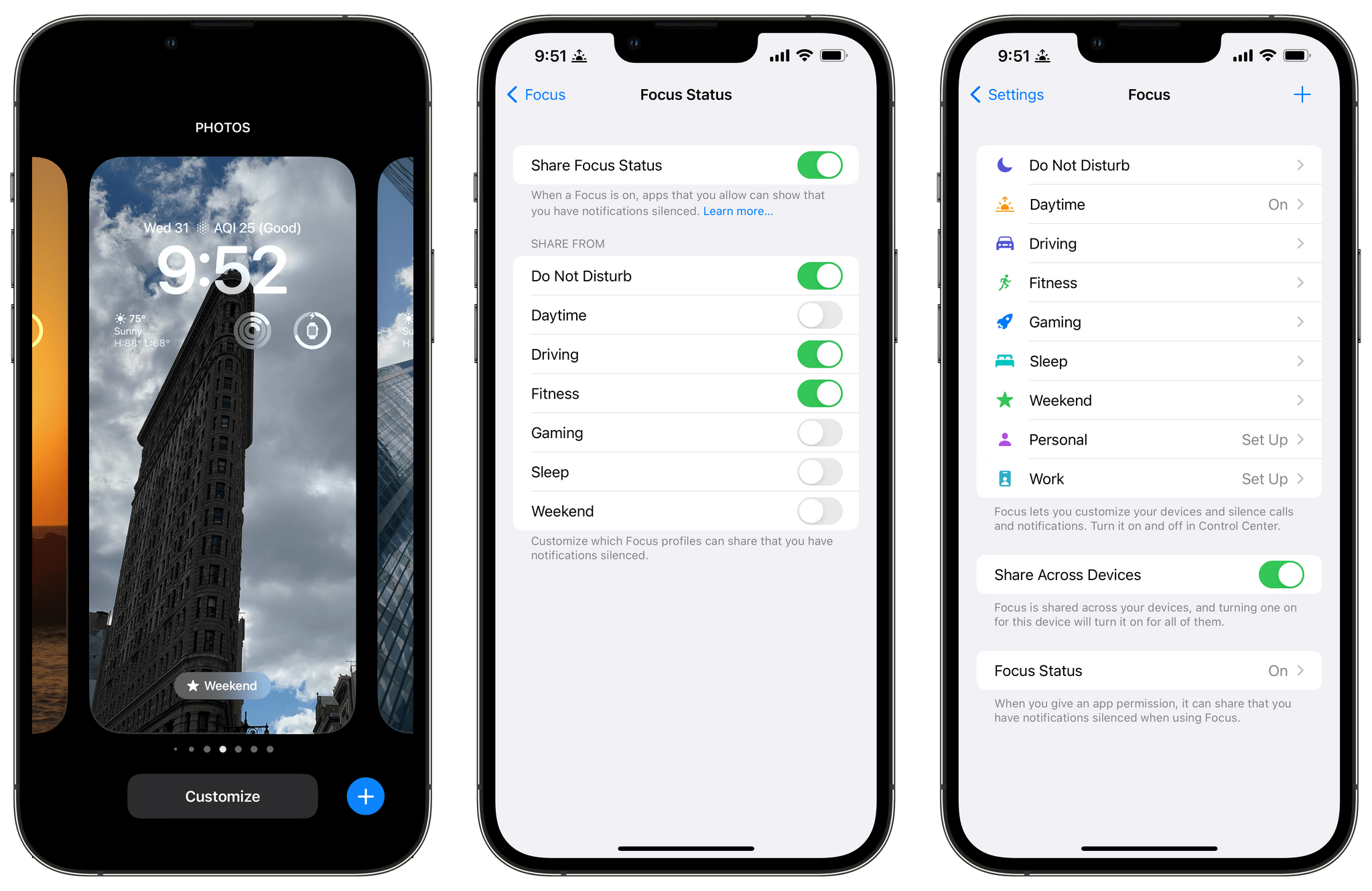
Over the past few weeks, I’ve been revisiting Focus modes. They never clicked with me last year for a variety of reasons that Federico and I have talked about on AppStories. However, having spent more time with the changes coming to Focus modes with iOS 16, I understand better why the feature’s first iteration didn’t...
AppStories, Episode 293 – Let’s Fix the Music App
This week on AppStories, we roll up our sleeves to talk about the Music app and how it could be improved.






Sponsored by:
- Trade – Save Big, Support Small Roasters. Get $30 off your first order.
- Pillow – Sleeping better, made simple.
- Sourcegraph – Universal Code Search. Move fast, even in big codebases. Try it now.
](https://cdn.macstories.net/banneras-1629219199428.png)
On AppStories+, I’ve been playing with a special adapter to connect Nintendo Joy-Con to the iPad mini.
We deliver AppStories+ to subscribers with bonus content, ad-free, and at a high bitrate early every week.
To learn more about the benefits included with an AppStories+ subscription, visit our Plans page, or read the AppStories+ FAQ.
Captionista: Simple, Flexible Video Subtitling for the iPhone and iPad
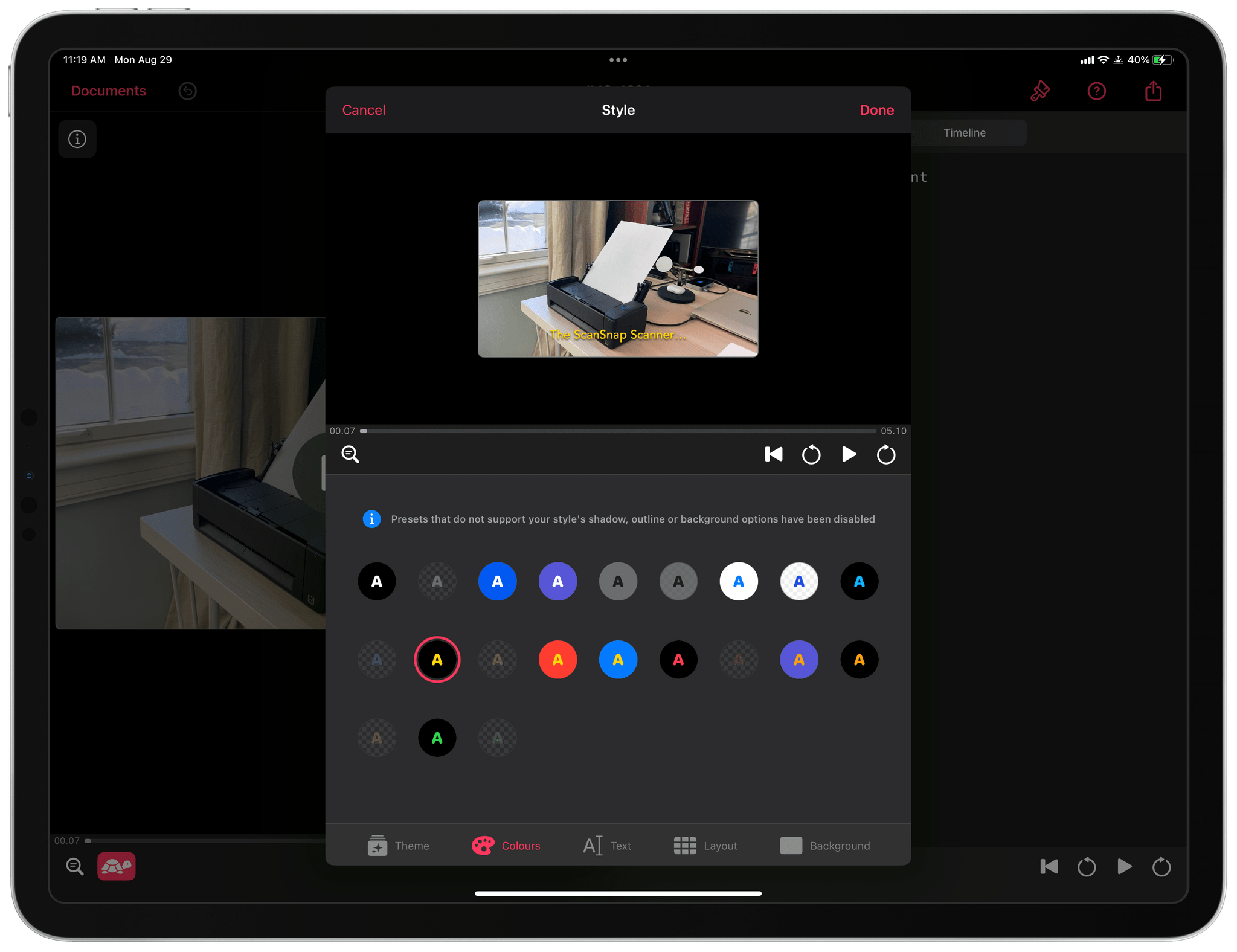
One of the tradeoffs I see a lot in the apps we cover is between simplicity and flexibility. Simplicity has its virtues, but often apps designed to make things as easy as possible for users end up being inflexible, resulting in cookie-cutter output. The flip side is that maximum flexibility can get out of hand fast, leading to a steep learning curve. Striking the right balance is hard, but the apps that do are always among my favorites because they work so well for a wide audience. That’s exactly how I feel about Captionista, an iPhone and iPad app for adding text to video. It’s simple to understand but includes the kind of depth that epitomizes what it means to do one thing well.
I don’t work with video a lot, and when I do, my needs are pretty simple. Often, I want to demonstrate something with a screen recording, which isn’t always easy to follow without some sort of explanation. That’s where Captionista comes in.
Relay FM Kicks Off Its Fourth Annual Fundraiser for St. Jude Children’s Research Hospital

Today, Relay FM, which was founded by our close friends Stephen Hackett and Myke Hurley, kicked off its annual fundraiser for St. Jude Children’s Research Hospital to help combat childhood cancer. We’d love it if MacStories readers joined us in supporting this cause.
You can make a donation by visiting here.
If you’re a MacStories reader, there’s a good chance you have listened to one of the shows Federico co-hosts on the network or have another favorite, in which case you may have already contributed. However, if not, please consider donating.
St. Jude plays an important role in the fight against childhood cancer, treating kids, and doing research with other medical facilities around the world. Your donations help ensure that families aren’t charged for treatment, travel, housing, or meals, so their sole focus is helping their child get better.
Relay FM will be raising money for St. Jude through the end of September, with the highlight of the drive being Podcastathon, a multi-hour extravaganza featuring special guests from your favorite Relay FM shows that will be held September 16th and will be streamed on Relay FM’s Twitch channel.
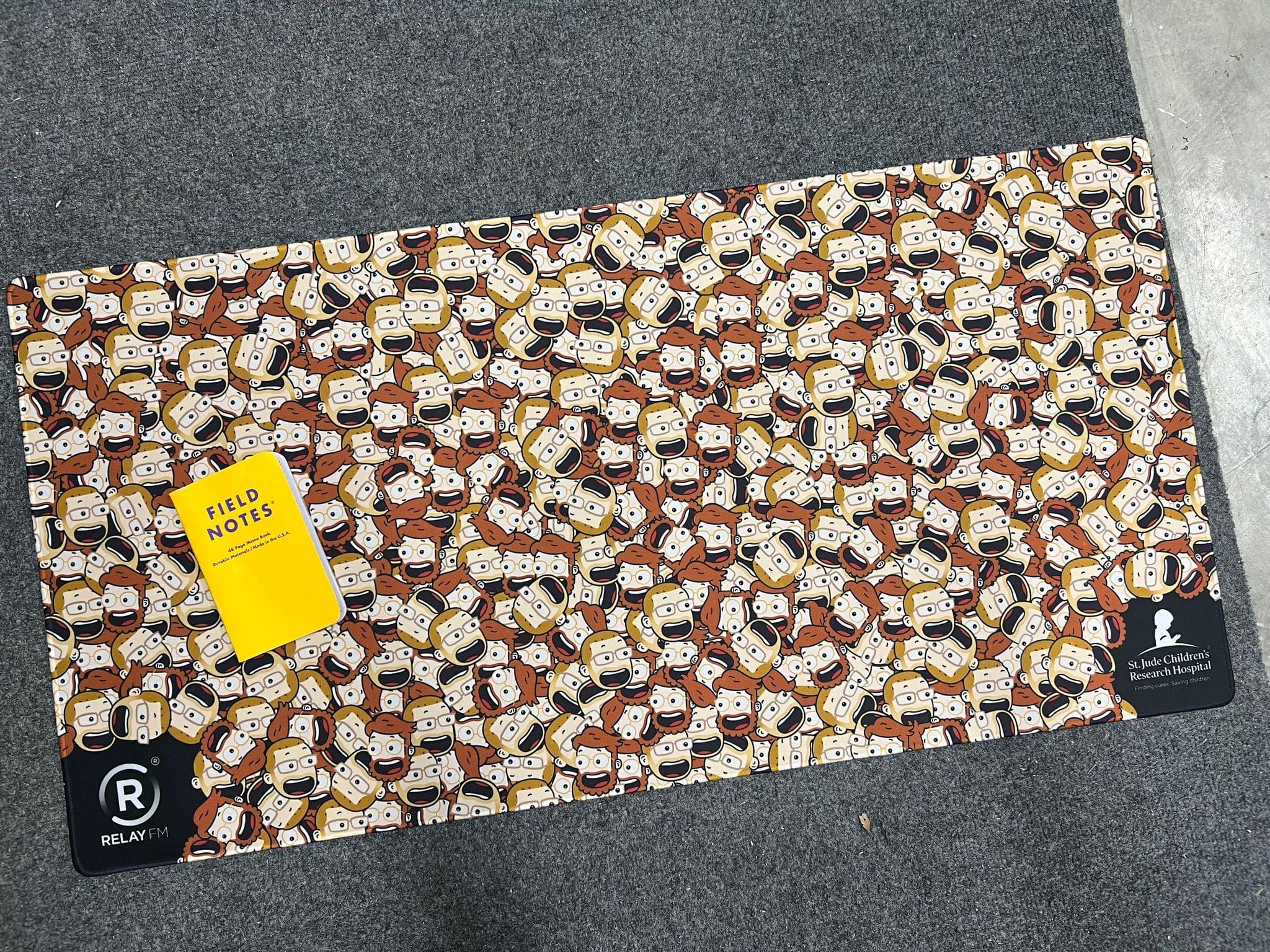
This year, Relay FM has added the ability for others to start their own fundraising campaigns to help it achieve its goal. Anyone who participates and raises $1 or more will earn a special Relay FM challenge coin. Raise $250 or more, and you’ll receive a deskmat decorated with a sea of Myke and Stephen cartoon heads.
Thanks in advance for checking out Relay FM’s fundraiser for St. Jude and to all who donate.
Last Week, on Club MacStories: Watch Face Automation, Club-Only Wallpapers, a Giveaway, and an Anniversary Town Hall
Because Club MacStories now encompasses more than just newsletters, we’ve created a guide to the past week’s happenings along with a look at what’s coming up next:
First Anniversary of Club MacStories+ Town Hall
Last week we marked the first anniversary of the expansion of Club MacStories with a special audio event in the Club MacStories+ Discord community. Federico, Alex and I were joined by Relay FM co-founders Stephen Hackett and Myke Hurley to look back at the Club’s past year, hear what Relay FM is doing to raise money for St. Jude Children’s Research Hospital this year, and share the technology that has had the biggest impact on our lives in the past year.
MacStories Weekly: Issue 333
In issue 333 of MacStories Weekly:
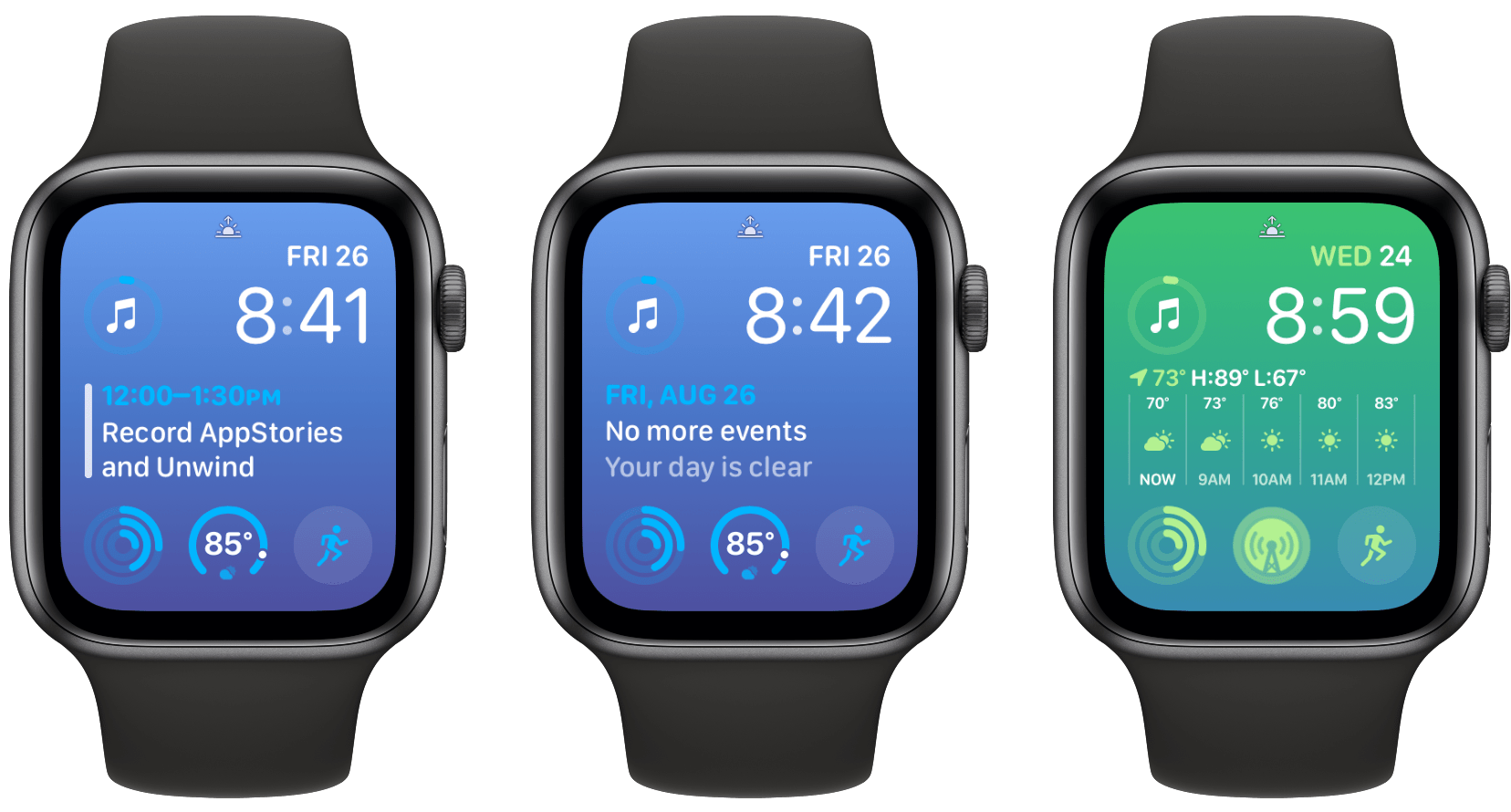
- A personal automation and shortcut for using Calendar complications more efficiently on the Apple Watch
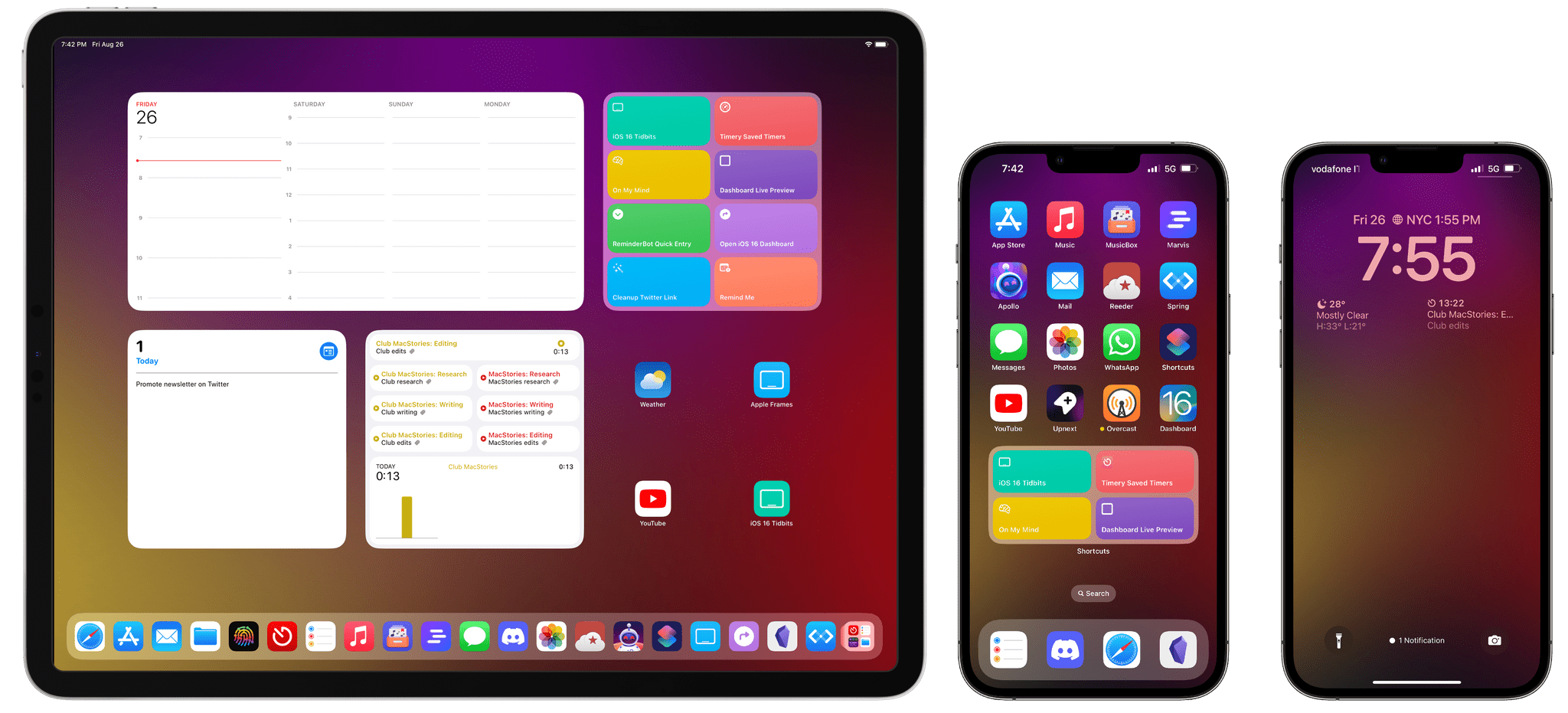
- iPhone, iPad, and Mac wallpapers from Silvia Gatta to celebrate the Club’s anniversary
- The route tracing app Footpath
- A Where’s To? Pro subscription giveaway
- Plus:
- App Debuts
- Highlights from the Club MacStories+ Discord
- Interesting links from around the web
- A sneak peek at what’s next on MacStories’ podcasts
- and more
 Let’s Fix the Music App
 Federico
 Interesting Links
Steam’s iOS app has always been pretty awful, but Valve announced an update is coming, which is currently in beta and looks like a big improvement. (Link) Sony teased a new game controller this week called the DualSense Edge, a customizable, high-performance version of its standard PS5 controller that combines features found in other...
Using Calendar Complications More Efficiently With Shortcuts
I like Apple’s large Calendar complication, which I use with a Modular watch face. I don’t have a packed schedule, though, so that means I see the No More Events Today message often. It’s a nice feeling to not have any more appointments for the day, but I’d rather not waste that prime screen space...
App Debuts

Pommie Pommie is a Pomodoro timer app from Geoff Hackworth that was just updated with some handy Shortcuts actions. On the Mac, Pommie sits in your menu bar. From there, you can manage timers and breaks from your work, and if you have the separate iOS, iPadOS, and watchOS app, hand off timers to those...