John Voorhees

5427 posts on MacStories since November 2015

John is MacStories' Managing Editor, has been writing about Apple and apps since joining the team in 2015, and today, runs the site alongside Federico. John also co-hosts four MacStories podcasts: AppStories, which covers the world of apps, MacStories Unwind, which explores the fun differences between American and Italian culture and recommends media to listeners, Ruminate, a show about the weird web and unusual snacks, and NPC: Next Portable Console, a show about the games we take with us.

Apple Music Announces Its 2022 Artist of the Year

Source: Apple.

Source: Apple.

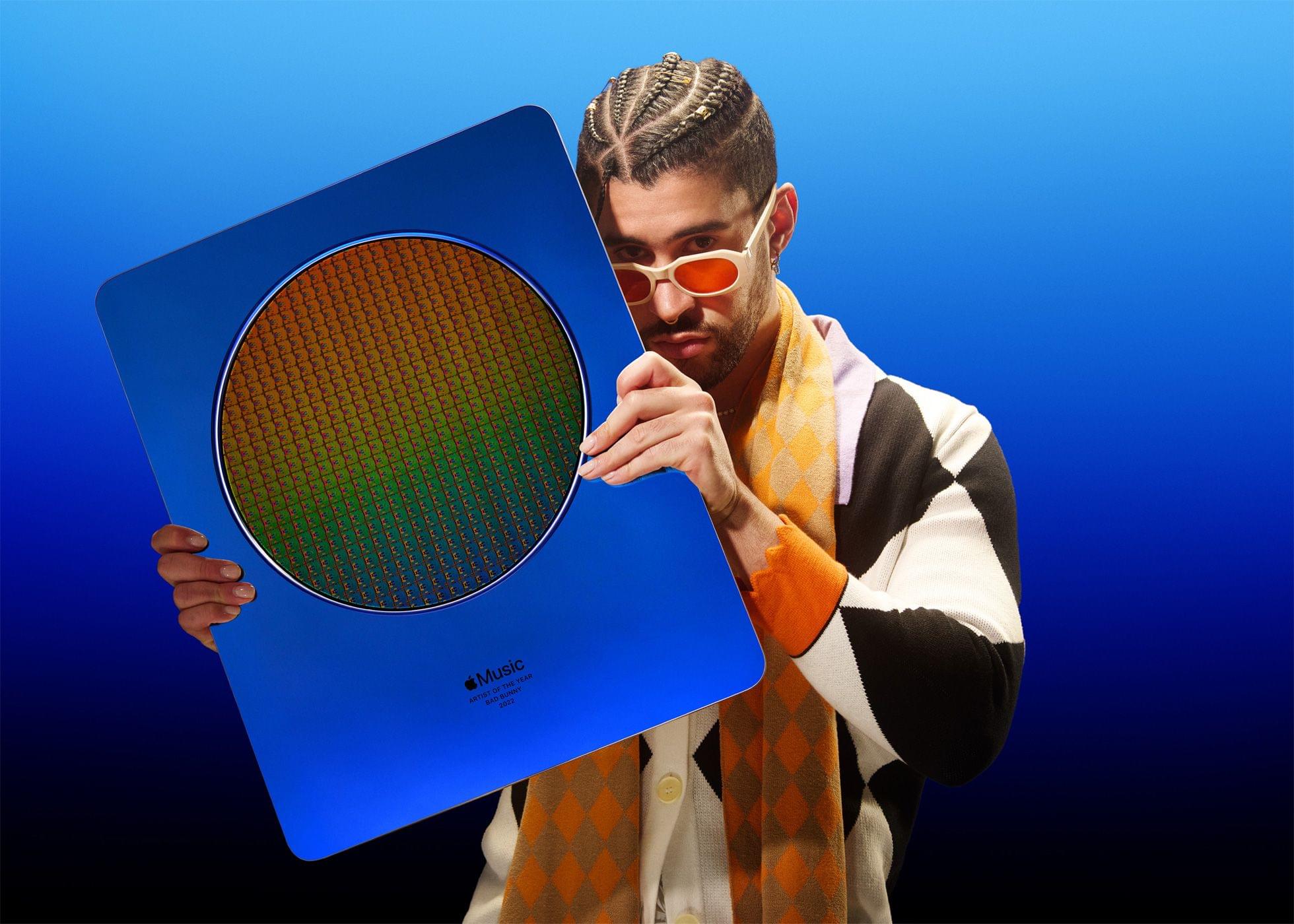
Today, Apple Music announced that Bad Bunny is its 2022 Artist of the Year. Un Verano Sin Ti, which Bad Bunny released in May, is the most streamed album on Apple Music and the biggest Latin album of all time.

In Apple’s press release, Oliver Schusser, Apple’s vice president of Apple Music and Beats, said:

We’re thrilled to celebrate the achievements of Bad Bunny, whose influence on every corner of culture could not be ignored in 2022. Watching Bad Bunny ascend from an Apple Music Up Next artist in 2018 to our Artist of the Year this year has been nothing short of extraordinary. We congratulate him on his record-breaking year and for continuing to bring Latin music to a massive global audience.

Apple Music has created a dedicated section of the Music app celebrating Bad Bunny’s achievement and music. Bad Bunny has also taken over the La Fórmula playlist to spotlight some of his favorite Latin tracks. Plus, Apple Music 1 is dedicating today to Bad Bunny’s music, interviews with the artist, and more.

Apple’s Artist of the Year is celebrated with a unique award featuring a 12-inch silicon wafer suspended between a sheet of glass and anodized aluminum. Last year and in prior years, Apple announced additional awards like the Breakthrough Artist of the Year, Songwriter of the Year, and more. This year, though, only an Artist of the Year was named.
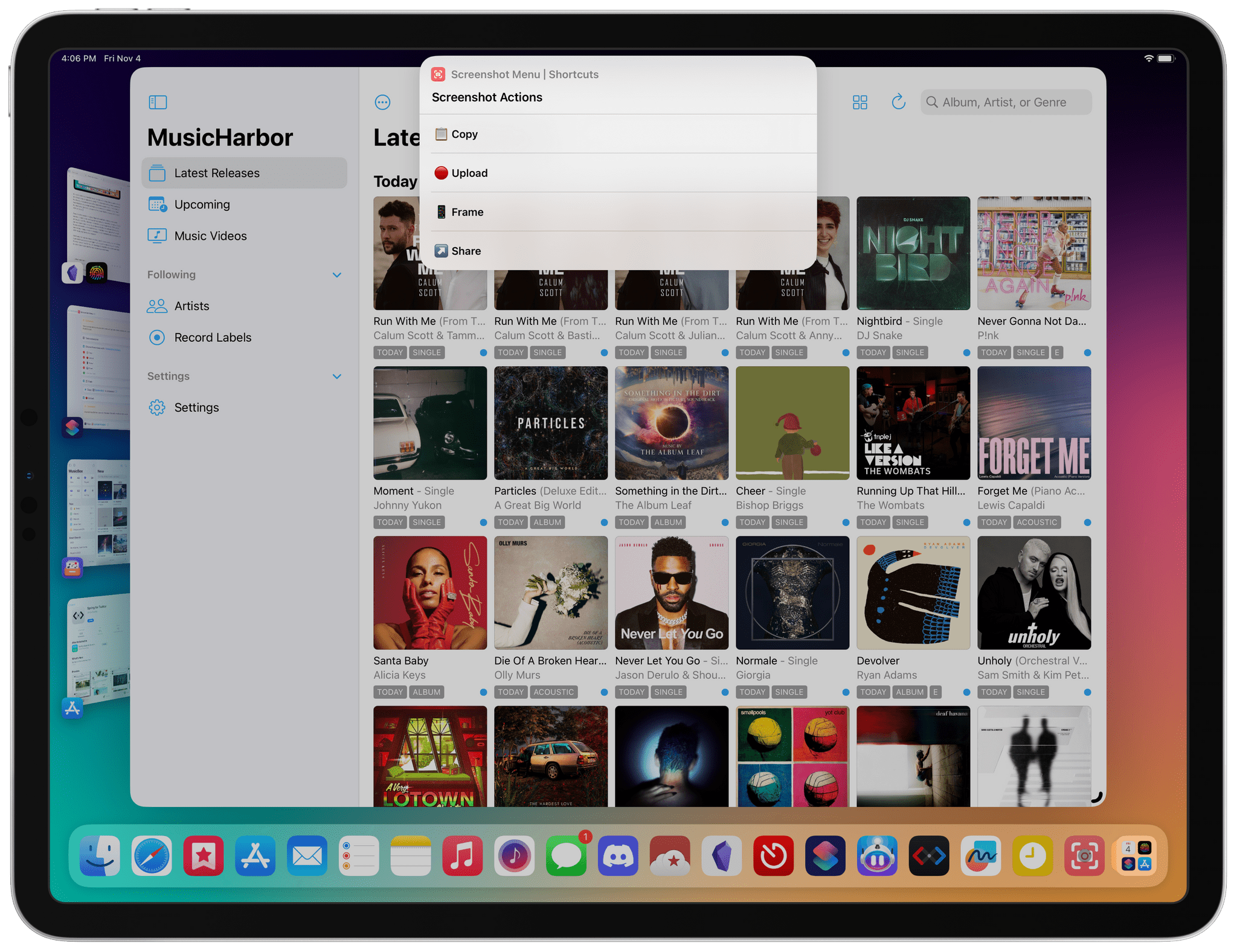

Last Week, on Club MacStories: MusicBox, a Screenshot Shortcut, the Underlying Problem with Stage Manager, and Ventura Tips

Because Club MacStories now encompasses more than just newsletters, we’ve created a guide to the past week’s happenings along with a look at what’s coming up next:

MacStories Weekly: Issue 343

Monthly Log: October 2022


Calendars, Communications, and More Revisited

AppStories+ Deeper into the world of apps

AppStories Episode 304 - Calendars, Communications, and More Revisited

0:00
43:17

AppStories+ Deeper into the world of apps

This week, Federico and John pick up where they left off in episode 300 by revisiting episode 200 about calendar apps, communications, home assistants, and Federico’s first surprise of 2021.

Read more


Last Week, on Club MacStories: A Third-Party Twitter Client, Game Controllers, and Time Tracking

Because Club MacStories now encompasses more than just newsletters, we’ve created a guide to the past week’s happenings along with a look at what’s coming up next:

MacStories Weekly: Issue 342

Spring

Spring


Timery 1.5 Update Released with Lock Screen Widgets, Live Activities, New Shortcuts Actions, and More

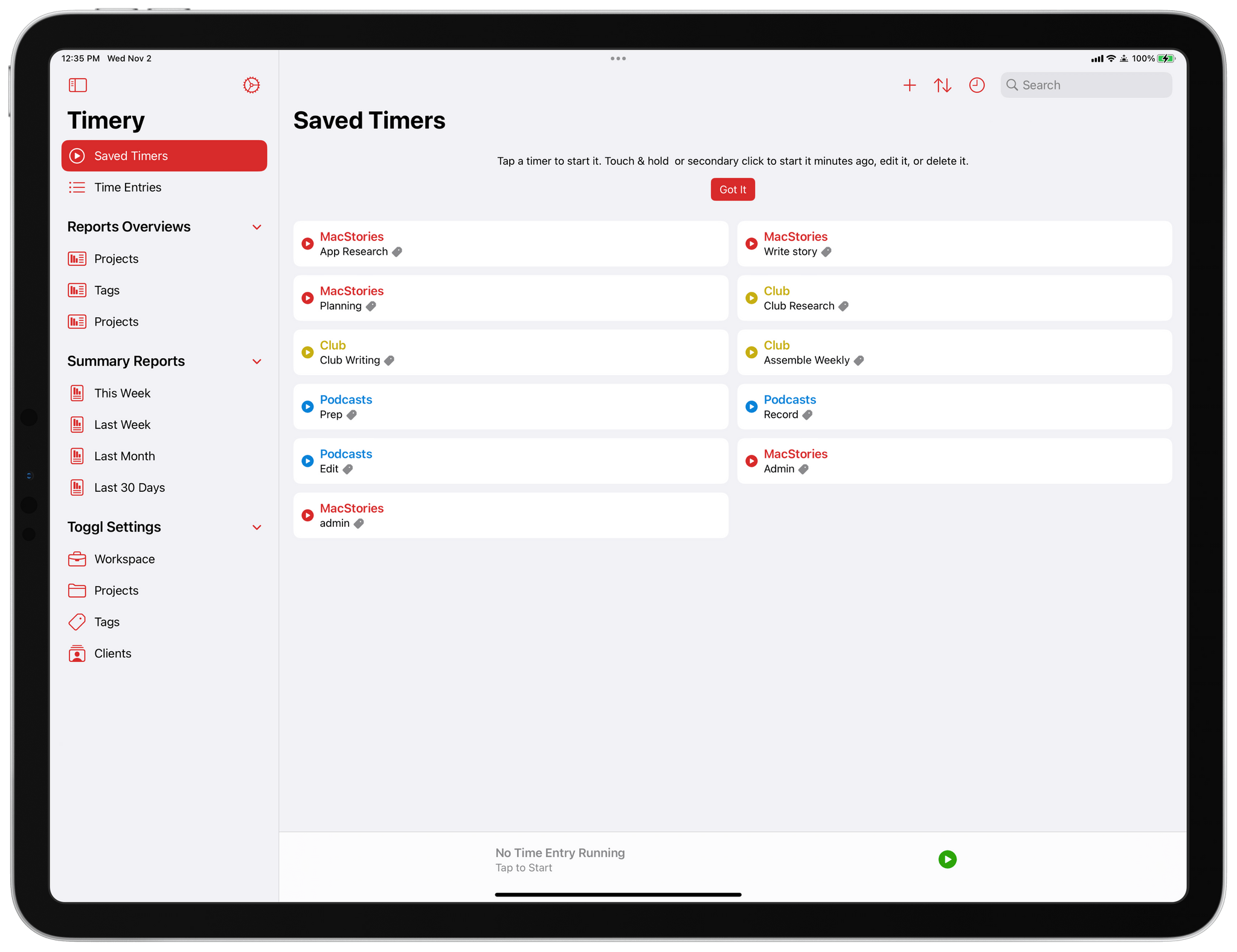
Timery has been updated with a long list of new features and improvements that fans of the app are going to love.

Lock Screen Widgets and Live Activities

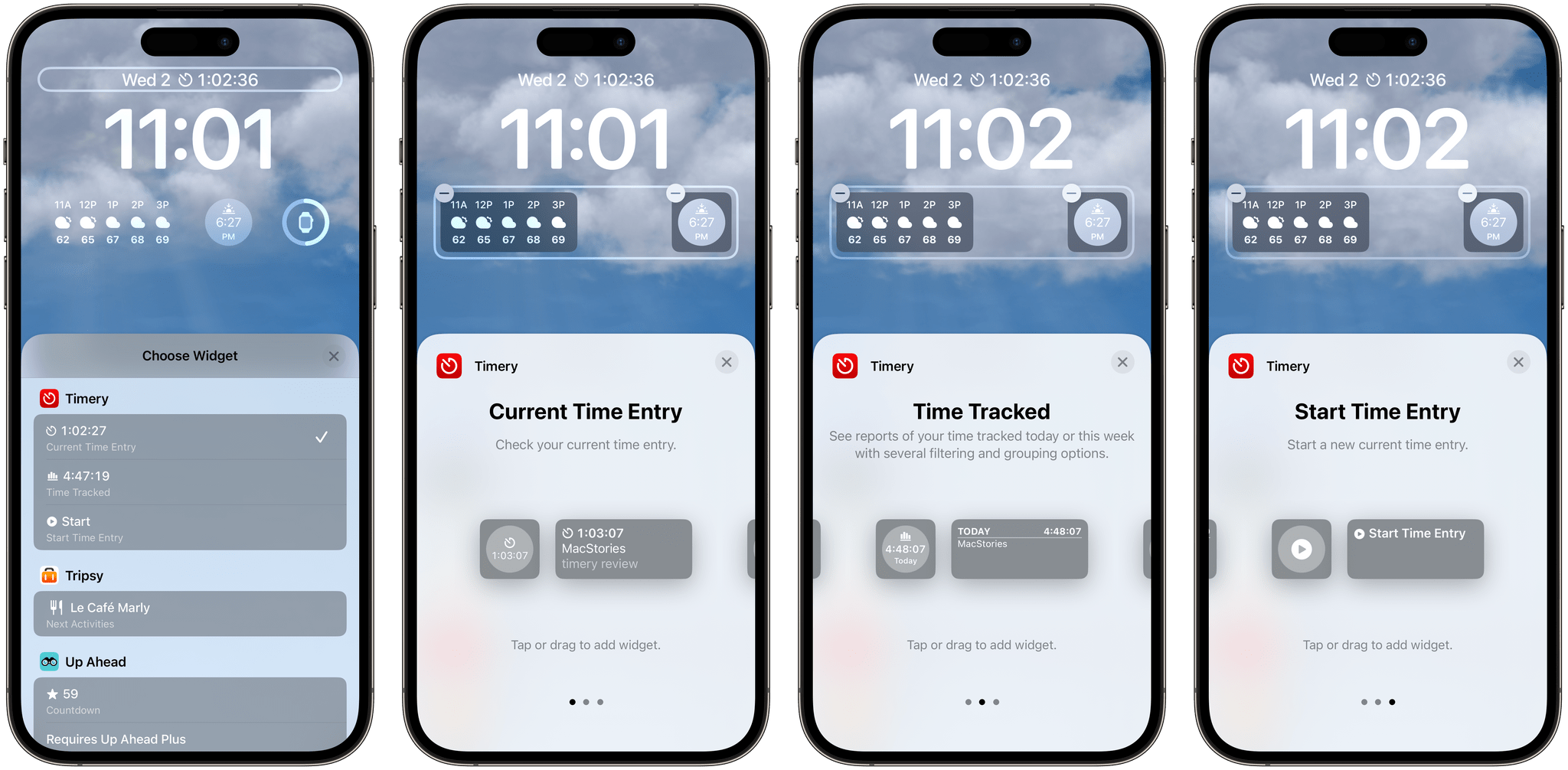
Timery's new Lock Screen widgets.

Timery’s new Lock Screen widgets.

First off, Timery has added iOS 16 Lock Screen Widgets and Live Activities. The Lock Screen widgets can display your current time entry, the total amount of time tracked today, or start a new timer. Each widget type includes circular and rectangular variants when added beneath the Lock Screen’s time, as well as a narrow in-line version that can be added to the top of the screen. The widgets can be configured to start a specific saved timer or show a list of timers and optionally show the app’s edit view for tweaking the details of the timer you start. It’s worth noting that Timery’s editing view now supports ‘@’ as a way to quickly search and add projects and ‘#’ for adding tags.

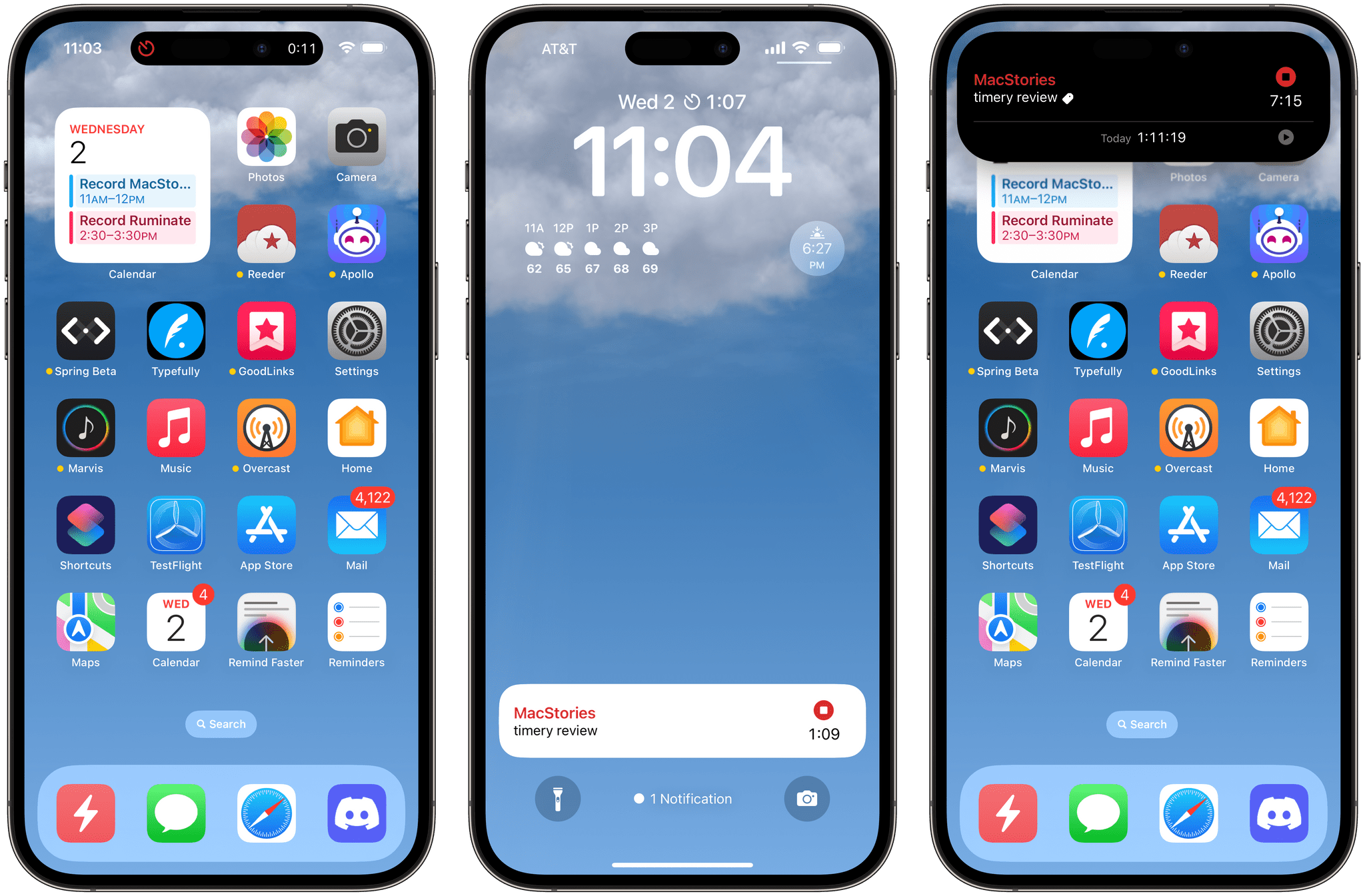
Timery's Live Activities.

Timery’s Live Activities.

Live Activities display the current time entry on the iPhone 14 Pro line’s Dynamic Island and the Lock Screen. Long-pressing either reveals additional information about the current project, task, and total time tracked for the day.

I’m a big fan of Timery’s new widgets and Live Activities because they offer the sort of glanceable details that weren’t possible before unless you were using the Mac version of the app and enabled its menu bar app. Now, I don’t have to unlock my iPhone or iPad to check on a timer, which allows me to get the information I want without getting distracted by other things on either device.

Read more