John Voorhees

5378 posts on MacStories since November 2015

John is MacStories' Managing Editor, has been writing about Apple and apps since joining the team in 2015, and today, runs the site alongside Federico. John also co-hosts four MacStories podcasts: AppStories, which covers the world of apps, MacStories Unwind, which explores the fun differences between American and Italian culture and recommends media to listeners, Ruminate, a show about the weird web and unusual snacks, and NPC: Next Portable Console, a show about the games we take with us.

A Very Nerdy Holiday Break

This week, Federico and John are back from their holiday break, included so many hardware and automation projects that this is part one of a two-part episode regarding Federico’s networked music automation setup and John’s new research tool.

On AppStories+, Federico shares his foldable phone experiments.


We deliver AppStories+ to subscribers with bonus content, ad-free, and at a high bitrate early every week.

To learn more about an AppStories+ subscription, visit our Plans page, or read the AppStories+ FAQ.


AppStories+ Deeper into the world of apps

AppStories Episode 467 - A Very Nerdy Holiday Break

0:00
47:53

AppStories+ Deeper into the world of apps

This episode is sponsored by:

Read more


App Debuts

OmniOutliner 6 This week, The Omni Group released OmniOutliner 6, a big update to their outlining app for Mac, iPhone, iPad, and Vision Pro. With this release, OmniOutliner is now a universal purchase, meaning one payment buys you the app on each of the Apple platforms they support. There are two versions: Essentials, which...


How iTunes Shaped the Apple of Today

25 years ago, Apple introduced iTunes, an app for managing your digital music collection that evolved into a media jack-of-all-trades in the years that followed. It’s hard to overstate iTunes’ importance to today’s Apple, even though it’s been years since the app last existed on any of its hardware. iTunes’ story is a reflection of...


Interesting Links

I expect AR glasses to become more mainstream in 2026 as prices start to fall while the tech has improved. One sign on the tech side is innovations like those from Lumus, a company that Engadget profiled this week, which has greatly improved the field of view for AR glasses. (Link) It feels like...


My Favorite Gear From CES 2026 – and Some Weird and Wonderful Gadgets, Too

It’s CES time again, which means another edition of our annual roundup of the most eye-catching gadgets seasoned with a helping of weird and wonderful tech. I’m sure it will come as no surprise that robots, AI, and TVs are some of the most prominent themes at CES in 2026, but there’s a lot more, so buckle in for a tour of what to expect from the gadget world in the coming months.

AR Glasses

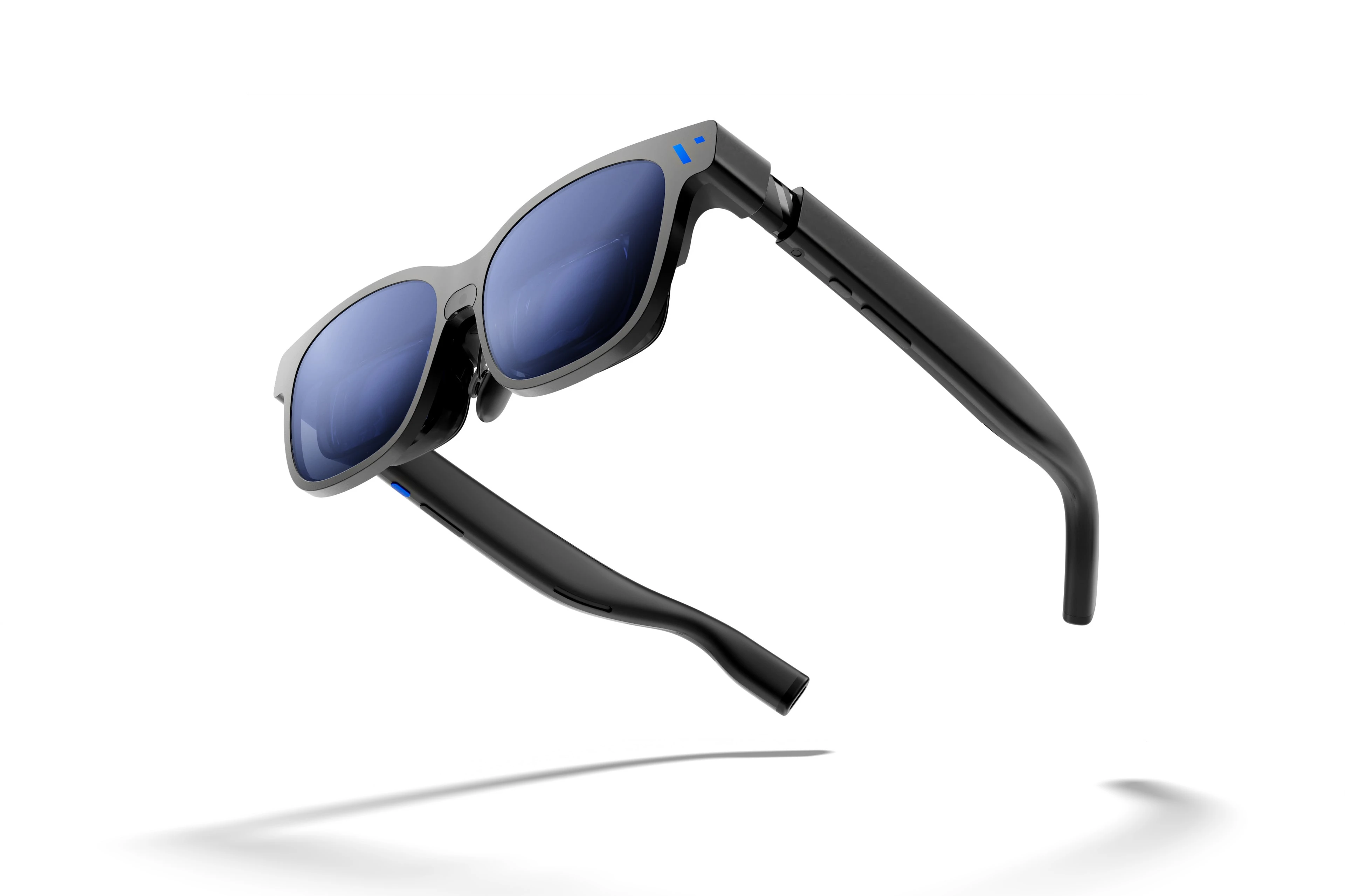
Viture encourages customers to both unleash and embrace The Beast. Source: Viture.

Viture encourages customers to both unleash and embrace The Beast. Source: Viture.

I first tried Xreal AR glasses shortly before the Vision Pro was released. The experience at the time wasn’t great, but you could see the potential for what has turned out to be one of the Vision Pro’s greatest strengths: working on a huge virtual display. There’s also a lot of potential for gaming.

It looks like the tech behind AR glasses is finally getting to a point where I may dip in again this year. Xreal updated and reduced the price of its entry-level 1S glasses, which will make the category accessible to more people.

The company also introduced the Neo dock, a 10,000 mAh battery that also serves as a hub for connecting a game console or other device to its AR glasses. Notably, the Neo is compatible with the Nintendo Switch 2, which caught my eye immediately.

Read more

Access Extra Content and Perks

Founded in 2015, Club MacStories has delivered exclusive content every week for nearly a decade.

What started with weekly and monthly email newsletters has blossomed into a family of memberships designed for every MacStories fan.

Learn more here and from our Club FAQs.

Club MacStories: Weekly and monthly newsletters via email and the web that are brimming with apps, tips, automation workflows, longform writing, early access to the MacStories Unwind podcast, periodic giveaways, and more;

Club MacStories+: Everything that Club MacStories offers, plus an active Discord community, advanced search and custom RSS features for exploring the Club’s entire back catalog, bonus columns, and dozens of app discounts;

Club Premier: All of the above and AppStories+, an extended version of our flagship podcast that’s delivered early, ad-free, and in high-bitrate audio.

Learn more here and from our Club FAQs.


Coming Soon: What’s Next on Apple TV and Apple Arcade in January 2026

To ring in the new year, Apple has a great lineup of returning Apple TV shows and brand-new Apple Arcade games on the way, with everything kicking off later this week. Here are the highlights.

Apple Arcade Games (January 8)

On January 8th, Apple will release four new games:

  • True Skate+: a skateboarding simulator with realistic physics that’s set in more than 20 real-world locations. The game has been available on the App Store for years, but now Arcade subscribers can play on their iPhone and iPad, or even stream a game via AirPlay to an Apple TV without the In-App Purchases.
  • Sago Mini Jinja’s Garden: a family game that lets preschool-aged kids explore gardens, cook, and harvest ingredients in three distinct 3D areas.
  • Cozy Caravan: another family-friendly game where kids can create and play as an animal character, make meals, and enjoy activities like fishing and games, all while preparing for the Whizz Bang Fair.

  • Potion Punch 2+: a restaurant management simulator where you manage a variety of shops like the Potion Café or Enchantment Shop. The app features a fantasy theme filled with magic and monsters with an amusing storyline.

Then starting this Friday, a host of new Apple TV shows will begin to appear:

Tehran, Season 3 (January 9)

The International Emmy Award-winning Israeli spy thriller returns for its third season with Hugh Laurie, who joins the cast as a South African nuclear inspector. Created by Moshe Zonder, Dana Eden, and Maor Kohn, the series follows Mossad agent Tamar Rabinyan (Niv Sultan) as she takes on dangerous missions deep inside Iran. After going rogue at the end of season two, Tamar fights to win back the Mossad’s support and survive, with the eight-episode season directed by Daniel Syrkin.

Add to your Calendar:

Hijack, Season 2 (January 14)

I loved season one of this series starring Idris Elba, who returns as corporate negotiator Sam Nelson in this real-time thriller. After saving a hijacked flight last season, Sam finds himself at the center of a new crisis on a Berlin underground train. The eight-episode season includes new cast members Toby Jones, Lisa Vicari, and Clare-Hope Ashitey, with returning stars Christine Adams, Max Beesley, and Archie Panjabi.

Add to your Calendar:

Read more

Access Extra Content and Perks

Founded in 2015, Club MacStories has delivered exclusive content every week for nearly a decade.

What started with weekly and monthly email newsletters has blossomed into a family of memberships designed for every MacStories fan.

Learn more here and from our Club FAQs.

Club MacStories: Weekly and monthly newsletters via email and the web that are brimming with apps, tips, automation workflows, longform writing, early access to the MacStories Unwind podcast, periodic giveaways, and more;

Club MacStories+: Everything that Club MacStories offers, plus an active Discord community, advanced search and custom RSS features for exploring the Club’s entire back catalog, bonus columns, and dozens of app discounts;

Club Premier: All of the above and AppStories+, an extended version of our flagship podcast that’s delivered early, ad-free, and in high-bitrate audio.

Learn more here and from our Club FAQs.


macOS Tahoe’s Messy Menus

Nikita Prokopov writing on tonsky.me about macOS Tahoe’s menu icons:

In my opinion, Apple took on an impossible task: to add an icon to every menu item. There are just not enough good metaphors to do something like that.

But even if there were, the premise itself is questionable: if everything has an icon, it doesn’t mean users will find what they are looking for faster.

And even if the premise was solid, I still wish I could say: they did the best they could, given the goal. But that’s not true either: they did a poor job consistently applying the metaphors and designing the icons themselves.

It’s a brutal assessment of the sprinkling of iconography throughout Tahoe’s menu system that had me nodding along in agreement as I read it.

There’s no denying the inconsistencies in icon choices, their lack of legibility, and the overall clutter added to menus. Yet at the same time, I can’t say I’ve been terribly bothered by them either. That’s probably because I use keyboard shortcuts and launchers so much, rarely relying on the Mac’s menu system. At the same time, though, part of me wonders whether those tiny icons are at least partially what drove me to buy a bigger monitor recently. I don’t think so, but maybe?

In any event, if you care about design, Prokopov’s detailed and well-illustrated analysis of Tahoe’s menu icons is well worth your time.

Permalink

How I Revived My Decade-Old App with Claude Code

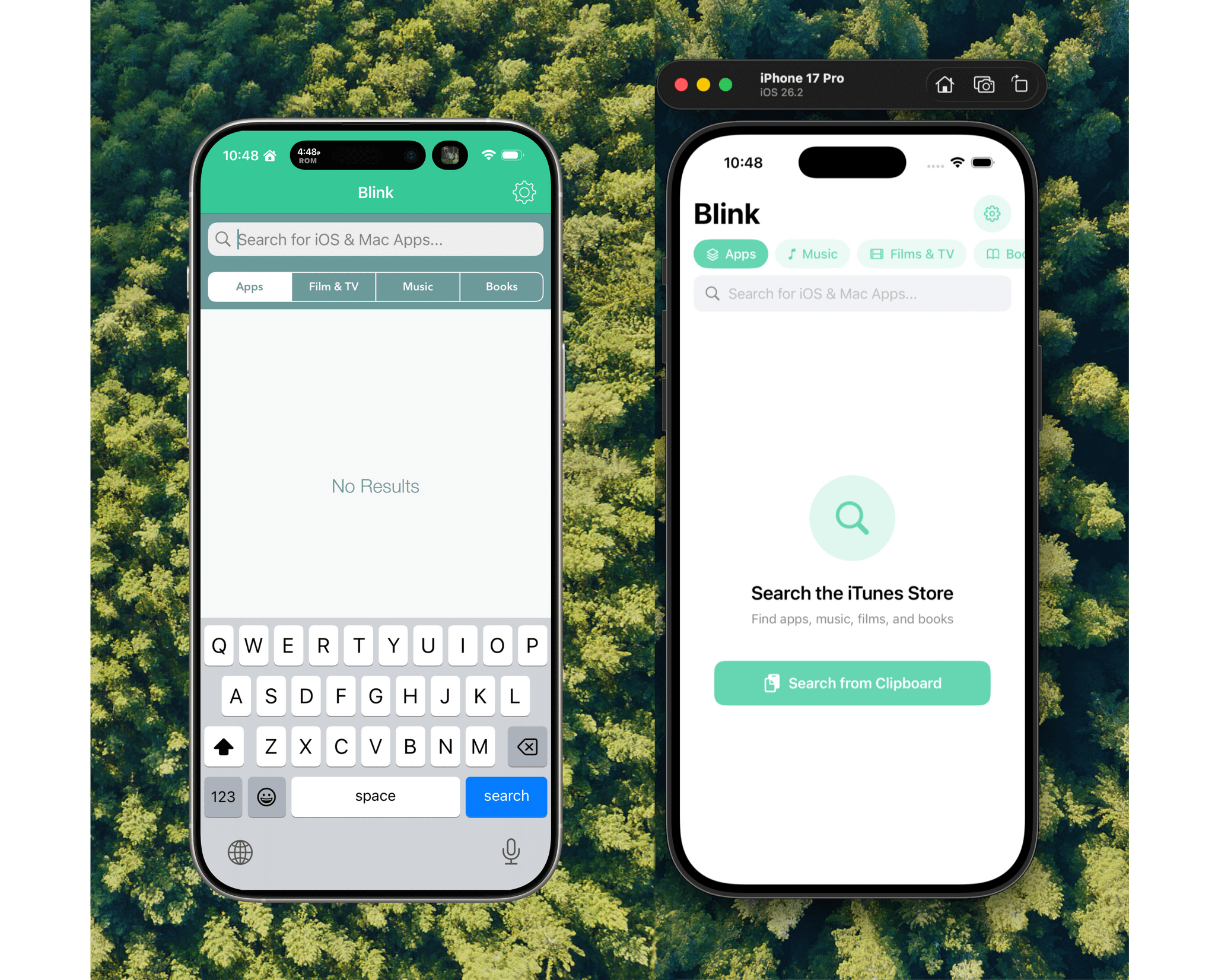
Blink from 2017 (left) and 2026 (right).

Blink from 2017 (left) and 2026 (right).

Every holiday season, Federico and I spend our downtime on nerd projects. This year, both of us spent a lot of that time building tools for ourselves with Claude Code in what developed into a bit of a competition as we each tried to one-up the other’s creations. We’ll have more on what we’ve been up to on AppStories, MacStories, and for Club members soon, but today, I wanted to share an experiment I ran last night that I think captures a very personal and potentially far-reaching slice of what tools like Claude Code can enable.

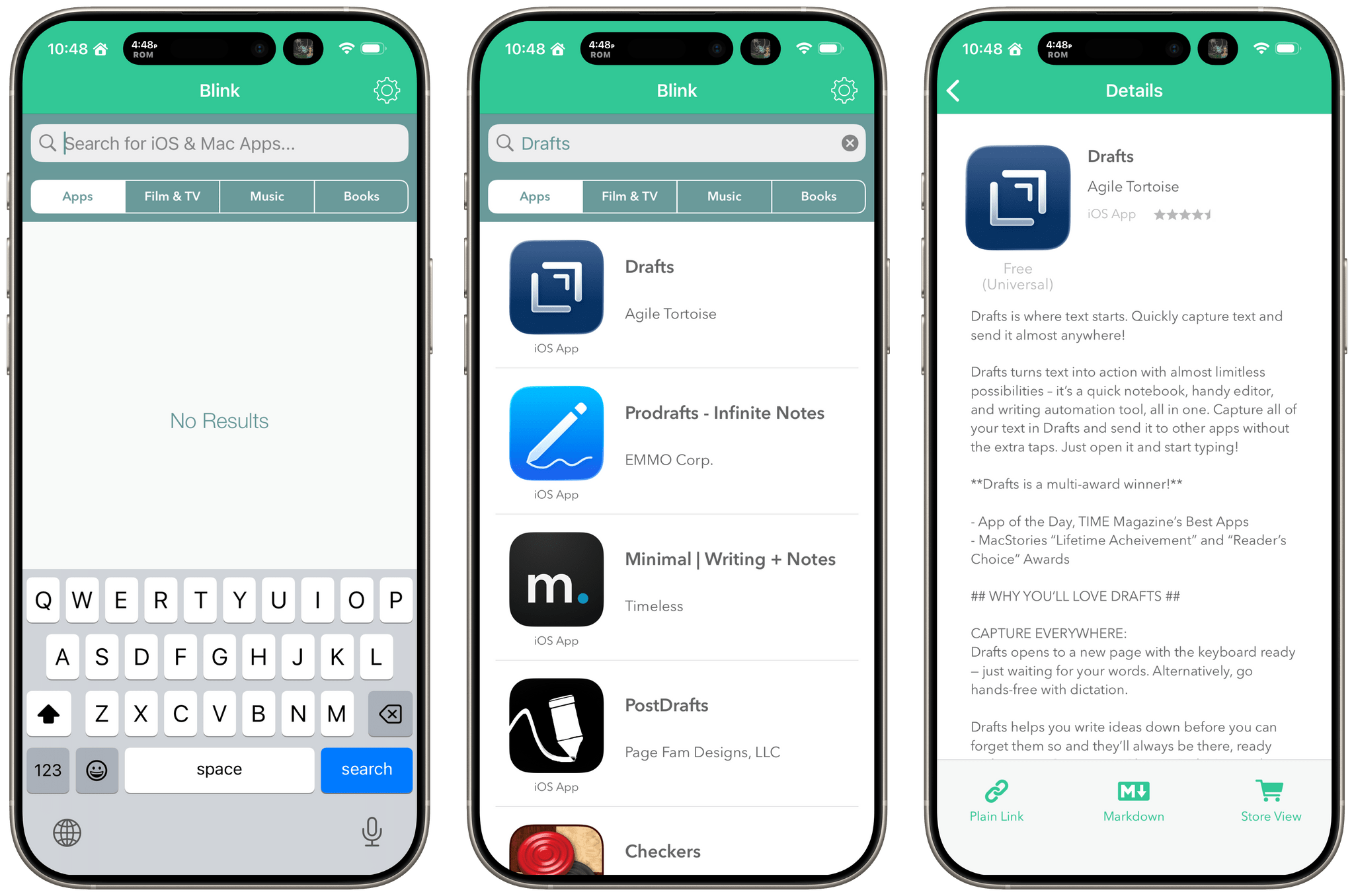
Blink from 2017 running on a modern iPhone.

Blink from 2017 running on a modern iPhone.

Before I wrote at MacStories, I made a few apps, including Blink, which generated affiliate links for Apple’s media services. The app had a good run from 2015-2017, but I pulled it from the App Store when Apple ended its affiliate program for apps because that was the part of the app that was used the most. Since then, the project has sat in a private GitHub repo untouched.

Last night, I was sitting on the couch working on a Safari web extension when I opened GitHub and saw that old Blink code, which sparked a thought. I wondered whether Claude Code could update Blink to use Swift and SwiftUI with minimal effort on my part. I don’t have any intention of re-releasing Blink, but I couldn’t shake the “what if” rattling in my head, so I cloned the repo and put Claude to work.

Read more

Access Extra Content and Perks

Founded in 2015, Club MacStories has delivered exclusive content every week for nearly a decade.

What started with weekly and monthly email newsletters has blossomed into a family of memberships designed for every MacStories fan.

Learn more here and from our Club FAQs.

Club MacStories: Weekly and monthly newsletters via email and the web that are brimming with apps, tips, automation workflows, longform writing, early access to the MacStories Unwind podcast, periodic giveaways, and more;

Club MacStories+: Everything that Club MacStories offers, plus an active Discord community, advanced search and custom RSS features for exploring the Club’s entire back catalog, bonus columns, and dozens of app discounts;

Club Premier: All of the above and AppStories+, an extended version of our flagship podcast that’s delivered early, ad-free, and in high-bitrate audio.

Learn more here and from our Club FAQs.


App Marketing: My Extended Q&A for Paul Hudson’s Everything but the Code

Earlier this year, Paul Hudson asked me to answer a few questions about app marketing for a book he was writing called Everything But the Code.

The book is finished now, and it’s full of great advice from Paul and a long list of indie developers whose apps are some of MacStories’ favorites. Paul covers the entire process of making apps, from validating an idea to selling your app and beyond. The only thing he doesn’t cover, as the book’s title makes clear, is building apps, which is the subject of other books and courses he’s created.

Paul was kind enough to ask me to share some insights on marketing apps to the press. You’ll find my contributions in the Prelaunch and Publicity and Aftermath and Evolution chapters, and now that the book is final, I thought I’d share extended versions of my responses with readers. Although the focus is on apps, I expect there are a few lessons here for anyone pitching their creative work to the world. So, here you go.

Paul Hudson: What common mistakes do developers make when pitching their app to the press?

Me: Most developers do a great job thinking through what they’re pitching but don’t spend enough time thinking about who they’re pitching to. I’d love to be able to tell developers do these five things, and you’ll have a pitch you can send to anyone, but it doesn’t work that way. Developers need to think about things like who at a publication typically covers certain types of apps.

For example, if you know a publication has a musician on staff who has covered music apps before, that person should be at the top of your list if you’ve built a guitar tab app. However, that doesn’t mean you shouldn’t contact anyone else at the publication. People get busy, so don’t limit yourself. However, focus your efforts on the people who are most likely to be receptive to your app.

It also pays to make things easy for the person you’re pitching to. Keep your pitch short and to the point, link to a press kit, beta, and other materials, and follow up closer to launch.

A few other pitch pointers:

  • Don’t wait to send your pitches until the last minute. Personally, I prefer getting pitches at least a couple of weeks in advance of a launch, so I can make the time for testing and writing about them.
  • Don’t send pitches during WWDC, on Apple event days, or major holidays. Your pitch is much more likely to get lost in the shuffle on those days.
  • You don’t need to ask if it’s okay to send a TestFlight link. If the person you’re pitching to isn’t interested, they won’t use it.
  • It’s okay to copy multiple people at a publication if you’re unsure who to contact.
  • Try to understand where a writer likes to be contacted. Email is probably the safest bet, but social media DMs might be better for some people.
  • It’s okay to send follow-up reminders about your app launch. I personally appreciate them.
  • Don’t expect app feedback from most press contacts. I let developers know when I find the kind of bug I’d mention in a review, but unfortunately, I usually don’t have time for much more than that.
  • Don’t take it personally if you don’t get a response to a pitch. Remember, the people you contact are getting a lot of pitches.
  • Don’t close down your TestFlight beta immediately after you launch your app. If a publication can’t get a story out to coincide with your launch, closing down your beta immediately so it can no longer be downloaded makes it less likely they’ll cover it post-launch.
  • Don’t forget to include the name of your app in your pitch – yes, that happens.

Read more