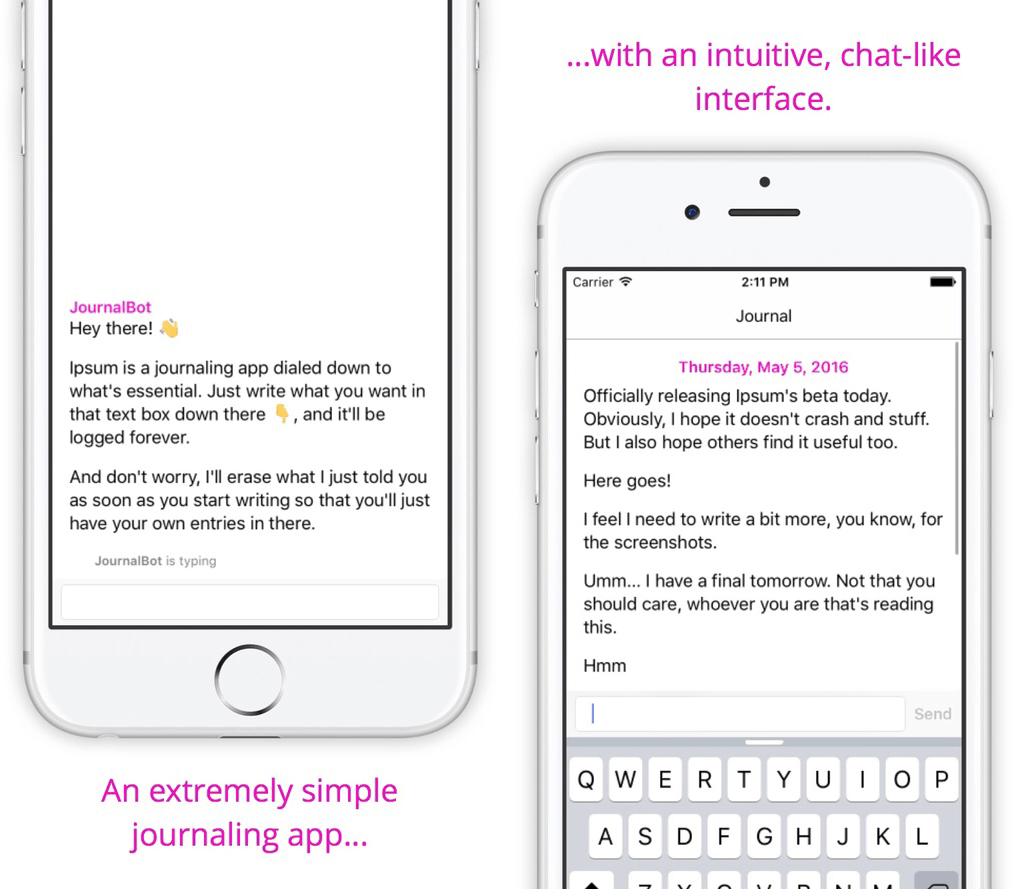
Ipsum, an app released today from developer Sam Ghobril, is a journaling app with a twist. Instead of fiddling with titles, formatting, and tags, you’ll simply type – like you would in iMessage – and Ipsum will log what you write. Other than the text, the only other piece of information in the timeline is the date an entry is written.
Sam said in a Medium post that he built Ipsum as a chat-only journaling system because he wanted users to “feel okay writing down even the smallest of thoughts.”
I’ve spent some time with Ipsum and am pleasantly surprised. It’s ridiculously easy to use, so much so that it made me afraid I was missing something else entirely. But no – all you have to do is type your thoughts, hit send, and they are in Ipsum for as long as you use the app.
If you’re looking for a new journaling experience, Ipsum should definitely be on your radar. You can pick it up in the App Store (iPhone only) for $1.99.
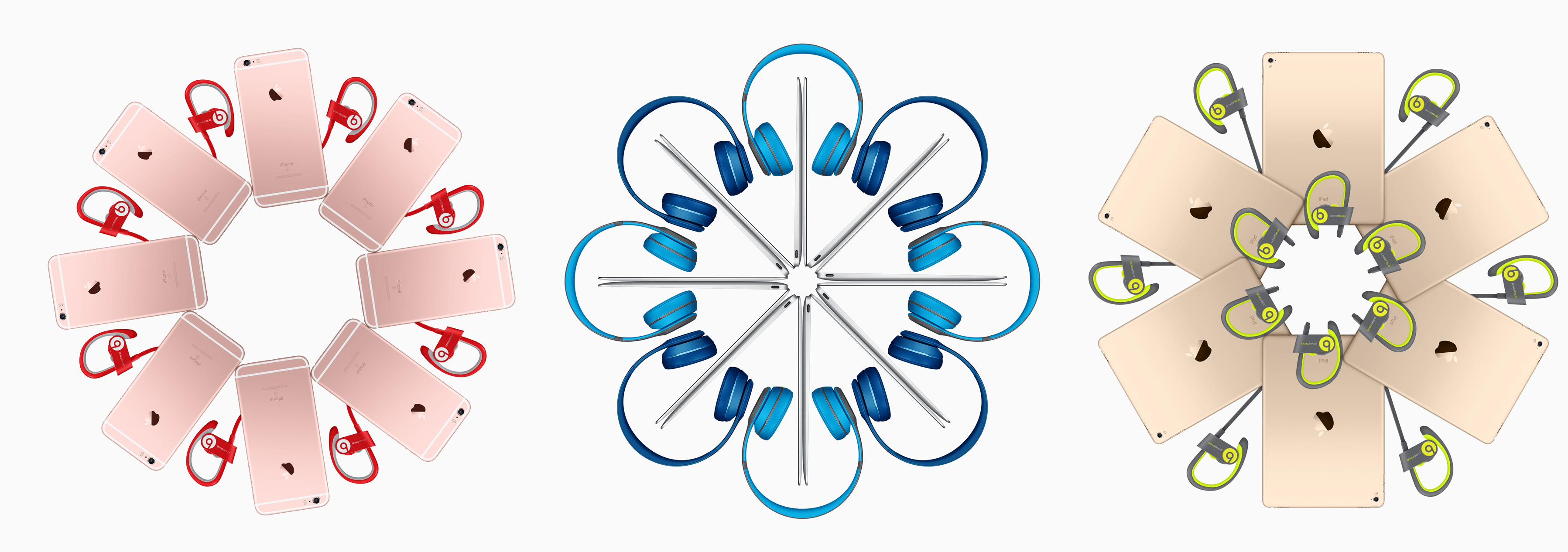
Continuing the yearly tradition, Apple’s Back to School sale launched today on Apple.com and in stores. Along with the usual education discounts of $50 for Macs and $20 for iPads, Apple is also including a pair of Beats wireless headphones with every order of either a Mac, iPad Pro, or iPhone.
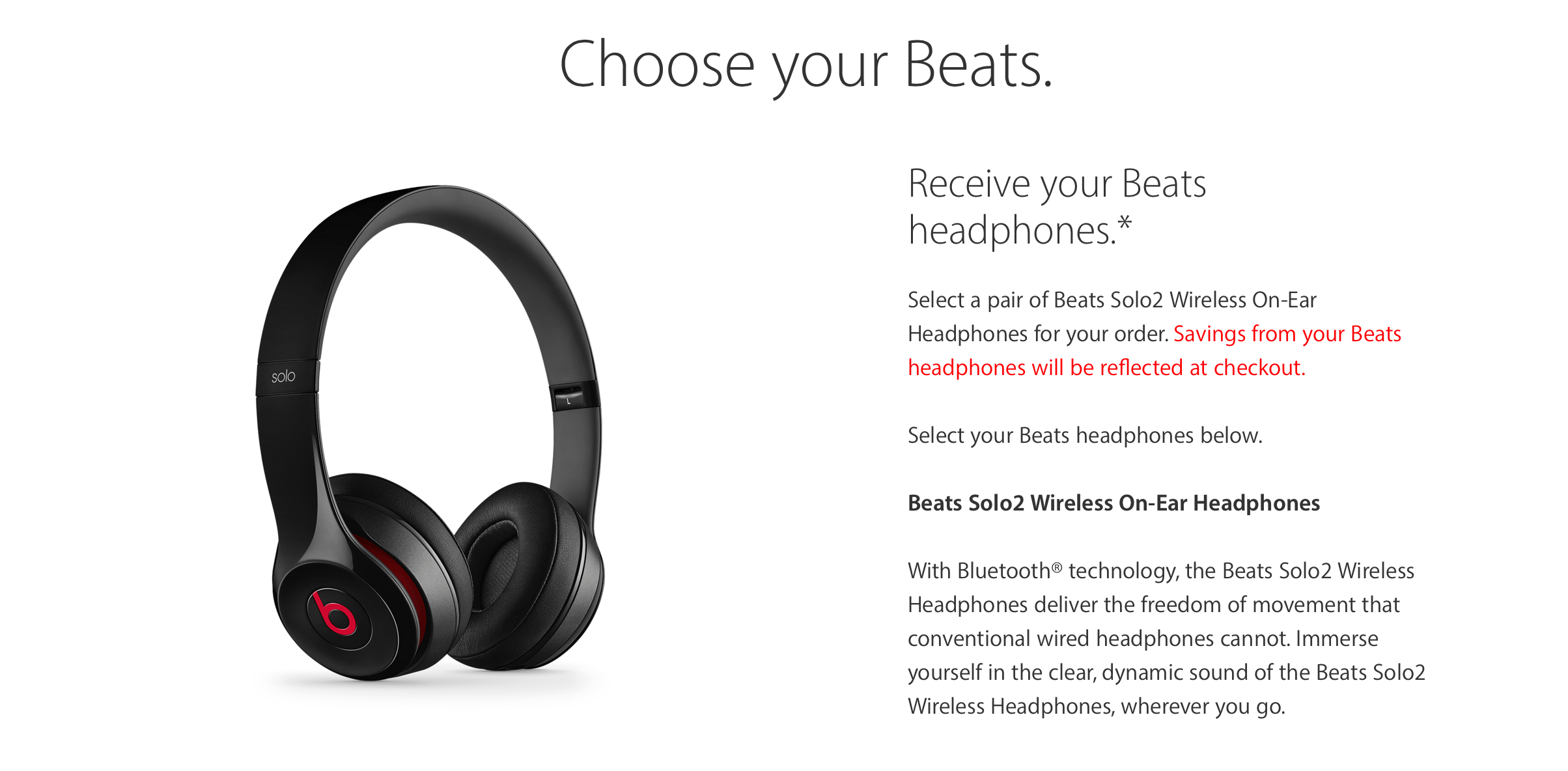
On the Mac side, buyers have a choice from the selection of Beats Solo2 Wireless On-Ear headphones in 11 colors. Unfortunately, selecting a pair during the checkout process doesn’t display the color in the picture along the side, so make sure to check out how the colors look before choosing.
For both iPad Pro and iPhone, an order comes with one pair of Beats Powerbeats2 Wireless headphones or the equivalent value to be put toward a pair of Solo2 Wireless Headphones. The Powerbeats2 headphones come in 7 options.
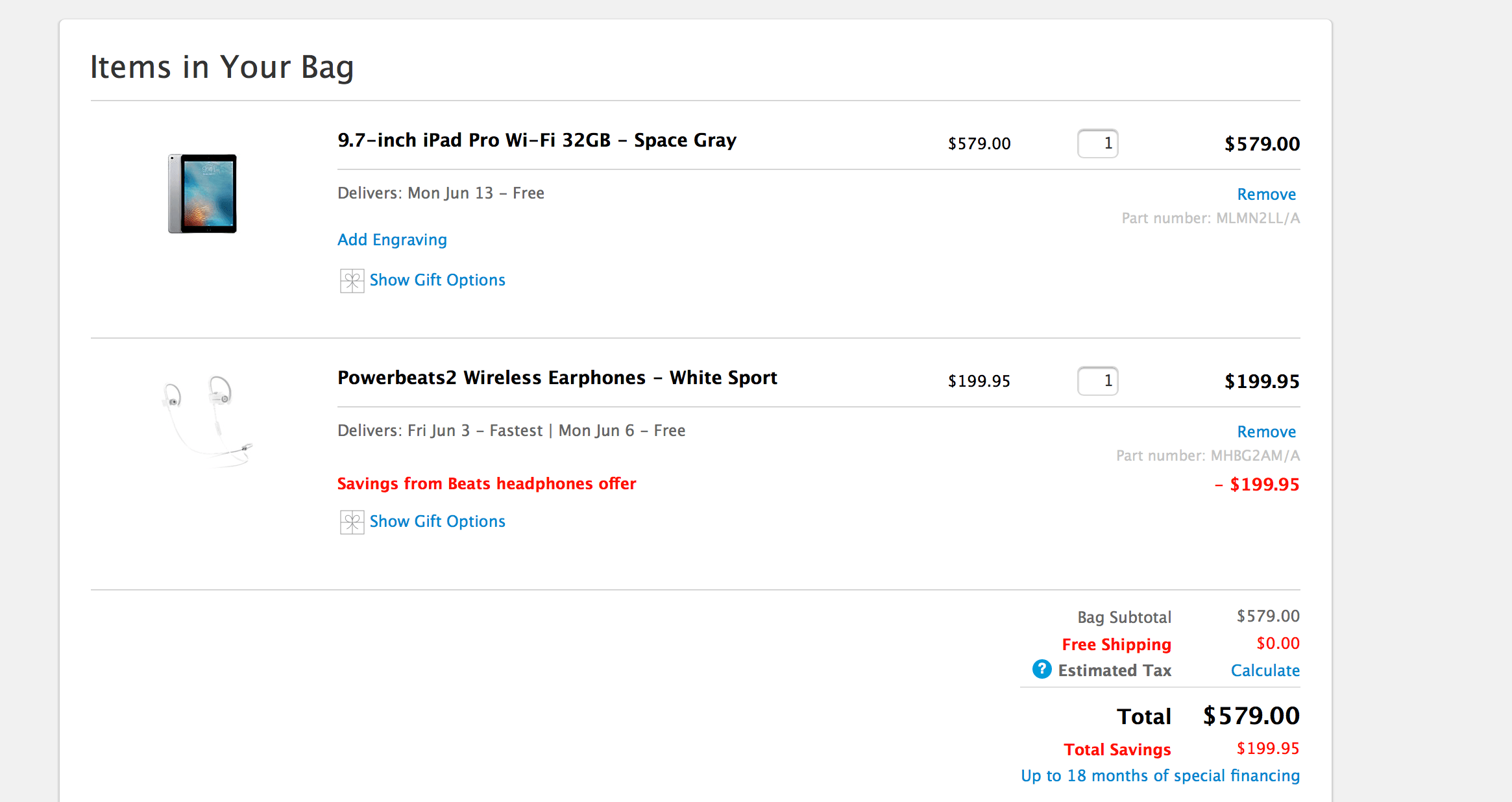
If you’ll be taking advantage of this promotion, note that the cost of the Beats will be reflected on the total until checkout. After completing the process, Apple will deduct the price and it will reflect as savings.
This year’s Back to School sale started noticeably earlier than last year’s promotional period – which took place from July 23 to September 18 – and I have to wonder if this promotion is Apple looking to introduce wireless headphones to more people ahead of the iPhone 7 launch. If the iPhone 7 does indeed ship without a headphone jack, this promotion will be a great way to familiarize the public with Bluetooth headphones.
For more information on the discount, head over the the promotion page here.
Update: According to multiple redditors in this thread, Apple will honor the deal even if the computer was purchased within two weeks before the promotion’s launch. Although many people have been able to snag the headphones, be wary – Apple hasn’t released an official policy on this.
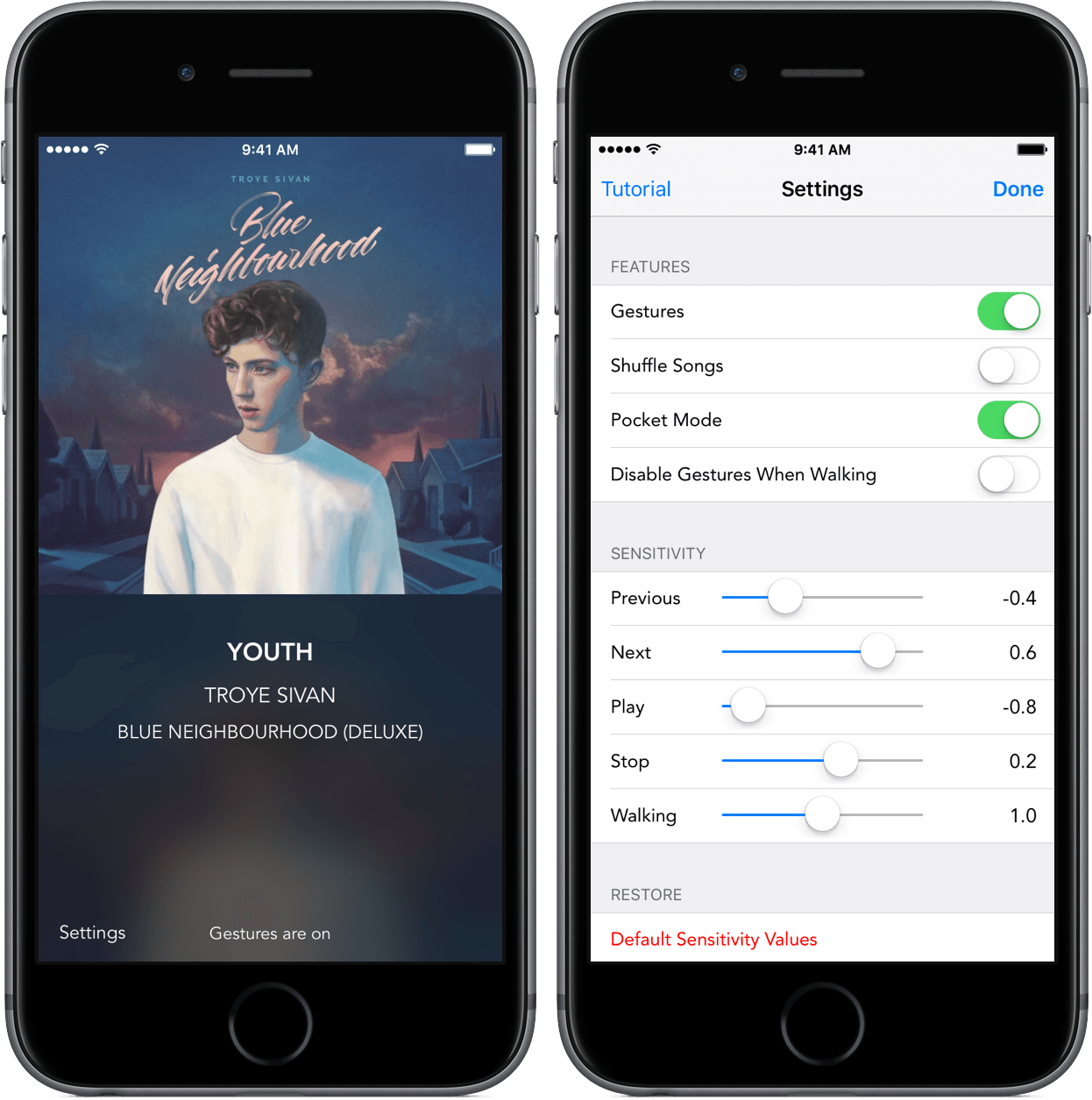
My phone sat locked when “Clarity” by Zedd played through my headphones. But like on so many other occasions, I decided that I was done listening to the song far before its end. I picked up my phone and, with a quick flick to the right, moved to the next song.
The functionality comes from Swysh, a $0.99 app to completely alter the way you interact with your music. I’ve been listening to my music with Swysh for the past week, and what I’ve found leaves me satisfied, albeit with some caveats.
At its I/O keynote earlier today, Google announced that it would venture further into messaging and video calling with two new apps: Allo and Duo. A familiar combination of text messaging and video chat, the two will provide a new way to chat with friends and obtain useful information within Google’s ecoystem.
The apps, which will be released this summer, will come to both Android and iOS, directly challenging the latter’s own iMessage and FaceTime services. Although Google did not put a strict release date on Duo or Allo, it did offer a sneak peak of what’s next.
Allo
Drawing inspiration from iMessage, Slack, and Google’s own Inbox, Allo looks to enrich the messaging experience by providing contextual information in a typical conversational format.
Based on your phone number, Allo will use your contacts to create a conversation. In many ways, Allo is a familiar messaging app, promoting back-and-forth conversation and displaying the responding status of the other party. However, Google has added a few features to make conversing easier and smarter.
Smart Reply
Mirroring Inbox, Allo supports Google’s Smart Reply system, a feature that scans the conversation and presents pre-written responses for your choosing. This can be anything from a simple “Hello!” to a response to a dinner request and, more impressively, a comment on a photo. Google claims that Smart Reply can identify the context of the action in a picture and suggest responses based on what it’s seen. As with much of Google’s software, the service will learn how you interact and adjust its replies based on your language patterns.
Google’s Assistant
Within a conversation, Google will present relevant search results based on the information you type. If, for example, you wanted to suggest to your friend that you should get coffee, the assistant would display an option to perform a search for coffee shops nearby.
After selecting the search, the assistant will insert options in a carousel with rating and distance. Choosing one of the shops would provide the opportunity to call, make a reservation, and so on. This isn’t limited to restaurants, of course, and Google said that it will be working with developers to bring tailored results straight into your conversation.
The assistant also works by itself, using natural language processing to perform actions like searching the web or getting the day’s schedule. One example from the keynote involved asking the assistant in a private conversation the result of the user’s favorite team, returning the latest result for Real Madrid.
Miscellaneous
Allo provides a simple way to send and draw on pictures – when sending an image, a pencil icon can be selected to write on the image. This was only demoed for a few seconds, so it’ll be interesting to see the customization options this features.
Also included is “WhisperShout,” a method for adjusting the text size to fit the desired message. By tapping and holding on the send button, users can slide a finger up or down to change the size of the message.
Incognito mode also makes an appearance in Allo, providing “end-to-end encryption and discreet notifications” for conversations. According to Open Whisper Systems, the company is partnering with Google to use their Signal Protocol technology, a “modern, open source, strong encyrption protocol for asynchronous messaging systems.” Incognito mode is not on by default, it seems, but it’s a welcome feature for those desiring more privacy.
Duo
Along with text messaging, Google also showed Duo, a video messaging service akin to Skype or FaceTime. Essentially, it’s much of the same story: a video call between two people through their phone numbers. Google claims Duo will show video in “crisp HD video” (up to 720p) and will switch between cellular and WiFi when it deems necessary. It also claims that video quality will adjust based on connection, ensuring that it’s still possible to continue the call.
The biggest differentiator between Duo and its competitors is what Google calls Knock Knock. With Knock Knock, the caller’s video stream will start before the video is accepted, meaning that the receiver is able to see the other party before picking up. Once the call is accepted, the video call will start between the two.
Without a firm launch date, Google is left with the task of providing information along the way to keep potential users interested. So far, it seems that both Allo and Duo are contenders in their respective categories; unfortunately, all we have of the apps today are the few screenshots, GIFs, and a blog post. In the coming months, it’d be nice to see a beta release from Google to get a better understanding how Allo and Duo work.
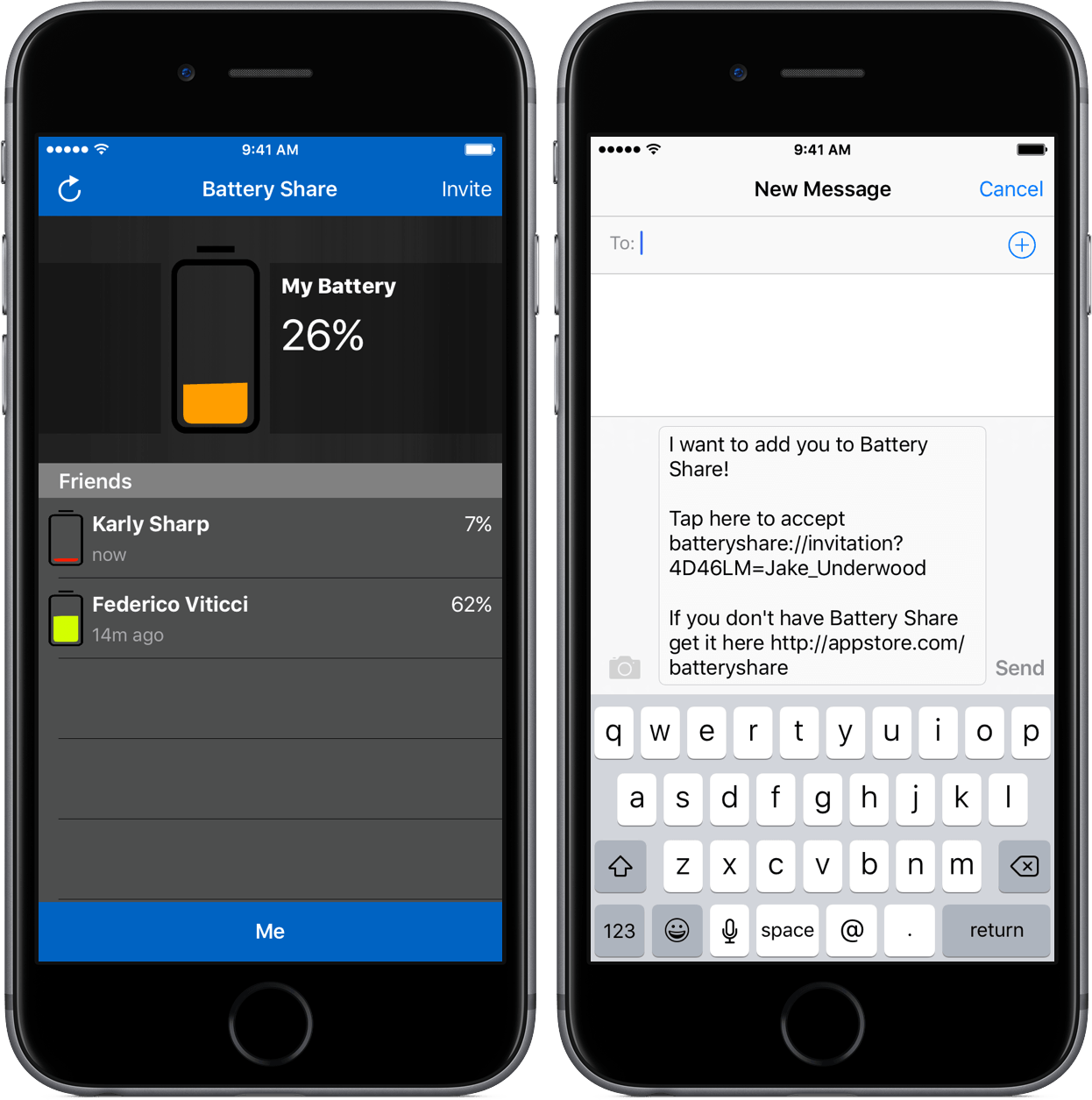
We’ve all been there – a dead phone and an expectant person wondering why we haven’t responded. Without any battery, there’s not really a solution to the problem, as the most common communication apps people use are inaccessible.
Battery Share from developer Terry Demco makes this issue one of the past by introducing a simple way to communicate battery life between friends. Although it takes some effort to set up, the results are well worth both the app’s $0.99 price and the setup time needed.
For a game to improve on its predecessors, it has to do something that none have done before it. This can be a tricky task, however – adding or eliminating one thing can be cause for uproar.
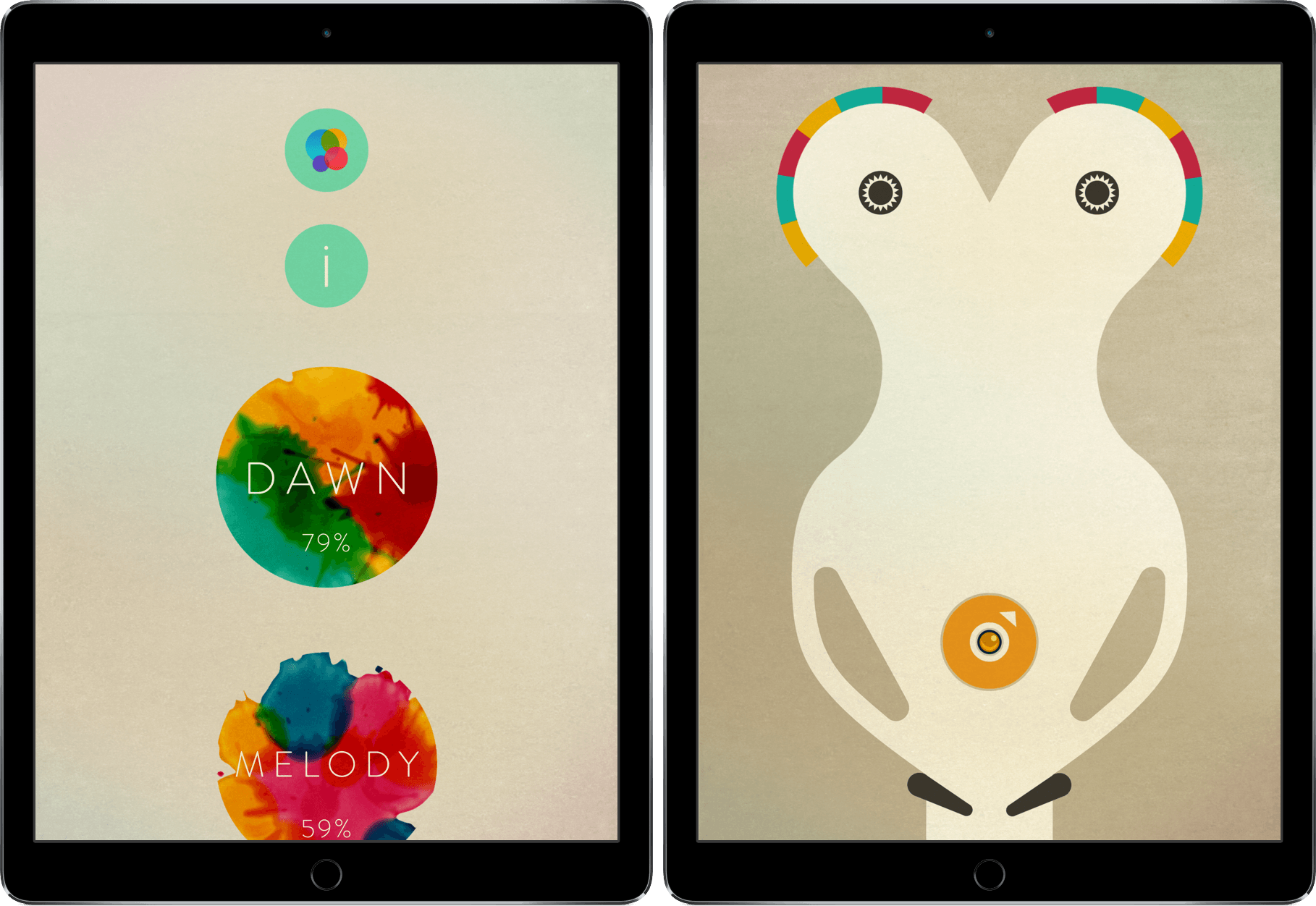
INKS is a game of pinball, but in a way that completely breaks the mold. Its improvement on the classic pinball game genre is evident and revolutionary enough to demand attention.
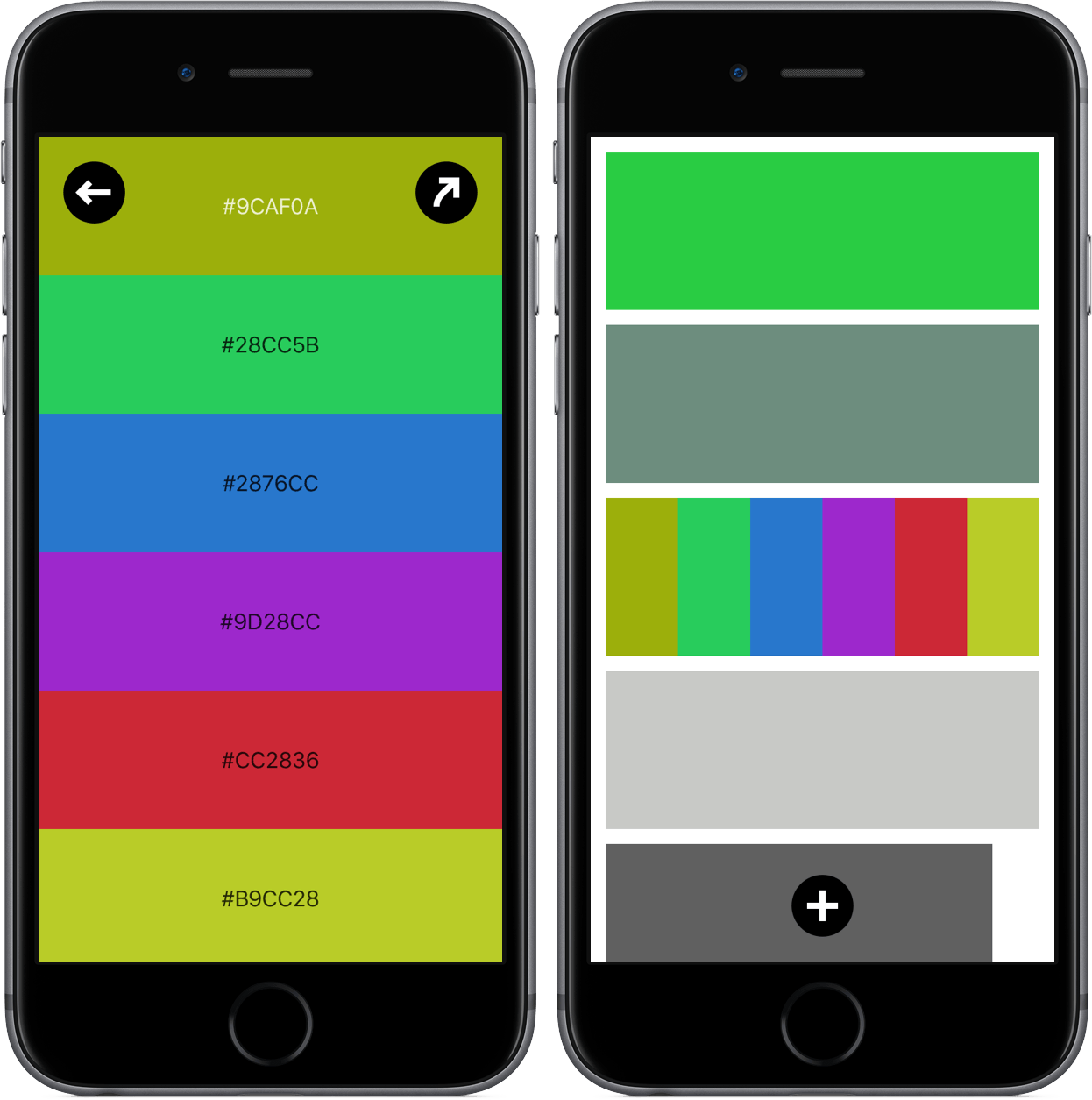
I audibly gasped when I spotted Colordot on Product Hunt, but not because it is a revolutionary app that should be shouted about from the mountain tops. Rather, I had the reaction because I saw an app with a concept I had never seen before and a tool that was unique.
Developer Hailpixel describes Colordot as an app for “anyone who loves color” – which is justified by the fact that the app’s only purpose is to fiddle around with color. Essentially, Colordot is a color selection tool for the rest of us; through some simple gestures, you’ll create one or more colors, get its hex triplet, and assign it to a palette.
There’s not a lot of good that can be said of the Apple Watch app experience. Although the platform looked promising after the release of watchOS 2, Watch apps haven’t caught on in the way Apple Watch wearers may have liked. While some have tried to attack the problem through unique games or productivity apps, the majority of the offerings have been slow to load and difficult to use.
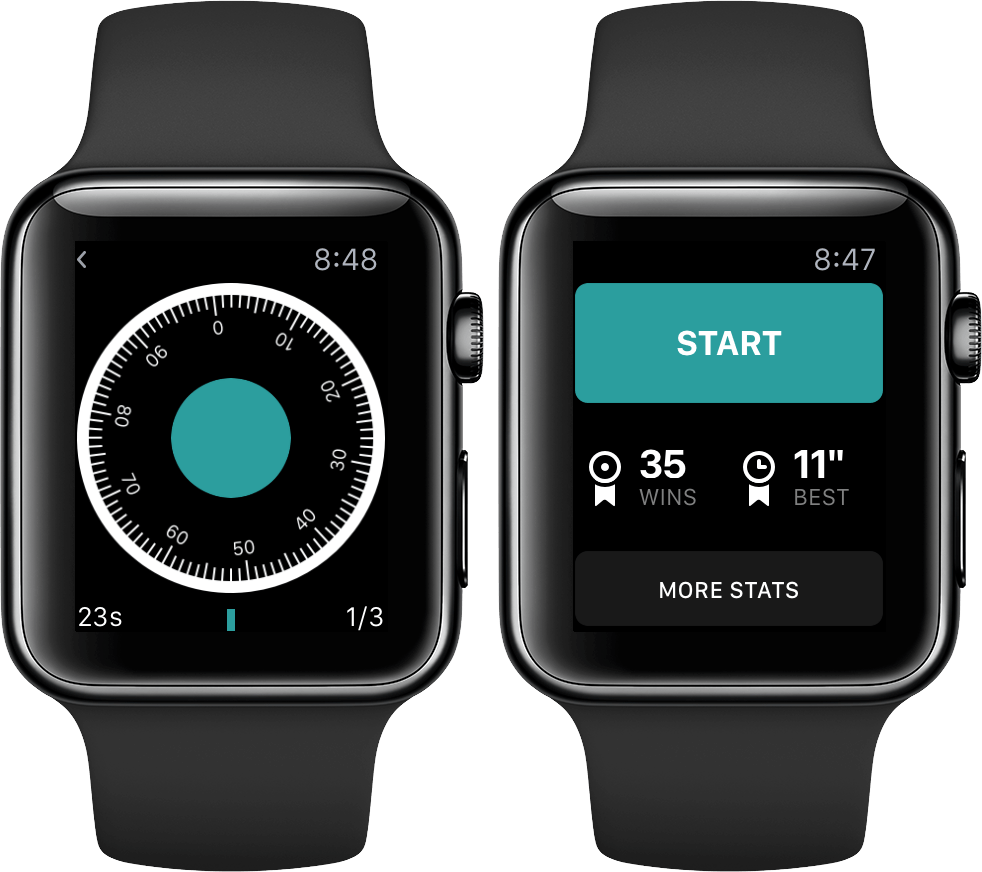
But, for just a second, throw all of that out and consider Break this Safe – it’s only for the Apple Watch, using the Digital Crown and haptic feedback for its gameplay. It offers a unique gameplay experience and, despite the Apple Watch’s slow loading times, is engaging enough to keep you playing.
On many occasions, I’ve searched throughout the App Store to find the right app for annotating photos with simple labels. Although I trudged through pages and pages of information, I just couldn’t find an app that did exactly what I needed – until today.
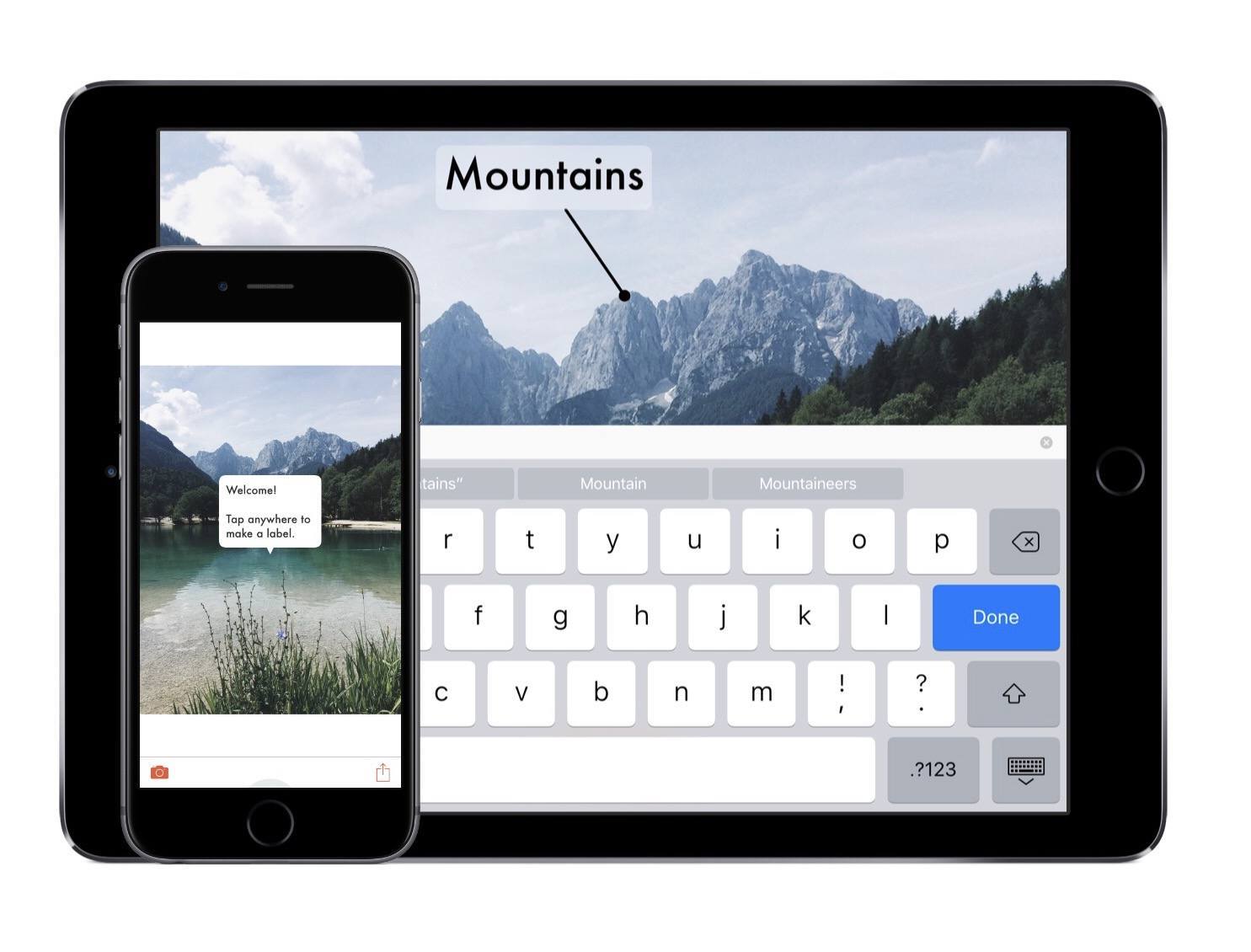
This is an absurdly easy way to add information to photos and send them away. Featured as one of the Best New Apps in the App Store, it caught my eye because of its slick design; after playing with its intuitive features, its gorgeous design is of the least importance.
The Steps
This’s functionality comes in three steps: 1) Select the photo 2) Add labels 3) Share. Eventually, this simplicity becomes second-nature, but the subtasks in those steps deserve an explanation. If any of this becomes confusing or you need to see more examples, head into the tutorial for a guide.
Selecting the Photo
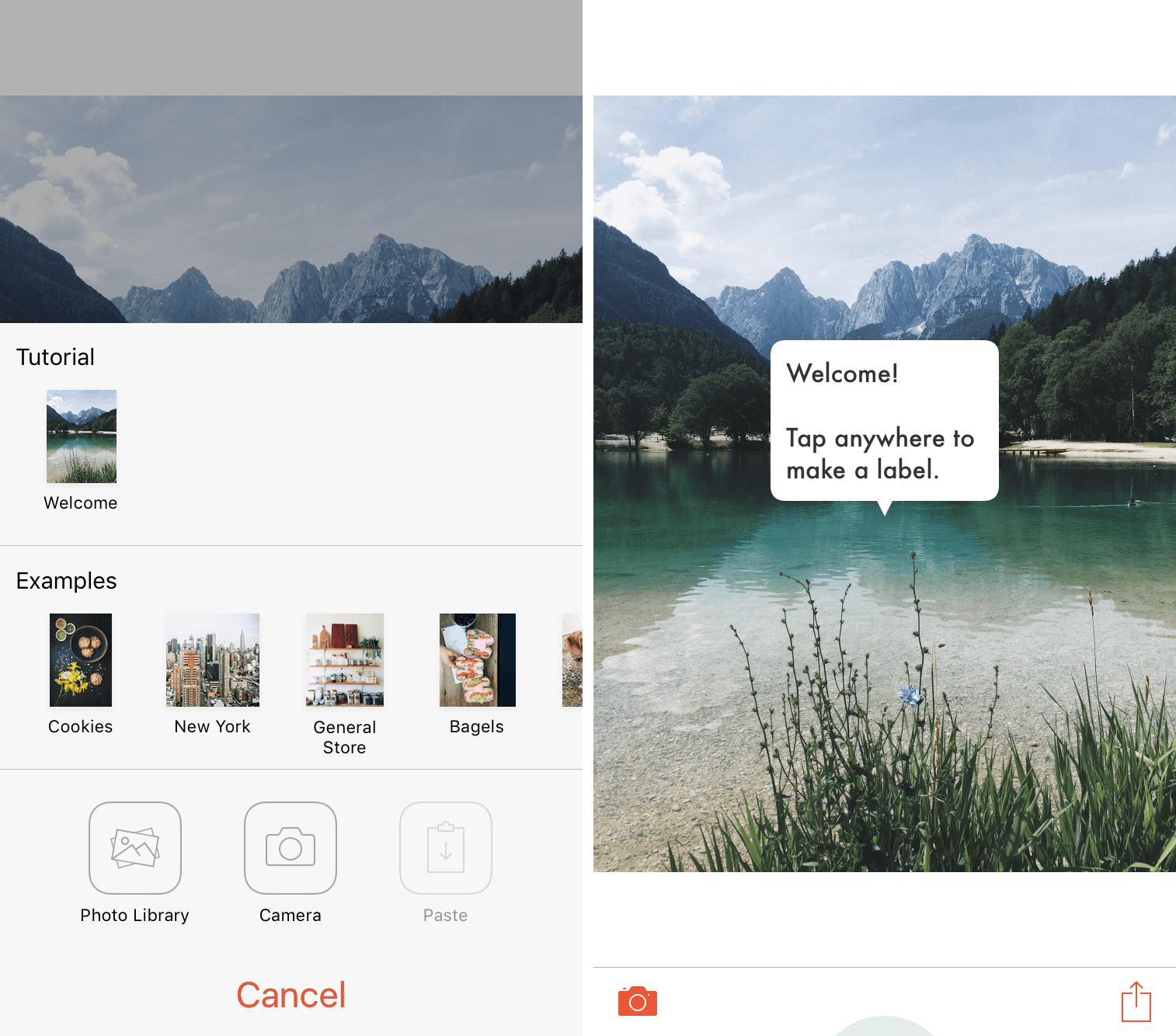
By tapping on the camera icon in the lower left, This will provide options for images to work with. Here is where you’ll find the tutorial and examples of pre-existing images and their labels. All of these are editable, so feel free to tinker around to get the hang of the app’s capabilities.
Photos can be pulled from either the device’s photo library, camera, or clipboard. Unfortunately, there’s only the option of choosing from the Photos app – I’m hoping to see other document providers be integrated in future versions.
Once selected, the image will be displayed for labeling.
Adding Labels
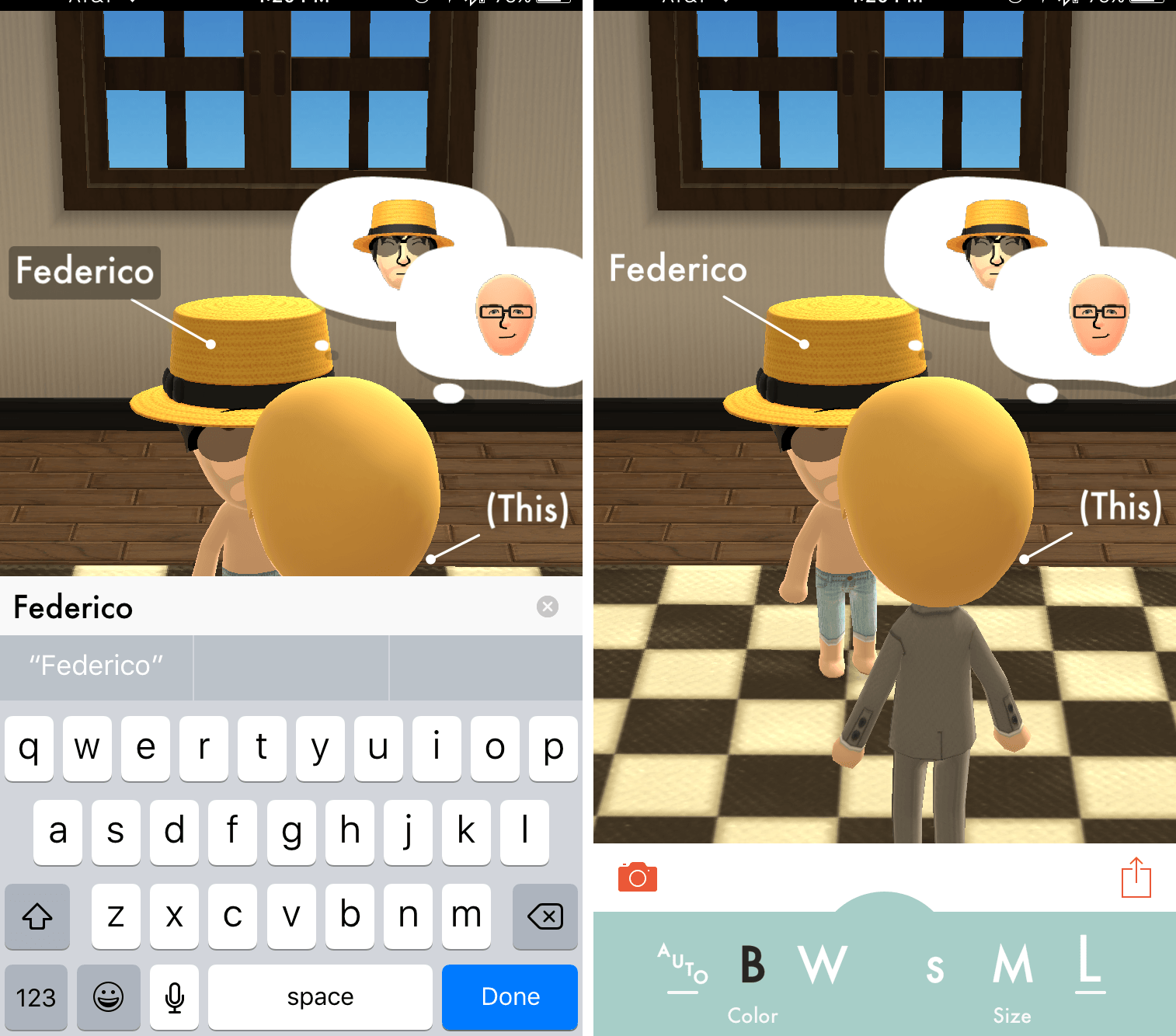
For the part of the photo that you’d like to label, tap on or close to the section and This will automatically provide a label and custom line length. By selecting the (This) label, you can insert the applicable information within the text box. If the text is more than a couple of words, This will push the information down a line.
The default arrowhead is a filled-in circle, but This offers the option to alternate between six other choices: arrow, open circle, X, heart, and none. All of these can be used to say different things in context, so they are all great inclusions. In addition to the solid line, there is also a dotted line for referring to a location.
To keep your labels readable, This will auto-adjust the color of text between white and black. It’s also possible to change the color and size manually by selecting the light green semicircle at the bottom of the screen; you can choose between black and white for the color and extra small, small, medium, and large for the size.
If a mistake is made in the placing of a label, dragging either the text or arrowhead will move the respective piece around the photo. To delete a label, hold the text until a red X appears and then release.
Sharing
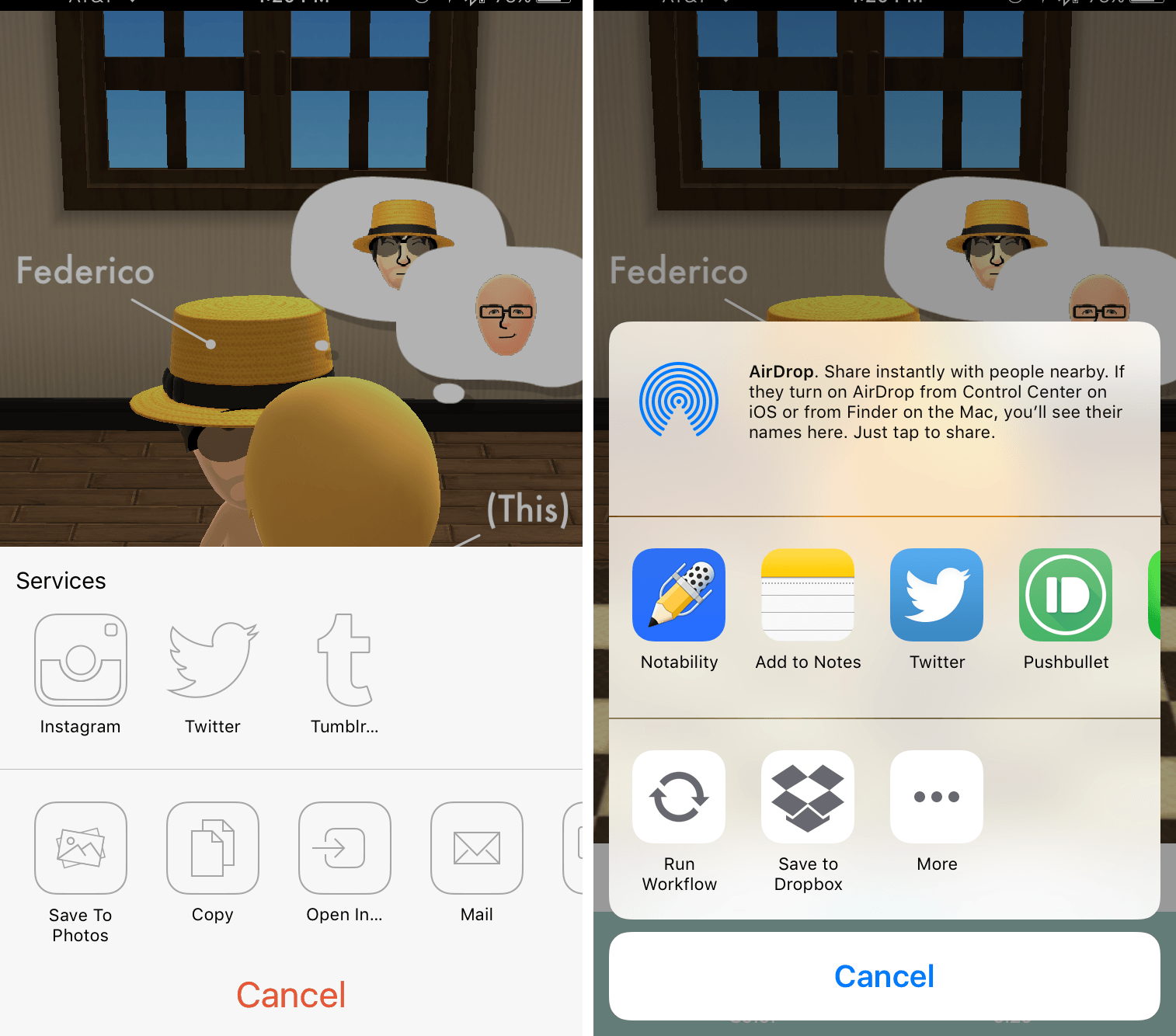
When you’ve completed your work, tapping the share icon will bring up options to send to Instagram, Twitter, and Tumblr, as well to save to Photos, copy, Open In…, Mail, and print.
Sharing within This is the biggest sign that the app is in version 1.0; saving to a document provider takes more taps than necessary. The most frustrating part, however, is that there is no saving in-app, meaning that if you don’t finish labeling before starting a new project, it will immediately wipe out your work. Along these lines, a lack of native saving also forces the user to save to Photos and reopen within This to continue work on a photo – albeit without the ability to change the labels created in the previous version.
Wrap-Up
When I saw This in the App Store, I was excited to see a supposed solution to my labeling problem. After using it, it has exceeded all my expectations and has given me a quick way to mark a photo and send it off.
Remember, though, that This is a 1.0 product and may have bugs or lack desired features. Even so, developer Tinrocket has built a specialized tool that you’ll want to have in a pinch. With its continued development, I’m excited to see This be refined and crafted into an all-star app.
This can be purchased as a Universal app for $1.99.