Jake Underwood

128 posts on MacStories since December 2015

Former MacStories contributor.

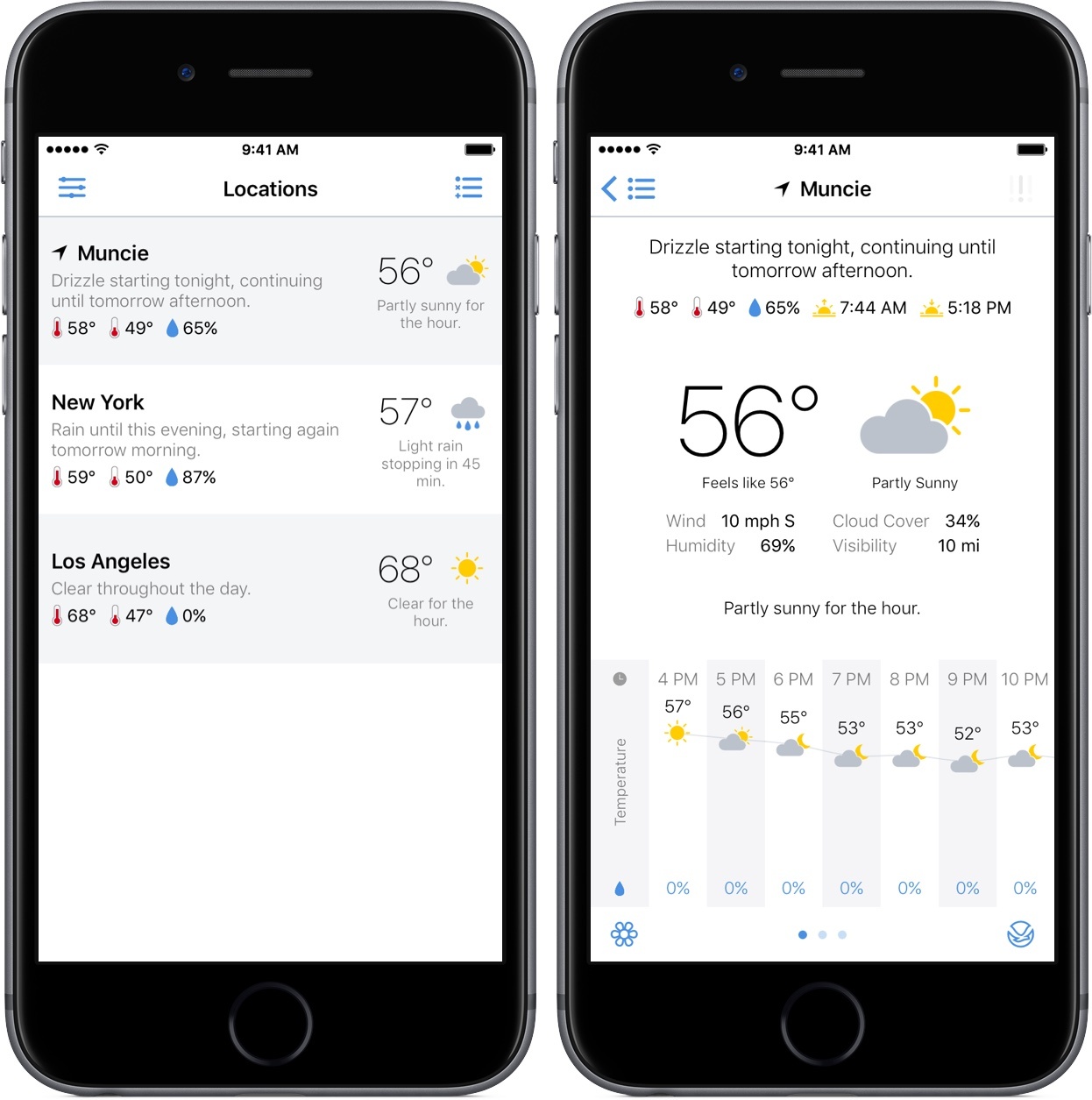
Partly Sunny Review: Weather Reimagined

When Apple introduced the App Store in 2008, much of the excitement spanned from the opportunities and functionalities these new apps would bring to the iPhone. Many of the first apps were forays into markets untouched by the stock apps – games, social networks, and read-it-later services.

Eight years later, the trends are different; with millions of apps covering almost every genre imaginable, a lot of this year’s best apps are refinements or new takes on the same functionalities some of Apple’s stock apps offer.

That’s where Partly Sunny comes in – it’s a weather app that, at first glance of its icon, looks almost identical to Apple’s Weather. But after tapping into it, Partly Sunny shakes the similarities and introduces a robust, beautiful new way to view weather information.

Read more


Apple’s October 27 Keynote by the Numbers

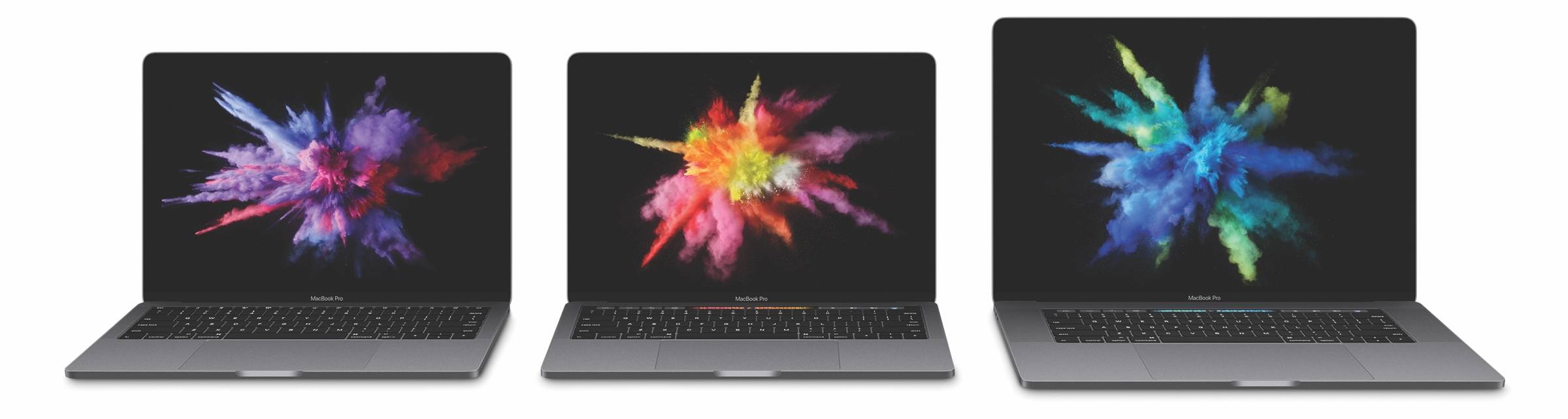
At Apple’s “Hello Again” keynote Thursday, the company continued its tradition of letting the public in on its most important figures. Whether it was a recap of user and sales numbers or figures regarding the new products, Apple gave us plenty of numbers to digest.

Here’s a list of significant facts and figures from Apple.

13-Inch MacBook Pro with Touch Bar
- 14.9 mm thick
- 23% less volume than previous generation
- 3 pounds
- 2x faster graphics
- Up to 2x faster storage
- 103% faster gaming performance
- 76% faster video editing performance
- 76% faster 3D graphics performance
- Starts at $1799

13-Inch MacBook Pro
- 13% smaller in volume than the MacBook Air
- 12% thinner than the MacBook Air
- Starts at $1499

15-Inch MacBook Pro with Touch Bar
- 15.5 mm thick
- 20% less volume than previous generation
- 4 pounds
- 2.3x faster graphics
- 130% faster 3D graphics performance
- 60% faster gaming performance
- Can power 2 5K displays
- Starts at $2399

MacBook Pro Displays
- 67% brighter
- 67% higher contrast ratio
- 25% more colors

MacBook Pro Bodies
- 2x larger trackpad
- 2nd-generation butterfly switches
- 4 Thunderbolt 3 ports on the 13-inch and 15-inch Touch Bar MacBook Pros
- 2 Thunderbolt 3 ports on the 13-inch MacBook Pro

Misc.
- 400 million have “viewed and enjoyed” Memories on iPhone
- 60% of iOS users are on iOS 10, with 32% on iOS 9
- Currently, there are over 1600 apps from video content providers on Apple TV
- There are over 8000 Apple TV apps in the App Store
- This is the 25th anniversary of Apple’s first notebook, the PowerBook

You can also follow all of the MacStories coverage of today’s Apple’s keynote through our October 27 Keynote hub , or subscribe to the dedicated October 27 Keynote RSS feed.


Moleskine Releases Timepage for iPad

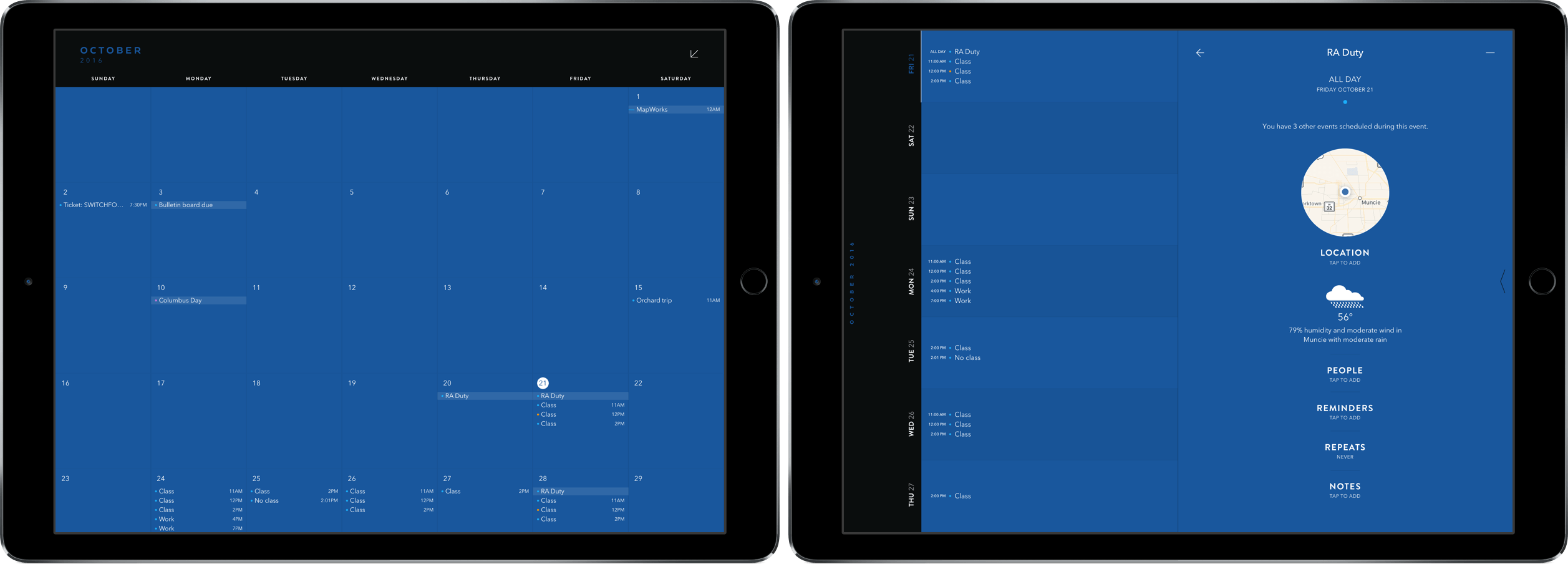
Moleskine’s Timepage has been a MacStories favorite ever since I reviewed it for the iPhone back in January. With its innovative design and slick group of features, it was an easy pick for my calendar of choice – with one big caveat: no iPad version.

Last week, the team at MacStories finally got our wish in Timepage for iPad. In it, we get all the same features we’ve come to love in previous versions in a beautifully designed package supporting the larger screen.

Read more


CardioBot Provides Effortless Heart Rate, Sleep Tracking

About a month ago, developer Majid Jabrayilov slipped a gem into the App Store: CardioBot for iPhone and Apple Watch. It’s an informative yet minimalistic take on an activity and sleep tracker that gets you the right information within just a couple of taps.

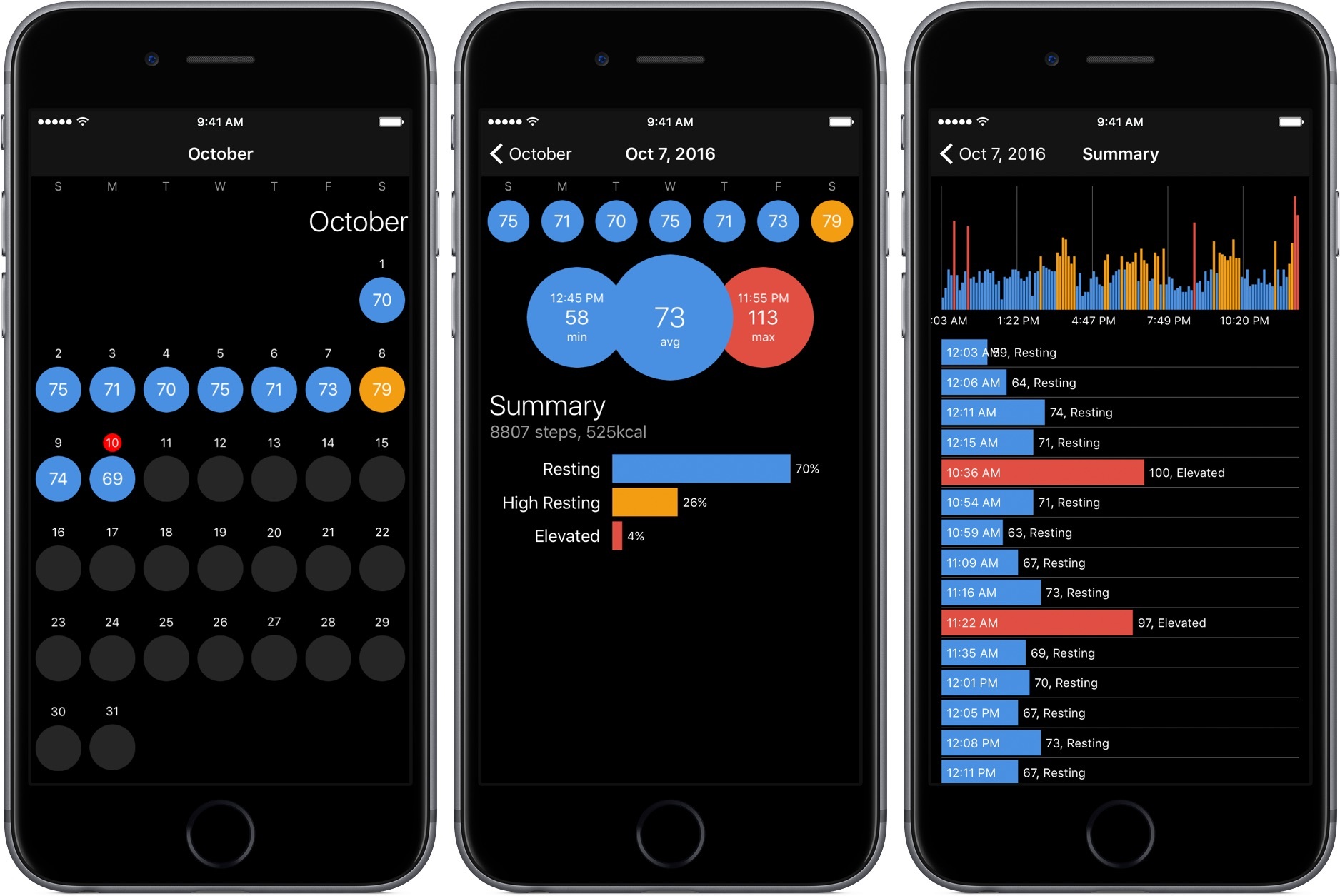
After granting CardioBot access to the Health app on the iPhone, you’ll get a colored calendar view against a dark background. Each day will be assigned a dot with a designated hue for a heart rate range: gray for low, blue for resting, orange for high resting, and red for elevated. Also present on each day is your average beats per minute.

You can dive into each day to see more detailed facts, like a percentage graph of your daily heart rate or the time of your minimum and maximum BPM. Tapping on the summary graph will display every reading your Apple Watch took throughout the day.

CardioBot also includes graphs for sleep tracking, which can be done while wearing the Apple Watch in bed, and workouts. Both break out data into different heart rate ranges, so you can get a better idea of how your body is performing.

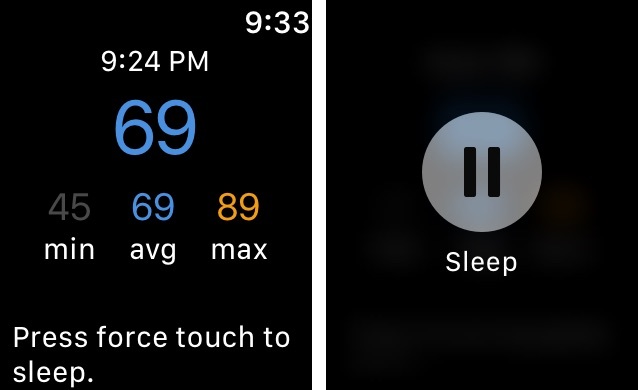
On the Apple Watch, you can get a quick glance at your last heart rate measurement and the minimum, average, and maximum measurements from the day. Press the screen to start a sleep measurement before bed – just don’t forget to stop it in the morning like I tend to do.

For the few days that I’ve had CardioBot installed, I’ve enjoyed the amount of information it gives me about my health. Setup is a breeze and it was great to see my data imported into the app without a hitch. Although other apps feel inclined to bombard you with information, CardioBot elects to present you with digestible figures and graphs, making this a tool that anyone can use without struggle.

At $1.99, CardioBot is an easy purchase for the quality you’re getting. You can pick it up on the App Store here.

Update: Through a combination of emails and tweets, I’ve been asked the differences between CardioBot and HeartWatch. When I reviewed HeartWatch back in February, it was in version 2 and looked noticeably similar to how CardioBot looks now. However, now that HeartWatch is in version 3, it has gained many features that have grown it from its 2.0 version. While CardioBot does look similar to HeartWatch’s previous product, I believe the two serve different markets today: HeartWatch for the pro health tracker and CardioBot for the rest. With that being said, I want to point out that they do look similar.



Apple Adds Collaborative iWork, Updates Beats, iPad

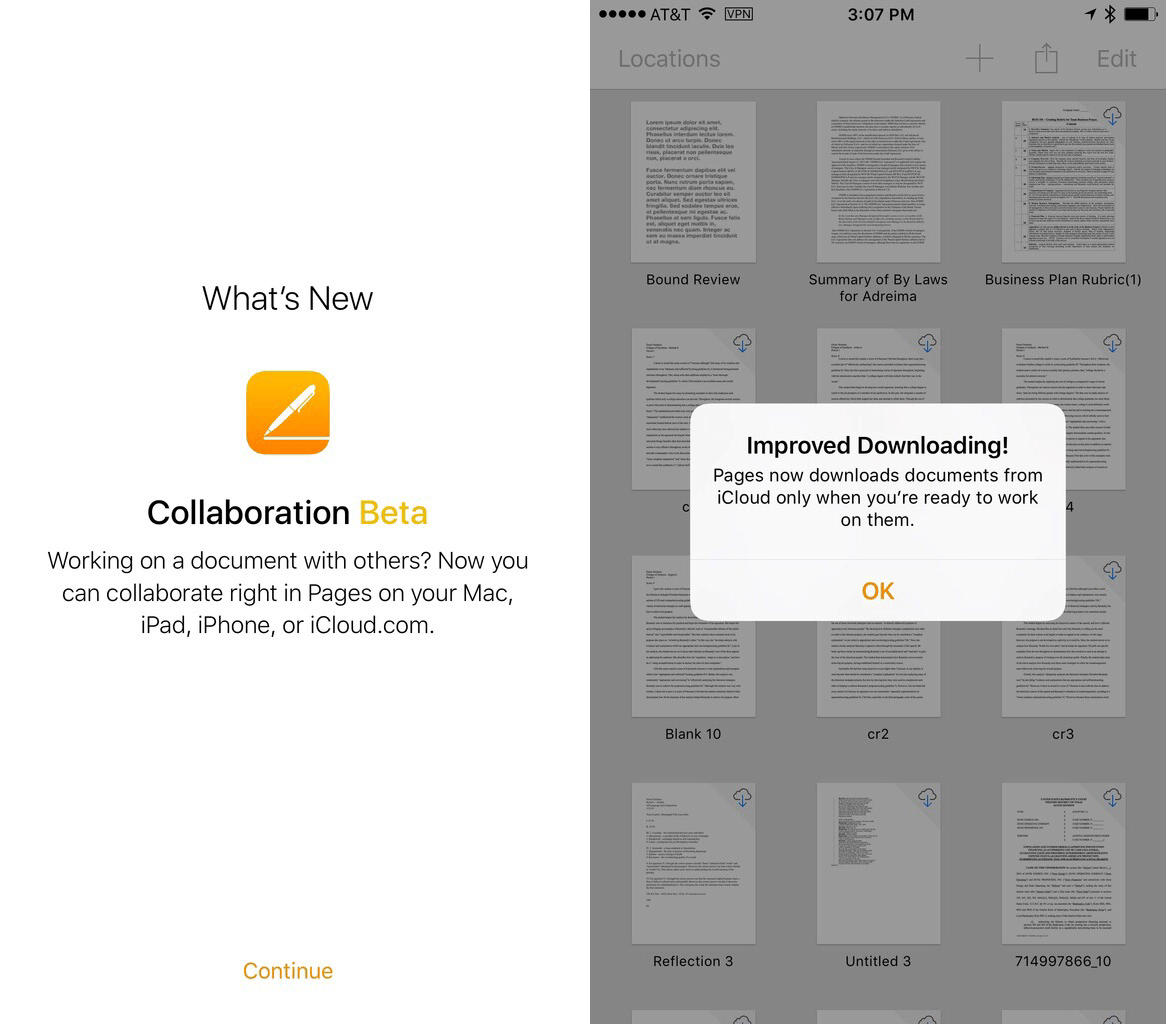
As was expected, the iPhone 7 and Apple Watch Series 2 took much of the stage time during today’s Apple event. However, the day wasn’t all about these two products; either by announcing it on stage or refreshing it silently online, Apple announced updates for iWork, Beats, and iPad that are all welcome improvements.

Read more


Apple’s September 7 Keynote by the Numbers

Throughout Apple’s presentations, we’ve come to expect a barrage of facts, statistics, and figures that fill out the company’s narrative. Spanning hardware, software, and retail, these numbers are the public’s opportunity to see how Apple is performing and growing from year to year.

Today’s keynote was no different, with the group of presenters sharing numbers covering a variety of topics. Listed below are the most important figures from the event.

Apple Music

  • Apple Music has accrued 17 million subscribers since launch.
  • Apple Music subscribers have access to over 30 million songs.

App Store

  • To date, there have been over 140 billion App Store downloads.
  • The App Store’s revenue is 2x that of its closest competitor.
  • There are now over 500,000 games in the App Store.

Apple Watch

  • Apple is now the 2nd highest selling watch brand.
  • Apple is 1st in smartwatch sales and customer satisfaction.
  • Apple Watch Series 2 is water resistant to 50 meters.
  • Apple Watch Series 2 is 50% faster than the previous generation and delivers 2x faster graphics performance.
  • Apple Watch Series 2 contains the brightest-ever Apple display at 1000 nits.

iPhone

  • Apple, to date, as sold over 1,000,000,000 iPhones.
  • The new OIS system on the iPhone 7 allows for 3x more exposure.
  • The new telephoto lens allows for 4x better quality in zooming.
  • The new screens in the iPhone 7 series are 25% brighter.
  • The surround sound speaker set in the iPhone 7 is 2x as loud as the iPhone 6s.
  • The iPhone 7’s A10 Fusion chip is 40% faster than the previous-generation A9.
  • The graphics power of the A10 Fusion is a 50% increase from the A9.

AirPods

  • AirPods hold 5 hours on a single charge.
  • Through charging with their case, AirPods can last for 24 hours.

You can also follow all of the MacStories coverage of today’s Apple’s keynote through our September 7 Keynote hub, or subscribe to the dedicated September 7 Keynote RSS feed.


Better Track Your Time with Timelines

As I type this review, I can see three devices that I can (and do) work on in some capacity with relative efficiency: a 12” MacBook, an iPhone 6s, and an iPad Pro. Along with my work at MacStories, I use these products to build and manage websites, write news stories, and get classwork done – all from the small space of my college dorm room.

Of course, I’m not the only one – millions of people have completed the transition to working from home, skipping out on the world of corporate computing for a more convenient and personal experience. There is one glaring problem, however, when discussing the move from the in-person job lifestyle: tracking time.

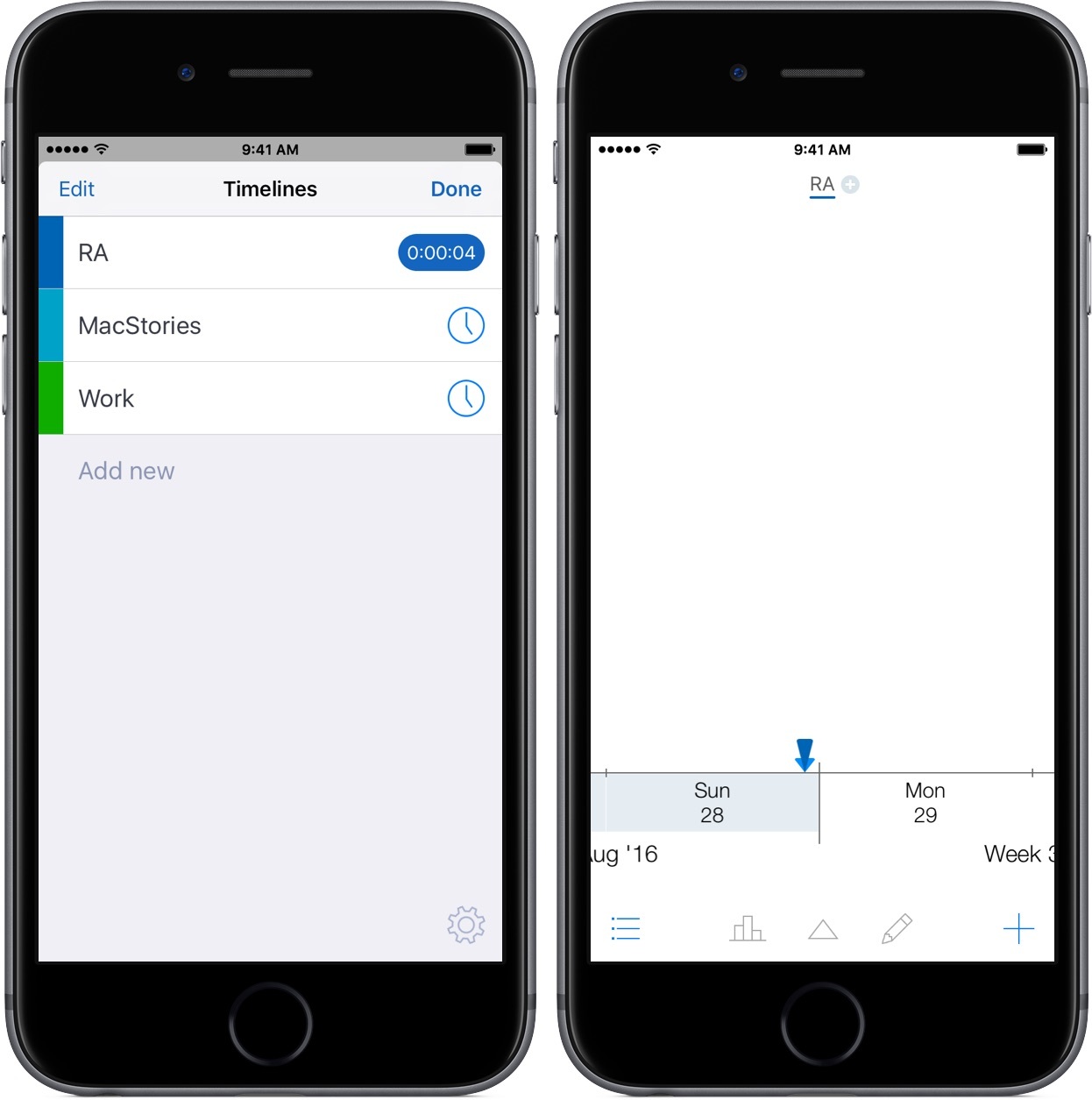
Timelines is an iPhone-only app that helps you manage and record your working time. For freelancers, remote workers, and students, Timelines scratches the basic itch of getting your time down into a piece of software for later action.

Read more