Graham Spencer

917 posts on MacStories since January 2011

Former MacStories contributor.


Apple Posts New iPad 2 Advert: “Learn”

Apple has today uploaded a new iPad advert to their YouTube Channel. Like previous iPad adverts, it has a central theme - in this case it is “Learn”, which is also the title of the advert. The entire advert is dedicated to showcasing some standout apps that help people learn. As usual there is nothing related to price or specification, just clips of people experiencing the iPad and the apps that make it great.  Some of those apps shown include the TED talks app, Chinagram, iBooks and GarageBand, but in total there are 10 that are shown.

Are you curious about new ideas, do you want to learn a new language, or just a new word? Maybe you want to know more about anatomy, or astronomy. You could master something new, or uncover a hidden talent. There’s never been a better time to learn.

Jump the break to see the advert for yourself and jump over to the Apple YouTube Channel to see more of the iPad adverts.
Read more


Help Fund A New Q&A Video Series With Startup and Solo iOS Developers

A few weeks ago Anthony Agius ran the ‘One More Thing’ conference in Melbourne, Australia. It was a conference in which a number of Australia’s top iOS developers came and gave speeches about their paths to App Store success to an audience of around 160 people. Some of the developers that appeared at the conference included Matt Comi of Big Bucket Software (The Incident, TV Forecast), Thomas Killen of Voxel Agents (Train Conductor), James Cuda of Savage Interactive (Procreate) and a number of others. Those speeches have now been posted online in full and for free, so if you’re a developer looking for inspiration or just interested be sure to check them out.

Agius hasn’t stopped there though, and has now decided to embark on a new project to make a 5-episode online TV series that features Q&A sessions with the speakers from the One More Thing conference. It is all inspired from a 60 minute Q&A session from the actual conference in which over 100 questions were submitted but time only allowed for 12 questions to be answered.

We want to develop an online TV show to support new startups and solo iOS developers. We will interview some amazing iOS developers about what it takes to do well in this industry, and some of the unexpected challenges that come up.

To make this a reality, Agius is appealing for donations to fund the project. To do it (as he says) to “the quality the community deserves” he is looking for $25,000 to cover all the costs from video editing, web design, motion graphics, flights, equipment hire and various other costs which he has roughly calculated. He is attempting to fund the project through ‘Pozible’, which if you are unfamiliar with is very similar to Kickstarter, and is offering various ‘rewards’ for funding the project which increase as the size of the donation increases - everything from a “twitter hug” to a name on the credits to a free Blu-Ray copy to adverts within the episodes.

So as you can see, it gets expensive to put on a high quality production! I don’t plan to make a profit off the show. Unless the project exceeds the funding target, I won’t make a cent. All raised funds will be put into the development of the show and promoting it. I just want to cover the costs to get it made, enjoy the experience, produce a show I can be proud of and create a valuable information source for those wanting to be indie iOS developers.

Below the break is a video of Agius explaining the project and you can read even more about the project on the Pozible project page, which is where you can also go to help contribute to the project. Video of the speeches from the ‘One More Thing’ conference can be found on Vimeo and you can follow Anthony Agius who co-founded MacTalk Australia on Twitter.

Read more


Turn A Magic Trackpad Into A Numpad With The Mobee Magic Numpad

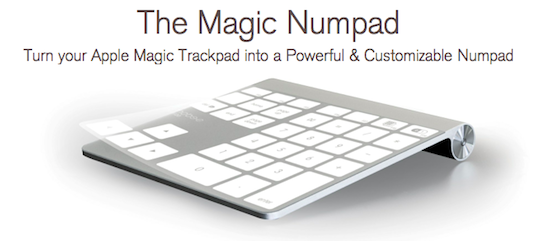
A new accessory from Mobee, which makes some inductive charging accessories for the Magic Mouse and Apple Keyboard, aims to use the Magic Trackpad as a Numpad replacement. The accessory is simply 3 plastic films that are applied onto a Magic Trackpad and a piece of software that translates a tap into a key command from a Numpad.

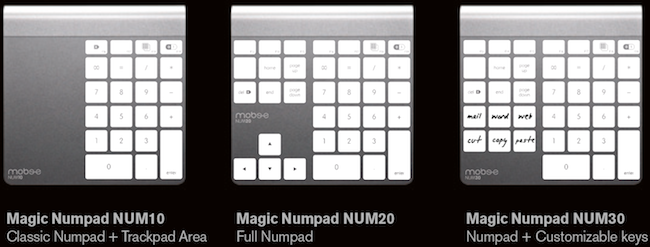
When purchasing the Mobee Magic Numpad you receive 3 different films to use on the Magic Trackpad, each of which have a different layout. You can see the three layouts below, the last of which includes six customizable keys. The films are claimed to be durable and re-usable in case you wish to change between layouts.

Mobee claims that with their product you will “instantaneously get both a Trackpad and a Numpad built into one single device” - although how exactly one switches between the Trackpad and Numpad ‘mode’ is not exactly explained. The Mobee Magic Numpad is available to order now for $29.90 but shipments won’t begin until October. So whilst this is certainly a niche product, it’s quite clever and fairly unobtrusive - although the real question would be how well it works and feels through some use.

[Via This is my next]


Giveaway: Foliozo, The Stunning Digital Portfolio App For iPads

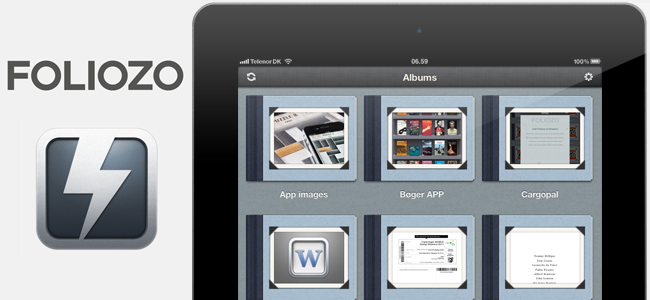
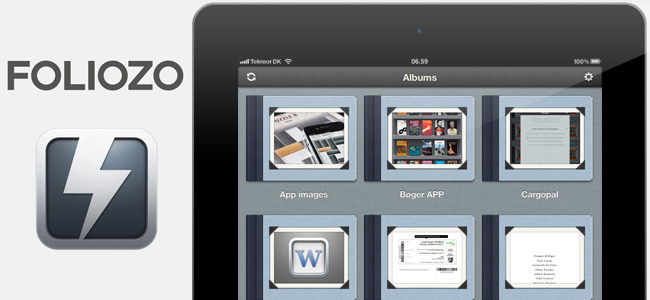
Last Friday we reviewed Foliozo, a new digital portfolio app that had hit the iPad App Store earlier in the week. This week we’ve been given ten promotional codes for Foliozo from the app developers and we’re running a giveaway. In our review we noted how Foliozo kept things simple unlike many of their competitors - something we thought was an advantage for a digital portfolio app.

You can read our full review of Foliozo but if you really like the sound of Foliozo don’t be afraid to help the developers and purchase the app which is available on the iPad App Store for $4.99. Jump the break for all the Foliozo giveaway details but don’t forget about our Saver giveaway which we started yesterday and look out for yet another giveaway this week!

Read more


Saver For iPhone Giveaway: 10 Copies Of The Delightful Expense Tracker

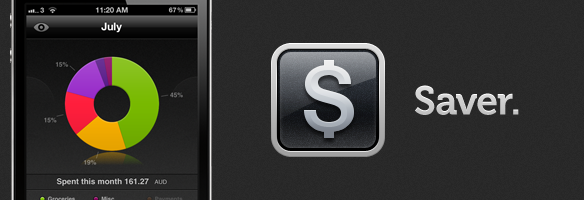
After a big bug-squashing and feature-adding update last week to Saver, the developers have decided to run another giveaway of their excellent expense-tracking app. I reviewed Saver for iPhone about two months ago where I raved about its excellent and loving design which made the usually dull task of expense tracking a more exciting and vibrant experience. The genius of Saver though is that unlike many other apps on the market, its design keeps things simple whilst still being powerful enough for what most users will need out of an expense-tracker.

The developers are running their own giveaway of Saver where they are giving away 3 copies of the app everyday from today till next Monday, but MacStories readers have another chance to win the app because they have been kind enough to give us 10 copies to give away! Make sure to read our full review of Saver, but jump the break for all the details on how to enter our giveaway of 10 copies of Saver.

Read more


Use Your iPad As A Digital Portfolio With The Excellent Foliozo

One of the iPad’s biggest strengths is the ease to which you can show various pictures, videos or websites to the people around you - its sleek form factor and large display makes it feel much more natural and personal than a laptop or desktop would. It is that inherit trait of the iPad that Apple is taking further advantage of with iOS 5 and its Photo Stream feature that lets you take pictures with your friends and family at the beach on your iPhone and then show those pictures on your iPad after a family dinner because Photo Stream effortlessly syncs photos between the two devices. Our own Federico recently wrote about how it removed the effort of manually syncing photos after he used the feature extensively on a recent summer holiday.

So we know the iPad is great (and will get better with Photo Stream in iOS 5) for sharing pictures and videos with our families and friends, but surely this experience could also translate into the professional realm. The true fact is that it does, with many firms already using the iPad as a portfolio to show concepts, photos and designs to clients and there are already a number of apps in the App Store that make this process easier. Today, however, I’m reviewing Foliozo which is a new entrant to the ‘digital portfolio’ app market, and one I think that stands above the pack.

Jump the break for the full review, screenshots and their promo video.

Read more


Tim Cook, Apple CEO

Yesterday afternoon brought the big news that Steve Jobs had resigned from the position of Apple CEO (he is now Chairman of Apple’s Board), along with that came the news that Tim Cook will now permanently take over as Apple CEO. Cook had been acting CEO since January this year when Jobs went on medical leave – Cook now has to step up and officially lead Apple, which recently became the most valuable company in the world.

But unlike Jobs who is known to a sizeable proportion of general society and has quite a reputation, Cook is fairly unknown. As Cook today begins his first official day as the CEO of Apple we’ve written this post to give you, our readers, a little bit of background of Tim Cook and what he is like. Be sure to jump the break to read our succinct biography of him along with some fascinating additional reading and videos.

Read more


LaunchpadCleaner 2 Gives You Proper Control Over Lion’s Launchpad

Launchpad is somewhat of a controversial feature addition in Lion, it is arguably the most blatant example of iOS’ influence on OS X (and some would say the worst example of iOS’ influence). A lot of the criticism stems from the fact it displays every application that is located on your Mac - you really don’t want to have an Adobe Creative Suite or Microsoft Office because Launchpad will display icons from every app contained in those software packages.

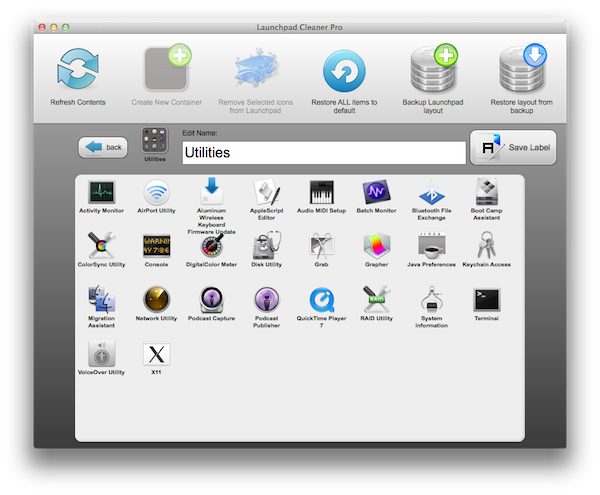
Earlier this month we wrote about Launchpad-Control, which allowed you to hide applications from Launchpad (without deleting or uninstalling the application) using a simple checkbox list of all your apps. Hiding apps from Launchpad is about as far as Launchpad-Control goes and whilst that will be enough for many, some may be wanting some more control of Launchpad to properly utilise its potential. Enter LaunchpadCleaner 2, which allows you to hide apps from Launchpad, organise them, rename them and quite a bit more.

A good analogy of LaunchpadCleaner 2 would be that it works in a simple way to how iTunes can organise an iOS device’s homescreen but for Launchpad on your Mac. Some of the more advanced features of LaunchpadCleaner 2 include the ability to make a backup of your layout, transfer a Launchpad layout to other Macs and the ability to simply restore to the default Launchpad layout. The only real negatives of LaunchpadCleaner 2 that I experienced was that it was a little slow at times, which may be related to the fact that it is an Adobe Air application. The other downside is that you can’t drag the application icons to rearrange them in a specific order - although this isn’t too problematic because Launchpad itself can do this task easily.

LaunchpadCleaner 2 is available for $4.99 from Zoltan Borne, however he has kindly offered MacStories readers a promo code to get the app for free. The first 20 readers that will use the code “MACSTORIESNET” (without quotes) from the app’s Buy window will be upgraded to the Pro version for free. To do so, download the app, click on Buy, then click on “Do you have a Promotional Code?” and enter the promo code. Zoltan also offers a free version of LaunchpadCleaner 2, although there are a few limitations with this version.


New Logitech Fold-Up Keyboard and Joystick For The iPad Coming Soon

Logitech currently offers two fairly basic iPad keyboard accessories, but come September they’re launching two more accessories that are a little bit more unique. The first is another keyboard but with a little bit of a twist (literally), offering an iPad stand in conjunction with a foldable keyboard. The second is an attachable joystick for playing games on the iPad - similar to the Fling which was released earlier this year.

The new keyboard accessory is a full-sized bluetooth keyboard that cleverly turns off automatically when it is folded away and turns on when snapped open. It also charges through USB so there is no need for replacing batteries every few weeks. TechCrunch (which got some hands on time with both devices) does however note that the accessory is fairly bulky which is disappointing given that it is coupled with the very sleek iPad 2.

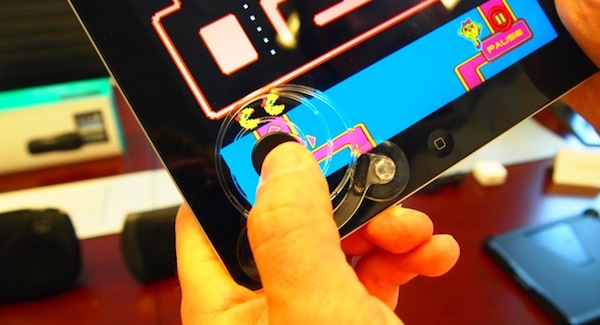
The Logitech Joystick for iPad on the other hand doesn’t share the bulkiness of the Fold-Up Keyboard and is very light, simply attaching to the iPad’s screen via suction cups. TechCrunch writes that the “thumb pad always returns to the center position, finally offering some tactile feedback on the iPad”.

The Logitech Fold-Up Keyboard for iPad 2 will launch in the US and Europe next month for US$129.99 whilst the Logitech Joystick for iPad will also launch next month in the US and Europe for US$19.99.

[Via TechCrunch]