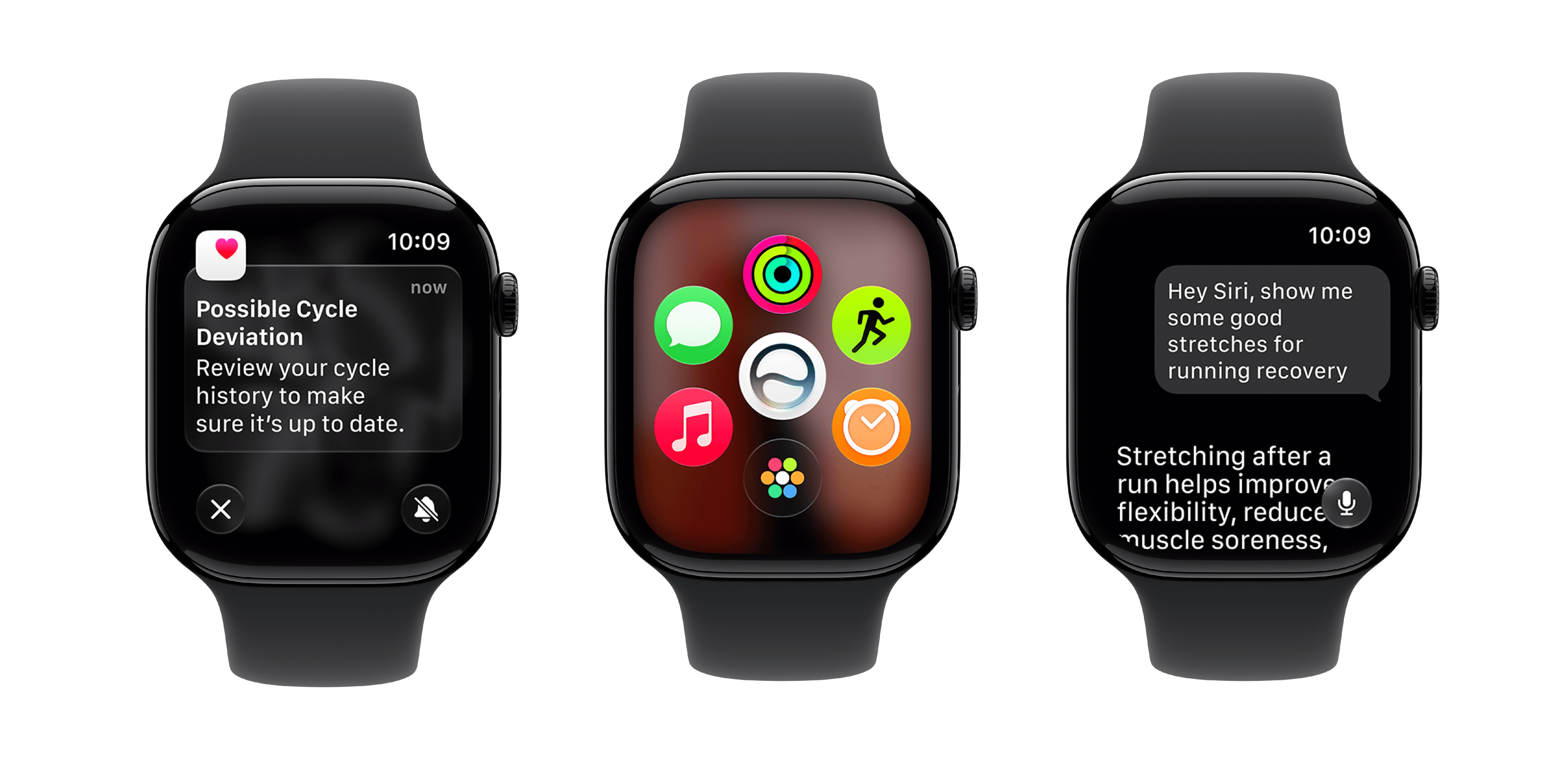
During yesterday’s WWDC keynote, Apple introduced the latest software for the Apple Watch, watchOS 27. As with the other Apple platforms, much of the focus this year was on Siri AI, but there are plenty of quality-of-life improvements to look forward to as well.
Let’s dive in.
Siri AI
You can take a look at our overview for all the announcements around Siri AI, but the headline is that many of the same interactions you can have with Siri AI on your iPhone, you can also have on your Apple Watch. These include a dedicated Siri app, access to world knowledge, personal context understanding, and the ability to take action in apps like Messages, Music, and Reminders.
To run these advanced features, Apple requires a paired iPhone running iOS 27 to be nearby, suggesting watchOS 27 is leveraging Siri AI’s capabilities through the iPhone’s superior hardware.
OS Improvements
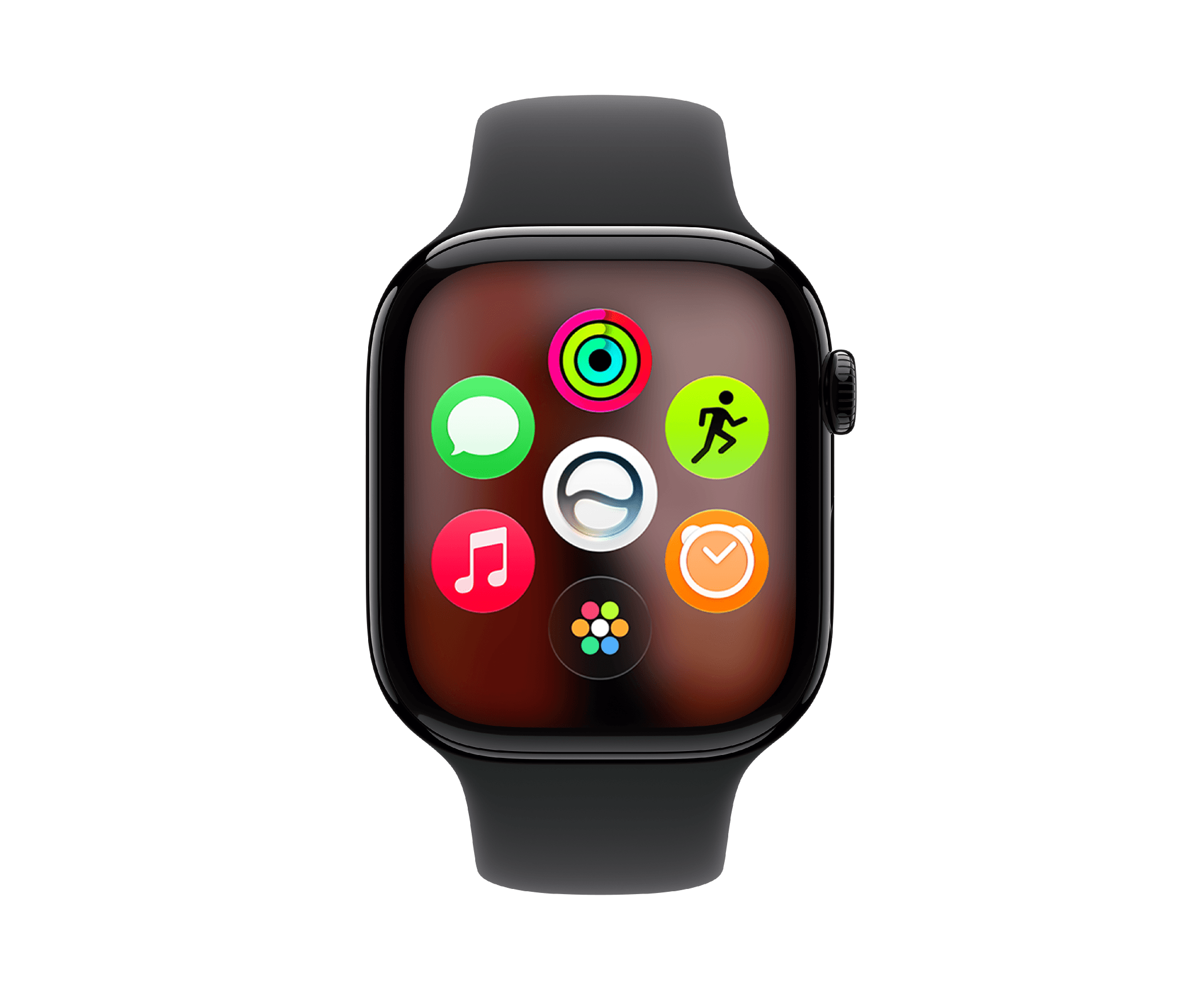
The most noticeable UI change in watchOS 27 is the addition of the dynamic app grid. Rather than bringing up your full list of apps when you press the Digital Crown, watchOS will display your five most-used or most recently used apps in a circle, with the Siri app at the center. An additional icon provides access to all your other apps with a tap.
It’s another year, so it’s also time for another gesture. This time, to go with the double tap and wrist flick gestures, we have the single tap. For now, the gesture seems to only work when the Smart Stack is open, allowing you to interact with a widget.
As with all the other OSes this year, Liquid Glass has been refined on watchOS with higher contrast and improved readability. Unlike on iOS, iPadOS, and macOS, however, you cannot adjust the UI’s transparency.
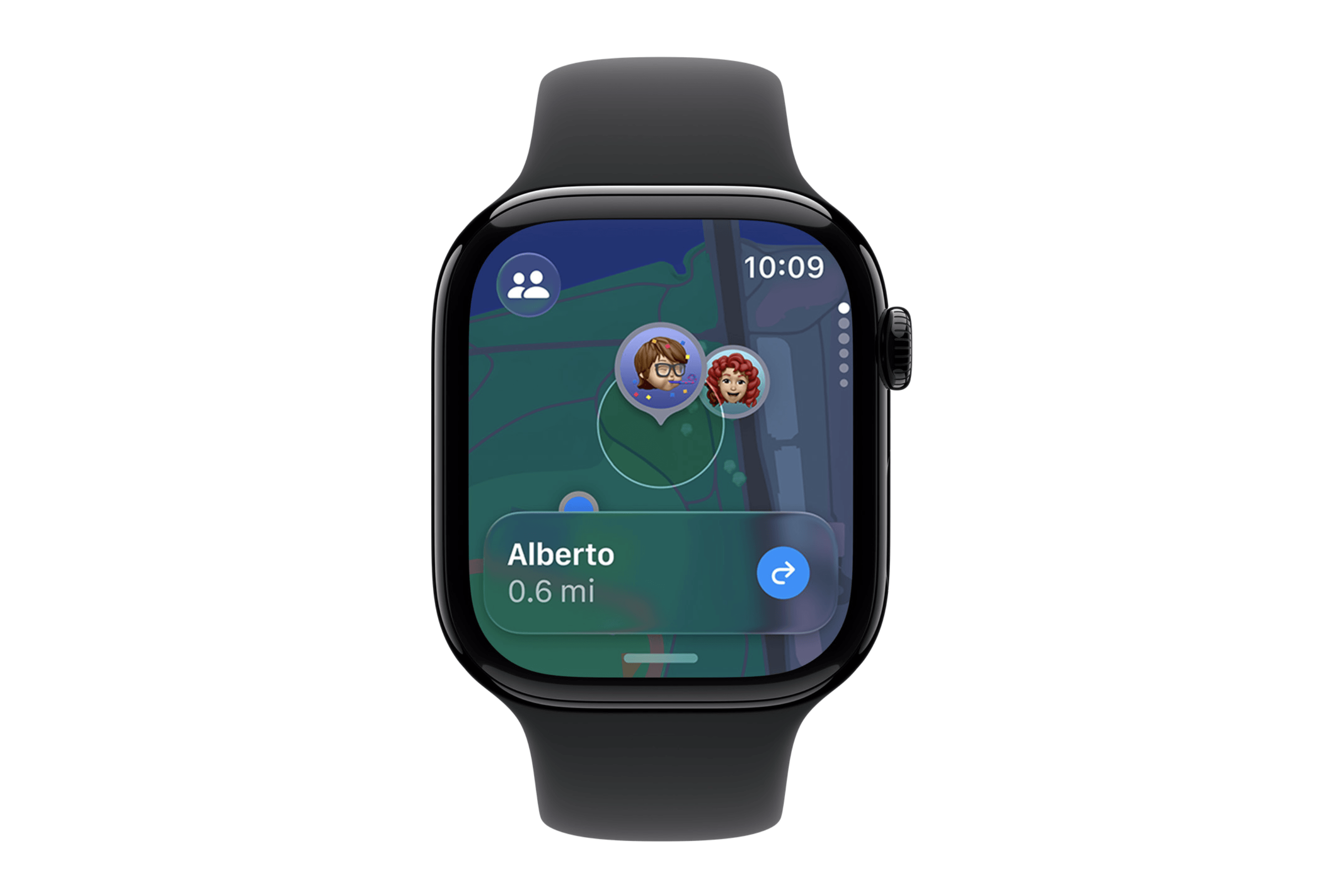
The Find Devices, Find Items, and Find People apps have now been unified in one app: Find My. In the app, you can access quick actions like directions and playing a sound. You can also now use Precision Finding to locate your iPhone, AirTag, or AirPods Pro 3 with your Apple Watch.
Lastly, for users who never use features such as gestures, workout reminders, and Raise to Speak, the system will automatically disable them to increase battery life. When this happens, the user will receive a notification and be given the option to turn the features back on in Settings.
Smart Stack Suggestions
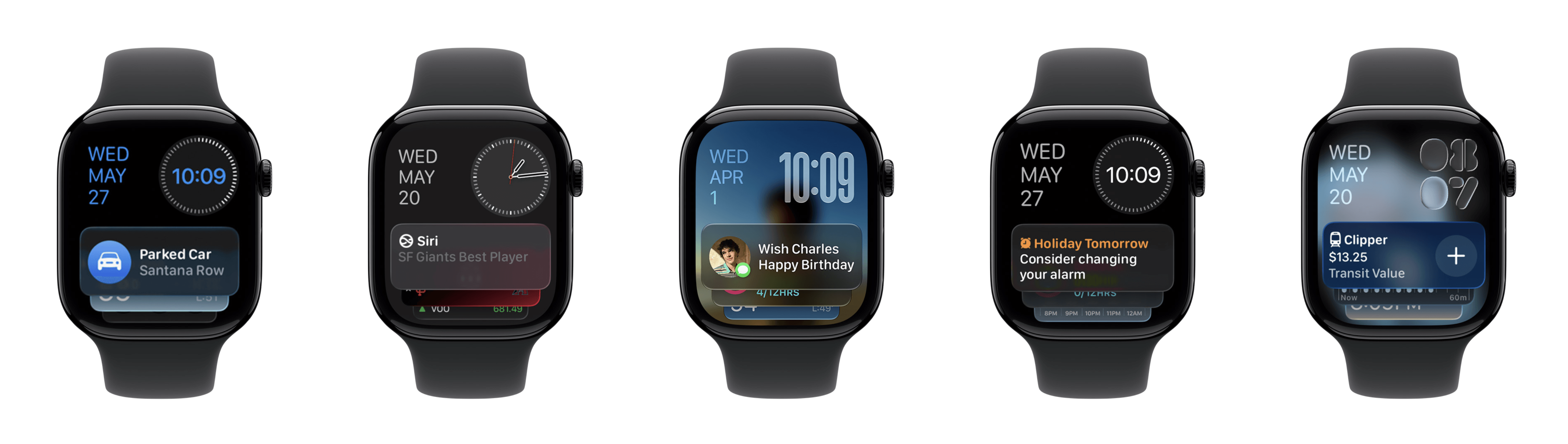
Apple continues to add different kinds of intelligent suggestions to the Smart Stack, with many useful additions this year:
- A Parked Car widget when you get the same suggestion in Apple Maps
- A widget to resume a conversation started with Siri AI on another device
- A reminder to message a contact on their birthday
- A widget from the Noise app to monitor sound levels after you receive a notification of a loud noise
- A suggestion to change your sleep alarm the day before going on holiday
- A prompt to enable Theater Mode when you are at a concert or movie theater
- A widget that surfaces your driver’s license or state ID when you’re at the airport
- A widget showing your transit card balance after using it
Health and Fitness
While it wasn’t mentioned in the keynote, Apple has also adjusted the Workout app’s scrolling mechanism to make it much less aggressive and more usable.
Workout Buddy, which previously required a paired iPhone nearby, is now untethered, so you can use the feature without taking your phone with you, and it’s now available in Spanish. Apple also claims to be using new machine learning algorithms to produce more accurate distance calculations during treadmill workouts.
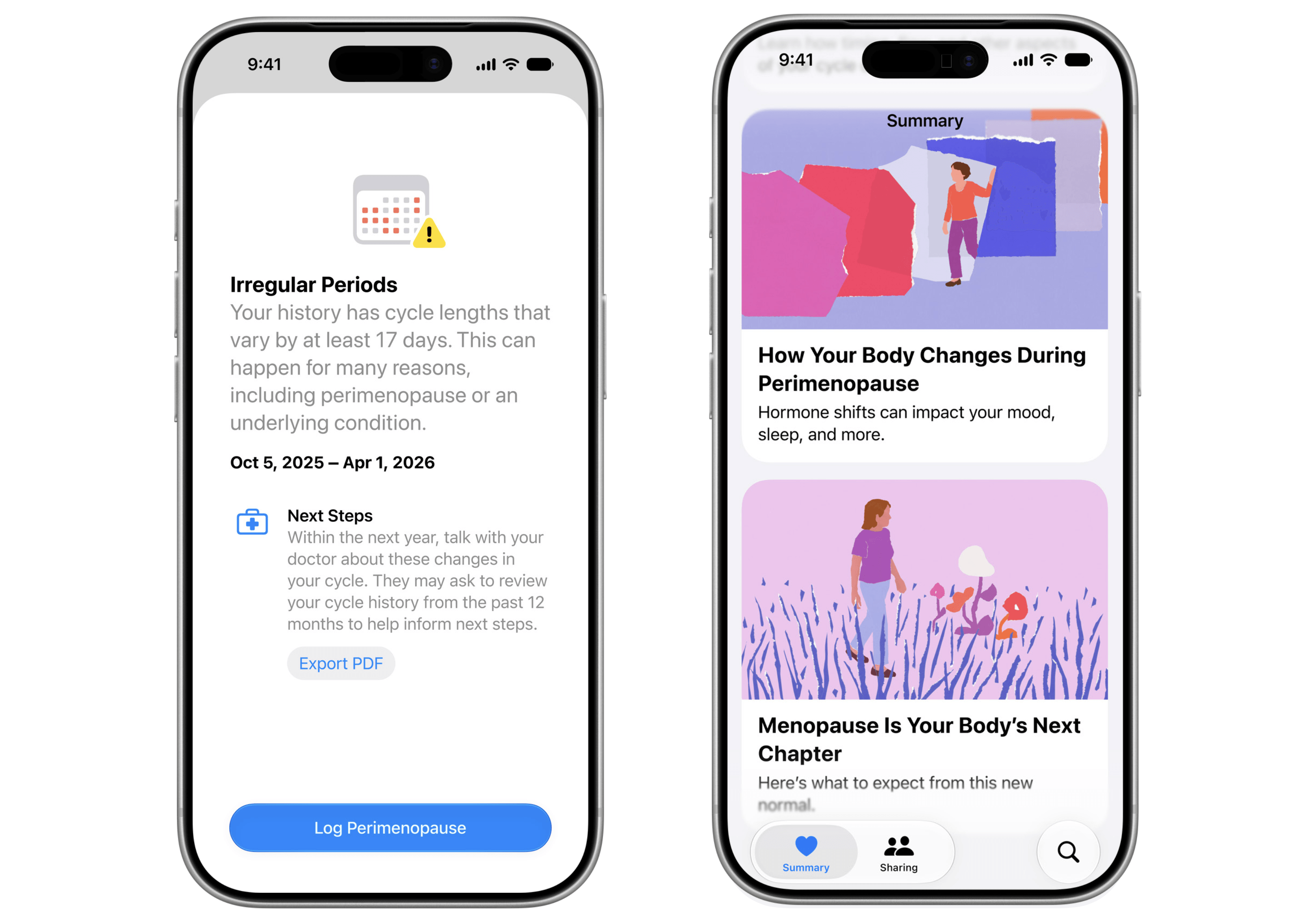
Finally, Cycle Tracking in the Health app will notify you when your cycle patterns suggest perimenopause and provide in-app educational resources.
Initial Thoughts
It’s not a total surprise that watchOS 27 isn’t a huge release, but there are still some very welcome features. The first is Siri AI, which, thankfully, is heavily integrated into the Apple Watch. I had wondered how much the Apple Watch would support this new LLM-backed assistant, but it seems that many of its key abilities available on iOS are also accessible on watchOS. That’s great to see.
Outside of AI features, I’m glad to see another gesture added – though I hope it will make its way out of the Smart Stack – as well as more Smart Stack suggestions. We’ll see how noticeable these changes are over the summer (Apple also touts faster app launch times, as on its other OSes), and I’ll be back with a full preview of the public beta next month.
The public version of watchOS 27 will be released this fall. The developer beta is available now, with the public beta arriving in July.
You can follow all of our WWDC coverage through our WWDC 2026 hub or subscribe to the dedicated WWDC 2026 RSS feed.# watchOS 27: The MacStories Overview