Posts tagged with "safari"

Kickstarter Project - Tweet Land: Playing With Reality

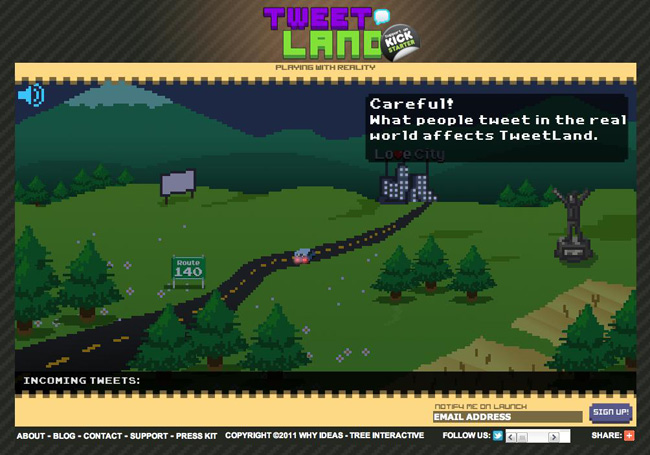
I hope you don’t get tired of reading about Kickstarter projects because I enjoy writing posts about very cool ideas. A new project I found today is called Tweet Land. Tweet Land is the idea of six Costa Ricans that believe it’s “possible to reinvent the way video games are created. We believe in opportunity, that’s why we believe in Tweet Land.” Tweet Land is one of the world’s first video game platforms that plays with reality, or “Real Time Gaming.”

What would happen if people’s social networks effected what happens in a video game? If you like the idea of the twittersphere becoming a virtual universe, this is for you.

Video after the break. Read more


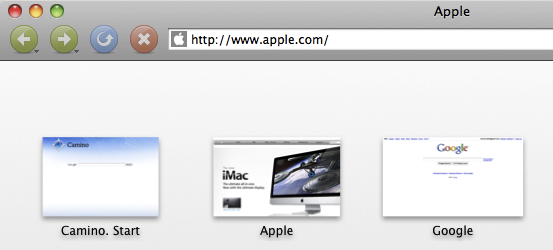
Camino’s Future Is Uncertain, Might Switch To WebKit

Camino’s Future Is Uncertain, Might Switch To WebKit

The developers of Camino, a Mac browser based on Mozilla’s engine, are not sure about what the future holds for their software. Namely, as Mozilla announced the end of Gecko embedding (a technique that allowed Camino’s devs to include Gecko into the Cocoa interface) the team is asking whether for future versions they should switch to (much more supported and widely adopted) WebKit:

As a purely community-based open source project, no one is employed to work on Camino; all Camino developers are volunteers, working on Camino in their spare time, as a labor of love. While maintaining embedding in a fork of Gecko is theoretically possible, we don’t have the manpower for a sustained effort of that kind. A more realistic option would be to port Camino to WebKit, but while this would be much easier to maintain in the future, it would require a large amount of initial work.

For what it’s worth, a very small percentage of MacStories readers use Camino, but we don’t want to see the project be discontinued just yet. I think turning Camino into a WebKit-based lightweight alternative to Safari and Chrome might actually be a great idea.

Permalink

Scribd To Switch Millions of Old Embeds Over to HTML5, iOS Devices Rejoice

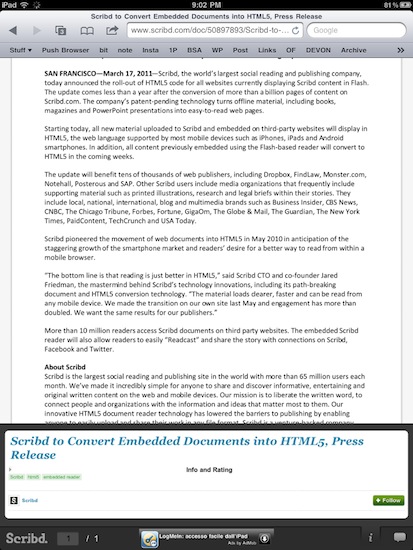
Social document sharing service Scribd has made a major announcement today: they’re in the process of switching millions of old Flash-based embeds scattered around the web over to the new HTML5 layout they started implementing last year. The conversion process will be automatic, shouldn’t break anything for publishers and website owners and, most of all, will dramatically increase the quality and speed of Scribd embeds.

As Scribd swaps Flash with HTML5 on old document embeds, iOS devices like the iPhone and iPad will benefit from the change: the HTML5 tool developed by Scribd is fully compatible with iOS’ Mobile Safari and now every webpage containing a new or old Scribd document will be perfectly viewable on Apple’s phones and tablets.

When Scribd launched its HTML5 reading platform last summer, they said user engagement with the Scribd experience “surged”. The conversion of 20 million embeds to HTML5 should definitely make things even better for Scribd.


Flickr Improves Slideshows for iPad

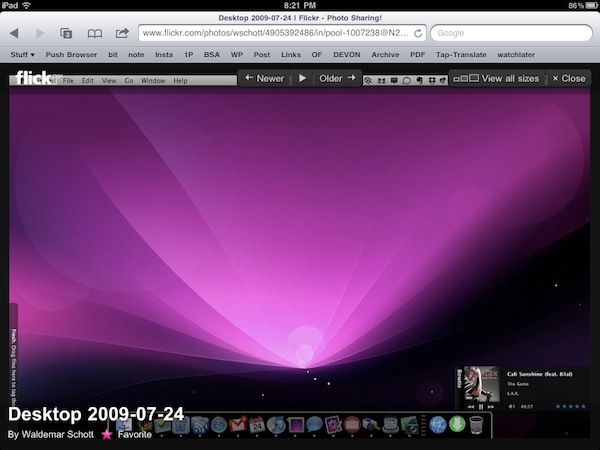
With a note on the official company blog posted earlier today, photo sharing Flickr has announced improved compatibility of slideshows for the iPad’s Mobile Safari browser. By taking advantage of the device’s touch interface, you can now tap on a photo to view at a larger size in the lightbox, and browse through photos with a single swipe. The lightbox displays photos on a clean, dark background and you also have options to mark an item as favorite or quickly go back to the standard photostream.

Flickr also offers a native app for the iPhone, available for free in the App Store, which was recently updated with Retina Display support and sharing to Twitter through the flic.kr shortener. [via Daring Fireball]


Google Adds A Bar to Gmail iOS Webapp

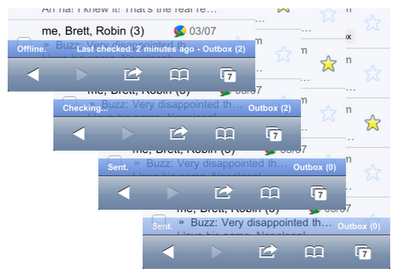
Fear not, Google didn’t add a #dickbar to Gmail for iPhone. What the Gmail did is actually pretty smart: to better communicate the status of their inboxes to iPhone users, Google recently tweaked the Gmail webapp for iOS devices to include a “connection bar” that displays information for outgoing and sent mail, internet connection, and so forth. It doesn’t appear all the time, it only shows up when a certain activity is triggered – like an email you’re sending from your phone.

It also appears when your phone is offline, back online and sending, and then again when it finishes sending all messages.

You can see the connection bar in action by visiting mail.google.com from your iPhone or iPod touch now, running iOS 4 or later. If you don’t see it, try clearing Safari’s cache in the Settings app. Too bad Retina Display support in the Gmail webapp is still nowhere to be seen.


Video Comparison Shows Safari on iPad 2 Is Incredibly Fast

When Apple announced the iPad 2 would get a new dual-core processor with improved performances, we all guessed that the device would also get at least double the RAM for much better app management and fast switching. In the days following the announcement and after the plethora of hands-on videos that were uploaded from San Francisco, it was still unclear whether or not the iPad 2’s Safari browser (undoubtedly one of the most-used apps by iPad owners) would be faster and snappier than its iPad 1 counterpart. Many had the feeling that, combining the improved iOS 4.3 with a new processor and more RAM, Safari would highly benefit to reach great performances and stability. This, however, remained a theory even after the reviews posted last week that failed at really showcasing the capabilities of the new Safari.

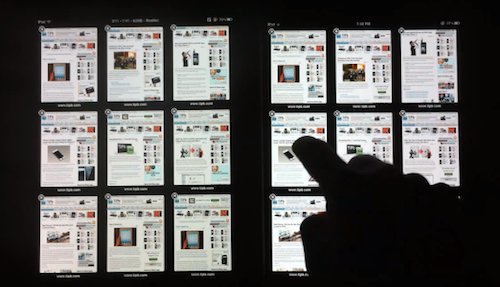
With the iPad 2 now out and available for everyone, the guys at TiPB posted a video last night a few hours after they got their iPad 2 to (finally) compare Safari on the iPad 2 with Safari on the original iPad. The results are impressive: with 9 tabs loaded and open on each browser, not only does the iPad 2 keep every tab loaded in memory, it also doesn’t display any “checkerboard effect” when scrolling. A major annoyance on Safari for iPad 1, in fact, was that with multiple tabs open the browser was usually forced to reload a tab when you switched to it because it didn’t have enough memory to keep it in a live, fully loaded state. This changes with the iPad 2 as you can see in the video below.

Scrolling in Safari is smooth as butter, and gone are the days when switching between tabs meant loading the entire page from scratch.

The difference in performance is quite clear, and browsing on the iPad 2 is definitely a step up from the original iPad in every way.

We’ll follow up later today with other videos showing the improved performances of the iPad 2 over the original iPad. Check out the video below. Read more


Apple Releases Safari 5.0.4

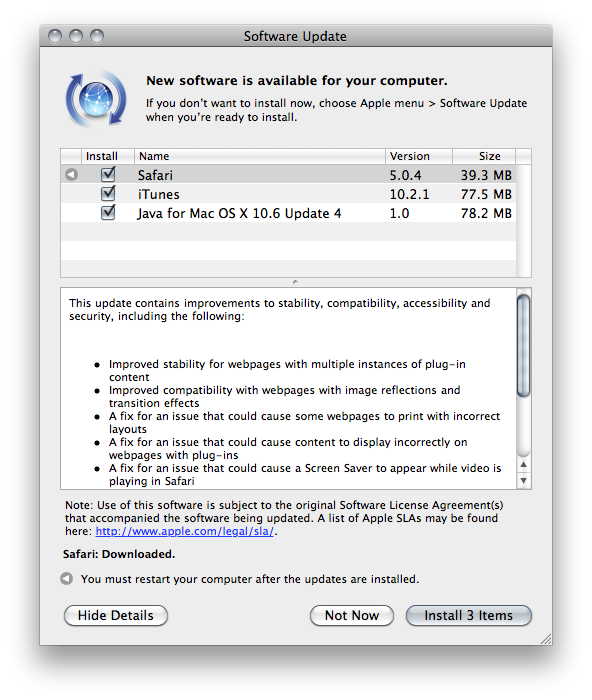
Alongside iOS 4.3, Apple also released Safari 5.0.4. The update contains stability and security fixes, as well as improved performances with image reflections and transitions.

This update contains improvements to stability, compatibility, accessibility and security, including the following:

Improved stability for webpages with multiple instances of plug-in content

Improved compatibility with webpages with image reflections and transition effects

A fix for an issue that could cause some webpages to print with incorrect layouts

A fix for an issue that could cause content to display incorrectly on webpages with plug-ins

A fix for an issue that could cause a Screen Saver to appear while video is playing in Safari

Improved compatibility with VoiceOver on webpages with text input areas and lists with selectable items

Improved stability when using VoiceOver

For detailed information on the security content of this update, please visit this site: http://support.apple.com/kb/HT1222

Safari 5.0.4 is available now in Software Update or on Apple’s website.


2x Graphic Files Found in Lion May Hint at “Retina Display” for Macs

A report surfaced earlier this week suggested Apple may soon start building support for “HiDPI display modes” in Mac OS X to allow developers to take advantage of high-resolution displays and provide graphic files for apps at much greater detail. The HiDPI mode, from what MacRumors managed to gather taking a look at Lion’s Quartz Debug, would let developers save different sets of graphic elements into an application bundle, standard ones and 2x-enlarged ones that will have the same physical size on a display, but more detail thanks to the high-resolution mode. A 15” MacBook Pro with a standard 1440x900 display, for example, could go to 2880x1800 and have the same 15-inch size, but more detail because of its pixel density. Just like on the iPhone 4’s Retina Display, 2x files would be automatically used for the hi-res display.

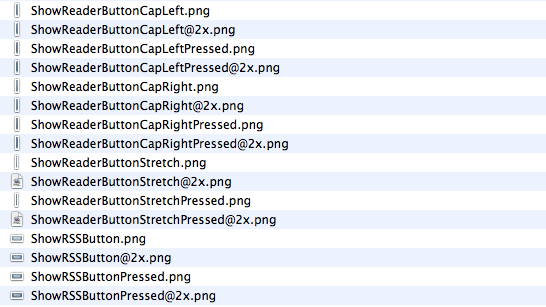
While the HiDPI mode needs to be manually enabled for now, we have found a series of 2x-enlarged files in the current version of Safari for OS X Lion, version 5.1. The files carry the same “@2x” suffix of those seen on iPhone 4 apps, and are twice the size of those saved without 2x mode. The “HideReaderButtonCapLeft” file, for instance, is 6x30 in 2x mode and 3x15 in standard mode. Same applies for all the other files in Safari 5.1.

This isn’t the first time we discover 2x files hidden in Apple’s applications, and while they don’t really confirm high-res displays are coming in the near future (remember the @2x files we found in iBooks for iPad last year), they should be a good indication of the method Apple is testing to let Macs run more detailed applications on higher resolution displays. It doesn’t come as a surprise that the method is the same of the iPhone 4, and likely the same that will be adopted on the iPad as well. With next year’s MacBook Pro refresh rumored to be a complete redesign of the line, Apple may implement a “Retina display” to leverage 2x-mode for apps.

Pixelfari: It’s Safari, In 8-bit. And It’s Totally Awesome.

Pixelfari by Neven Mrgan is the coolest Safari mod I’ve ever seen. The app, very buggy and released as an experiment by Mrgan, is basically a skin for Apple’s browser completely realized in 8-bit style. Like those old Nintendo games, or The Incident from Mrgan himself. It’s pixel art applied to a browser: toolbars, fonts, menus, preferences – everything. It’s unreadable as hell. But at the same time, my beloved geeks, it’s kind of a dream come true: Nintendo from the 80s meets Apple. Mrgan writes:

Ladies and gents, fellow humans — presenting Pixelfari, a pixely, 8-bitty version of everyone’s favorite browser. Enjoy chunky fonts, blocky graphics, and a general sense of giddy inefficiency. Spearheaded by yours truly and developed by a very clever friend.

Maybe we’re all getting excited about this because it’s a neat hack no one ever did before. Still, you can’t take the 8-bit love away from me. So go download the app here , right now. Enjoy. Read more