Posts tagged with "macOS"

Apple Signals Transition Away from 32-Bit App Support on the Mac

Apple hasn’t announced a date by which it will end 32-bit app support on macOS, but the beta release of macOS 10.13.4 includes notifications signaling to users that the transition to 64-bit apps has begun. Today, Apple told Jim Dalrymple of The Loop that it will begin alerting customers if they are using 32-bit apps. Dalrymple says:

At this point, the alert is more of a gentle reminder to users that their apps are out of date. You will receive an alert once per 32-bit app, so it won’t be an annoyance, but certainly something you should pay attention too.

Apple first signaled that support for 32-bit apps would be ending at WWDC last summer.

As Steve Troughton-Smith pointed out on Twitter today, the signs point to a swift deprecation of 32-bit apps:

Among the evidence he cites is a switch included in the Xcode 9.3 beta that lets developers turn off 32-bit support in macOS 10.13.4 when testing their apps, speculating that:

If Troughton-Smith is correct that macOS 10.14 may have no 32-bit app support other than via a virtual machine, the transition would be notable for its speed. On iOS, Apple spent three years suggesting in a series of escalating steps that developers transition to 64-bit apps.


Apple Addresses the Meltdown and Spectre Exploits With Additional Mitigations to Come

In a support article, Apple has acknowledged that the recently-disclosed Meltdown and Spectre exploits, which affect virtually every CPU in computers, mobile devices, and other platforms, also impact every Mac and iOS device. Although there are no known exploits of the vulnerabilities, Apple advises that users proceed with caution and download apps from trusted sources only.

Mitigations to defend against Meltdown have already been shipped by Apple in iOS 11.2, macOS 10.13.2, and tvOS 11.2. watchOS is unaffected by Meltdown. Development of mitigations for both exploits is ongoing and new defenses will be released to each Apple OS as they become available.

The support article published by Apple provides a high-level explanation of how each exploit works. If there’s any good news to be found in the widespread concern caused by these exploits it’s that Apple says the recently-released mitigations have no measurable impact on performance:

Our testing with public benchmarks has shown that the changes in the December 2017 updates resulted in no measurable reduction in the performance of macOS and iOS as measured by the GeekBench 4 benchmark, or in common Web browsing benchmarks such as Speedometer, JetStream, and ARES-6.

Apple’s support document also reveals that Spectre can be exploited in web browsers, including Safari, using JavaScript. Apple is working to address the problem with an update to Safari that will be released in the coming days. Apple says that:

Our current testing indicates that the upcoming Safari mitigations will have no measurable impact on the Speedometer and ARES-6 tests and an impact of less than 2.5% on the JetStream benchmark.

The gravity of the exploits, which affect virtually all computing platforms, cannot be understated, but it’s reassuring that the initial mitigations released and those coming in the days ahead should have little or no impact on performance. It’s also worth noting that this is probably not the last we’ll hear about Meltdown and Spectre. As Apple notes:

We continue to develop and test further mitigations within the operating system for the Spectre techniques, and will release them in upcoming updates of iOS, macOS, tvOS, and watchOS. 

Permalink

My Must-Have Mac Apps, 2017 Edition

It’s been quite a year. At the start, I was still commuting to Chicago every day to work in a law office full of Windows PCs. Now I work from my home studio surrounded by Apple hardware, moving back and forth from a late-2016 MacBook Pro to iOS devices as I write and talk about apps each day.

When I was commuting, iOS played a central role. I was on the move and used my iPhone and iPad to write for MacStories when I wasn’t practicing law. Now, I have a dedicated workspace where I connect my MacBook Pro to a 4K 27” display and a fast, wired Internet connection.

During 2017, the work I do changed too. Not only did I leave my law job, but in addition to writing at MacStories, Federico and I launched AppStories, and I began selling sponsorships for the site and podcast.

With no commute, a dedicated workspace, and massive change in the work I do each day, how I get work done has changed significantly too. I continue to work on macOS and iOS, but the Mac now plays a bigger role in my workday than ever before. I haven’t abandoned iOS for work, but now, I work on iOS because I want to, not because I need to.

Just over two months into working from home, I’ve begun to reevaluate how I use the Mac. I expect to continue evolving how I work on macOS throughout 2018 as I feel my way around the best ways to be productive. Still, a couple of overarching themes can be seen in my picks below that I expect will continue to guide me in 2018.

First, I primarily use my Mac for work. If I watch a video, read a book or article, or play a game, it’s more likely to happen on iOS, which I expect to continue. The primary exception to that rule is listening to music, which I often do as I work. Second, I don’t like to be limited to macOS. As much as I work on my Mac, I value the option to do things like pick up my iPad to read email messages or grab my iPhone while I’m away from home to make a quick edit to something I’m writing.

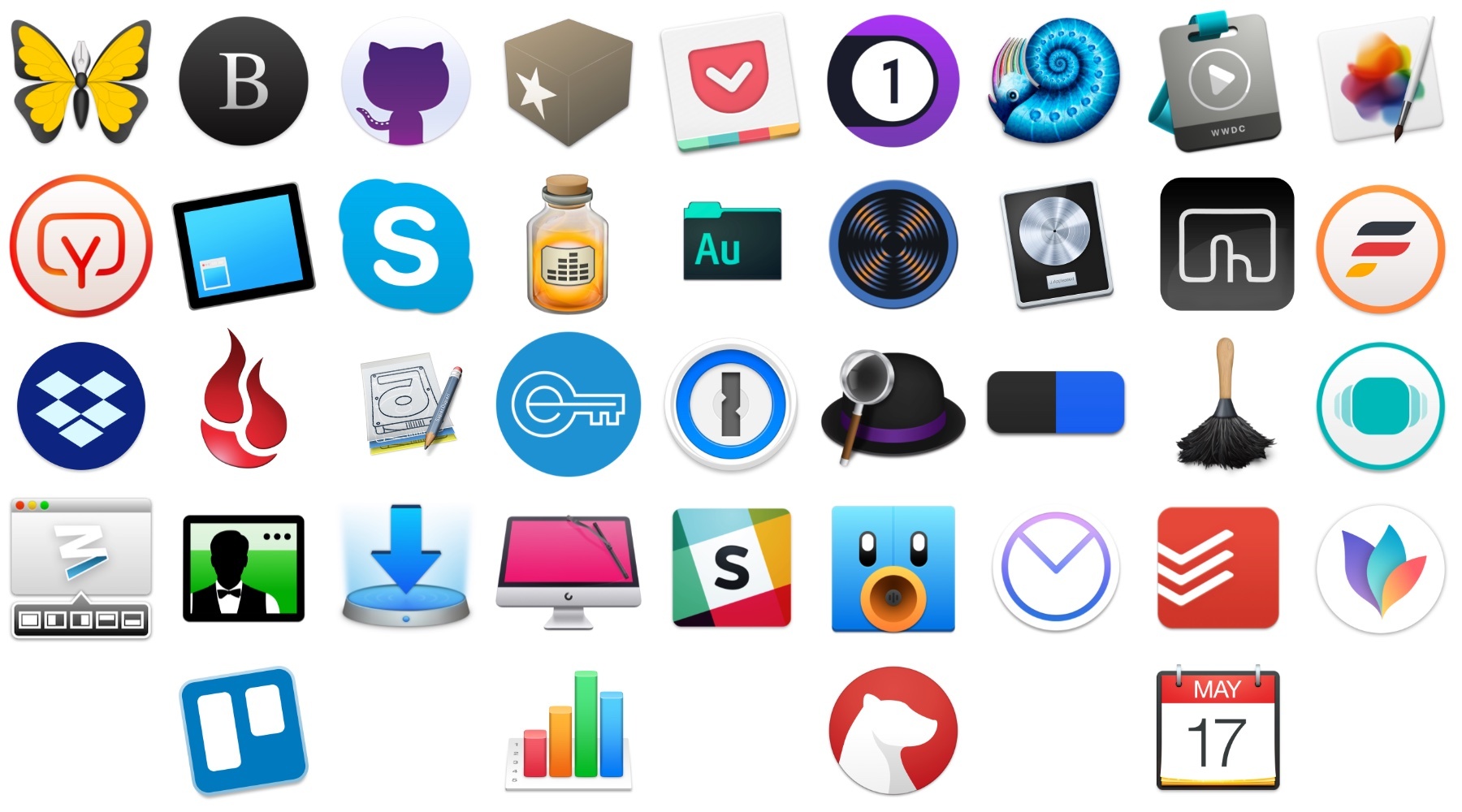
With that context, below are 40 Mac apps and a few web services that I used this year and consider my must-have apps, divided into seven categories:

  • Writing
  • Reading and Research
  • Images and Video
  • Podcast Recording and Production
  • Utilities
  • Communications
  • Task Management and Planning

I’ve also included a few awards at the end of the story that highlight some of my favorites among the exceptional group of apps I use every day on my Mac, including an App of the Year.

Read more


MarsEdit 4 Update Adds Editor Enhancements, WordPress Improvements, and More

MarsEdit, Red Sweater Software’s macOS blog editor, received a major update today with new features and a UI refresh.

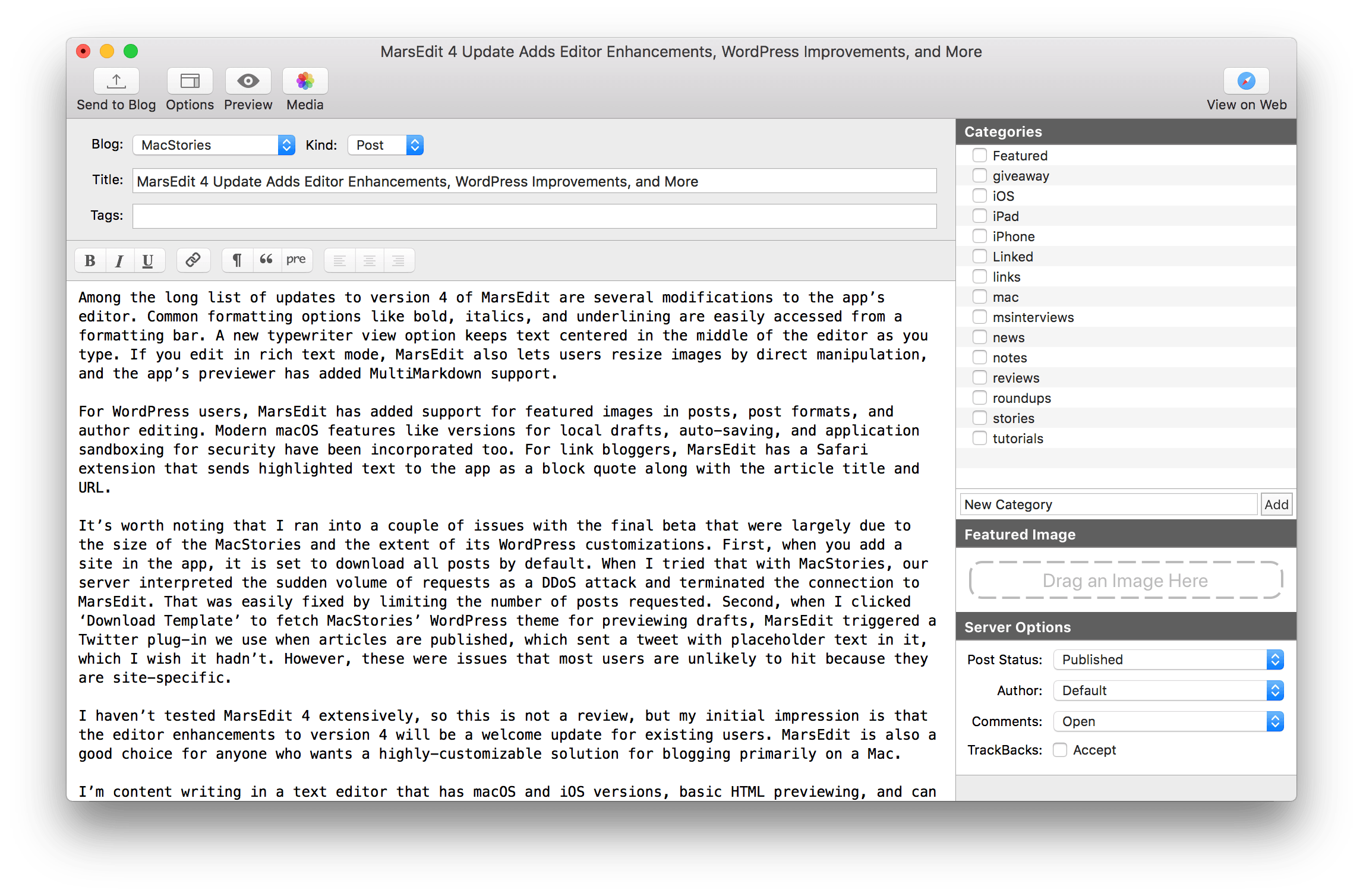
Among the long list of updates to version 4 of MarsEdit are several modifications to the app’s editor. Common formatting options like bold, italics, and underlining are easily accessed from a formatting bar. A new typewriter view option keeps text centered in the middle of the editor as you type. If you edit in rich text mode, MarsEdit also lets users resize images by direct manipulation, and the app’s previewer has added MultiMarkdown support.

For WordPress users, MarsEdit has added support for featured images in posts, post formats, and author editing. Modern macOS features like versions for local drafts, auto-saving, and application sandboxing for security have been incorporated too. For link bloggers, MarsEdit has a Safari extension that sends highlighted text to the app as a block quote along with the article title and URL.

Read more


Apple Fixes Root Access Bug with Security Update

Yesterday a serious security flaw in macOS High Sierra was discovered that let someone with access to a Mac running Apple’s latest OS gain root access to the its data. Today, Apple released Security Update 2017-001, which fixes the issue. The release notes to the update describe the issue as follows:

Impact: An attacker may be able to bypass administrator authentication without supplying the administrator’s password
Description: A logic error existed in the validation of credentials. This was addressed with improved credential validation.

In a comment to Rene Ritchie of iMore.com, Apple said:

https://twitter.com/reneritchie/status/935909201821478914

Needless to say, this is an important update that should be installed as soon as possible.

Permalink

macOS High Sierra’s Root Access Bug

Greg Barbosa, writing for 9to5Mac:

A newly discovered macOS High Sierra flaw is potentially leaving your personal data at risk. Developer Lemi Orhan Ergin publicly contacted Apple Support to ask about the vulnerability he discovered. In the vulnerability he found, someone with physical access to a macOS machine can access and change personal files on the system without needing any admin credentials.

Users who haven’t disabled guest user account access or changed their root passwords (likely most) are currently open to this vulnerability. We’ve included instructions on how to protect yourself in the meantime until an official fix from Apple is released.

Incredibly embarrassing and dangerous screwup for a company as devoted to security as Apple. They’re working on a fix, and in the meantime you should follow these steps to change your root password (thankfully, I had guest user access disabled, so the bug didn’t affect my machine).

See also: Rene Ritchie’s explainer.

Permalink

SuperDuper! Updated for macOS High Sierra and APFS

High Sierra introduced APFS, Apple’s first entirely new file system on the Mac in decades. Today, Shirt Pocket Software announced an update to its backup utility SuperDuper! that is compatible with APFS. In fact, the app can create a bootable clone for any Mac running Mac OS X 10.9 and later.

Supporting a brand new file system is a tall order. As Dave Nanian explains on the Shirt Pocket blog, APFS volumes are handled differently by macOS than HFS+ ones were. That complicated the update of SuperDuper!, but as with earlier OS updates, Shirt Pocket has solved the issues and is ready with an update that works with Apple’s latest version of macOS.

If you’re not already making a bootable backup of your Mac’s drive, the update to SuperDuper! is the perfect time to download the app and get started.


60 Mac Tips, Volume 2 Released

Yestereday, David Sparks and Brett Terpstra released a new MacSparky Field Guide called 60 Mac Tips, Volume 2. The new volume picks up where Volume 1 left off with lots of great tips that are accompanied by highly polished screencasts narrated by the two authors. Sparks, who also co-hosts Mac Power Users on Relay FM with Katie Floyd, and Terpstra, an independent developer, author, and podcaster, have packed 60 Mac Tips with a wide range of topics that should appeal to beginners and experts alike including, Mail, Automator, Safari, Siri, Apple Notes, Apple Photos, Terminal, and much more.

60 Mac Tips, Volume 2 is available as an iBook on the iBook Store or from Vimeo as a series of downloadable videos. Both versions include high definition video, but I like the iBook version the best because it creates a convenient organizational structure around the videos.


iStat Menus 6 Released

Just ahead of the macOS High Sierra update, Bjango released iStats Menus 6, an update to its comprehensive suite of tools that sit in your Mac’s menu bar and monitor its systems and now, even the weather. With highly customizable notifications, iStat Menus is an excellent way to know what’s going on with your Mac and to be alerted if a problem is on the horizon. I’ve only been trying iStat Menus 6 for a short time, but like what I’ve seen.

Adding a weather widget to iStat Menus is a departure for Bjango, which has previously stuck to system measurements, but I like it a lot. iStat Menus puts the temperature and an icon of current conditions in your menu bar. Clicking on the temperature reveals a wealth of additional information that will warm any weather geek’s heart and help everyone else plan their week.

Notifications are highly customizable too. If there’s a statistic reported by iStat Menus, you can bet there’s a way to be notified of it. Already this morning it warned me of an air quality advisory issued for the unseasonably warm fall day we’re having in Chicago. I’ve also set it up to alert me if I run low on available storage and RAM.

iStat Menus has added a wide variety of additional features too including,

  • Additional theme and color options with light and dark menu options.
  • Hotkey support for opening and closing menus from the keyboard.
  • A new dual line clock option.
  • New ways to customize the menu items and their dropdowns.
  • A new Notification Center widget with the most popular statistics in one place.
  • Improved accessibility and localization.

People familiar with iStat Menus will be right at home with this new version. There are dozens of refinements and new features, but the mission of the app remains the same: to provide a wealth of information in a compact, cleanly-designed interface that keeps users informed. I’ve enjoyed tweaking iStats Menus’ settings today to suit my current setup as I test its new features. I’ve used the app on and off since version 2 or 3, but it’s been at least a couple of years since I last used it. I’m impressed with how far it’s come over the past couple of versions and plan to keep it up and running going forward.

iStat Menus 6 is available from Bjango’s website.