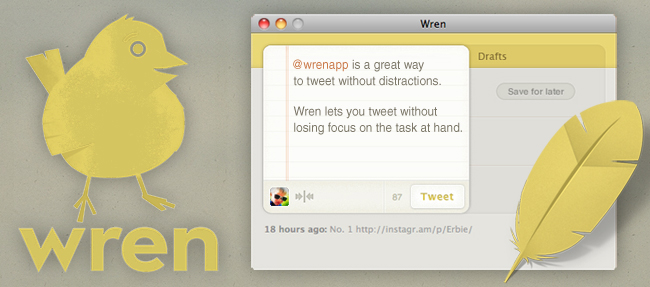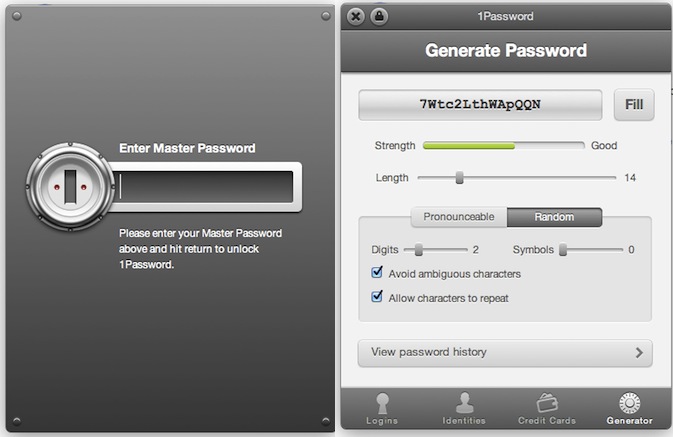
Happy early Father’s Day! Here are today’s @MacStoriesDeals on iOS, Mac, and Mac App Store apps that are on sale for a limited time, so get them before they end!
Posts tagged with "mac"
#MacStoriesDeals - Thursday
Evernote for Mac Update Brings New View, Useful Note Links
An important update for Evernote, the cross-platform “memory tool” that allows you to capture notes, ideas, images and webpages, is coming out today on Mac and Windows and, after some weeks of testing, I can say it’s one of the most interesting new versions of the desktop app to date. The new Evernote 2.2, in fact, heavily relies on a new feature called “note links” that assigns a unique URL to each note in your Evernote account – meaning, you can generate a note link, paste it somewhere else on your Mac, and clicking on it will automatically open that note in Evernote. It’s very handy if you’ve always wanted to add relevant Evernote information to, say, calendar events or OmniFocus but never found the right way to do so. With note links and the new “copy to notebook” functionality, notes in Evernote 2.2 can be linked, duplicated and accessed from anywhere. If you paste a note link on your iOS device, the system will try to launch the Evernote app with that note in the foreground – again, this is a very welcome addition that has greatly improved my Evernote workflow in the way I can reference notes and link items between various notebooks. On top of that, you can also select multiple notes and grab a list of links with a single click.
There’s more in Evernote 2.2 however: the new Snippet view, much like on the iPhone, allows you to view text and image thumbnails for notes in your account at a glance. Rather than displaying a simple list of note titles, snippet view combines text, tags, dates and media to offer an integrated view of what’s in your Evernote – plus, it looks really nice. Evernote writes on the official blog:
If you use Mixed View in your note list, the most obvious change you’ll see is the new Snippet View. Snippets are designed to provide the most useful information possible at a glance. If your note contains only text, then the Snippet will display the text at full width. If the note contains both images and text, then it will show text and a thumbnail. If it’s just an image, then the snippet will show the note title and a larger thumbnail. Not only does this view give you more information about the content of the notes, but it also makes browsing through your notes easier.
Last, new navigation buttons in the upper left corner let you easily navigate back and forth between content you’ve viewed and archived, and just like the web browser click & hold on the buttons will bring up a menu with more navigation options.
While waiting for the promised huge update for the iPad version that will bring a new UI and rich text editing capabilities, you can get the new Mac version from the Mac App Store or Evernote’s website. Evernote 2.2 is propagating at the moment of writing this, so if you don’t see the update right away, you should try later today.
#MacStoriesDeals - Wednesday
Here are today’s @MacStoriesDeals on iOS, Mac, and Mac App Store apps that are on sale for a limited time, so get them before they end!
Lidpop Plays A Sound When Your Mac Wakes Up
Here’s a $0.99 app from the Mac App Store that I found quite hilarious and worth a mention here on MacStories. You know when you close your Mac’s lid, or wake the computer from sleep, right? Worst case scenario, you haven’t assigned any kind of security to the process so your Mac goes to sleep and wakes up without asking for any password or displaying a login screen. Or, maybe you’re a bit like me, and you’ve told System Preferences to lock the computer as soon as it’s closed so nobody will be able to open it and log in. But in both cases, closing the lid and opening it back again doesn’t change, right? It’s just a simple action: you open, you close. Here’s when Lidpop comes in: the app will make your Mac play a sound when it goes to sleep or wakes up. Close the lid, play a sound. Wake up from sleep, play another sound. It wants to add some personalization to the whole boring concept of opening and closing a computer, but I wasn’t quite sure about the idea until I tried it. See, Lidpop comes with some hilariously well-done sound effects like “electricity surge”, “sitcom laughter” or “slamming metal lid” that will play as you close the lid, or open it. I installed the app, and found myself smiling every time the lid made a slamming metal sound – you should have seen the look on my friends’ face. In fact, I think Lidpop is the perfect app to surprise your non-geek friends and convince them that Apple computers play those sounds when you close them. Might be something I have to try out.
Close the lid with a resounding clank or a happy slide whistle. Open it back up with a laugh or a whimsical chime — it’s up to you. Lidpop brings a dash of personality to your computer.
Lidpop won’t make you more productive but it’ll make laugh when you step away from your Mac and you hear the sound of a vault closing. Get the app here.
#MacStoriesDeals - Tuesday
Here are today’s @MacStoriesDeals on iOS, Mac, and Mac App Store apps that are on sale for a limited time, so get them before they end!
#MacStoriesDeals - Monday
Here are today’s @MacStoriesDeals on iOS, Mac, and Mac App Store apps that are on sale for a limited time, so get them before they end!
Screeny: Simple Screen Recording for the Mac
In the world of screen recording apps for Mac there are many options, but most are complex and expensive. What if you could have a great screen recording app that was easy to use, had a great UI and was under $20 US? Well, browse no further my friends.
Drew Wilson, the designer developer behind dialoggs, Pictos and Valio, has just released a screen recording application for the Mac called Screeny.
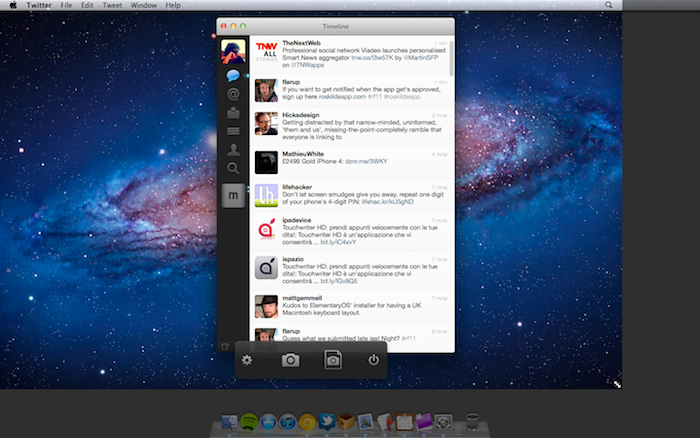
Screeny is an “unbeatable screen recording experience” and could be the easiest one you have ever used as well. Before we go into details, here’s how it works: Launch the app - it lives in your menu bar. Set the capture area. Use the floating control panel, the menu bar shortcut or set a key command to record and boom, you’re done. Read more
Munster’s WWDC 2011 Survey: Developers Choose iOS and Android Before Mac
Among the 5000 developers crowding Apple’s WWDC 2011 this year, Piper Jaffray’s Gene Munster was on the scene, surveying a small pool developers on platform related questions. Munster’s sample of 45 participants consisted of only iOS developers, who’d naturally favor Apple’s development platforms over Microsoft or RIM. The results of the survey were published in a note to clients that compared these 45 responses to 20 he gathered in 2008, when the iPad and Android markets were non-existant. Of the developers sampled, Munster found that the pool of iOS developers typically favored smartphone development over desktop development, and that iOS was best for monetization. Philip Elmer-DeWitt highlights some of the findings:
- Only 7% are also developing apps for the Mac, down from 50% in 2008.
- Nearly half (47%) write apps for Android, 36% for Research in Motion’s (RIMM) BlackBerry, 13% for Microsoft (MSFT) Windows Phone 7 and 7% for Hewlett-Packard’s (HPQ) WebOS.
- Asked which platform had the highest potential for future growth, none mentioned the BlackBerry, WebOS or Nokia’s (NOK) Symbian.
- Although 100% preferred iOS for ease of development and monetization, they did have some complaints, chief among them Apple’s “strict limitations” (38%) and the App Store approval process (11%).
Lion, iOS 5, and Apple’s iCloud were hot topics of WWDC 2011 this year, and while Munster only surveyed a handful of developers, there’s a lot to be excited about for both Mac and iPhone development. Scott Forstall announced on stage that iOS development in particular is still a hot market with over 200 million iOS devices sold. iOS’ installed base is leading the market at 44%, compared to 28% for Android and 19% for RIM. Total, Apple has paid developers $2.5 million dollars for apps marketed in the App Store.
Desktop development is still strong, as showcased in Apple’s Design Awards this year, featuring amazing apps like Pixelmator and Capo. Many developers are going to be updating or releasing new versions of theirs apps for Lion through the Mac App Store, and if Reeder is any indication, I have a feeling Mac development is as strong as it’s ever been. Survey results have been posted after the break.
[via Fortune Tech]
image via Aaron Ash
#MacStoriesDeals - Friday
Here are today’s @MacStoriesDeals on iOS, Mac, and Mac App Store apps that are on sale for a limited time, so get them before they end!