This Week's Sponsor:

Copilot Money

The Apple Editor’s Choice App for Managing Your Money


Posts tagged with "HomeKit"

It’s Time for a Complete Home App Makeover

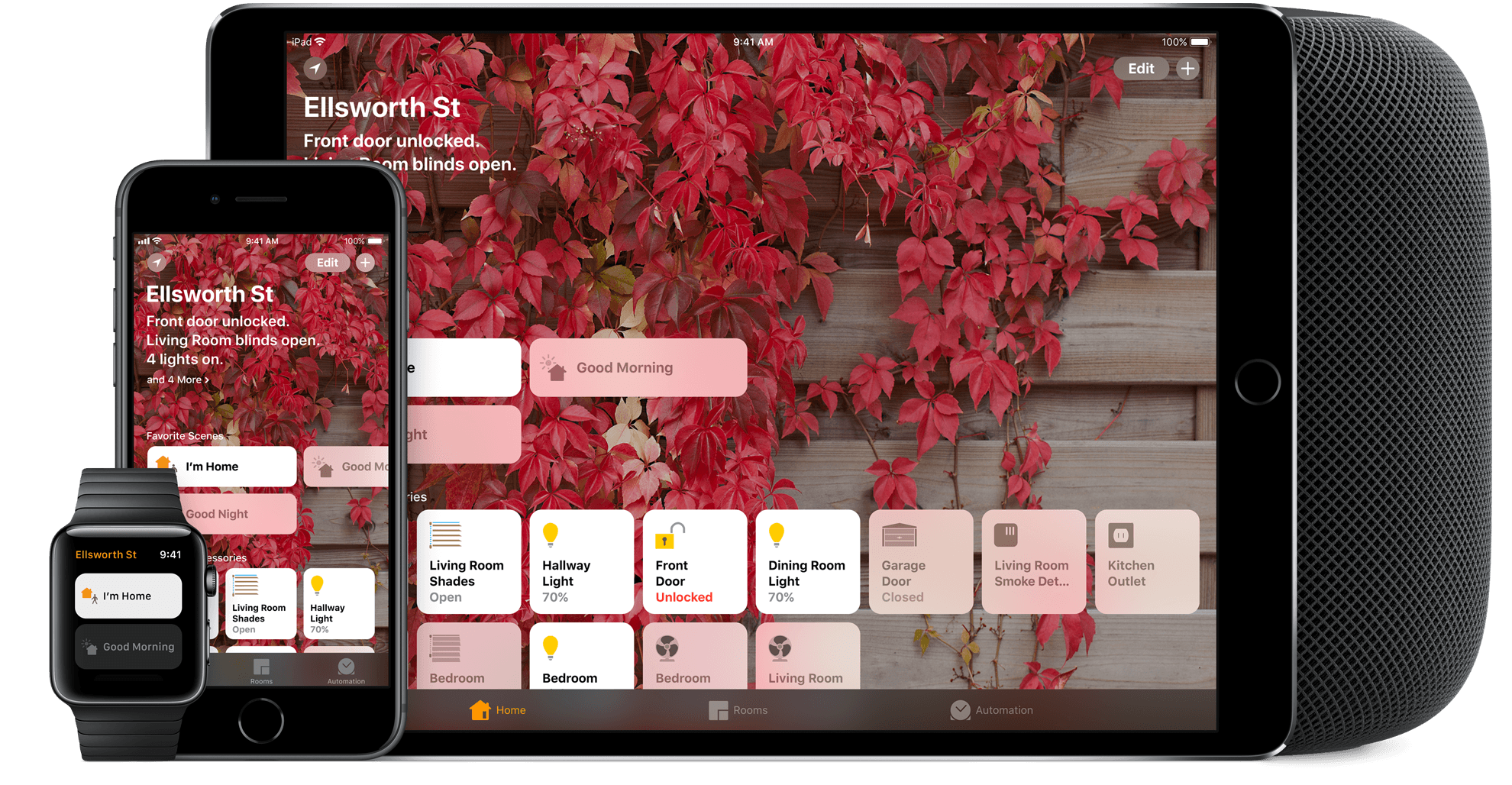
I’ve spent a lot of time experimenting with home automation gear since late last year: lightbulbs, light strips, electrical plugs, and door sensors, among other things. Most of the devices I’ve tested support Apple’s HomeKit APIs and those that don’t, I plan to integrate with Homebridge. That means I’ve also spent a lot of time in Apple’s Home app, and despite poking around in every corner of the app, I still find it frustrating and hard to use.

Last week, I tried to configure something new in my studio that illustrates several of the Home app’s problems. I have several Hue lights: there’s one over the steps leading to my workspace, four recessed ceiling lights, a floor lamp, and a desk lamp. It’s a lot of lights, but my studio is in the basement, and the lights help keep it from feeling like a cave.

I set the lights up as a group in Home and trigger them with a motion sensor. As soon as I open the door to the basement, the lights come on. I added a Hue switch on the wall as a shortcut for turning the lights on and off too.

I recently got an Elgato Eve door sensor for my back door. I figured it would be nice to know when my wife and son got home in the afternoon if I’m working away with the door closed, listening to music, and don’t hear the back door open. I can get alerts from the sensor on my Apple Watch and iPhone, but I thought it might be fun to also turn the Hue light on my desk red when the door opens as a visual cue. That turned out to be harder than I anticipated.
Read more


HomePass Can Store All Your HomeKit Setup Codes

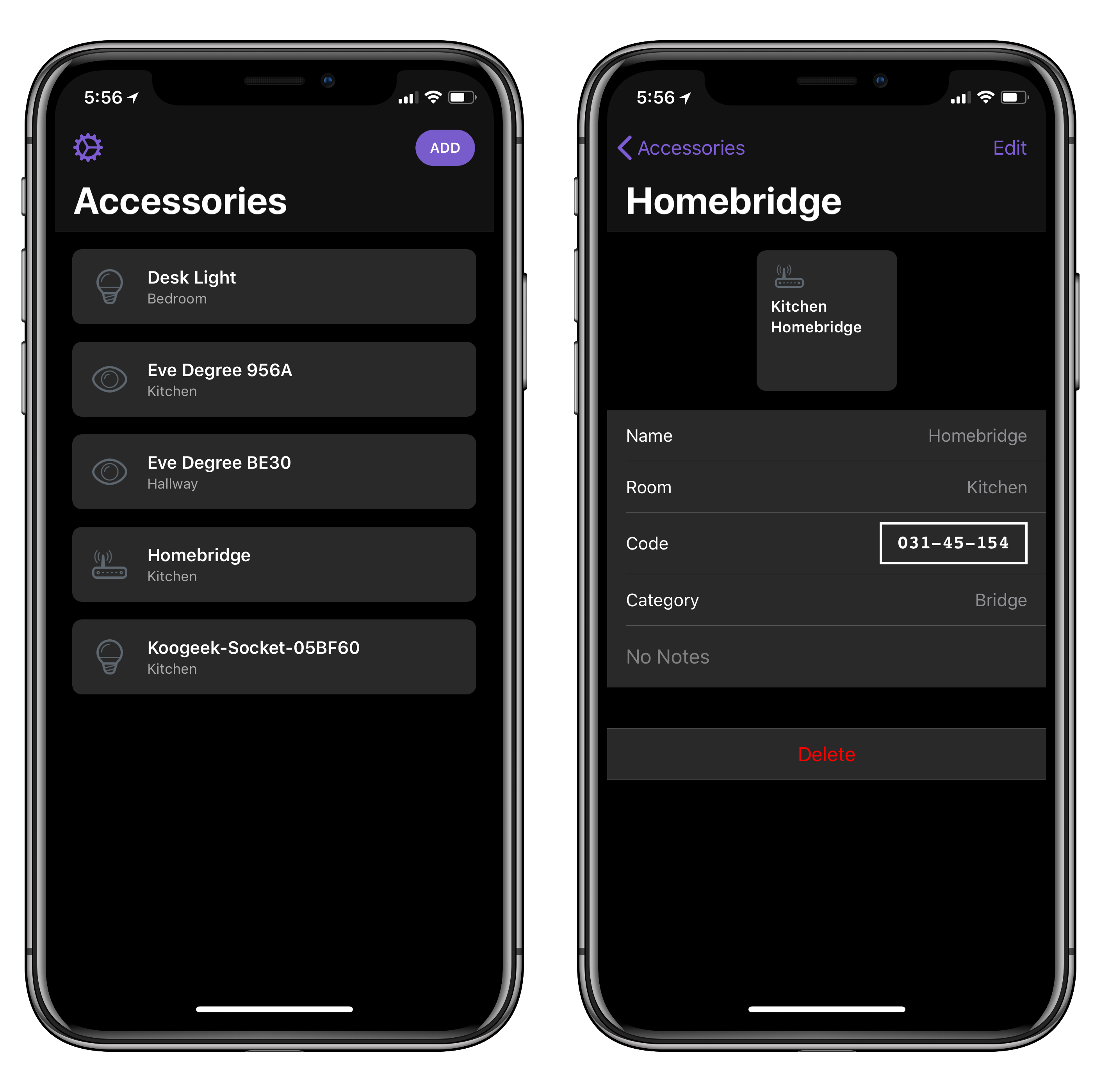
Developed by Aaron Pearce (the creator of Homecam, one of my favorite iOS apps this year), HomePass is a handy utility for iPhone and iPad to store HomeKit setup codes.

If you’ve been playing around with home automation on iOS, you know that managing accessory pairing codes isn’t exactly fun or convenient. While iOS 11 added support for QR codes and special NFC pairing tags, most accessory makers still stick basic alphanumeric codes on the back or at the bottom of accessories and essentially require you not to lose them. That’s not ideal. HomePass aims to be a single repository where you can easily keep track of all your setup codes, sync them across devices with iCloud, and even protect them with Face ID. Instead of taking pictures of your codes and storing them in Apple Notes (which is what I’ve been doing), you can collect every HomeKit code in HomePass, where they’ll be presented alongside device names, HomeKit rooms they belong to, and custom icons.

I’ve been testing HomePass for the past couple of weeks, and there are some nice touches I want to point out. First, if you grant the app access to your HomeKit data, it’ll be able to see existing accessories and allow you to simply enter the code without choosing a device name or icon (you can also create new accessories from scratch). In addition, the code displayed in the Code field of a device’s detail view is formatted with the same shape and font used on physical setup codes; this means you can open HomePass on your iPad and scan a code directly with the Home app on your iPhone. Lastly, you can add notes to your accessories and export everything as CSV if you prefer to have an additional backup of your accessory database.

One of the many shortcomings of Apple’s native Home app is the lack of deeper organizational tools for users who own dozens of HomeKit accessories and need a better way to store their codes. Ideally, such a feature shouldn’t be needed, but in my experience things sometimes go wrong and you may need to reset an accessory and add it to HomeKit again. When that happens, you don’t want to go hunting for the setup code on the back of a thermostat. I highly recommend using HomePass instead, which is available at $2.99 on the App Store.


Homecam for Apple TV Adds Room-Based Accessory Details and Controls

I first covered Aaaron Pearce’s Homecam app last week, noting how this is the app you need to have if you own multiple HomeKit cameras and want a dashboard to monitor them all at once.

I wrote:

Homecam displays a live grid of all the HomeKit-enabled cameras in your house. That’s it. Instead of having to look for cameras in specific rooms or at the bottom of the main accessories list in Apple’s Home app, you can launch HomeCam and see them all at once. Then, you can tap on a camera to watch live footage in full-screen, and optionally add a camera to the Today widget as well. Soon, you’ll also be able to control accessories in the room where the camera is located.

Homecam’s widget is particularly impressive as it can also display live footage from each camera without having to load the main app – and it works both over WiFi and with remote access on cellular connections. I can’t recommend Homecam enough if you own multiple HomeKit cameras and have been looking for a quick way to switch between them.

While my story focused on iOS, Homecam is also available on the Apple TV, where it takes advantage of the big screen to let you keep an eye on even bigger real-time video feeds from HomeKit cameras around the house. And today, Homecam for tvOS received a substantial update with a feature I hope Pearce will soon bring to the iOS version as well: room-based accessory details and controls.

In the new Homecam for Apple TV, you can long-press on the Siri Remote to bring up a menu that lists controls for sensors, switches, and lights located in the same room as the camera. This allows you to, say, monitor your sleeping baby and progressively dim the lights, or remotely check on the state of any appliance connected to a smart plug. In addition, Homecam can now pull in details from sensors (for temperature, humidity, and air quality) and overlay them on the full-screen video, so you can see what the temperature is, turn the fan off, and visually confirm that it worked.

I’ve been testing this Homecam update for the past couple of days, and, while I continue to fundamentally dislike the Siri Remote’s fiddly touchpad, it was fun to watch the dogs sleep on the sofa and wake them up by changing the color of the lights or turning the TV on and off (yes, we did apologize to them with treats afterwards). Pairing a live video feed from a HomeKit camera with data layers and controls from the same room makes perfect sense, and I hope this feature makes it to the iOS app soon.

Homecam for iOS and tvOS is available on the App Store at $4.99.

Permalink

HomePod Review Roundup

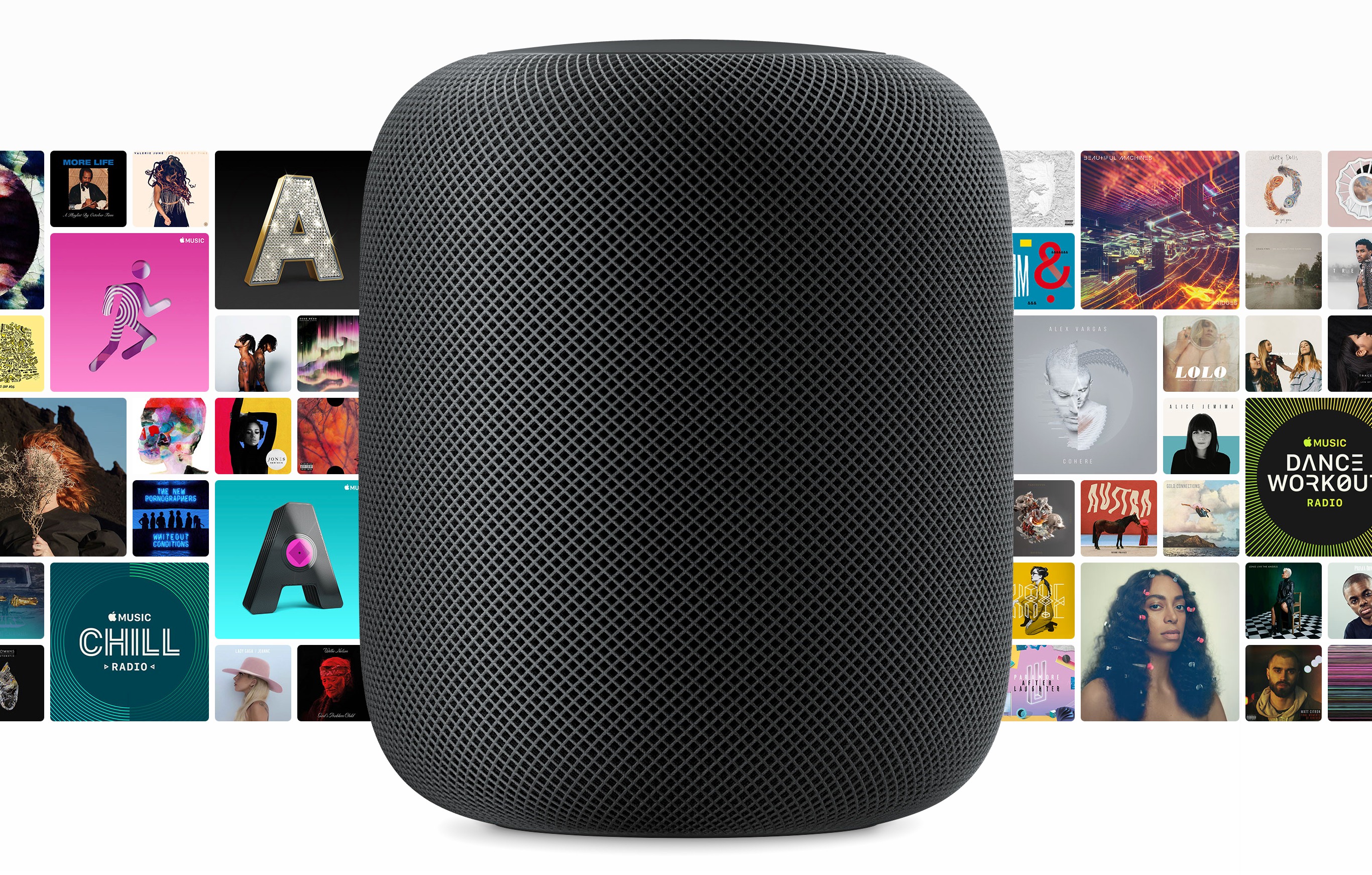
Initial orders of Apple’s new HomePod smart speaker will arrive on doorsteps and in Apple stores beginning Friday in the US, UK, and Australia. Today, reviews were published by several media outlets that have had about a week to test the HomePod. Apple also invited several journalists for a tour of its audio labs in Cupertino with Phil Schiller, hardware VP Kate Bergeron, and senior director of audio design and engineering Gary Greaves.

The consensus of the first wave of reviews is that the HomePod sounds fantastic. Apple has brought its engineering expertise and computing power to bear in a way that reviewers say produces remarkable sound for the HomePod’s size and price.

However, Siri’s limitations and the lack of support for third-party music streaming services also mean that the HomePod’s voice assistant features lag behind those of the Amazon Echo and Google Home. As a result, the HomePod’s appeal will likely be limited to people who already subscribe to Apple Music, use iOS devices, and care about high-quality audio.

Matthew Panzarino of TechCrunch:

Apple’s HomePod is easily the best sounding mainstream smart speaker ever. It’s got better separation and bass response than anything else in its size and boasts a nuance and subtlety of sound that pays off the 7 years Apple has been working on it.

As a smart speaker, it offers best-in-class voice recognition, vastly outstripping the ability of other smart speakers to hear you trying to trigger a command at a distance or while music is playing, but its overall flexibility is limited by the limited command sets that the Siri protocol offers.

Buy a HomePod if you already have Apple Music or you want to have it and you’re in the market for a single incredibly over-designed and radically impressive speaker that will give you really great sound with basically no tuning, fussing, measuring or tweaking.

Nilay Patel sums up what that means for everyone else:

The Apple engineers I talked to were very proud of how the HomePod sounds, and for good reason: Apple’s audio engineering team did something really clever and new with the HomePod, and it really works. I’m not sure there’s anything out there that sounds better for the price, or even several times the price.

Unfortunately, Apple’s audio engineering team wasn’t in charge of just putting out a speaker. It was in charge of the audio components of a smart speaker, one that simply isn’t as smart as its competitors.

That’s really the crux of it: the HomePod sounds incredible, but not so world-bendingly amazing that you should switch away from Spotify, or accept Siri’s frustrating limitations as compared to Alexa.

Read more


HomePod Supports User Presence at Home for Personal Notifications

Refinery29’s Madeline Buxton has spent one hour testing a HomePod ahead of preorders going live tomorrow, and, like others noted at WWDC ‘17, she came away impressed with the small footprint of the device and its audio quality compared to other smart speakers.

This bit from her story is interesting:

Secondly, although everyone in your apartment will be able to use the speaker, only the person who sets up HomePod on their iCloud account will be able to send texts, set up reminders, and get calendar notifications via voice commands. Google Home and Amazon Echo, meanwhile, can recognize different voices and provide personalized content accordingly. (If you do set up personal notifications on HomePod, these will only be available when you are on the network, so you don’t need to worry about your texts being read aloud at home when you are at work. If you don’t want them read aloud when you’re home, you can go into your HomeKit settings and turn off the notifications.)

To my knowledge, this is the first time we hear that HomePod does indeed support calendar notifications (which aren’t mentioned on Apple’s HomePod webpage). As Benjamin Mayo notes, details on how personalized calendar alerts would work are still unclear.

Update: Refinery29 has updated their story to clarify that HomePod will not support calendar notifications.

In addition, I assume that the ability to detect when the HomePod’s owner is at home is powered by the new user presence feature added to HomeKit in iOS 11. Even without a HomePod, iOS 11 lets you set up HomeKit automations with conditions that determine whether you or someone else is at home. The HomePod, as a HomeKit hub, will likely take advantage of the same API, which, in my experience with HomeKit automation in our apartment, has worked well since my girlfriend and I updated to iOS 11 on all our devices in September.

Permalink

Apple Announces HomePod Available to Order This Friday, In Stores on February 9

Today in a press release, Apple announced that its HomePod device will be available to order beginning this Friday (January 26) for the previously announced price of $349, and will ship for a release date of Friday, February 9. HomePod will be available in two color options: White and Space Gray.

HomePod was first unveiled last June during Apple’s WWDC keynote, with an announced ship date of December. It wasn’t able to make that date, receiving a new ‘Early 2018’ estimated release in mid-November. Historically, that kind of designation has meant anytime up through April is possible. Fortunately, prospective HomePod buyers won’t have to wait quite that long.

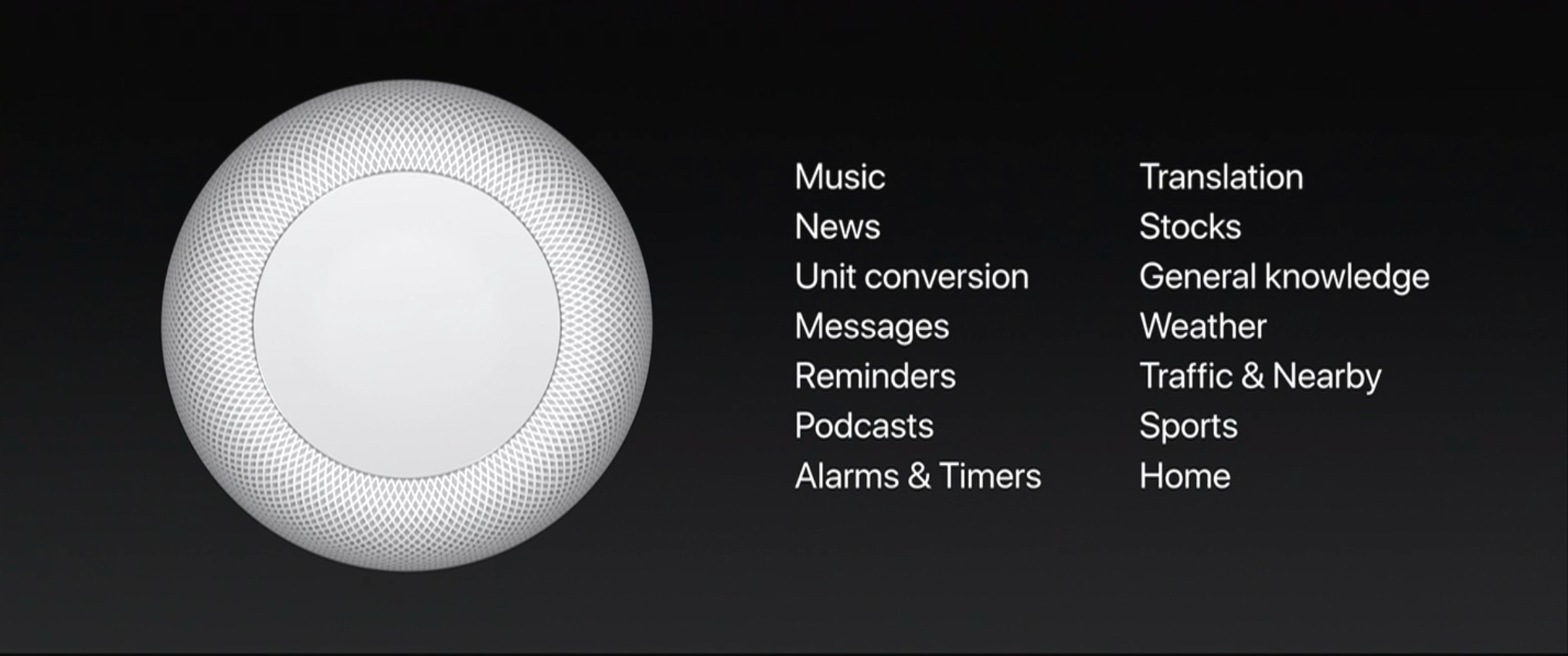
As Apple’s first entry into the smart speaker market, HomePod is the company’s answer to popular products like the Amazon Echo and Google Home. Unlike those other devices, however, HomePod is being marketed more as a premium-quality speaker, primed for music playback, than as a digital assistant hub. Siri is certainly an important component of the device, but at least for now, its role is being somewhat downplayed. At WWDC Phil Schiller announced that at launch, the HomePod’s version of Siri will only support a limited number of domains.

While these domains cover the majority of Siri’s normal functionality on iOS devices, some notable categories missing that would make sense for the HomePod include calendars, audiobook playback using iBooks, and Notes. With the HomePod’s release so early in the year, it’s possible we’ll receive word on additional domains at WWDC this June. Until then, what you’re getting with HomePod is exactly what Apple announced onstage: a powerful home speaker with Apple Music integration, which also happens to be a HomeKit hub that includes Siri, but in limited capacity.

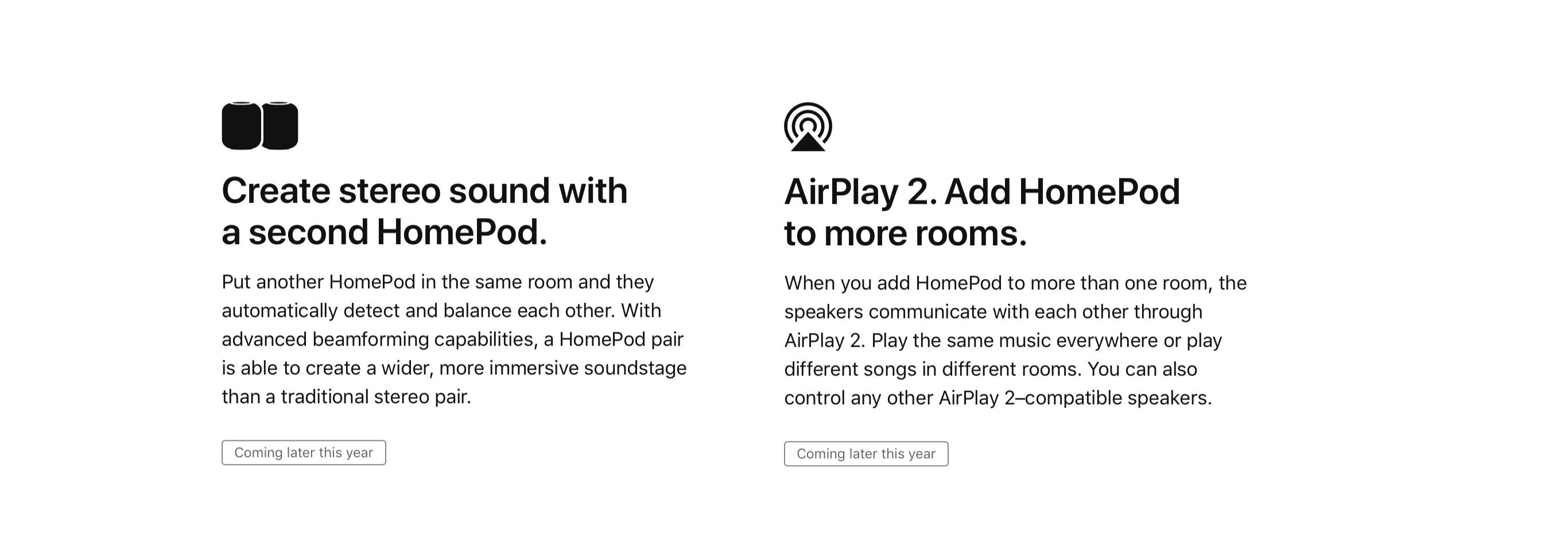
One standout piece of news in today’s announcement is that the HomePod’s multi-room audio capabilities won’t be available at launch, but instead will come later through a software update. This seemingly supports previous rumors that AirPlay 2’s development may have been what led to HomePod’s initial delay.

Update: The HomePod page on Apple’s website confirms that not only is AirPlay 2’s multi-room support delayed until later this year, but so is the previously demoed capability to have two HomePods pair together for offering stereo sound.

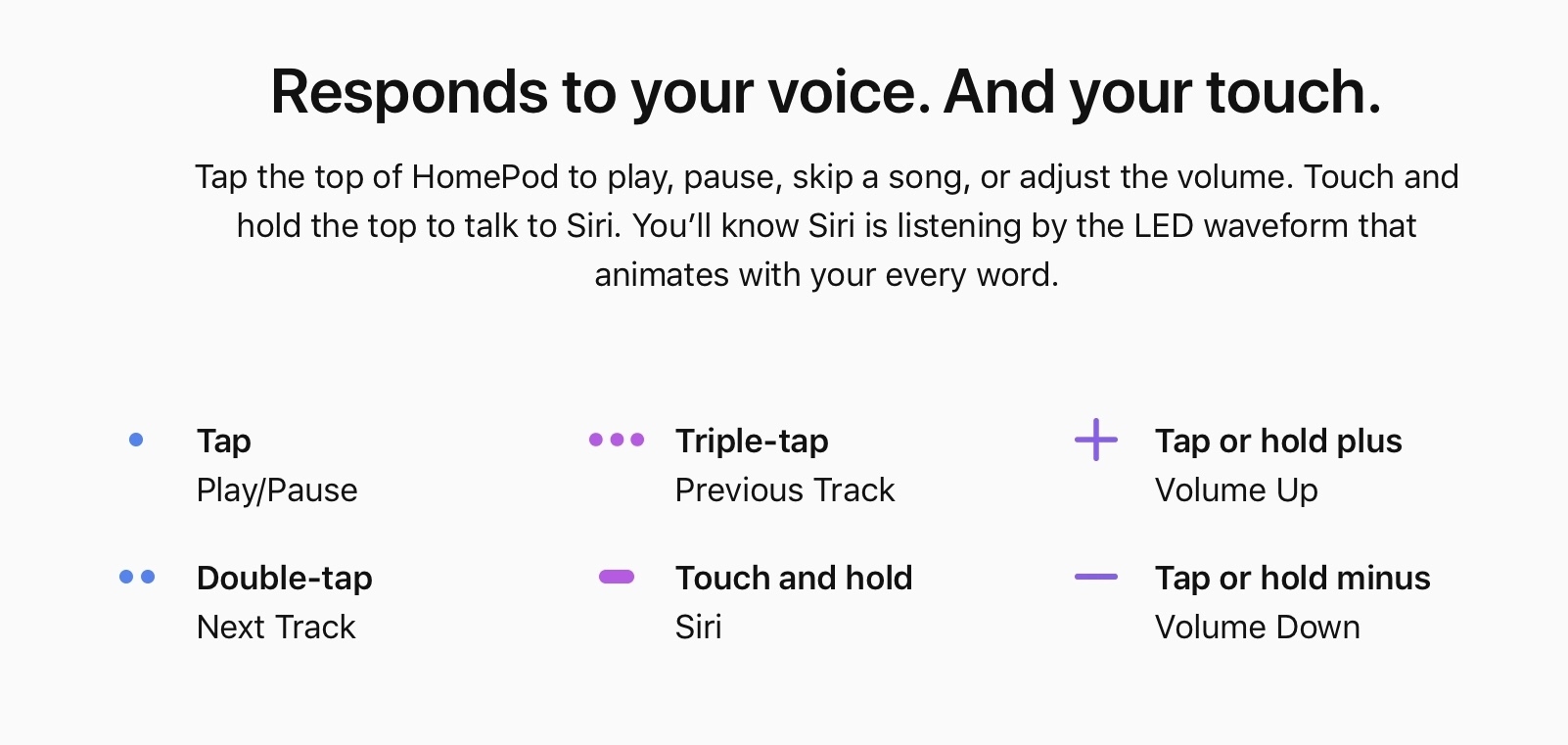
The HomePod website also provides new details on how users will be able to interact with HomePod in non-voice ways. In addition to using the ‘Hey Siri’ trigger phrase, you can also touch and hold the top of the HomePod and talk to Siri. There are also controls for audio playback tied to different sets of taps on the HomePod’s surface, as shown below.


Apple and the Alexa Ecosystem

I recently read two interesting takes on the ever-growing Alexa ecosystem as it relates to Apple that made me think about the future of Siri and HomeKit. Here’s M.G. Siegler on Amazon’s plan to put Alexa everywhere:

The Echo Dot was the number one selling device across all of Amazon during the holiday shopping season. (The Fire TV stick with the Alexa-enabled remote was the second-most popular product.) Again, no absolute sales numbers beyond “tens of millions of Alexa-enabled devices” — more than we usually get, by the way — but no matter: tens of millions is impressive enough.

I’ve been thinking about this recently not just in the context of putting Echoes in hotels, but also relative to Apple. As we’re all well aware, Apple had to delay their foray into the space, the HomePod, into 2018. But not only did they miss the all-important holiday shopping season, I’m increasingly thinking that they may have missed the boat.

Believe me, I know how dangerous this line of thinking is with regard to Apple. Apple is almost never the first-mover in a market. Instead, they prefer to sit back and let markets mature enough to then swoop in with their effort, which more often than not is the best effort (this is both subjective in terms of my own taste, and often objective in terms of sales). But again, I increasingly don’t believe that this will be the case with their smart speaker.

Amazon has entered the speaker and home automation market with Alexa-enabled devices in two ways: first with their own Echo products, then with a growing roster of third-party manufacturers that are baking Alexa into their devices and almost treating Amazon’s assistant as a “standard” feature like WiFi or Bluetooth. There’s a fascinating parallel between Amazon Web Services – a suite of components embedded in the majority of modern websites and web apps – and Alexa Voice Service – a suite of voice APIs now embedded in hundreds of automation devices, general-purpose accessories and appliances, and web services.

Here’s Ben Bajarin on what Alexa’s presence at CES tells us about the ecosystem surrounding Apple:

While many Apple defenders want to dismiss the momentum we are observing with the Amazon ecosystem on display here at CES, while Amazon is similarly not present just like Apple, I believe it is a mistake to do so.

It is easy to say that because Apple was never present at CES that the show didn’t mean something to them or their ecosystem. It is easy, and correct to say that CES was not, or never was, a measure of the health of Apple’s products. It is, however, incorrect and dangerous to miss that CES had been, for some time, a barometer for the health of Apple’s ecosystem.

As I mentioned, our ability to measure any platforms ecosystem from what we observe at CES, is the main reason so many are paying attention to what is happening with Amazon’s Alexa platform. Google Assistant is certainly more present than it was last year, however, when you look at how third parties are talking about-and marketing-their support of these assistants they are putting significantly more effort into talking about Alexa than Google Assistant. Which is a telling signal. Again, to reiterate this point, third parties used to market, and spend energy talking about their integration with iOS or support of iPhone/iPad with the same rigor they are now talking about Amazon’s Alexa. This can not be ignored.

You could argue that most Apple-compatible gadgets and accessories announced at CES used to appear in tech blogs only to be forgotten a few months later because they were fads, vaporware, or ultimately not essential to the growth of the iOS ecosystem, and that the same will happen with Alexa-enabled devices we’ve seen this year. The difference, I think, is that this new generation of home automation products is an ecosystem in itself with higher value than, say, the iPad keyboards or stylii we used to see at CES. Alexa hasn’t “won”, but it has momentum among third-party companies making products that are or will soon be in our homes, sharing the same space of our TVs, routers, consoles, and mobile devices.

Read more


A Roundup of CES Home Automation and Apple Accessory Announcements

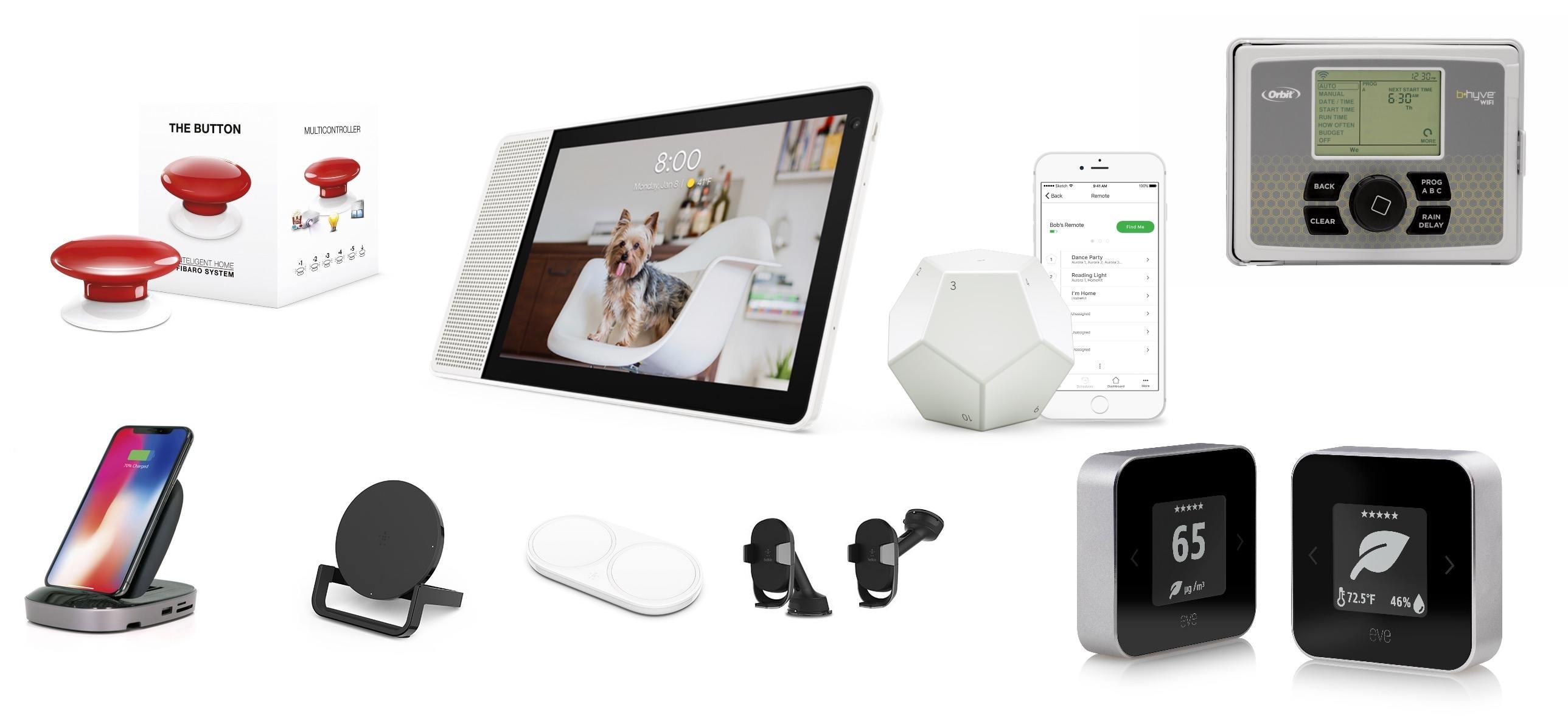
CES is a big, messy spectacle that has everything from vaporware and products you didn’t know you needed – and probably don’t – to truly cool new gadgets. We’ve been following the announcements this week and have rounded up a collection of the most interesting and promising gear we’ve seen so far. Many of these products have not shipped yet, so we haven’t had an opportunity to try them, but these are gadgets we will be watching closely throughout 2018 and that are likely to turn up again on MacStories later this year. CES doesn’t end until Friday, so be sure to check back for updates on any additional announcements that catch our eyes.

Read more


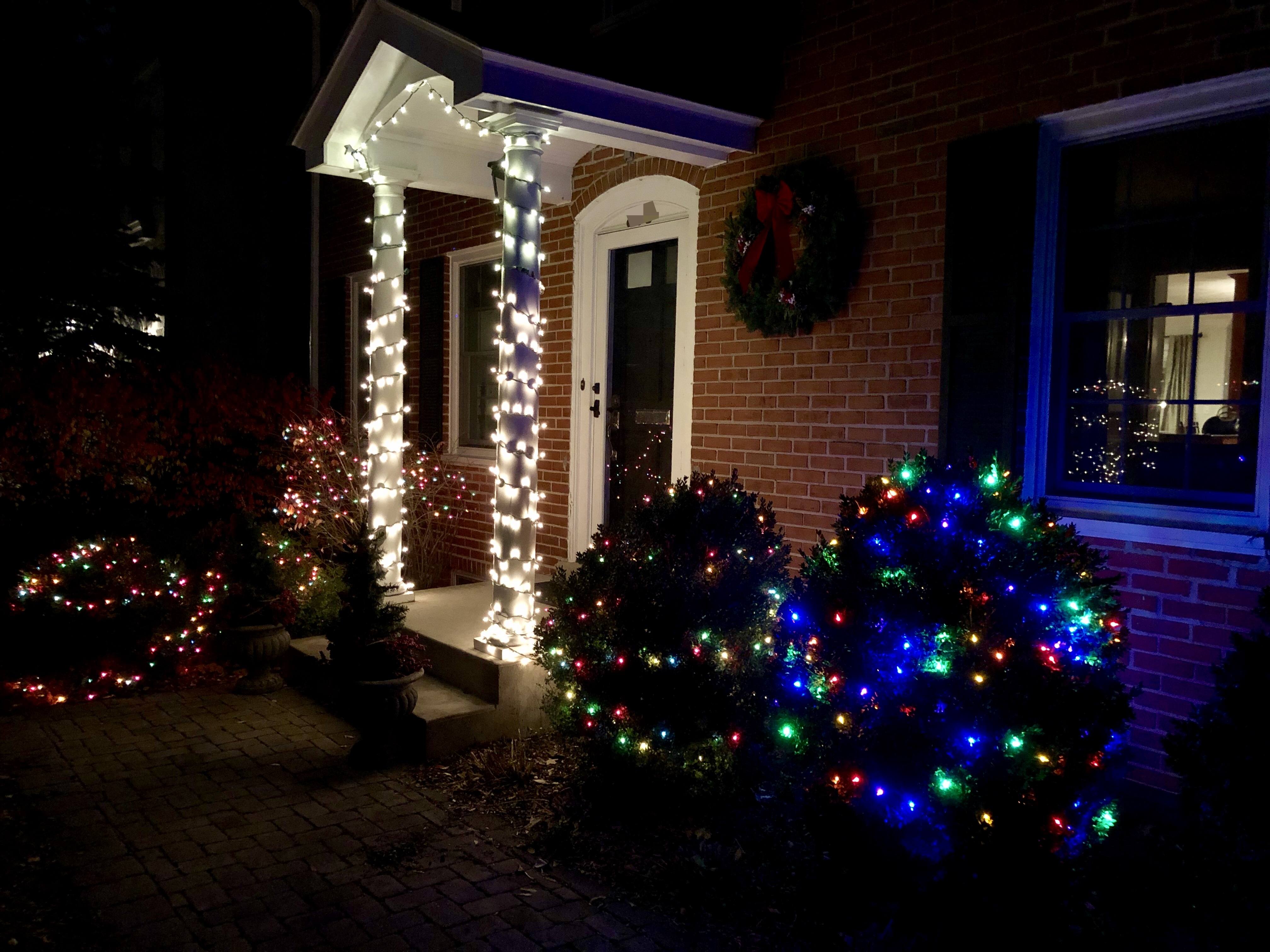
Automating Your Holiday Lights Inside and Out

It’s easy to get carried away with elaborate and expensive home automation projects when you’re just starting out. A better place to begin though, is with a simple, temporary setup that doesn’t cost a lot but will still give you a glimpse of some of the conveniences of home automation without making a big commitment. When I heard that iHome had introduced a reasonably-priced outdoor smart plug, I knew immediately that it and some holiday lights would make an excellent home automation starter project.

This is by no means a Clark Griswold-level undertaking. My family’s holiday decorations are fairly simple. In the front yard, we put up lights in the bushes and on the columns on either side of our front door. Inside, we have a Christmas tree in our living room with lights. The first step was to put up the outdoor lights the weekend after Thanksgiving on what turned out to be a mercifully warm day.

After the lights were up and working, I plugged them into the iHome’s iSP100 Outdoor SmartPlug, which I connected to an outdoor outlet near my front door. The iSP100 is about as simple as you can imagine. It has a short cord attached to a plastic box that holds its electronics. One end plugs into a standard US outdoor electrical outlet, and the other end takes two or three-pronged electrical devices.

Read more