

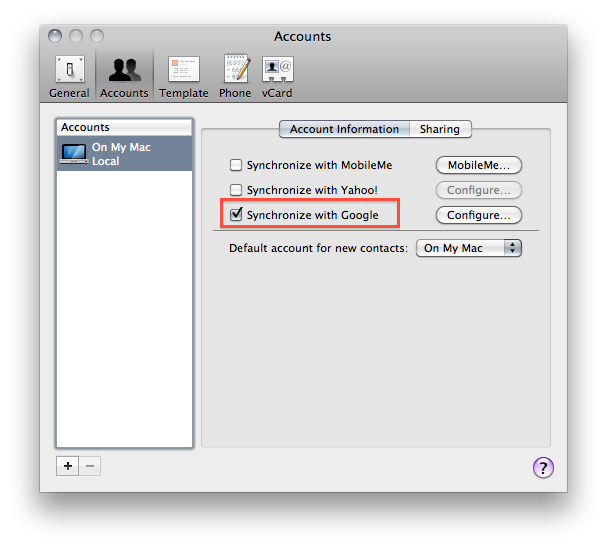
As you might have read if you follow me on Twitter, my MobileMe subscription expired last week. In the past year, I’ve relied on MobileMe’s services (but not the webapp) for syncing all my contacts, calendars, emails and bookmarks from the desktop to the cloud and back to iOS devices such as my iPhone 4 and iPad. But when the subscription was nearing its expiration date (Apple notifies you weeks before with a series of emails and a brief note on Me.com), I was left with a question: should I renew? Considering all the rumors about MobileMe being completely revamped and going free we’ve heard in the past months, I was skeptical about a renewal because I didn’t want to pay for a service that is likely going through some major changes and won’t no longer be supported (at least in its current iteration) a year from now. And even if I still have access to some sections of my old MobileMe account (mail, contacts and Find My iPhone), I decided that renewing wasn’t simply worth it and it was time for me to find an alternative – even a temporary one until MobileMe is updated to include new features and pricing schemes. That alternative is Google Sync, and here’s my experience so far. Read more
Posts tagged with "google"
Switching From MobileMe to Google Sync
Google Is Developing A Facial Recognition App [Updated]
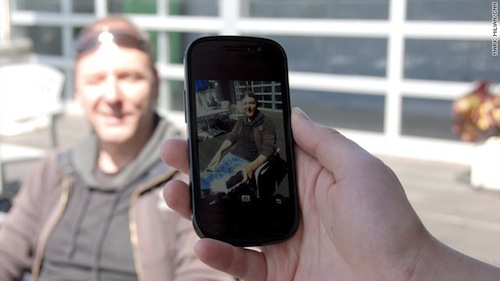
CNN reports today Google is working on a brand new facial recognition application for mobile devices, allowing users to snap pictures of their friends and automatically be redirected to a person’s public Google profile. The details on the availability of the app are scarce – the CNN report doesn’t specify whether this new app is being developed for Android or iOS devices – but it still provides insight into Google’s latest experiment that should revolutionize the way people interact with each other using mobile phones.
The app doesn’t have a name just yet, nor did any screenshots surface. But, as confirmed by engineering director Hartmut Neven, the project is being heavily tested at Google Labs with a specific focus on privacy concerns – which have always been an issue for a large company like Google that has access to millions of people’s data, email, profile information, and so forth. The app promises multiple scenarios of interactivity: a user could take a photo and automatically check out a person’s Google Profile (Google recently redesigned Profiles to make them more public and, looking forward, similar to Facebook) or browse photos shared on Facebook, Twitter and Flickr to see whether the algorithm developed by Google can recognize photos shared on social networks. However, Google told CNN that they’re looking to improve their privacy system and settings before the app is released.
Google acknowledges the nefarious ways someone could leverage facial-recognition technology. Many people “are rightfully scared of it,” Neven said. “In particular, women say, ‘Oh my God. Imagine this guy takes a picture of me in a bar, and then he knows my address just because somewhere on the Web there is an association of my address with my photo.’ That’s a scary thought. So I think there is merit in finding a good route that makes the power of this technology available in a good way.”
Neven and a Google spokesman described the facial-recognition app concept as “conservative” in relation to privacy.
It is very likely that Google will implement an opt-in system of sorts to allow users to tweak their privacy settings on various levels and enable the facial recognition software to have access to personal information. For example, Google could make sure that only “friends” or “friends of friends” can snap pictures and be redirected to a Google Profile in the browser, or the mobile app. Google isn’t new to image recognition technologies on mobile phones: their Goggles app, also available for iPhone, lets users take pictures of real-life objects and get relevant search results for the recognized product. The Goggles app can also recognize ads, and play Sudoku. Last year, Apple bought a Swedish company specialized in facial recognition and has been rumored to be willing to implement the technology in iOS since then. Apple also does facial recognition on the desktop with iPhoto, which can recognize contacts in photos and automatically sort people with the “Faces” interface.
Update: In an interesting twist of events, Google has reached out to claim that the CNN reporter “invented” the story about facial recognition linking to public, personal data. Engadget reports:
Google has reached out to clarify that there are no plans to introduce functionality of this sort yet, not without “a strong privacy model in place.” More importantly, however, the linking of facial recognition to personal data is described as “inventions of the reporter” rather than something the company’s actively pursuing.
Update #2: A CNN spokesperson sent us a statement about today’s Google story. CNN stands by their report, thus adding more questions as to whether or not Google is really building a mobile facial recognition product, but doesn’t want press or consumers to speculate about it just yet.
Google’s claims do not fit the facts of the situation. This interview was prearranged – on the record – and staffed by a Google PR rep, who raised no objections at the time and did not deny what the engineer said. Additionally, we have an audio recording of the interview, as does Google. We stand firmly behind Mark’s reporting.
Update #3: Just to put things in context, here’s what (former) Google CEO Eric Schmidt said about Google’s vision for search months ago:
Ultimately, search is not just the web but literally all of your information – your email, the things you care about, with your permission – this is personal search, for you and only for you.
We can suggest what you should do next, what you care about. Imagine: We know where you are, we know what you like.
A near-term future in which you don’t forget anything, because the computer remembers. You’re never lost.
Google Latitude for iPhone Gains Check-In Capabilities
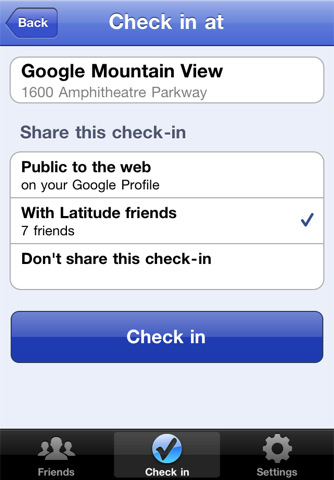
With an official announcement on the company’s blog, Google unveiled a few minutes ago a new version of Latitude for iPhone. Google Latitude, also available for Android devices, uses the iPhone’s GPS functionality to display your current location on a map and allows you to see what your friends are up to. The new 2.1 version, available here, lets you “check in” places and automatically be checked out if Latitude is set to update your location in the background. In this way, your friends will not only see your location, but know exactly what you’re doing – say drinking coffee at a nearby Starbucks. A huge Check In button in the app makes the process easy, and privacy settings let you share the check in with everyone, your friends only, or make it entirely private.
Tap the “Check in” button to start checking in at nearby places. Keep checking in every time you visit your favorite places to start gaining special status there. You’ll not only progress to become a Regular, VIP, and then Guru at your favorite places, but if you’re near Austin, Texas, gaining status lets you unlock check-in offers at over 60 places.
Just like with sharing your location, you can control your Latitude check-in privacy. Checking in is 100% opt-in, and you can choose to share any check-in with your friends on Latitude, publicly on the web and your Google profile, or just yourself.
With this update Google is clearly trying to create an alternative to popular check-in services like Facebook Places and Foursquare, which have become the de-facto standards for sharing your location and earn points or badges. We don’t know whether the new Google Latitude will take off or not, but you can check out the app here and tell us what you think. It’s a free download.
Google Launches Google TV Remote for iPhone
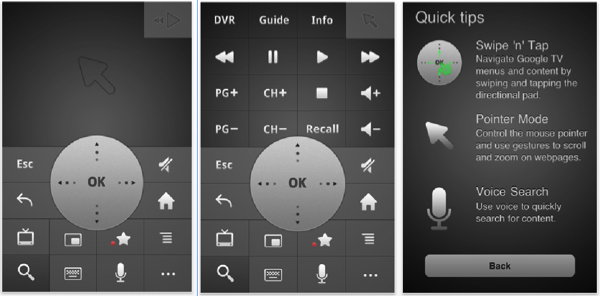
For the few of you who may own a Google TV enabled device (or a TV such as the Sony Internet TV), your iPhone, iPod touch, or iPad can now power your futuristic format thanks to the new Google TV Remote app. It’s chock full of glorious soft buttons that could take the Logitech Harmony to task, and includes Voice Search so you can quickly search for content using your iPhone’s microphone. Multiple Google TV Remotes can work over the same network as well, meaning anyone who has an iOS (or Android) enabled device can browse the television right from their lap. The app is free to download from the App Store, and we’ve included a quick video of the Android version below: the experiences are very similar (the iPhone can’t push webpages to their Google TV, however).
Huge Update: Google Launches New Search App for iPhone
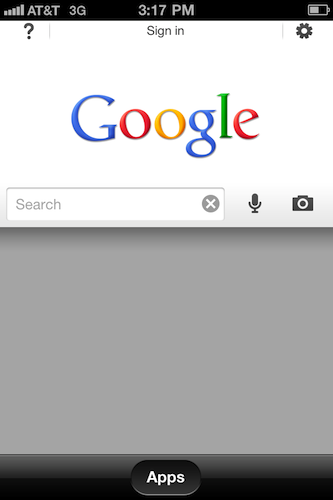
Remember the Google Mobile app for iPhone? With an official post on the company’s blog a few minutes ago, Google announced a major new version of the with a completely new look, new features and a new name: Google Search for iPhone. Simple as that, the app packs all the functionalities from the previous version in a new UI, easily accessible for everyone and built on top of iOS 4’s multitasking and fast app switching capabilities.
Google Search presents itself with a new search UI that makes it easy to start typing right away or perform a voice search through the iPhone’s mic. Search results can be tailored to your needs with a new toolbar that slides in and reveals more options as well as other Google applications.
Second, we’ve made it easier to pick up searching where you left off. If you leave the app and come back later, you’ll be able either to start a new search right away (just tap in the search box to type, hit the microphone button to do a voice search or tap on the camera icon to use Google Goggles) or get back to exactly where you were by tapping on the lower part of the page.
Finally, there are a number of improvements we’ve made to everything else you love in the app, including Google Goggles, Voice Search, Search with My Location, Gmail unread counts and more.
After launching the app for the first time, you’ll be guided through the new features of the app with an interactive overlay that places question marks on screen to explain what’s new and improved. Search, Goggles and Voice Search are still there, but placed next to the main search bar that is kept in a collapsible window you can open or dismiss at any time. The effect’s really cool as you can invoke search from anywhere in the app, even when browsing images or news results. A feeling I’ve got when trying the app is that Google is really trying to blend all its services together in this new Google Search app: with a single swipe, you can access Places, Images, Shopping search results, real-time updates, Blogs and more. It feels like they have rebuilt to app to unify all Google’s services in a single package, and I think that’s a step in the right direction. You can of course sign in with your Google Account and tweak the preferences to your needs.
Google Search for iPhone is a free download in the App Store. Check out the promo video and more screenshots below.
Google Launches Instant Previews, Available for iOS
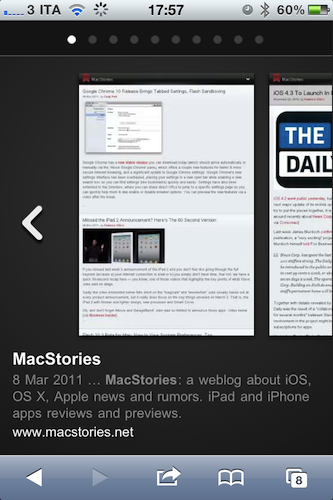
A few minutes ago Google announced the availability of Instant Previews for mobile devices, a new way to quickly preview the contents of a webpage by simply tapping with your finger on a magnifying glass icon next to search results. Instant Previews, perfectly compatible with the iPhone and iPod touch, allow you to flick through a series of thumbnails for a specific webpage like in the iOS photo app, without actually following the link in Mobile Safari.
As soon as you tap on a link from the visual preview gallery, Mobile Safari will open the webpage. Hit the back button, and you’re brought to the gallery again. The animations are very neat and fluid from what we can see now, and there’s even some kind of rubber-banding elastic effect when you scroll thumbnails. Sadly, there’s no support for Instant Previews in mobile Youtube videos – just webpages.
For example, if you’re looking for a webpage that has both photos and descriptions, you can use Instant Previews to quickly identify these pages by navigating across the visual search results with a few swipes of your finger. Or perhaps you’re looking for an article, a step-by-step instructions list, or a product comparison chart—with Instant Previews, you can see easily spot pages with the right content without having to navigate back and forth between websites and search results.
iOS 4 or later is required for Instant Previews, and you can try them on your iPhone now. Promo video and another screenshot below. More information available here. Read more
Google Chrome 10 Release Brings Tabbed Settings, Flash Sandboxing
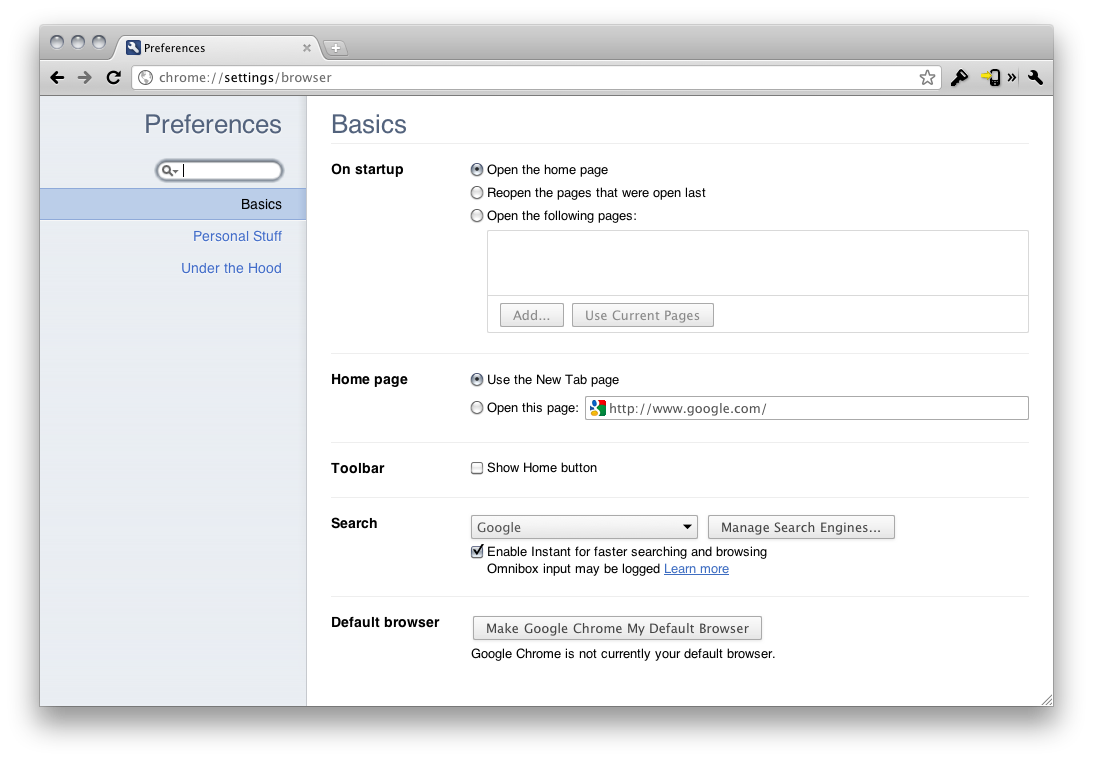
Google Chrome has a new stable release you can download today (which should arrive automatically or manually via the ‘About Google Chrome’ pane), which offers a couple new features for faster & more secure Internet browsing, and a significant update to Google Chrome settings. Google Chrome’s new settings interface has been overhauled, placing your settings in a new open tab while enabling a new search box so you can find settings (like bookmarks) quickly and easily. Settings have also been extended to the Omnibox, where you can share direct URLs to jump to a specific settings page so you can quickly help mom & dad enable or disable browser options. You can preview the new features via a video after the break.
Google Docs Can Now Preview Apple Pages Files
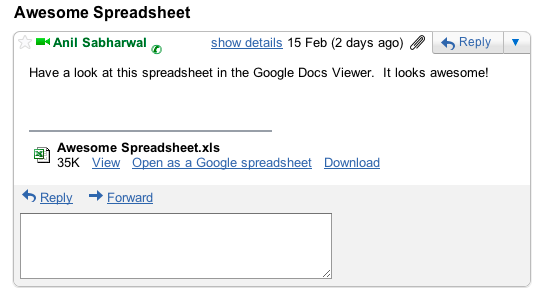
Good news for Mac users who rely on Google Docs for their document management needs: the popular online service added support today for 12 more file types – most notably including Apple’s Pages and Adobe’s Illustrator and Photoshop. The full list of supported files below:
- Microsoft Excel (.XLS and .XLSX)
- Microsoft PowerPoint 2007 / 2010 (.PPTX)
- Apple Pages (.PAGES)
- Adobe Illustrator (.AI)
- Adobe Photoshop (.PSD)
- Autodesk AutoCad (.DXF)
- Scalable Vector Graphics (.SVG)
- PostScript (.EPS, .PS)
- TrueType (.TTF)
- XML Paper Specification (.XPS)
The Docs online viewer has thus become a full-featured solution to preview the most popular file formats. In December, Google brought desktop document editing to the iPad.
“Apple Doesn’t Understand The Internet”→
“Apple Doesn’t Understand The Internet”
Nadav Savio on the differences between Google and Apple:
It’s been said that Google doesn’t get ‘social’ and, though I think that is vastly overstated, there is truth there. Similarly, I’d say that Apple doesn’t understand the internet. Well I have a simple theory about it. There’s a cliché that everyone’s greatest strength is also their greatest weakness, and I believe that applies as well to organizations as to people.
Take Apple. They make amazing, holistic products and services and one of their primary tools is control. Fanatical, centralized control. Control over the design, over the hardware, over the experience. And that’s exactly the opposite of the internet, which is about decentralization and messy, unfiltered chaos.
It sounds good in theory, but the more I think about it, the more I don’t get the connection between the Internet and Apple as a company. Apple is not a web company. They make hardware and the software that runs on it. They make money out of hardware that, yes, is connected to the Internet. But the Internet as a service, not as a “population”. So where’s the line between “Apple doesn’t understand” and “unfiltered chaos”?
Maybe Apple doesn’t understand the people on the Internet, or they simply don’t care enough.