This Week's Sponsor:

SoundSource

New Year, New Audio Setup: SoundSource 6 from Rogue Amoeba


Posts tagged with "gaming"

My Favorite Gear From CES 2026 – and Some Weird and Wonderful Gadgets, Too

It’s CES time again, which means another edition of our annual roundup of the most eye-catching gadgets seasoned with a helping of weird and wonderful tech. I’m sure it will come as no surprise that robots, AI, and TVs are some of the most prominent themes at CES in 2026, but there’s a lot more, so buckle in for a tour of what to expect from the gadget world in the coming months.

AR Glasses

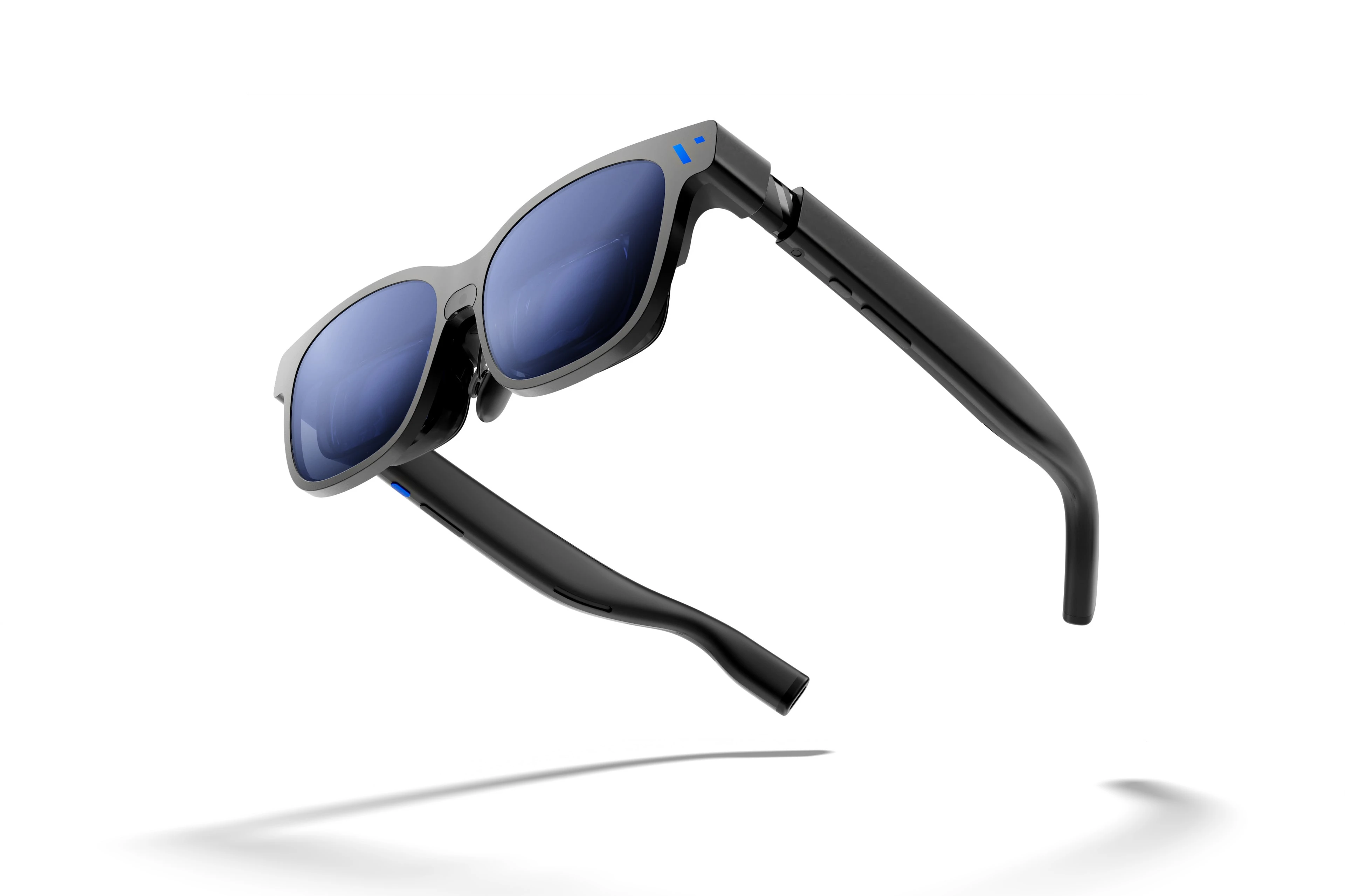
Viture encourages customers to both unleash and embrace The Beast. Source: Viture.

Viture encourages customers to both unleash and embrace The Beast. Source: Viture.

I first tried Xreal AR glasses shortly before the Vision Pro was released. The experience at the time wasn’t great, but you could see the potential for what has turned out to be one of the Vision Pro’s greatest strengths: working on a huge virtual display. There’s also a lot of potential for gaming.

It looks like the tech behind AR glasses is finally getting to a point where I may dip in again this year. Xreal updated and reduced the price of its entry-level 1S glasses, which will make the category accessible to more people.

The company also introduced the Neo dock, a 10,000 mAh battery that also serves as a hub for connecting a game console or other device to its AR glasses. Notably, the Neo is compatible with the Nintendo Switch 2, which caught my eye immediately.

Read more


The iPad Finally Becomes a Gaming Console with CloudGear

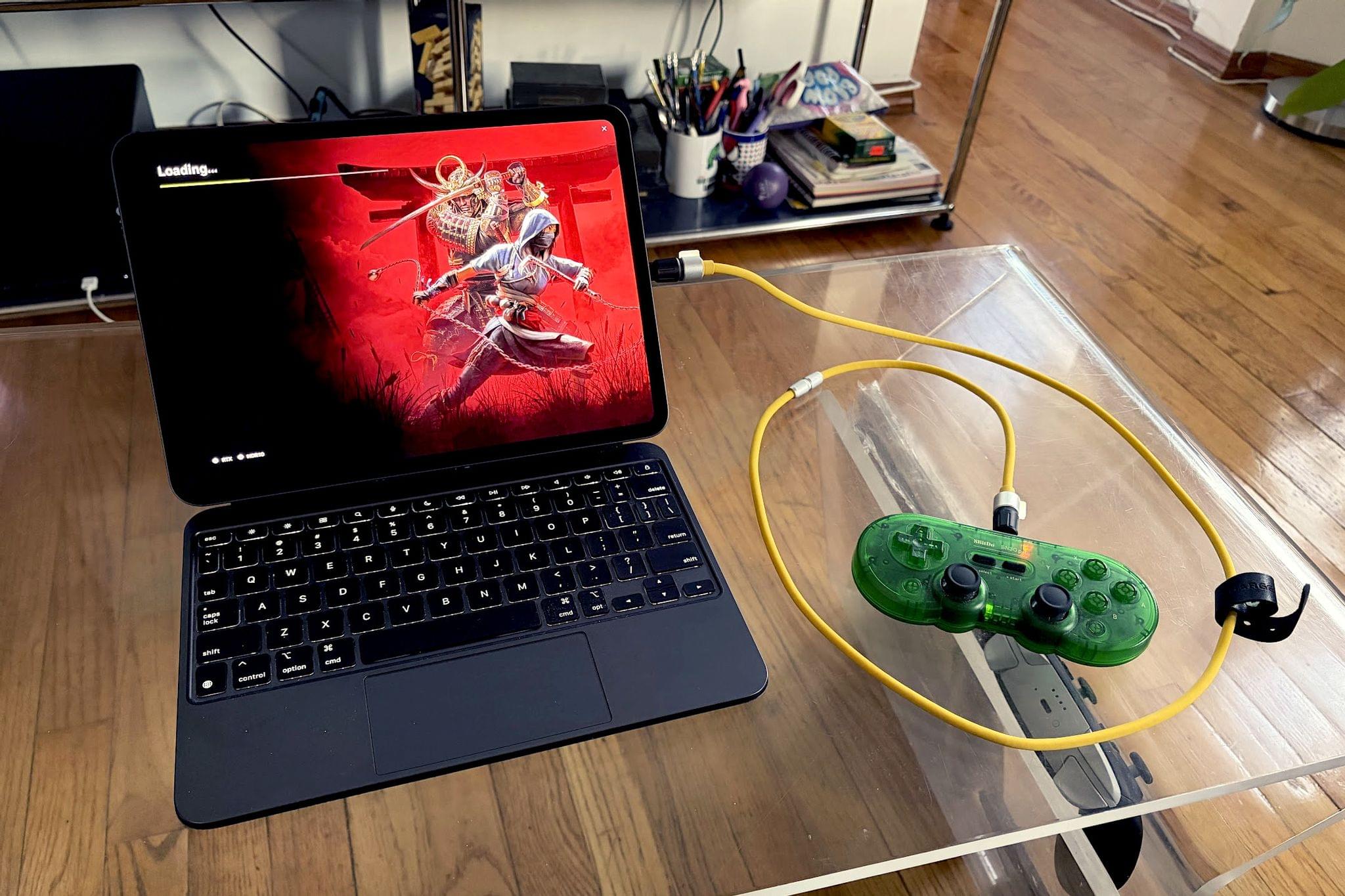
My iPad has been gathering dust. I bought it last May – an 11” M4 iPad Pro with 512GB of storage and a Magic Keyboard – mostly for writing, photo and video editing, and experimenting with Apple’s seemingly renewed focus on gaming.

On paper, it excels at all of these things.

While the M4 chip is overkill for the iPad’s possibility space, the ever-present specter of the shortcomings inherent in iPadOS tends to loom over more intensive tasks. There’s a clear disconnect between what Apple states the iPad is for in a post-iPadOS 26 world and what the hardware itself is allowed to do when constrained by software limitations. Quinn Nelson of Snazzy Labs explored this from multiple angles in a recent video that ended with a poignant sentiment:

There are still days that I reach for my $750 MacBook Air because my $2,000 iPad Pro can’t do what I need it to. Seldom is the reverse true.

As a person who also owns a MacBook Pro with an M4 Pro chip stashed away inside, I’ve found the moments I choose my iPad to be few and far between. Despite the ease with which I could fit it into most of my small sling bags when I leave the house and the fact that it’s “good enough” at accomplishing most tasks I could throw at it, I still tend to pack the MacBook instead.

Just in case.

Read more


Our Final 2025 MacStories Setups Update

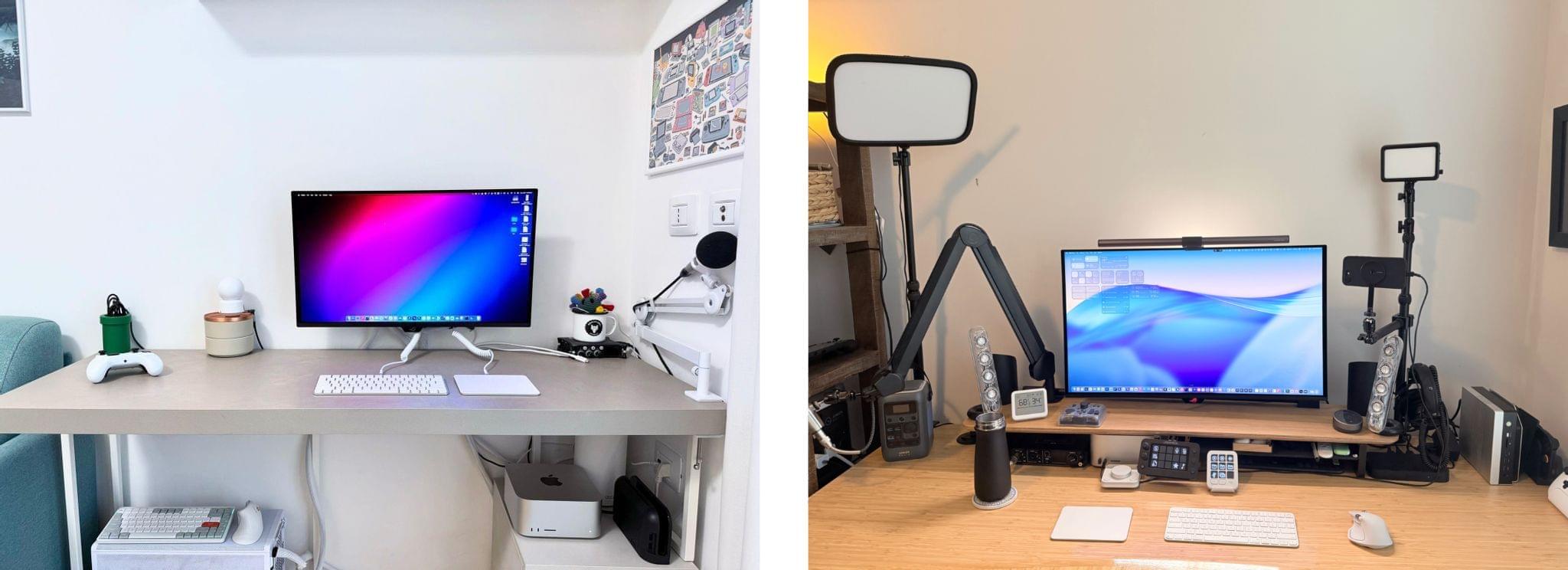
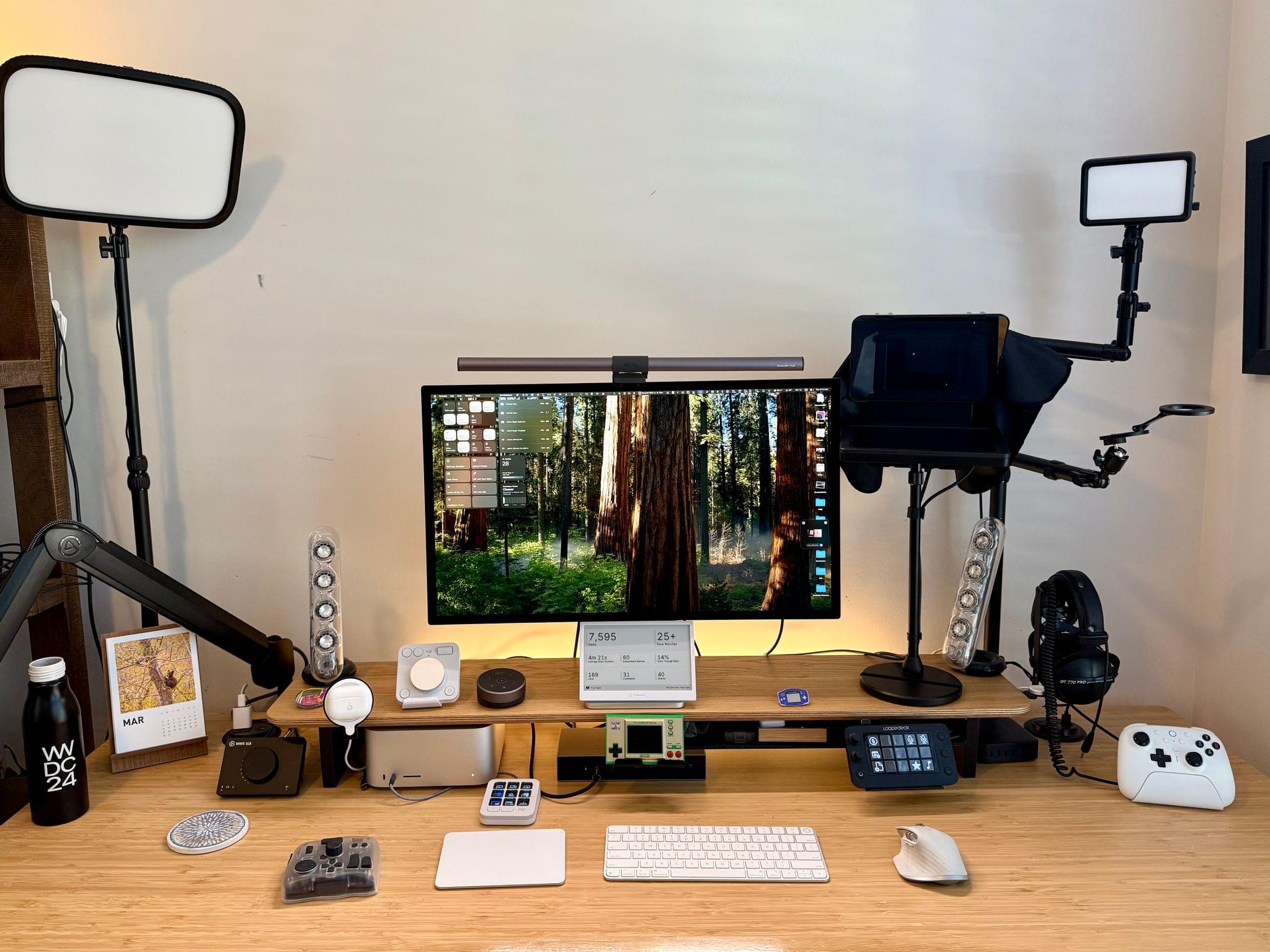
Our desk setups. Federico (left) and John (right).

Our desk setups. Federico (left) and John (right).

John: As 2025 comes to an end, Federico and I thought we’d cap off the year with a final update on our setups. We just went through this in November, but both Federico and I decided to take advantage of Black Friday sales to improve our setups in very different ways. Let’s take a look.

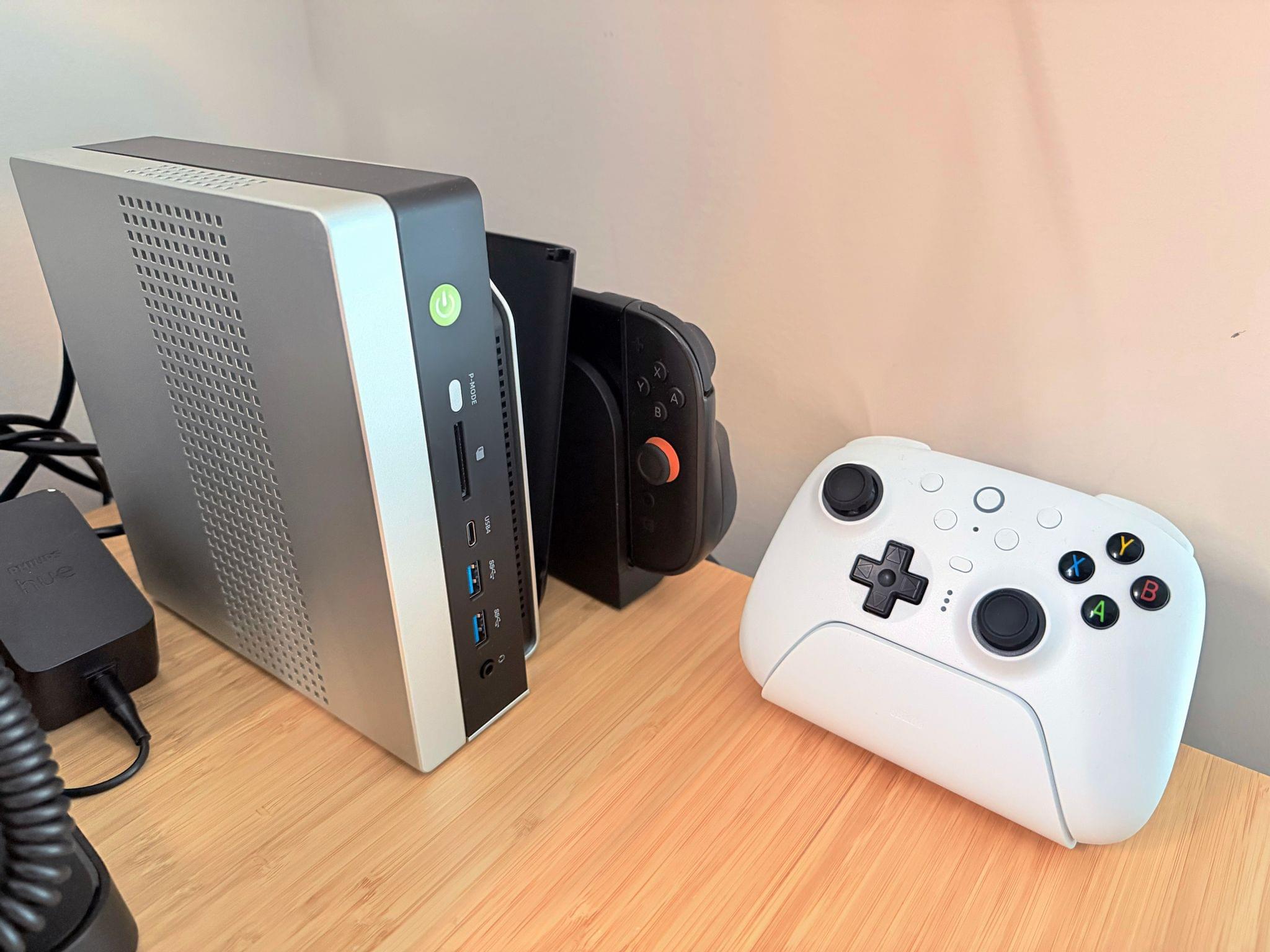
My changes were primarily to my office setup. I’ve wanted a gaming PC for a long time, but I never had a good place to set one up. The solution was to go with a high-end mini PC, the GMKtec EVO-X2, which features a Strix Halo processor, 64GB of RAM, and a 2TB SSD. It came with Windows installed, but after a few days, I installed Bazzite, an open-source version of SteamOS, which makes it dead simple to access my Steam videogame library.

Two things kept me from getting a PC earlier. The first was space, which the EVO-X2 takes care of nicely because it’s roughly the size of the Mac mini before its recent redesign.

The second and bigger issue, though, was my Studio Display. It’s an excellent screen, but it’s showing its age with its 60Hz refresh rate and 600 nits of brightness. Plus, with one Thunderbolt port for connecting to your Mac and three USB-C ports, the Studio Display is limiting. Without HDMI or DisplayPort, connecting it to other video sources like a PC or game console is nearly impossible.

The GMKtec EVO-X2 mini PC, Switch 2, and 8BitDo Ultimate 2 controller

The GMKtec EVO-X2 mini PC, Switch 2, and 8BitDo Ultimate 2 controller

So I also bought a deeply discounted ASUS ROG Swift 32” 4K OLED Gaming Monitor, which is attached to my desk using a VIVO VESA desk mount. I’d wanted a bigger screen for work anyway, and with its 240Hz refresh rate and bright OLED panel, the ASUS has been excellent. However, the ASUS display really shines when connected to my GMKtec and Nintendo Switch 2. As I covered on NPC: Next Portable Console recently, the mini PC combined with a great monitor, which also allows me to stream games to my handhelds over my local network, was the missing link in my setup, delivering a flexibility I just didn’t have before.

Along with the gaming part of my desktop setup, I updated my desktop lighting with two Philips Hue Play Wall Washer lights and a Hue Play HDMI Sync Box 8K, which casts light against the wall behind my desk that’s synced with what’s onscreen. In fact, the Sync Box 8K works with all the Hue lights in my office, allowing me to create a more immersive environment when I’m gaming.

I’ve been using a handful of other accessories lately, too, including:

That’s it from me for 2025, folks. Enjoy the holidays! Things will be a little quieter at MacStories over the next couple of weeks as we unwind and spend the time with family and friends over the holidays, but we’ll be back with lots more before long.

Federico: For this final update to my setup before the end of the year, I focused on two key areas: audio and my living room TV setup.

The biggest – literally – upgrade for me this month has been switching from my previous LG 65” TV to a flagship LG G5 77” model. I’d been keeping an eye on this TV for a while: it’s LG’s first model to use Tandem OLED technology, and it boasts higher brightness in both SDR and HDR with reduced reflections thanks to the new panel. I took advantage of an incredible Black Friday deal in Italy to buy it at 50% off, and we love it. The TV rests almost flush against the wall thanks to its compact design, but since it’s not completely flush, it allowed us to re-install our Philips Hue Gradient Light Strip behind it. Since I was in a renovation mood and I also wanted to future-proof my setup for the Steam Machine in 2026, I also upgraded to a Hue Bridge Pro and replaced my previous Hue Sync Box with the latest 8K edition that is certified for HDMI 2.1 connections. Speaking of gaming: as I discussed this week on NPC, I got a Beelink SER9 Pro mini PC and installed Bazzite on it to get a taste for SteamOS in the living room; this one will eventually be replaced by a more powerful Steam Machine.

The other area of improvement was audio. I recently realized that I wanted to fully take advantage of Apple Music and Spotify’s support for lossless playback with wireless headphones, which is something that, alas, Apple’s AirPods Max do not support. So after much research, I decided to treat myself to a pair of Bowers & Wilkins Px8 S2, which are widely considered some of the best Bluetooth headphones that you can buy right now. But you may be wondering: how do you even connect these headphones to Apple devices that do not support Qualcomm’s aptX Lossless or Adaptive codecs? That’s where the BT-W6 Bluetooth dongle comes in. In researching this field, I came across this relatively new category of small Bluetooth adapters that plug into an iPhone’s USB-C port (they work on a Mac or iPad, too) and essentially override the device’s built-in Bluetooth chip. Once headphones are paired with the dongle rather than the phone, wireless streaming from Apple Music or Spotify will use aptX Lossless instead of Apple’s legacy SBC protocol. The difference in audio quality is outstanding, and it makes me appreciate the Px8 S2 for all they have to offer.

While I was at it, I also took advantage of another deal for a Sonos Move 2 portable speaker; we’ll have to decide whether this one will be permanently docked on my desk or next to a record player that Silvia is getting me for Christmas. (We don’t like surprises for each other, especially when it comes to furniture-adjacent shopping.)

So that’s my update before we go on break for a couple of weeks. I can already feel that, when I’m back, I’ll have some changes to cover on the software front. But we’ll talk about those in 2026.

Permalink

Digital Foundry Documents the iPhone 17 Pro’s Major Gaming Gains

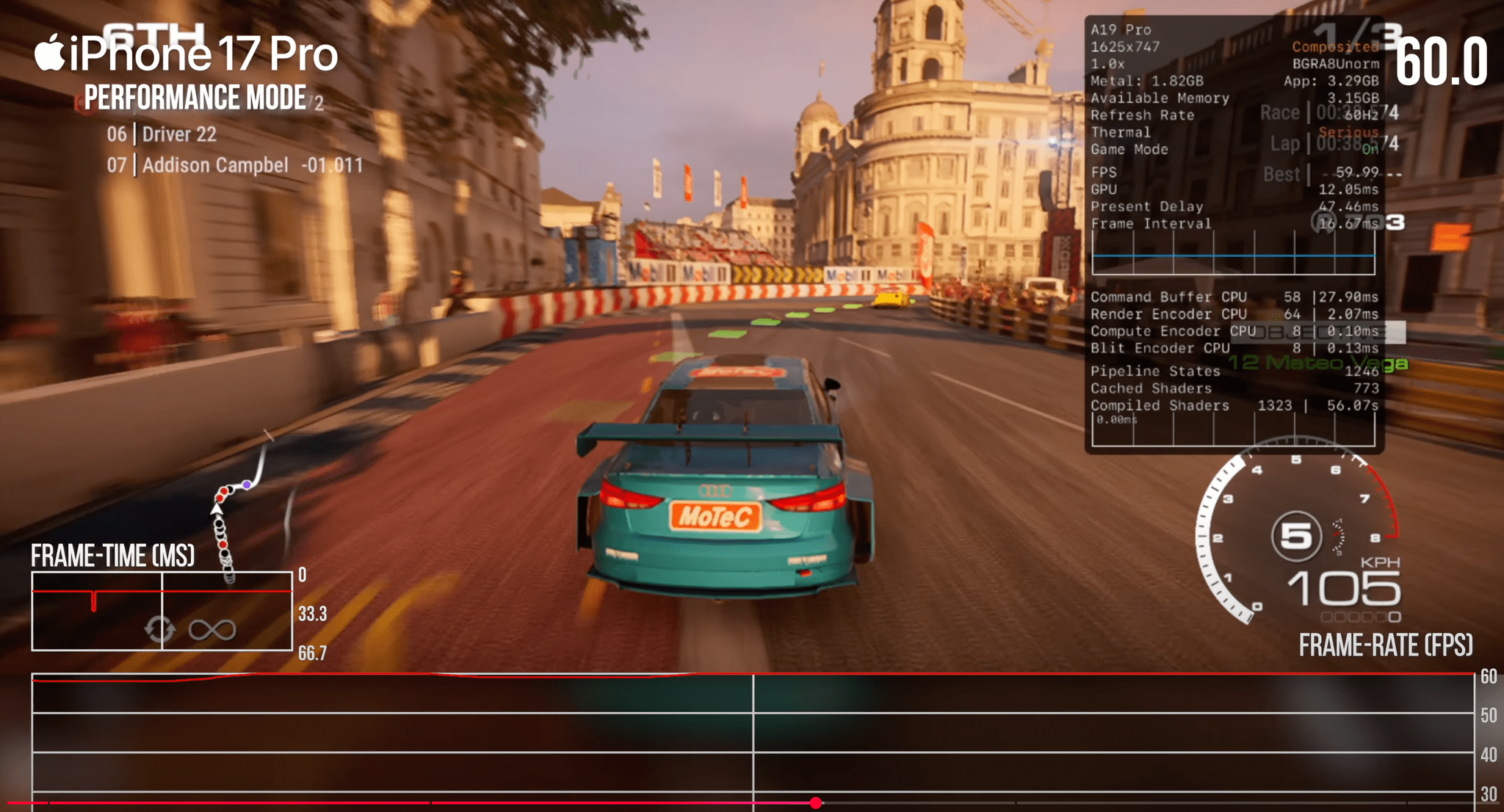
Yesterday, Digital Foundry published their review of the iPhone 17 Pro, which as you’d expect, focuses on the Pro model’s gaming capabilities. Tested against iPhone 13 and 15 Pros and using a series of benchmark tests as well as real-world gameplay, Digital Foundry’s tests revealed significant improvements in several areas, including:

  • GPU performance;
  • Ray tracing capabilities;
  • Second-generation dynamic caching; and
  • Improved thermals.

Benchmarks are one thing, but Digital Foundry’s tests also revealed real-world benefits to the iPhone 17 Pro, such as:

  • a 60% performance increase over the iPhone 15 Pro on Resident Evil Village,
  • the elimination of freezing and big frame rate drops in Assassin’s Creed Mirage,
  • more reliable 30 fps gameplay in Death Stranding.

Those are significant improvements in just two generations of the A-series chips.

What really caught my eye, though, was the impact of cooling. The iPhone 17 Pro uses a vapor chamber and aluminum chassis to help cool the device and keep its chips running at full speed longer. When Digital Foundry placed the 17 Pro on a desk fan, it became clear just how important that cooling is.

Running a benchmark stress test with air blowing across the back of the iPhone 17 Pro reduced the performance drop by roughly 50%. With those sorts of results, I expect external cooling solutions like this X5s telescopic controller and FX5 Cooler combo from GameSir to become a popular accessory in the coming year, so of course, I’ve ordered one and will report back soon.

Permalink

Apple Acquires Indie Videogame Studio RAC7 and Is Rumored to Be Working on a Dedicated Games App

Source: RAC7.

Source: RAC7.

Giovanni Colantonio of Digital Trends broke the story today that Apple has acquired RAC7, the two-person game studio responsible for the hit Apple Arcade game Sneaky Sasquatch.

On the one hand, this news isn’t that surprising. Sneaky Sasquatch was a launch title for Apple Arcade when it debuted in 2019, and it has been highlighted in several keynotes in the years since. As Colantonio notes in his story, Apple Arcade Senior Director Alex Rofman specifically called out Sneaky Sasquatch as an Apple Arcade success in a 2024 interview with Digital Trends.

On the other hand, however, this is Apple’s first known game studio acquisition and a very small indie studio acquisition at that. Out of context, that seemed like an odd acquisition. However, not long after Digital Trends broke the acquisition news, Mark Gurman reported for Bloomberg that Apple will unveil a dedicated Games app, which lines up with a previous report by 9to5Mac. Not much is known about the rumored app at this point, but it certainly puts the RAC7 acquisition in a different light. I wouldn’t be surprised if we hear news of other indie studios joining Apple in the coming months.


Microsoft Eyes Xbox Web Store after Epic Court Decision

In the wake of U.S. District Judge Yvonne Gonzalez Rogers’ decision in Epic Games’ litigation against Apple, I commented on NPC: Next Portable Console that I expected Microsoft to enter the fray with its own web store soon. As reported by Tom Warren at The Verge, it looks like that’s exactly what Microsoft intends to do. Commenting on Judge Gonzalez Rogers’ contempt order in the context of Epic’s recent motion to return Fortnite to the App Store, Warren notes:

It’s a key ruling that has already allowed Fortnite to return to the App Store in the US, complete with the ability for Epic Games to link out to its own payment system inside the game. Microsoft has wanted to offer a similar experience for its Xbox mobile store prior to the ruling, but it says its solution “has been stymied by Apple.”

Ultimately, Microsoft wants its customers to be able to purchase and play its games from inside the Xbox app:

Microsoft started rolling out the ability to purchase games and DLC inside the Xbox mobile app last month, but it had to remove the remote play option to adhere to Apple’s App Store policies. You can’t currently buy an Xbox game in the Xbox mobile app on iOS and then stream it inside that same app. You have to manually navigate to the Xbox Cloud Gaming mobile website on a browser to get access to cloud gaming.

Developers continue to add options to link out to the web to purchase content, but as Microsoft’s court filing shows, the biggest players on the App Store are weighing the cost of setting up their own storefronts against the risk that Judge Gonzalez Rogers’ decision will be reversed on appeal.

Permalink

Whisky Shuts Down Project That Enabled Windows Gaming on Mac

Not long ago, Isaac Marovitz, the developer behind Whisky, the open source WINE front-end that made it easy to play Windows games on a Mac, announced the project had come to an end. Whisky is how Niléane got Cities: Skylines 2 running on an M2 MacBook Air in 2023, and the project was well-regarded in the gaming community for its ease of use. In shutting down the project, Marovitz encouraged Whisky users to move to CrossOver, a paid app by CodeWeavers.

In an interview with Ars Technica’s Kevin Purdy, Marovitz said:

“I am 18, yes, and attending Northeastern University, so it’s always a balancing act between my school work and dev work,” Isaac Marovitz wrote to Ars. The Whisky project has “been more or less in this state for a few months, I posted the notice mostly to clarify and formally announce it,” Marovitz said, having received “a lot of questions” about the project status.

As Purdy explained for Ars Technica, Marovitz also became concerned that his free project threatened CrossOver, and by extension, WINE itself. Last week, CodeWeavers’ CEO wrote about the shutdown, to acknowledge Marovitz’s work and commend his desire to protect the WINE project.

It’s always a shame to see a project as popular and polished as Whisky discontinued. Some gamers may not like that CrossOver is a paid product, but I’m glad that there’s an alternative for those who want it.

To me though, the popularity and fragility of projects like Whisky highlight that a better solution would be for Apple to open its Game Porting Toolkit to users. The Game Porting Toolkit is built on CrossOver’s open source code. However, unlike the CrossOver app sold to gamers, Apple’s Game Porting Toolkit is meant for developers who want to move a game from Windows to Mac. It’s not impossible for gamers to use, but it’s not easy either. I’m not the first to suggest this, and Valve has demonstrated both the technical and commercial viability of such an approach with Proton, but as WWDC approaches, a user-facing Game Porting Toolkit is near the top of my macOS 16 wish list.

Permalink

Recording Video and Gaming: A Setup Update

It’s been a couple of months since I updated my desk setup. In that time, I’ve concentrated on two areas: video recording and handheld gaming.

I wasn’t happy with the Elgato Facecam Pro 4K camera, so I switched to the iPhone 16e. The Facecam Pro is a great webcam, but the footage it shot for our podcasts was mediocre. In the few weeks that I’ve moved to the 16e, I’ve been very happy with it. My office is well lit, and the video I’ve shot with the 16e is clear, detailed, and vibrant.

The iPhone 16e sits behind an Elgato Prompter, a desktop teleprompter that can act as a second Mac display. That display can be used to read scripts, which I haven’t done much of yet, or for apps. I typically put my Zoom window on the Prompter’s display, so when I look at my co-hosts on Zoom, I am also looking into the camera.

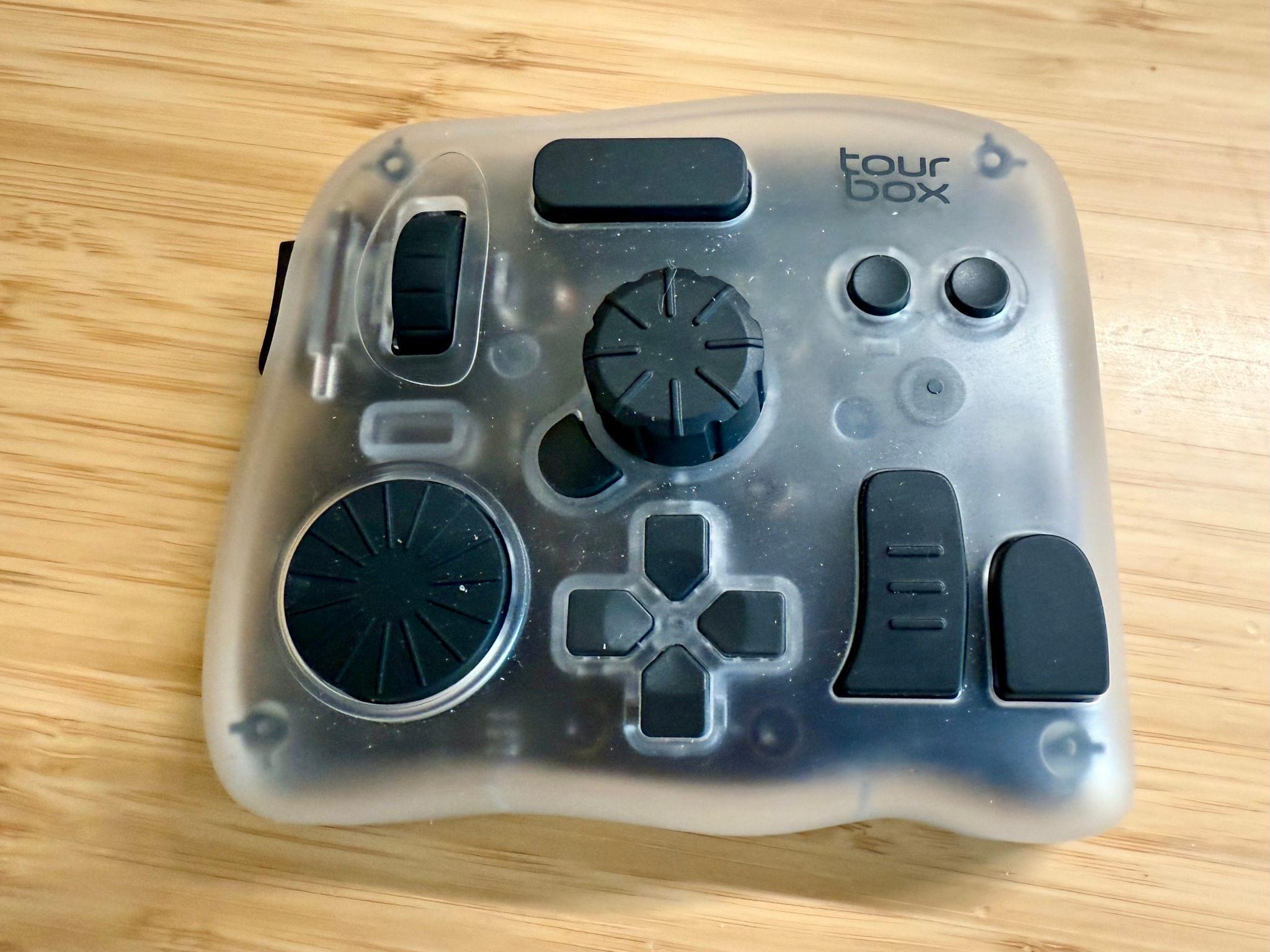
The final piece of my video setup that I added since the beginning of the year is the Tourbox Elite Plus. It’s a funny looking contraption with lots of buttons and dials that fits comfortably in your hand. It’s a lot like a Stream Deck or Logitech MX Creative Console, but the many shapes and sizes of its buttons, dials, and knobs set it apart and make it easier to associate each with a certain action. Like similar devices, everything can be tied to keyboard shortcuts, macros, and automations, making it an excellent companion for audio and video editing.

On the gaming side of things, my biggest investment has been in a TP-Link Wi-Fi 7 Mesh System. Living in a three-story condo makes setting up good Wi-Fi coverage hard. With my previous system I decided to skip putting a router on the third floor, which was fine unless I wanted to play games in bed in the evening. With a new three-router system that supports Wi-Fi 7 I have better coverage and speed, which has already made game streaming noticeably better.

Ayn Odin 2 Portal Pro. Source: Ayn.

Ayn Odin 2 Portal Pro. Source: Ayn.

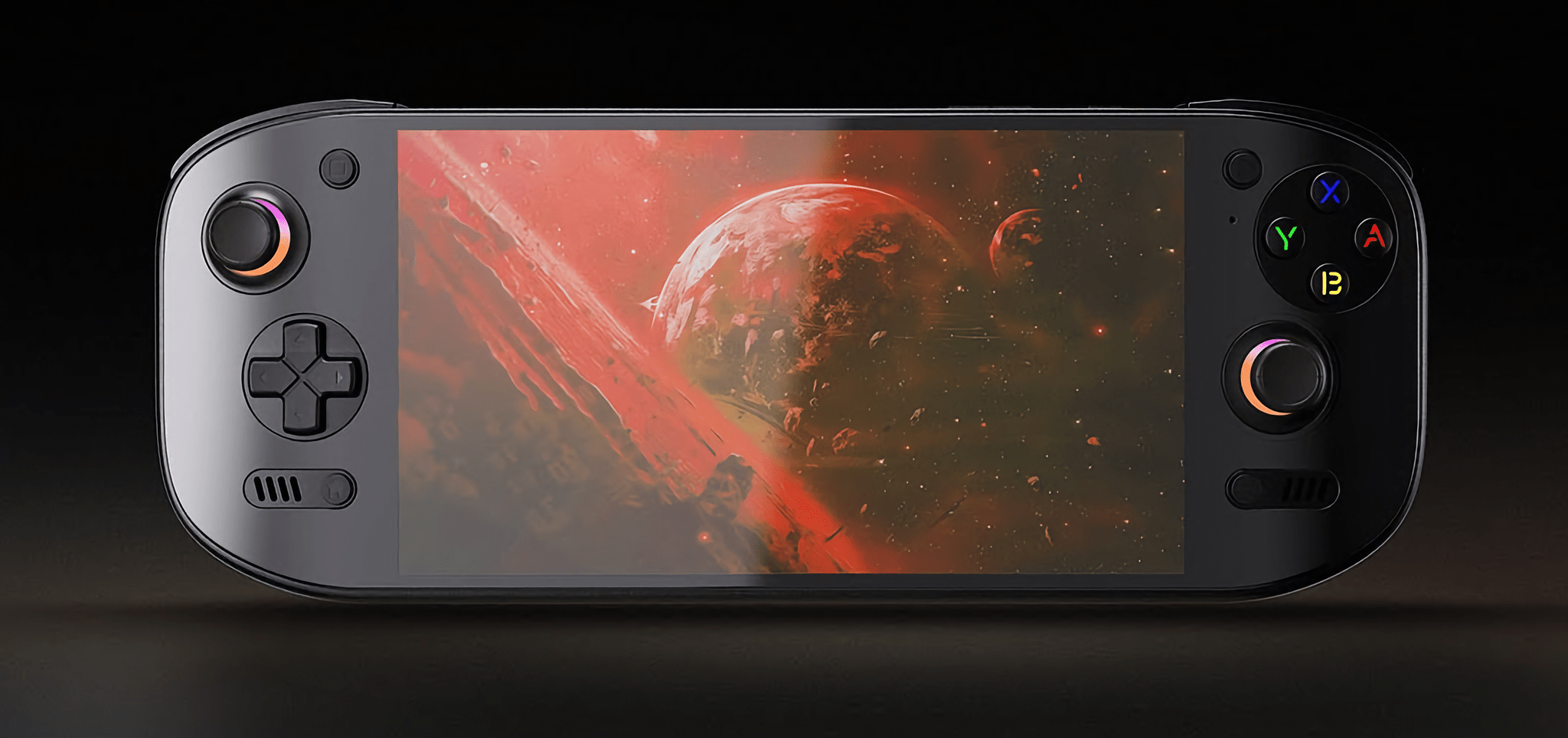
The other changes are the addition of the Ayn Odin 2 Portal Pro, which we’ve covered on NPC: Next Portable Console. I love its OLED screen and the fact that it runs Android, which makes streaming games and setting up emulators a breeze. It supports Wi-Fi 7, too, so it pairs nicely with my new Wi-Fi setup.

A few weeks ago, I realized that I often sit on my couch with a pillow in my lap to prop up my laptop or iPad Pro. That convinced me to add Mechanism’s Gaming Pillow to my setup, which I use in the evening from my couch or later in bed. Mechanism makes a bunch of brackets and other accessories to connect various devices to the pillow’s arm, which I plan to explore more in the coming weeks.

The 8BitDo Ultimate 2 Controller. Source: 8BitDo.

The 8BitDo Ultimate 2 Controller. Source: 8BitDo.

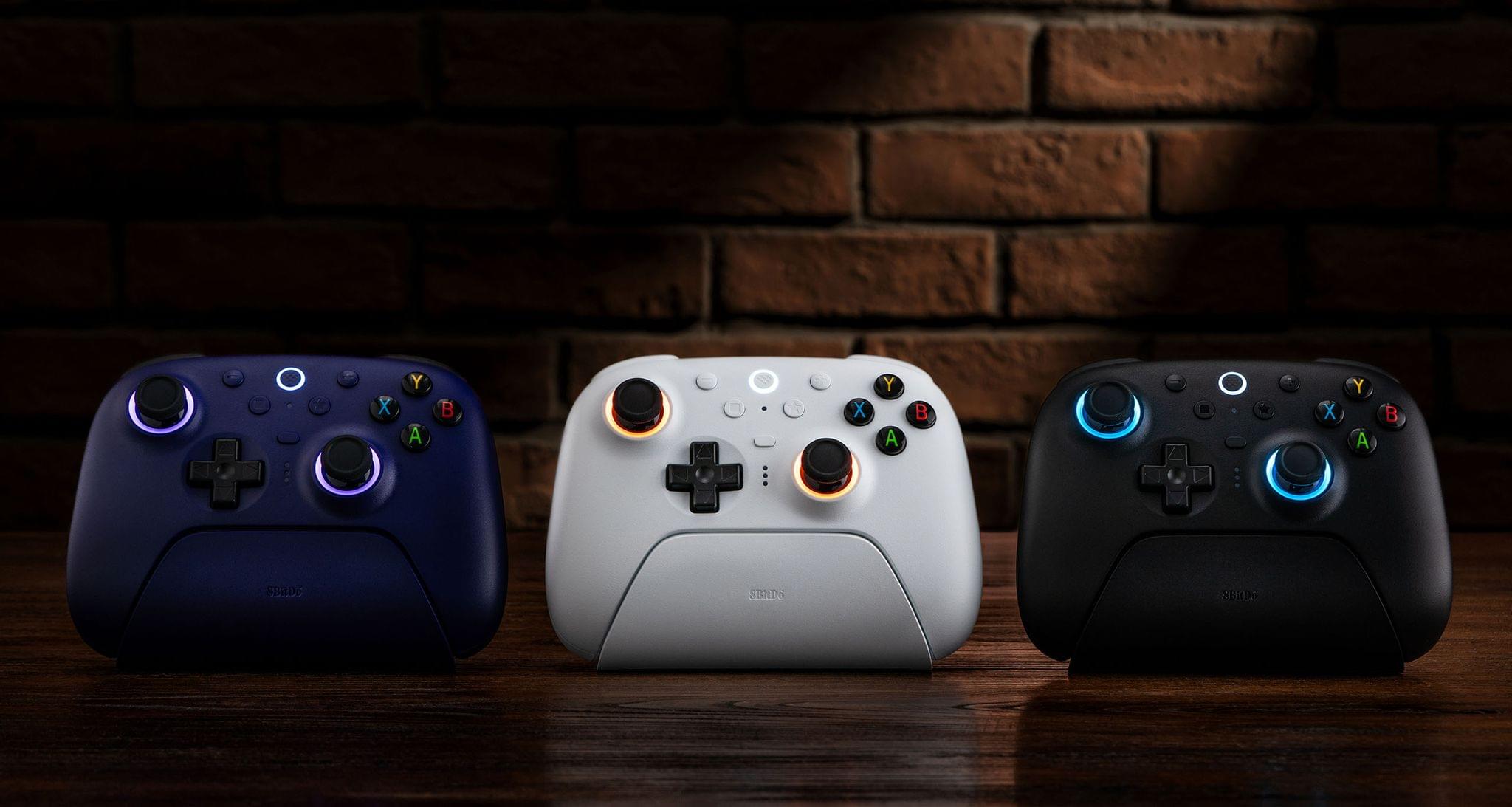
There are a handful of other changes that I’ve made to my setup that you can find along with everything else I’m currently using on our Setups page, but there are two other items I wanted to shout out here. The first is the JSAUX 16” FlipGo Pro Dual Monitor, which I recently reviewed. It’s two 16” stacked matte screens joined by a hinge. It’s a wonderfully weird and incredibly useful way to get a lot of screen real estate in a relatively small package. The second item is 8BitDo’s new Ultimate 2 Wireless Controller that works with Windows and Android. I was a fan of the original version of this controller, but this update preserves the original’s build quality and adds new features like L4 and R4 buttons, TMR joysticks that use less energy than Hall Effect joysticks, and 2.4G via a USB-C dongle and Bluetooth connection options.

That’s it for now. In the coming months, I hope to redo parts of my smart home setup, so stay tuned for another update later this summer or in the fall.

Permalink