
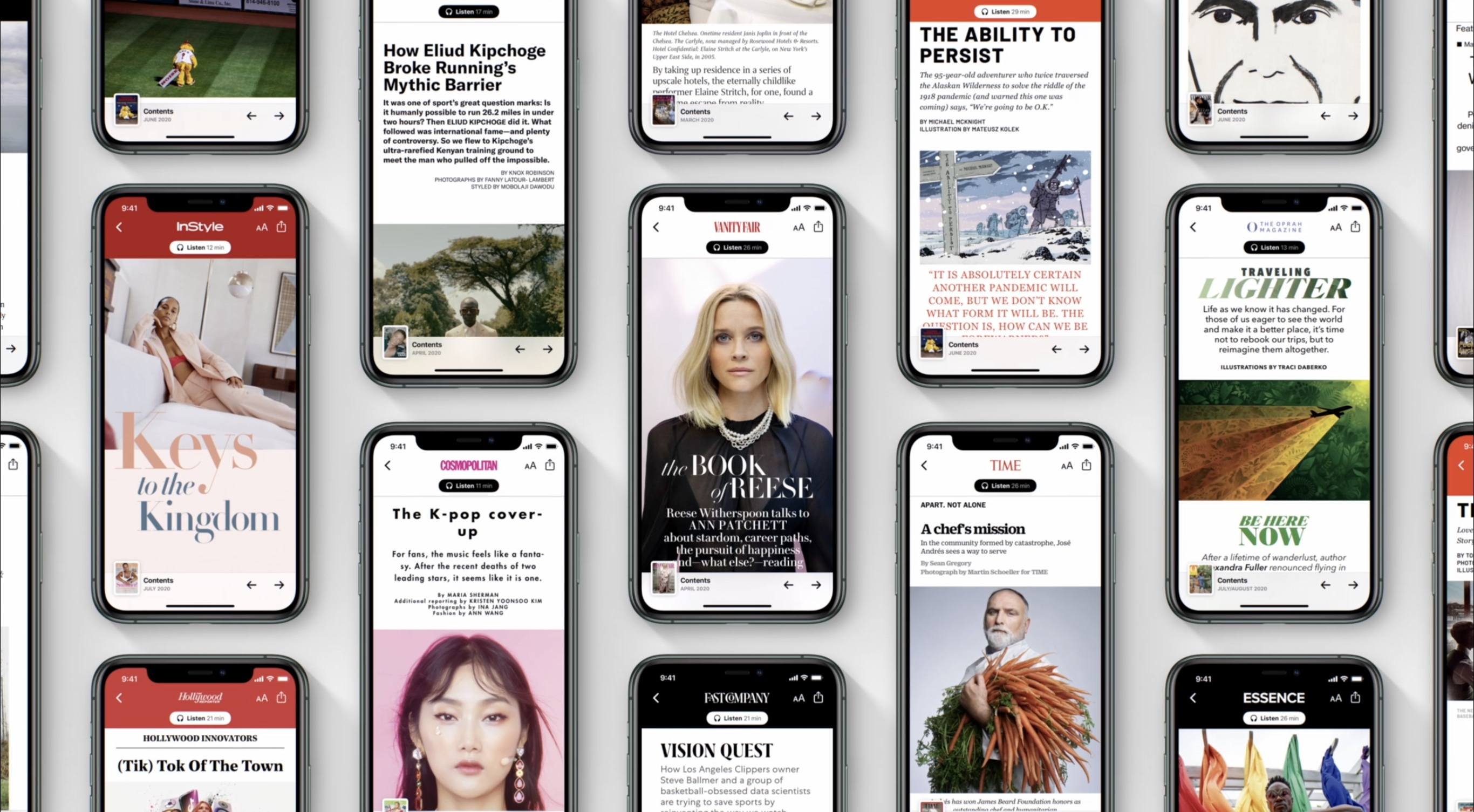
Today Apple announced big enhancements to its Apple News offerings paired with the launch of iOS 13.6. Apple News is entering the world of audio through two main products: a daily news program called Apple News Today, which is available free to all users, as well as premium audio versions of News+ stories which are exclusive to paying News+ subscribers. iOS 13.6 also introduces curated local news experiences to Apple News in a handful of regions, and brings initial support for the digital car key feature first announced at WWDC.
Posts tagged with "featured"
Apple Releases iOS 13.6 with Apple News Audio Features and Expanded Local News Coverage, Plus Digital Car Key Support
Ulysses 20 Review: New Dashboard Featuring Advanced Grammar and Style Check, Outline, and Much More
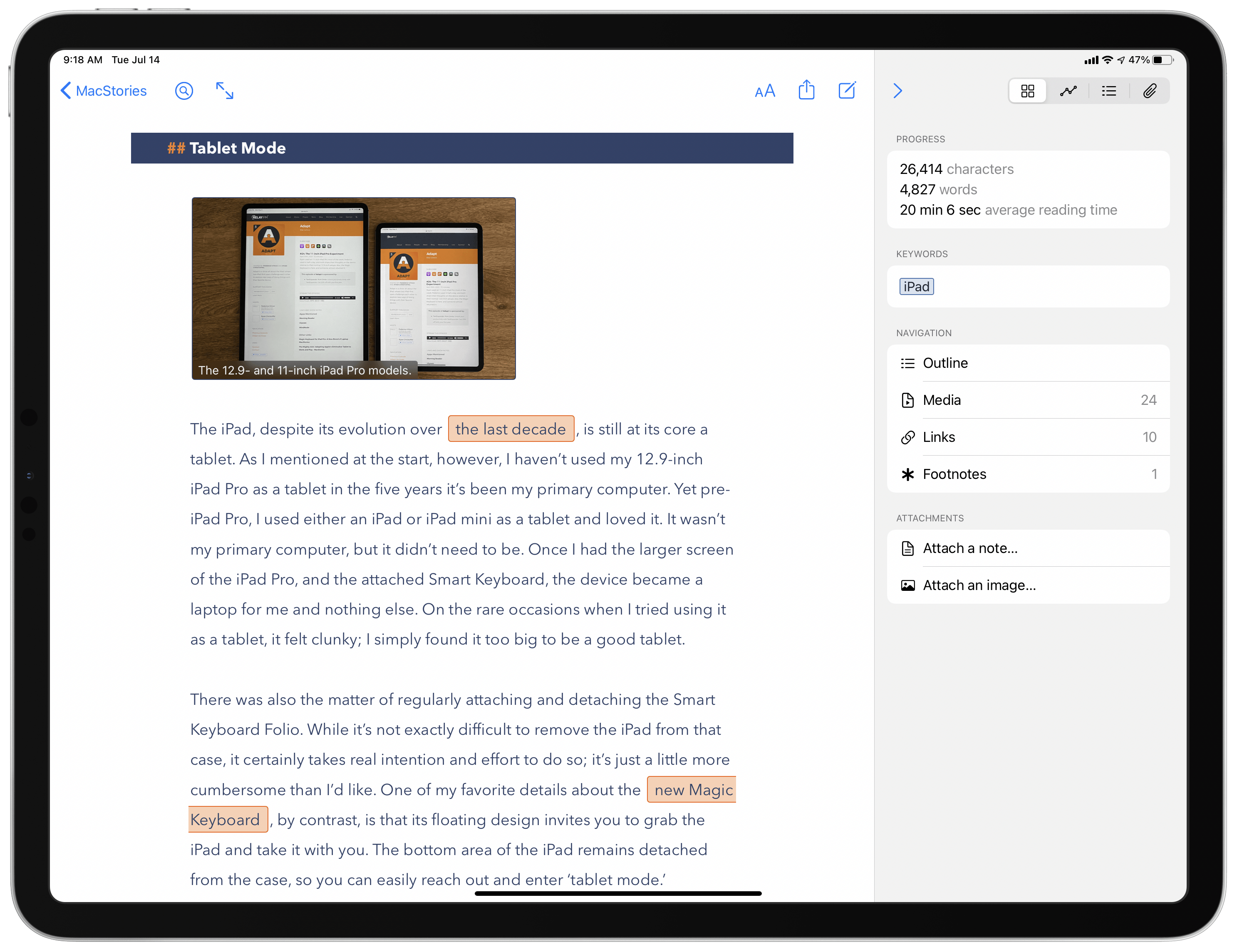
One of the promises regularly made by apps transitioning to a subscription model is that they’ll be able to deliver more regular, incremental updates rather than going untouched for extended periods of time, and they can also focus on adding functionality that existing users will appreciate rather than needing to build something entirely different to attract a new target market. Ulysses has been a subscription app for nearly three years already, and I believe it’s one of the apps doing the best job of delivering on both of those fronts.
A quick search on MacStories will show that I’ve covered Ulysses a lot, in part because it’s my primary Markdown editor, but also because there are consistently several updates per year that stand out as noteworthy and meriting a fresh review. Today’s version 20 is no exception, introducing an advanced grammar and style check ‘revision mode’ on the Mac (coming soon to iPad and iPhone) and a new dashboard view across all platforms. Both enhancements leave what was already great about Ulysses alone, while offering valuable new utility for writers sure to delight existing users and perhaps even draw a flock of new ones.
Widgets and the App Library: A First Look at Bringing Personality and Customization to Your Home Screens
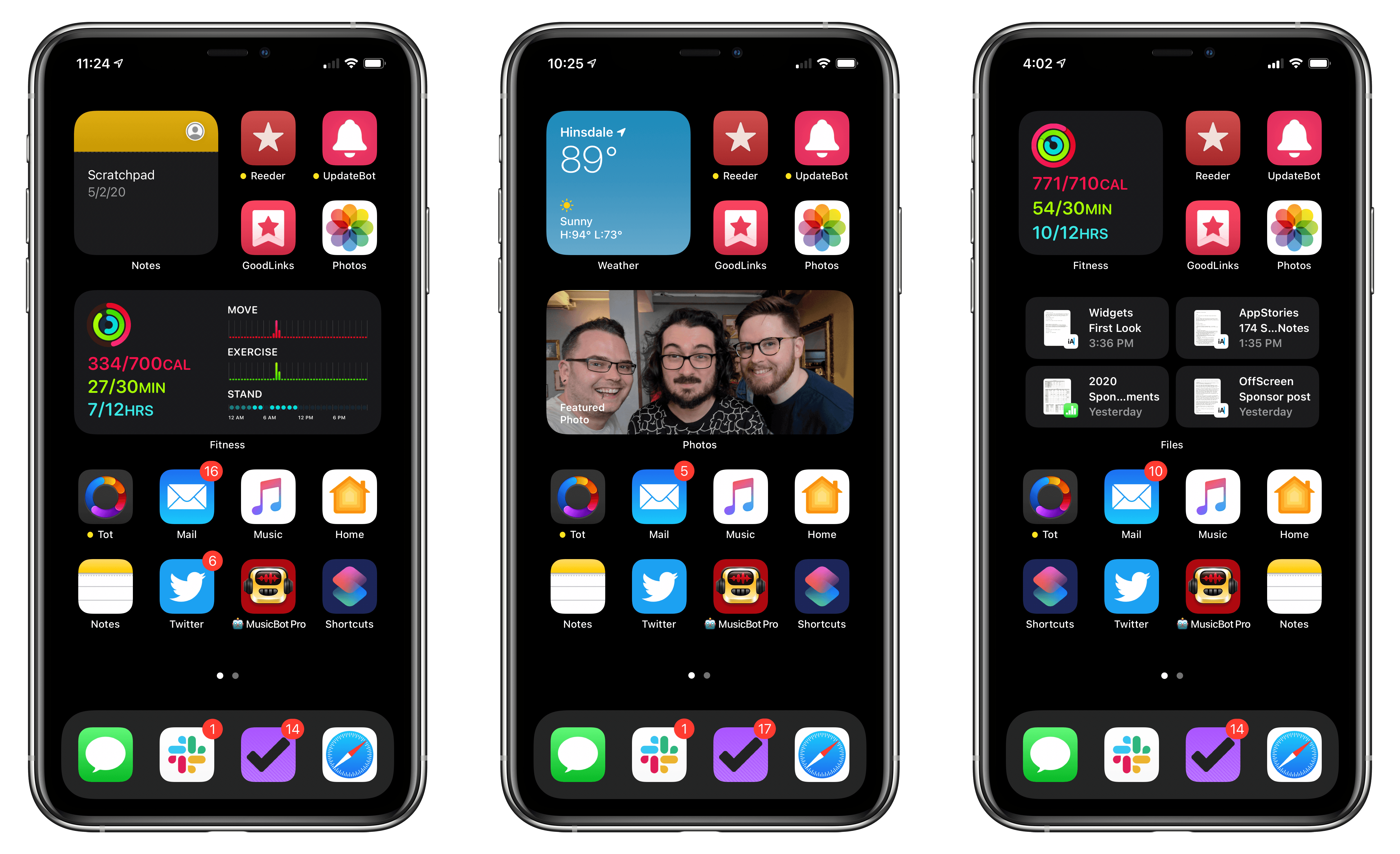
No single feature of the iOS 14 betas has had as immediate an impact on my daily iPhone use as Home screen widgets. Together with the App Library, the features can radically change the way apps are organized and accessed by everyone. Users don’t have to use widgets or the App Library, but they’ve been designed to feel familiar and inviting, echoing the iPhone’s grid layout, folders, and search systems. The result is a deft balancing act that gently introduces the iPhone Home screen’s most significant makeover since it was launched, which I think will be a big hit with users and developers alike.
Widgets’ impact is less pronounced on the iPad, where their placement is less flexible, and there is no App Library. Widgets can’t do quite as much in iOS and iPadOS 14 betas as they can under iOS 13 either. Those are fairly significant caveats depending on how you currently use widgets and should be kept in mind, but it’s also worth remembering that this is the first public beta release. There are still many weeks before iOS and iPadOS 14 will be released, and users’ feedback could influence what the final implementation of widgets looks like.
Despite the current limitations, widgets have profoundly changed the way I use my iPhone and have the potential to do the same on the iPad. The impact surprised me because, after two and half weeks on the developer betas, the only widgets I’ve tried so far are based on Apple’s system apps. As a result, I wanted to share my first impressions and thoughts on widgets, the App Library, and how I’m using both on the iPhone and iPad. I also thought it would be fun to show off some of the ideas being explored by third-party developers, which I’m excited to try soon.
Two Weeks with iPadOS 14: Redefining the Modern iPad Experience
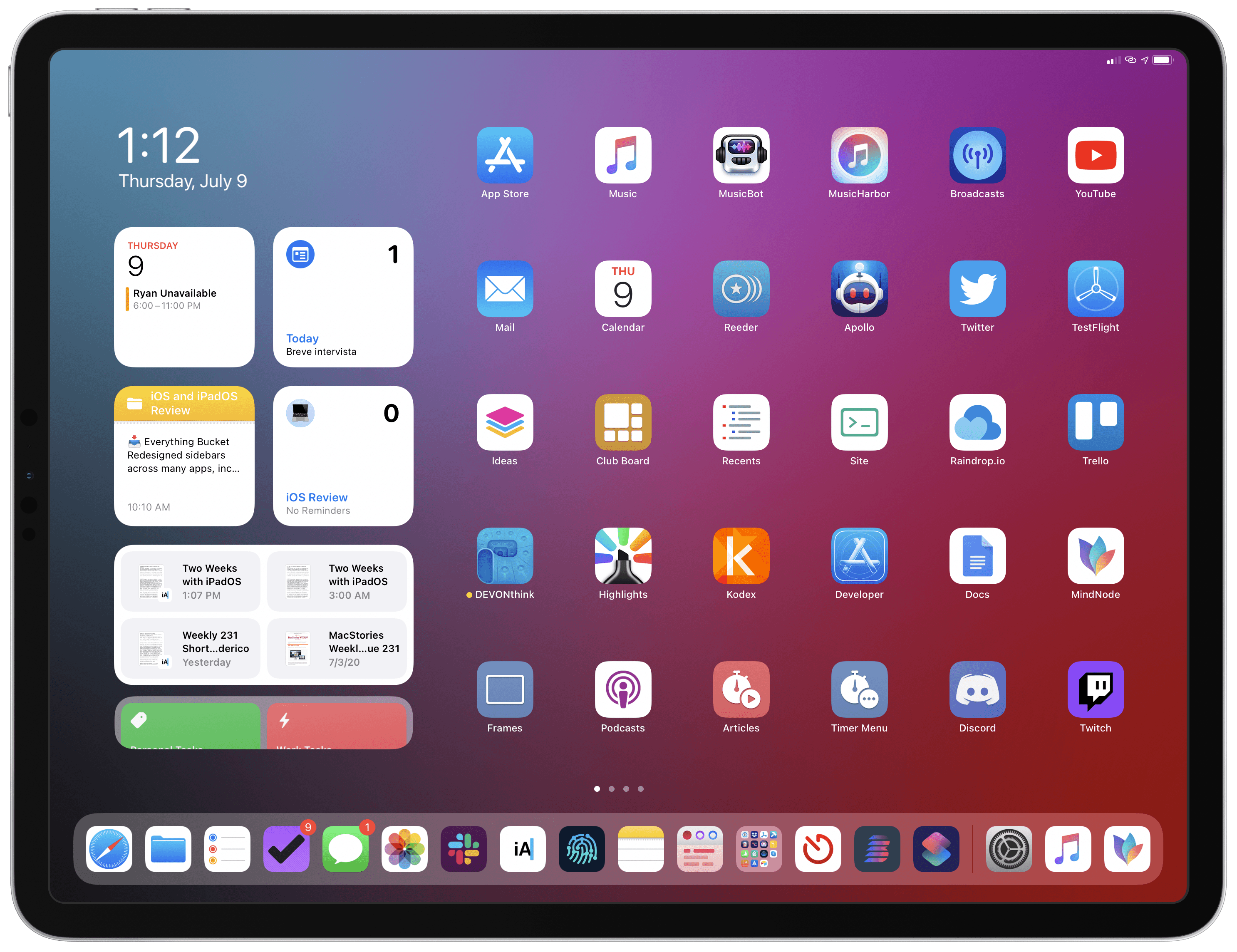
For the past two weeks, I’ve been using the developer beta of iPadOS 14 on my 2018 12.9” iPad Pro – my main computer and production machine. Although I feel like it’s too early for me to offer a definitive assessment of iPadOS 14, I figured it’d be interesting to share some initial thoughts on the evolution of the iPad platform now that iPadOS 14 is available as a public beta as well. These are just some of the key takeaways and “core themes” I’ve been mulling over since WWDC; I plan to dig deeper into every aspect of iPadOS 14 in my annual iOS and iPadOS review in the fall.
WWDC 2020: All the Little Things in Apple’s New OS Releases
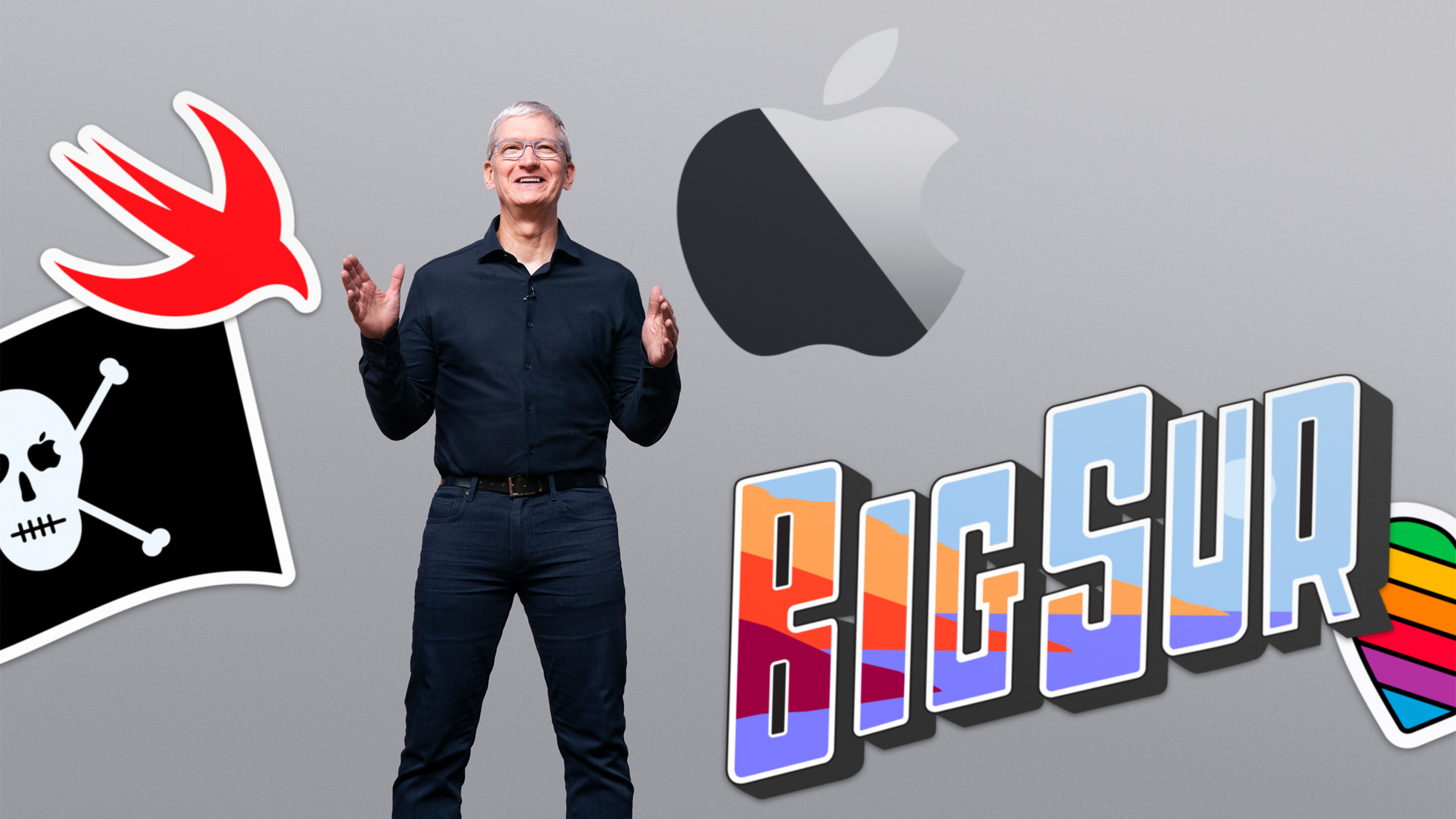
WWDC week is always full of big and small announcements about Apple’s core software platforms. Monday’s keynote only has time for sharing a limited number of details, however, so as the week goes on many new discoveries are made as developers and writers delve into the first beta OS releases themselves. As a result, we always have a roundup of new things to share midway through the week. So today, on top of everything detailed in our overviews of iOS and iPadOS 14, watchOS 7, macOS Big Sur, and tvOS 14, here’s an assortment of extra goodies that will be arriving on your devices this fall.
macOS Big Sur: The MacStories Overview

It was a big day for the Mac. At WWDC’s opening keynote, Apple announced that the platform will transition to Apple-designed chips dubbed Apple Silicon. That switch was highly anticipated, and I’ll cover it in a separate story tomorrow. What was a bigger surprise, though, was the complete makeover of macOS that was revealed.
The latest version of macOS, which has been incremented to version 11.0 and is known as Big Sur, ushers in a new design language that reduces chrome and takes cues from aspects of iPadOS. The design changes to macOS weren’t the only big change announced today, though. Safari got what Apple describes as its biggest update ever, which includes under-the-hood performance enhancements, design tweaks, and all-new features. Big Sur will gain many of the features coming to iOS and iPadOS, too, bringing feature parity across platforms to more apps than ever.
iOS and iPadOS 14: The MacStories Overview
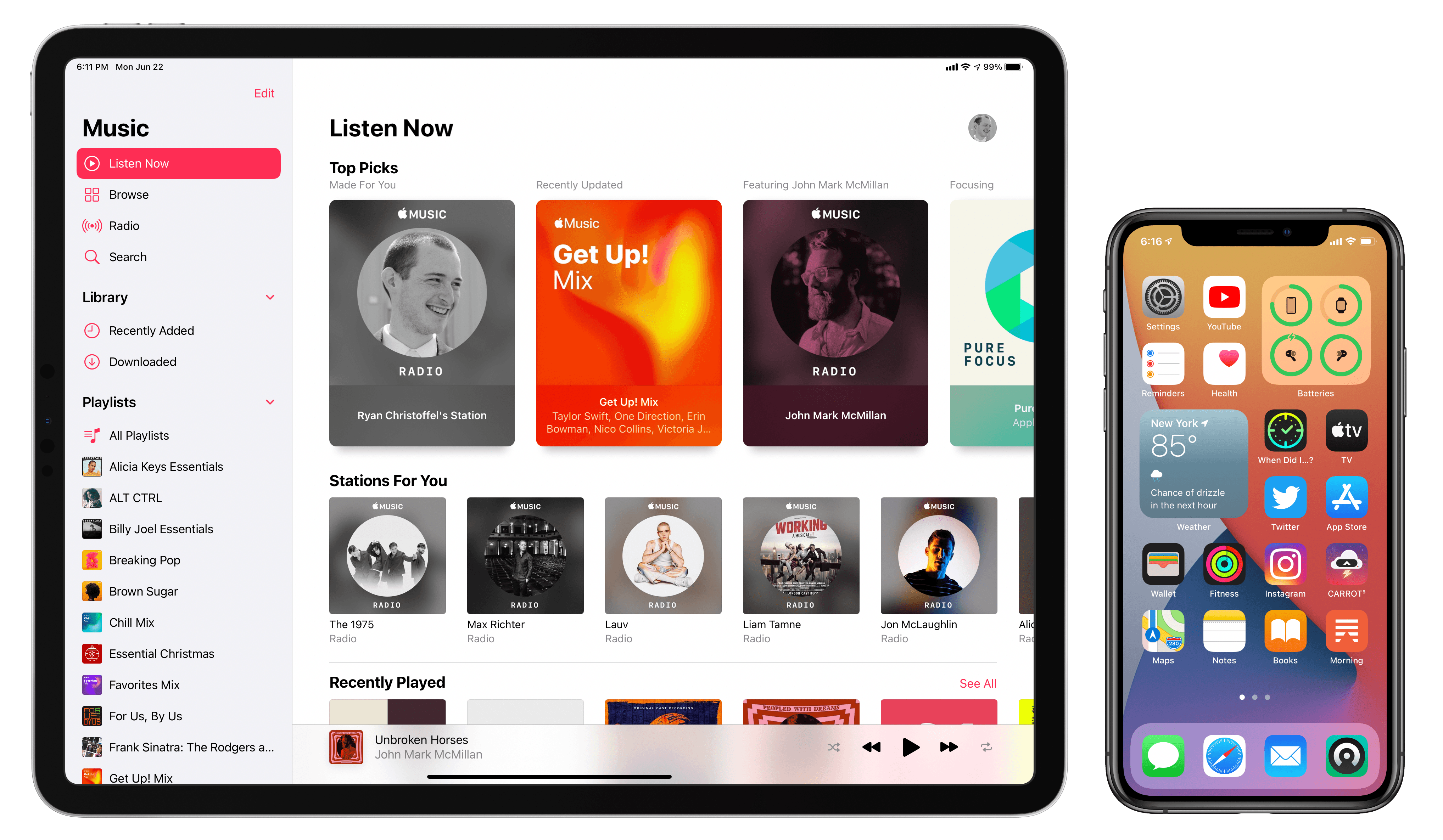
Today Apple detailed the next major versions of its two most popular computing platforms: iOS and iPadOS 14. While the list of new features in these releases may not be as long as in some years, each update nonetheless has a lot to offer. From Home screen enhancements to tons of app upgrades spanning nearly every system app, plus the new Translate app and Siri improvements, Apple Pencil handwriting features, emoji search (finally!) and more, the iPhone and iPad are being refined this year in a variety of ways.
Here’s our in-depth overview of all the most important updates.
watchOS 7: The MacStories Overview
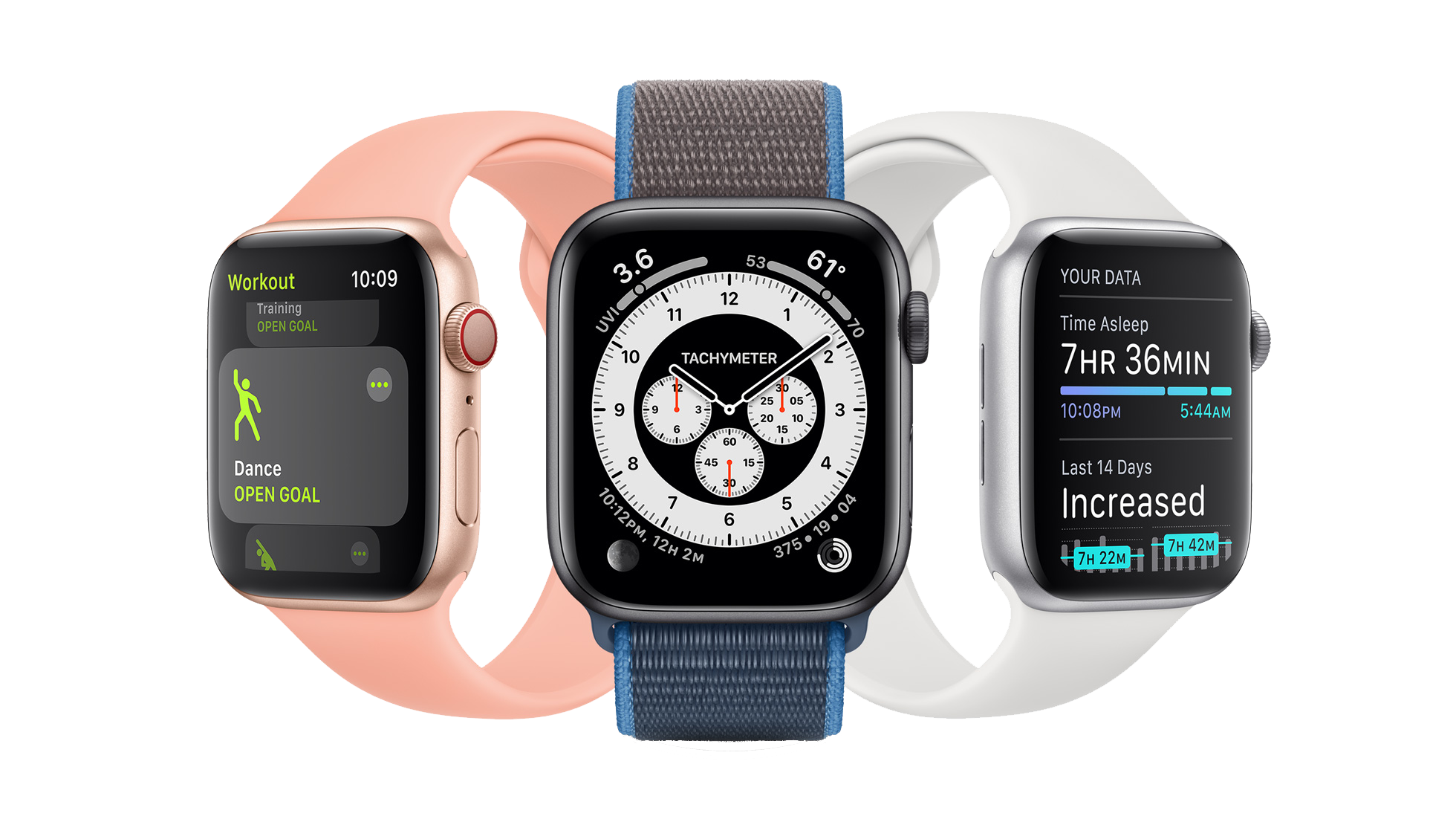
It’s WWDC week, and while we’ve been deprived the pleasure of meeting up in person this year, Apple’s OS updates are rolling forward like always. In this morning’s keynote address, Apple VP of Technology Kevin Lynch announced the latest version of the Apple Watch operating system. watchOS 7 isn’t as dramatic as some past releases have been, but it does introduce some excellent new features including sleep tracking, multiple distinct complications from the same app, a Shortcuts app, and new workout types. We’ll dive into all the features in depth below.
GoodLinks Review: A Flexible Read-it-Later Link Manager Packed with Automation Options
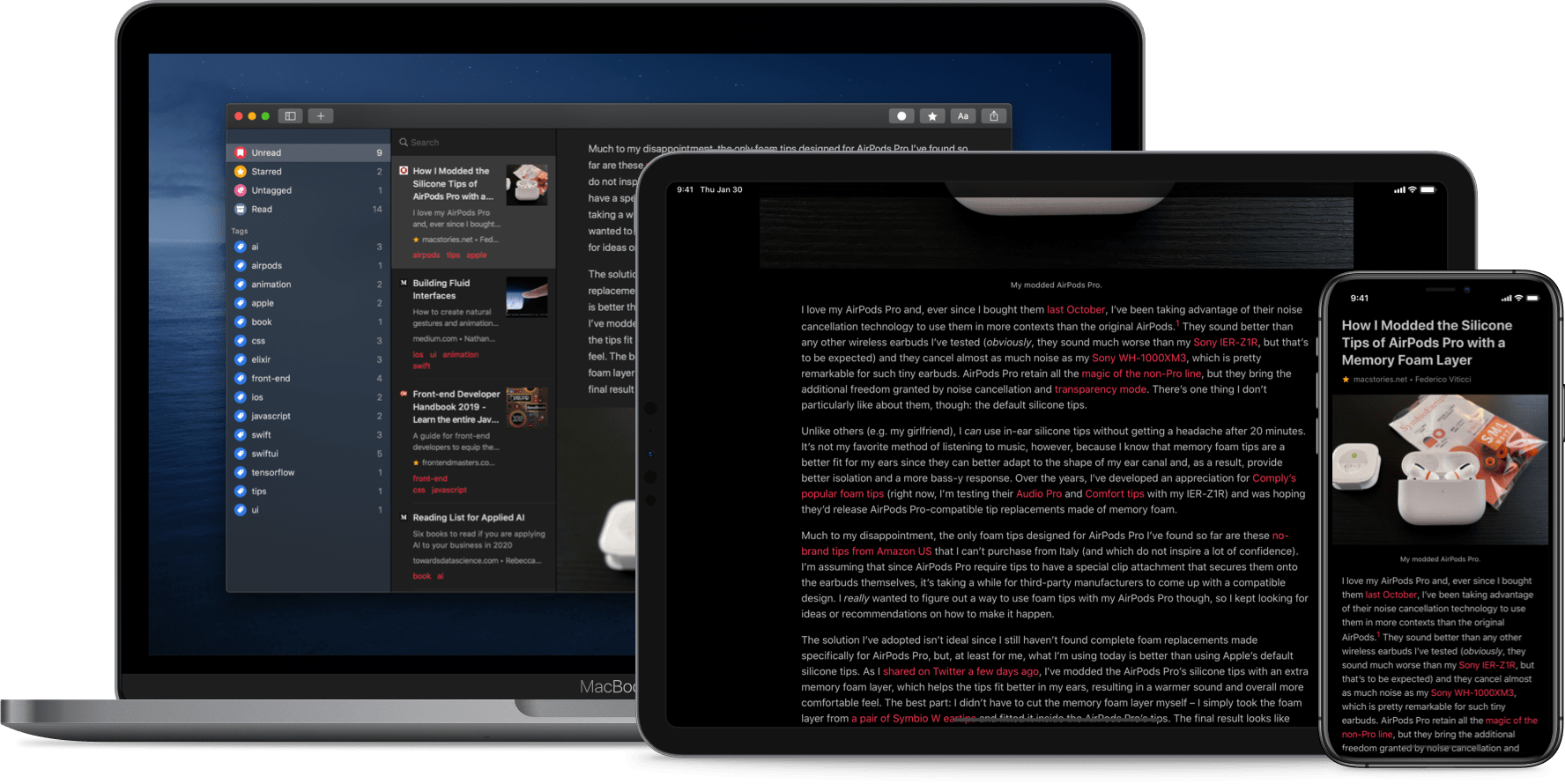
The original crop of read-it-later apps that date back to the earliest days of the App Store were based on web services maintained by the developers of those apps. Apps like Instapaper and Pocket, the two biggest names in the space, have always been backed by web services that integrate tightly with native apps across Apple’s platforms. It’s a model that worked, and although those apps have continued to evolve and change with regular updates over the years, new entrants into the category were few and far between in this once hyper-competitive category – until now.
Thanks to relatively recent changes to Apple’s OSes, a new generation of read-it-later apps are emerging. They no longer need to run their own web services and are leveraging the latest OS technologies in new and interesting ways. One of the very best is GoodLinks, a new read-it-later app and link manager released today by Ngoc Luu, the developer of the well-known text editor 1Writer.
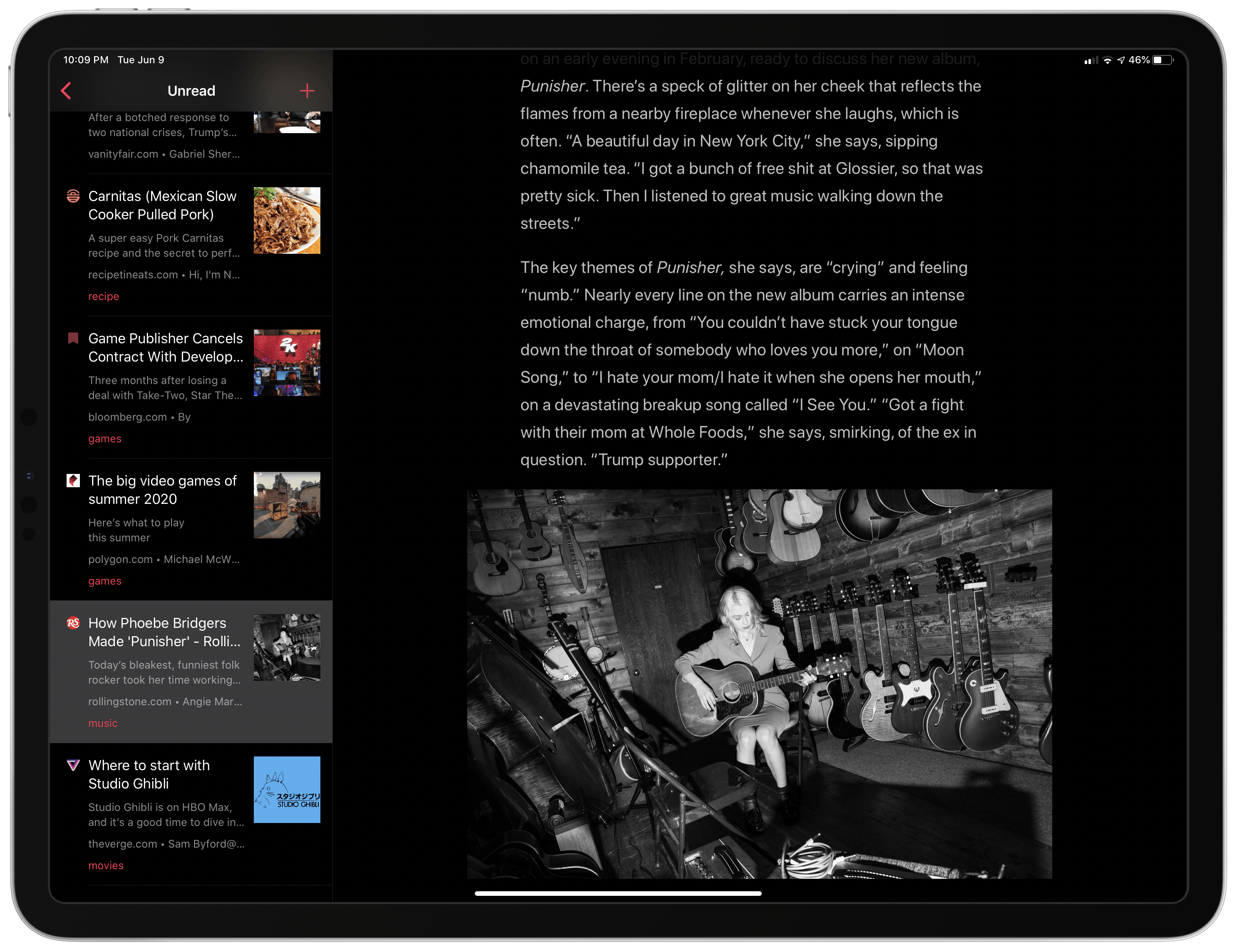
Since returning to Reeder for the RSS feeds I follow, I’ve been using its read-it-later service, which is terrific. We’ve also covered apps like Abyss and Readit in MacStories Weekly. Like GoodLinks, those apps use iCloud sync to keep articles you save synced across all the devices they support instead of using a developer-maintained web service. That’s a relatively new development for these sorts of apps, but the difference in this new generation of read-it-later apps runs deeper. New features of the OSes on which GoodLinks runs have breathed new life into the category, and its developer has taken advantage of these features to provide new utility to users.
Having settled into a comfortable Reeder workflow, I didn’t expect the way I manage links to be upended anytime soon. However, that’s exactly what has happened since I began using GoodLinks. What grabbed me is a versatility that stems from the fluidity of getting links into the app, managing them, and getting them out again. There’s built-in flexibility to GoodLinks that allows it to adapt exceedingly well to a wide variety of use cases. As with any 1.0 app, there’s room for improvement, but my wishes for GoodLinks are just that: wishes borne of enthusiasm for a terrific app that has quickly found its way into my daily workflow. Let’s dig into the details.