Posts tagged with "featured"

WordleBot 1.1, Now Fully Accessible with Native Emoji-to-Image Conversion

WordleBot 1.1.

WordleBot 1.1.

Following the release of my WordleBot shortcut last week, I’ve received a lot of useful and informative feedback from users in the accessibility community regarding the shortcut’s ability to annotate Wordle results with descriptions. Although well-intentioned, my original approach was misguided: even with line-based scores, the grid of emoji characters still performed horribly with screen-reading technologies such as Apple’s VoiceOver. WordleBot didn’t do much to make results more accessible for VoiceOver users since it was only reformatting the grid of emoji characters with additional text.

Read more


Apple Frames 2.1: Apple Watch Series 7 and 2021 MacBook Pro Support, New Update Flow, Plus Chinese and Czech Localization

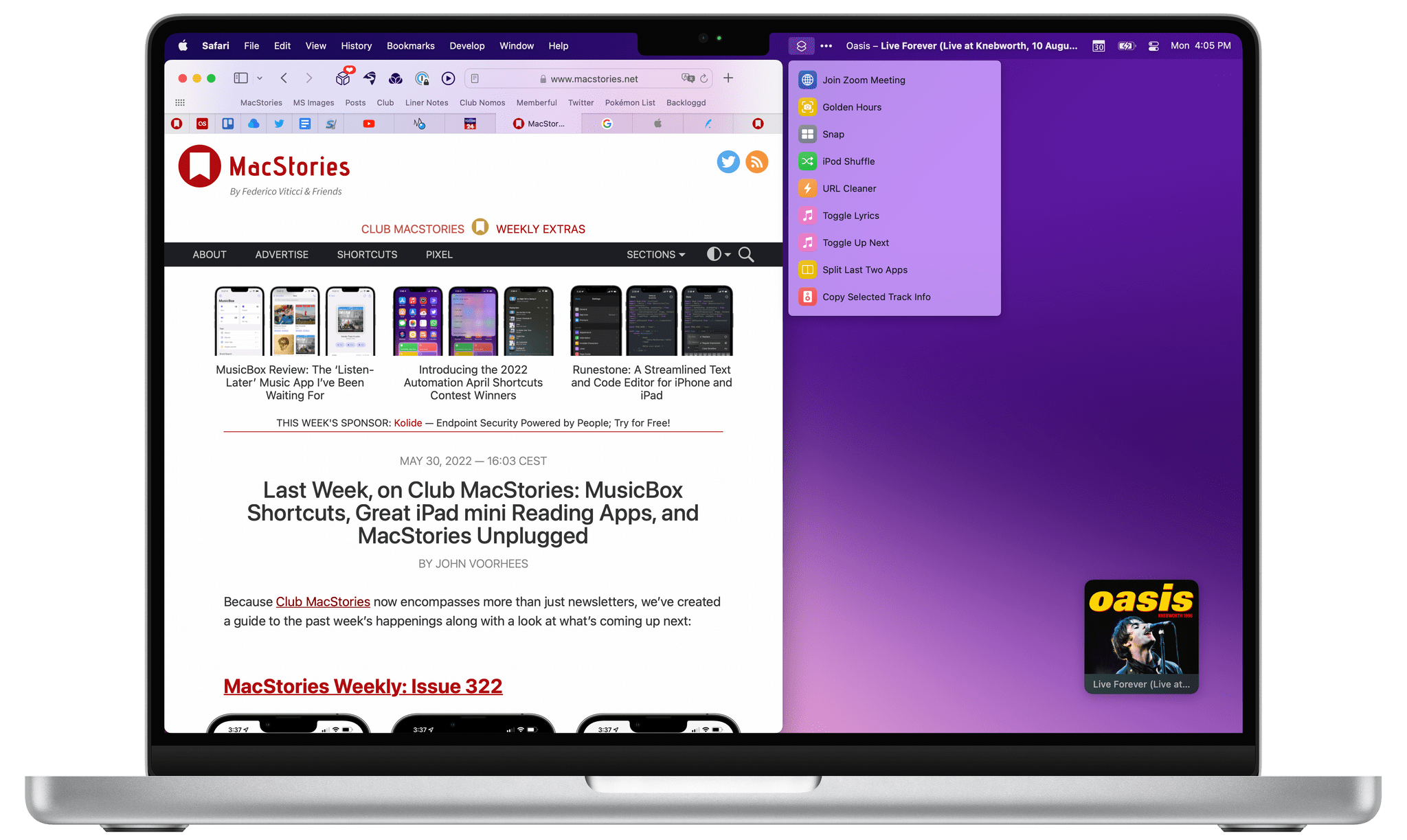
Apple Frames, now with support for the latest MacBook Pros.

Apple Frames, now with support for the latest MacBook Pros.

Today I’m pleased to announce the release of Apple Frames 2.1, the first major update to version 2.0 of my popular Apple Frames shortcut, which I launched last October. It took me longer than I hoped to put together this update, but I’m happy that I was able to add compatibility fo all the latest device frames supported by Apple, new languages, as well as a brand new update flow that will make it easier to download the latest templates powering Apple Frames in the future.

Let’s take a look.

Read more


The MacStories Selects 2021 Lifetime Achievement Award

PCalc

John Voorhees: I’d love to tell you that there was drama surrounding the selection of this year’s first-ever MacStories Selects Lifetime Achievement award, but there wasn’t. In the end, it was the easiest pick of the lot. Last month, I sat down with Federico in Rome to go over the Selects awards, and we began by scanning a list of potential Lifetime Achievement candidates that we’d put together over the previous weeks. In the end, PCalc by James Thomson, which started on the Mac and has been adapted to every possible Apple platform, was the obvious choice. Not only are James and PCalc longstanding pillars of the Apple community, but PCalc represents the sort of innovative and creative spirit that we value most at MacStories.

Below, you’ll find a written interview that Federico conducted with James about PCalc’s history, what makes the app special, having to adapt to hardware and software transitions by Apple, and what the future may hold. James also joined us for a special segment of AppStories, covering the Lifetime Achievement award and other MacStories Selects winners. Before we get to the interview, though, I’d like to take a moment to introduce you to PCalc, which has a long and rich history that not all readers may know.

PCalc 1.0 for the Mac (1992) and PCalc 1.0 for the iPhone (2008).

PCalc 1.0 for the Mac (1992) and PCalc 1.0 for the iPhone (2008).

PCalc was first released almost exactly 29 years ago with an email to Info-Mac, an online file hosting service that pre-dates the Internet. In the years since version 1.0, PCalc has updated, refined, and ported to other platforms, including the iPhone, iPad, Apple Watch, and even the Apple TV, where you can enter calculations using a videogame controller.

Read more


MacStories Selects 2021: Recognizing the Best Apps of the Year

John: The MacStories Selects Awards are our annual celebration of the apps we love and the people who make them. Every year, the MacStories team uses hundreds of apps. Some are familiar favorites, but most are new. So, after many months of testing those developers’ apps, we stop to recognize the best.

This year, as we headed into the final stretch of the year, we decided it was time for the MacStories Selects to honor more than just the apps from the past year. MacStories has been covering apps since Federico published his first story in 2009, and having covered thousands of apps spanning more than twelve years, it’s time to look back at all of those apps and honor the standouts that have withstood the test of time with an annual Lifetime Achievement Award, which you can read about more in a special story that includes a bit of history about the winning app and interview with its developer.

Apps have become part of the fabric of our daily lives, which makes it easy to forget that they’re the result of hard work by creative people. The MacStories Selects awards are our chance to pause and appreciate just how fortunate we are to have such a wealth of fantastic tools available from so many talented developers before we start the new year.

2021 has been an exciting year for apps. The resurgence of note-taking apps ignited by apps like Craft, Obsidian, and Roam Research continued unabated. We also saw new apps successfully remix technologies and approaches and apply them to new domains, and of course, automation continued to be a central theme, with a long list of established and new apps testing the waters of Shortcuts for Mac for the first time.

As a result, we had a wealth of apps to choose from as always for the following awards:

  • Best New App
  • Best App Update
  • Best New Feature
  • Best Watch App
  • Best Mac App
  • Best Design
  • App of the Year

Along with the Lifetime Achievement Award and Readers’ Choice Award, which was chosen by Club MacStories members, that makes a total of nine award winners plus seven runners-up for these fourth annual MacStories Selects Awards, which began in 2018. As we did last year, we have also created beautiful physical awards commemorating the winners, which we will be sent to each of the winners this week.

We also recorded a special episode of our podcast AppStories all about the MacStories Selects winners and runners-up. It’s a terrific way to learn more about this year’s apps.

You can listen to the episode below.

AppStories+ Deeper into the world of apps
0:00
59:20

AppStories+ Deeper into the world of apps

We will hold our Monthly Town Hall live event with additional MacStories Selects coverage in our Discord community for Club MacStories+ and Club Premier members tomorrow, December 14, 2021, at 12:30 PM Eastern US time and release it later as a Town Hall podcast episode for those who can’t join live.

So, with those preliminaries out of the way, it’s my pleasure to introduce the 2021 MacStories Selects Awards to the MacStories community.

Read more


How to Batch Convert Shortcuts for Use Throughout Monterey and with Other Automation Apps

My latest Shortcuts experiments began in earnest on my way back from Rome. I stopped in Ireland for a few days to deal with COVID testing and start ramping back up to my normal work routine. I wasn’t quite ready to tackle the day-to-day yet, so I decided to revisit a Shortcuts experiment I had started back in June.

I’ve been a fan of PopClip for years and have played around with creating my own extensions for the app occasionally. So, shortly after WWDC, I tried building a PopClip extension that triggered a shortcut that had been saved as a Service. PopClip works with services, and the extension I built came tantalizingly close to working, but it had too many issues to be useful, so I set it aside.

PopClip.

PopClip.

Sitting in Dublin with the released version of Monterey and a new version of PopClip that had been updated to work with Shortcuts, I revisited my early experiments. The updates to macOS and PopClip made adding shortcuts as PopClip extensions trivially easy, as Federico demonstrated recently in MacStories Weekly. Then, when I got home, my Stream Deck was waiting for me, which led to another round of experimentation and an in-depth story on the many ways it can run shortcuts.

Since then, I’ve been incorporating Mac shortcuts I’ve built into my workflows using multiple third-party apps like BetterTouchTool, Alfred, and, of course, PopClip. It wasn’t long before I wished there was a way to batch process shortcuts, so I could use them in multiple ways across Monterey and in third-party apps.

Scripts built with AppleScript are just one way to integrate shortcuts with other apps.

Scripts built with AppleScript are just one way to integrate shortcuts with other apps.

To streamline the process, I turned, of course, to Shortcuts itself. In total, I’ve created four shortcuts to help me deploy my favorite shortcuts across macOS:

  • Script Builder: Generates .scpt files that can be incorporated in other apps from multiple shortcuts using AppleScript
  • Dock Applet Builder: Creates Dock applets from shortcuts that can be launched from the Finder, app launchers, and more
  • Script Applet Builder: Converts shortcuts into AppleScript applets with custom icons that behave like Dock applets but don’t get automatically deposited in your Dock
  • PopClip Builder: Produces and streamlines installation of multiple PopClip extensions with custom icons that run shortcuts

I’ll cover the first two shortcuts here. Script Applet Builder and PopClip Extension Builder are included in The Macintosh Desktop Experience, my column for ClubMacStories+ that explores new ways to make your Mac work for you.

Read more


Exporting Links from Safari Reading List via Shortcuts for Mac

Reading List Exporter.

Reading List Exporter.

A few weeks ago in the second lesson of the Automation Academy for Club MacStories+ and Club Premier members, I wrote about how I’ve been using Reminders as a read-later app in addition to traditional task management. The full details are in the story, but to sum up: using a combination of shortcuts based on Apple’s native actions, I can use Reminders to choose between long and short stories whenever I’m in the mood to read something. I love this setup, and I’ve been using it for nearly three months now.

Earlier this week, however, I realized I still hadn’t re-imported old articles from Safari Reading List – my previous read-later tool – into Reminders. That immediately posed an interesting challenge. Sure, I could manually re-save each article from Safari Reading List to Reminders, but that sounded like a chore. Other read-later apps such as Reeder and GoodLinks have long offered Shortcuts actions to fetch links from their databases and process them in Shortcuts however you see fit; Reading List, like other Apple apps, doesn’t support any actions to get the URLs you previously saved. And that’s when I had an idea.

Now that it’s available on macOS, Shortcuts can get access to application support files that are kept private and hidden from users on iOS and iPadOS. More specifically, I remembered that Safari for Mac has long stored its bookmarks and Reading List items in a file called Bookmarks.plist, which folks have been able to read via AppleScript for years. Under the hood, a .plist file is nothing but a fancy dictionary, and we know that Shortcuts has excellent support for parsing dictionaries and extracting data from them.

The plan was simple, and I knew what to do.

Read more


Getting Started with Shortcuts for Mac and the Stream Deck

The Stream Deck has been a favorite of Mac users who are into automation for a while now, but the device’s utility has grown substantially for a couple of reasons. First, you can use the Stream Deck to run Shortcuts, which expands the device into an entirely new realm of automation.

Second, the Stream Deck opens up new ways to approach all automation on your Mac that aren’t possible with any single Mac app, allowing you to mix and match different kinds of automation in one interface. It’s a powerful combination that unlocks the ability to organize the automation tools you use to fit with the way you think and work.

To get you started, I’m going to cover:

  • What the Stream Deck is and how it works
  • The many ways to run your Shortcuts from the device
  • Approaches for organizing your shortcuts and other automations with the Stream Deck
  • An alternative to the Stream Deck

Let’s dig in.

Read more


Shortcuts for Mac: 27 of Our Favorite Third-Party Integrations

One of the strengths of Shortcuts on the Mac is that it isn’t limited by the way an app is built. That’s reflected in the first wave of apps I’ve tried that support Shortcuts. There’s an excellent mix of apps built with everything from AppKit and Mac Catalyst, as well as apps available on and off the Mac App Store.

As I explained in my Monterey review, Shortcuts is still rough around the edges, but that’s not to say its unusable. If you go into it with reasonable expectations, start off simple, and are patient, there’s a lot that can be accomplished. That’s especially true now because there is a long list of third-party apps that have added support for Shortcuts on the Mac. Apple added a lot of built-in system actions that it brought over from Automator, with which you can build some interesting shortcuts, but the diversity of options has grown exponentially with the release of updated third-party apps.

To get you started, I’ve rounded up some of the most interesting Shortcuts integrations I’ve found so far. Some of these will be familiar if you’ve used these apps’ counterparts on the iPhone or iPad, but many are brand new to any platform, while others are Mac-exclusive. It’s early days for Shortcuts on the Mac, and I’m sure we’ll see even more of our favorite apps jump on board, which we’ll continue to cover here and for Club MacStories members.

Task Managers

Things:

Things.

Things.

Things offers the same set of four Shortcuts actions that you’ll find on iOS and iPadOS:

  • Add To-Do
  • Run Things URL
  • Show List
  • Show To-Do

The two most notable actions are Add To-Do and Run Things URL. Add To-Do includes parameters to add a task to a particular list, with a start date and deadline, tags, a status, notes, and a checklist. There’s also a toggle to open the task in Things to process it further in-app.

Run Things URL is a fantastic power-user action that takes advantage of Things’ URL scheme, which the action runs in the background. Things’ support website has one of the best explanations of its URL scheme of any app I’ve used, allowing you to fill in a web form to construct the URL you need.

Read more


Apple Releases iOS and iPadOS 15.1 with SharePlay, Safari for iPad Fixes, Shortcuts Improvements, and More

Screen sharing in FaceTime with SharePlay (left) and the updated Safari for iPad.

Screen sharing in FaceTime with SharePlay (left) and the updated Safari for iPad.

Alongside macOS Monterey, Apple today released iOS and iPadOS 15.1 – the first major updates to the operating systems introduced last month. Don’t expect a large collection of changes from this release, though: 15.1 mostly focuses on enabling SharePlay (which was announced at WWDC, then postponed to a later release a few months ago), rolling Safari back to a reasonable design, and bringing a few tweaks for the Camera app and spatial audio. Let’s take a look.

Read more