Posts tagged with "featured"

The Potential of M6 and M5 Ultra for Local AI on macOS

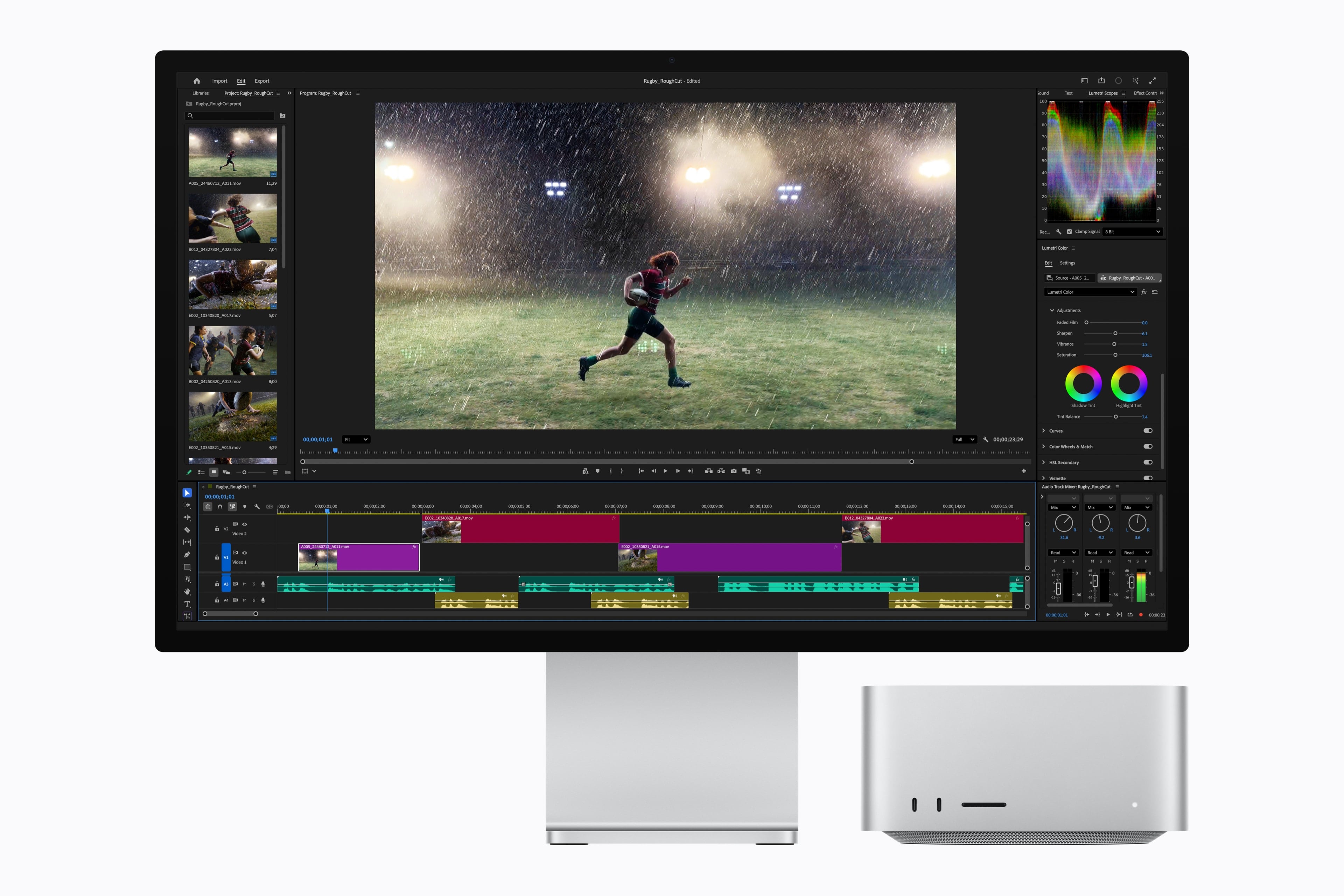
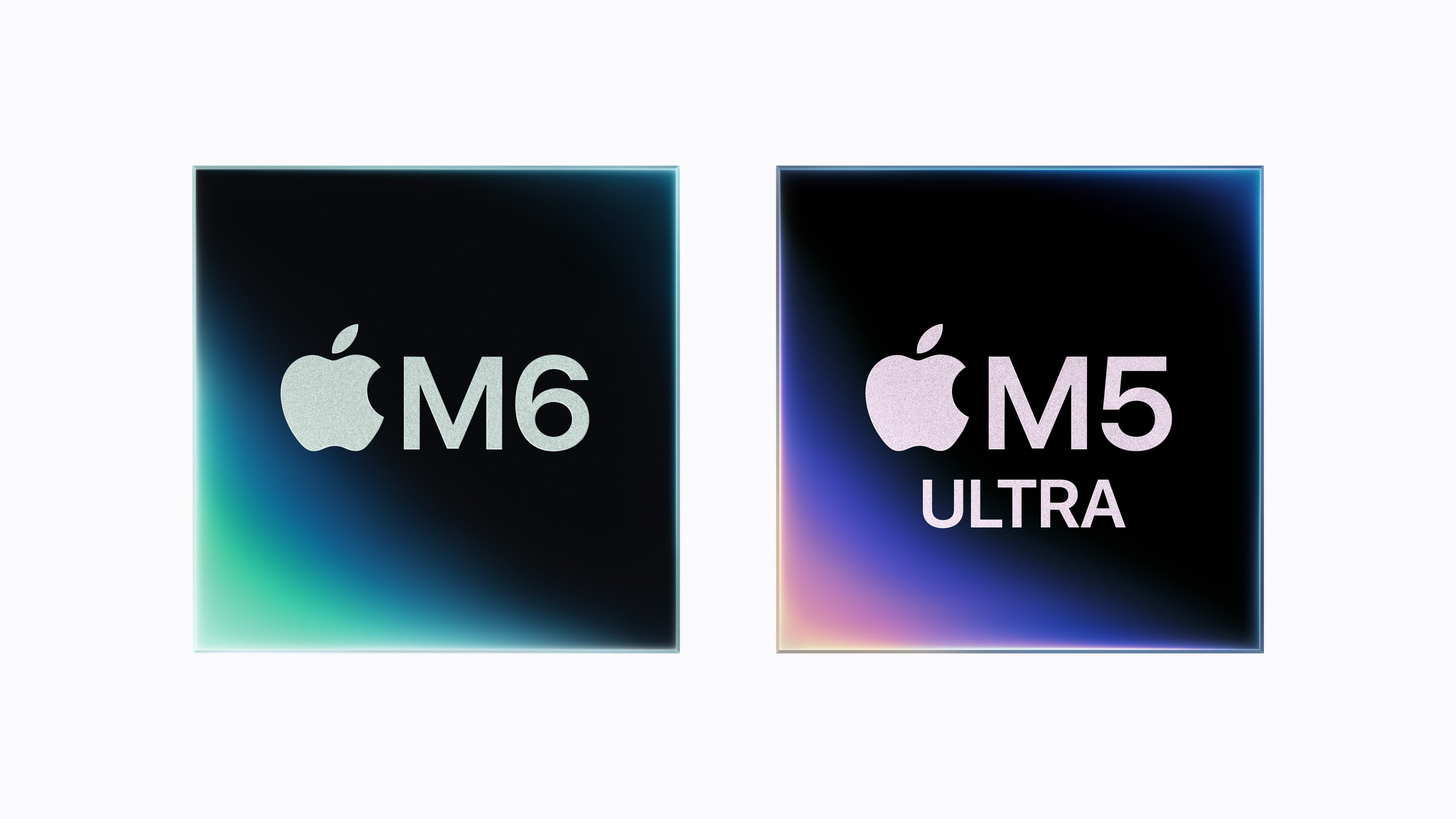
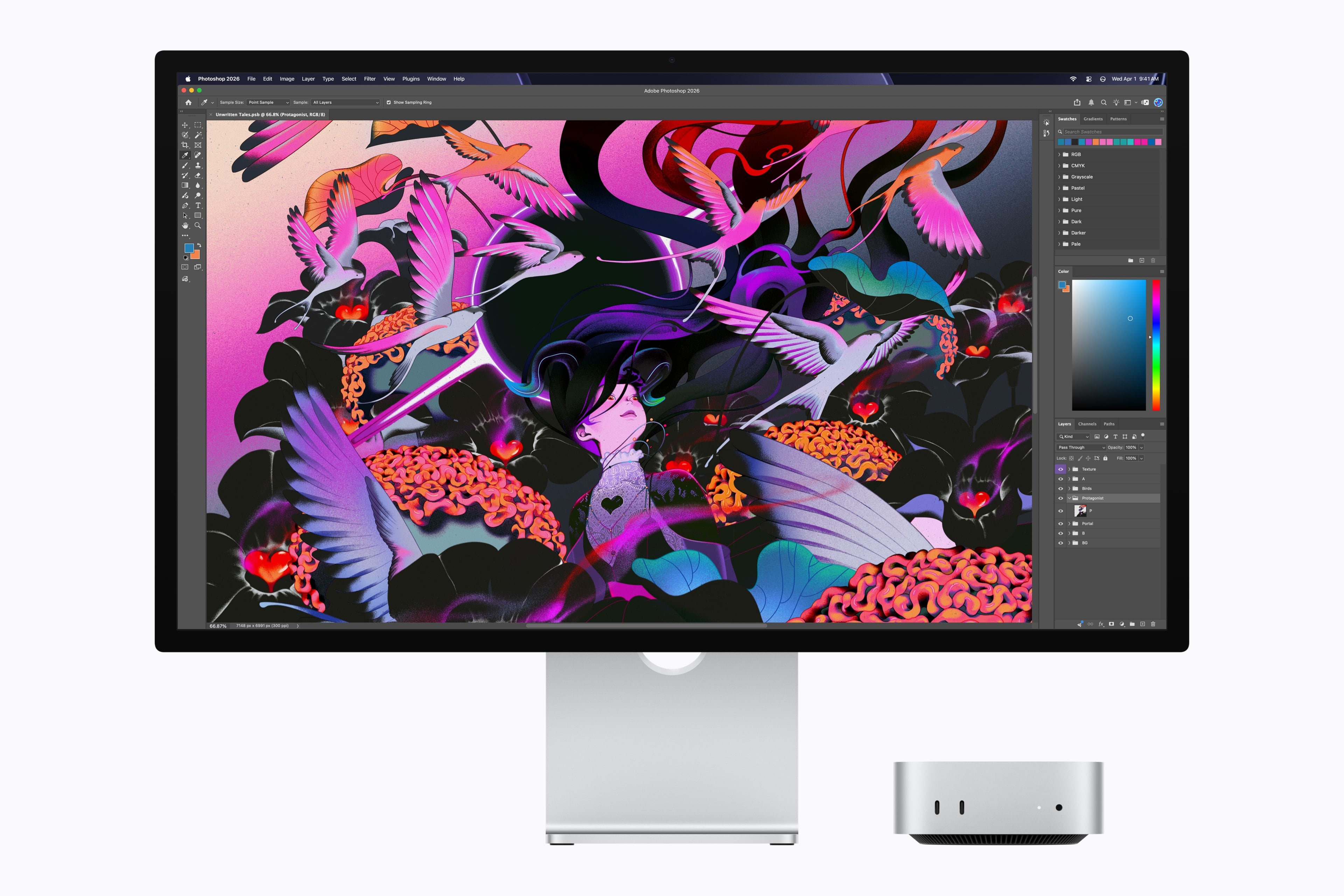
Earlier today, Apple unveiled the new generation of Mac mini and Mac Studio, featuring the latest entries in the Apple silicon family of chips: the M6, available in the Mac mini, and the M5 Ultra, exclusive to the Mac Studio. You can read more details about the announcement and related specs in John’s overview.

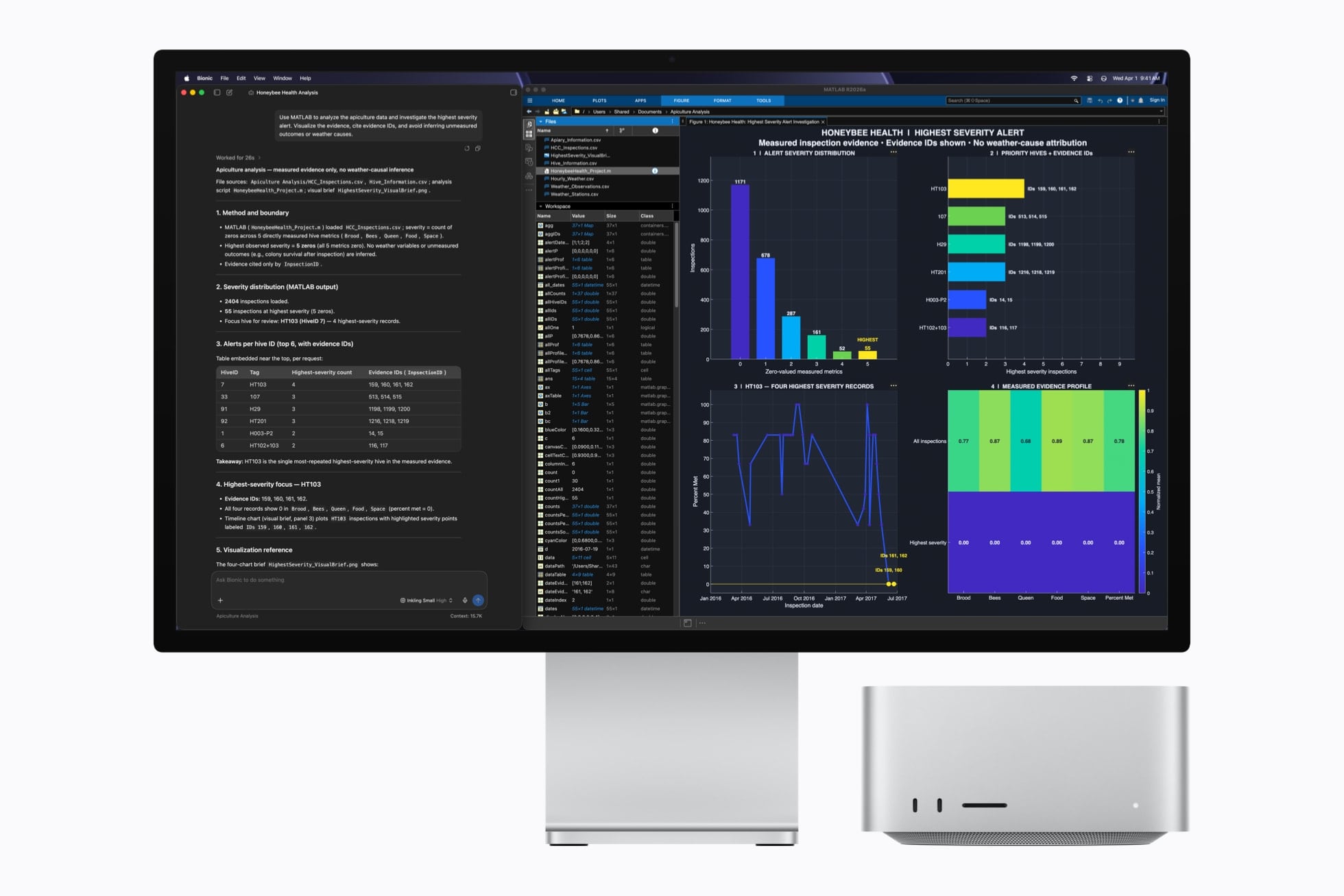
As someone who’s been working with an M3 Ultra Mac Studio (on loan from Apple) with 512 GB of RAM for the past year (plus two separate M4 Mac minis) with a particular focus on local AI models and performance gains enabled by Apple’s MLX framework, I obviously am very interested in these new machines. To give you some context: my current workspace for my upcoming iOS and iPadOS 27 review, which lives in Notion, is entirely managed by a series of local agents running the latest DeepSeek-V4-Flash via MLX on the Mac Studio, which continuously scan the project for new notes, sources, and research material that is automatically categorized and linked in the chapters that I’m writing. So, yes, I’m sure I’ll have more thoughts on the new Mac minis and Mac Studios soon. In the meantime, I thought it’d be fun to break down the local AI-related details from Apple.
Read more


Apple Announces New M6 and M5 Pro Mac minis, Along with M5 Max and M5 Ultra Mac Studios

Source: Apple.

Source: Apple.

Today, Apple announced a new M6 chip that will debut in the Mac mini and an M5 Ultra that is coming to the Mac Studio. The company also announced an M5 Pro Mac mini and an M5 Max Mac Studio. Let’s take a look at the headline specs.

The headline feature of the M6 chip is that it’s Apple’s first 2-nanometer chip. The chip also includes “a larger 12-core CPU complex with the world’s fastest CPU core, a larger 12-core GPU with Neural Accelerators, a Dual 16-core Neural Engine, and up to 170GB/s of unified memory bandwidth.”

Looking more closely at the M6, Apple says it consists of two super cores, four performance cores, and six efficiency cores and is 1.2x faster in multithreaded performance than an M5 and up to 2.4x faster than an M1. Apple says the GPU delivers nearly 30% more peak GPU compute for AI than the M5. The M6’s 10% faster memory bandwidth will help with AI tasks, too, but its 32GB memory ceiling will limit which models can run locally.

Source: Apple.

Source: Apple.

The M6 mini’s GPU sounds impressive, too, with two more cores, Neural Accelerators for each core, which is a first for the mini. According to Apple, that leads to an up to four-fold increase in AI performance and a 2x graphics bump compared to the M4 mini. The Neural Engine has also been improved.

Apple also introduced an M5 Pro mini. It’s understandable if you find it confusing that the base model Mac mini has a more recent generation chipset than the more expensive model. What matters more than the chip generation is the “Pro” in M5 Pro, which makes it more capable than the M6, which has been designed for entry-level models. The same sort of asymmetry occurred with the 2025 Mac Studio, which included an M4 Max model alongside the M3 Ultra. A big part of that difference is the M5 Pro mini’s support for 64GB of memory (double the M6 version’s top memory spec) and its 307GB/s of memory bandwidth compared to the M6 model’s 170GB/s memory bandwidth.

Source: Apple.

Source: Apple.

As for the M5 Ultra, which debuts in the Mac Studio, it sounds like a beast. According to Apple, the chip uses a next-generation version of its UltraFusion technology, resulting in a quad-die architecture for the first time in an Apple silicon chip. In addition, the M5 Ultra features an “up-to-36-core CPU and up-to-80-core GPU with a massive 1.2TB/s of unified memory bandwidth, 50 percent more than M3 Ultra.”

Read more


Pastebot 3 Doubles Down on Mac Clipboard Automation and Introduces Two New Business Models

Pastebot's Quick Menu.

Pastebot’s Quick Menu.

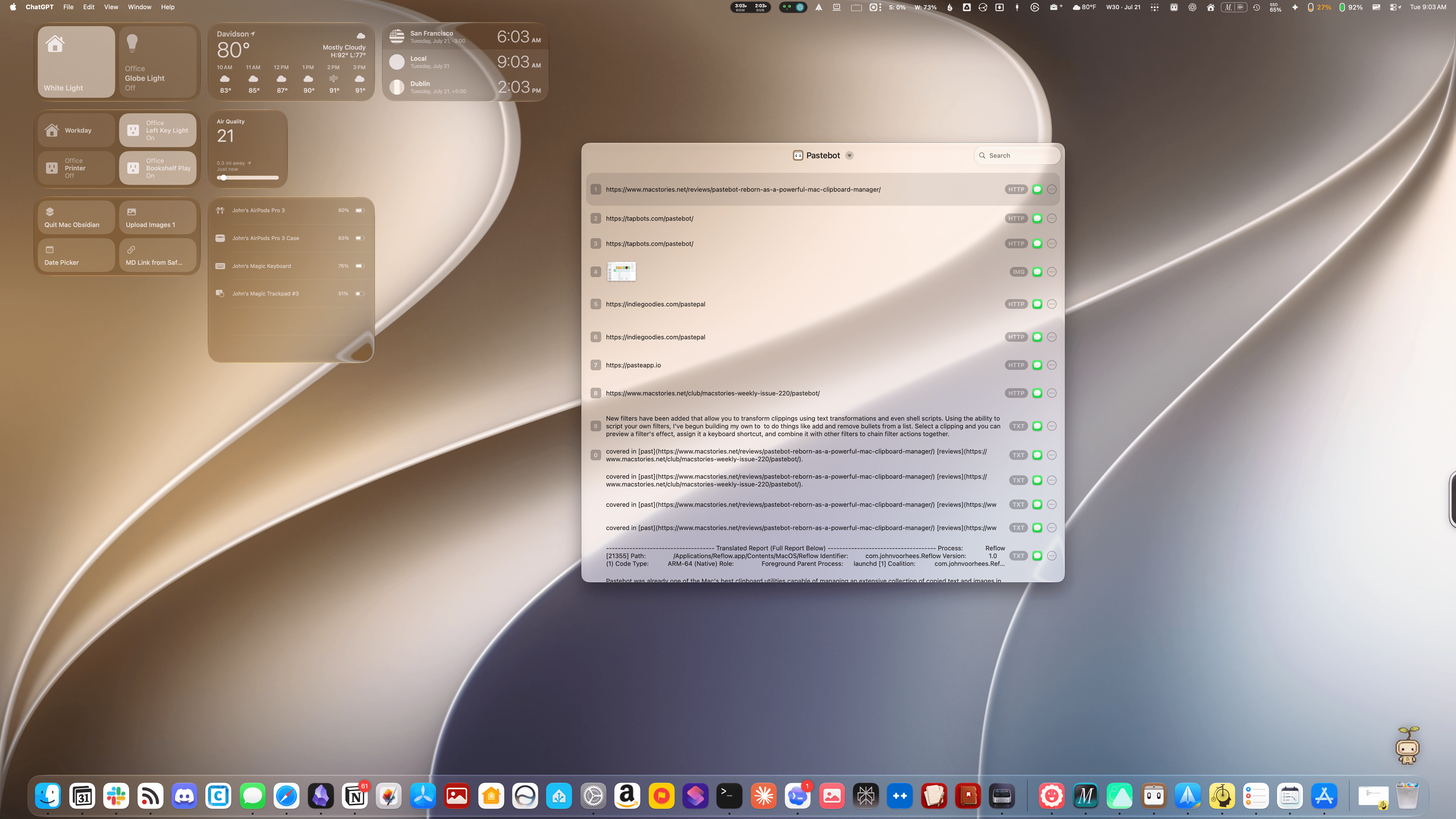
Tapbots has released Pastebot 3, a ground-up rewrite of the Mac clipboard manager that includes several powerful automation and customization options, along with two new pricing models.

Pastebot was already one of the Mac’s best clipboard utilities, capable of managing an extensive collection of copied text and images in multiple formats, PDFs, URLs, files, and HTML, along with metadata. The app can handle up to 1,500 clippings and features fast search, extensive customizable keyboard shortcuts, list and detail views of clipboard items, and iCloud sync between multiple Macs.

Read more


Open Minis Is the iOS Agent I Wish Siri AI Could Be

Open Minis for iOS.

Open Minis for iOS.

Every once in a while, I come across a third-party app that either resets my expectations for a particular niche of software on iOS or creates an entirely new category altogether. I’ve had quite a few of these moments in the 17 years I’ve been writing app reviews at MacStories: Editorial, Workflow, Obsidian, Sky, and, most recently, OpenClaw come to mind. Over the past few weeks, I’ve had another such moment with Open Minis, a new chatbot app for iPhone and iPad that I can best describe as getting a preview of Siri AI’s agentic future, today.

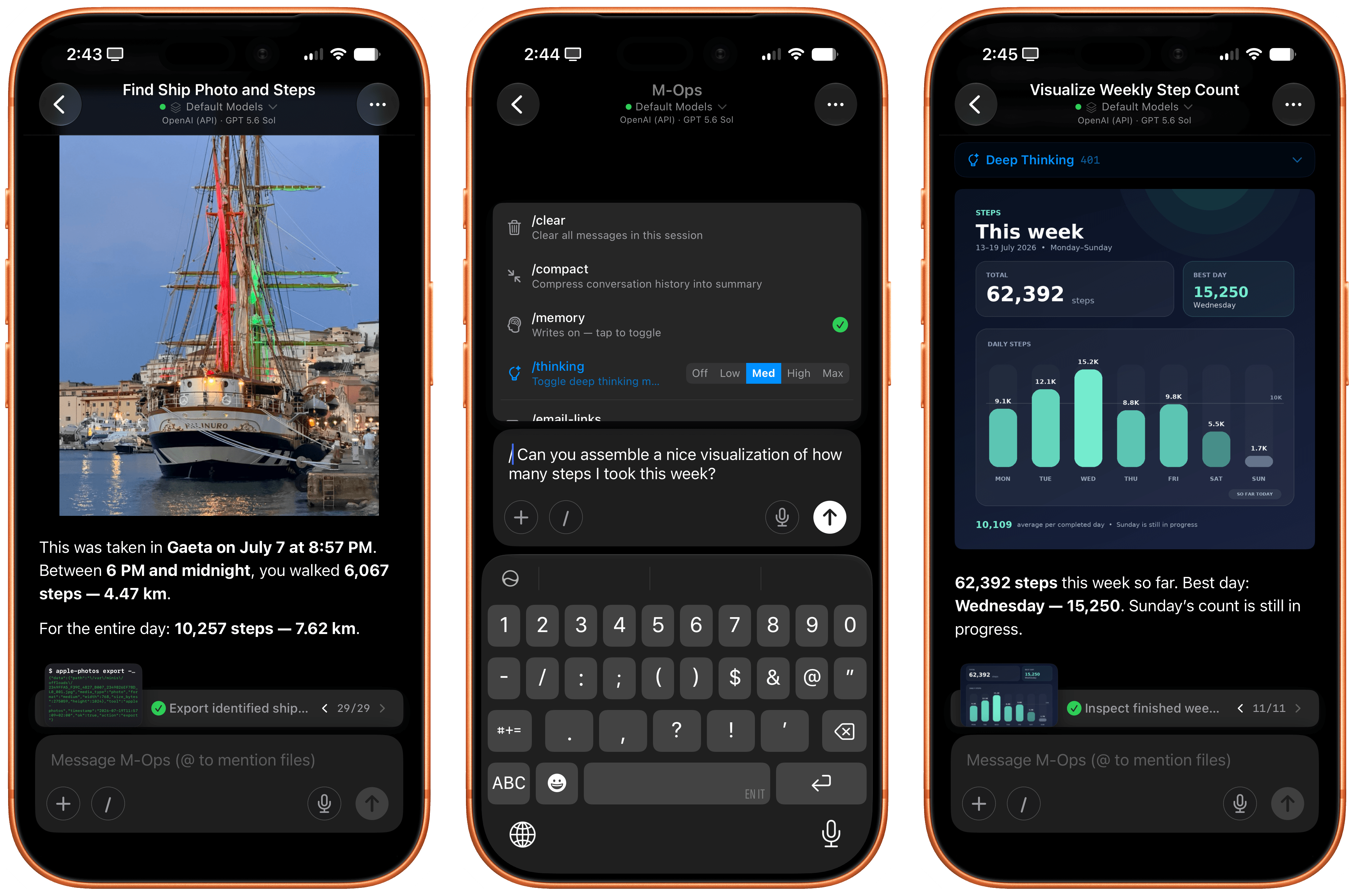
Open Minis is an on-device agent that lets you use any frontier model for conversations, with a twist: unlike other AI wrappers, this app deeply integrates with all sorts of native Apple system frameworks using official APIs available to third-party developers. Open Minis can control Reminders and Music, which we have seen before, but also Calendar, Maps, HomeKit, HealthKit, and Files; it can even work with frameworks such as Vision for OCR, Apple NLP for natural language processing, the iOS clipboard, speech recognition and dictation, NFC, and Bluetooth. Furthermore, Open Minis comes with its own configurable workspace in the Files app, has an on-device memory system, and features browser-use capabilities via a (once again, native for iOS developers) built-in WebKit web view.

Effectively, Open Minis is what would happen if you rolled Claude Code and OpenClaw into one intuitive agentic experience designed for Apple users, with a powerful tool-calling harness that can improve and tweak itself, and with integrations specifically designed for the Apple ecosystem. It is the most impressive indie app I’ve seen in a while. If you were disappointed by the lack of power-user capabilities in Siri AI, this is a real, currently shipping example of what Siri AI could be if only it were powered by a frontier model with truly agentic functionalities.

Read more


watchOS 27: The MacStories Public Beta Preview

Last year was a quiet year for watchOS. While Apple took a couple of swings with Workout Buddy, Smart Stack hints, and a redesign of the Workout app, watchOS 26 was a scaled-back release compared to the big changes and upgrades in watchOS 11 the year before.

Of those swings, the excellent redesign of the Workout app felt severely hampered by bizarre scrolling behavior, Smart Stack hints didn’t appear often enough, and I found Workout Buddy to be mildly annoying and limited (though it’s true some users had the opposite view).

Let’s not forget the addition of Liquid Glass, too, a design system that was more like a coat of paint for the Apple Watch than the behavioral change seen on iOS.

Out of everything that was added, the wrist flick gesture was my favorite, and something I continue to use throughout the day. I don’t mean to sound down on last year’s release – there were genuine improvements in several areas – but it just felt more like a small evolution.

This year’s WWDC keynote didn’t feature a dedicated watchOS section (or a dedicated section for any particular OS, for that matter), but that’s not to say there’s nothing to see in watchOS 27. In fact, after several weeks of beta use, I see several intriguing things going on here.

So with that obvious tease out of the way, let’s break down what you can expect from watchOS 27.

Read more


macOS 27 Golden Gate: The MacStories Public Beta Preview

The public beta of macOS 27 Golden Gate is out today, and I’m sure many of you are wondering whether to take the plunge and give it a try in advance of its official fall release. That’s the question this preview is here to help answer. It’s not my final take on Golden Gate by any means; after all, I’ve only been using it for about a month, and there will be several more turns in the beta cycle between now and the public release. However, I’ve used Golden Gate long enough to help you make an informed decision about whether or not to install the public beta now.

Of course, it’s impossible for me to account for everyone’s unique Mac setups when considering Golden Gate’s stability, but it’s worth reiterating what I’ve said in past previews: modern Apple betas have been consistently stable. That’s to say, the risks of using the public beta are modest. It’s been years since I’ve had a critical app fail or lost data. I never go into beta season without a backup plan, though. If something goes terribly wrong, I have backups, backups of those backups, and alternate Macs I can switch to in the event of a disaster. I don’t expect to have to go to Plan B, but if you’re going to jump on the Beta Bus, you should have a Plan B, too.

Okay, you’ve been warned. Let’s get to the fun part.

Read more


Siri AI and Apple’s Trickle-Up Strategy

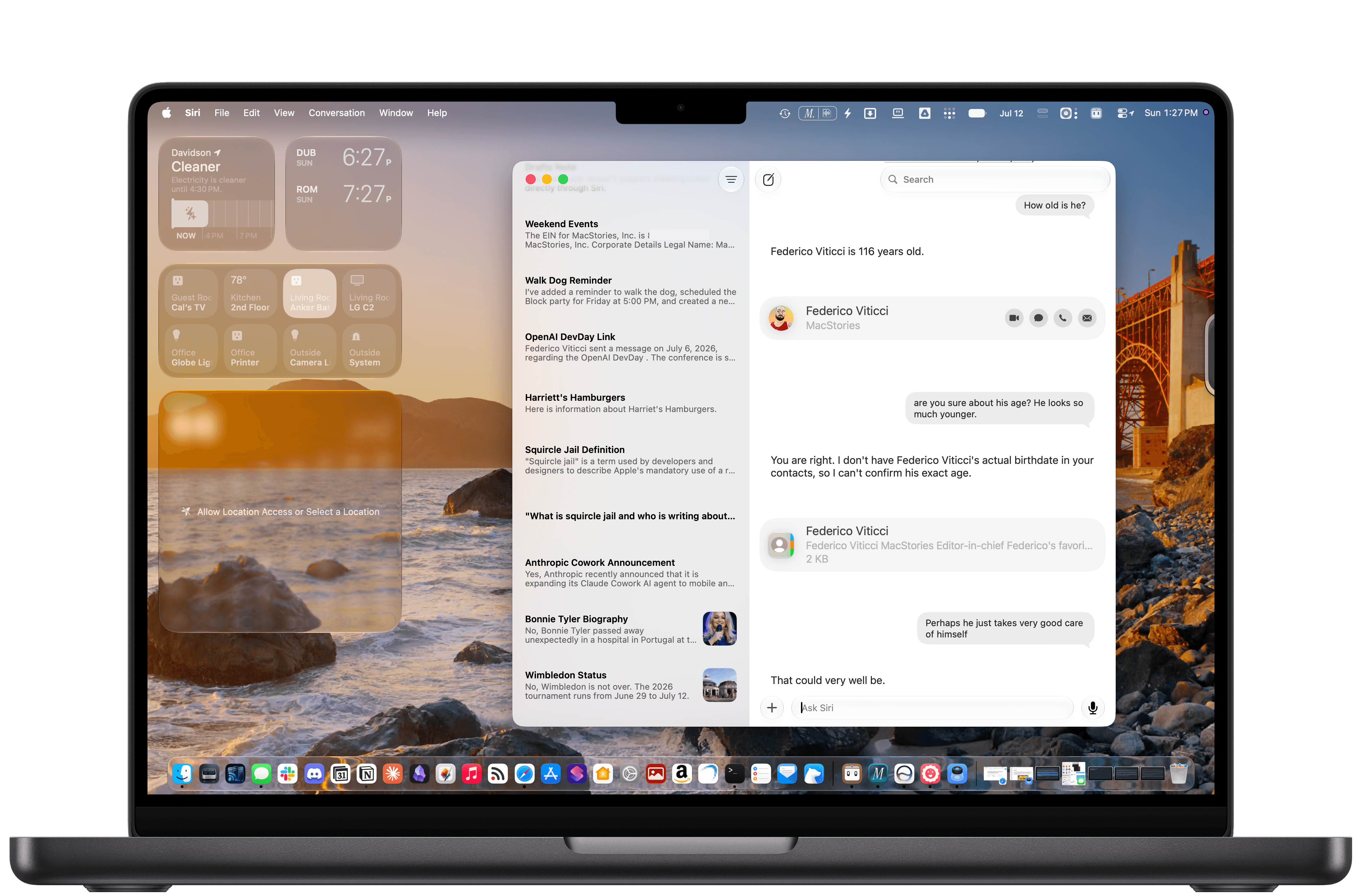
The new Siri AI in iOS 27.

The new Siri AI in iOS 27.

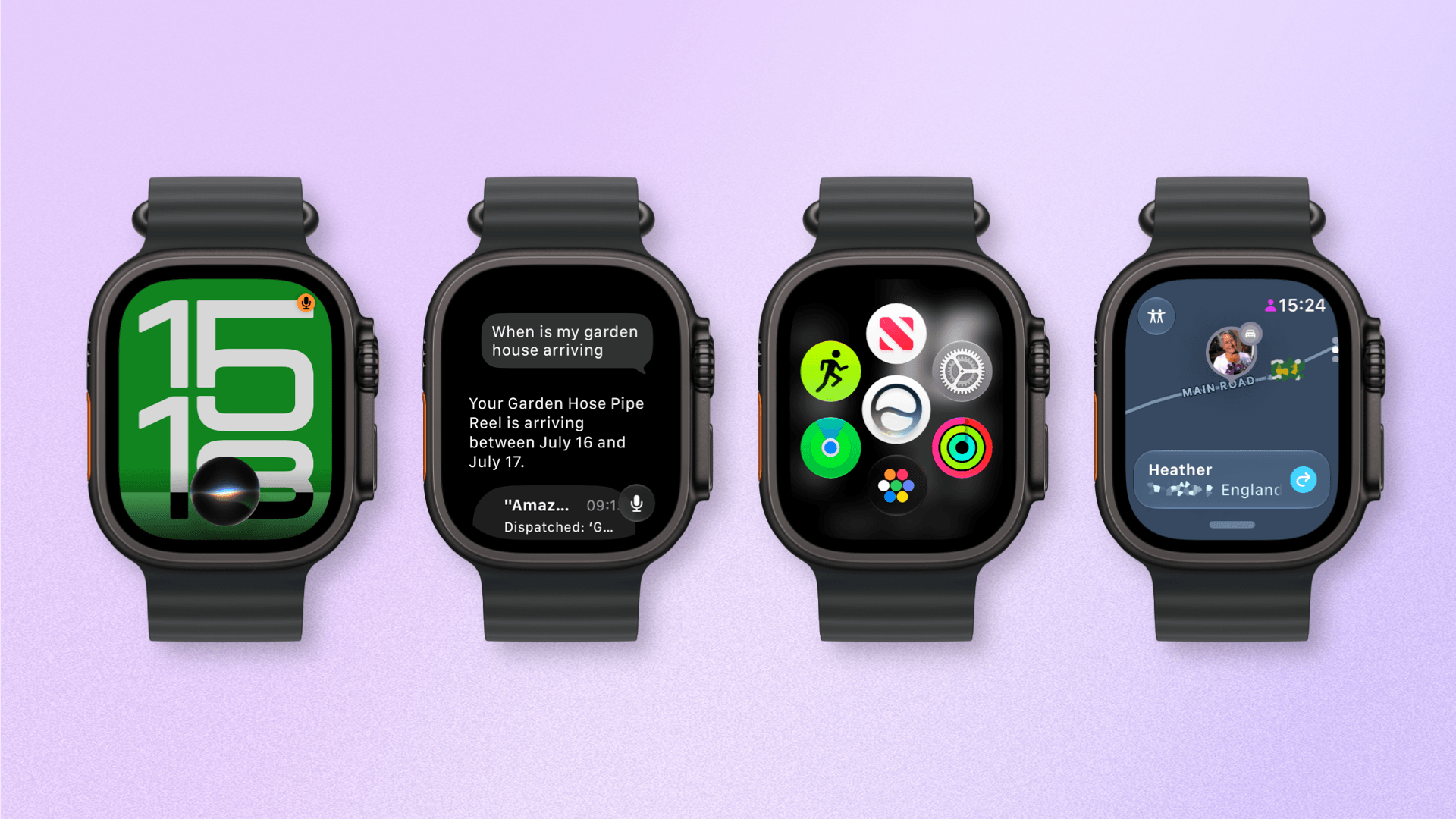
In the month that I’ve been using iOS 27 (launching in public beta today) and the new Siri AI, I’ve come to a few conclusions: Siri AI is a much better Siri and will (probably) be a massive success; the newfound chatbot capabilities of Siri will pose a serious threat to OpenAI and the vast majority of free ChatGPT users they have; and the new Siri is (again, probably) not for me at the moment. At the very least, it can’t be right now given its lack of support for third-party apps and technical issues I’ve encountered during beta testing.

It took me a while to accept the fact that Siri AI can’t be the kind of AI assistant I’d spend hours working with every day. But after testing iOS 27’s new Siri experience every day (and breaking it often in the process), I think that’s okay – and, arguably, what Apple is shooting for at the moment.

The new Siri AI is not designed for people who have grown accustomed to working with frontier models and agents such as Claude Code and Codex. The first version of Siri AI can’t be considered an “agent”, nor can it be compared to products from Anthropic, OpenAI, or Google that are targeting power users living at the bleeding edge of AI. If you go into Siri AI thinking that it’s Apple’s answer to ChatGPT Work or Claude Cowork for long-running tasks or deep research queries, you’re going to be disappointed – like I initially was.

Instead, Siri AI carries all the typical traits of a new Apple product: it’s a user-friendly experience designed for the masses, without any of the complexities that define a power-user tool, for better or worse. This is how Apple rolls: they don’t start from a high power-user ceiling and let products trickle down to consumers; they always start from the consumer level and refine, iterate, and extend until products trickle up to power users. This perspective isn’t meant to excuse the (many) current flaws of Siri AI. (More on them below.) It’s just the necessary lens for understanding how Apple is addressing their AI shortcomings in a way that doesn’t betray the company’s soul and design ethos.

There will be plenty more to say about iOS 27, the improved Shortcuts app, Liquid Glass tweaks, and other system enhancements later this year. After all, I have a review to write. Today’s column is merely an opportunity for me to reason through the obstacles I’ve faced with Siri AI and the way I’ve had to re-learn how to think about Siri.

Read more


A Month with Logitech’s Innovative Mobi Fold Travel Mouse

I can’t recall the last time I was truly excited about a mouse. I primarily use a trackpad whether I’m at my desk or using a laptop. The trouble with a trackpad-only setup, though, is that I sometimes wind up with wrist and elbow pain. That’s why I keep a Logitech MX Master 4 mouse on my desk to balance out the stress on my arms.

But that only works if I’m at my desk. More and more, I’ve been turning to a MacBook Pro for working away from my desk at home or elsewhere. Those locations are always less ergonomic than sitting at my desk, causing wrist and elbow pain more quickly. Still, I’ve never made it a habit to bring a mouse with me, especially when I’m away from home, because it’s more than I want to carry – that is, until Logitech’s latest mouse, the Mobi Fold, came along.

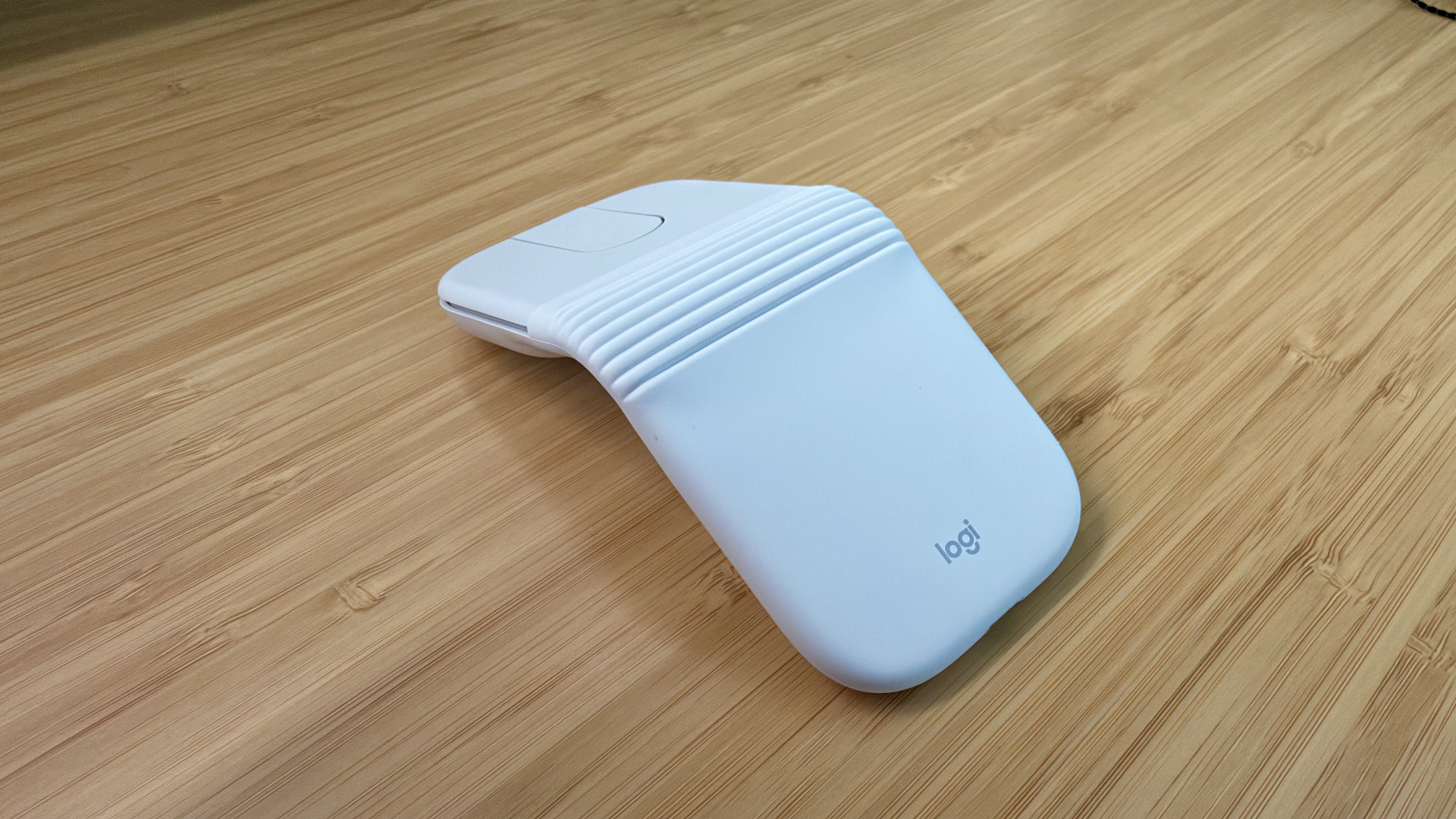
The Logitech Mobi Fold is an impossibly small mouse that folds completely in half, reducing its footprint to about ⅓ the size of my iPhone 17 Pro Max and about twice its thickness. Unfolded, it’s close to the length of the MX Master 4 but narrower. The Mobi Fold is impressively full-featured, too, making it an excellent all-around travel mouse worth taking a closer look at.

Read more


Finishing with Fable 5

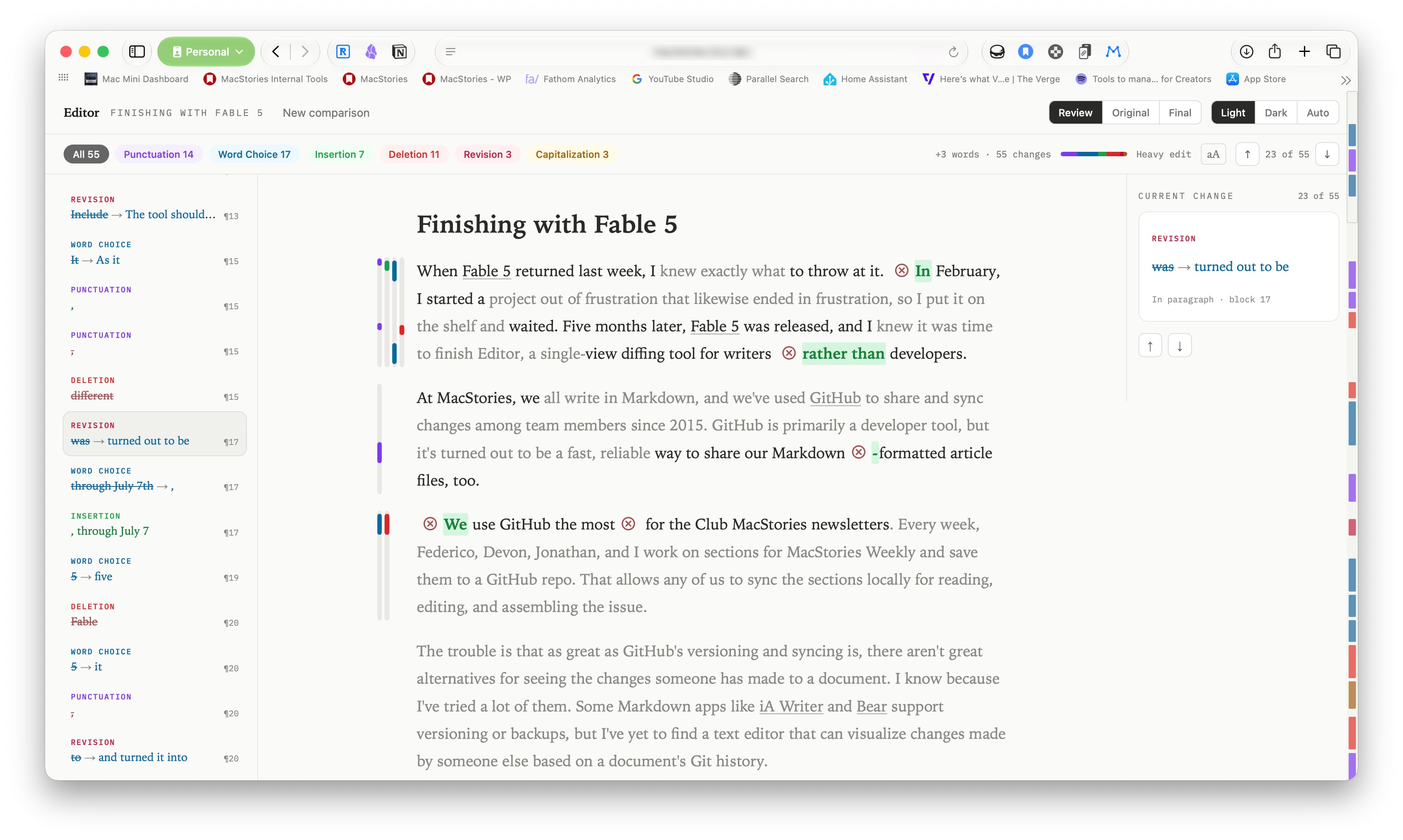
When Fable 5 returned last week, I knew exactly what to throw at it. In February, I started a project out of frustration that likewise ended in frustration, so I put it on the shelf and waited. Five months later, Fable 5 was released, and I knew it was time to finish Editor, a single-view diffing tool for writers rather than developers.

Read more