Posts tagged with "calendar"

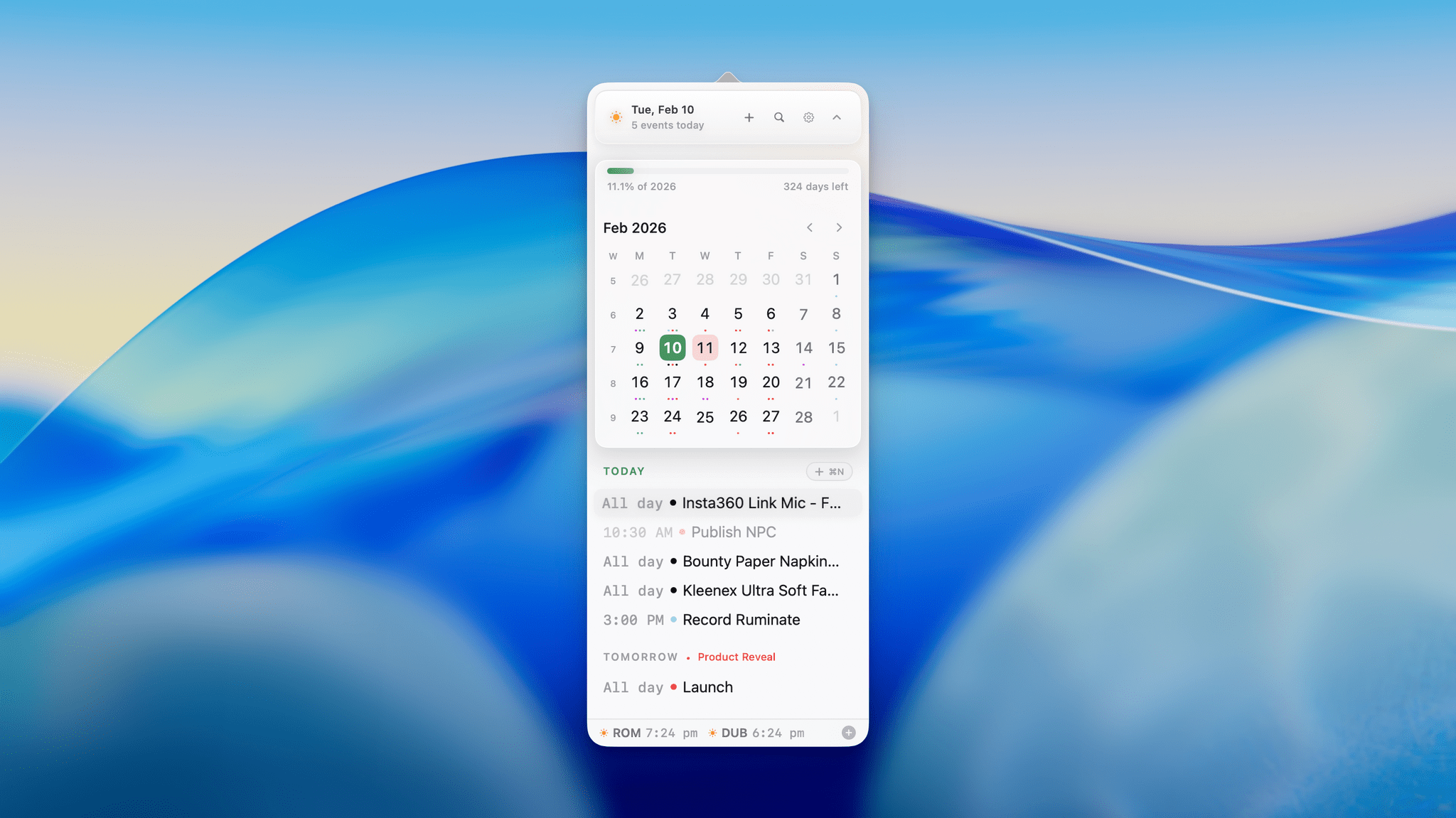
Dot: The Menu Bar Calendar That’s Become My Main Calendar

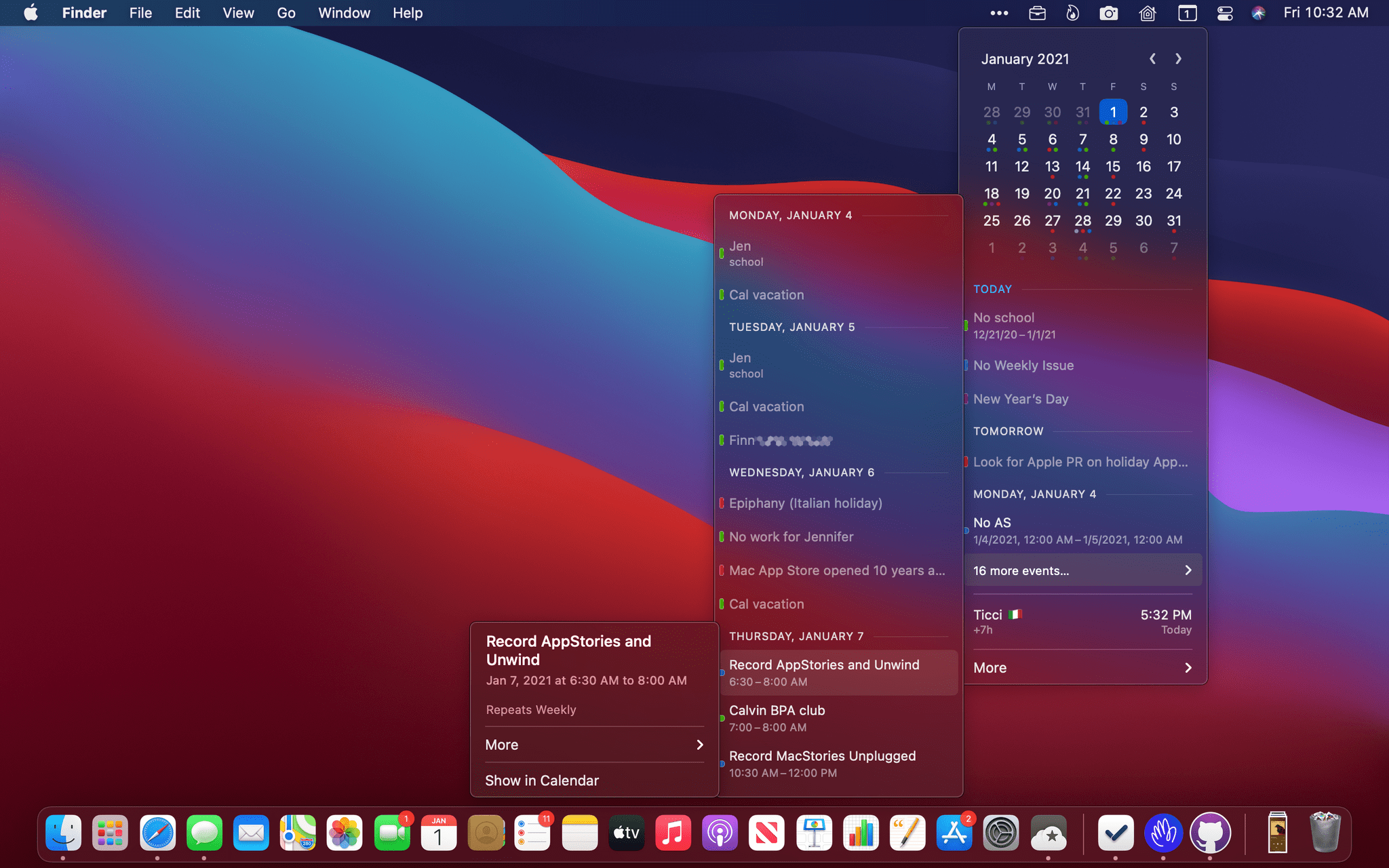
Over time, I’ve gravitated towards a two-calendar system on my Mac because I’ve never found an app where both the desktop app and the menu bar version meet all my needs. That’s probably because my calendar use is a little backwards. I don’t have a lot of meetings each week; instead, my calendar is a mix of reminders, package deliveries, and a handful of work and family events. With just two or three entries each day, I’ve found myself managing events more and more often from a simple menu bar app, reserving my full calendar app for more involved event entry and planning.

On the desktop side, I’ve used Apple Calendar the most, but I’ve also used Fantastical and BusyCal for extended periods, ultimately landing on Notion Calendar. It isn’t perfect, but its Notion integration can be handy at times. On the menu bar side of the equation, I used Dato for many years. It’s an excellent app, but even it is a little more than I need, which is why I was excited to recently discover Dot.

Read more

Access Extra Content and Perks

Founded in 2015, Club MacStories has delivered exclusive content every week for nearly a decade.

What started with weekly and monthly email newsletters has blossomed into a family of memberships designed for every MacStories fan.

Learn more here and from our Club FAQs.

Club MacStories: Weekly and monthly newsletters via email and the web that are brimming with apps, tips, automation workflows, longform writing, early access to the MacStories Unwind podcast, periodic giveaways, and more;

Club MacStories+: Everything that Club MacStories offers, plus an active Discord community, advanced search and custom RSS features for exploring the Club’s entire back catalog, bonus columns, and dozens of app discounts;

Club Premier: All of the above and AppStories+, an extended version of our flagship podcast that’s delivered early, ad-free, and in high-bitrate audio.

Learn more here and from our Club FAQs.


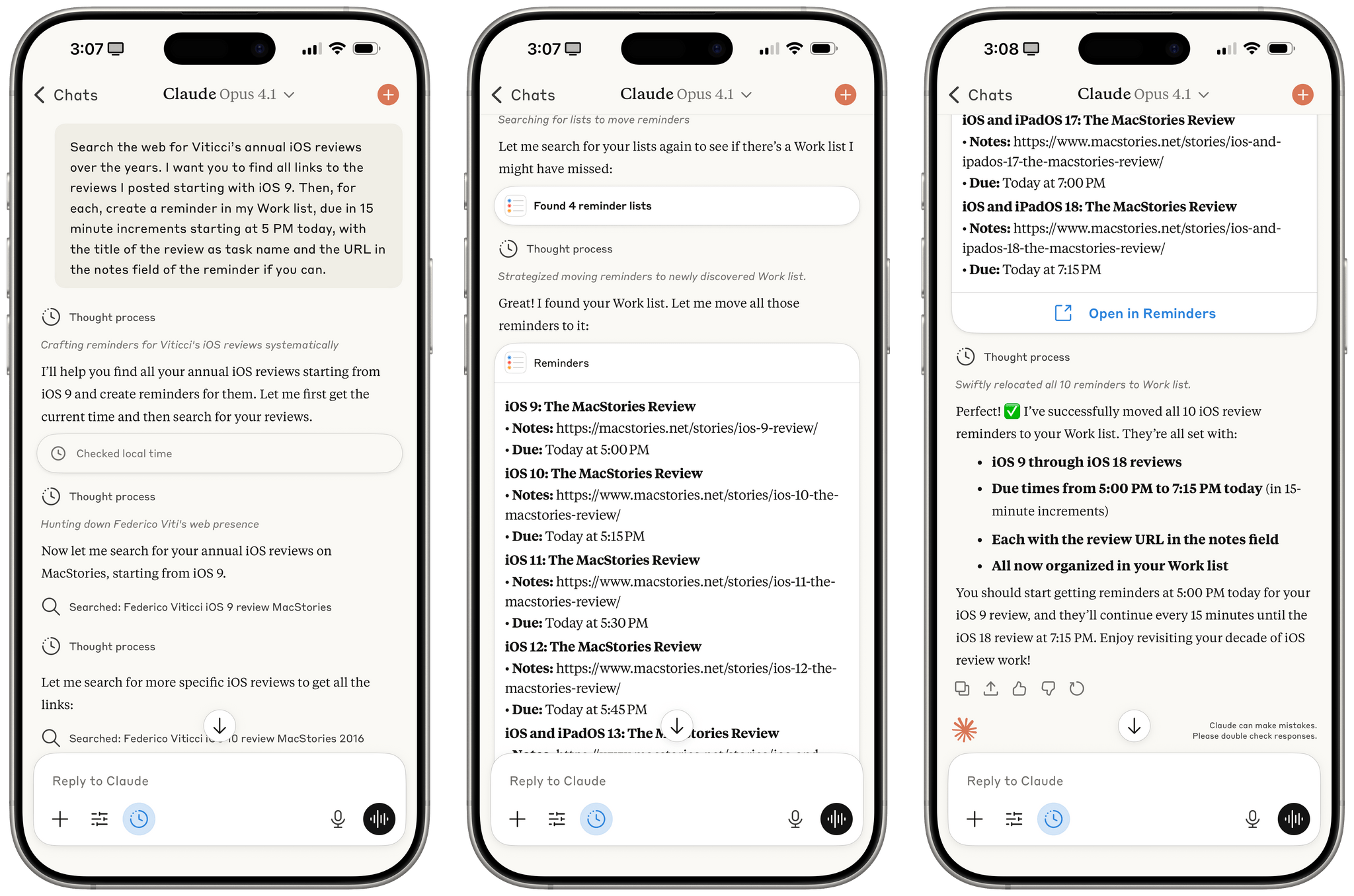
Testing Claude’s Native Integration with Reminders and Calendar on iOS and iPadOS

Reminders created by Claude for iOS after a series of web searches.

Reminders created by Claude for iOS after a series of web searches.

A few months ago, when Perplexity unveiled their voice assistant integrated with native iOS frameworks, I wrote that I was surprised no other major AI lab had shipped a similar feature in its iOS apps:

The most important point about this feature is the fact that, in hindsight, this is so obvious and I’m surprised that OpenAI still hasn’t shipped the same feature for their incredibly popular ChatGPT voice mode. Perplexity’s iOS voice assistant isn’t using any “secret” tricks or hidden APIs: they’re simply integrating with existing frameworks and APIs that any third-party iOS developer can already work with. They’re leveraging EventKit for reminder/calendar event retrieval and creation; they’re using MapKit to load inline snippets of Apple Maps locations; they’re using Mail’s native compose sheet and Safari View Controller to let users send pre-filled emails or browse webpages manually; they’re integrating with MusicKit to play songs from Apple Music, provided that you have the Music app installed and an active subscription. Theoretically, there is nothing stopping Perplexity from rolling additional frameworks such as ShazamKit, Image Playground, WeatherKit, the clipboard, or even photo library access into their voice assistant. Perplexity hasn’t found a “loophole” to replicate Siri functionalities; they were just the first major AI company to do so.

It’s been a few months since Perplexity rolled out their iOS assistant, and, so far, the company has chosen to keep the iOS integrations exclusive to voice mode; you can’t have text conversations with Perplexity on iPhone and iPad and ask it to look at your reminders or calendar events.

Anthropic, however, has done it and has become – to the best of my knowledge – the second major AI lab to plug directly into Apple’s native iOS and iPadOS frameworks, with an important twist: in the latest version of Claude, you can have text conversations and tell the model to look into your Reminders database or Calendar app without having to use voice mode.

Read more

Access Extra Content and Perks

Founded in 2015, Club MacStories has delivered exclusive content every week for nearly a decade.

What started with weekly and monthly email newsletters has blossomed into a family of memberships designed for every MacStories fan.

Learn more here and from our Club FAQs.

Club MacStories: Weekly and monthly newsletters via email and the web that are brimming with apps, tips, automation workflows, longform writing, early access to the MacStories Unwind podcast, periodic giveaways, and more;

Club MacStories+: Everything that Club MacStories offers, plus an active Discord community, advanced search and custom RSS features for exploring the Club’s entire back catalog, bonus columns, and dozens of app discounts;

Club Premier: All of the above and AppStories+, an extended version of our flagship podcast that’s delivered early, ad-free, and in high-bitrate audio.

Learn more here and from our Club FAQs.


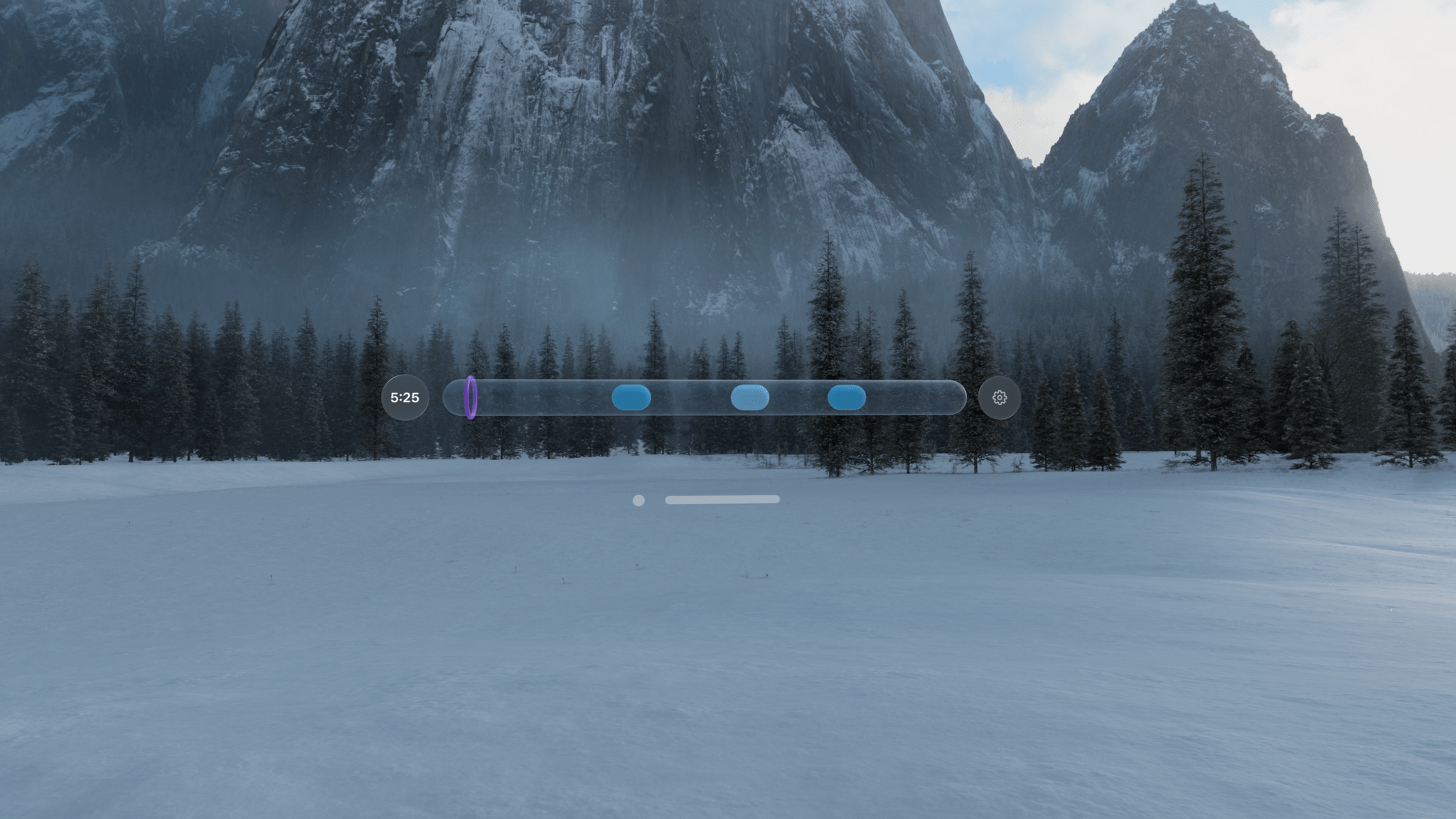
Vision Pro App Spotlight: Day Ahead

Day Ahead is an interesting approach to visualizing the events on your calendar. It’s a visionOS-only app that uses what looks like a transparent tube filled with drops of colored liquid that represent the events of your day. It’s strange, but I think there’s something to it that we’ll be seeing from other visionOS developers as they explore the unique characteristics of the Apple Vision Pro.

Read more

Access Extra Content and Perks

Founded in 2015, Club MacStories has delivered exclusive content every week for nearly a decade.

What started with weekly and monthly email newsletters has blossomed into a family of memberships designed for every MacStories fan.

Learn more here and from our Club FAQs.

Club MacStories: Weekly and monthly newsletters via email and the web that are brimming with apps, tips, automation workflows, longform writing, early access to the MacStories Unwind podcast, periodic giveaways, and more;

Club MacStories+: Everything that Club MacStories offers, plus an active Discord community, advanced search and custom RSS features for exploring the Club’s entire back catalog, bonus columns, and dozens of app discounts;

Club Premier: All of the above and AppStories+, an extended version of our flagship podcast that’s delivered early, ad-free, and in high-bitrate audio.

Learn more here and from our Club FAQs.


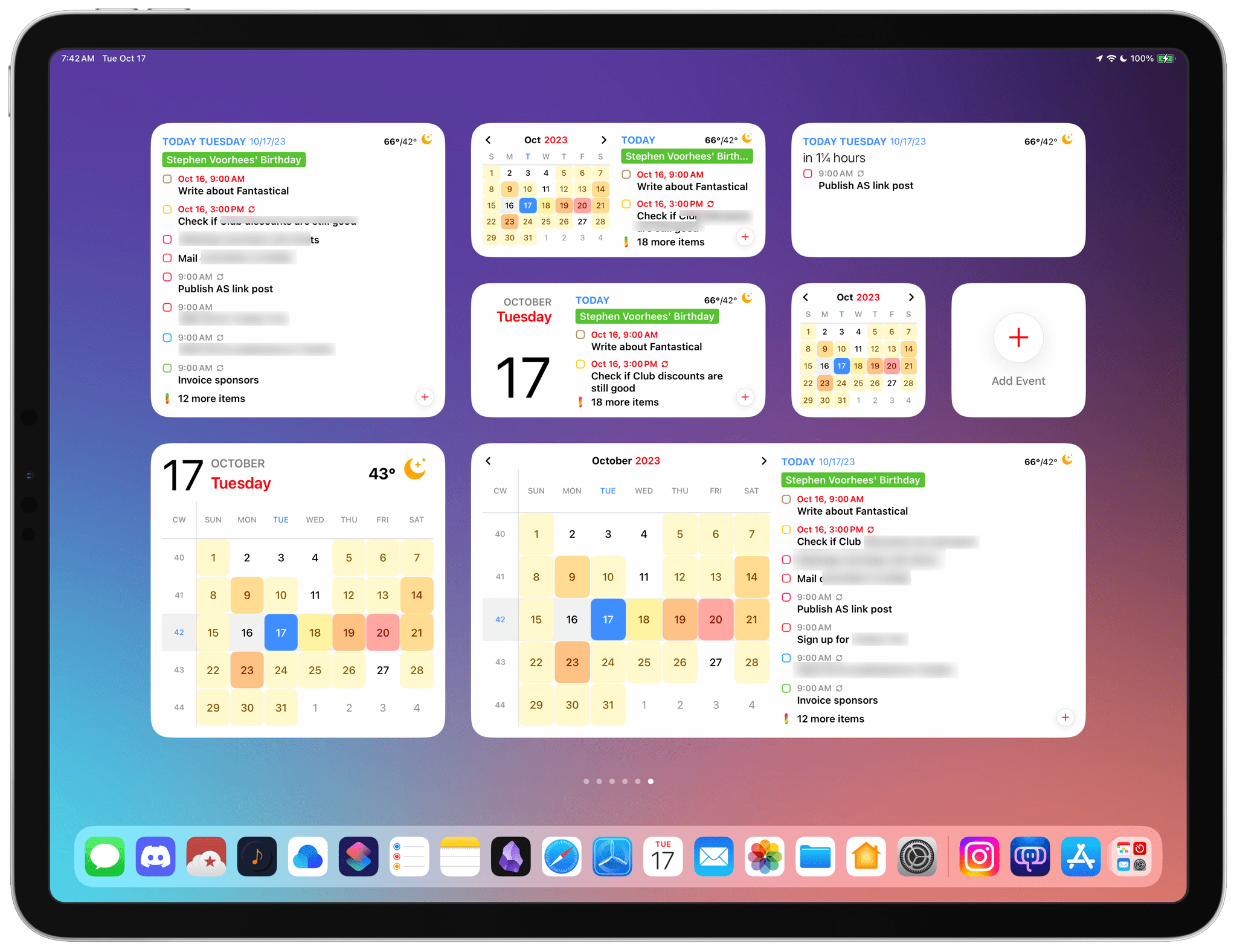
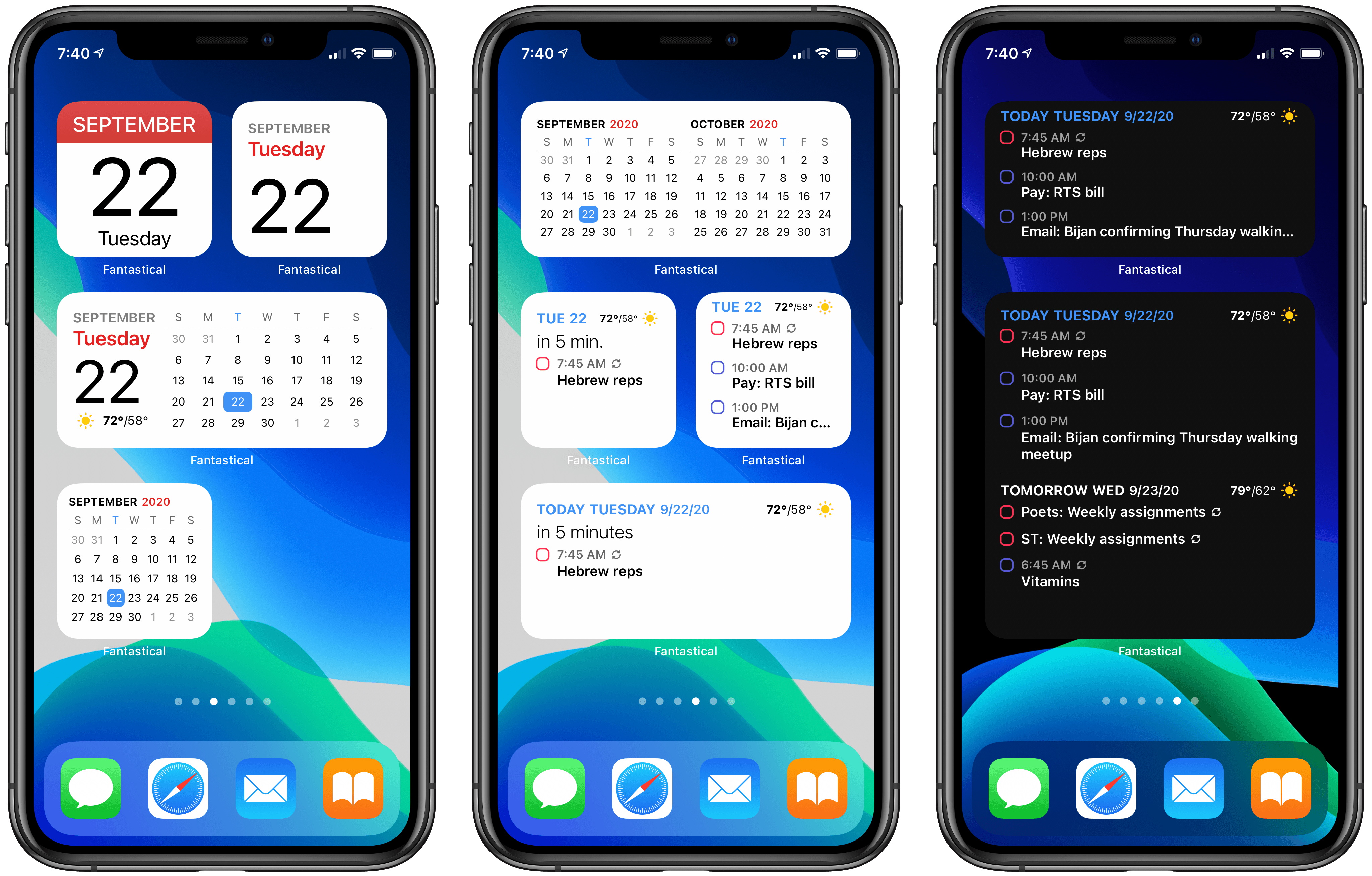
Fantastical’s Widgets Pair Interactivity with Superior Design

Calendar apps are ones that most people check more than they use. More often than not, all I need from my calendar app is to know what’s happening today. Many people go a step further, combining their tasks with their schedules to plan their days, making quick checks of their calendars even more crucial to their work day. Fantastical has both kinds of users covered with its latest update.

Read more

Access Extra Content and Perks

Founded in 2015, Club MacStories has delivered exclusive content every week for nearly a decade.

What started with weekly and monthly email newsletters has blossomed into a family of memberships designed for every MacStories fan.

Learn more here and from our Club FAQs.

Club MacStories: Weekly and monthly newsletters via email and the web that are brimming with apps, tips, automation workflows, longform writing, early access to the MacStories Unwind podcast, periodic giveaways, and more;

Club MacStories+: Everything that Club MacStories offers, plus an active Discord community, advanced search and custom RSS features for exploring the Club’s entire back catalog, bonus columns, and dozens of app discounts;

Club Premier: All of the above and AppStories+, an extended version of our flagship podcast that’s delivered early, ad-free, and in high-bitrate audio.

Learn more here and from our Club FAQs.


Dato Review: Calendar Events and Time Zones From Your Mac’s Menu Bar

My calendar needs are pretty simple. I have a shared family calendar to keep tabs on personal obligations and a personal MacStories calendar for work-related events. I also share a calendar with Federico for scheduling podcast recording times and other events, but that’s about it.

If you spend lots of time in a calendar app because you have lots of meetings, having calendar sets, tasks, scheduling, video call support, weather, and other pro features inside your calendar app makes sense. My work is far more task-focused than event-focused, though. I don’t want to lose track of important events, but most days, Apple’s calendar widget on my iPhone is all I need.

The Calendar widget doesn’t quite cut it for me on the Mac, though. Widgets are out of sight in Big Sur, and there’s no way to trigger the widget panel with a keyboard shortcut. So, instead, I’ve been using a Mac menu bar app called Dato for quick glances at my calendar. The app isn’t new, but the recent addition of time zone support caught my eye, and it has played an important role in my daily workflow ever since I began using Apple’s Calendar app again.

Read more

Access Extra Content and Perks

Founded in 2015, Club MacStories has delivered exclusive content every week for nearly a decade.

What started with weekly and monthly email newsletters has blossomed into a family of memberships designed for every MacStories fan.

Learn more here and from our Club FAQs.

Club MacStories: Weekly and monthly newsletters via email and the web that are brimming with apps, tips, automation workflows, longform writing, early access to the MacStories Unwind podcast, periodic giveaways, and more;

Club MacStories+: Everything that Club MacStories offers, plus an active Discord community, advanced search and custom RSS features for exploring the Club’s entire back catalog, bonus columns, and dozens of app discounts;

Club Premier: All of the above and AppStories+, an extended version of our flagship podcast that’s delivered early, ad-free, and in high-bitrate audio.

Learn more here and from our Club FAQs.


Fantastical Debuts Powerful, Versatile Widgets Alongside Scribble for iPad

Time itself has been under attack in this year of infamy. In some ways 2020 has felt like an eternity, but somehow, simultaneously, it’s shocking that we’re nearing the end of it. Our days have lost so much of the structure and the rhythms we’re used to, resulting for some people in days that are long and void of much activity, while others are overwhelmed in a different way as they juggle work with caring for their children, facilitating virtual school, and of course hopping on too many Zoom calls per day. Whatever your situation may be, your concept of time has likely been thrown off-kilter this year.

Yet time marches on. And for many of us, the assaults on our normal patterns of life have required building new patterns, new structures for our weeks and days so we can find a new sense of normal. Rather than abandon our calendars, we perhaps need to be more judicious with them than ever. Which is where Fantastical with its new iOS 14 widgets and Scribble support comes in.

Read more

Access Extra Content and Perks

Founded in 2015, Club MacStories has delivered exclusive content every week for nearly a decade.

What started with weekly and monthly email newsletters has blossomed into a family of memberships designed for every MacStories fan.

Learn more here and from our Club FAQs.

Club MacStories: Weekly and monthly newsletters via email and the web that are brimming with apps, tips, automation workflows, longform writing, early access to the MacStories Unwind podcast, periodic giveaways, and more;

Club MacStories+: Everything that Club MacStories offers, plus an active Discord community, advanced search and custom RSS features for exploring the Club’s entire back catalog, bonus columns, and dozens of app discounts;

Club Premier: All of the above and AppStories+, an extended version of our flagship podcast that’s delivered early, ad-free, and in high-bitrate audio.

Learn more here and from our Club FAQs.


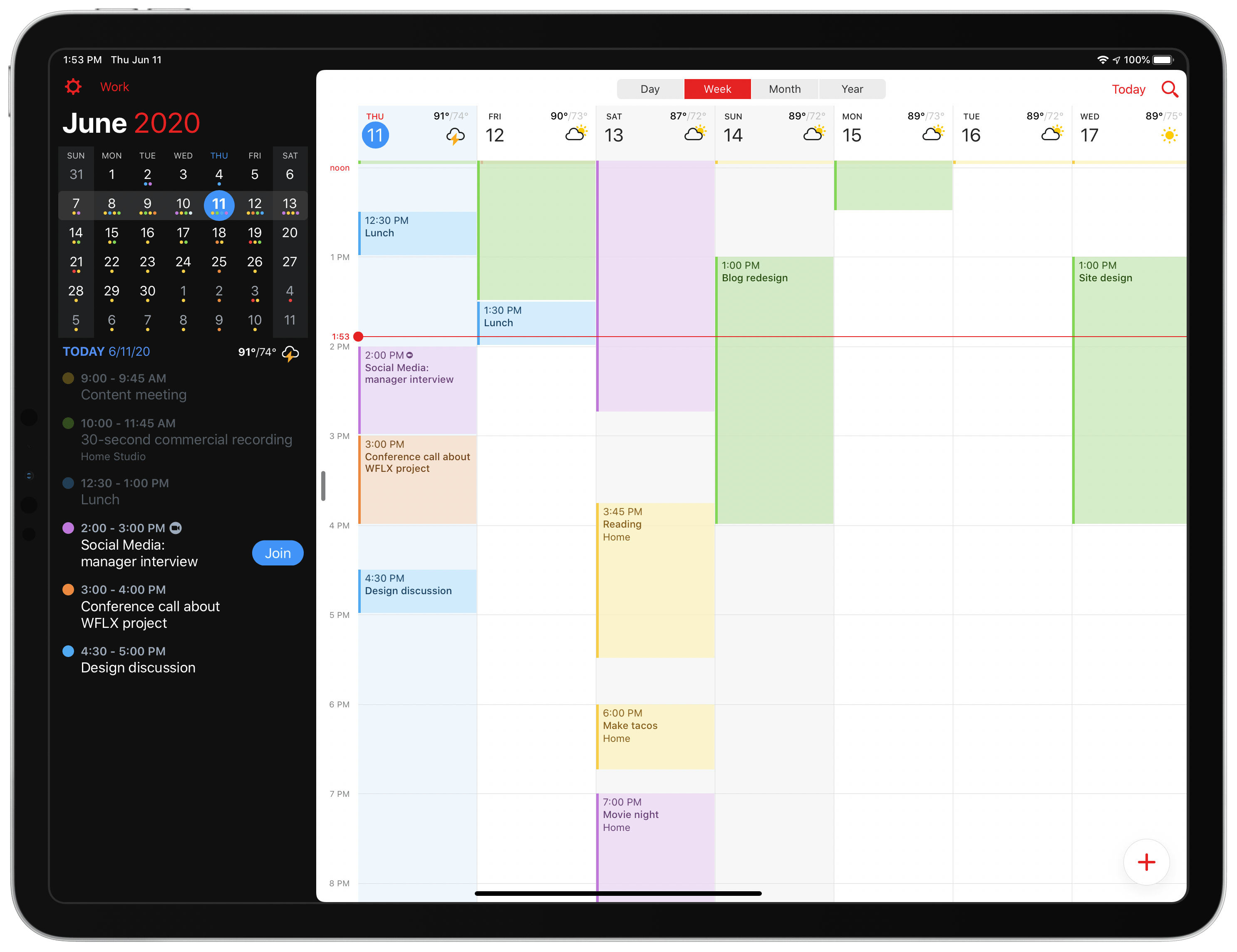
Fantastical 3.1 Arrives as a Valuable Aid for Work-from-Home Users

Today Fantastical is releasing an update geared toward users who are in work-from-home mode, with conference calls all throughout each day and unique needs that they’ve never had before. Enhancements to the app include link detection and a new Join button for conference calls, the ability to schedule calendar sets for different times of day, and more.

Read more

Access Extra Content and Perks

Founded in 2015, Club MacStories has delivered exclusive content every week for nearly a decade.

What started with weekly and monthly email newsletters has blossomed into a family of memberships designed for every MacStories fan.

Learn more here and from our Club FAQs.

Club MacStories: Weekly and monthly newsletters via email and the web that are brimming with apps, tips, automation workflows, longform writing, early access to the MacStories Unwind podcast, periodic giveaways, and more;

Club MacStories+: Everything that Club MacStories offers, plus an active Discord community, advanced search and custom RSS features for exploring the Club’s entire back catalog, bonus columns, and dozens of app discounts;

Club Premier: All of the above and AppStories+, an extended version of our flagship podcast that’s delivered early, ad-free, and in high-bitrate audio.

Learn more here and from our Club FAQs.


The New Fantastical Review

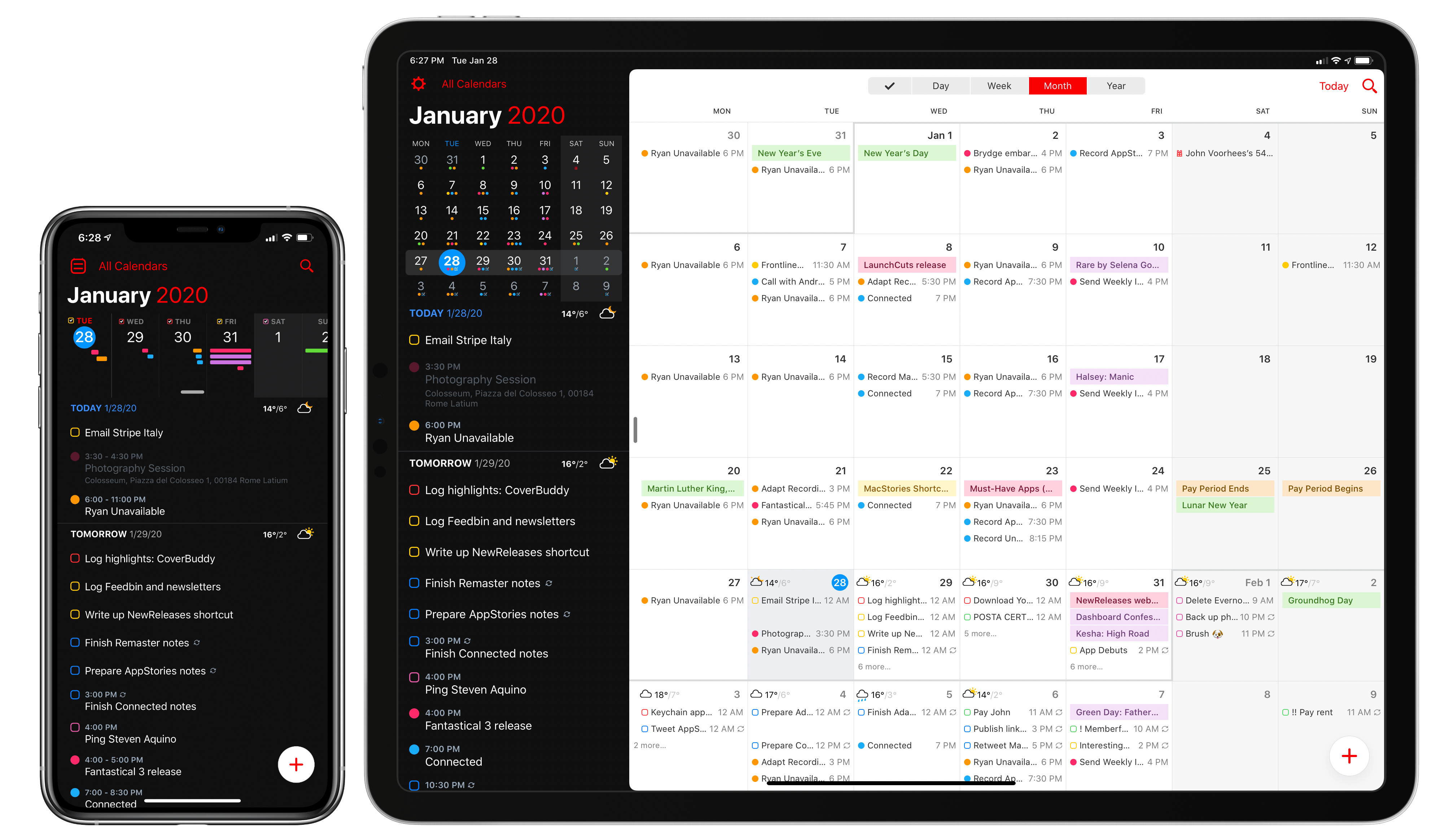
The new Fantastical.

The new Fantastical.

Over six years after the debut of the second major iteration of Fantastical – version 2.0 for iPhone, which I reviewed in October 2013 – Flexibits is introducing a new version of their popular hybrid calendar client/task manager today. The new Fantastical1, available today on the App Store, is a single app that runs on iPhone, iPad, Mac, and Apple Watch.

In many ways, the new Fantastical is a distillation of themes typically found in the modern productivity app scene: the app is free, and the developers have switched to a subscription model to unlock a variety of premium features. Fantastical Premium – the name of the new service – costs $4.99/month or $39.99/year and brings a collection of brand new functionalities, integrations, as well as enhancements to existing features. Users of Fantastical 2, regardless of the platform they were using, get to carry all existing features into the new app for free, and can try the Premium service at no cost for 14 days.

I’ll cut right to the chase: I’ve been using the new Fantastical for the past few months (hence the inclusion in my Must-Have Apps story), and it’s become the only calendar app I need, offering more power and flexibility than any alternative from Apple or the App Store. The free version of the new Fantastical – effectively, Fantastical 2 with a fresh coat of paint and some smaller bonuses – is a capable alternative to Apple’s Calendar app, but the Premium version is where Flexibits’ latest creation truly shines. At $40/year, Fantastical Premium may be a big ask for some users, but as a busy individual who deals with teammates all over the globe and likes Fantastical’s new features, I plan to subscribe.

In addition to the unification of the app across all platforms, design changes, and new premium features, which I will detail below, Flexibits has devised one of the most reasonable, generous upgrade flows from the old, paid-upfront app to the new, subscription-based one I’ve seen to date. There will be backlash from folks who are against subscriptions on principle – a discussion that is beyond the scope of this review – but I believe Flexibits has done a commendable job granting existing users access to all features they’ve already paid for, while replacing Fantastical 2 (the new app is an update over the old version) with something that is faster, visually more attractive, and potentially more useful.

With the new Fantastical, I’ve replaced a series of apps I was using for calendars, calendar sets, and time zones, and integrated everything into a single dashboard, kicking Apple’s Calendar app off my Home screen in the process. Even with a few shortcomings and system limitations, the new Fantastical is, at least for me, the non plus ultra of calendar apps at the moment.

Let’s dig in.

Read more

Access Extra Content and Perks

Founded in 2015, Club MacStories has delivered exclusive content every week for nearly a decade.

What started with weekly and monthly email newsletters has blossomed into a family of memberships designed for every MacStories fan.

Learn more here and from our Club FAQs.

Club MacStories: Weekly and monthly newsletters via email and the web that are brimming with apps, tips, automation workflows, longform writing, early access to the MacStories Unwind podcast, periodic giveaways, and more;

Club MacStories+: Everything that Club MacStories offers, plus an active Discord community, advanced search and custom RSS features for exploring the Club’s entire back catalog, bonus columns, and dozens of app discounts;

Club Premier: All of the above and AppStories+, an extended version of our flagship podcast that’s delivered early, ad-free, and in high-bitrate audio.

Learn more here and from our Club FAQs.


Timepage 3.0: Key Refinements for a Mature Calendar App

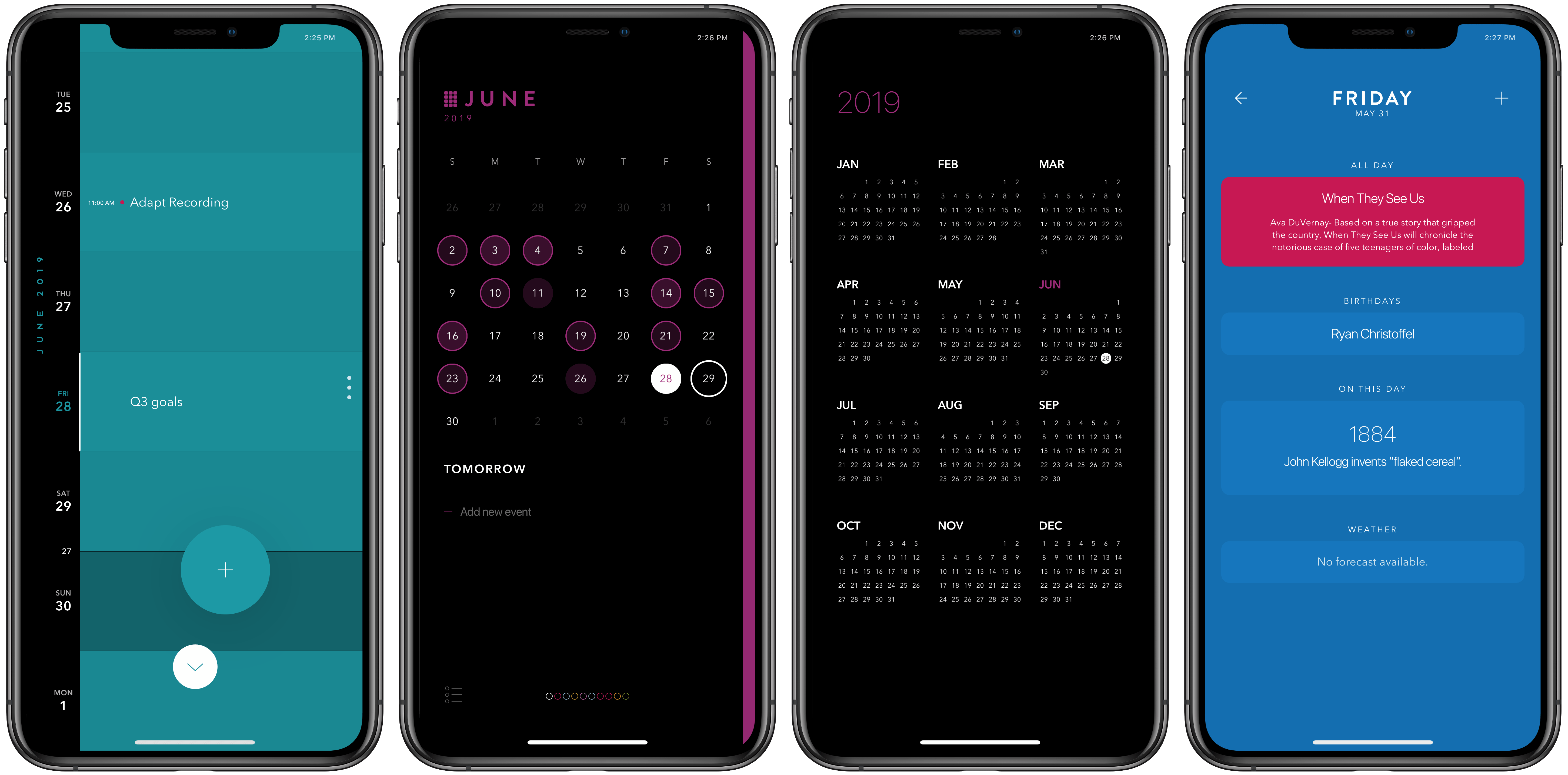
It’s a special kind of dilemma when an app is already one of the best in its category, yet it lives on a platform that requires constant improvement. Some apps in this predicament continue adding feature after feature in a way that ends up detracting from what users initially loved, while others pursue updates that may be less attention-grabbing, but they improve the core app in meaningful ways. Timepage, the iOS calendar app from Moleskine, has chosen the latter route with version 3.0, available today. There are no headline-grabbers here, but this latest update demonstrates that Moleskine has a strong understanding of how its app is used, and how to make it better. It introduces significant improvements to event creation, a new birthday functionality, additional calendar views, and a design tweak inspired by Timepage’s sister app, Actions, among other things.

Read more

Access Extra Content and Perks

Founded in 2015, Club MacStories has delivered exclusive content every week for nearly a decade.

What started with weekly and monthly email newsletters has blossomed into a family of memberships designed for every MacStories fan.

Learn more here and from our Club FAQs.

Club MacStories: Weekly and monthly newsletters via email and the web that are brimming with apps, tips, automation workflows, longform writing, early access to the MacStories Unwind podcast, periodic giveaways, and more;

Club MacStories+: Everything that Club MacStories offers, plus an active Discord community, advanced search and custom RSS features for exploring the Club’s entire back catalog, bonus columns, and dozens of app discounts;

Club Premier: All of the above and AppStories+, an extended version of our flagship podcast that’s delivered early, ad-free, and in high-bitrate audio.

Learn more here and from our Club FAQs.