I agree with every point made by Dr. Drang.
What I do with automation (especially on iOS) is, in a way, a form of recreation. And if this can offer my readers a new perspective, even better.
It gives architects the freedom of a pencil and paper, with every project on one device
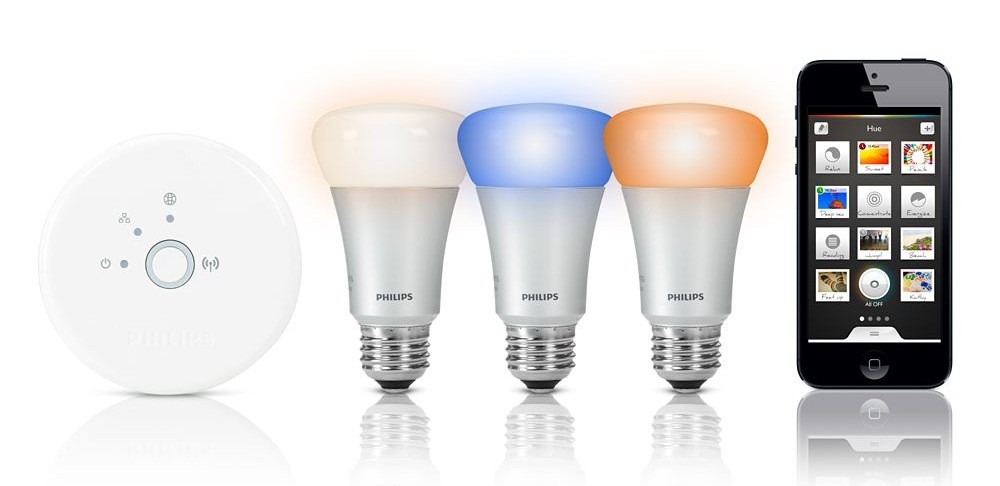
As reported by TechCrunch, Philips has released an API and iOS SDK for the hue, the company’s wireless lighting system that gives users control through an iOS app.
We’re now at a point where there are already about 10 applications that have been shared and built from the unofficial developer community for new applications around Hue,” explained George Yianni, Hue System Architect in an interview. “Now what we want to do as Philips is we actually want to help and grow and encourage this community, and give them tools and proper documentation. Also, we want to give them commitment that this is the API and we’re going to support it and it won’t change overnight.
Prior to the official release of an API and SDK, third-party developers had already reverse-engineered Philips’ apps to create their own solutions to control hue’s system (based on a “bridge” that communicates with the actual lightbulbs). An iOS app called Ambify lets users pair their music with hue lights; here at MacStories, I linked to a video back in November showing an unofficial hue Python library that could work with Pythonista to automate the process of switching lights on and off.
The API opens a lot of interesting possibilities for third-party software and hardware makers. The hue already shipped with its own options for remote control and “presets” (called “recipes”) for different lighting settings aimed at providing users with ways to easily replicate specific color combinations based on photos (available in the app’s photo library) or targeted towards lifestyle improvements (such as waking users up in the morning with a gradual light increase).
With an SDK and API, developers can now take advantage of these concepts: aside from the “simple” remote control features, imagine apps that could activate specific hue settings when you’re reading or watching a movie, parse voice-based commands with dictation, or integrate with an iOS device’s Reminders, Calendars, or Location Services. On the hardware side, it should be possible – at least in theory – to develop gadgets capable of combining personal data with hue to leverage Philips’ “smart” lighting system in completely new ways. An obvious implementation would be for health and fitness-monitoring accessories such as Nike’s FuelBand; as far as rumors go, an Apple iWatch could integrate with hue to exchange an user’s data and personal stats (Apple isn’t new to third-party collaborations of this kind).
Right now, Philips’ hue API is promising and shows great potential for more forward-thinking software and hardware implementations. You can read more on Philips’ website.
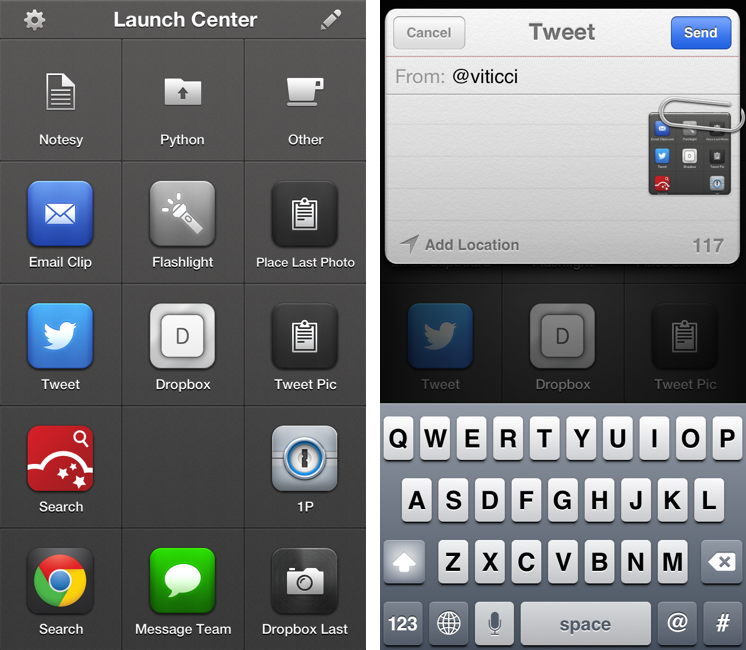
Released in December 2011, App Cubby’s Launch Center re-ignited interest in iOS URL schemes – shortcuts to automate communication between apps and get specific things done faster with less manual tapping and interactions. Its direct sequel, Launch Center Pro, was released in the summer of 2012 and doubled down on the entire idea of automating iOS tasks by providing a “Home screen for your actions” to allow users to better and more visually organize their shortcuts.
Launch Center Pro 1.1, released today, focuses on improving three key aspects of Launch Center Pro: native in-app actions, the Action Composer, and TextExpander support in URLs. Read more
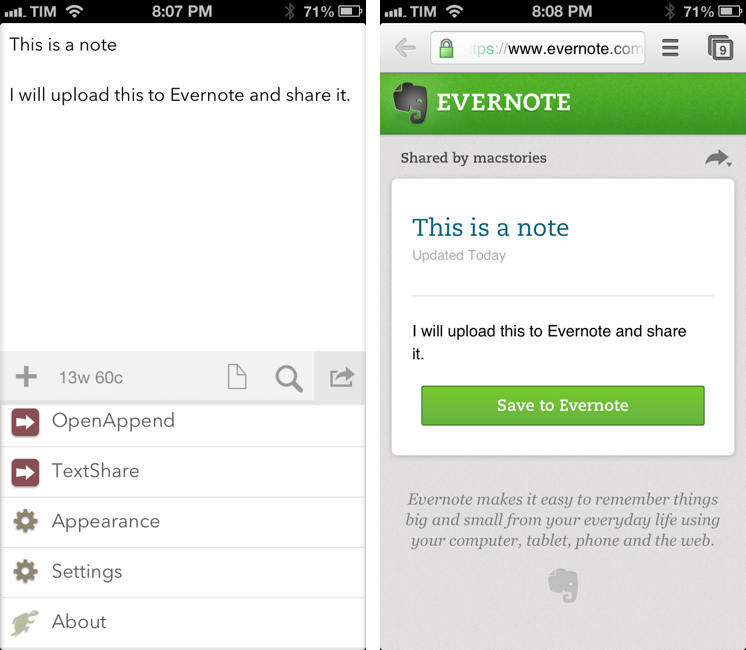
I use Evernote on a daily basis, but there’s no easy and quick way to create new notes and receive their shared URLs on iOS. While I tend to prefer plain text files, Evernote notes are quite useful when I need to share rich text (containing formatting and inline images) with someone else. Sharing via the official Evernote app takes too long[1], and I don’t like the UI of other Evernote clients.
Yesterday, Pythonista developer Ole Zorn posted an installer script for the Python Evernote SDK. By putting together all the necessary dependencies, he created an installer script that will create an “evernote-sdk” sub-folder in Pythonista 1.3; with that, you’ll be able to access the entire Evernote API to create and manage notes – all while taking advantage of the uniqe iOS-related features of Pythonista.
Inspired by Ole’s demoes and the snippets posted by Brett Kelly in the past weeks, I created a script that does exactly what I need: it lets me enter text to save it in an Evernote note that will be shared publicly. If triggered by an app like Drafts or Launch Center Pro, the script will take the text sent by those apps. If formatted in Markdown, the text will be converted to HTML before saving it to Evernote. Read more
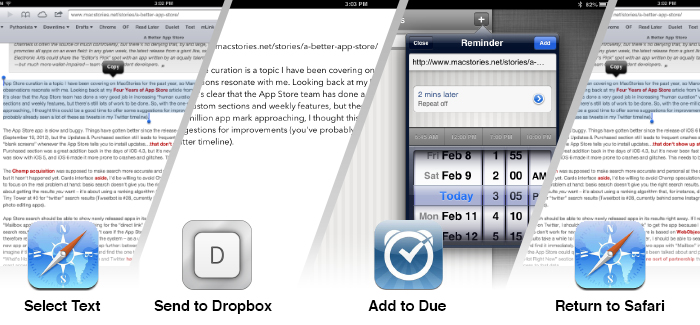
As I expected, people have started experimenting with chaining apps and services using Drafts, and Alex Guyot quickly beat me in chaining 5 apps. From his explanation of the workflow:
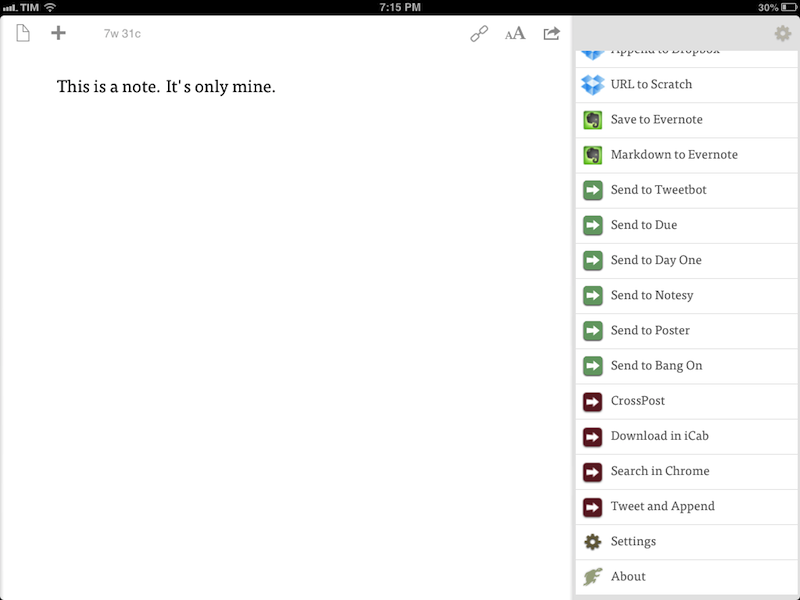
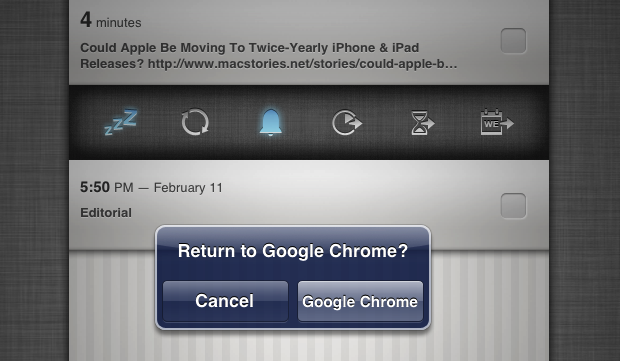
Follow the bookmark in Chrome and it will take the URL of the webpage you are on, send it to Drafts as a draft, upload it to Dropbox, send it to Due (where you choose a reminder time for it to remind you), take you back to Drafts, send you to Instapaper (Where you choose to save the link to Instapaper), then send you back to Chrome.
He also posted a quick video showing the workflow in action on his iPad. I like how, unlike me, he chained each action as an x-success parameter of the previous one.
As I’ve argued on multiple occasions here on the site, URL schemes are certainly a stopgap solution to a problem – better inter-app communication on iOS – that I wish Apple will tackle in the near future. However, that doesn’t mean people can’t get real work done with URL schemes and apps today. Looking ahead, I can only imagine new possibilities of iOS automation based on URL schemes that, however, abstract the need of manually building URLs from the end user’s workflow – using a more Automator-like interface to visually represent actions. And, who knows, perhaps in a future version of iOS “switching” between apps won’t even be required anymore, as “parts” of other apps will be linked to each other using something like XPC.
Chris White is putting together an impressive collection of JavaScript bookmarklets, URL schemes, and iOS services and actions in a GitHub repo:
It seems like we’ve recently been seeing a ton of new ideas, clever tricks and tools for making users who are willing to dive into the deep-end more productive on our iOS devices through automation, seamless app communication and some really great shortcuts. This is a collection of bookmarklets, scripts and custom URL scheme actions that help bridge apps and manipulate the data you can send between them.
Chris included some of my bookmarklets and URL schemes in his collection, which I recommend checking out if you’re looking for a single place containing several moderately advanced tips for doing more than just launching apps via URLs.
iOS automation is, of course, a subject that I’ve been covering on a daily basis on MacStories for the past months. While I haven’t had the time to put together a GitHub repo like Chris did, allow me to list the various articles and tag pages where you can get started:
Automation with Drafts and Chaining Apps with Drafts
I’m very glad Chris decided to collect these resources in a repo. I especially like the Drafts bookmarklets he made, which contain a check to see whether the browser has an active text selection (something I haven’t been doing as I’ve always created separate bookmarklets for Chrome and Safari).
A few weeks ago, I took a look at the automation possibilities opened by Drafts, Agile Tortoise’s multi-purpose text app. In the article, I mentioned how a bug prevented Drafts from “linking to itself” more than once:
Therefore, my idea for cross-posting was: I can link to Drafts itself, and if the first action is successful, I can link to Drafts itself again. Essentially, I wanted to leverage the built-in App.net and Twitter actions to avoid the use of any third-party app. Unfortunately, there’s a bug in the current version of Drafts that doesn’t make that kind of action work.
With an update to Drafts released yesterday, Greg Pierce has brought various improvements to the app, including support for more customizable timestamps and dates using strftime, date and time tags for file names and URL actions, and a new way to encode strings with curly brackets.
Seemingly minor, the option to more easily URL encode strings is actually a very welcome addition: like in the latest Mr. Reader, instead of forcing the user to encode a URL into a longer string, you can simply put a URL inside {{ }} and let Drafts take care of encoding it. It means I can now experiment with building more complex workflows that contain actions for more external apps and, more importantly, for “sequential” tasks in Drafts itself. Easier encoding means we construct URLs that will tell Drafts “do this, and then do that” in a single workflow.
Those who follow me on Twitter know that I’ve been trying since yesterday to see how many apps I could chain together in a workflow, mainly out of curiosity and as a “proof” of concept. First, I tweeted about a Mr. Reader -> Drafts -> Poster workflow that would take selected text from an article, convert its Markdown to HTML, and then send it to Poster; the workflow consisted of three apps chained together, but I knew I could try to accomplish something a bit more ambitious. I kept on experimenting with Drafts URLs, and eventually I managed to build a single workflow with 3 apps and 4 different tasks involved. I’m posting it here for two reasons: a) I believe it’s a quite useful workflow; and b) it can serve as an example of what Drafts can do when you understand how to properly link multiple apps together. Read more
The latest update to Drafts – a “quick note capturing” app that I’ve covered several times on MacStories – adds a series of features aimed at increasing the possibilities of workflows automation on iOS devices. Obviously, this is something I’m interested in.
It seems like enabling users to save time while using apps has been a common thread in the past few months. The success of Launch Center Pro probably “raised awareness” in regards to the whole concept of URL schemes, but it’s been the increased adoption of x-callback-url and interest in automated workflows that proves better inter-app communication is something that (at least) third-party developers are thinking about. Google included a powerful URL scheme in Google Maps and Google Chrome; more recently, Mr. Reader showed how to enable a “services menu” by requiring users to mix URL schemes from other apps with parameters for an article’s title or selected text. These aren’t ideal solutions, but it’s all we have for now.
Greg Pierce, creator of the x-callback-url specification, has improved Drafts in ways that not only make the app more useful to get text onto other services, but also broaden the possibilities for automation through the use of URL schemes.
There are three main new features in the new Drafts: Dropbox actions, URL actions, and an improved URL scheme with support for callbacks and action triggers. I am going to explain how they work and include various actions and bookmarklets to demonstrate different use cases. Read more
When there are no actual news or notable app releases, I prefer investing my time in creating something for other people.
Continuing my ongoing series of tips on iOS URL schemes, here’s an adaptation of my existing Due bookmarklet to work better with Google Chrome for iOS (which, as I’ve pointed out several times, has a very nice URL scheme). The following code (to install it, simply copy it and paste the entire string into a bookmark) grabs a webpage’s title and URL and sends them to Due (also powered by a great URL scheme). Read more