This Week's Sponsor:

SoundSource

New Year, New Audio Setup: SoundSource 6 from Rogue Amoeba


Posts tagged with "apps"

Apple Introduces a Mini App Partner Program Featuring a Reduced Commission

Today on its news site for developers, Apple announced a new Mini Apps Partner Program for the App Store. The announcement is brief but backed by a more detailed explanation about the eligibility requirements. Here’s how it works.

As Apple explains, mini apps are “self-contained experiences that are built using web technologies like HTML5 and JavaScript” that are hosted within a native app. That’s not something new. Companies like WeChat and Line have offered this sort of thing for a long time, and Apple has supported mini apps officially since 2017. What’s different is that now, developers who meet Apple’s eligibility requirements can offer those mini apps at a reduced commission. That means for any mini app not made by the developer of the native app that hosts them, the hosting developer will pay Apple a flat 15% commission.

To be eligible for the program, developers must ensure that the mini apps they host support certain APIs, including the Declared Age Range API and the Advanced Commerce API, the In-App Purchase system, and the Send Consumption Information endpoint that enables the processing of refunds. In other words, native app developers who do the work to ensure that mini apps meet the program requirements will pay Apple a reduced commission on mini app sales in return.

If you’re wondering what constitutes a mini app, Apple has provided some examples. Mini apps are “software packages, scripts, or game content that are added after app installation and executed on the device, provided such code is written in HTML5 or JavaScript, or another language approved by Apple”, such as mini games, streaming games, chatbots, plug-ins, and game emulators. As I mentioned above, it’s also important to keep in mind that mini apps are apps that are not controlled by the developer of the native app that hosts them.

Also, to participate in the Mini App Partner program, developers must apply – that link takes you to a form requesting information about the mini apps a developer wants to offer, so eligibility can be determined.

App Store users stand to benefit from the program, too. APIs like the Declared Age Rating API will help ensure that only age-appropriate mini apps are available to kids. Plus, by supporting the Advanced Commerce API, mini apps will include more metadata, providing users with a richer experience in places like their App Store purchase history.

Mini apps based on web technologies are a growing part of the App Store. The App Review Guidelines have accounted for mini apps since 2017 and the rules around them have continued to adapt to the market ever since. The Mini App Partner Program reflects the further evolution of the category, promoting privacy and transparency for users, while offering the carrot of lower commissions to developers.

What will be interesting to watch is the extent to which developers sign up for this new program. The program isn’t required (although compliance with App Review Guideline 4.7 still applies), so it will come down to whether the reduced commission provides sufficient incentive for developers to further police the mini apps they host.
Apple Recreated the App Store on the Web with No Way to Download or Buy Apps

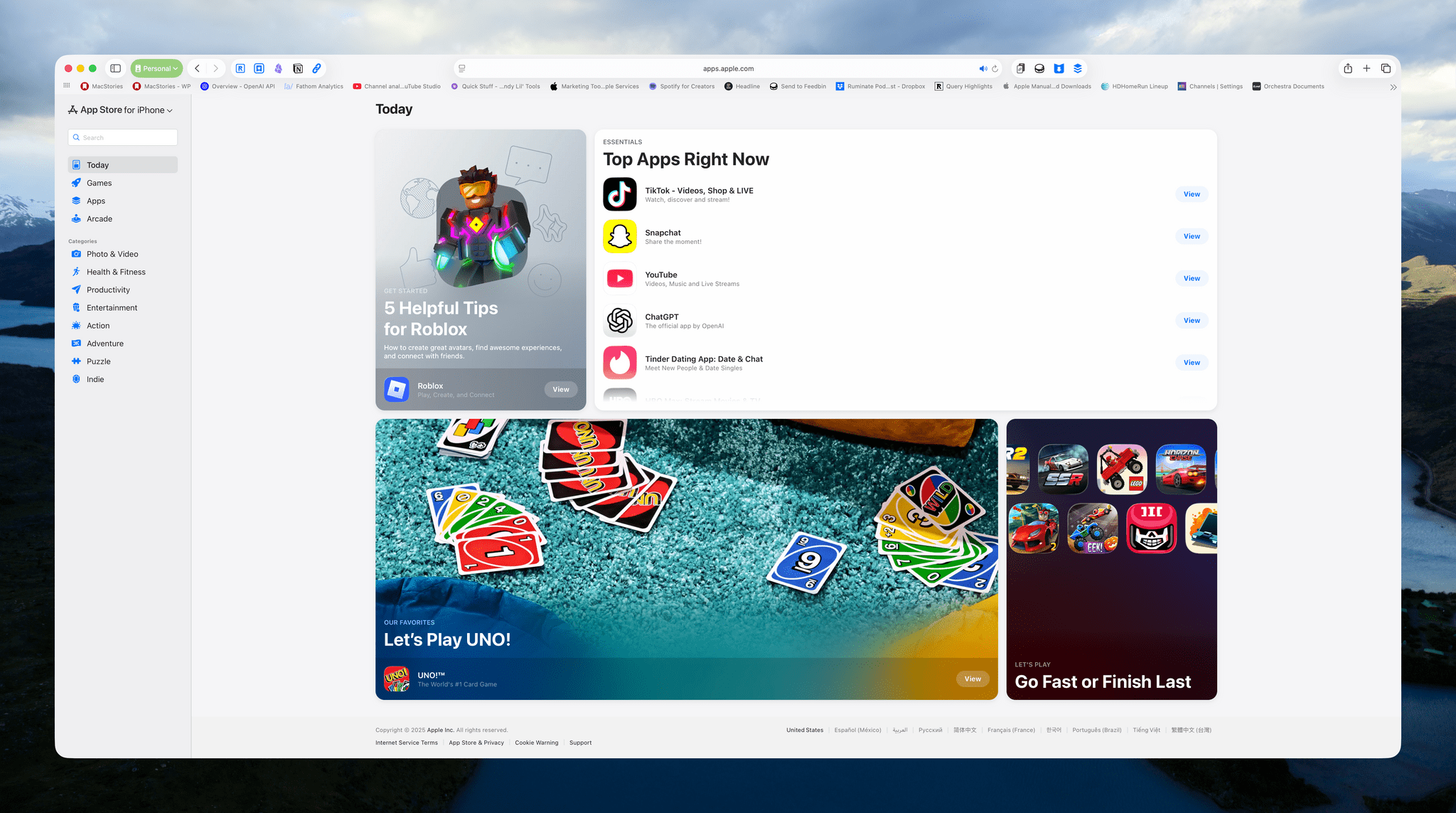
Today, Apple launched a web version of the App Store, with a twist. I’ll admit that this wasn’t on my “things Apple will do this fall” bingo card. I’ve wondered since the earliest days of the App Store why there wasn’t a web version and concluded long ago that it just wasn’t something Apple wanted to do. But here we are, so let’s take a look.

You’ll find the new web-based App Store at apps.apple.com, where you’ll be greeted by a sort of amalgam of the App Stores on each of Apple’s platforms. Along the left sidebar, you’ll find the same Today, Games, Apps, and Arcade tabs found in the native App Stores. This is where Categories reside, too. One big difference is that in the top-left corner, you’ll see what store you’re viewing, which defaults to the iPhone even if you’re on a different device. Click the drop-down label, and you can switch to another storefront.

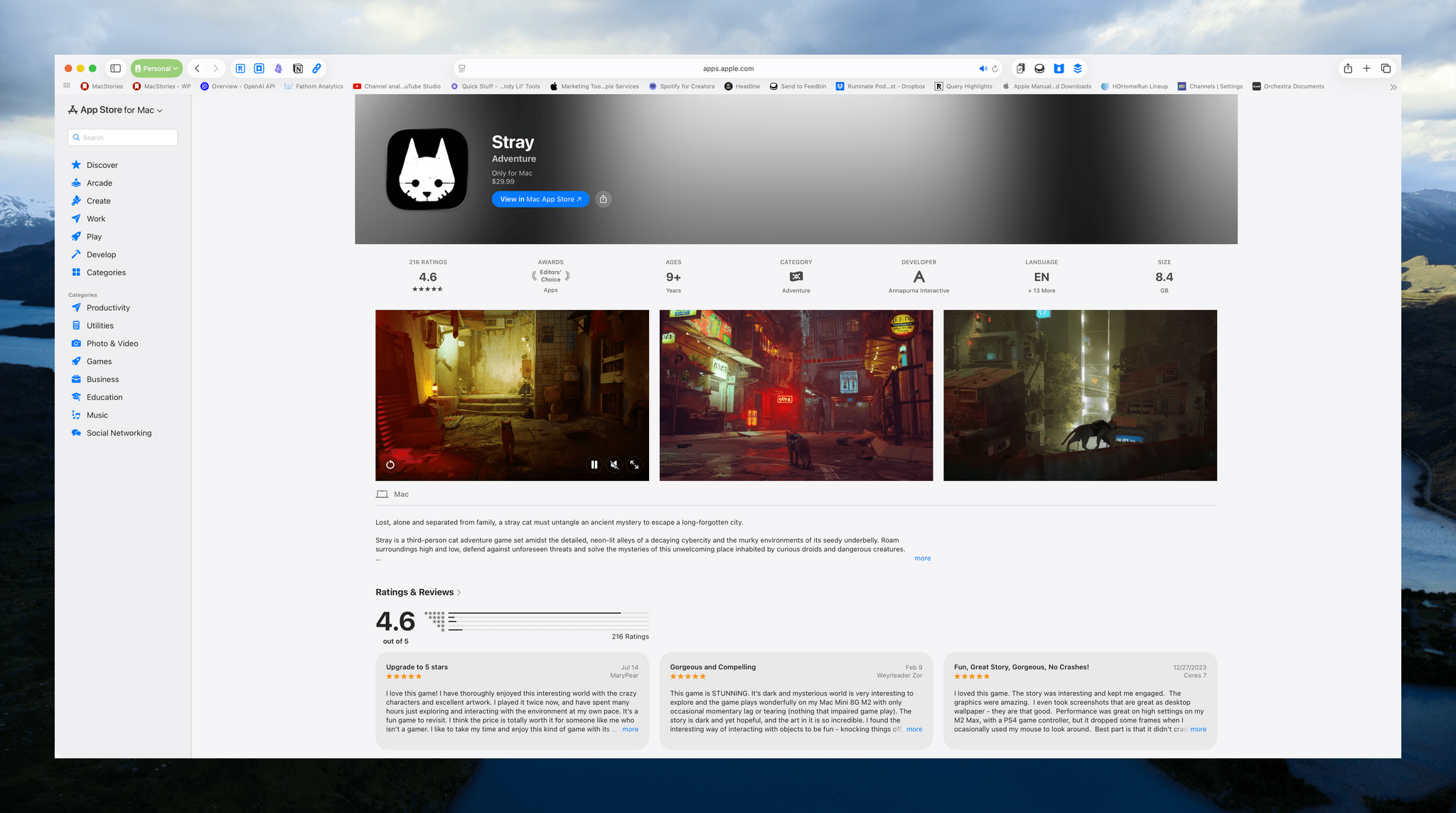
Stray is $29.99, but you'll need to open the Mac App Store app to buy it.

Stray is $29.99, but you’ll need to open the Mac App Store app to buy it.

An even bigger difference from the native App Stores is that you can’t buy anything on the web. That’s right: there’s no way to log into your Apple account to download or buy anything. It’s a browse-only experience.

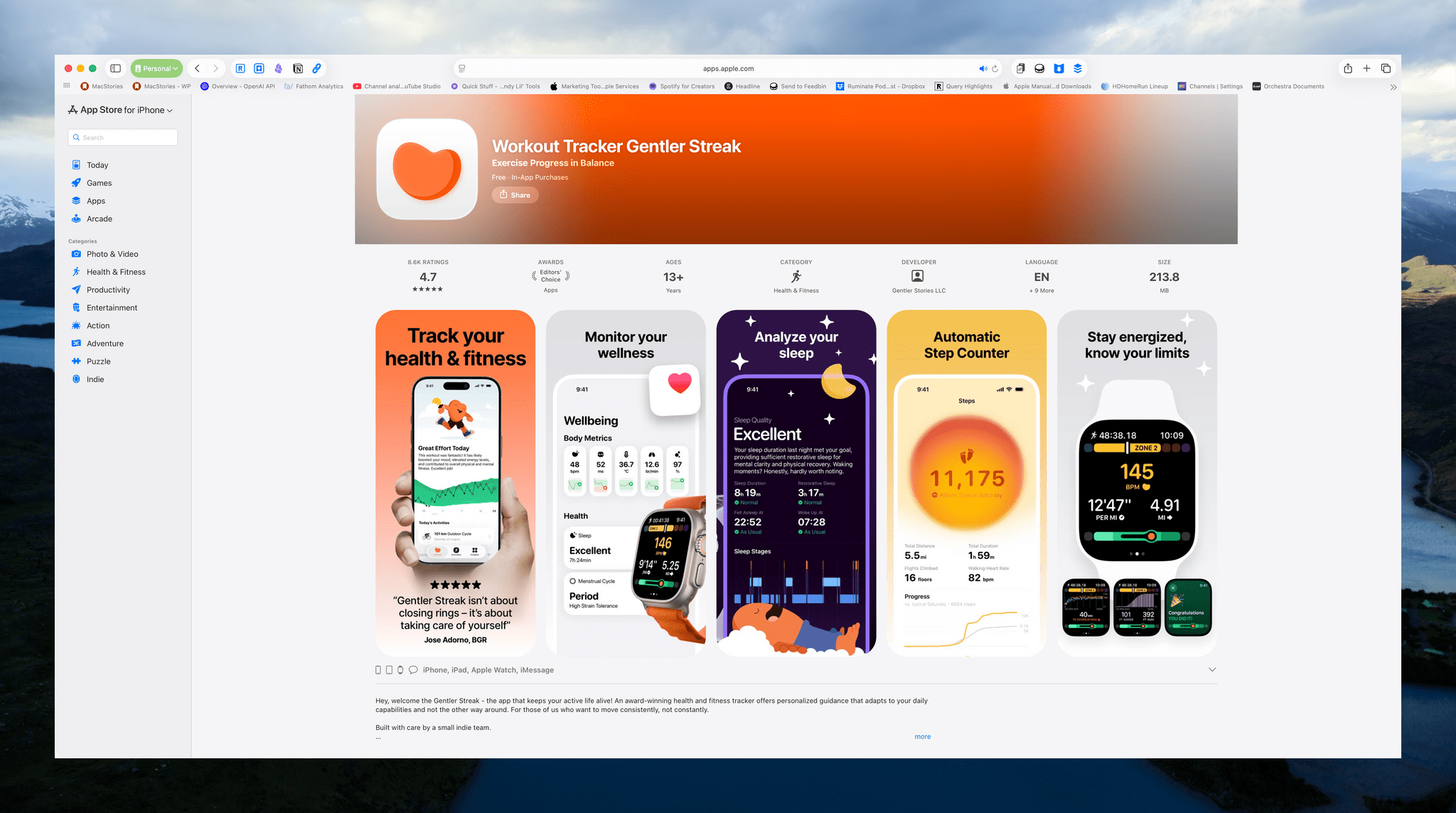
The site looks great and is a fully responsive replica of the native App Store apps in just about every way, but in place of the usual ‘Get’ or ‘Buy’ buttons, there’s a ‘View’ button, which is replaced by a ‘Share’ button when you go to an app’s dedicated page. I really don’t get it. At least on the Mac, there’s a button to open an app in the Mac App Store, but the same isn’t true on the iPhone and iPad.

The website is a great amalgamation of the native App Stores, but it's not really a store if you can't download or buy anything.

The website is a great amalgamation of the native App Stores, but it’s not really a store if you can’t download or buy anything.

Sure, you can always share an app to yourself on a device where you can buy it. But shouldn’t the point of a web store be to allow you to make purchases when you’re not on an Apple device or, for example, to buy a Mac app on your iPhone and have it waiting for you when you return to your Mac? I’ve literally checked the site multiple times because I can’t believe Apple built a storefront but left out the commerce part.

Look, the website is very nice and does a great job replicating the UI of the App Store, just like the web versions of Music, Maps, and iCloud do. I just wish I could buy something.


Claude Adds Screenshot and Voice Shortcuts to Its Mac App

Claude's new in-context screenshot tool.

Claude’s new in-context screenshot tool.

Anthropic introduced a couple of new features in its Claude Mac app today that lower the friction of working with the chatbot.

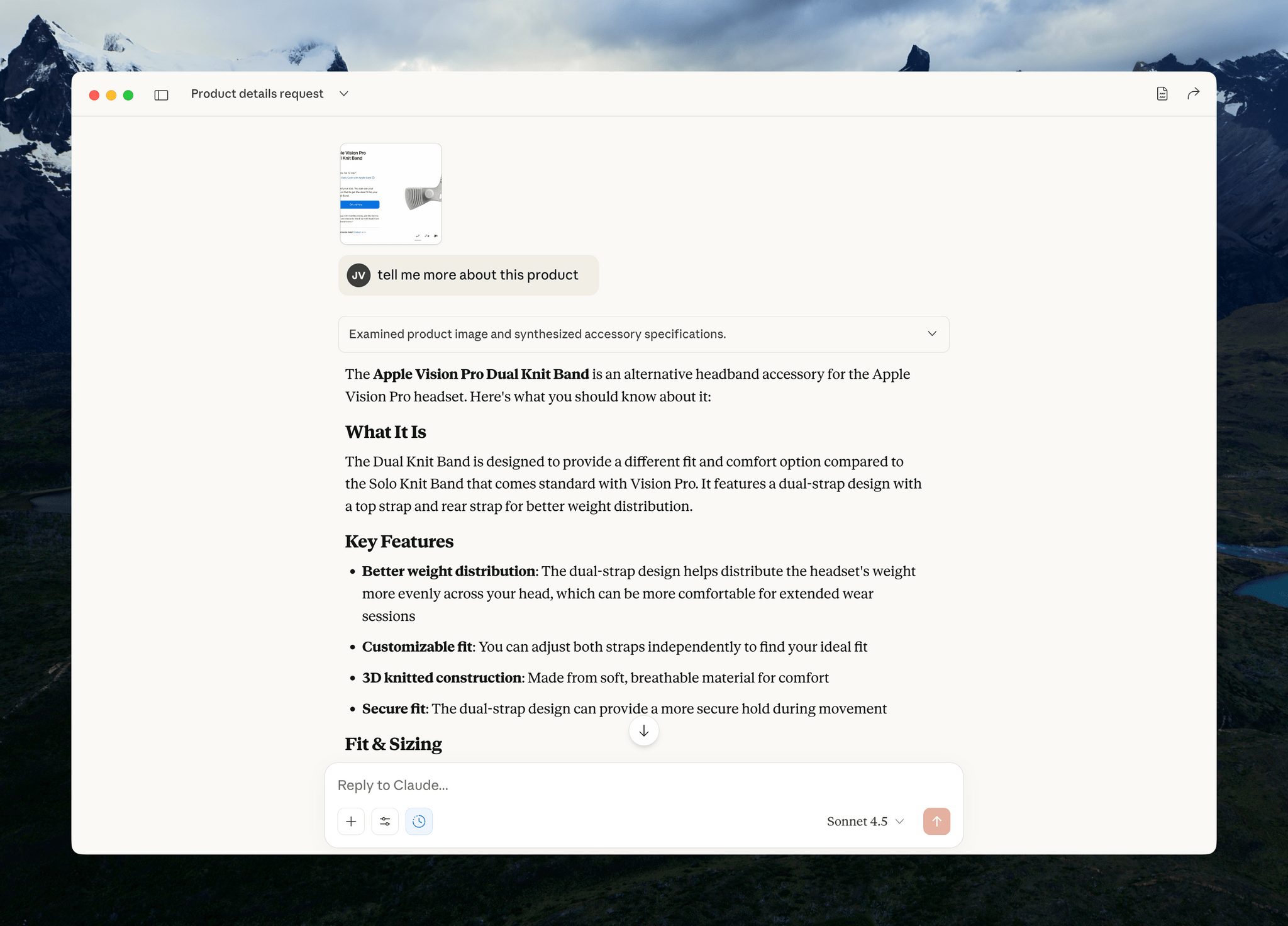
First, after giving screenshot and accessibility permissions to Claude, you can double tap the Option button to activate the app’s chat field as an overlay at the bottom of your screen. The shortcut simultaneously triggers crosshairs for dragging out a rectangle on your Mac’s screen. Once you do, the app takes a screenshot and the chat field moves to the side of the area you selected with the screenshot attached. Type your query, and it and the screenshot are sent together to Claude, switching you to Claude and kicking off your request automatically.

Instead of double-tapping the Option key, you can also set the keyboard shortcut to Option + Space, or a custom key combination. That’s nice because not all automation systems support two modifier keys as a shortcut. For example, Logitech’s Creative Console cannot record a double tap of the Option button as a shortcut.

Sending your query and screenshot takes you back to the Claude app for your response.

Sending your query and screenshot takes you back to the Claude app for your response.

I send a lot of screenshots to Claude, especially when I’m debugging scripts. This new shortcut will greatly accelerate that process simply by switching me back to Claude for my answer. It’s a small thing, but I expect it will add up over time.

My only complaint is that the experience has been inconsistent across my Macs. On my M1 Max Mac Studio with 64GB of memory, it takes 3-5 seconds for Claude to attach the screenshot to its chat field whereas on the M4 Max MacBook Pro I’ve been testing, the process is almost instant. The MacBook Pro is a much faster Mac than my Mac Studio, but I was surprised at the difference since it occurs at the screenshot phase of the interaction. My guess is that another app or system process is interfering with Claude.

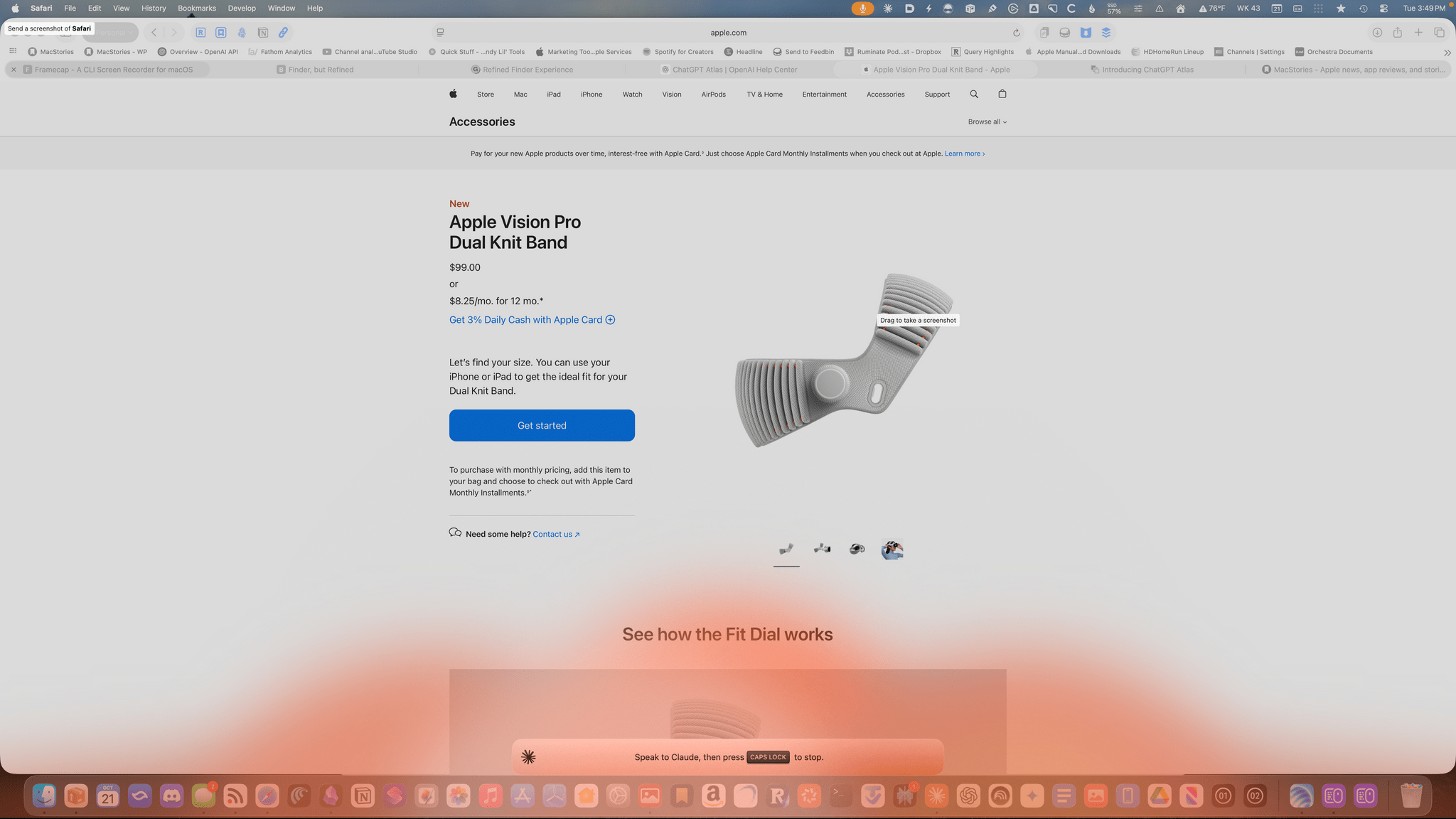
Am I talking to the Claude chatbot or lighting my Dock on fire.

Am I talking to the Claude chatbot or lighting my Dock on fire.

The other new feature of Claude is that you can set the Caps Lock button to trigger voice input. Once you trigger voice input, an orange cloud appears at the bottom of your screen indicating that your microphone is active. The visual is a little over-the-top, but the feature is handy. Tap the Caps Lock button again to finish the recording, which is then transcribed into a Claude chat field at the bottom of your screen. Just hit return to upload your query, and you’re switched back to the Claude app for a response.

One of the greatest strengths of modern AI chatbots is their multi-modality. What Anthropic has done with these new Claude features is made two of those modes – images and audio – a little bit easier, which gets you from input to a response a little faster, which I appreciate. I highly recommend giving both features a try.


Jump Into the Liquid Glass Pool: A MacStories OS 26 App Roundup

Liquid Glass is the sort of change that takes some getting used to from the perspective of both users and developers. The design language shifted a lot over the course of the summer beta season, which made developers’ lives tougher than in some years. This has resulted in a variety of Liquid Glass implementations across our favorite apps, which is a fascinating study in the range of designs Liquid Glass encompasses.

Today, we wanted to share some of our favorite implementations of Liquid Glass and other features debuted this fall by indie developers. We’ll have more coverage in the weeks ahead, but let’s dive into some of the best OS 26 updates we’ve seen so far.

Devon

Art of Fauna

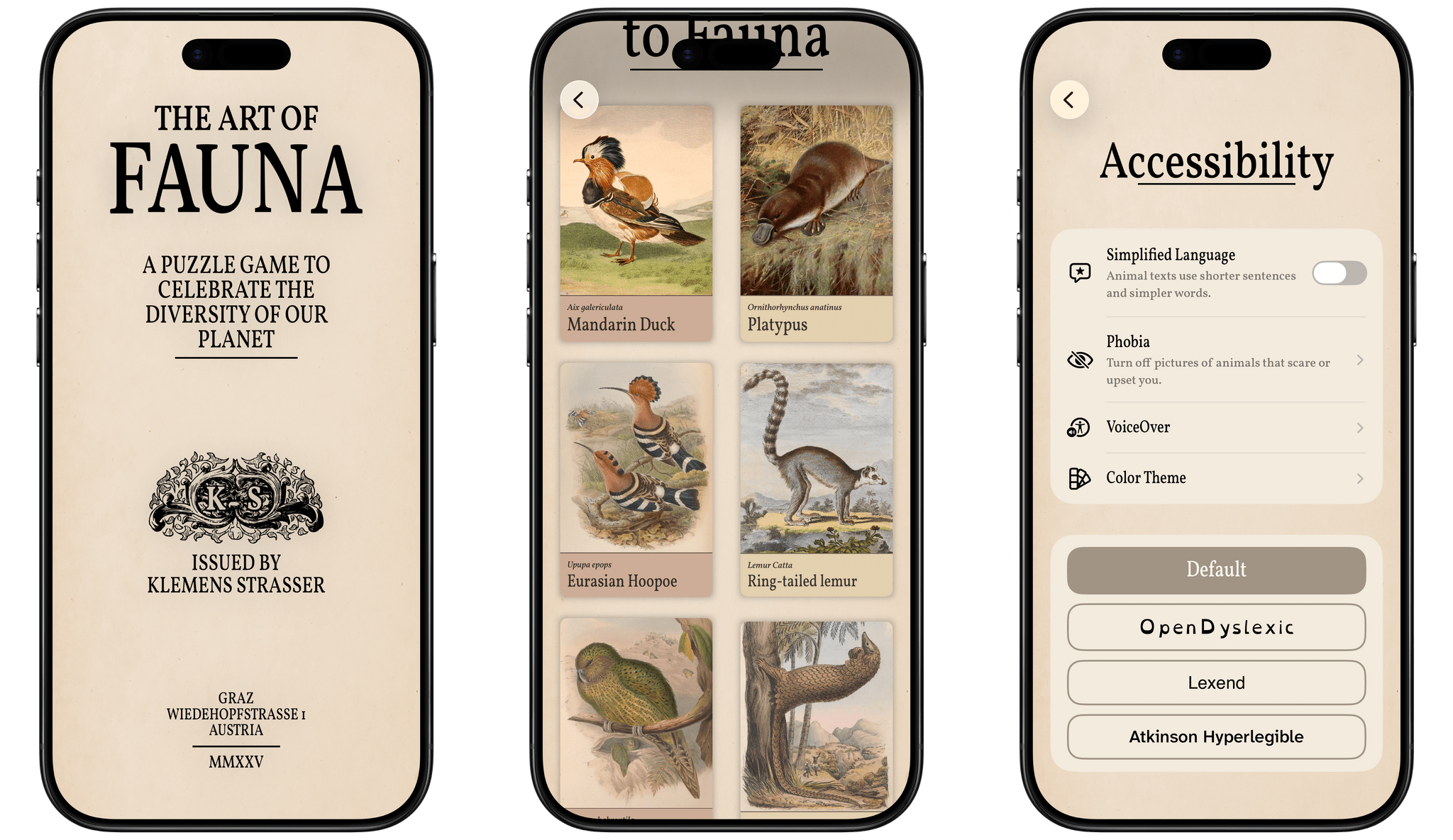
From developer Klemens Strasser, Art of Fauna is a unique jigsaw puzzle game with a focus on accessibility and animal conservation. Each puzzle features a gorgeous wildlife illustration from the 18th or 19th century and can be solved either by aligning pieces of the picture or by rearranging written descriptions of the animal pictured phrase by phrase. Everything about the app, from the font to the colors to the complexity of the puzzle phrases, can be adjusted to fit each user’s needs. With its beautiful artwork, intuitive gameplay, ambient sound design, and adaptability, it’s no wonder the app won an Apple Design Award for Inclusivity this year.

Version 1.8 of Art of Fauna came out alongside iOS 26 with Game Center integration and Liquid Glass design elements in its navigation buttons. But the most interesting new feature is integration with a new app from the team behind Structured called Awake. Put simply, Awake is an alarm clock app that helps you wake up by challenging you to accomplish a task before you can disable your alarm in the morning. With this integration, you can choose to make an Art of Fauna puzzle your morning mission, starting your day with some brain training and a beautiful puzzle. In Awake, you can select the difficulty level of the puzzle you’re presented with each morning, as well as whether you’d like the app to prefer unplayed puzzles over previously played ones.

Art of Fauna is available on iPhone and iPad. It can be downloaded from the App Store and includes ten puzzles for free. There are 100 other puzzles available from five different biomes that can be purchased all at once for $8.99 or in packs of 20 for $2.99 each. 20% of all proceeds from the app are donated to nature preservation causes, and you can learn more about the supported causes in the app’s Giving Back section.

Play

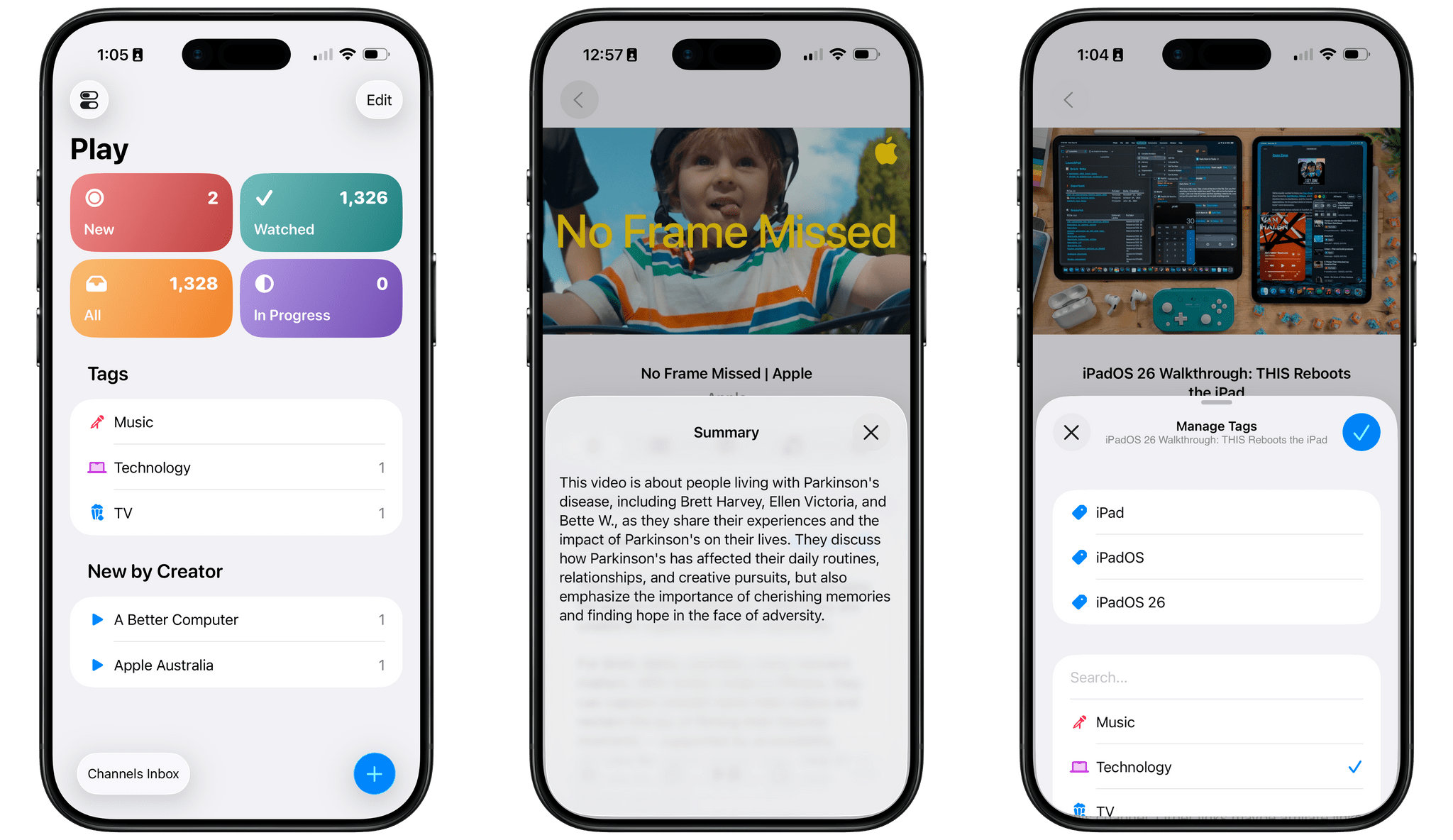
Marcos Tanaka’s watch later utility is a go-to for many – myself included – when it comes to saving, organizing, and watching YouTube videos. With its latest update, version 2.6, Play has added several features enabled by iOS 26.

First up is a Liquid Glass redesign. The sidebar, toolbar, and buttons are all elevated above the content and incorporate the transparent glass material. Buttons and view transitions now feature some fun animations, too, like when the ‘+’ button morphs into the Add Video popover once it’s tapped.

The on-device Apple Intelligence model has enabled Tanaka to add a couple of new AI features as well. Each video’s detail view now includes a ‘Generate’ button that will create and present a text summary of the video’s contents. For those who want to get an idea of what a video is about before watching it, or for those who want a quick refresh on a video they’ve watched before, this feature will come in handy, and it’s a clever application of the on-device model now available to developers. Also, when adding tags to a video, Play can now suggest tags based on a video’s contents, both existing tags and new tags that you can create.

Play is available on iPhone, iPad, Mac, Vision Pro, and Apple TV and can be purchased from the App Store for $2.99. Additional features, like subscribing to channels within the app and searching video transcripts, require a subscription to Play Premium, which costs $2.99/month, $19.99/year, or $99.99 for a lifetime subscription.

Read more


Apple Removes ICEBlock and Similar Apps From the App Store Under Pressure From the DOJ

Late yesterday, Apple pulled ICEBlock and similar apps from the App Store under pressure from the U.S. Department of Justice, according to Fox Business News. ICEBlock is a crowd-sourced app used to track the location of Immigration and Customs Enforcement agents.

We reached out to Apple today demanding they remove the ICEBlock app from their App Store — and Apple did so, [Attorney General Pam] Bondi said in a statement to Fox News Digital.

In a statement to Fox, Apple acknowledged pulling ICEBlock and similar apps saying:

We created the App Store to be a safe and trusted place to discover apps. Based on information we’ve received from law enforcement about the safety risks associated with ICEBlock, we have removed it and similar apps from the App Store.

Joshua Aaron, the developer of ICEBlock, which briefly held the top spot in the App Store’s social networking category, told Fox that the app has more than 1.1 million users. Aaron told Fox Business News that he intends to fight ICEBlock’s removal.

Permalink

Apple Highlights Apps Using Its Foundation Models Framework

Source: Apple.

Source: Apple.

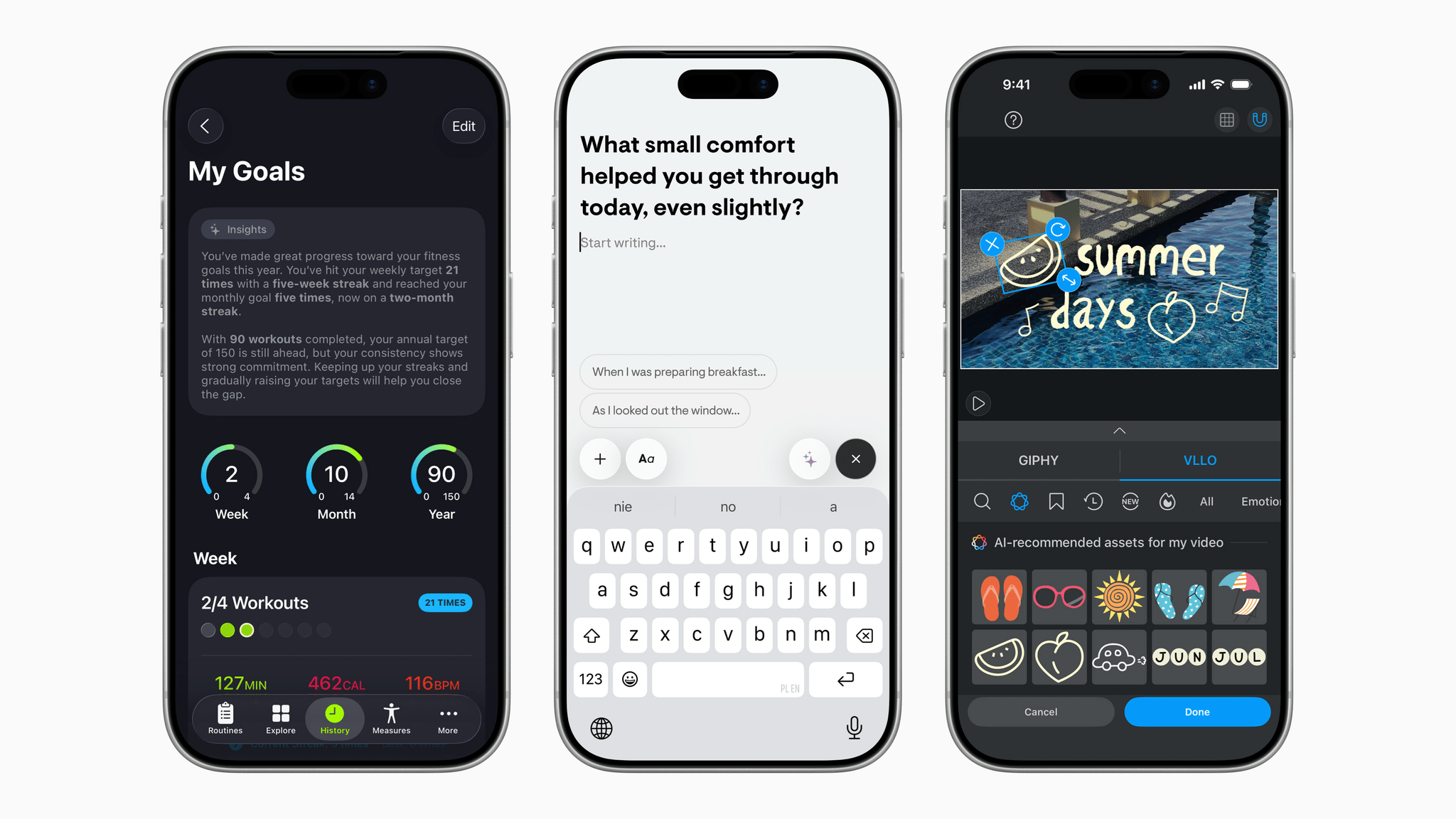
Earlier today, Apple published a press release highlighting some of the apps that are taking advantage of its new Foundation Models framework. As you’d expect, indie developers and small teams are well-represented among the apps promoted in the press release. Among them are:

It’s a group of apps that does a great job of demonstrating the breadth of creativity among developers who can leverage these privacy-first, on-device models to enhance their users’ experiences.

Apple’s happy to see developers adopting the new framework, too. Susan Prescott, Apple’s vice president of Worldwide Developer Relations, said:

We’re excited to see developers around the world already bringing privacy-protected intelligence features into their apps. The in-app experiences they’re creating are expansive and creative, showing just how much opportunity the Foundation Models framework opens up. From generating journaling prompts that will spark creativity in Stoic, to conversational explanations of scientific terms in CellWalk, it’s incredible to see the powerful new capabilities that are already enhancing the apps people use every day.

Judging what we’ve seen from developers here at MacStories, these examples are just the tip of the iceberg. I expect you’ll see more and more of your favorite apps adding features that take advantage of the Apple Foundation Models in the coming months.


Longplay for Mac Launches with Powerful AI and Shortcuts Integration

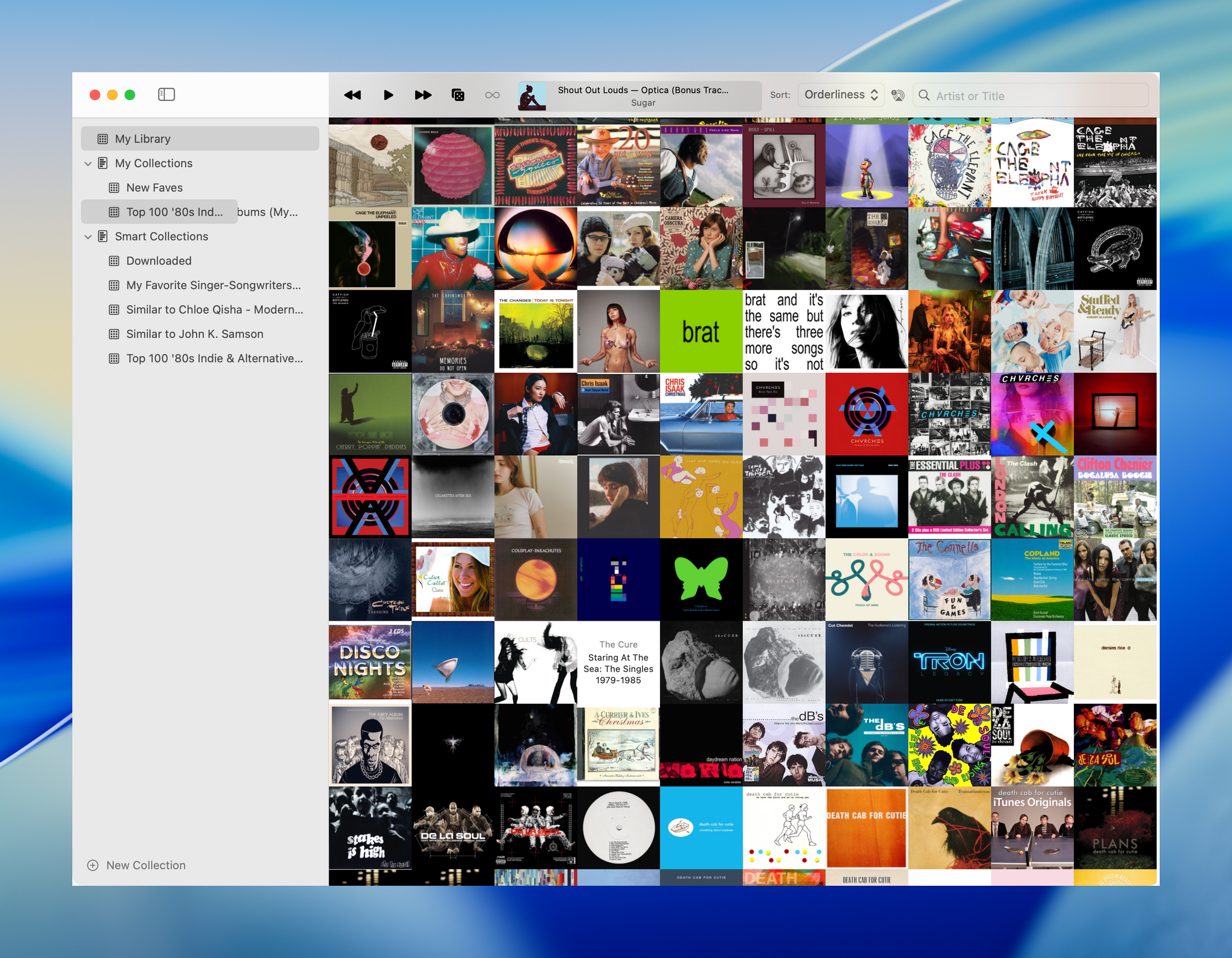
Longplay by Adrian Schönig is an excellent album-oriented music app that integrates with Apple Music. The app started on iOS and iPadOS, then later added support for visionOS. With today’s update, Longplay is available on macOS, too, where it adds unique automation features.

If you aren’t familiar with Longplay, be sure to check out my reviews of version 2.0 for iOS and iPadOS and the app’s debut on the Vision Pro. I love the app’s album art-forward design, collection and queuing systems for navigating and organizing large music libraries, and many other ways to sort, filter, and rediscover your favorite albums. Here’s how Adrian describes Longplay in a post introducing the Mac version:

It filters out the albums where you only have a handful of tracks, and focusses on those complete or nearly complete albums in your library instead. It analyses your album stats to help you rediscover forgotten favourites and explore your library in different ways. You can organise your albums into collections, including smart ones. And you can go deep with automation support.

With the introduction of Longplay for Mac, the app is now available everywhere, with feature parity across all versions. Plus, Longplay syncs across all devices, so your Collections and Smart Collections are available on every platform.

Read more


Two-Day Indie App Sales Event Begins Today with Over 250 Apps

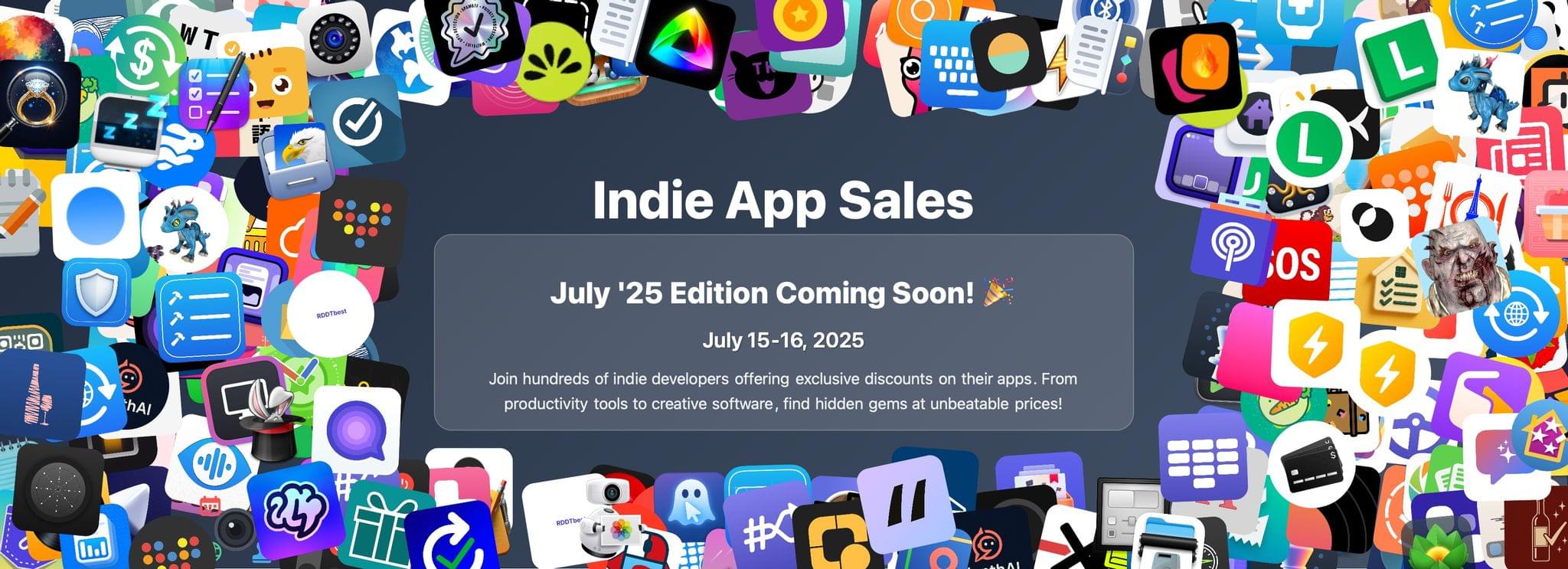
Matt Corey has once again gathered indie developers to organize a huge sale today and tomorrow. Corey, the maker of Bills to Budget and Signals, has organized a collection of over 250 apps that will be offered at a discount through Wednesday. The list is too long to publish here, but it includes many apps we’ve covered here on MacStories and on Club MacStories in the past, including:

There are a lot of great deals, with many apps discounted 50% or more. What’s listed above is a small fraction of the participating apps, so be sure to visit Indie App Sales and support these great indie apps.


Hand Crafted: Don’t Count Developers Out

Source: Apple.

Source: Apple.

We’re days away from WWDC, and I’m excited. As much as I enjoy a good Apple hardware event, it’s WWDC’s focus on software that I truly love. But what WWDC means to me runs much deeper than the OS updates we’ll hear about next week. Of course, Apple’s announcements are a big part of what makes WWDC a special time of the year, but for me, it’s overshadowed by the people.

I’ve been to every WWDC since 2013. That first year, I sat on the sidewalk at 3 AM on a cold pre-dawn morning. I hardly knew anyone in the Apple developer community then, but after hours in that line and attending the events surrounding the conference, I’d gotten to know a few developers.

By the time 2016 rolled around, I was writing at MacStories and interviewing developers for the site, including the founders of Workflow, which became Shortcuts. Now, they’re building Sky. After that WWDC, Federico hit the nail on the head in Issue 37 of MacStories Weekly:

…there’s something special about meeting someone you’ve known for a long time exclusively through the Internet. While I thought I knew some people and had made some special friendships through the years, getting to know them in person is different.

He’s right, and even though WWDC is much smaller than it used to be, I look forward to the chance to get to know the developers whose apps we’ve covered, meet new people, and reconnect with old friends.

What’s special about so many of the developers I’ve met over the years is how much they care about their craft. They sweat all the details. Over the years, we’ve seen many of them go from novices to the makers of apps with big, passionate followings among our readers.

We’ve also seen developers and their importance to Apple’s hardware success undervalued by the very company whose platforms they’re so dedicated to. That’s not new, but it’s gotten palpably worse as the years have worn on.

Since WWDC 2024, that trend has collided head-on with the rise of artificial intelligence. I imagine that our reaction to learning that Apple had scraped MacStories and every other website to train their LLMs was familiar to developers who have felt taken advantage of for years. That was a bitter pill to swallow, but one of the upsides of the experience is that over the past year, it’s forced me to spend a lot of time thinking about creativity, work, and our relationship with technology.

To hear the AI fans tell it, I, the developers we write about, and nearly everyone else will be out of jobs before long. Some days, that threat feels very real, and others, not so much. Still, it’s caused a lot of anxiety for a lot of people.

However, as I get ready to head to this year’s WWDC, I’m far more optimistic than I was after WWDC 2024. I don’t expect AI to replace our friends in the indie developer community; far from it. That’s because what sets a great app apart from the pack on the App Store is the care and humanity that’s poured into it. I’ve yet to see a vibe-coded app that comes anywhere close. Those apps will simply join the vast sea of mediocrity that has always made up a big part of the App Store. Instead, I expect AI will help solo developers and small teams tackle bigger problems that were once the exclusive domain of bigger teams with more resources.

I realize this all may sound like blasphemy to anyone who’s either devoted to AI or dead set against it, but I believe there’s room for AI to serve the artist instead of the other way around. So despite the challenges developers, writers, and others are facing, I’m heartened by the many excellent apps I’ve tried in the past year and look forward to meeting and reconnecting with as many of their creators as I can next week.

If you see me and Federico wandering about, stop us to say hi. We’d love to hear what you’re working on.