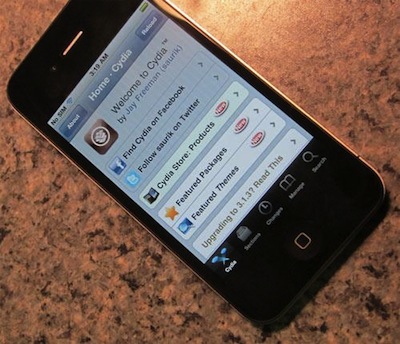
In spite of the Digital Copyright Millenium Act marking the iPhone “jailbreak” procedure as legal, it appears that Apple is still going after hackers and jailbreakers who modify its mobile OS to install unapproved apps and use the handset on unsupported carriers, the NBC reports. By definition, “jailbreak” refers to a set of tools and hacks used to run software and third-party apps Apple doesn’t want in the App Store, whilst “unlock” is a term to indicate the hacks that allow users to let the iPhone work on carriers that don’t support the device, like T-Mobile in the US or other carriers worldwide. Unlock tools and various jailbreak techniques have existed since the original iPhone came out. Most notably, unlock app Ultrasn0w and jailbreak software like PwnageTool, Spirit, Blackra1n and Limera1n. Read more
Posts tagged with "apple"
Apple Asking Federal Government To Fight iPhone Jailbreak?
The Beatles On iTunes: 5 Million Songs Sold In 2 Months

On November 16, 2010 The Beatles came to iTunes. The ever-popular Liverpool band was one of the big holes in Apple’s digital music offering, and an option long pursued by Apple CEO Steve Jobs, who also happens to be a huge fan of the Fab Four. In two months, 5 million songs and 1 million albums of The Beatles have been sold through iTunes, Apple told The Loop.
Two weeks after the initial release, Apple announced 2 million songs had been sold. Clearly sales have slowed down a bit, but it’s an impressive figure nonetheless. And just like when 2 million songs were already out of iTunes, the most popular album is “Abbey Road”. Most popular song in the U.S. is “Here Comes The Sun”.
November 16 might not be a day we’ll never forget, but it sure marked the beginning of a lucrative relationship between Apple and The Beatles.
App Store About to Hit 10 Billion Downloads, Apple Celebrates

Nearly 10 billion apps have been downloaded from the App Store, which was launched in 2008. In January 2010, App Store downloads topped 3 billion; during Summer 2010, Apple reached the 5 billion milestone. Now, it’s time to get to the 10 billion figure, and Apple wants to celebrate and “say thanks” by giving away a $10,000 iTunes Gift Card (also valid for the Mac App Store) to a lucky user who will download the 10 billionth app.
Check out the contest’s official rules here, entrants have to be at least 13 years of age and resident in a country where the App Store is available. You can also enter without a purchase or download by filling this form.[9to5mac via iSpazio]
App Store Updates: “Previous Picks” for Apps Of The Week, More Sections
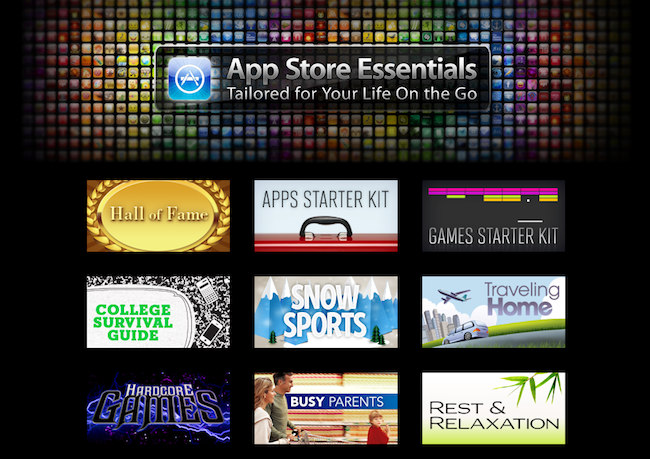
Just like every Thursday, Apple has updated the homepage of the iPhone and iPad App Stores to include this week’s featured apps, updated New & Noteworthy sections and staff picks. This week’s refresh, though, comes with a few more surprises.
First off, we’re one week into the Mac App Store: Apple started refreshing the homepage of the new Store as well, although no custom sectionshave been launched. Guess Apple is still waiting for more Mac apps to become available. Anyway, go check out the updated Mac App Store homepage, as some sweet apps and games like Compartments and The Incident are being featured. Read more
Apple Releases iOS 4.3 Beta, Here’s What’s New
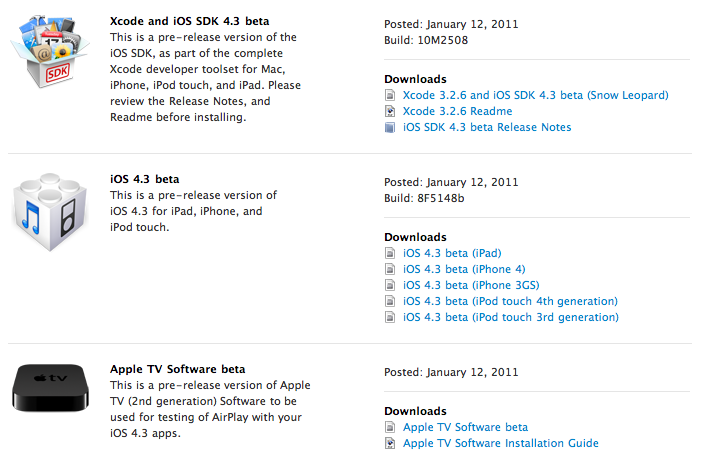
A few minutes ago Apple released iOS 4.3 beta to developers. It’s available now in the iOS Dev Center. The beta is available for iOS devices and the second generation Apple TV. Supported iOS mobile devices are iPad, iPhone 4 and 3GS, iPod touch 3rd and 4th gen. Build number is 8F5148b. A pre-release version of the Apple TV software has been provided to test AirPlay functionalities with 4.3 apps.
It looks like iOS 4.3 has some cool new gestures built specifically for the iPad. 4 & 5 finger gestures; pinch to the home screen, swipe up to reveal multitasking tray, swipe left/right to switch apps. Update: even though Apple says the gestures are there, I can’t seem to be able to use them at all. They don’t work for me in Apple’s own apps, and there’s no option to activate them in the Settings. We’re hearing several reports of other users unable to use these gestures. Read more
Prediction! 200 Million FaceTime Devices in 2012
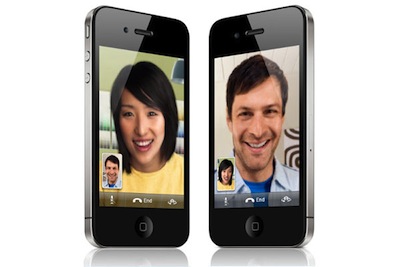
Oh, you’ve got to love analysts’ predictions on forthcoming Apple products and sales figures. Why? Because most of the times they’re just plain wrong. Still, they’re pretty fun to read so, here we go: according to Barclay’s analyst Ben Reitzes, Apple will have 200 million FaceTime-enabled devices out in 2012. Thanks to what he calls the “FaceTime networking effect”, Apple will be able to gain a terrific user base with a simple video calling system that most competitors won’t be able to replicate with their alternative video conferencing solutions. Read more
Behind The Scenes Of The Verizon iPhone
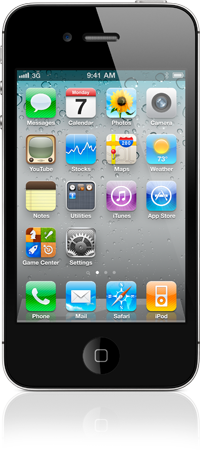
Bloomberg reports of some interesting details behind the Apple / Verizon deal that made possible for the two companies to announce the iPhone 4 on Verizon starting February 10. The Verizon iPhone, as you may know, was one of the most anticipated devices in the United States because of the 4-year long AT&T exclusivity and the reported poor performances of the carrier in some areas.
First off, about the lack of Verizon branding on the CDMA iPhone 4, it looks like Verizon simply had to get along with it as Apple never puts logos on their devices and they really wanted to have the device in their portfolio anyway.
To reach a deal, Apple and Verizon had to reconcile different approaches to branding. Verizon puts its stamp on other manufacturers’ devices, including phones from Research In Motion Ltd. and Motorola. By contrast, only Apple’s name appears on the iPhone.
“They don’t put a lot of logos on their phones,” McAdam said in the interview. “So that wasn’t a major issue for us.”
Watching the success of the AT&T-Apple partnership may have led Verizon to accept a similar deal, said Jean-Louis Gassee, a former Apple executive who is now a venture capitalist at Allegis Capital in Palo Alto, California.
Enable Hidden Mac App Store Debug Menu
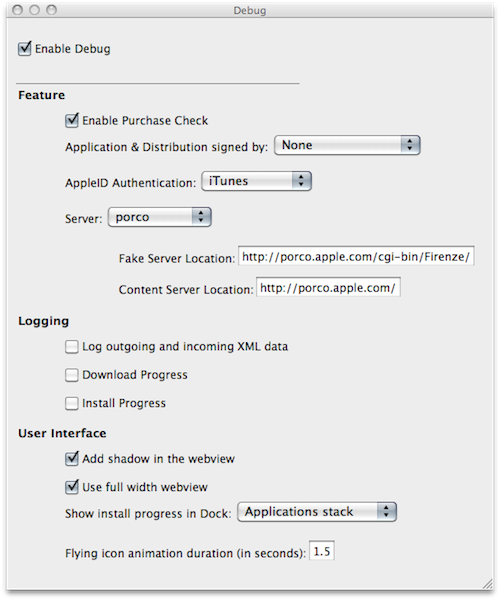
We’re not sure why the average Mac App Store user would want to do this, but we couldn’t resist to post about the Debug menu Apple left behind in the Mac App Store. Discovered by Daniel Jalkut of Red Sweater earlier today, enabling the menu is fairly easy: you just need to quit the Mac App Store, open Terminal and write:
defaults write com.apple.appstore ShowDebugMenu -bool true
Then relaunch the Mac App Store. To revert back to a Mac App Store without Debug menu, simply replace “true” in the string above with “false”. The menu, anyway, is quite interesting as it allows you to play around with a bunch of hidden settings such as shadows and width in the App Store’s webview, the animations and duration of “flying icons” (when you download an app and it goes straight to the Dock). You can also enable and disable the Purchase Check, although we wouldn’t really recommend to tweak these default settings – you don’t want to break the Mac App Store app.
We think this Debug menu will be removed in a future update, as Apple doesn’t want users to modify, or even see, this stuff. Still, you can check it out for now.
Spotted: History of Apple’s Devices
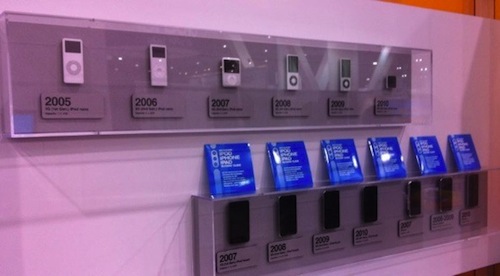
Spotted by TUAW at iLounge’s CES booth, here’s a gallery of Apple’s mobile devices through the years. The collection starts from the original iPod in 2001 and goes straight to the latest iPhones and iPods released in 2010, with the exception of the iPad, which is probably not considered a mobile device by iLounge either.
Looking at the photos, it’s clear how much is changed in 10 years. Even more than iTunes’ interface. Look at the original iPod, or a model from 2005 and 2006 and then take a look at the devices listed under 2007 and 2008. The difference is enormous. Sure, the iPod Classic is still alive and kicking (I have a 160 GB one right here), but we know the majority of consumers are buying iPod touches or Nanos now. These photos are the best example of Apple’s evolution and refinement process from 2001, and then 2007, through today.
Check out the full gallery here.