
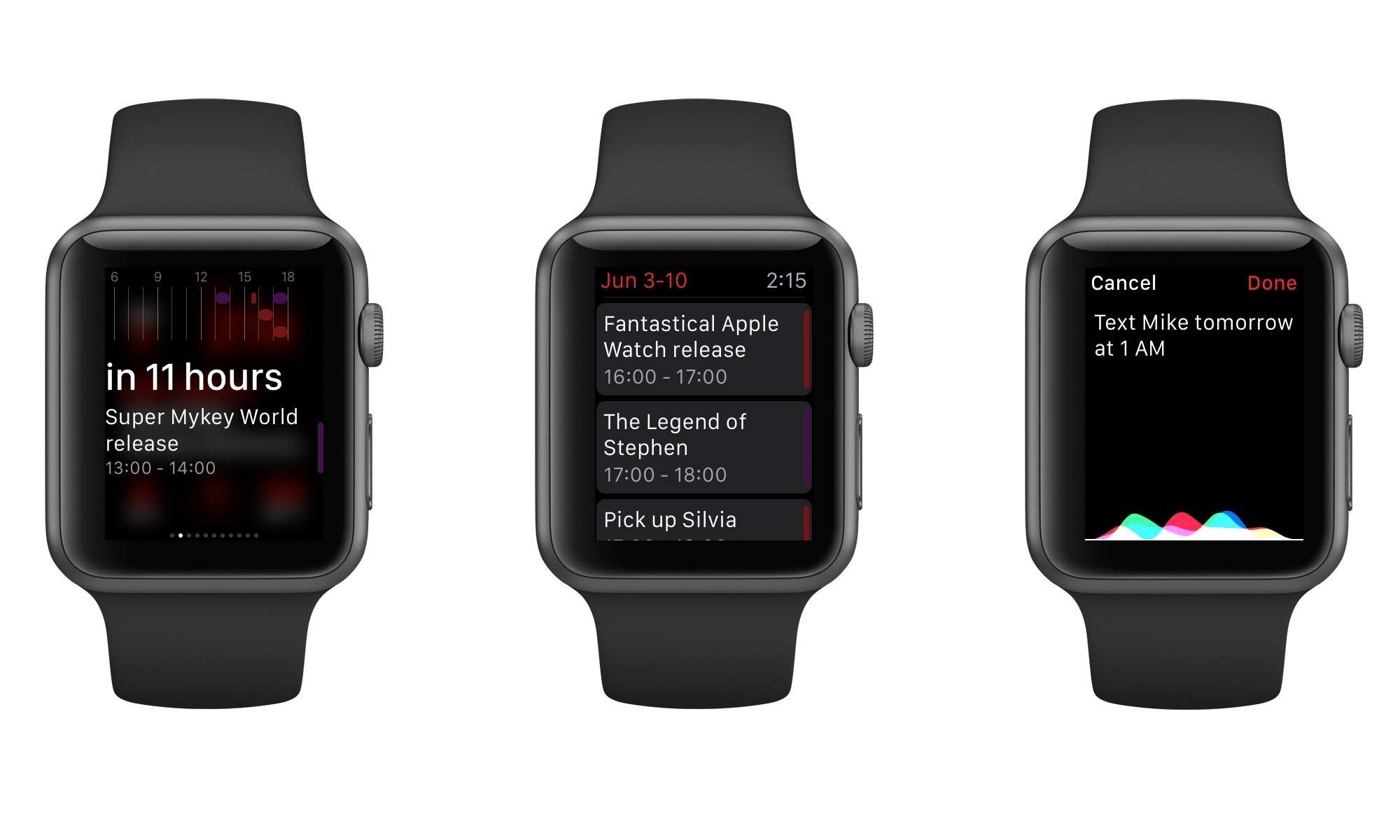
Fantastical, Flexibits’ excellent calendar client and one of my favorite iOS apps, is launching on Apple Watch today with version 2.3 of Fantastical for iPhone. Fantastical for Apple Watch has a few limitations due to the nature of WatchKit, but Flexibits put a lot of thought into several details of the app, using the device’s voice input and brief interactions to refine the experience.
Posts tagged with "apple watch"
Fantastical Comes to Apple Watch
Take Me There for Apple Watch
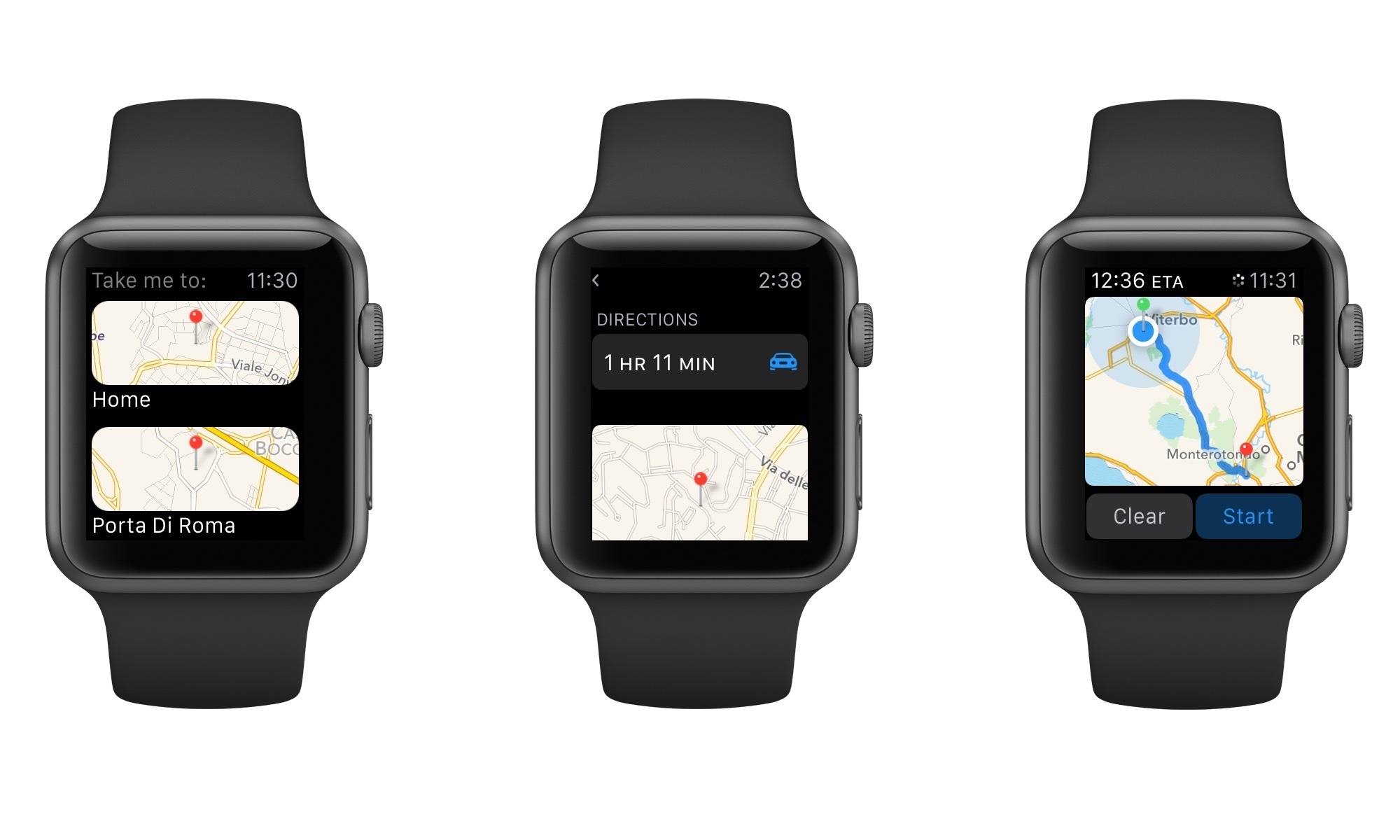
Take Me There is a new $0.99 app for Apple Watch that solves a simple problem: the inability to quickly get directions to favorite locations through Apple’s Maps app.
Todoist Comes to Apple Watch, Updates iOS 8 Extension
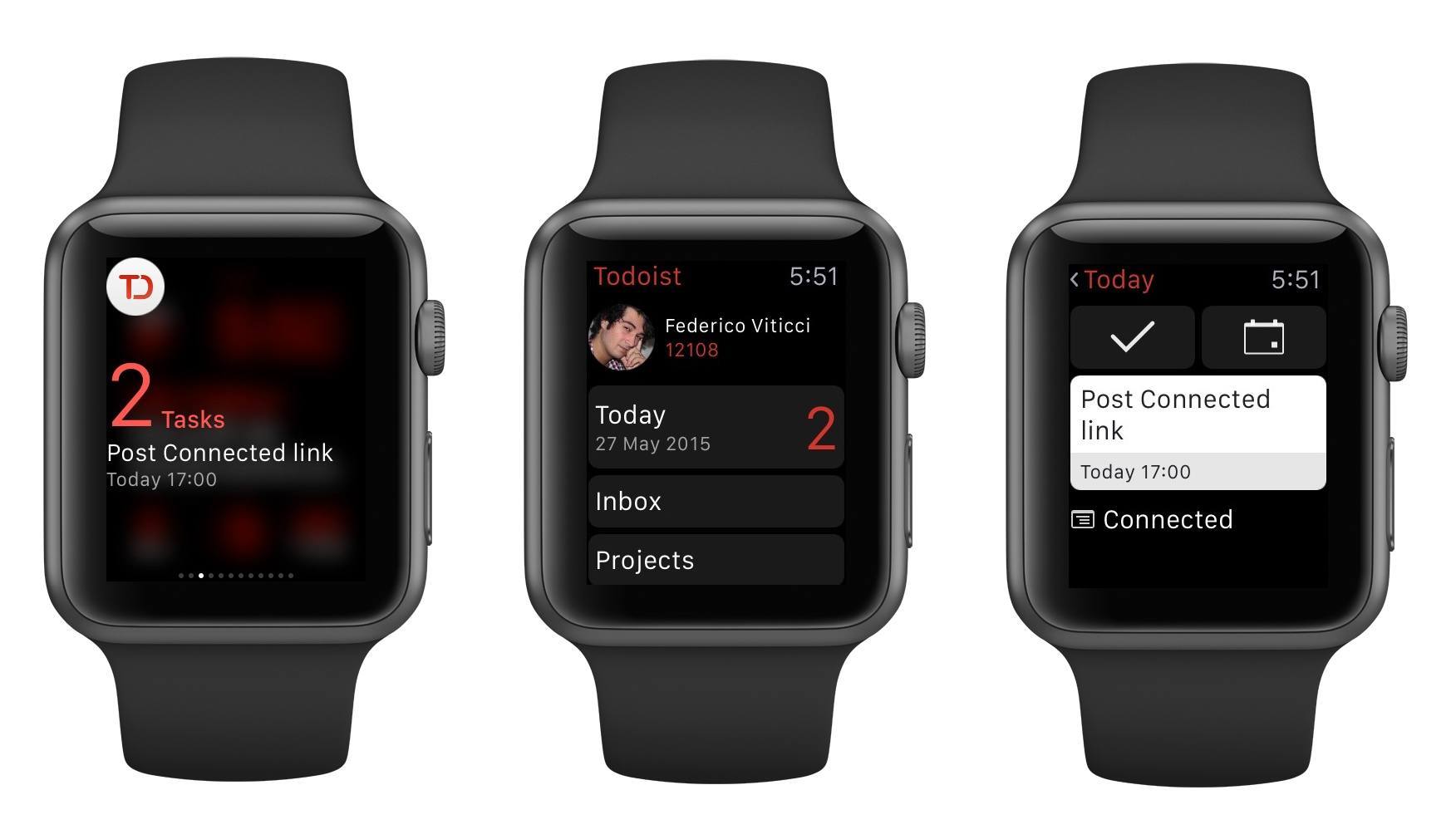
I’ve already written at length about my experience with Todoist and leveraging its powerful features for a more flexible todo list.
I’ve been using Todoist for over nine months now, and I continue to appreciate features such as filters and shared projects, which have allowed me to have a superior visualizations of tasks and to collaborate with others on big projects. And then, of course, there’s the work Todoist has done on its iOS app and third-party integrations, bringing natural language support and a handy extension to the iPhone and iPad and extending the service beyond its own apps to embrace solutions like Sunrise (see your tasks alongside calendar events) and IFTTT’s Do Note (type a new task and tap a button to save it).
I depend on Todoist and I genuinely like the service because it’s focused on doing, not fiddling. Today, that focus is becoming even more apparent with a new app for the Apple Watch and an updated extension that makes it even easier to save new tasks from anywhere on iOS.
Apple’s Jeff Williams on Native Apple Watch Apps→
July Clover, reporting for MacRumors on Apple’s Jeff Williams’ appearance at the Code conference earlier today:
On the topic of Apple Watch apps, Williams says third-party apps will get better when developers are able to release native apps and when access to native sensors is permitted. He gave an example of what a native Apple Watch app might do, suggesting an app like Strava will be more full featured as it would have direct access to sensors.
The native Apple Watch app SDK will be previewed at WWDC, according to Williams, suggesting full featured Apple Watch apps that can access health sensors, the Digital Crown, and more, will be available when iOS 9 is released to the public in the fall.
As assumed by many, the Watch SDK will give developers access to sensors. After trying the Watch for the past two weeks, it’s obvious that the only useful fitness app for me is Apple’s Workout because it’s the only one to use the heart rate sensor.
Eight years from now, I wonder if we’ll remember WatchKit as a very sweet solution, too.
(I love Steve’s comment on the “really complex update process”. It didn’t turn out to be that complex after all.)
John Gruber on the Apple Watch Interaction Model→
Watch mode is where you take quick glances at information and notifications; app mode is where you go to “do something”. Watch mode is where most people will spend the majority — perhaps the overwhelming majority — of their time using Apple Watch. App mode is a simple one-level hierarchy for “everything else”.
John Gruber has a good analysis of the Apple Watch interaction model and the differences between the watch face and the app screen.
I’ve been reading a lot of comments on the Watch OS hierarchy and I’ve (obviously) been using my Apple Watch as much as possible for a variety of tasks and scenarios.
The more I read and try, the more I don’t understand the criticism of those who claim Apple Watch should work like an iPhone. Yes, the multiple functions of the Digital Crown can be confusing initially, and I imagine that eventually there will be settings to customize what the side button does. But to argue that clicking the Digital Crown should always go back to the watch face seems shortsighted to me. There’s a benefit in having an easy way to open/go back to the app screen to quickly do stuff with apps, and it will be even more obvious once a native SDK and faster apps become available.
Apple Watch and Continuous Computing→
Ben Thompson, writing about Apple Watch and Siri:
Moreover, the Watch may even help Apple to rival Google when it comes to Siri and the cloud: the best way to improve a service like Siri is to have millions of customers using it constantly, and I for one have used Siri more in the last two weeks than I have the last two years. Multiply that by millions of Watch users and you have the ingredients for a rapidly improving service. Perhaps more importantly, the fact that Siri is critical to the Watch’s success in a way it isn’t to the iPhone’s may finally properly align Apple’s incentives around improving its cloud services.
Apple has been improving Siri both in terms of speech recognition and load times considerably over the past two years (they’re now at the third generation of Siri). I’m finding the wrist to be a better activation point for Siri – raising your wrist to talk to a watch like a spy somewhat feels more natural than staring at a phone and speaking into it (although that may come down to cultural heritage and personal taste).
As I wrote in my iOS 9 wishes, faster interactions with all Watch apps (Apple and third-party ones) could be possible with a Siri API. I’m curious to see how Apple Watch will shape Siri’s future.
Apple Releases Watch OS 1.0.1
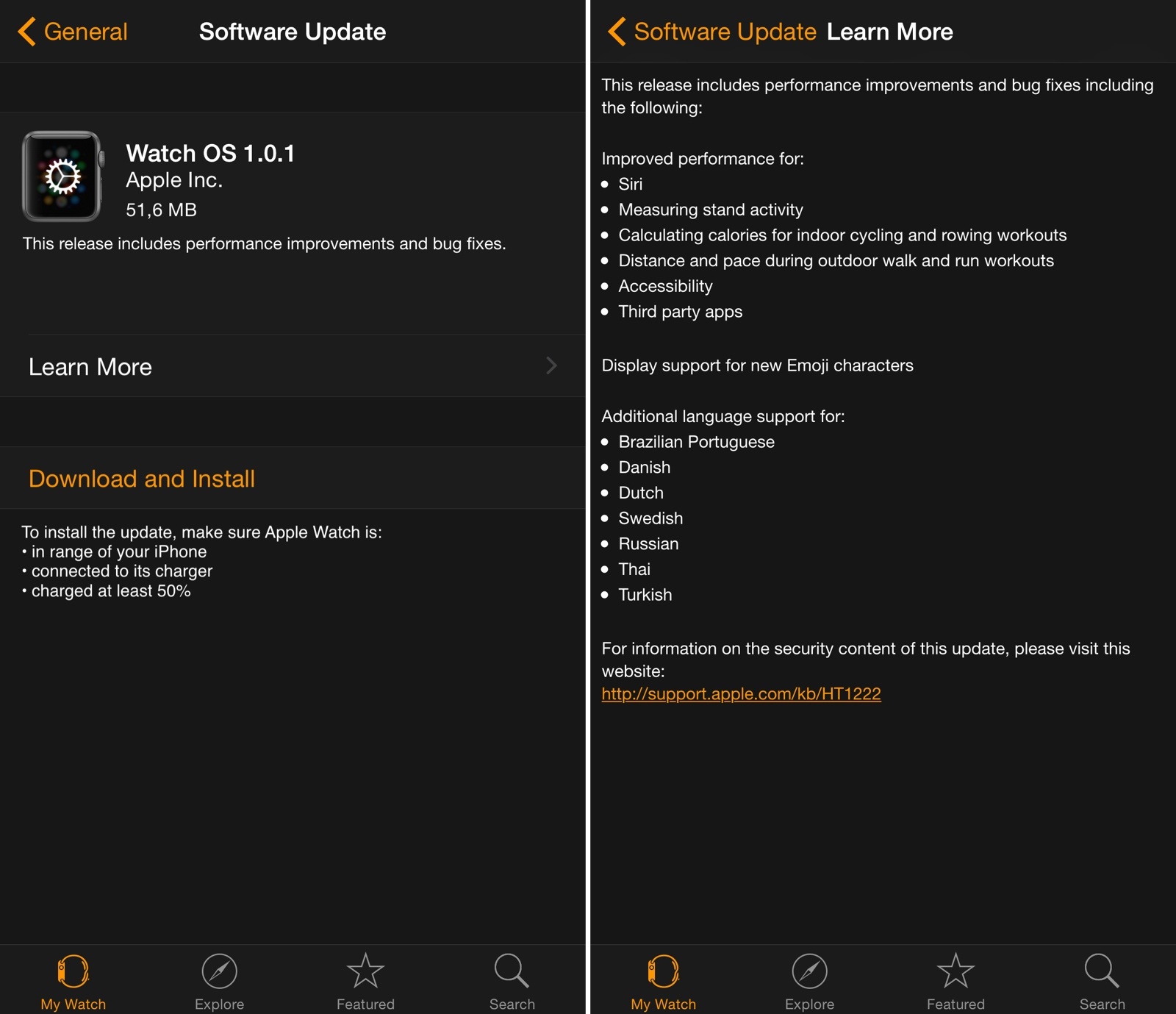
Apple has released the first update for Watch OS today, bringing a variety of improvements for Siri, third-party apps, and fitness features on Apple Watch.
In the first update since the device’s launch, Apple highlights improved performance for measuring stand activity and calculating calories for indoor cycling and rowing workouts, three of the Apple Watch’s fitness-oriented functionalities. The update also notes that Siri and third-party apps should have better performance now – notably, a number of initial reviews of the Apple Watch noted how apps (based on the WatchKit framework) were slow to load and prone to errors.
Watch OS 1.0.1 is available now in the Software Update section of the Apple Watch app for iPhone. You can find the full changelog in the screenshot above.
PCalc for Apple Watch
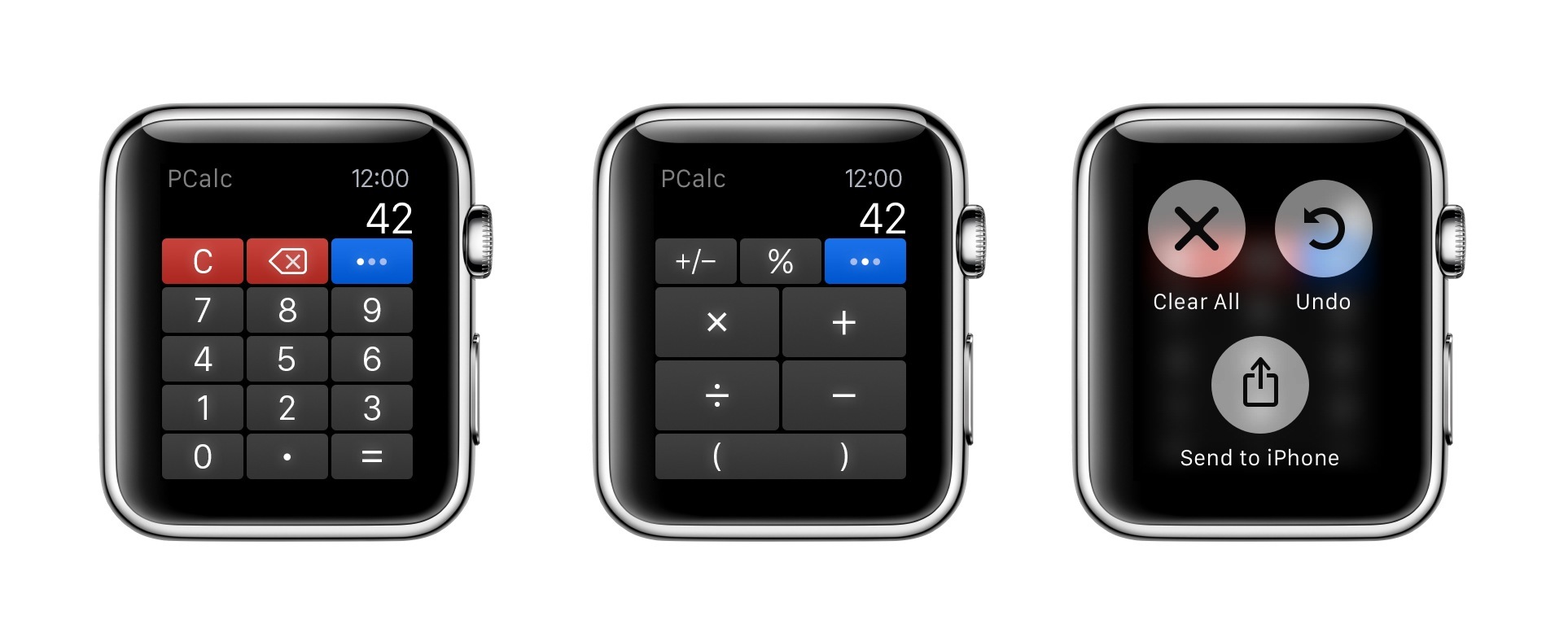
For a few months now, I’ve been using PCalc as my only calculator and currency converter on iOS. As I wrote last year after the release of the app’s iOS 8 update, the ability to customize layouts and have fast access from Notification Center lets me launch PCalc quickly from anywhere and come up with my own custom buttons for frequent calculations and conversions.
The Accessibility of Apple Watch Bands
Last summer, I wrote an article for iMore in which I stress the importance of looking at hardware in accessibility terms. I wrote, in part:
Assessing the kinesthetic, tactile value of using an iPhone or iPad is just as important as assessing the software it runs. Speaking from personal experience, not only am I visually impaired but I also suffer from a mild form of cerebral palsy. What this means is, for me, the strength in my hands and fingers are substantially less than that of a fully-abled person. Hence, it takes much more effort to hold things — in this case, my iOS devices — as well as do things on my devices, like typing. Because of this, my approach to buying a new iPhone or iPad depends not only on 64-bit systems-on-a-chip and improved cameras, but also how the device feels in my hands: the weight, width, thinness, etc.
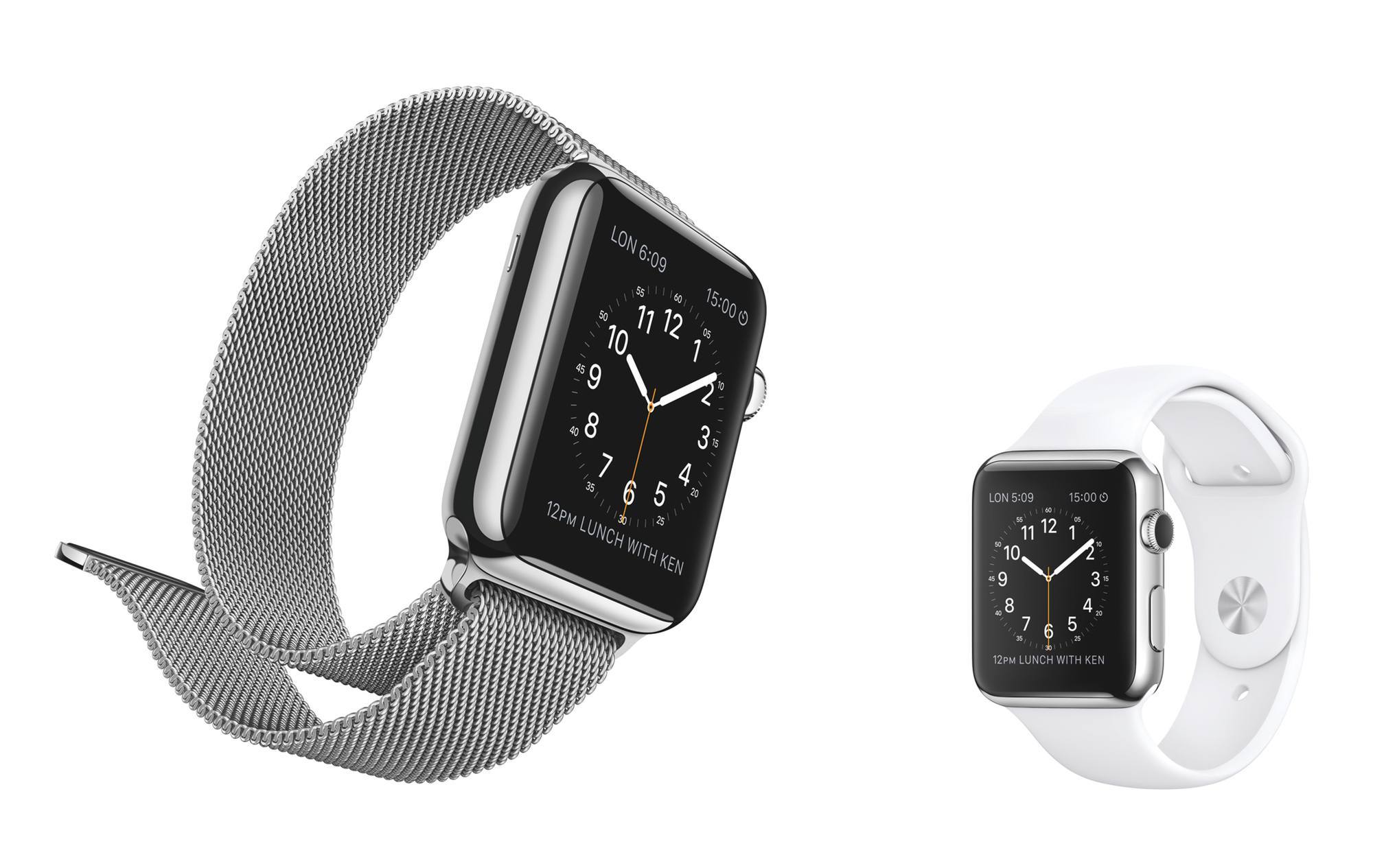
What applies to iPhones and iPads also applies to Apple Watch. In the context of the Watch, the hardware that is most crucial, accessibility-wise, are the bands. To folks like me who suffer from motor delays, the ability to successfully get the Apple Watch on and off is as key to a positive user experience as the quality of the software it runs.