Posts tagged with "apple watch"

Apple Watch and the Killer App Crisis

Smart take by Ken Segall on Apple Watch:

Well, here’s the stark reality: The Apple Watch has no killer app. And it will never have a killer app.

But anyone who hinges the success of the device on the idea of a killer app is living far, far in the past.

If you need any proof, just look at the iPhone. We can all agree it started one of the biggest technology revolutions of our time. So … what’s the killer app?

This is exactly how I look at the iPad, too. I have a feeling Apple Watch will follow the same path – especially after watchOS 2.

Permalink

Apple Watch Launching in Seven More Countries on June 26, Retail Store Sales Begin in Two Weeks

Apple announced today that the Apple Watch will go on sale in another seven countries beginning Friday, June 26. Those countries are Italy, Mexico, Singapore, South Korea, Spain, Switzerland and Taiwan. They join Australia, Canada, China, France, Germany, Hong Kong, Japan, the UK and the US, where the Apple Watch first began shipping to customers on April 24.

10 Corso Como in Milan, BOONTHESHOP Cheongdam in Seoul and Malmaison by The Hour Glass in Singapore will have a curated selection of Apple Watch available at launch.

To customers in the original launch countries, Jeff Williams, Apple’s senior vice president of Operations, says they will begin selling ‘some models’ of the Apple Watch in their retail stores in two weeks time. Williams also notes that all Apple Watch orders placed in May will be shipped to customers within the next two weeks, “with the sole exception of Apple Watch 42 mm Space Black Stainless Steel with Space Black Link Bracelet”.

“The response to Apple Watch has surpassed our expectations in every way, and we are thrilled to bring it to more customers around the world,” said Jeff Williams, Apple’s senior vice president of Operations. “We’re also making great progress with the backlog of Apple Watch orders, and we thank our customers for their patience. All orders placed through May, with the sole exception of Apple Watch 42 mm Space Black Stainless Steel with Space Black Link Bracelet, will ship to customers within two weeks. At that time, we’ll also begin selling some models in our Apple Retail Stores.”

Read more


Clips 1.2

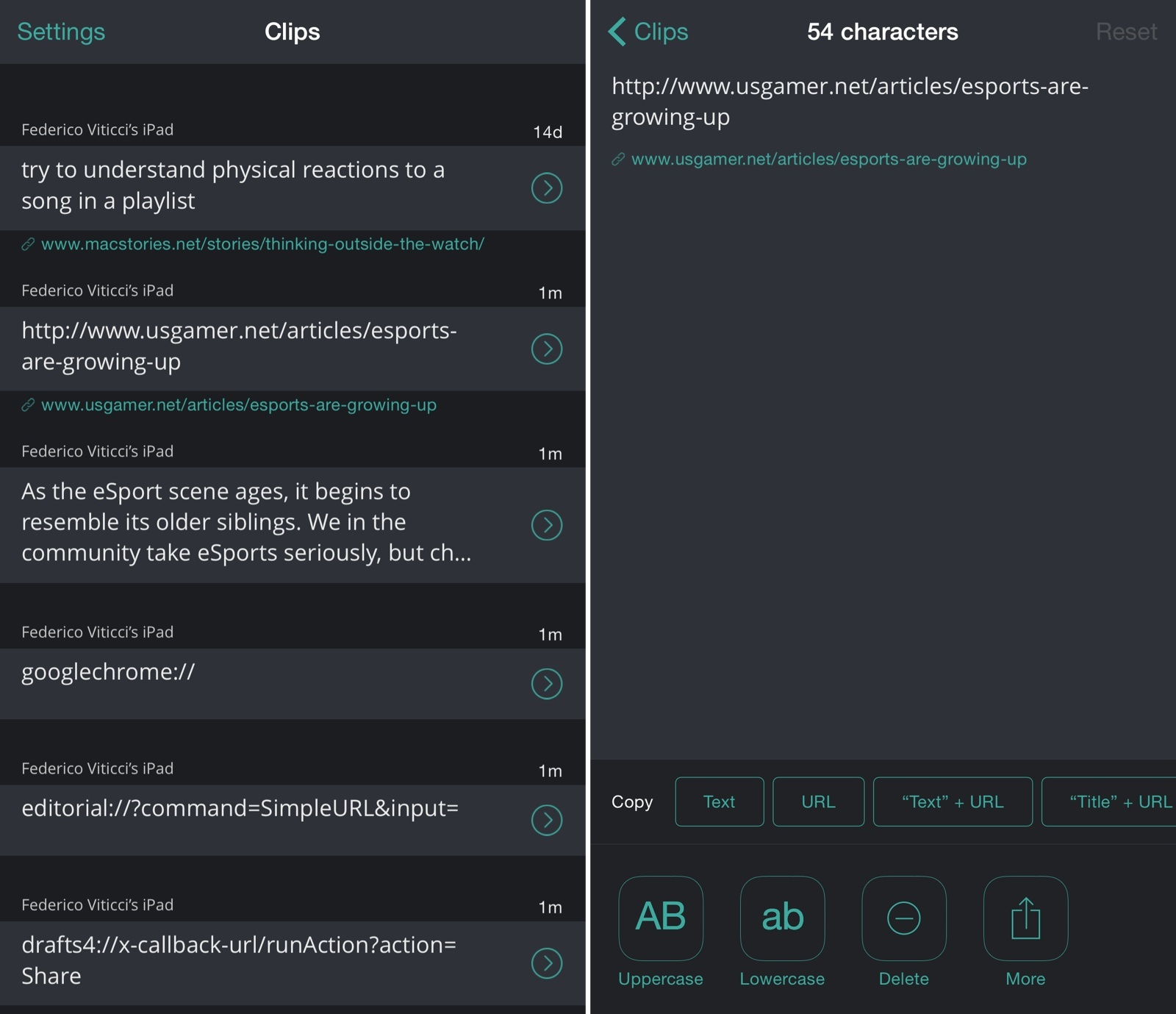
Clips, developed by Clean Shaven Apps, is an app I use on a daily basis to copy multiple bits of text and move them between apps using a widget, an action extension, and a fantastic custom keyboard – one of the few keyboards I keep on my devices, in fact. I reviewed the app when it came out last September, and I’ve been using it since.

Today, Clips 1.2 has been released with a refreshed design, Apple Watch support, and a faster keyboard. While I’m not sure why I’d want to use Clips on my Watch, I believe it can be useful to those who use the app to store text they access frequently and not as a temporary holding place for clipped items. I’m a fan of the new dark design and the increased contrast between URLs and plain text, and I continue to appreciate the time the app saves me when composing articles, researching topics, and collecting a bunch of notes from different apps with just a few taps. Clips is the epitome of iOS 8’s extensibility features for productivity apps, and it’s one of my must-have utilities.

Clips 1.2 is available on the App Store.

Permalink

ETA Brings Travel Times and Traffic Status to Apple Watch

I first covered ETA back in September, and I noted how the app simplified the process of getting travel times for favorite locations by taking advantage of a widget in Notification Center:

ETA’s best feature is actually a way to never open the app itself. Taking a clue from Apple’s Today Summary in Notification Center, Eastwood created an iOS 8 widget that lets you see driving times in the Today view and tap them to quickly load directions in your mapping app of choice (Google Maps, Apple Maps, or Waze). Your preferences for walking/driving directions and time of arrival are carried over to the widget, which is simple, elegant, and useful.

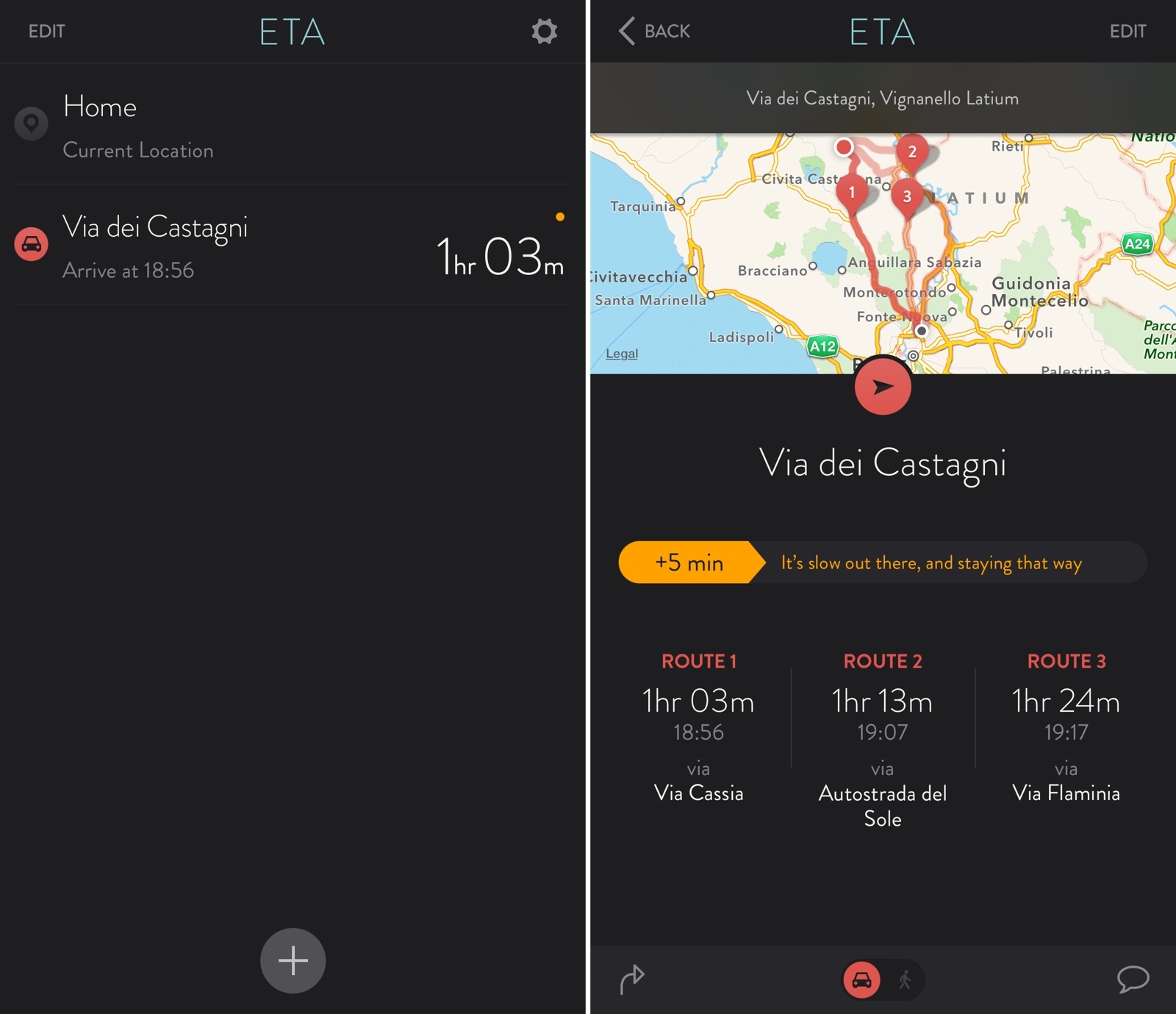
Today, ETA 2.0 has been released with a new design, the ability to show multiple routes and traffic information, and an Apple Watch app that lets you quickly view travel times and traffic directly from your wrist.

Read more


Todoist Comes to Apple Watch, Updates iOS 8 Extension

I’ve already written at length about my experience with Todoist and leveraging its powerful features for a more flexible todo list.

I’ve been using Todoist for over nine months now, and I continue to appreciate features such as filters and shared projects, which have allowed me to have a superior visualizations of tasks and to collaborate with others on big projects. And then, of course, there’s the work Todoist has done on its iOS app and third-party integrations, bringing natural language support and a handy extension to the iPhone and iPad and extending the service beyond its own apps to embrace solutions like Sunrise (see your tasks alongside calendar events) and IFTTT’s Do Note (type a new task and tap a button to save it).

I depend on Todoist and I genuinely like the service because it’s focused on doing, not fiddling. Today, that focus is becoming even more apparent with a new app for the Apple Watch and an updated extension that makes it even easier to save new tasks from anywhere on iOS.

Read more


Apple’s Jeff Williams on Native Apple Watch Apps

July Clover, reporting for MacRumors on Apple’s Jeff Williams’ appearance at the Code conference earlier today:

On the topic of Apple Watch apps, Williams says third-party apps will get better when developers are able to release native apps and when access to native sensors is permitted. He gave an example of what a native Apple Watch app might do, suggesting an app like Strava will be more full featured as it would have direct access to sensors.

The native Apple Watch app SDK will be previewed at WWDC, according to Williams, suggesting full featured Apple Watch apps that can access health sensors, the Digital Crown, and more, will be available when iOS 9 is released to the public in the fall.

As assumed by many, the Watch SDK will give developers access to sensors. After trying the Watch for the past two weeks, it’s obvious that the only useful fitness app for me is Apple’s Workout because it’s the only one to use the heart rate sensor.

Eight years from now, I wonder if we’ll remember WatchKit as a very sweet solution, too.

(I love Steve’s comment on the “really complex update process”. It didn’t turn out to be that complex after all.)

Permalink

John Gruber on the Apple Watch Interaction Model

Watch mode is where you take quick glances at information and notifications; app mode is where you go to “do something”. Watch mode is where most people will spend the majority — perhaps the overwhelming majority — of their time using Apple Watch. App mode is a simple one-level hierarchy for “everything else”.

John Gruber has a good analysis of the Apple Watch interaction model and the differences between the watch face and the app screen.

I’ve been reading a lot of comments on the Watch OS hierarchy and I’ve (obviously) been using my Apple Watch as much as possible for a variety of tasks and scenarios.

The more I read and try, the more I don’t understand the criticism of those who claim Apple Watch should work like an iPhone. Yes, the multiple functions of the Digital Crown can be confusing initially, and I imagine that eventually there will be settings to customize what the side button does. But to argue that clicking the Digital Crown should always go back to the watch face seems shortsighted to me. There’s a benefit in having an easy way to open/go back to the app screen to quickly do stuff with apps, and it will be even more obvious once a native SDK and faster apps become available.

Permalink