This Week's Sponsor:

GoodLinks

Save articles for later and enjoy them when you have time


Posts tagged with "AI"

Running Simulators Inside Claude Code for Mac→

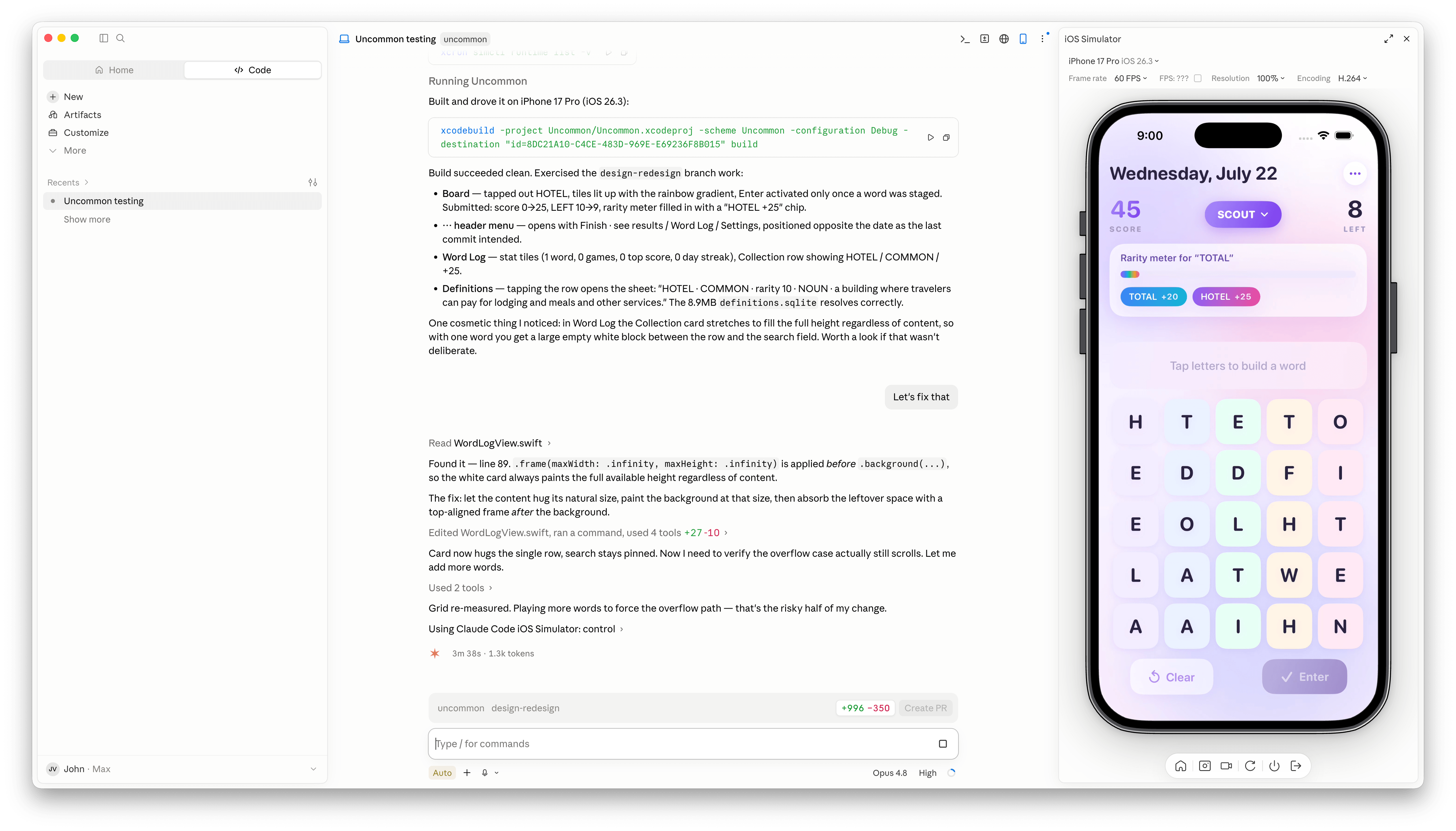
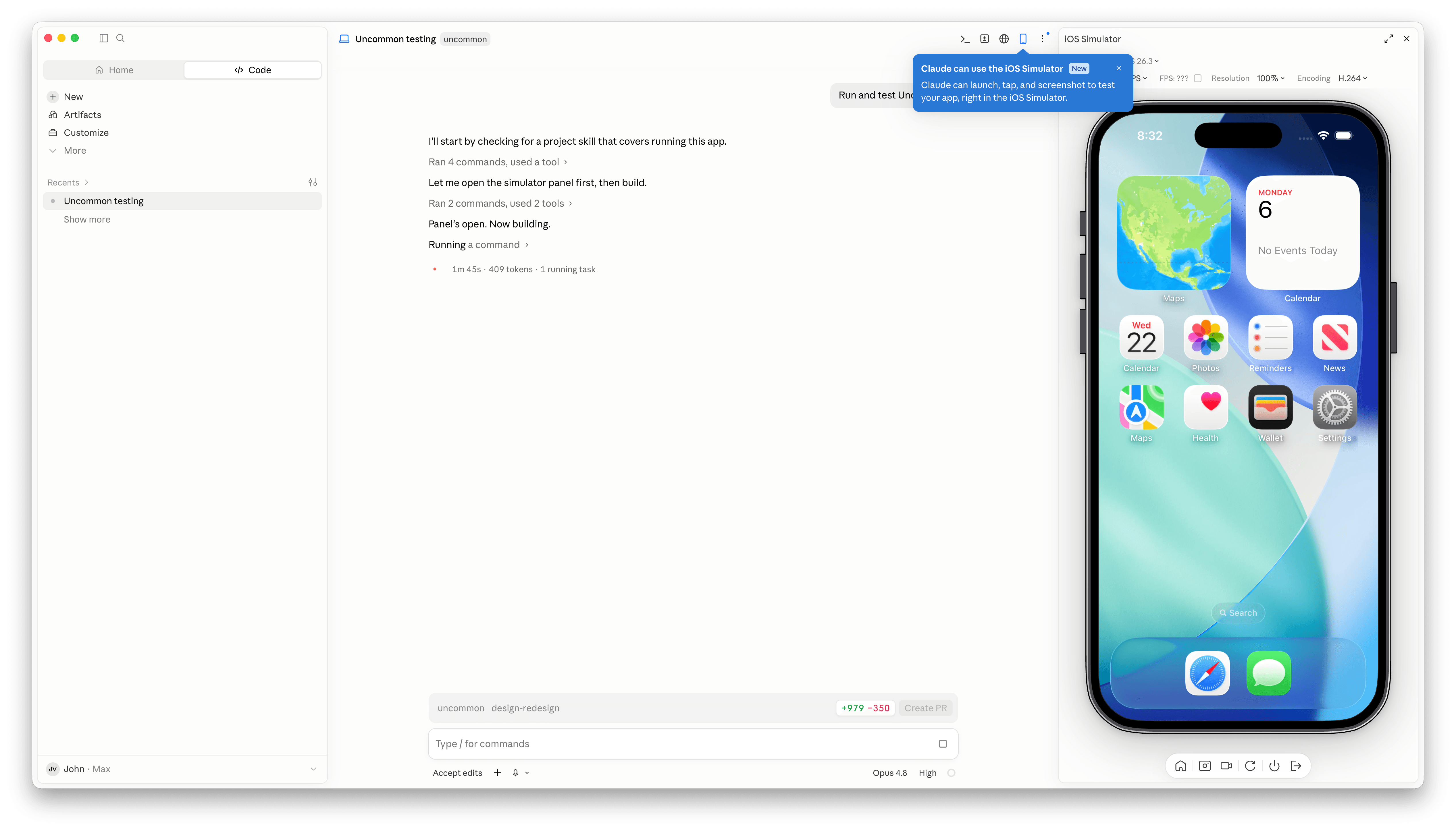
Claude Code has a new simulator button.

Claude Code has a new simulator button.

Claude Code’s Mac desktop app has added Apple simulator support, and although it’s billed as “iOS Simulator Support,” it actually works with any iOS, iPadOS, visionOS, or watchOS simulator you have installed.

The process of setting up a simulator is simple. A new button with an iPhone icon appears when you open an existing project. Click it and a new iPhone simulator pane opens to the right by default. However, clicking on the name of the simulator reveals a list of every available simulator. You can also run multiple simulators at once, but that immediately made my aging M1 Max Mac Studio start to chug a little.

With access to your running app, Claude Code is more effective at debugging UI bugs.

With access to your running app, Claude Code is more effective at debugging UI bugs.

Once you have the simulators that you want open, simply ask Claude Code to run and test your app, and it gets to work, building the app, installing it in the simulator, opening it, and poking around. I loaded up a simple word game I’ve been playing with, and after a few minutes, Claude Code found a UI bug while controlling the simulator. I asked it to fix the issue, which it did, then tested and committed. My testing has been limited, but so far it looks like a simple, effective loop.

It’s also worth noting that Claude Code is running the simulator directly inside the Claude app. This is not computer use, meaning windows aren’t going to be opening and getting in your way as you work on something else. All in all, the addition of the simulator, like the inclusion of an in-app sandboxed browser a couple of weeks ago, is a great update to Claude Code.

Permalink

Open Minis Is the iOS Agent I Wish Siri AI Could Be

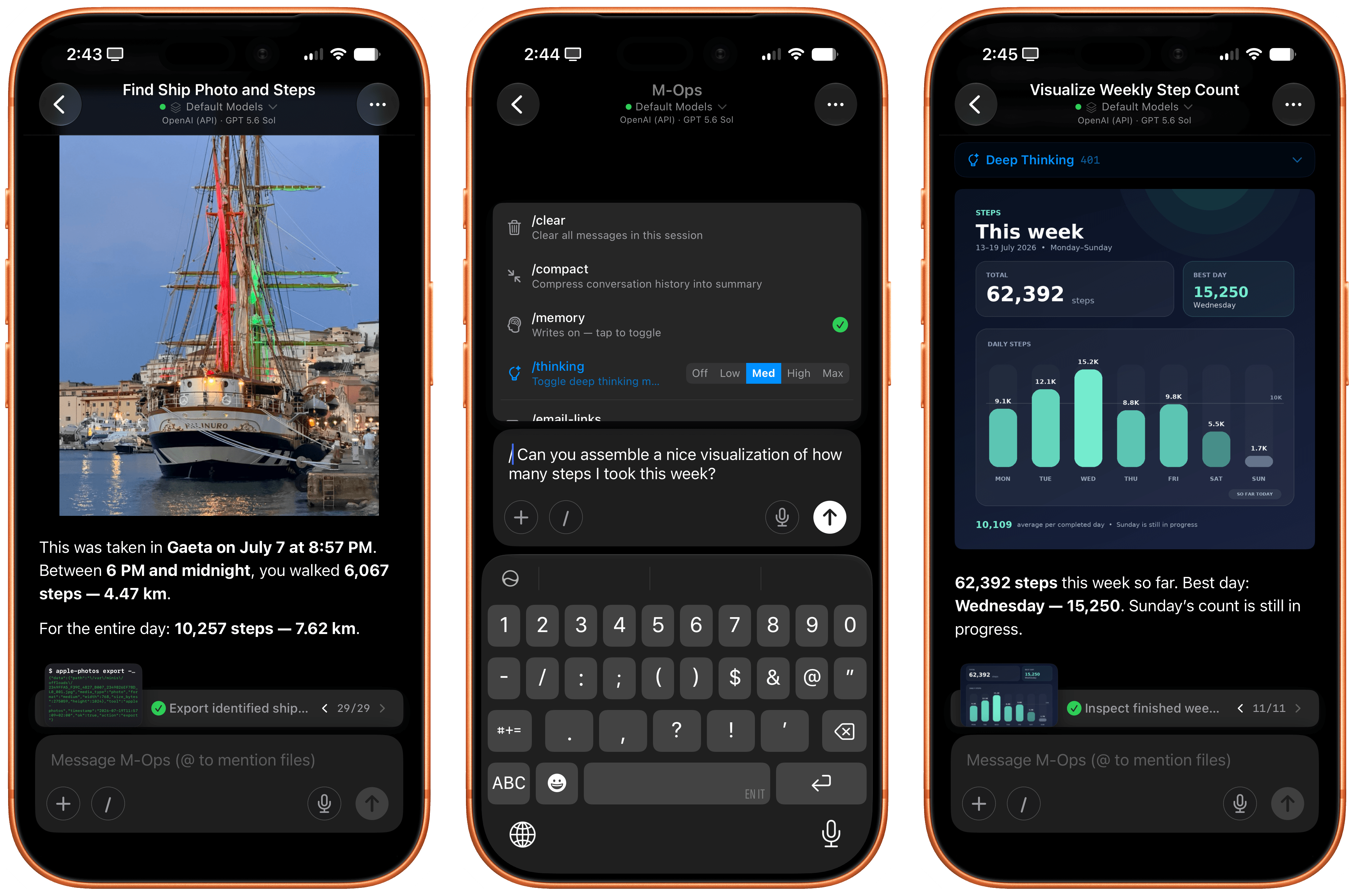
Open Minis for iOS.

Open Minis for iOS.

Every once in a while, I come across a third-party app that either resets my expectations for a particular niche of software on iOS or creates an entirely new category altogether. I’ve had quite a few of these moments in the 17 years I’ve been writing app reviews at MacStories: Editorial, Workflow, Obsidian, Sky, and, most recently, OpenClaw come to mind. Over the past few weeks, I’ve had another such moment with Open Minis, a new chatbot app for iPhone and iPad that I can best describe as getting a preview of Siri AI’s agentic future, today.

Open Minis is an on-device agent that lets you use any frontier model for conversations, with a twist: unlike other AI wrappers, this app deeply integrates with all sorts of native Apple system frameworks using official APIs available to third-party developers. Open Minis can control Reminders and Music, which we have seen before, but also Calendar, Maps, HomeKit, HealthKit, and Files; it can even work with frameworks such as Vision for OCR, Apple NLP for natural language processing, the iOS clipboard, speech recognition and dictation, NFC, and Bluetooth. Furthermore, Open Minis comes with its own configurable workspace in the Files app, has an on-device memory system, and features browser-use capabilities via a (once again, native for iOS developers) built-in WebKit web view.

Effectively, Open Minis is what would happen if you rolled Claude Code and OpenClaw into one intuitive agentic experience designed for Apple users, with a powerful tool-calling harness that can improve and tweak itself, and with integrations specifically designed for the Apple ecosystem. It is the most impressive indie app I’ve seen in a while. If you were disappointed by the lack of power-user capabilities in Siri AI, this is a real, currently shipping example of what Siri AI could be if only it were powered by a frontier model with truly agentic functionalities.

Read more


Finishing with Fable 5

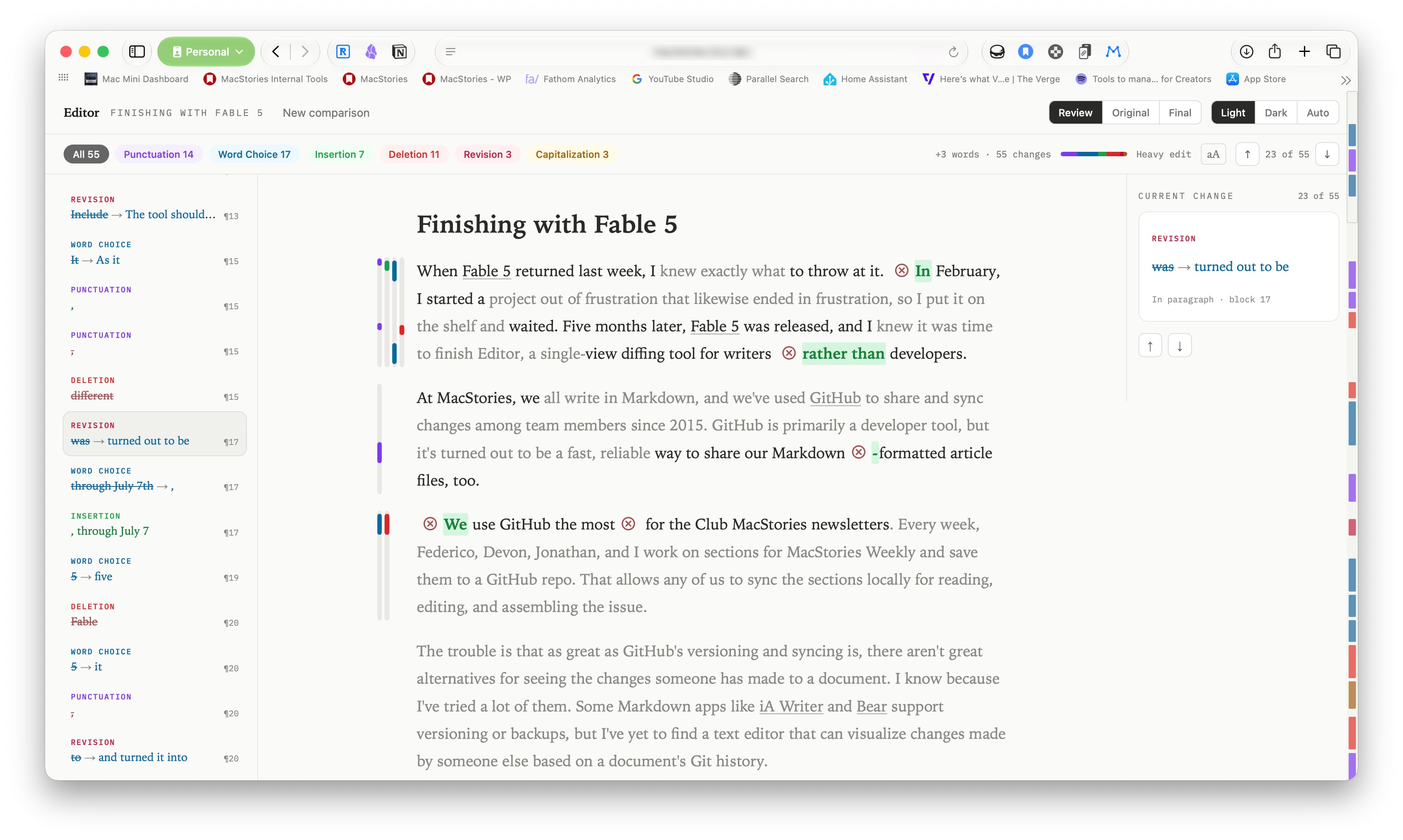
When Fable 5 returned last week, I knew exactly what to throw at it. In February, I started a project out of frustration that likewise ended in frustration, so I put it on the shelf and waited. Five months later, Fable 5 was released, and I knew it was time to finish Editor, a single-view diffing tool for writers rather than developers.

Read more


Safari’s New MCP Server Is Great for Agents→

Saron Yitbarek, writing on the WebKit blog:

In Safari Technology Preview 247, we’re introducing the Safari MCP server — a Model Context Protocol server for web developers that makes your web development and debugging workflow faster and more powerful. We know agents are increasingly integral to the coding process and the Safari MCP server gives your agent the ability to know how your code actually renders in the browser by connecting it to a Safari browser window.

Any MCP-compatible client can connect to the Safari MCP server. By connecting your agent to a Safari browser window, your agent can emulate what your users experience, giving it the information it needs to debug more autonomously, like access to the DOM, network requests, screenshots, and console output.

Importantly:

The Safari MCP server runs entirely on your local machine and makes no network calls of its own. It also does not have access to your personal information in Safari (e.g. AutoFill or other browser activity). When it captures page content, screenshots, or console logs, that data goes directly to the agent you’re running — not to Apple. What happens to that data from there depends on the agent and model you’re using. As with any agent you give access to your browser, only use ones you trust.

For the past few months, I’ve been using Google Chrome on my MacBook Pro and Mac Studio not because I like the browser (in fact, I really dislike Chrome’s text rendering and UI), but simply because it was the best option for agents. In Codex specifically, between Playwright, Chrome Dev Tools, and OpenAI’s own Chrome extension, I could kick off research tasks (such as vacation planning and booking a hotel) that involved a browser directly from my iPhone, letting Codex drive the research on my remote Mac.

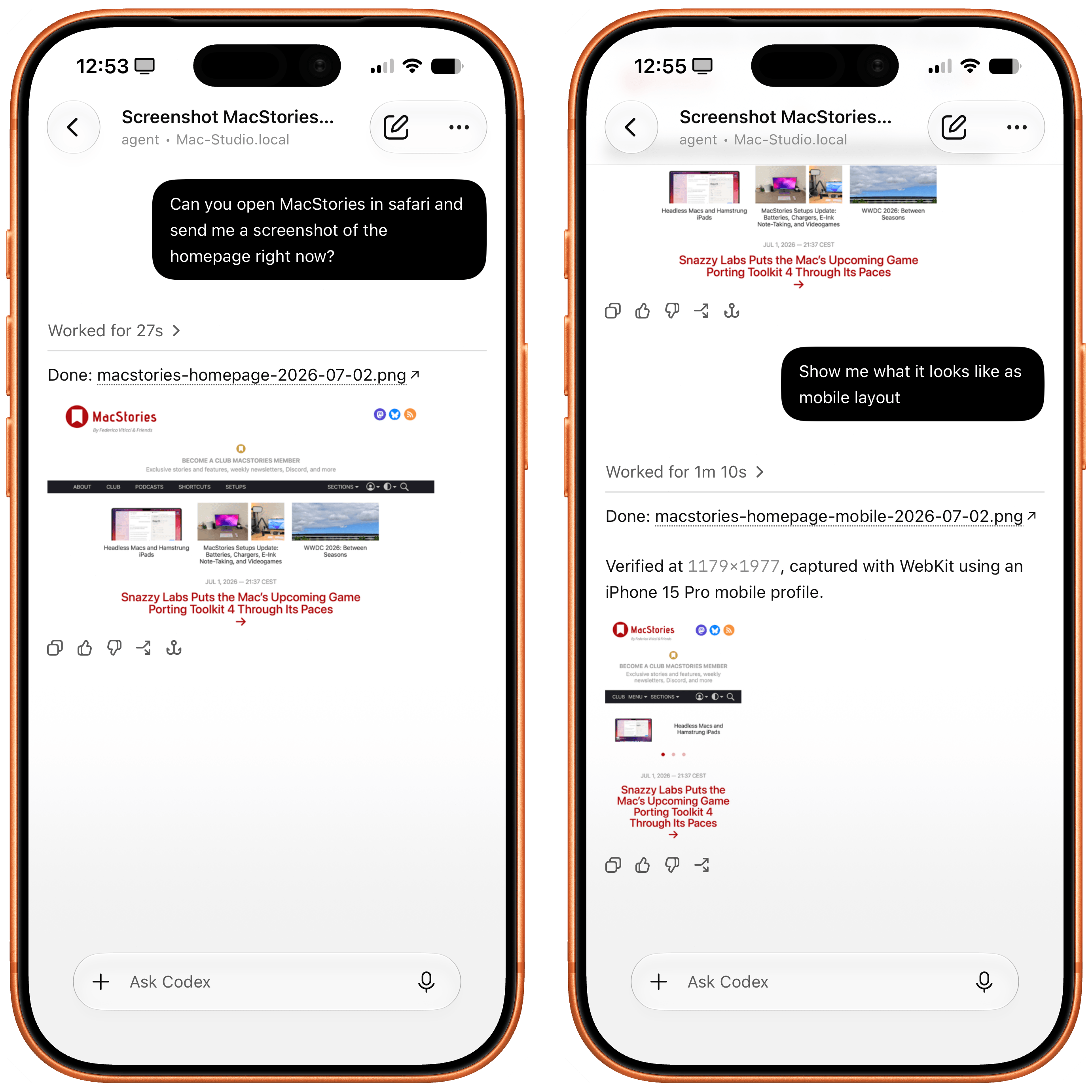
Safari in Codex.

Safari in Codex.

Now, thanks to Safari’s new MCP server, I no longer have to use Chrome on desktop and can return to a unified browser setup across all my devices. Even better: it actually looks like Apple shipped the most ergonomic browser MCP for agents to date. The MCP server has dedicated tools for page extraction (including getting webpages as Markdown, based on WebKit’s own conversion pipeline), evaluating JavaScript, DOM interactions (clicking, scrolling, resizing the viewport for mobile screens, etc.), taking screenshots, and more. I set this up immediately in Codex, and I also asked Codex about comparing Safari’s MCP to its own Chrome extension and the older Playwright. The verdict: although Chrome has a richer API with Chrome Dev Tools when it comes to network requests, Codex actually preferred Apple’s leaner, more direct approach for letting an agent drive and debug a browser.

I’m really happy to see folks at Apple embrace agentic tools: between the new MCP capabilities of Xcode and now this, it looks like Apple’s software (on the Mac, of course) is becoming more and more approachable by people who are working in new ways thanks to agents. Whether you’re a web developer or tinkerer, I highly recommend checking out what Apple has released in Safari Technology Preview. More of this, please.

Permalink

Headless Macs and Hamstrung iPads

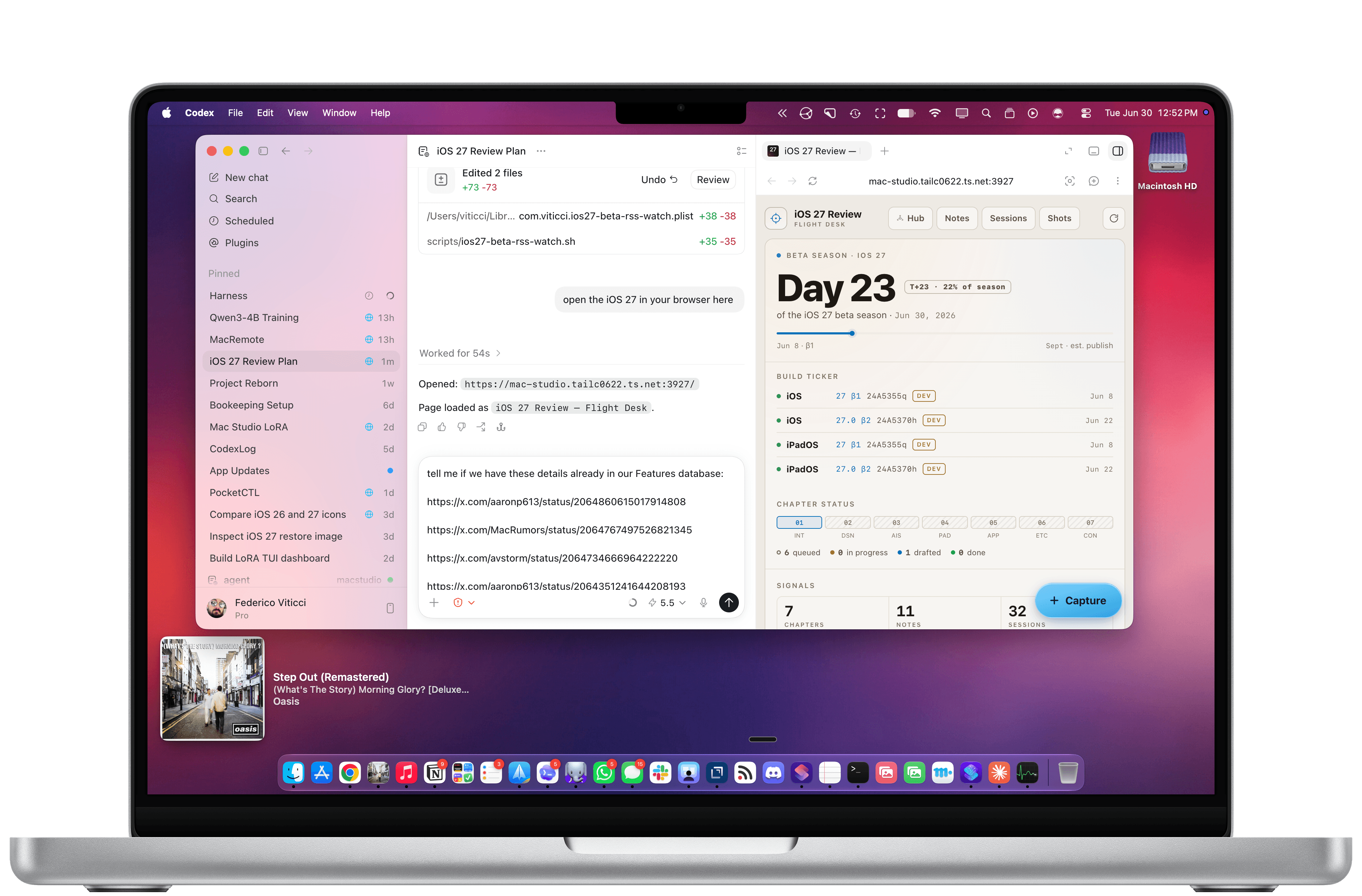
My Codex setup.

My Codex setup.

In the current era of coding agents becoming productivity assistants, iPadOS’ limitations are no longer defined by the lack of desktop-class multitasking or access to external peripherals. A new class of iPadOS shortcomings looms large on the horizon: the iPad’s app sandboxing and the absence of an open filesystem have relegated it to acting as a remote control for agents.

Read more


Three Features Coming to Photos This Fall via Apple Intelligence→

Photo editing is getting some of the most interesting Apple Intelligence features this fall. At WWDC, Tyler Stalman interviewed Jon McCormack, Apple’s Vice President of Camera and Photos Software Engineering, and Della Huff, the company’s Senior Manager of Camera and Photos Product Marketing, in a video that covers Spatial Reframing, Extend, and an improved Clean Up tool, along with demos of each:

The interview goes into depth on each feature and how they’re enhanced by the integration with Apple’s improved Private Cloud Compute models, sharing nuggets like the fact that Spatial Reframing of photos is possible even if an image is taken with a single-lens iPhone and the fact that Apple includes metadata in generatively edited photos identifying the use of AI and will add SynthID watermarking, a technology developed by Google, to AI-edited photos later this year.

I’m not a fan of wholesale image generation, which is why I appreciate the thoughtful approach Apple is taking with these photo editing features. The changes are at the margins of the photo and identified as edited using AI.

Permalink

The Third Generation of Apple’s Foundation Models and AFM Core Advanced→

I just came back to my hotel room after a long day at Apple Park (I documented most of it in my Instagram stories, including a very cool shot), and, like everyone else here in Cupertino, I’m still processing the information overload from the past 12 hours. The MacStories team already covered iOS and iPadOS 27, plus Siri AI and Apple Intelligence, and we have more coming tomorrow.

Before I call it a day though, I wanted to link the first thing I read on my way back: Apple’s latest article on the Machine Learning blog about the new Apple Foundation Models that were announced today – three cloud-based models, and two on-device ones.

Read more


Siri AI and the Latest in Apple Intelligence: The MacStories Overview

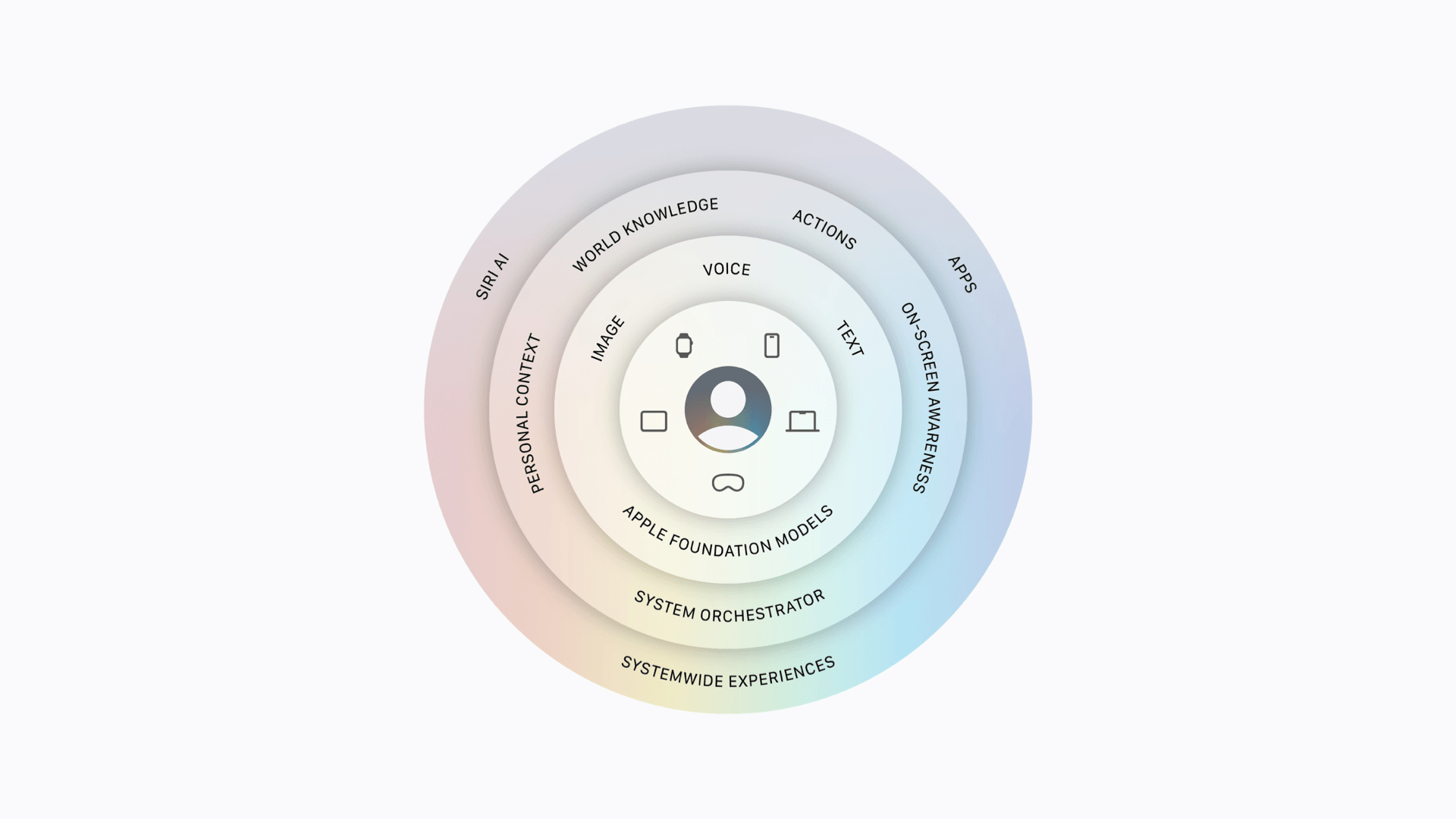
Source: Apple.

Source: Apple.

The big question coming into today’s WWDC keynote was what Apple would have to offer in terms of AI – or, as the company refers to it, Apple Intelligence. Given Apple’s behind-the-scenes struggles, delayed features, and partnership with Google to re-architect its Foundation Models based on Gemini, expectations were high, and the company delivered with the announcement of a whole new Siri and a slew of Apple Intelligence features baked into its upcoming operating systems.

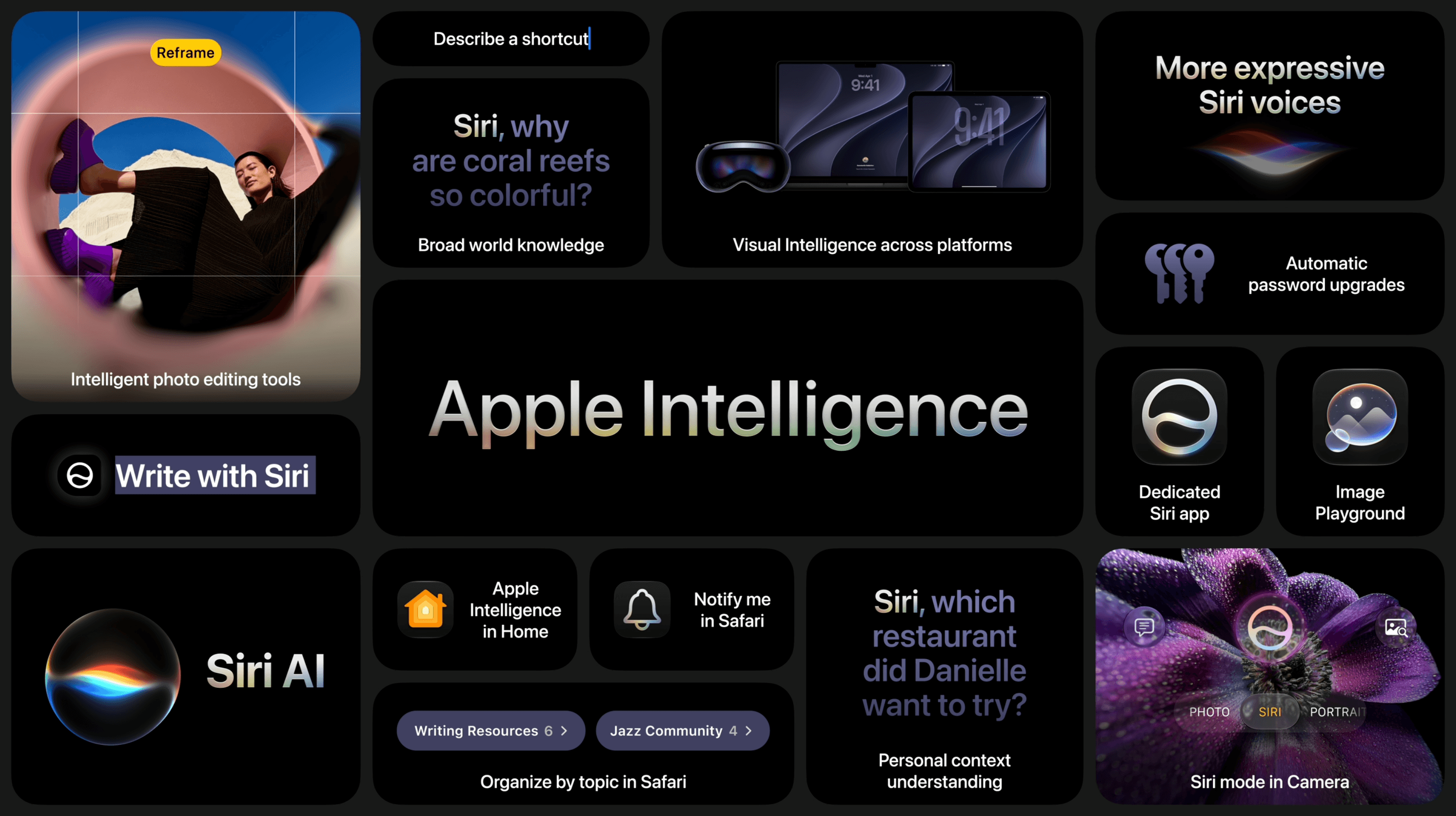
Siri AI, the all-new version of Apple’s virtual assistant, was the star of the show and got plenty of time in the spotlight, including several real-time demos on the iPhone and Mac. But the company also announced updates to Visual Intelligence, new photo editing tools, a Shortcuts builder, and additional Apple Intelligence features.

Source: Apple.

Source: Apple.

It all starts with the latest Foundation Models based on a new architecture developed by Apple in collaboration with Google’s Gemini models. Coming in both local and Private Cloud Compute variations, these models work across Apple devices using a combination of user input (via text, voice, or images), personal context, on-screen awareness, app actions, and world knowledge in conjunction with the new system orchestrator to power conversations and actions taken by Siri AI as well as Apple Intelligence features baked into each OS. Of course, Apple touts that these features are secure and protect user privacy whether they are run on-device or in Private Cloud Compute.

Read more