
We have another collection our favorite indie apps that take advantage of Apple’s latest OS features. Today, we’re highlighting: Haven, Structured, Capture, Scrappy, and Fin.

Haven
Haven is a HomeKit and Matter pairing code utility by João Franco for the iPhone, iPad, Mac, and Apple Watch that added Siri AI features this fall. The app is exactly what you want with this sort of utility because it makes storing codes for safekeeping fast and easy. Later when you need to re-pair a smart plug behind a couch or a lightbulb in a hard-to-reach spot, you’ll be glad you dropped the codes into Haven.
Retrieving codes is made even simpler, thanks to Haven’s Siri AI integration. Just ask for a code based on the name of your device in Haven, and Siri will fetch the code for you without opening the app. The feature works with both HomeKit and Matter codes and is compatible with natural language queries. The app also supports tagging and the ability to use Apple Intelligence to suggest a tag from among your existing tags.
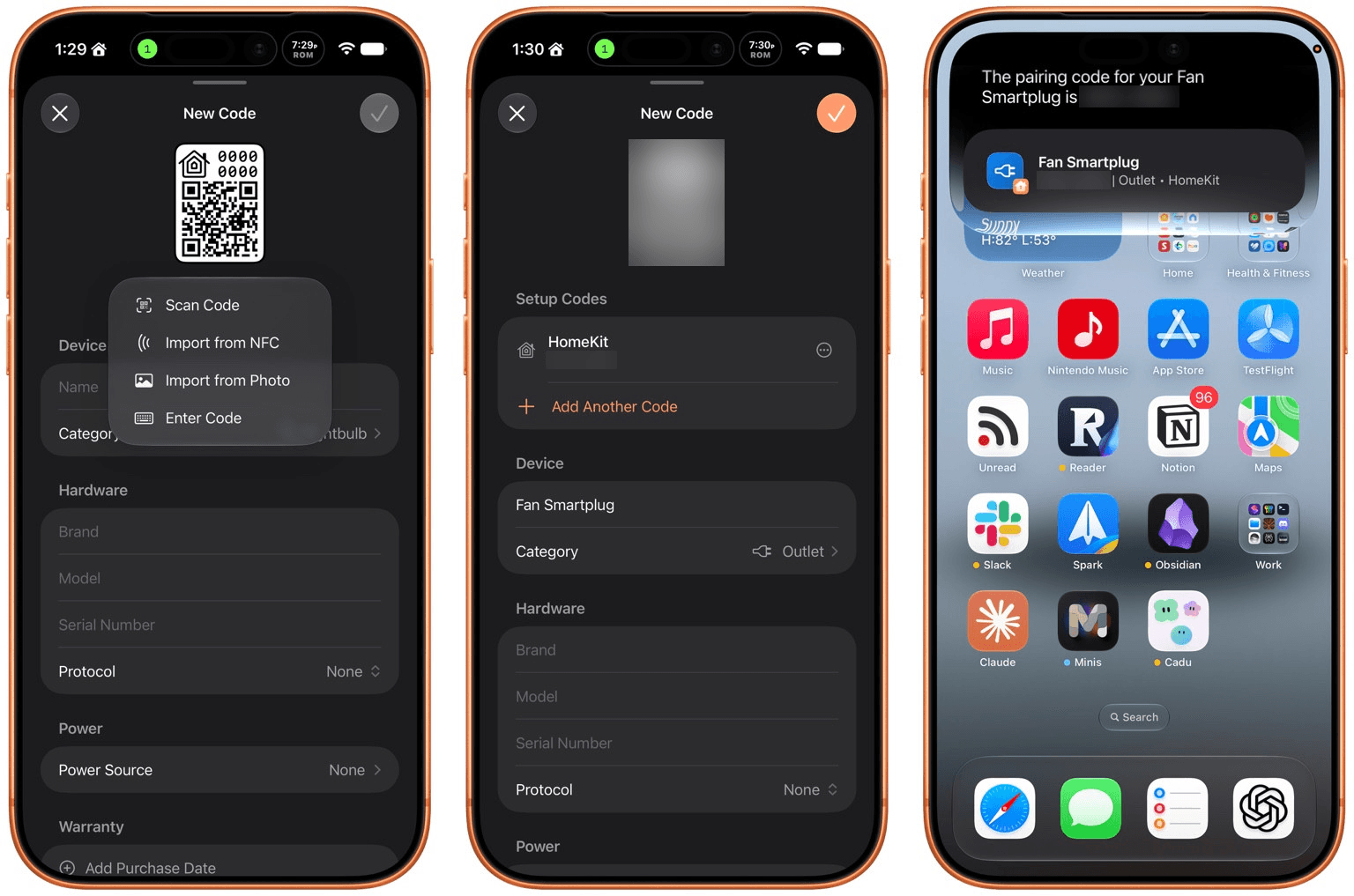
In addition to the new Apple Intelligence and Siri AI features, Haven can track the home where your device is installed, its room, category, brand, model, serial number, protocol, power source, and status. You can mark items as favorites and add notes and attachments, like a photo of the device, too.
That’s a lot, which will appeal to the HomeKit nerds out there, but as a free download that offers unlimited pairing codes for just $6.99, it’s worth setting up Haven even if all you do is name your device, add the room where it’s located, and then search for it when needed via Siri. Siri AI is perfect for databases, and as anyone who is deep into the HomeKit world knows, a database is the best way to keep your smart home humming.

Structured
I had the pleasure of meeting the Structured team at WWDC this year. It was fun to walk through the app with them, learning about all their plans for the summer development season. But it’s been even more fun to actually play with the final product on the iPhone, iPad, Mac, and Apple Watch.
Structured is a day planning app with a beautiful and unique design that made it a finalist for both the 2025 iPad App of the Year Award and an Apple Design Award. I have a bad habit of overstuffing my workday, which is precisely the problem that Structured is designed to solve by visualizing your day and work on a timeline. The app can integrate with Reminders, your calendars, handle recurring tasks, start focus timers, and more.
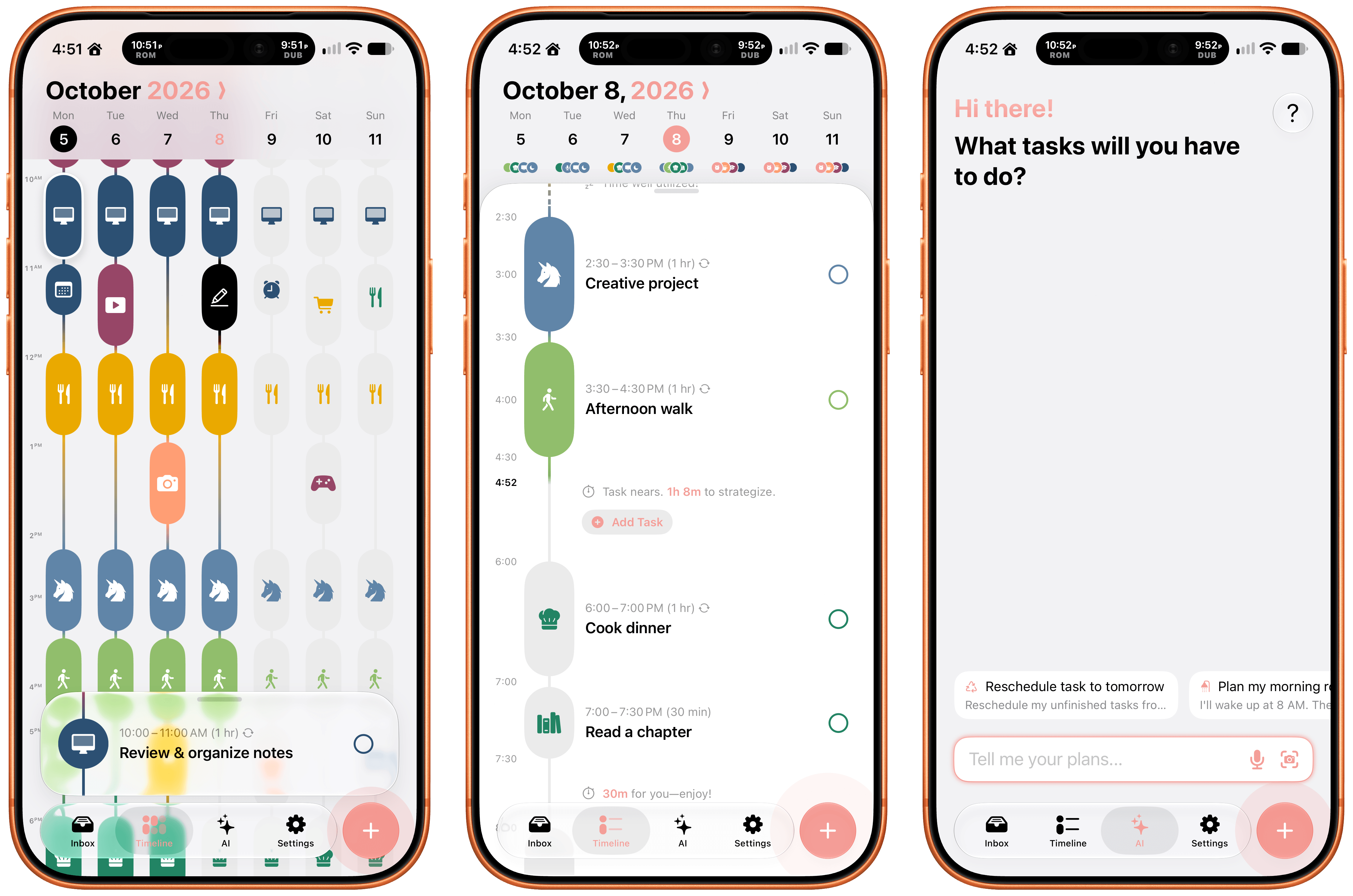
As for Siri AI, Apple’s assistant can now assist Structured users with creating and editing tasks. There’s also a color prediction feature that’s in beta that learns from your past color choices to help suggest the color of a new task. Plus, Structured got a Liquid Glass update, which makes the app feel right at home among other modern apps without sacrificing the app’s simple design and legibility. If you need help organizing your day and want to see everything in one place, you can’t go wrong with Structured.

Scrappy
I’m always on the lookout for new ways to save random things I find on the Internet. I’m a digital hoarder by nature because you never can be sure when a link, image, or article that piques your curiosity will become something more in the future. The trouble is keeping these sort of bucket apps organized.
With Scrappy, by developer Steve Harris, you can save it all: notes, images, PDFs, links, videos, photos, screenshots, and more. Harris is also the developer of Keep It a notebook and document organizer app that we’ve covered on MacStories before. There are similarities between Keep It and Scrappy, but the thing that unique about Scrappy is that it’s much more visual.
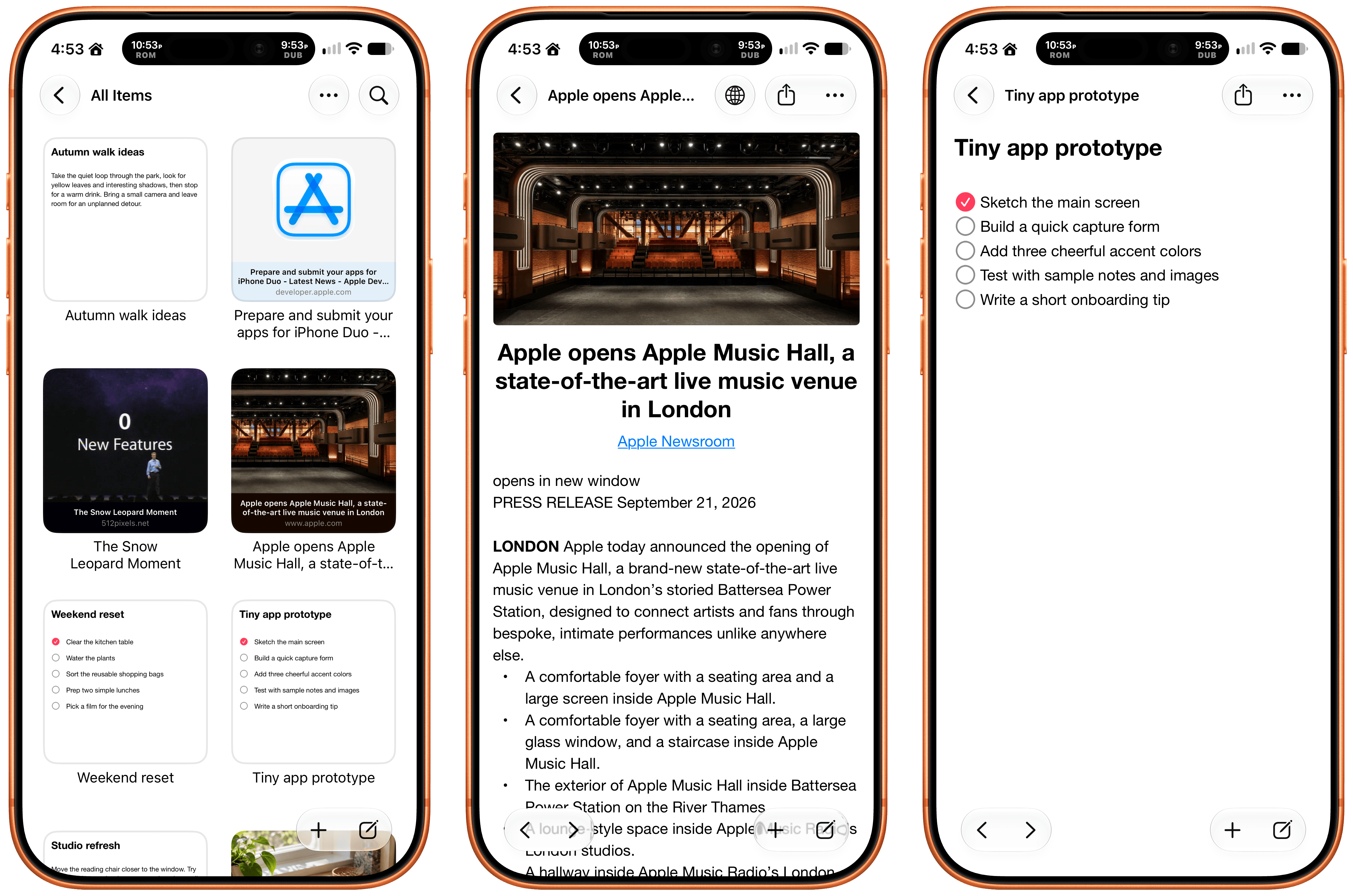
The app, which works on iPhone, iPad, and Mac, puts a handy shelf just off the edge of your Mac’s screen where you can drag items, and across all platforms, it feautures fast search and smart lists. Plus, thanks to Siri AI, you can search and open what you’ve saved and create and edit notes. There are filtering and sorting options, along with an extraordinarily long set of Shortcuts actions that make the app uniquely suited for automation. Scrappy also has a wonderfully modern card interface that takes advantage of Liquid Glass, and it displays previews of links, images, and other content. There are lots of “bucket apps” on the App Store, but Scrappy is one of my favorites.
Capture
Apps like Capture are a unique obsession of mine as the online world relentlessly accelerates. Capture acts as an inbox for text, links, images, files, and tasks that works on the iPhone, iPad, Mac, Vision Pro, and Apple Watch. While you can store information in Capture long-term, it’s really meant to act as an inbox because the app has nearly 60 integrations with other third-party apps.
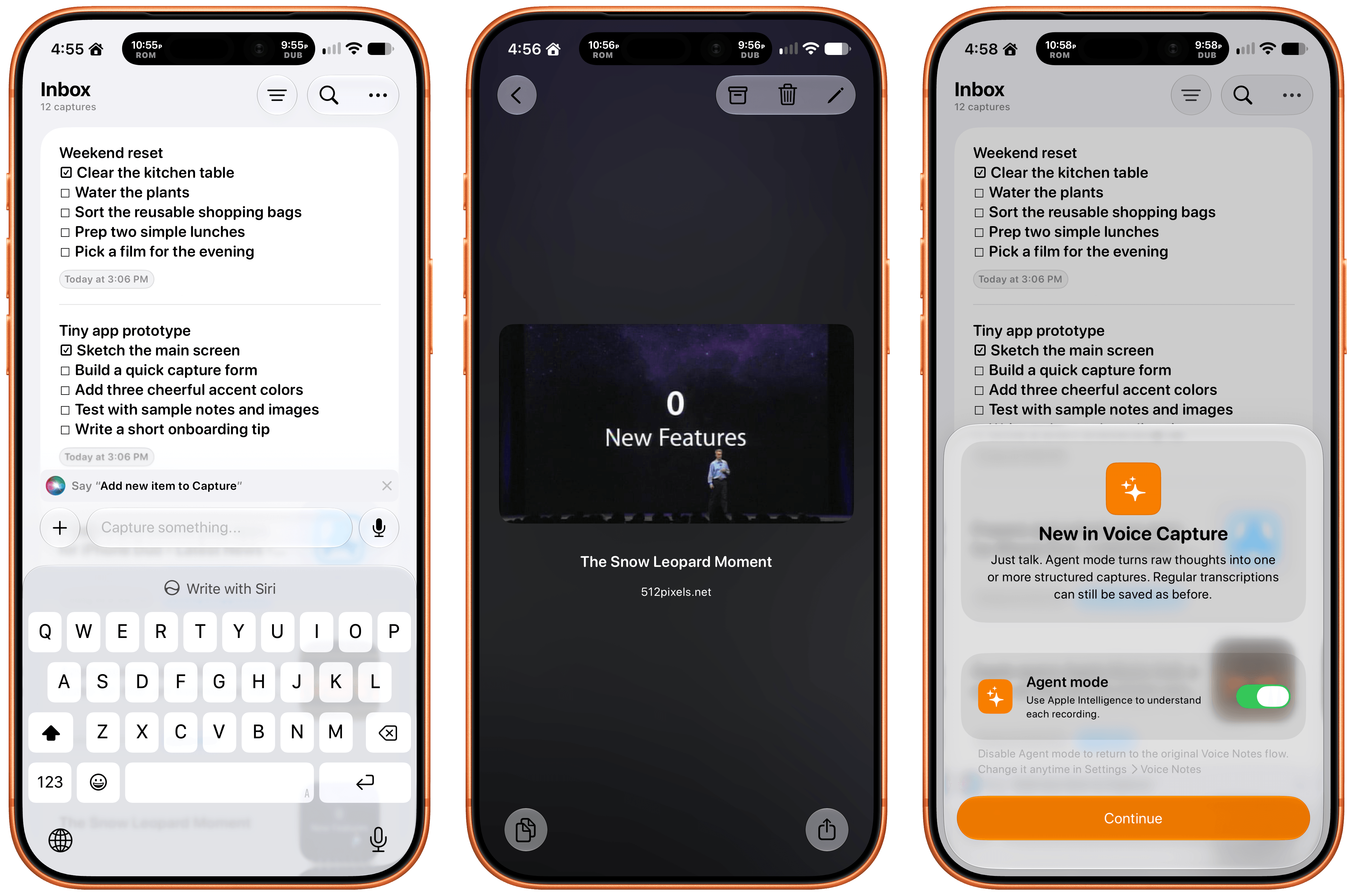
Capture has been building a deep library of integrations for a long time now, which I appreciate. It’s the sort of user-first approach that also made the app a perfect fit for App Intents. That integration makes it simple to find, create, and edit items with Siri. There is also an extensive set of Shortcuts actions, making the app a great fit for cross-app automations. Capture also offers creating, finding, and editing via Siri AI, note transcription using Apple’s on-device model, and a voice-based agentic mode.
Fin
Finally, I want to shout out Fin, the personal budgeting app for iPhone, iPad, Vision Pro, and Apple Watch. Getting data into a budgeting app quickly and easily makes all the difference in the world when it comes to sticking to your budget. Fin excels at quickly recording and organizing your expenses in a clear, colorful interface that takes advantage of Apple’s modern design language.
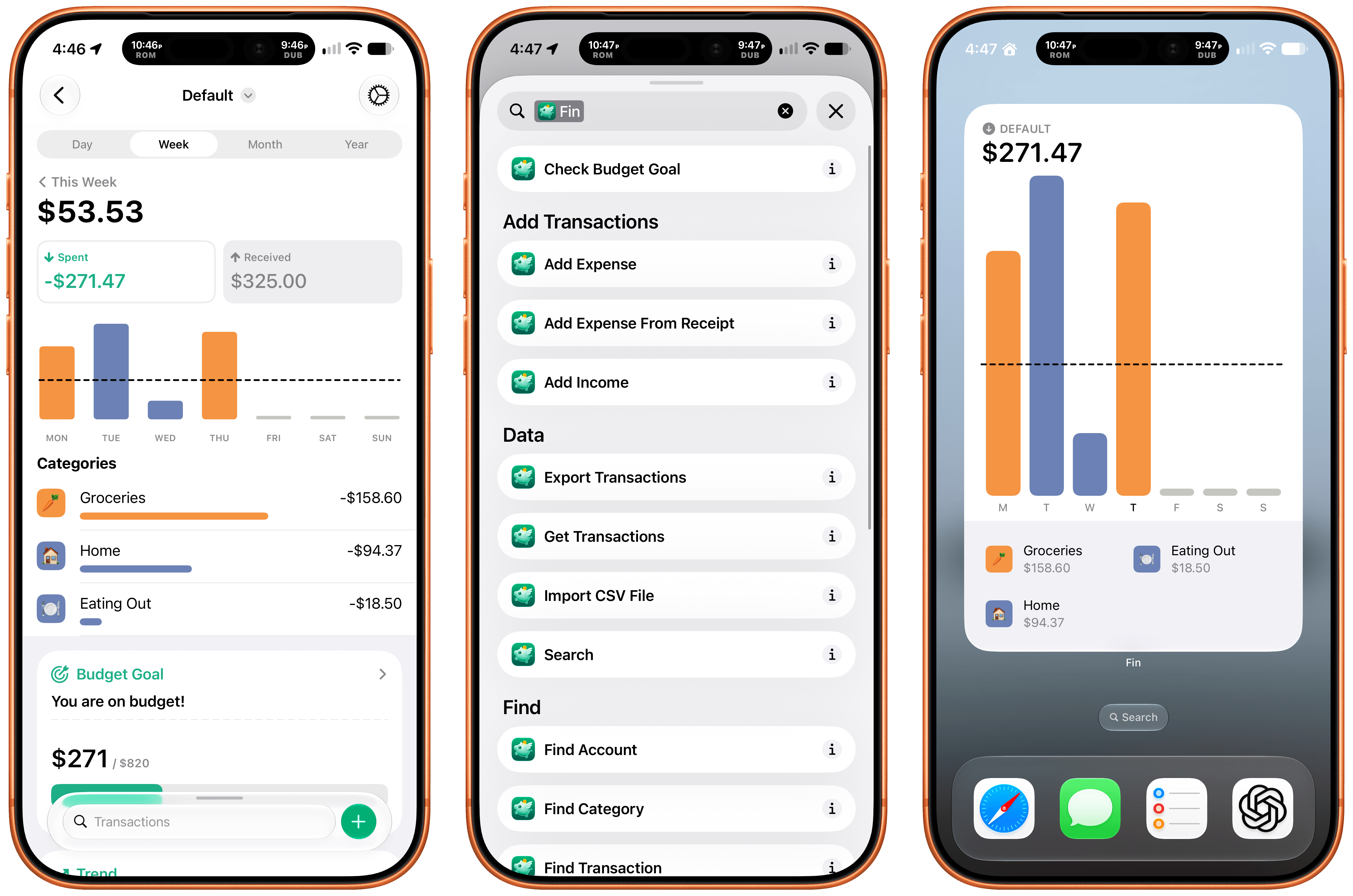
With the latest version, Fin adds onscreen awareness that lets you ask Siri questions about what’s onscreen. The app also exposes transactions and accounts to Spotlight making it easy to pinpoint data in both. Plus, Fin lets you search, import, export, and add data to the app using Siri. There’s an extra large chart widget too. If you’re looking for a simple on-device way to privately manage your expenses, Fin’s a great choice.
