

I’ve said over and over that the most important feature of any habit tracker is being able to get in and out of the app quickly. For some developers, that doesn’t always come naturally. After all, doesn’t every developer want their customers to use their app more than others? Sure they do, but it’s not always the right instinct.
That’s something Nick Leith has understood for a long time. Leith is the developer of Remind Me Faster, a companion app for Apple Reminders that accelerates task entry. I’ve moved in and out of Reminders annually for my macOS reviews and every time, the first app I download after the move-in is Remind Me Faster because it makes using Reminders much easier.
Leith has been thinking about how to make data entry simple and fast for years thanks to that app, and it shows with his brand-new app, Moods Faster (Get it? Moods Faster -> Move Faster). Okay, you probably didn’t need that nudge, but I like the name. It’s fun.
Here’s the thing. We live in stressful times for more reasons than I care to catalog, and taking the time to reflect a little on your day and understand what bothers you and what makes you happy can help you get through your day and make the next one better. Many people do this with journaling, but because I write every day, I rarely have the energy to narrate my day in any meaningful way, which is where Moods Faster comes in.
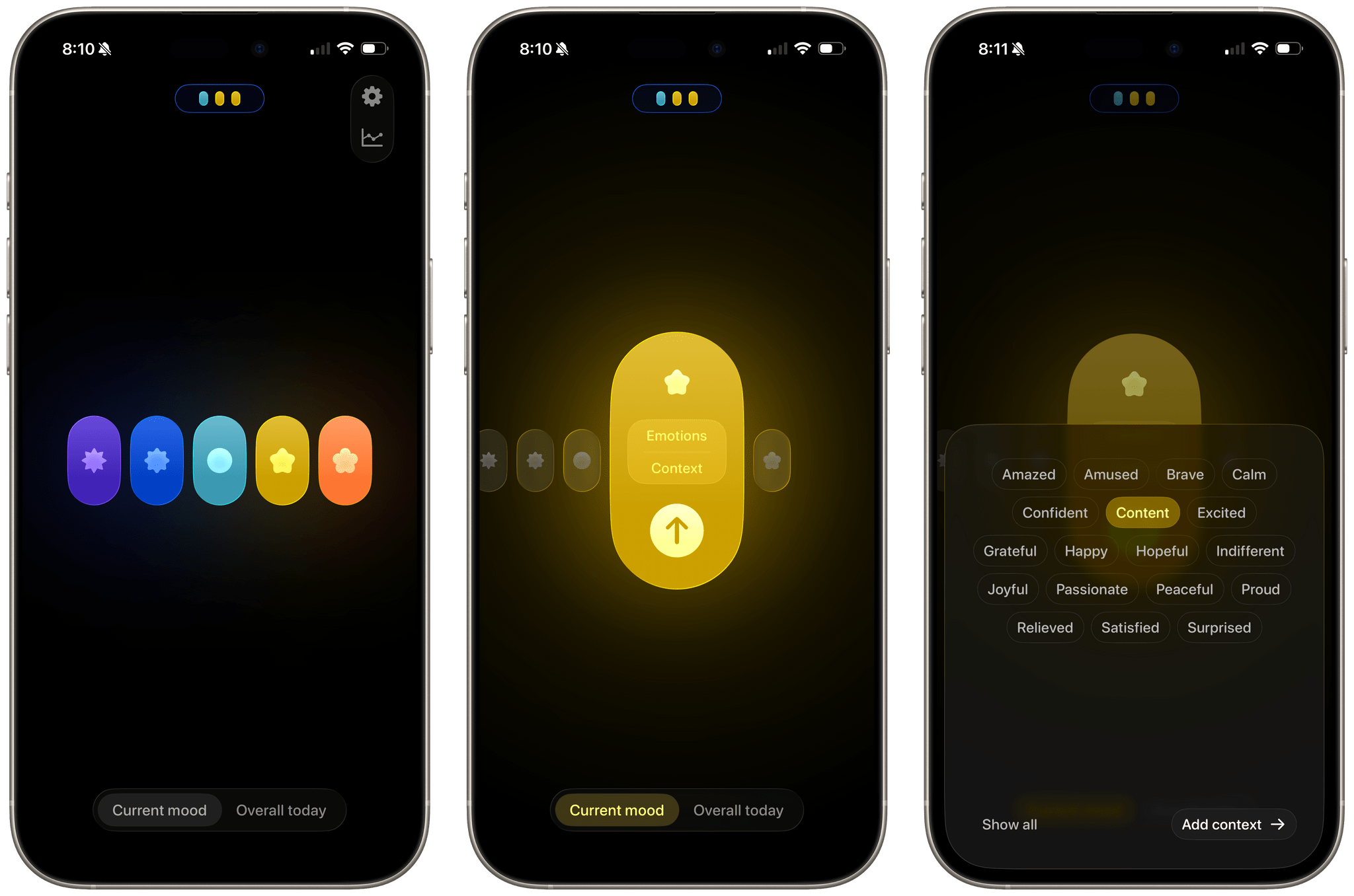
I love every aspect of this app. From the moment you open it, all you see five colored ovals with shapes inside them by default. Each represents a mood and at the bottom of the screen is a control for switching between your current mood and your overall mood. That’s it.
Tapping an oval expands it to reveal the mood it represents from Very Unpleasant to Very Pleasant. When expanded, an oval offers three additional buttons, too. The first reveals a cloud of emotion labels and the second, a set of context labels. Emotions range from Happy and Hopeful to Angry and Anxious. Pick as many as you’d like and move on to context, which are the causes of your emotions, like Travel, Family, Dating, Work, and many others. Finish by selecting the arrow button to save your choices. It’s fast, simple, and intuitive.
The colorful gradients and subtle animations make Moods Faster a delight to use, but the app’s restraint makes it effective. A few quick taps and before you know it, you’ll be spotting trends in your moods over time.
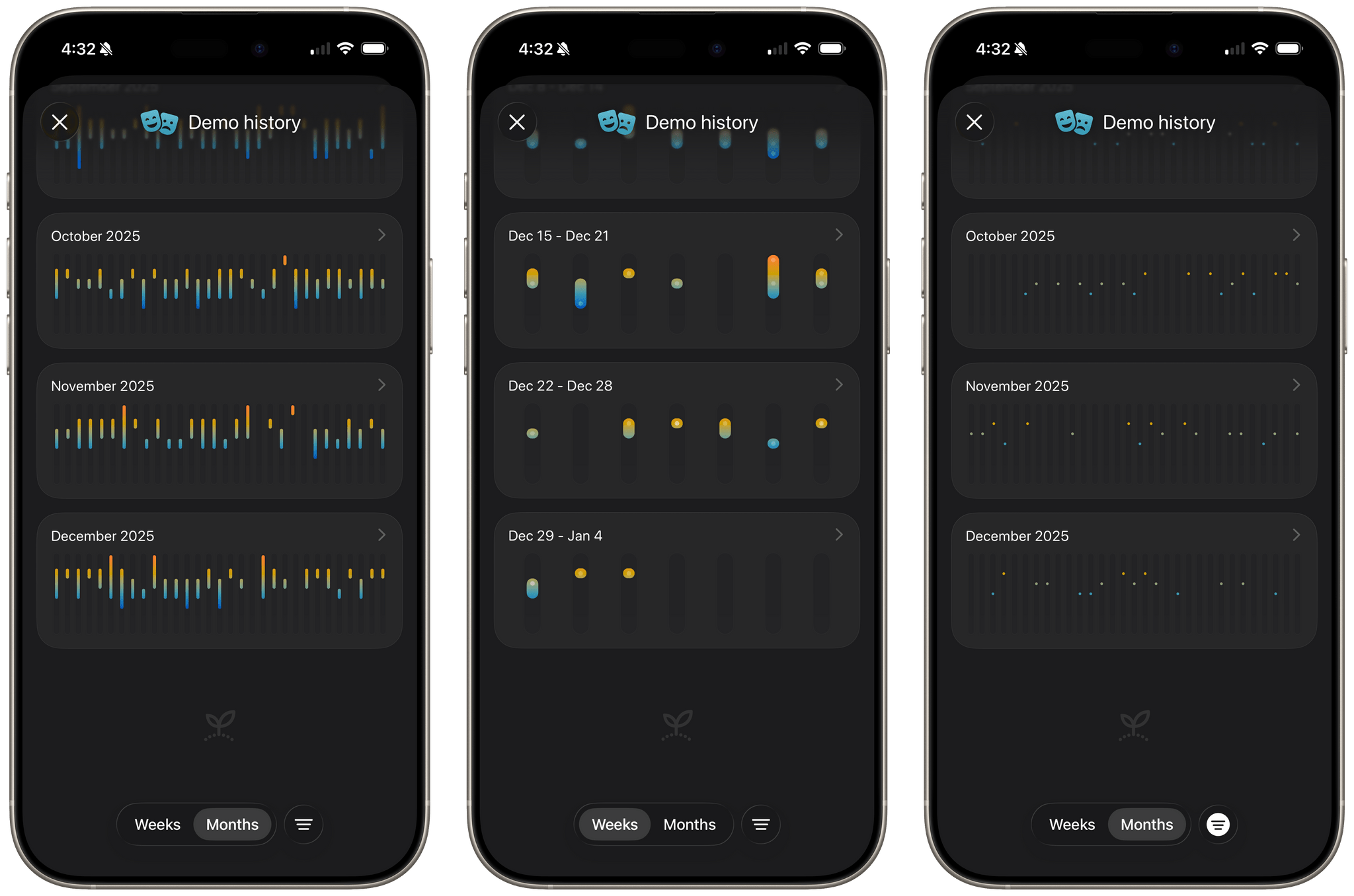
However, just because Moods Faster is simple doesn’t mean it lacks depth. The app optionally syncs with Apple Health and can display the data you save in a variety of ways, such as filtering to show just your momentary moods or your overall daily mood. The app also supports notifications with their fequency and times defined entirely by you.
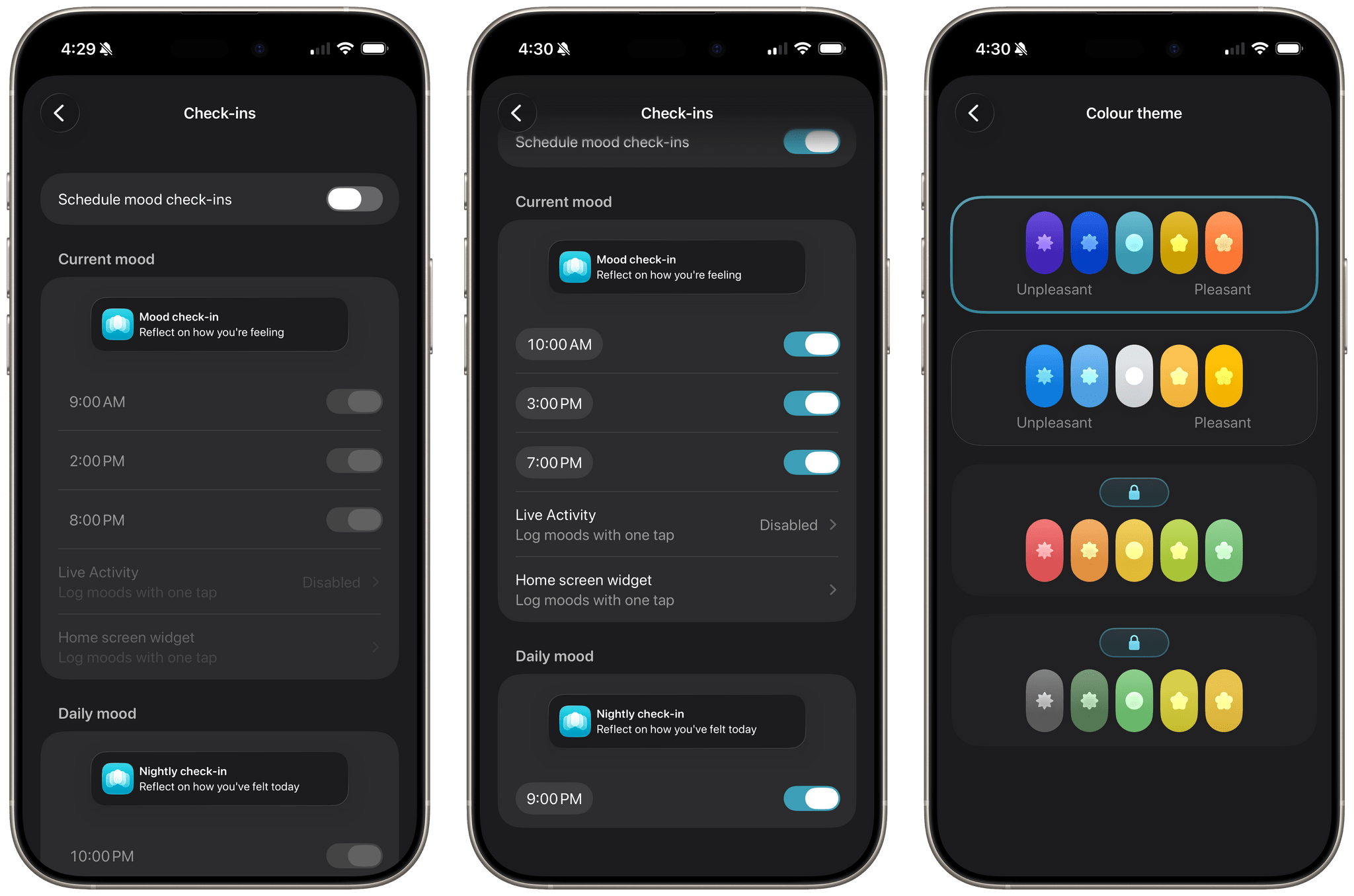
Moods Faster, which works on the iPhone and iPad, includes support for Shortcuts and Live Activities, as well as Home and Lock Screen widgets, too. The app’s interface is also customizable. It uses Apple’s mood icons by default, but there are two other sets of icons, additional colors, optional ordering of the mood buttons, and even the ability to bump up the number of mood choices to seven instead of the default five. That said, I think the defaults are a great place to start, until you’ve used the app a while.
The app also includes a set of graphs that let you track each of the datapoints that it collects, making it possible to spot trends over a series of weeks and months. The default ‘Today’ view also includes a clever indicator at the top of the screen showing the moods you’ve logged today. Tap it, and the dots reveal a timeline of your recorded moods for that day.
I’m usually pretty skeptical of apps like Moods Faster. As much as I appreciate the value of tracking your mood, I have rarely kept up with the habit of tracking mine. Moods Faster is the first app of its kind that I think has a fighting chance at sticking, thanks to its low-key approach and ease of use. It makes tracking your mood in the moment effortless, which pays dividends over time by helping you step back and understand what triggers both your bad days and your good ones. I highly recommend giving it a try.
Moods Faster is available on the App Store as a free download, which gives you access to a two-month mood history. You can unlock your full mood history, widgets, and Live Activities for $1.95/month, $17.95/year, or a one-time payment of $44.95.
