


Alyx is a new caffeine tracking app for the iPhone by Jordan Morgan that’s simple, fun, and flexible all at once. It’s a great example of marrying Apple’s latest design language with recent technologies in a way that serves its users incredibly well.
The app has just one view and a couple of prominent Liquid Glass buttons for logging caffeine consumption and accessing settings. That’s balanced visually by a bar at the top that remains on-screen as you scroll, showing your current caffeine intake, how many milligrams of caffeine you can still consume before reaching your self-imposed limit, and a ‘Last Call’ button that tells you the latest time you can have caffeine without interrupting your sleep at night. The ‘Last Call’ button opens a view with an explanation of how the time is calculated, an option to set an alarm for your Last Call, and a ‘Learn More’ button that opens a fun terminal-style view with even more data.
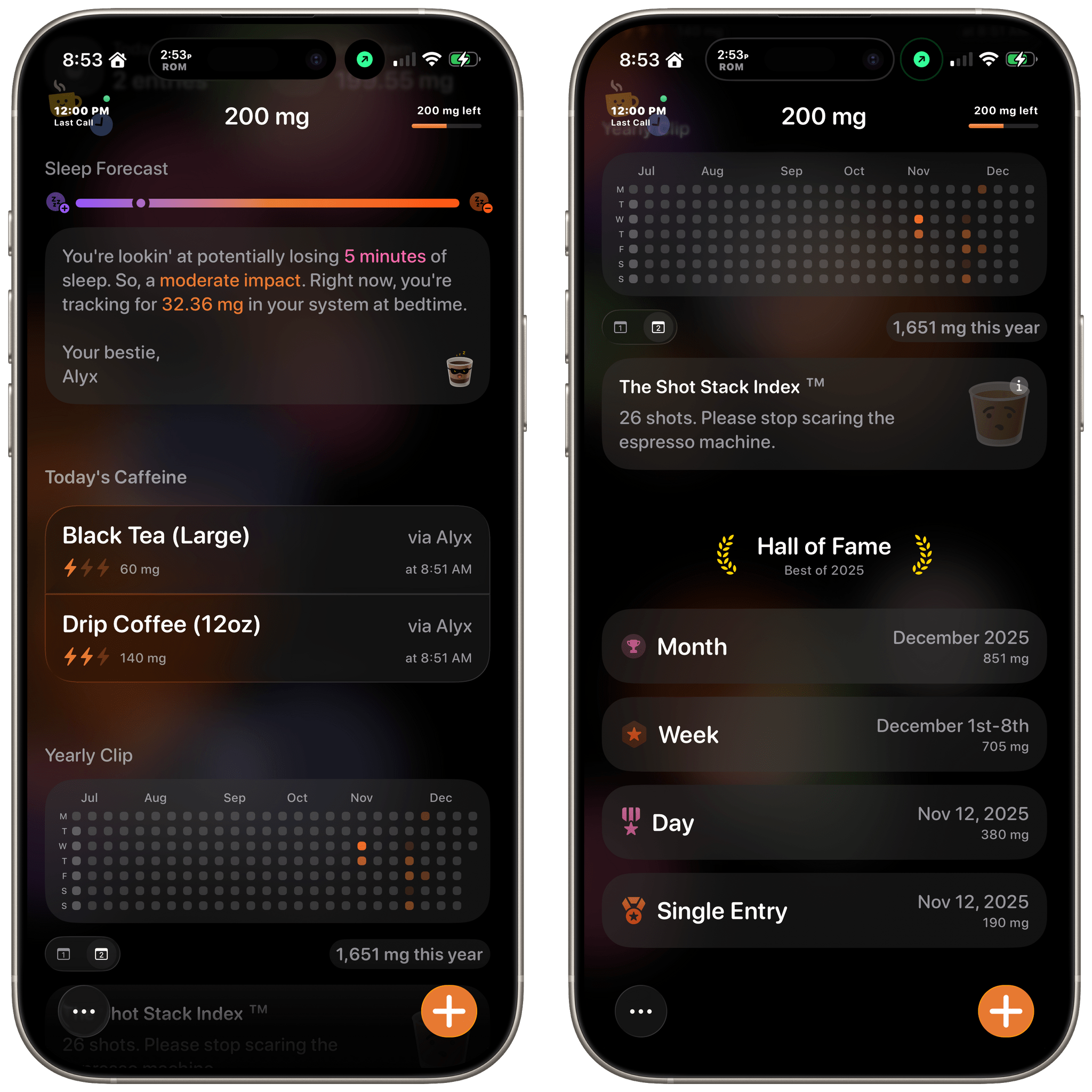
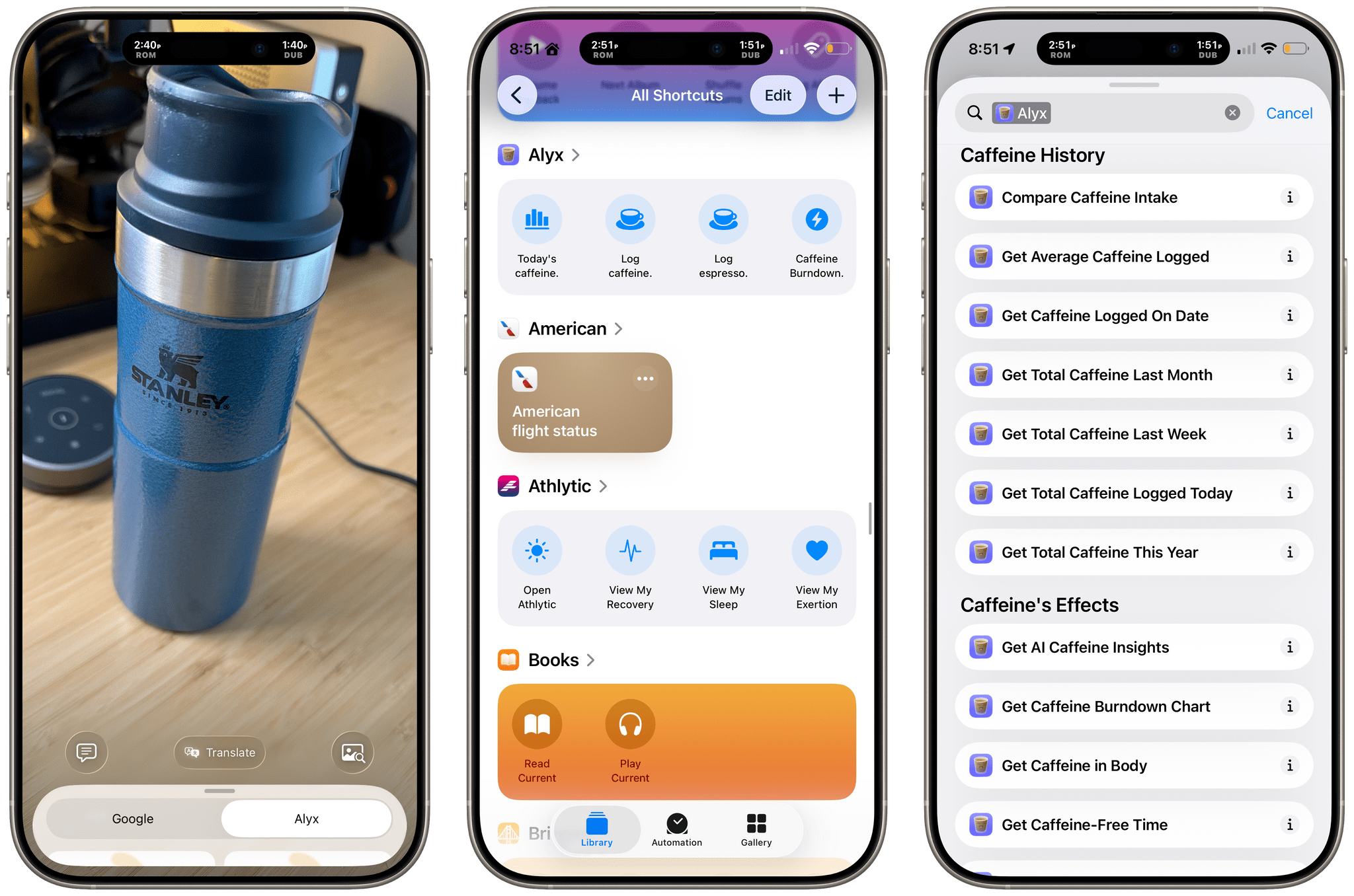
Most of the time, you’ll remain in the app’s main view, which summarizes the data you enter. You can add caffeine using a series of categorized preset drinks, manually punching in the number of milligrams of caffeine you’ve consumed, or using Apple Intelligence to describe a drink and get an estimate of its caffeine content. You can also define custom drinks and log them using a Siri Shortcut, the Action Button tied to an App Shortcut, or a shortcut you create yourself. You can also use Visual Lookup to get an estimate of the caffeine in a drink based on a photo. The app offers a lot of options for logging caffeine, but that’s good because it covers a wide range of potential contexts inside and outside the app where you might want to add a drink, lowering the barrier to recording them.

The rest of Alyx’s main view includes:
- a graph that can be switched between your daily, weekly, and annual caffeine intake,
- a handful of glanceable daily and weekly stats,
- a sleep forecast that tells you how much sleep you might lose based on your caffeine intake,
- more detail about the individual drinks you’ve logged for the current day,
- a different graph depicting your rate of caffeine intake over the past year,
- your annual caffeine intake measured in espresso shots, and
- a Hall of Shame that measures your top intake by month, week, day, and entry.
It’s also worth noting that Alyx includes eight small- and medium-sized Home Screen widgets to track your caffeine intake, a Lock Screen widget for logging caffeine, and a very long list of Shortcuts actions.
It’s a lot of data, but it’s presented in clear card-style groupings that are broken up with just enough explanation of what you’re looking at to make everything understandable. Behind the cards is Liquid Glass’ familiar frosted effect backed by subtle areas of color that make the UI feel more dynamic than scrolling a plain list of graphs and numbers. It looks great and adds vibrancy that fits in with the app’s touches of humor from its coffee drink mascot, Alyx.
I often find myself in stretches where I know I’m consuming too much caffeine but find it hard to break the habit. Alyx offers the ability to get control of that sort of thing in a way that’s inviting. The app is fun to use and makes it dead simple to keep up with tracking, too. I highly recommend giving it a try.
Alyx is available in the App Store for the iPhone as a free download with a subscription that’s $1.99/month, $9.99/year, or a $24.99 one-time payment.
