

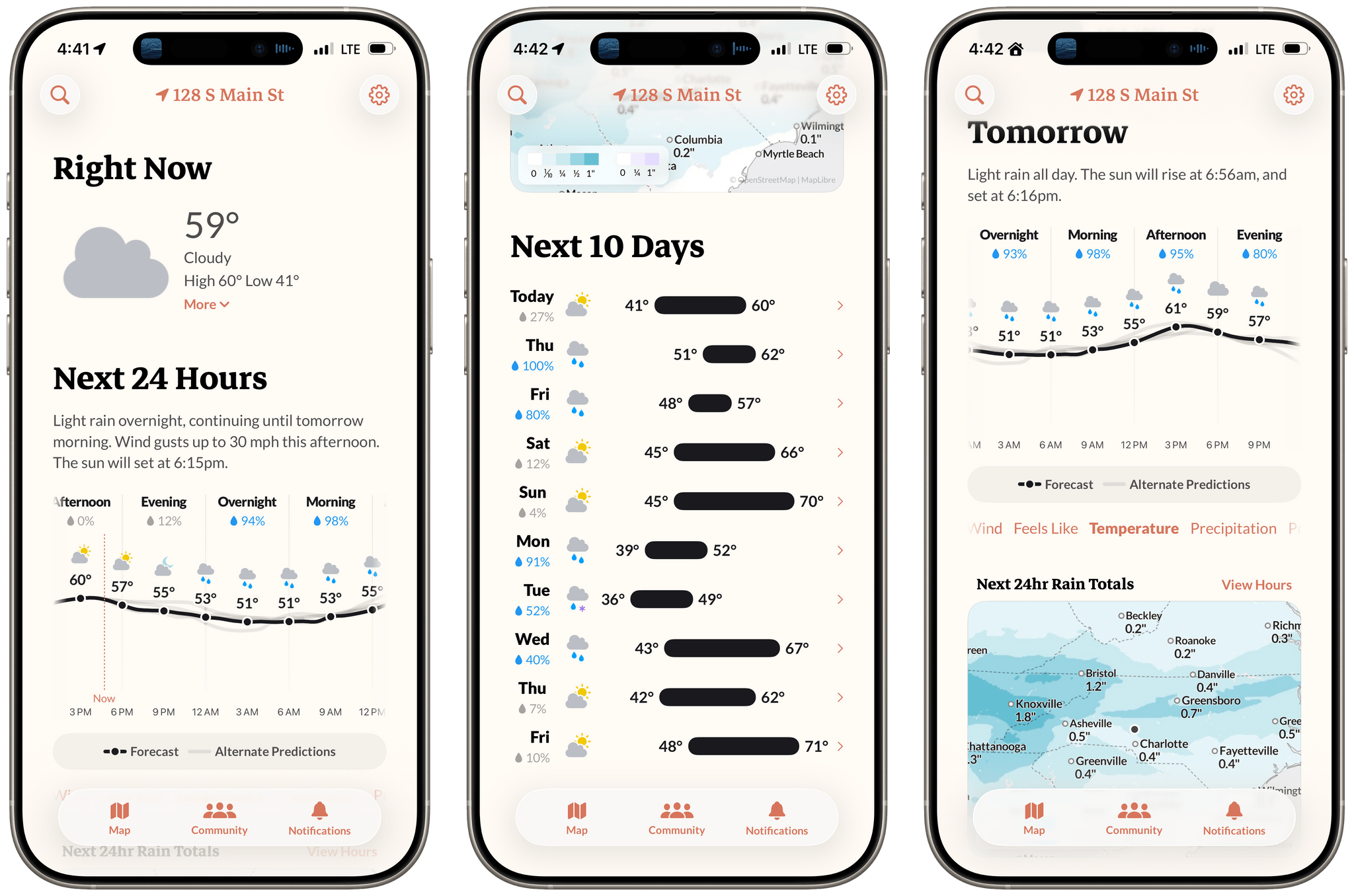
Earlier this week, the founders of Dark Sky made their post-Apple debut with a new weather app for the iPhone and Apple Watch: Acme Weather. It’s a terrific 1.0 with all the details you’d expect, plus a few interesting features that set it apart from other apps in its category.
First, let’s take a quick tour of Acme Weather’s main view, where you can access a wealth of world-wide weather information. Like many other weather apps, Acme starts off with the current conditions, followed by your hourly forecast, a map, and, finally, an extended 10-day forecast.
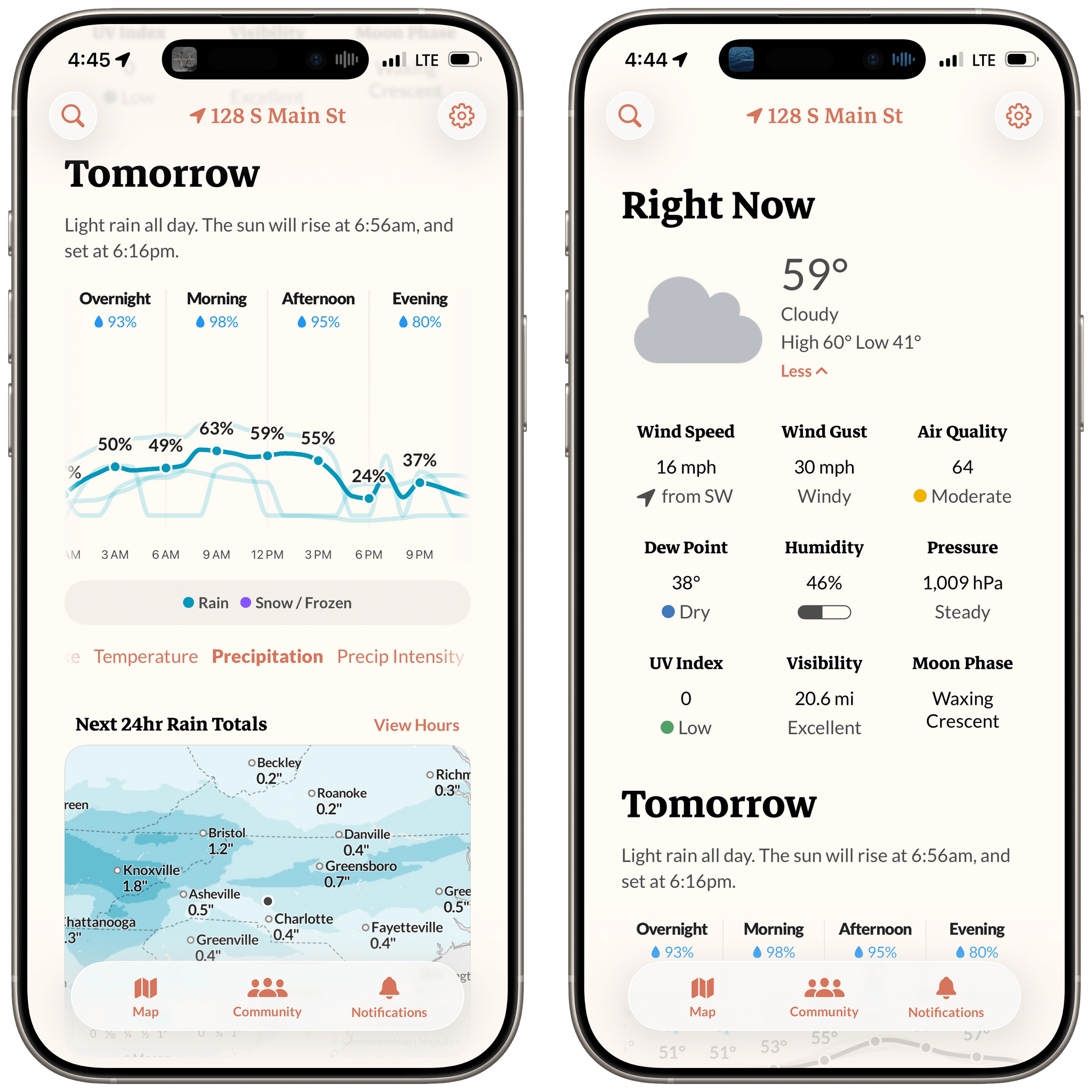
The current conditions section at the top includes the temperature, feels like temperature, predicted high and low temperatures, and an icon that lets you know whether it’s sunny, cloudy, rainy, etc. Tapping on current conditions expands the view to reveal much more, including stats for wind speed, visibility, humidity, and the UV Index.
The first feature that distinguishes Acme Weather makes an appearance in the next section, where the app shows the hourly forecast. If you’ve ever opened multiple weather apps and noticed a wide range of forecast conditions, you know that weather data is inherently imprecise. It’s based on prediction models that vary by provider, and when an app uses just one model, you end up with a false sense of certainty.
Acme Weather addresses this by showing alternative forecast models alongside the app’s own, using light gray alternative prediction lines overlayed along the same timeline. The result provides a better sense of the range of possible weather conditions than any single weather data provider can offer. If you see widely separated lines, there’s a greater chance that conditions will vary from what Acme’s model expects, whereas a tight cluster of lines gives you greater confidence as you walk out the door.
Beneath the hourly conditions graph, Acme displays a horizontally scrolling list of weather stats. Swiping between them repopulates the graph with whichever forecast metric you want. It’s a lot of data, and it’s all accessible without scrolling vertically or switching views, which I love. Also, when precipitation is on its way, the app displays an additional graph with minute-by-minute details for the upcoming hour.
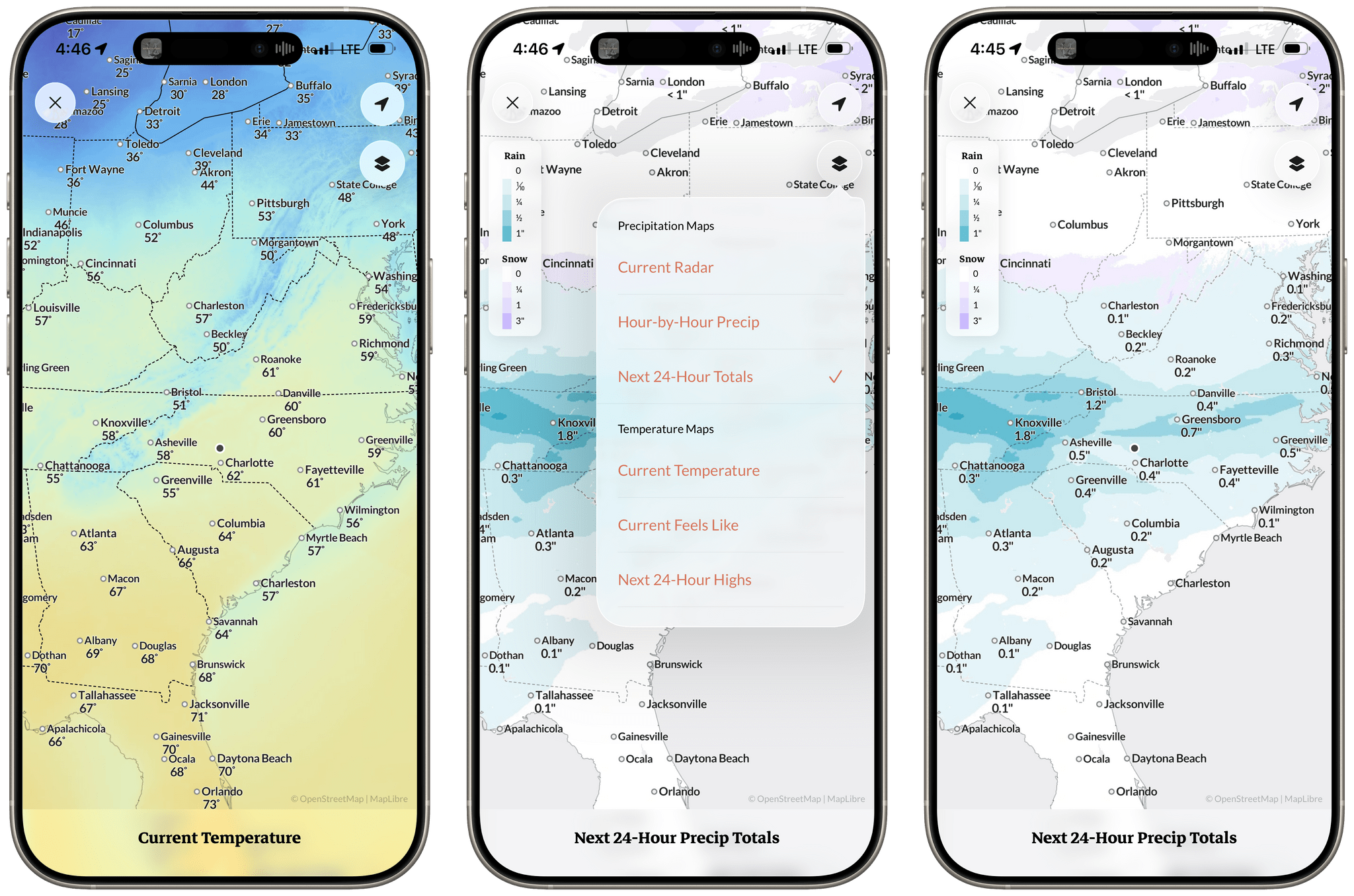
Acme Weather is packed with maps, too. You’ll find a mini map in the app’s main view that expands to fill your iPhone’s screen when tapped. From there, you can switch between a wide variety of maps that visualize what’s happening around you.
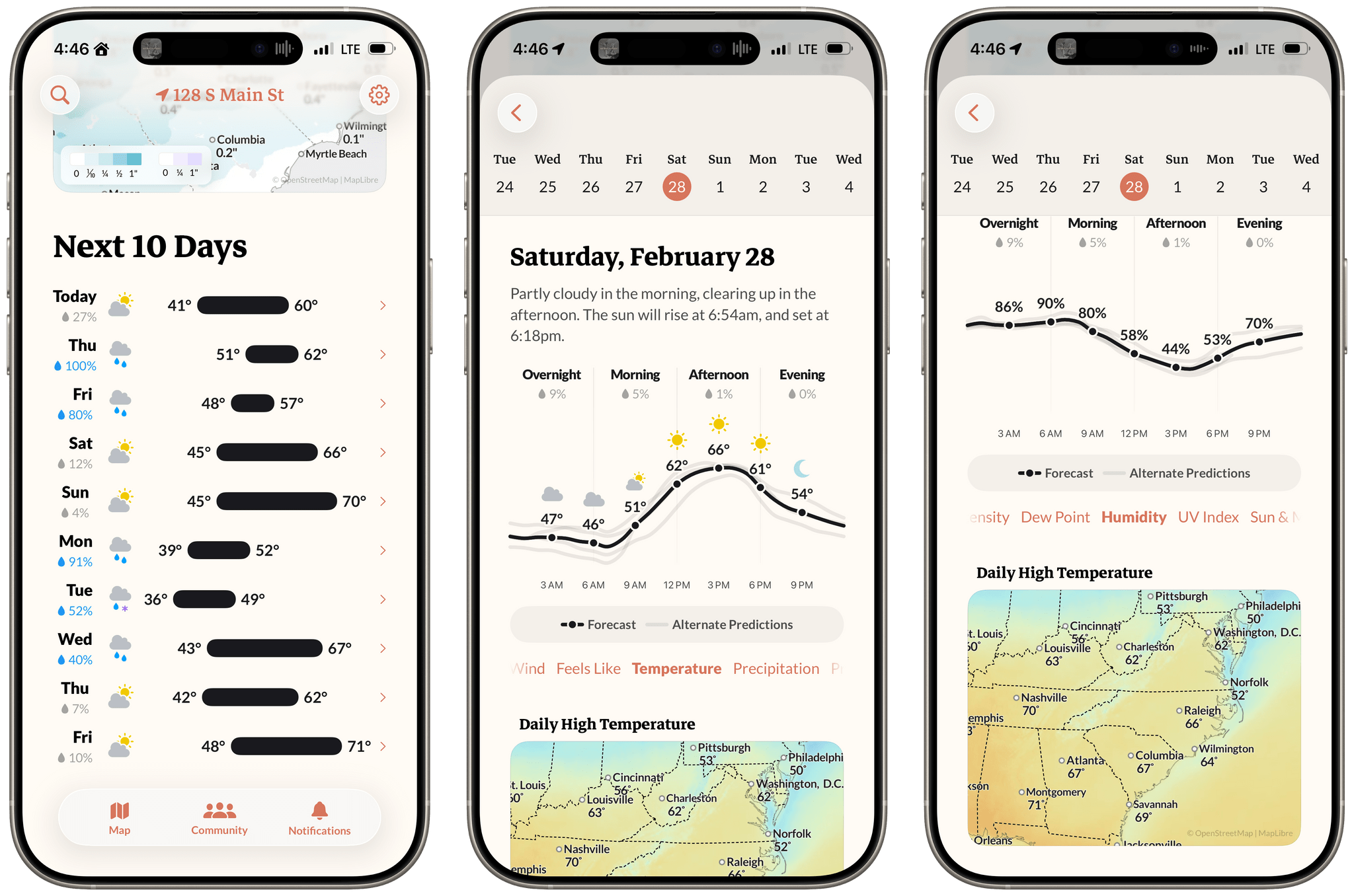
The last section is an overview of the upcoming 10-day period that’s exactly what I want visually from a long-range forecast. On the left side is the predicted weather condition, followed by a horizontal bar graph with the high and low temperatures for the day. Bigger swings in the high and low are depicted with longer bars, making it obvious at a glance what the range for the day will likely be.
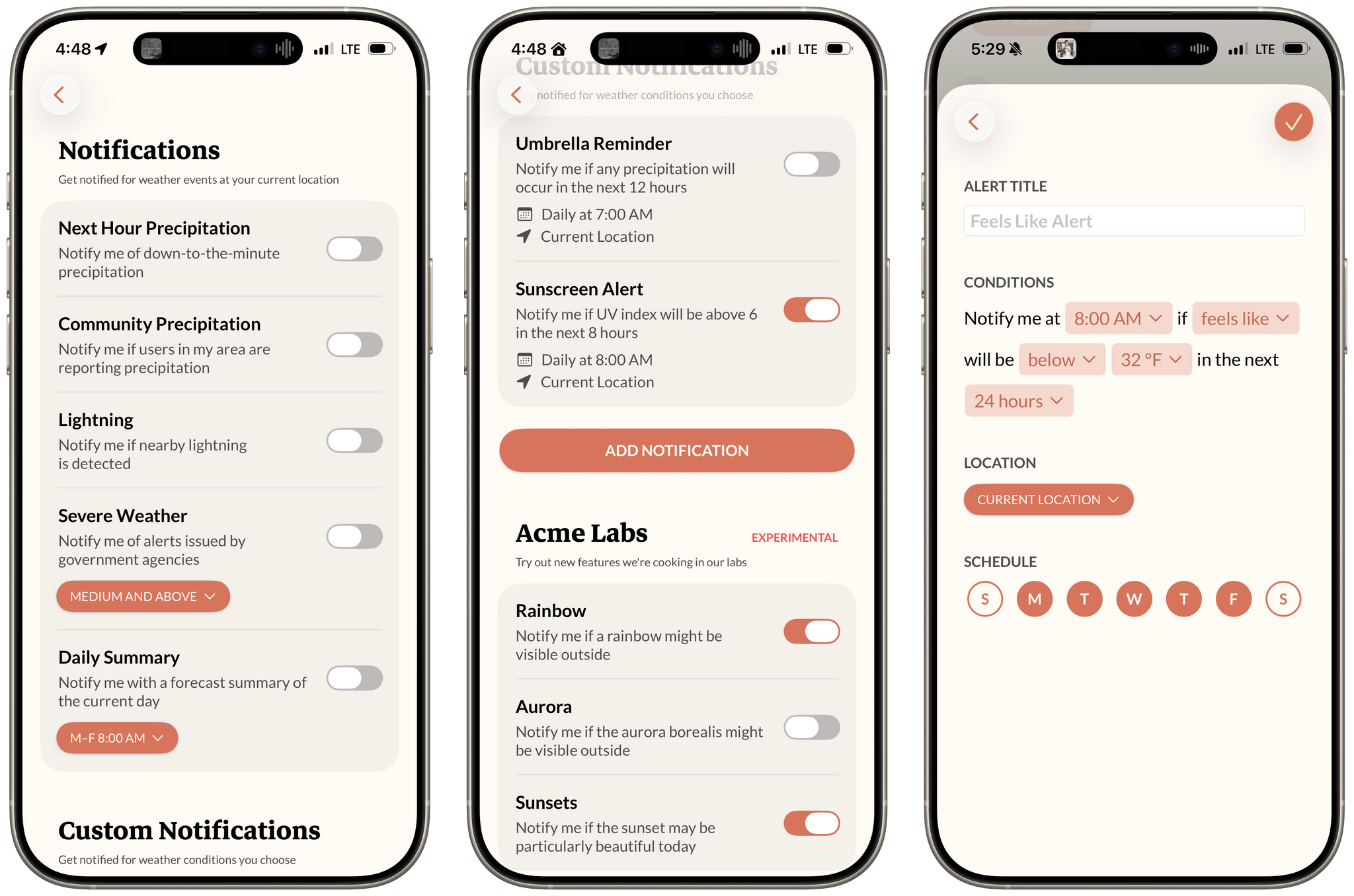
Acme Weather includes an unusual emphasis on notifications, too. Instead of relegating the feature to the app’s settings, Acme dedicates an entire tab to it. In a world of notification overload, that’s a bold move, but it works. That’s because Acme puts its users in the driver’s seat, offering fine-grained control over the notifications you receive.
The app even allows users to create their own notifications, using a fill-in-the-blank-style system that lets you pick exactly what data points you want to hear from the app about. This allows you to dial in as few or many notifications as you want, which I appreciate. There’s even an experimental “Labs” notification feature that will do its best to alert you when you might be able to see a rainbow, the aurora borealis, or an especially good sunset, all of which add a great touch of fun.
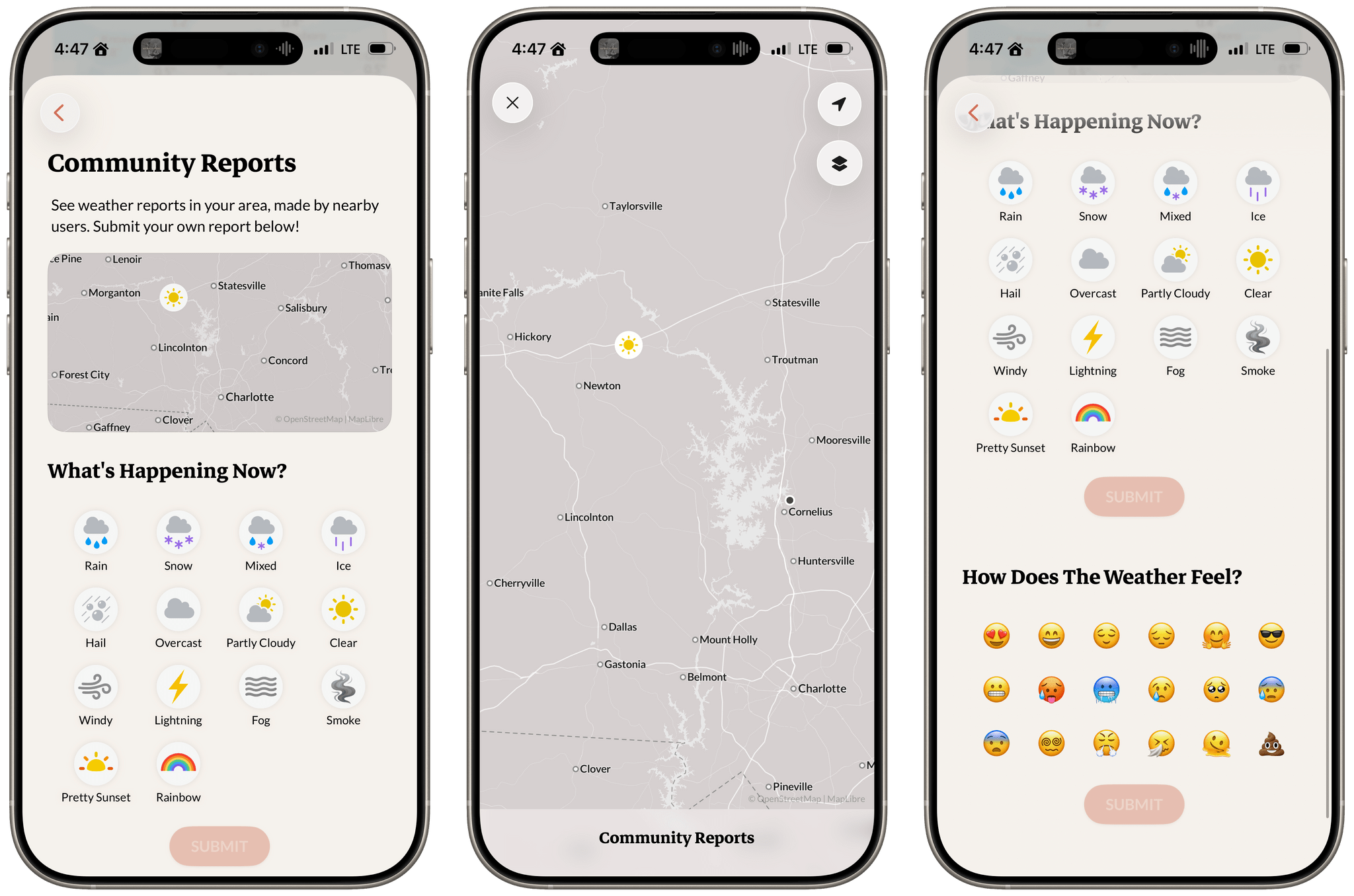
Another interesting feature is the ability for users to quickly share conditions where they are with community reports. The details in my area are a little sparse currently, but the app just launched, so that’s expected. I hope that over time, user reports will become more common, adding another valuable and very local datapoint to the app. It’s also worth noting that Acme comes with an extensive set of widgets, and although it supports Shortcuts, I’d love to see its handful of actions expanded. I’d also like to see Acme Weather on Apple’s other hardware platforms in the future.
There are a lot of great weather apps on the App Store. Apple’s Weather app is excellent in no small part thanks to its acquisition of the Acme Weather developers’ previous app, Dark Sky, and so are Mercury Weather, CARROT Weather, and Hello Weather. That’s stiff competition, but Acme holds its own with a unique set of features, a thoughtful design, and a touch of fun, which makes it worth trying whether you already have a favorite weather app or not.
Acme Weather is available to download from the U.S. and Canada App Store for free, with use after two weeks requiring an annual $25 subscription.
