
Globo 1.1 Adds Sorting Options, Weather Services, Calendar Support

Globo, a world clock developed by Marco Torretta that I first covered two weeks ago, has been updated today with a variety of new features that make the app more flexible than Apple’s Clock and better integrated with other iOS system functionalities.

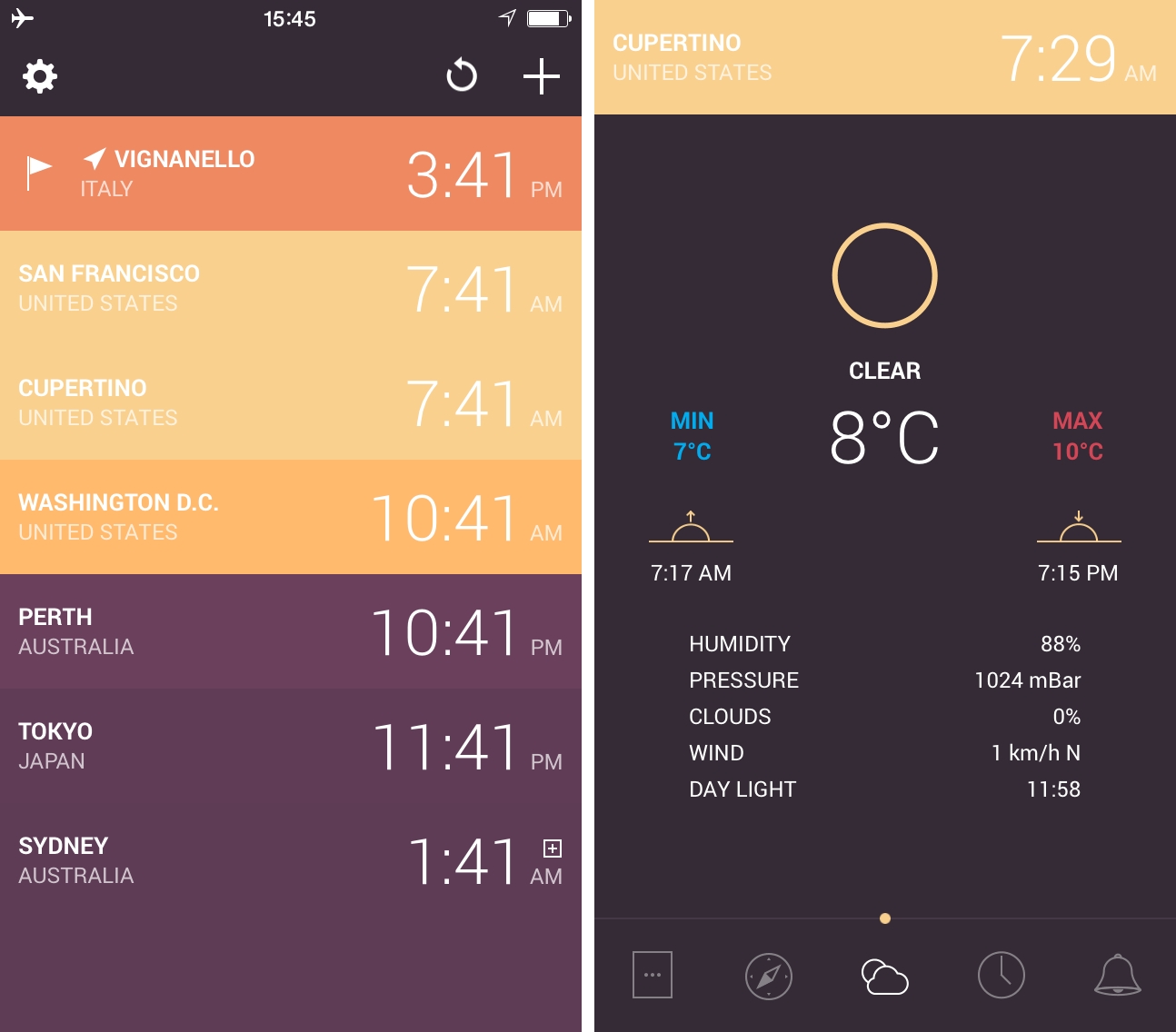
The first, most notable change is the addition of Settings, which include an option to sort cities by name or time. In the Apple Clock app, cities are listed in the order they were added, whereas now Globo can sort alphabetically or according to local time. An indicator to indicate locations that have already advanced to the next day has been added as well, making it easier to distinguish locations across different time zones. In the Settings, Globo now also comes with options to choose the hour format (12, 24, or device format), unit system, and a button to enable weather services.

In the individual location screens, Torretta added a weather view to have a breakdown of current conditions and a shortcut to view a location in Apple Maps – another feature I wished for in my original coverage of the app. The weather screen is particularly well done, offering a summary that includes sunrise and sunset times, temperature, and day light. The most convenient addition, however, is, in my opinion, the Calendar integration, which allows Globo to set alarms for locations as events in the default iOS Calendar.

Globo’s first major update brings solid improvements and useful changes, keeping the app’s simple approach and polished design. Globo is $0.99 on the App Store.
Twitch 3.0 Brings Search Improvements, New Player Layout for iPad

Videogame broadcasting service Twitch has today launched version 3.0 of its iOS app, which includes a new, cleaner UI for iOS 7, improvements to search and broadcaster profiles, and a new player layout on the iPad.

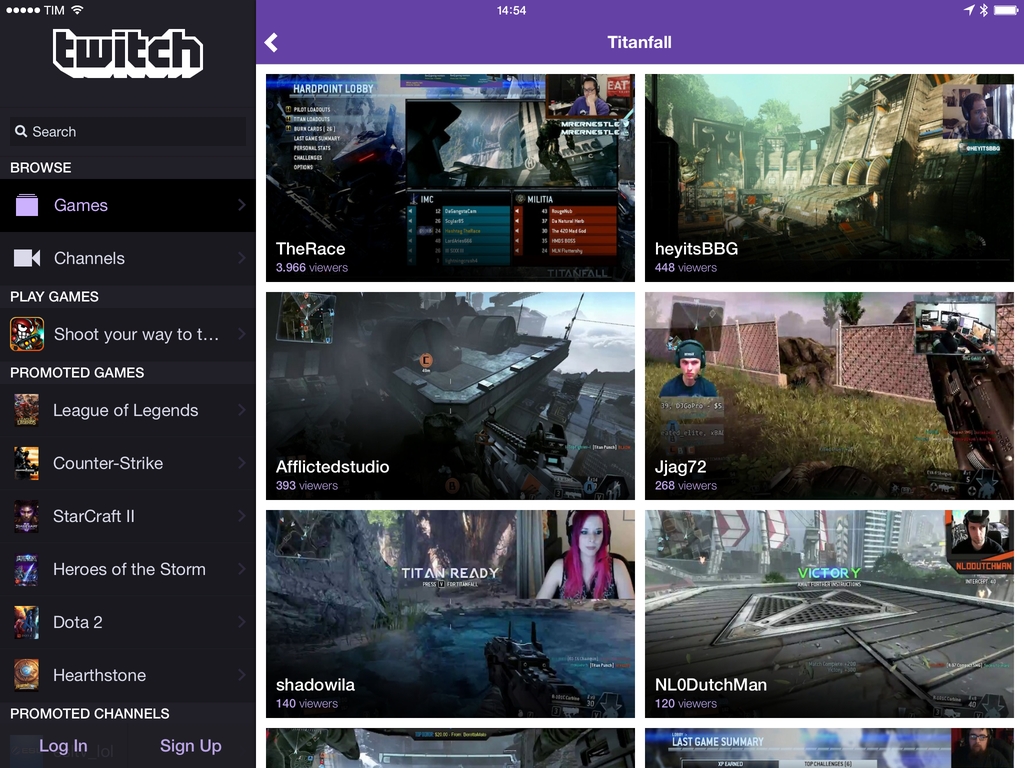
In terms of discovering content on Twitch, the changes to the search interface now enable the Twitch app to filter results by channels, people, and games. When tapping on a username in search, the app will reveal the updated design for broadcaster profiles, which display more information about a channel even if it’s currently offline.

Thanks to the iPad’s larger screen, Twitch can now show a live stream and chat panel side-by-side for an experience that’s consistent with Twitch’s offerings on PC and Xbox One. Live video is automatically resized when the chat is visualized in landscape mode, and new moderation and emoticon tools have been added to the chat to make it more consistent with the Twitch website.

Last week, Twitch announced a mobile SDK that will allow developers of mobile games to add live streaming features to their smartphone and tablet games, although no further details on platform availability and first compatible games were disclosed by the company. Twitch 3.0 is available on the App Store.


Wearing Apple

First, let’s look at the market for quality timepieces; ones that you’d be proud to wear on your wrist. It’s dominated by companies with centuries of experience. It’s also a high-end market: spending a few thousand dollars on a nice watch is chump change. You’re buying a work of art.

Apple certainly has great designers, but they’re going to be competing against craftsmen who’ve been refining their craft since the 15th century.

Craig Hockenberry makes an interesting case for a wearable device by Apple that isn’t a watch.

We discussed the importance of the fashion aspect for wearables on The Prompt, and I believe that it’s often overlooked by the tech press. I don’t know if Apple’s focus will be on health and fitness tracking or using the wearable’s sensors for notifications and inter-device communication (maybe all of them?), but I think it’s obvious that it has to look good – and be “incredible”, as Cook said – to be considered by young customers.

Permalink

Plex Introduces Camera Upload for iOS App

Personal media service Plex today rolled out enhancements to the web and iOS apps, allowing Plex Pass subscribers to use a new photo-related feature called Camera Upload to automatically upload and store photos from a device’s Camera Roll on a Plex media library.

Previously limited to Plex Pass members, Chromecast integration for Plex is now available to all users, for free. Chromecast support lets Plex locally beam media content (music, videos, and photos) to a television connected to a Chromecast device. For both the web and iOS apps, Plex now supports shuffling of all items in a section, which can be combined with filtering to, for instance, shuffle all songs available under Pop Rock.

Today’s big addition for Plex Pass members is Camera Upload: using iOS 7’s background functionality, Plex can automatically upload pictures taken with an iOS device to a Library on a Plex media server and into a specific album. There are settings to control upload with cellular data, and, overall, Camera Upload seems to be aimed at providing an effortless photo archival and streaming solution with sharing options rather than a dedicated photo management system such as the ones offered by Picturelife or Loom.

Camera Upload joins other Plex Pass features that allow Plex users to get more out of the service, namely Plex Sync (to keep media available offline on mobile devices), Cloud Sync (review), Multi-User Control, and early access to new features. Plex Pass is available at $3.99/month, and an update to the iOS app with support for Camera Upload is propagating now on the App Store.


How Apple is Quelling Motion Sickness and Making iOS More Accessible with iOS 7.1

For The Guardian, Craig Grannell writes about many of Apple’s new animations for iOS 7.1, and what that means for people who previously got motion sick. While iOS 7 had lots of nice visual touches, bouncy animations and parallax effects made some customers feel physically ill when using their iPhone. In addition to numerous visual changes that aim to reduce physical illness in iOS 7.1, Apple has also been hard at work making iOS even more accessible by reintroducing button hints.

Josh de Lioncourt at Macworld also runs through some new additions in accessibility that should help those with low-vision or motor impairments. For example, the camera button can be turned into a switch that turns on head tracking, reducing the need for a separate device.

Permalink

Paper 1.6.1 Refreshed for iOS 7, Adds Dot Sizing

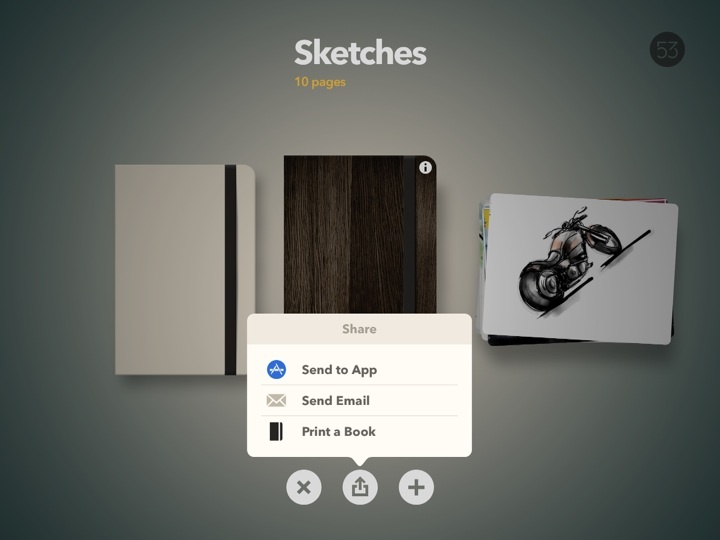
Paper is one of our must have apps, and it’s recently been updated with iOS 7 in mind. While the app’s design and personality free it from many of iOS 7’s visual styles, popovers and menus have been refreshed with a flatter, cleaner look.

Two additional small but important changes to Paper’s drawing tools should make drawing detailed characters, things, and environments much easier than before. When using the loupe to zoom in, the drawing tools you use will adjust their size as well, giving you finer control over all of the smaller details. And lastly, drawing dots has become much easier, with long presses generating bigger dots.

Paper is free to download in the App Store, with tools available for sale in the app individually or as a bundle.


Keyboard Shortcuts For iOS 7 Apps

In early January, after collecting keyboard shortcuts for Apple apps and system features in iOS 7, I created a dedicated page for keyboard shortcuts in third-party iOS 7 apps.

I’ve been tweaking and updating the page for the past three months, and it now includes 20 apps that have implemented keyboard shortcuts. The page has a custom sub-domain at ios-shortcuts.macstories.net, and it comes with an index of apps at the top to easily see supported apps and click to instantly jump to a specific one. Each app has links to iTunes, website, and additional documentation if available.

If you’ve developed an iOS app with external keyboard integration, let me know on Twitter or over email and I’ll add it to the list. Check out the page here.

Permalink