This time Federico and Myke talk about OlliOlli2, EGX and Super Smash Bros for the 3DS.
In this week’s second episode of Virtual, the game that will cause issues for my sleep starting Friday.
Sponsored by:

This time Federico and Myke talk about OlliOlli2, EGX and Super Smash Bros for the 3DS.
In this week’s second episode of Virtual, the game that will cause issues for my sleep starting Friday.
Sponsored by:
Kirk McElhearn makes some good points about Apple Pay in Europe:
On its website, Apple touts that fact that Apple Pay will save you time, by not forcing you to search for your wallet and then find the right card. These concerns, too, are specific to the United States. On average, Europeans carry only 1.46 payment cards (more than two thirds of which are debit cards). In the US, people have more than twice as many cards; 14% of Americans had more than ten cards in 2007. Credit cards are much less common in Europe (though adoption rates vary by country), and most people only have payment cards with their banks.
This is exactly why I’ve been struggling to get the excitement around Apple Pay. Sure, it looks cool, but Passbook was also cool and I never actually used it in a real life scenario in Italy. I’ve never owned more than one payment card in my life (the one supplied by my bank) and most people I know don’t have multiple cards. I’ve never understood the videos of modern payment solutions showing people fumbling to find their credit card – I have one, and it’s not that hard to find in my wallet. We still use cash every day for any kind of purchase, at least here in Italy.
I’m sure that Apple Pay will be easy to use and potentially more appealing than Passbook (especially for online payments). I’m just worried that it’s going to be another cool technology primarily meant for the United States.
Nick Arnott:
Software is buggy. Humans write and test software and humans are imperfect; as a result, so is software. This is the reality of software and should come as a surprise to nobody. What can be surprising are the kind of bugs we actually see make their way out into the wild.
This is a great article. A good reminder that there’s a difference between knowing that people make software and calling out individuals for the sake of page views.
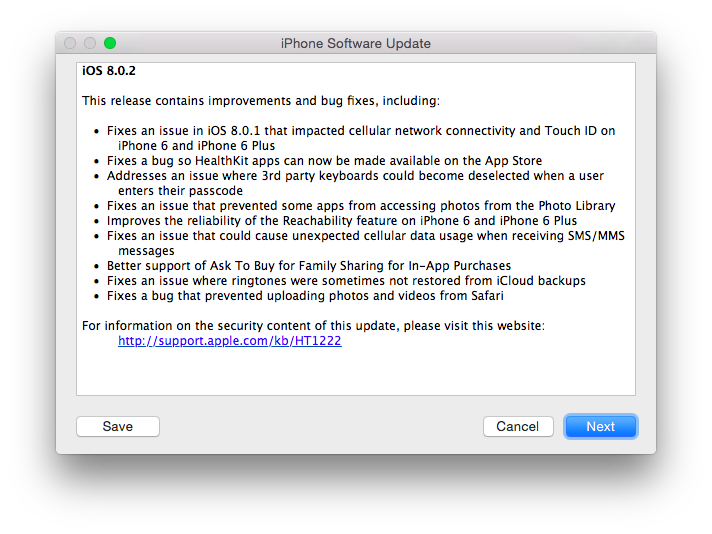
A day after releasing and then pulling iOS 8.0.1 due to bugs that caused cellular connections and Touch ID to not work on the iPhone 6 and iPhone 6 Plus, Apple has just released iOS 8.0.2. The new version carries the same bug fixes of Wednesday’s update and fixes the bugs that had been introduced by iOS 8.0.1.
iOS 8.0.2 fixes a number of bugs including an issue that prevented HealthKit apps from working correctly and a problem that caused custom keyboards to become deselected after entering a passcode. It also improves Reachability on the new iPhone 6, fixes a bug that disabled file uploads in Safari, and brings better support for the Ask to Buy feature in Family Sharing.
iOS 8.0.2 can be downloaded now from iTunes or software update on an iOS device.
Josh Lowensohn:
A few blocks away from Apple’s bustling campus in Cupertino is a rather nondescript building. Inside is absolutely the last place on earth you’d want to be if you were an iPhone. It’s here where Apple subjects its newest models to the kinds of things they might run into in the real world: drops, pressure, twisting, tapping. Basically all the things that could turn your shiny gadget into a small pile of metal and glass.
I’m starting to think that the iPhonegates Apple goes through every year may be worth it if only for the peek behind the curtain we get.
This time, in response to the so-called #bendgate, Apple invited the press to visit their secret testing lab for the iPhone 6. The Verge has fascinating photos and details; CNBC has a video report.
See also: a brief history of iPhonegates.
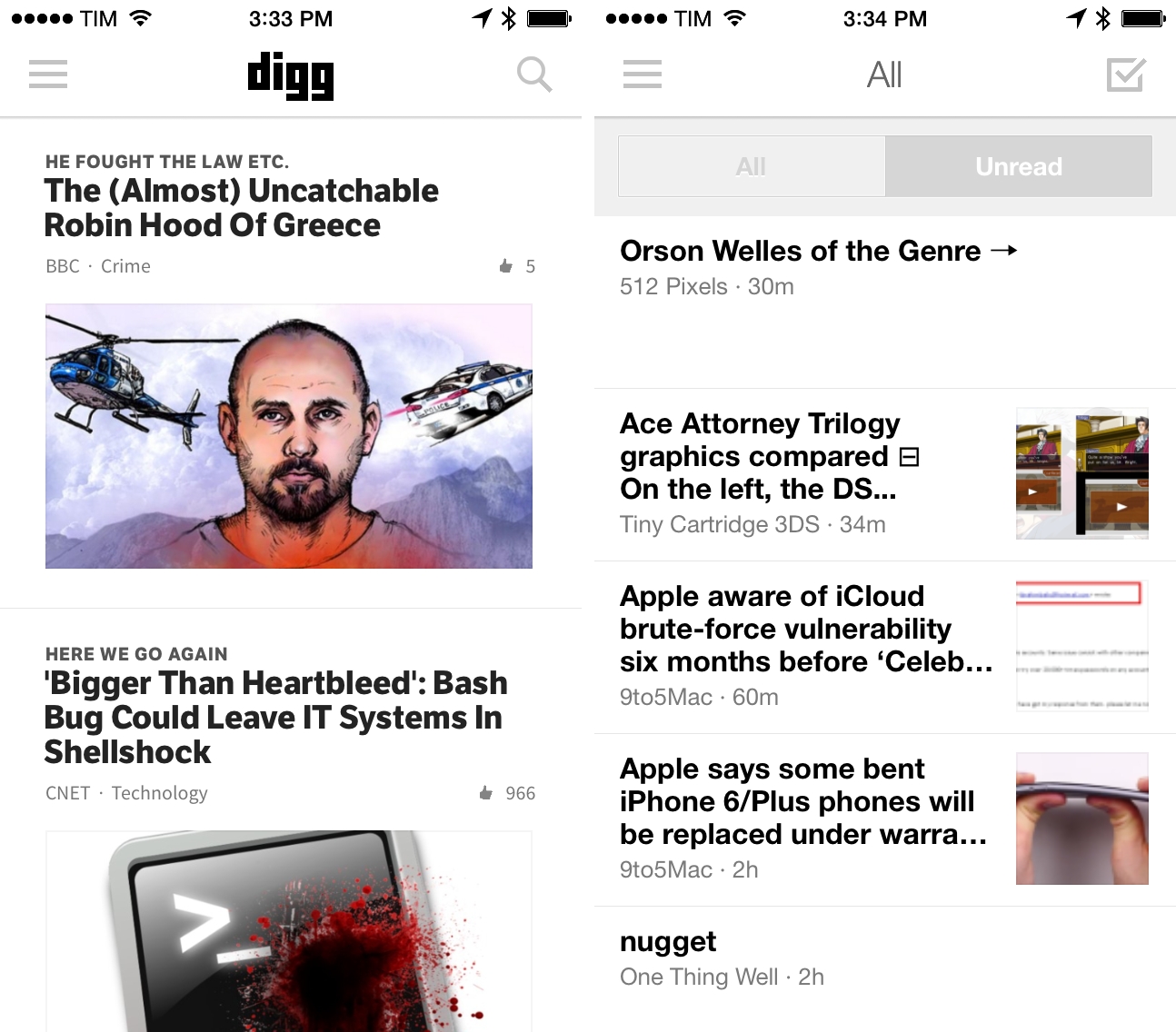
Late last week, I was looking for an RSS reader that had been updated for iOS 8. I couldn’t find any that I liked on the App Store, so I decided to give Digg a try. Yes, that Digg. I know that to many people that name may sound like a joke, but, as it turns out, the new Digg run by betaworks is a great service with a very good iOS app.
This time Federico and Myke discuss the new Final Fantasy trailers, Microsoft buying Mojang, the updates to the Steam Store and Myke’s trip to Italy.
Also on Relay, Virtual ep. 5 features some thoughts on Minecraft and Steam. And, we’re going to record another episode tomorrow.
Sponsored by:
This week Federico expands upon his iOS 8 coverage and Myke talks about his new iPhone 6 Plus.
On this week’s Connected, more thoughts on iOS 8 apps and iPhone 6 Plus impressions by Myke, who also did something new to his iPhone.
Sponsored by:
A week after the launch of iOS 8, Apple has released the first update to the new OS – iOS 8.0.1. Available now through software update, iOS 8.0.1 fixes a number of bugs including an issue that prevented HealthKit apps from working correctly and a problem that caused custom keyboards to become deselected after entering a passcode.
iOS 8.0.1 also improves Reachability on the new iPhone 6, fixes a bug that disabled file uploads in Safari, and brings better support for the Ask to Buy feature in Family Sharing.
iOS 8.0.1 can be downloaded now from iTunes or software update on an iOS device.
Update: Following reports of iOS 8.0.1 causing issues with broken cellular connections and Touch ID on some iPhone models, Apple has pulled the update and instructed affected users to restore through iTunes.