Apple Partners with IBM & Japan Post to Deliver iPads to Elderly in Japan

Apple just announced an interesting new partnership with IBM and Japan Post, with a goal of delivering 4 to 5 million iPads to the elderly in Japan by 2020. As part of the initiative, IBM will deliver custom apps that help connect those who receive the iPads to “services, healthcare, community and their families”.

“This initiative has potential for global impact, as many countries face the challenge of supporting an aging population, and we are honored to be involved in supporting Japan’s senior citizens and helping enrich their lives,” said Tim Cook, Apple’s CEO. “iPad is incredibly intuitive, easy to use and has accessibility features built in, making it a perfect device for any generation to be connected and engaged.”

The initiative, which will begin to roll out in the second-half of this year, is an extension of Japan Post’s national ‘Watch Over’ service:

For a nominal monthly fee, mail carriers check in on elderly customers and assure families about the well-being of their relatives. That service can now be extended and enhanced with iPad, complementing the in-person monitoring.

IBM’s A Smarter Planet website has also posted a short blog post from Masaaki Tanaka, one of the original designers tasked with working on the project:

A tiny team at IBM Japan got the whole thing going. My first market research subjects were my mother and my mother-in-law. My mom lives nearby, so I would pop over every couple of weeks to get her reactions to design ideas. Mom is comfortable using an iPad, so she represented our more sophisticated users. My mother-in-law was less experienced with mobile technology, so she stood in for our novices. She now has an iPad and takes it everywhere.

It’s unclear whether IBM’s custom apps will be released on the App Store for anyone to download, but one would hope so. 4-5 million iPads is a great start, but it’s only a drop in the ocean to the millions already out there in the world.
Permalink


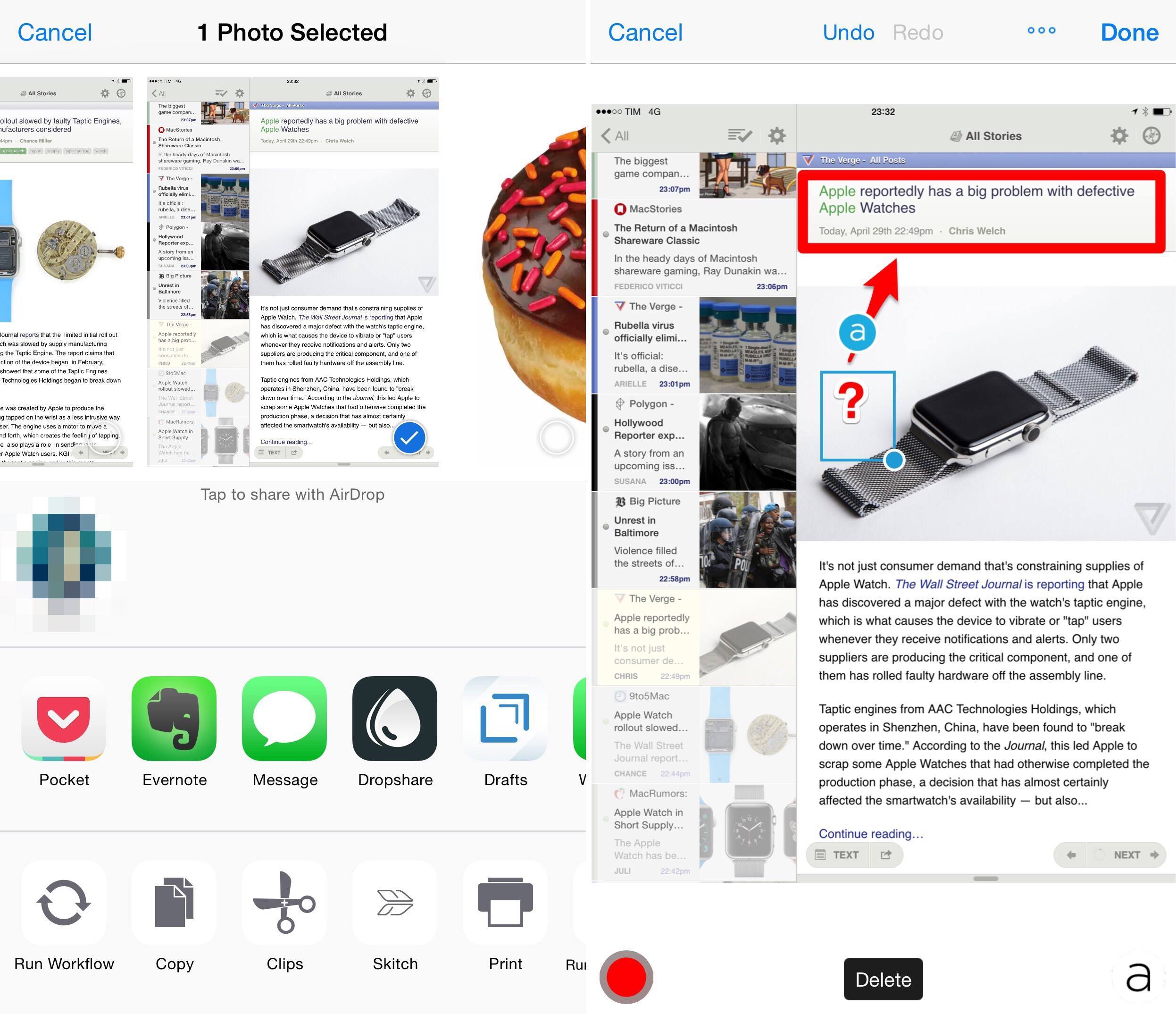
The Return of a Macintosh Shareware Classic

In the heady days of Macintosh shareware gaming, Ray Dunakin was a star. His 1990 world-hopping adventure title Ray’s Maze puzzled and delighted Mac gamers the world over, despite it having been made with an early black-and-white Mac program called World Builder, and his later games Another Fine Mess, A Mess O’ Trouble, and Twisted! only added to his reputation. But fate conspired to force the games into oblivion as Apple moved the Mac into OS X and then over to Intel processors.

Until now. Marc Khadpe is Ray’s biggest fan. He’s been the proprietor of the Ray’s Maze Page since he created it in 1996. And he’s spent the past decade, on and off, rewriting the World Builder engine for OS X.

Over at US Gamer, Richard Moss tells the story of Ray Dunakin’s games, icons of Macintosh gaming in the early ’90s recently re-released with OS X compatibility on the Mac App Store.

Make sure to check out the original and restored games here, and if you’re into classic Macintosh gaming grab A Mess O’ Trouble from the Mac App Store at $4.99.

Permalink

Connected: Artisanal Emoji

This week, they boys break down Apple’s Q2 results and walk with Myke as he spends a day with Apple Watch.

On this week’s Connected, I also share some thoughts on the iPad’s declining sales and its perception in the tech industry. You can listen to the episode here.

Sponsored by:

  • Casper: Because everyone deserves a great night sleep. Get $50 off with the code ‘CONNECTED’
  • Squarespace: Build it Beautiful. Use code WORLD for 10% off
  • Wealthfront: The automated investment service that makes it easy to invest your money the right way.
Permalink

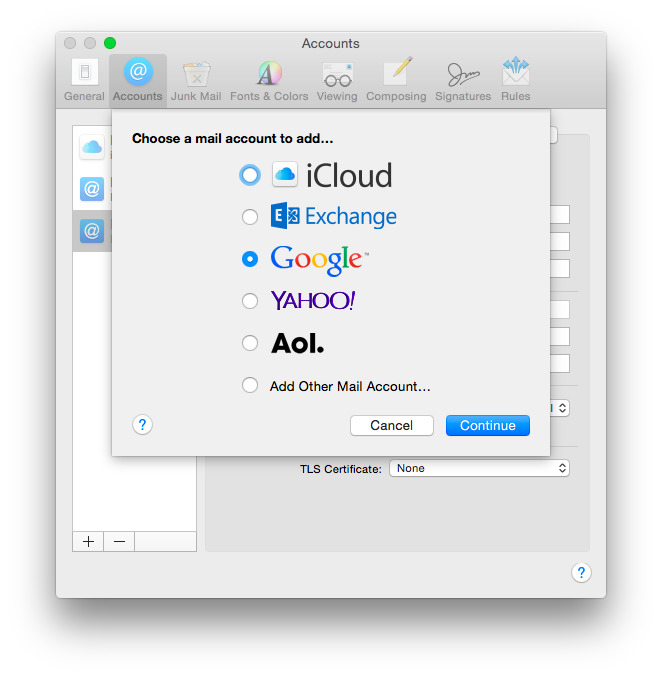
How to Configure Gmail with OS X Yosemite Mail

My friend Amy is having her first experience with using Gmail, and, it, um, isn’t going as well as she’d like. The good news is that although Apple’s Mail.app and Gmail have had a rocky relationship in the past, Mail.app in Yosemite works pretty well with Gmail, but there are some things that you should understand before you proceed.

Read more


StretchLink Unshortens and Cleans URLs from Your Menu Bar

Brett Terpstra, writing about StretchLink 1.0:

It’s an easy-to-use tool for expanding shortened links, fixing redirects, and cleaning out referrer junk from Google Analytics and others. StretchLink runs in the OS X menu bar. You can click the icon to open the main panel from which it can expand and clean links on demand with a single click. Even better, it can be set to silently watch your clipboard. You can turn this on with a switch from the main panel, or just right click the menu bar icon to toggle it.

StretchLink 1.0 is priced at $1.99, with a free trial available on the website. An introductory sale of $0.99 (50% off) starts now and goes through the end of May. StretchLink didn’t get a beta round, but it’s been tested on a variety of my own machines. If you do run into issues, don’t hesitate to contact me. A Mac App Store release is planned for the near future, if all goes well.

As a shell script nerd who loves automation and clean URLS, I had, of course, written my own shell script to expand and clean URLs. I installed StretchLink last night, and I am sure that I will never use my script again. That’s how much better Brett’s app is.

My biggest criteria (after, of course, that it actually works) is how fast would it work. So I did what any self-respecting geek would do: I wrote a shell script to test how fast it would expand a given URL. The result was that StretchLink expanded it in less than 1 second. 1

You can download StretchLink here.

P.S. If you’re looking for something similar on iOS, checkout Clean Links.


  1. If you want more details about how I tested this, I posted my script as a gist. Because of course I did.  ↩
Permalink


Apple to Reject Watch Apps ‘Whose Primary Function Is Telling Time’

Perhaps unsurprisingly, Apple updated their App Store Review Guidelines to state that Watch apps built primarily to tell time will be rejected.

In the past few weeks, I’ve heard about a few timezone apps primarily designed to show world clocks that were rejected for unknown reasons, with developers annoyed about the lack of official guidelines. Today’s change is better than approving and then rejecting an app, I guess, but maybe Apple could have shared this piece of information sooner. I don’t know if those timezone apps ended up being approved or not, and there could be other developers with a different experience from the ones I talked to.

From Apple’s standpoint, however, I can see why it makes sense to avoid confusion with apps that replicate a watch face UI – at least initially. It’s not too dissimilar from Apple’s stance on third-party apps that replicated native functionalities with the original iPhone App Store.

Permalink

Adobe Slate Review

In recent years Adobe has made a concerted effort to develop a collection of mobile apps that make it easy to accomplish various creative tasks. But rather than make one monolothic app that does everything (like Photoshop on PCs), they’ve been splitting up features into many apps that each focus on a different, and specific, creative aspect. For example, there is Adobe Brush CC, which enables you to create custom brushes for Photoshop and Illustrator based off photos you take on your iPhone or iPad, or Adobe Color CC, which will create a custom color palette from your photos. As Adobe has continued to release more and more of these apps every few months, their efforts have become more and more impressive. Adobe now has a sizeable collection of mobile apps that are some of the most technically impressive and well designed apps available on the iPhone and iPad.

Which brings me to Adobe Slate, one of the most recent additions to Adobe’s mobile app stable. Unlike many of their other apps which directly integrate and complement Adobe’s desktop apps like Photoshop or Illustrator (such as Brush and Color, described above), Slate is its own distinct product. Adobe describes Slate as a tool to “turn any document into a beautiful visual story”, which is actually quite a good way to describe it. A more mechanical way of describing Slate would be that it is an iPad-only app for creating a webpage (not a website) for situations where the content you want to share or display is a mix of text and images.

I recently had an assignment at university that permitted a more creative format and layout than the typical essay or report. Because I had heard about Adobe Slate launching a few weeks earlier, I decided to test it out. I ended up submitting my assignment as a webpage created with Slate, and I really enjoyed using it and think the result was pretty great.[1]
Read more