Billings Pro 2 is out, with full support for iOS 9 multitasking features. I mentioned Billings Pro in August, and adding these features to the set of iOS (and Apple Watch) features I covered extends its usefulness for freelancers and business owners even further.
Billings Pro 2 with iOS 9 Multitasking Features→
 Monthly Log: September 2015
Nintendo’s LINE Stickers→
Andrew Webster on Nintendo’s latest mobile product:
Most recently, the North American Line store was updated with stickers from Nintendo’s beloved life sim Animal Crossing, no doubt to help promote the new 3DS game Animal Crossing: Happy Home Designer. I spent the necessary $2 to acquire them immediately; I didn’t realize how much I needed an animated sticker of rock star dog KK Slider playing a guitar until I had it. In Japan, Nintendo recently released a second sticker pack, this one based on the wonderful new Wii U shooter Splatoon, and I absolutely cannot wait until Nintendo releases them in the English-speaking world. (Because they definitely will, right?)
I had no idea Nintendo offered LINE stickers.
I like how Nintendo is trying different mobile approaches before launching their full game initiative with DeNA. You have to wonder if amiibo (a lucrative segment for Nintendo) will ever get its own iPhone app.
Google Maps Gets Apple Watch App→
Google has released an update to its Google Maps app for iOS today, including a new version for Apple Watch. I was curious to check out Google Maps’ debut on the Watch: while I knew that they couldn’t replicate the experience of Apple’s excellent Maps app, I was hoping that watchOS 2 would give them some room for experimentation.
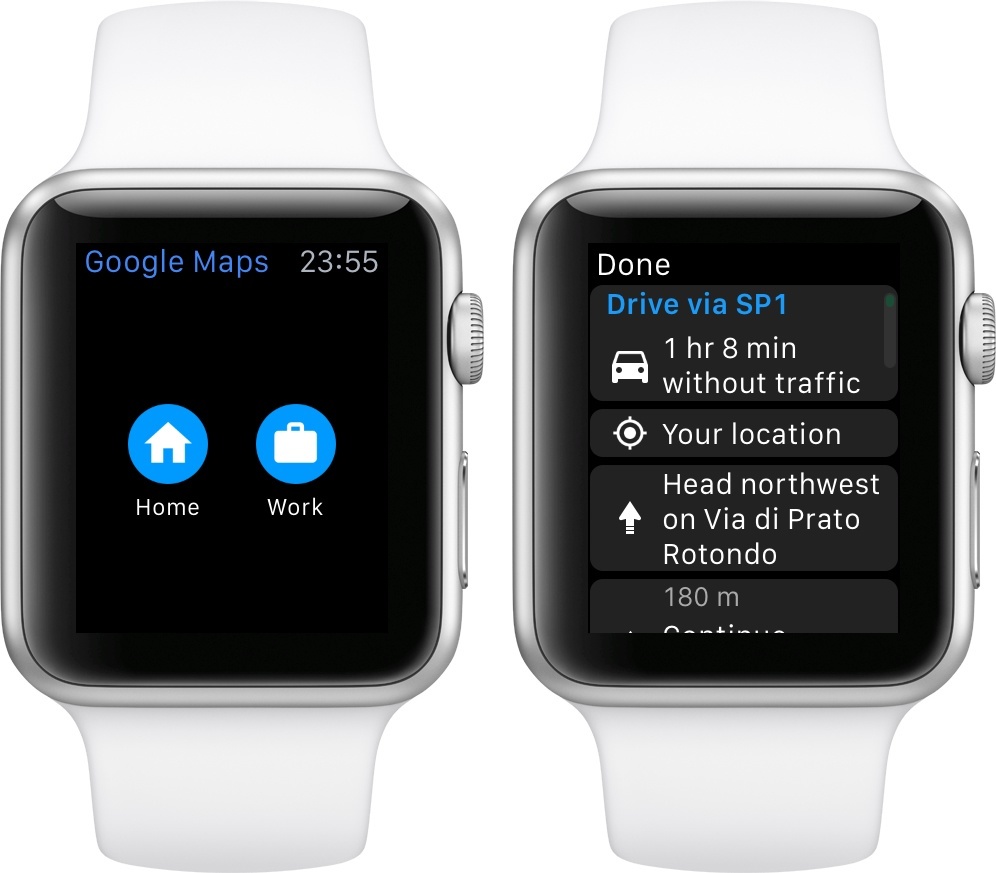
Instead, Google has shipped a basic Watch app that shows a list of directions for Home and Work addresses configured in the iPhone app. I guess this could be useful if you’ve been looking for a way to print out directions on your Watch’s screen, but I don’t know why you wouldn’t use your iPhone for that, with proper navigation tools and spoken feedback. Missed opportunity for Google considering they could have at least included a complication for quick access to the app.
Thankfully, you can check out ETA 2.0 for iOS, which has been updated for watchOS 2 and that includes a great complication for traffic information, public transit support, and more.
Pixar Development Team Tests iPad Pro and Apple Pencil→
Ben Lovejoy, writing at 9to5Mac:
Michael B. Johnson, who heads the Pixar team that develops the tools used to create its animated movies, tweeted that his team had been given the chance to test the iPad Pro and Apple Pencil – and described palm-rejection as perfect.
Lovely of our friends from Apple to stop by to let us take iPad Pro & Pencil for a test drive: pic.twitter.com/t3LGw7xcMD
— Michael B. Johnson (@drwave) September 28, 2015
@kalmichael It has perfect palm rejection as far as we were able to see.
— Michael B. Johnson (@drwave) September 28, 2015
Palm rejection has been one of my primary concerns following the iPad Pro announcement. If it’s good enough for Pixar, it sounds like it should perform fairly well for the rest of us, too.
Update: Don Shank, artist at Pixar, has shared a picture of a drawing on an iPad Pro on Instagram (via Harry McCracken).
Here’s some of his most interesting comments:
pressure sensitivity is great. Each individual app determines how pressure data is used. So its effect can vary from preset to preset. But I got some very light delicate lines all the way to thick bold lines very nicely. And shading with the side of the pencil was pretty awesome.
yes! You can rest your hand anywhere and it totally ignores it and it just reads the pencil. It’s pretty amazing. I did a number of scribbles but I didn’t take pictures of any of them.
I was using Procreate in this photo. Apple Notes and 53’s Paper were also working with Apple Pencil as well. Pixelmator is another favorite but the version they had on the iPad wasn’t yet taking advantage of the pencil.
Automatic: A Smart Driving Assistant on Your iPhone [Sponsor]
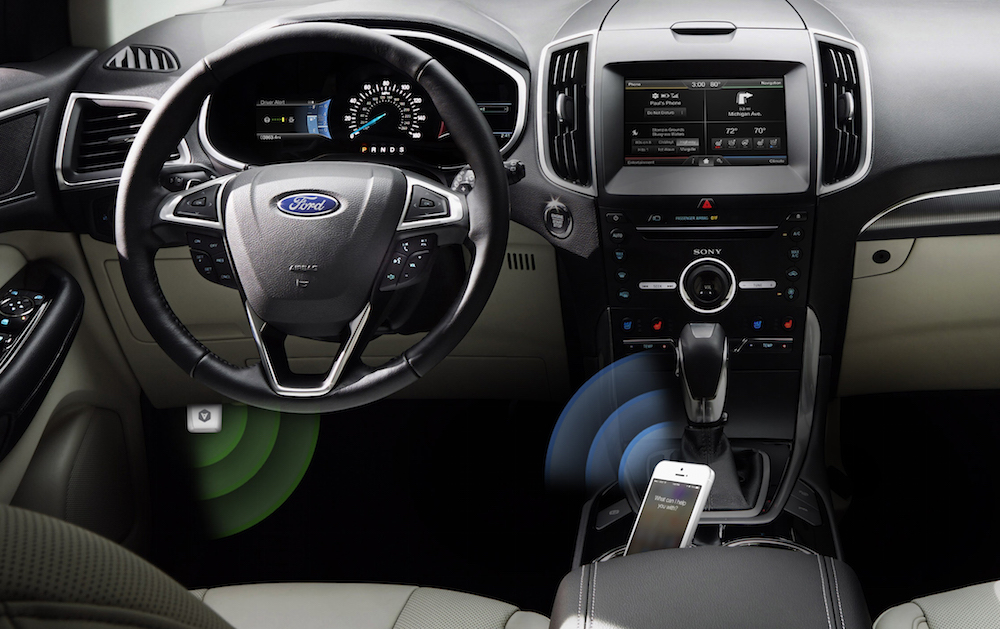
There’s a mountain of data inside your car waiting to be unleashed, and all you have to do is plug in a quick little connector and download a mobile application.
Automatic is a smart driving assistant that plugs into your car’s data port and lets you connect your smartphone (either iPhone or Android) with your car. By talking to your car’s onboard computer and using your smartphone’s GPS and data plan to upgrade your car’s capabilities, Automatic will allow you to easily diagnose your engine light, never forget where you parked your car, and save hundreds of dollars on gas.
Automatic learns your driving habits and gives you suggestions through subtle audio cues to drive smarter and stop wasting gas. Thanks to a map view available on your phone, Automatic can display a trip timeline after every driving session, showing you how you’re doing with a Drive Score; the app can even track local gas prices and tell you how much you’re spending.
In case of engine problems, Automatic can decipher what the “check engine” light means and show you a description of the issue with a possible solution. And thanks to a feature called Crash Alert, Automatic can detect many types of serious crashes and automatically alert local authorities as well as your loved ones when you can’t.
Automatic is currently available in the US for iPhone and Android devices, with a 45-day return policy and free shipping in 2 business days.
MacStories readers can go to automatic.com/macstories to get $20 off and buy Automatic at just $79.99. For more information, check out Automatic’s website.
Our thanks to Automatic for sponsoring MacStories this week.
OS X 10.11 El Capitan: The MacStories Review
Conclusion
Although Apple never mentions it except through the hint in the name, El Capitan is clearly the Snow Leopard release of modern OS X. We’ll never know if it was really Apple “listening” to the rising complaints of its most loyal users, or if this was part of the plan all along – but we seem to have gotten what we wanted either way.
Rather than rushing forward into crazy new complicated features, Apple has taken a year to solidify its foundation. El Capitan is not a lackadaisical update. It is packed with small niceties and big performance upgrades which are going to improve the experience of using OS X every day. Metal offers to usher in a new era of power in professional apps and games, and App Transport Security will keep our data safer in an age where it has never been more at risk.
Feature-wise, OS X 10.11 El Capitan represents a change of pace that is both much needed and much appreciated. Reinforcing the old before continuing to build out with the new. We don’t need insane new features every year nearly as much as we need stability in the system overall. I’d love to see OS X (or perhaps, macOS?) 10.12 come out next year with some mind blowing new features for me to drool over, but only if they don’t compromise any other part of my system in return.
For this year at least, El Capitan represents a stable and well thought out release. It is a solid update, with features that everyone can use and enjoy, and no noteworthy trade-offs.
Who could complain about that?
Apple Announces Q4 2015 Earnings Call For October 27

Apple’s Investor Relations website was yesterday updated to note that Apple’s fourth quarter earnings call for fiscal year 2015 (July, August, September) will be held on Tuesday, October 27. As is usual, Apple will provide a live webcast of the conference call.
FY 15 Fourth Quarter Results
Apple’s conference call to discuss fourth fiscal quarter results is scheduled for Tuesday, October 27, 2015 at 2:00 p.m. PT / 5:00 p.m. ET.
Apple announced yesterday that it had sold a record 13 million units of the new iPhone 6s and iPhone 6s Plus. The rollout of the new iPhones is on track to be the fastest ever from Apple, and we’ll no doubt hear more about that on this upcoming earnings call.
In the third quarter of FY15, Apple posted revenue of $49.6 billion. The company sold 10.9 million iPads, 47.5 million iPhones, and 4.8 million Macs, earning a quarterly net profit of $10.7 billion.
As we have for previous earnings calls, MacStories will cover the conference call on our site’s homepage on October 27 starting at 2 PM PT, posting charts of the results, collecting key quotes from Apple executives and highlighting interesting Tweets from others.
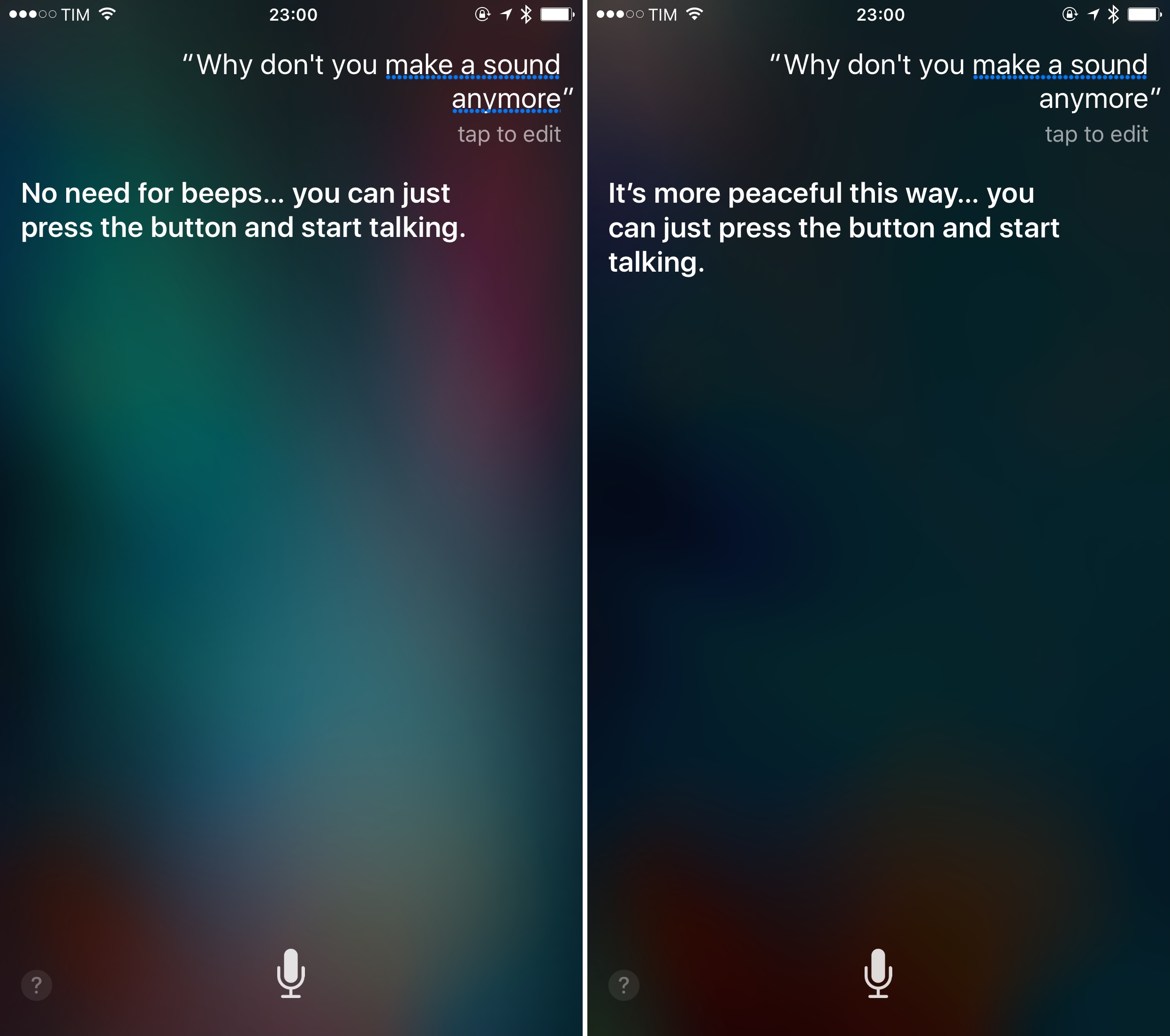
“Just Press the Button and Start Talking”→
Daniel Jalkut on Siri’s new behavior:
Apple “broke” the haptic feedback associated with invoking Siri, by “fixing” the problem that there had ever been any latency before. Have an iPhone 6s or 6s Plus? Go ahead, I dare you: hold down the home button and start talking to Siri. You will not escape its attention. It’s ready to go when you are, so it would be obnoxious of it to impose any contrived delay or to give taptic feedback that is uncalled for. Siri has become a more perfect assistant, and we have to change our habits to accommodate this.
Great little detail of Siri that I didn’t notice until today. Siri seems to agree, too.