This Week's Sponsor:

BetterTouchTool

Now with a Powerful Launcher for Your Mac


Ars Technica on the T1 Chip in the New MacBook Pro

Andrew Cunningham, writing for Ars Technica, got Apple on the record about the T1 chip and what it does for security and the Touch Bar:

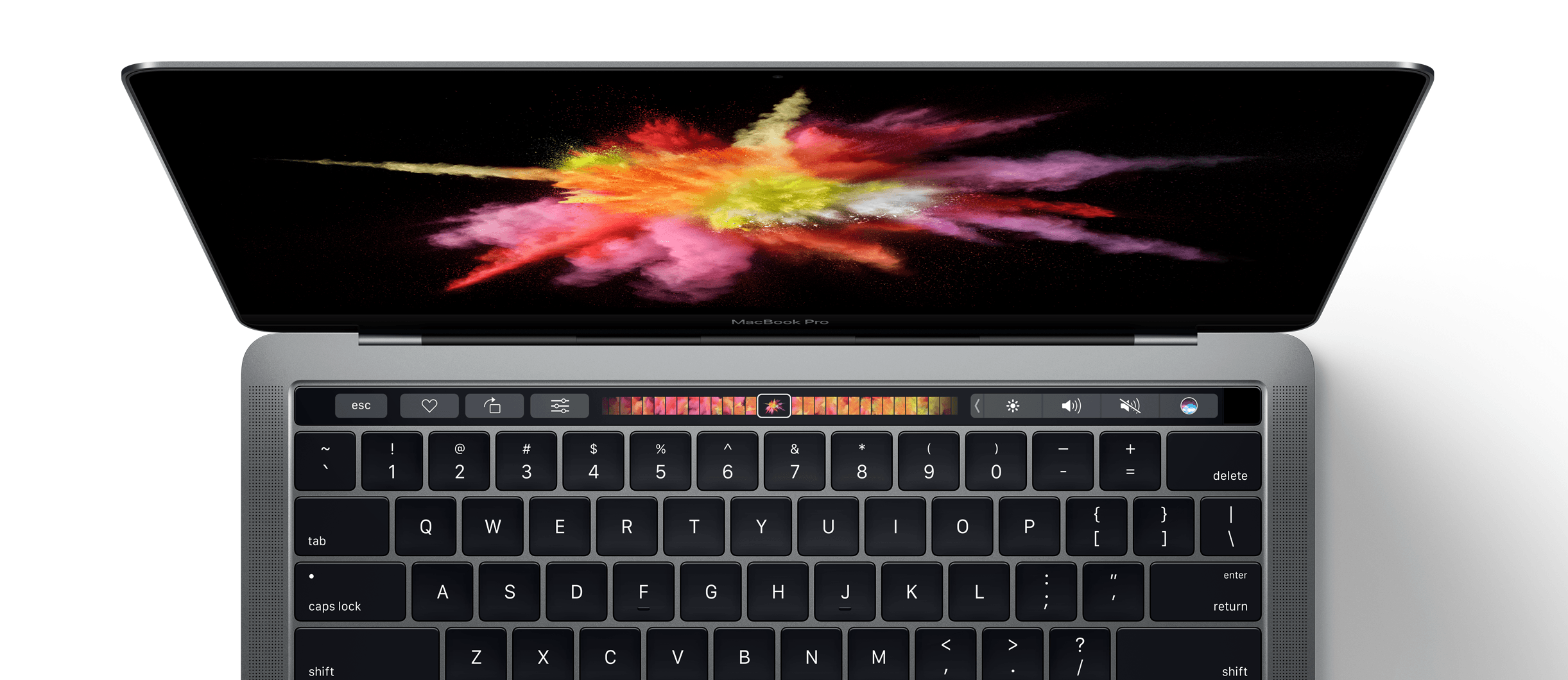
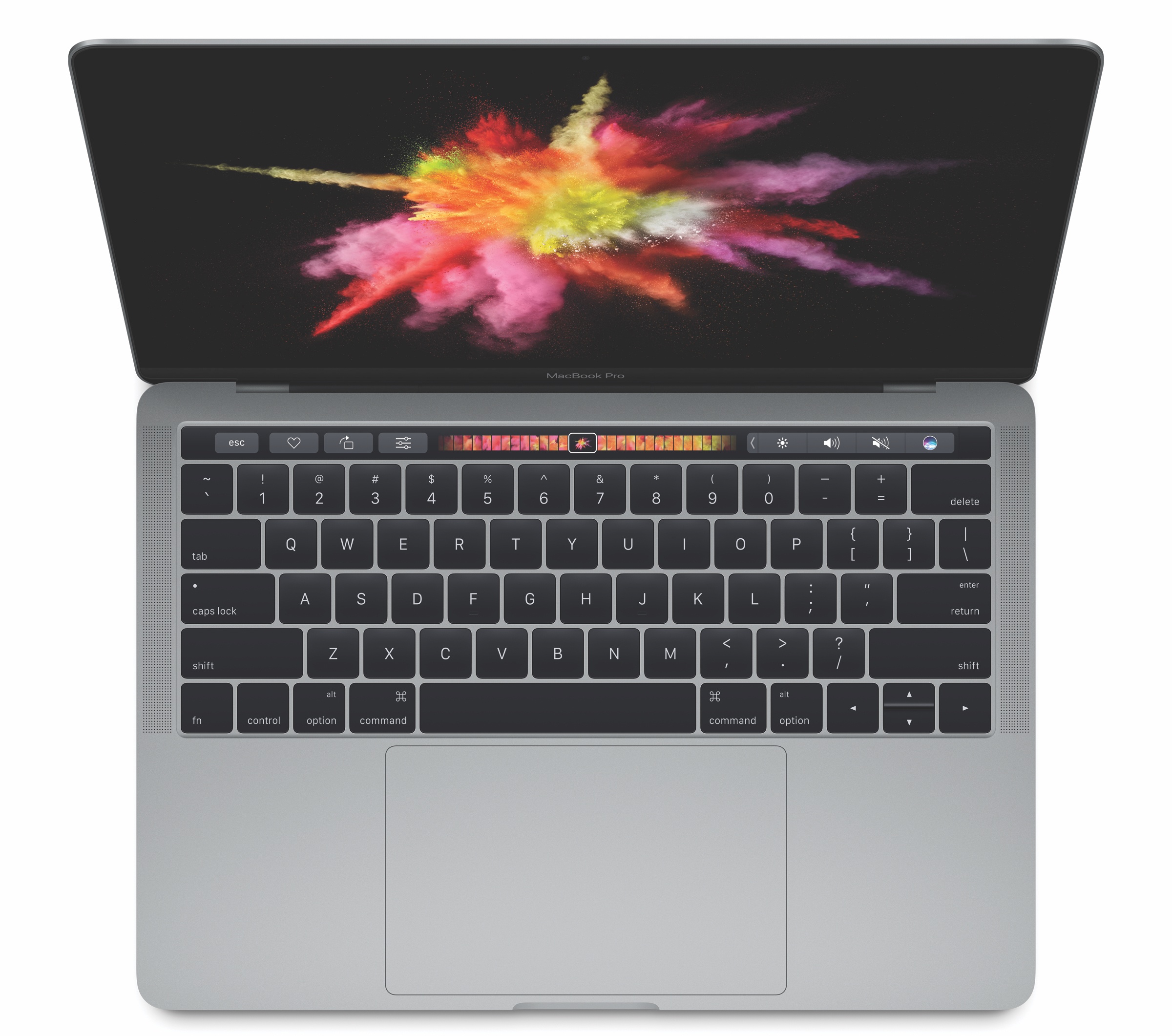
At any rate, the T1 is an interesting chip that does much more than support Touch ID and Apple Pay. Apple tells us that it has a built-in image signal processor (ISP) related to the ones Apple uses in iPhone and iPad SoCs, something which Troughton-Smith suggests could protect the camera from malware hijacking. And its Secure Enclave handles the encryption and storage of fingerprint data and protects it from the rest of the operating system and its apps, much as it does in iOS.

When you interact with the Touch Bar, Apple tells us that the majority of the processing is being done by the Intel CPU, although the T1 also appears to do some processing in specific situations for security’s sake, as when Apple Pay is used. But to keep the Touch Bar from counting toward the number of external monitors you can use (Intel’s GPUs support a total of three separate displays, AMD’s support six), the T1 is used to drive the Touch Bar’s screen. From what Apple told me, it sounds like the image you’re seeing is actually being drawn by the main system GPU but is being output to the display by T1, not unlike the way other hybrid graphics implementations work.

Between A-series chips, the W1, and the T1, Apple’s most fascinating work is happening in the custom silicon space. The whole T1-Touch Bar deal is extremely intriguing.
Permalink

New MacBook Pro Touch Bar, T1 Chip Run on a Variant of watchOS

Interesting findings by Steve Troughton-Smith: the Touch Bar on the new MacBook Pro appears to be running on a variant of watchOS under the hood, with the T1 SoC handling security (primarily) for Touch ID as well as the bridge between macOS and the Touch Bar (over a USB connection).

This lines up with what I heard ahead of the event – that Apple would embed a SoC reminiscent of the Apple Watch S1 in the new MacBook Pros – but the implications of what Apple did with the T1 chip and the Touch Bar run deeper than I expected.

For one, macOS can now leverage years of security that went into honing the Secure Enclave and Touch ID on iOS – all while working with an ARM architecture inside the MacBook Pro instead of x86. And it even seems like the T1 is driving the iSight camera (for security purposes) and that it may render certain UI elements on the Touch Bar directly instead of delegating that to macOS (again, for security). And when macOS isn’t running, watchOS alone can render UI on the Touch Bar (likely for Boot Camp).

It’s fascinating to think that part of watchOS (which has been optimized for low power consumption and lightweight touch UIs) is being used to power a marquee hardware feature of the new MacBook Pros. And even more intriguing is the idea of watchOS and years of investment in iOS security helping make Macs more secure – it’s not too absurd to imagine that future T-series chips may drive security of other Mac input methods.

I collected some of the most interesting tweets about this below, so you can read the technical bits for yourself.

Read more


The New MacBook Pro: Our Complete Overview

At yesterday morning’s Hello Again keynote event, Apple announced the long-awaited update to their professional laptop line. The new MacBook Pro comes in two sizes and features a thinner body and upgraded internals. It also comes equipped with Apple’s brand new Touch Bar, a Retina touchscreen display which replaces the row of function keys atop the keyboard, and a Touch ID sensor.

These new machines mark the first significant spec advancements for the MacBook Pro since they moved to Haswell processors in 2014, and the first notable hardware changes since going Retina in 2012. As such, it’s no surprise that the new MacBook Pro is an improvement in nearly every way over previous models. This is truly the next generation of Apple’s flagship laptops.

Read more


Connected, Episode 114: Two and Half Macs

Hello again. The Connected trio have just wrapped up watching Apple’s Mac event and are here to talk about the news and share some first impressions.

In the latest episode of Connected, Myke and Stephen discuss today’s announcements from Apple’s ‘Hello Again’ event while I listen and quietly wish for a Touch Bar on the iPad Pro’s Smart Keyboard. You can listen here.

Sponsored by:

Permalink

Logitech Launches Amazon Echo-Harmony Integration

Earlier this week, Logitech announced support for a new Alexa skill that lets Echo owners control their Harmony hubs and associated devices and services.

Today Logitech announced a new Amazon Alexa skill that enables voice control of your entire living room entertainment experience using a Logitech Harmony Hub with Alexa-enabled devices such as the Amazon Echo or Echo Dot.

When the skill is enabled on Amazon Echo or Amazon Echo Dot, you can start and stop Harmony Activities, control your entertainment devices, or even turn directly to your favorite channels, hands free, using only your voice. Harmony users can simply say “Alexa, turn on the TV,” or “Alexa, turn on Netflix” to control the TV as well as other entertainment and smart home devices, and Harmony makes it happen.

As those who listen to Connected may know, I’ve spent the past few months building a home automation setup based on the Amazon Echo and Alexa (more on this in the future). Connecting my TV to voice commands was the missing piece.

Here’s Dan Moren, writing for Six Colors:

I set up a similar system a while back, using a combination of other services like IFTTT and Yonomi, but Logitech’s first-party integration definitely puts it in the reach of anybody with an Echo and a Harmony Hub who doesn’t want to muck around with nitty-gritty technical details.

Logitech’s integration mostly delivers what I could already do with those other services, but there are a couple of nice additions. For one thing, it gets rid of the “trigger” nomenclature imposed by IFTTT. Additionally, it lets you declare “friendly names” for your devices, so even if your Harmony Activity is “Watch Apple TV” you can just say “turn on Apple TV”, or you can use “turn on game console” or “turn on Xbox.” Other smart home devices that work with the Harmony Hub, like Hue lights, can also be triggered, though of course the Echo already has built-in control for those devices as well.

This sounds great. I ordered a Harmony hub + remote yesterday, and it’s coming next week.

Permalink

Twitter Is Shutting Down Vine

Earlier today, from the Vine company blog:

Since 2013, millions of people have turned to Vine to laugh at loops and see creativity unfold. Today, we are sharing the news that in the coming months we’ll be discontinuing the mobile app.

Nothing is happening to the apps, website or your Vines today. We value you, your Vines, and are going to do this the right way. You’ll be able to access and download your Vines. We’ll be keeping the website online because we think it’s important to still be able to watch all the incredible Vines that have been made. You will be notified before we make any changes to the app or website.

Vine had the best seconds-to-laughs ratio of any modern social network. Its constraints bred a unique form of creativity I’m sad to see go away.

See also, this story by Brian Feldman:

Most important, the engines of this creativity were groups poorly served by, and often shut out from, mainstream cultural creation and consumption. Vine wasn’t just dominated by teenagers — it was dominated by teenagers of color. Especially black teens, who created a disproportionate number of popular Vines and used the social network to demonstrate wit, intelligence, creativity, and comic timing that was rarely given a spotlight elsewhere. That included dance trends like the yeet.

Permalink

CNET Asks: Does the Mac Still Matter?

Apple announced a new line of MacBook Pros today that replace the function keys with a Touch Bar, a touch sensitive strip that includes customizable software buttons and Touch ID functionality. CNET, in an exclusive 90-minute briefing with Phil Schiller, Craig Federighi, and Jony Ive, discussed the new MacBook Pros and explored the relevancy of the Mac in a mobile era.

That the new MacBook Pros are thinner, lighter, faster, and brighter is not unexpected for a laptop that hasn’t been updated for a while. What’s special about the new MacBook Pros is the Touch Bar. In a typically understated fashion, a reticent Jony Ive described the Touch Bar to CNET as:

’the beginning of a very interesting direction’ that combines ‘touch and display-based inputs with a mechanical keyboard.’

Phil Schiller was a little more forthcoming about what Apple hopes its new laptops will mean to users:

’We didn’t want to just create a speed bump on the MacBook Pro,’ he says. ‘In our view this is a big, big step forward. It is a new system architecture, and it allows us to then create many things to come, things that we can’t envision yet.’

The Touch Bar is a fascinating blend of ideas from iOS, such as touch tools for straightening photos, and existing macOS toolbars moved to the keyboard. Regardless of how you feel about how long it’s taken Apple to refresh the MacBook Pro, I’m optimistic about this new approach to the MacBook Pro and the possibilities it opens up to third-party developers.

Permalink

Apple and Accessibility

Apple opened what will in all likelihood be its last event in Town Hall at One Infinite Loop in Cupertino with a video highlighting the importance of accessibility features built into its products. In addition to a video, Apple has created a separate webpage highlighting the accessibility. The page includes videos highlighting wheelchair workouts on the Apple Watch, switch controls on the Mac, Live Listen designed for the hearing impaired, VoiceOver, and Speak Screen.

You can also follow all of the MacStories coverage of today’s Apple’s keynote through our October 27 Keynote hub, or subscribe to the dedicated October 27 Keynote RSS feed.