CardioBot Provides Effortless Heart Rate, Sleep Tracking

About a month ago, developer Majid Jabrayilov slipped a gem into the App Store: CardioBot for iPhone and Apple Watch. It’s an informative yet minimalistic take on an activity and sleep tracker that gets you the right information within just a couple of taps.

After granting CardioBot access to the Health app on the iPhone, you’ll get a colored calendar view against a dark background. Each day will be assigned a dot with a designated hue for a heart rate range: gray for low, blue for resting, orange for high resting, and red for elevated. Also present on each day is your average beats per minute.

You can dive into each day to see more detailed facts, like a percentage graph of your daily heart rate or the time of your minimum and maximum BPM. Tapping on the summary graph will display every reading your Apple Watch took throughout the day.

CardioBot also includes graphs for sleep tracking, which can be done while wearing the Apple Watch in bed, and workouts. Both break out data into different heart rate ranges, so you can get a better idea of how your body is performing.

On the Apple Watch, you can get a quick glance at your last heart rate measurement and the minimum, average, and maximum measurements from the day. Press the screen to start a sleep measurement before bed – just don’t forget to stop it in the morning like I tend to do.

For the few days that I’ve had CardioBot installed, I’ve enjoyed the amount of information it gives me about my health. Setup is a breeze and it was great to see my data imported into the app without a hitch. Although other apps feel inclined to bombard you with information, CardioBot elects to present you with digestible figures and graphs, making this a tool that anyone can use without struggle.

At $1.99, CardioBot is an easy purchase for the quality you’re getting. You can pick it up on the App Store here.

Update: Through a combination of emails and tweets, I’ve been asked the differences between CardioBot and HeartWatch. When I reviewed HeartWatch back in February, it was in version 2 and looked noticeably similar to how CardioBot looks now. However, now that HeartWatch is in version 3, it has gained many features that have grown it from its 2.0 version. While CardioBot does look similar to HeartWatch’s previous product, I believe the two serve different markets today: HeartWatch for the pro health tracker and CardioBot for the rest. With that being said, I want to point out that they do look similar.


Dropbox Receives a Major iOS Update

Dropbox announced an update to its iOS app that adds five new features with a sixth promised ‘in the coming weeks.’ According to Dropbox, the update will be released today, although we have not seen it in the App Store yet.

The five new features are:

  • The ability to sign PDFs within the Dropbox app, which eliminates the need to send PDFs to another app for signing.
  • A new iMessage app that lets you access recent files from within the Messages app and insert them with a preview of the file into a conversation.
  • A new widget, from which you can scan, upload, or create new documents and access recent Dropbox files.
  • Notifications when someone else edits a document you are viewing and an opportunity to refresh the document to include the edits.
  • Picture-in-Picture support when you watch videos stored in Dropbox.

Finally, Dropbox announced that ‘in the coming weeks’ it will also add Split View support for iPad users. It’s disappointing that Split View, which was introduced with iOS 9, is still not part of Dropbox, but good to know that we should see it added before the end of the year.


The Iconfactory Goes All Out for Halloween

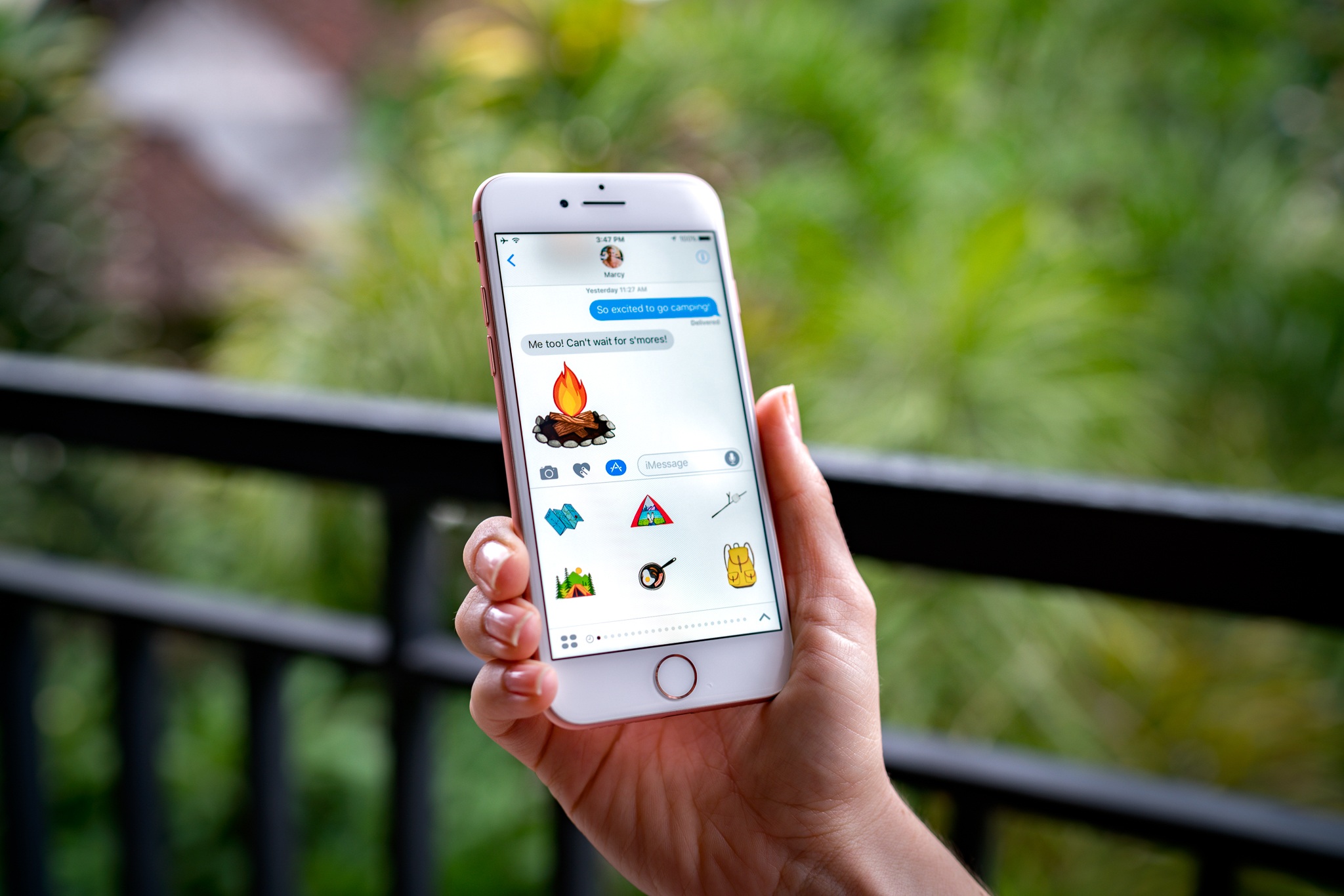
The Iconfactory announced a series of iMessage sticker packs today to celebrate Halloween:

There are a couple unique features to the Iconfactory’s Halloween sticker packs. First, each comes with a Halloween-themed wallpaper that can be accessed by tapping the name of the sticker pack at the bottom of the Messages drawer. Second, each sticker pack is available for a limited time only. When Halloween is over, the sticker packs will vanish like a ghost in the mist.

Permalink

iPhone 7: Computer from the Future

After nearly two years spent using a 5.5-inch iPhone, I’m accustomed to not having a compact phone anymore. The iPhone 6 Plus and 6s Plus have reshaped my iPhone experience for a simple reason: they give me more of the most important device in my life.

Thus, I was a little skeptical – even surprised – when Apple gave me a gold 256 GB iPhone 7 review unit (with a leather case) two weeks ago. I didn’t think I would be able to enjoy a smaller iPhone, but, despite my initial resistance, I set up a fresh install of iOS 10 and used the iPhone 7 exclusively for two weeks.

I’m glad I did. While I’m still pining for a 7 Plus1, using the iPhone 7 showed me that there’s more to this year’s iPhones than the lack of a headphone jack.

In many ways, the iPhone 7 feels like a portable computer from the future – only in a tangible, practical way that is here with us today.

Read more


Game Day: Zip Zap

Zip Zap, by Philipp Stollenmayer, combines physics and timing in a unique and lighthearted puzzle game. The interaction with the game couldn’t be simpler. You tap to contract Erector Set-like pieces at their hinges and release to retract the hinge, which makes pieces creep, hop, jump, and swing across the playing area. That’s it. The game even helpfully reminds you that swiping doesn’t do anything.

Each of the over 100 levels requires you to maneuver one of the pieces or a ball into a specific spot. What makes Zip Zap work is the realistic physics and variety of ways tapping affects the interaction of the piece you control with the obstacles in the game environment. Precise timing plays a big role too, complicating each level and requiring close attention and concentration.

The difficulty of the levels ramps up gradually, but before long, the route to the goal is no longer obvious and requires experimentation. There is no score or penalty for retrying a failed level and no timers. You just swipe from the right to reset the pieces to their starting positions if you want to retry a level. As a result, Zip Zap is low-stress. Add to that an upbeat soundtrack, bright colors, and the playfulness of the game mechanics and you’ve got an excellent puzzle game that’s great when you need a break fro whatever you’re doing.

Zip Zap is available on the App Store for $1.99.


Lessons From Phoneys’ Brief Life in the iMessage App Store

Shortly after we spotlighted Phoneys as a fun sticker pack in Club MacStories Weekly #50, the developer revealed that Apple had contacted him and said that if he wanted Phoneys to remain in the iMessage App Store, changes would have to be made. Adam Howell, Phoneys’ creator, says that he was told by Apple that:

The stickers couldn’t be blue or green, they couldn’t use San Francisco as the typeface, and the app could no longer be marketed as a “prank” app, because Apple doesn’t approve prank apps…

Howell was given until this Thursday to change his stickers. Howell decided not to change them and the stickers were pulled from sale.

Today, Howell published a follow-up that provides interesting insights into the early iMessage App Store from the perspective of an app that sat in the #1 paid spot for eight days in a row. Phoneys, which cost $0.99, netted $23,206 in the eleven days it was available and drew nearly two million impressions. The high number of impressions were driven by Phoneys’ spot in the Top Paid chart, but conversion rates were highest from customers who tapped a link to Phoneys from Howell’s and other websites, highlighting importance of marketing outside the App Store.

Howell makes a number of other interesting observations about selling stickers in the iMessage App Store including that:

  • Right now, depending on the day of the week, 1,000–1,500 sales a day will make your app #1 Top Paid in the iMessage App Store.
  • Around $2,500-$3,000 dollars in sales a day will make your app #1 Top Grossing in the iMessage App Store.
  • Being featured on the iMessage App Store home screen will get your app around 150,000-200,000 impressions a day, but unless you’re on the top paid or top free chart, it won’t drive very many conversions (I’ve talked to several folks whose stickers are currently being featured that back this up).

Howell’s data reflects the performance of just one sticker pack that was available for less than two weeks, but given its success during that brief period, Phoneys is a fascinating behind-the-scenes look at the early iMessage App Store. I highly recommend reading Howell’s full post.

Permalink


Unofficial Remixes From Dubset Arrive on Apple Music and Spotify

Josh Constine, writing for TechCrunch:

The first unofficial single-track remixes just went live on Spotify and Apple Music thanks to their partnerships with music rights management service Dubset.

Apple struck a deal with Dubset in March, and Spotify did in May, BPMSupreme reported. But the remixes are finally beginning to stream today, starting with this DJ Jazzy Jeff remix of Anderson .Paak.

This sounds like good news for users, DJs, content owners as well as Apple and Spotify. Dubset will scan a mix uploaded to its service and use the Gracenote audio fingerprinting database to detect which songs were used in the mix. Royalties paid by Apple and Spotify will be distributed to the original rights holders.

Stephen White [Dubset CEO] says 700 million people listen to mixed content a month, making it a big opportunity. But record labels have historically fought against unofficial mixes because they considered them piracy since they weren’t getting paid. Dubset gives them a fair share, so they’ll permit remixes and mix sets to stream on the major platforms. Royalty revenue from the platform is shared with rights holders while Dubset gets a cut.

Permalink