Game Day: Splitter Critters

When Splitter Critters by Canadian game studio RAC7 caught my eye, I initially wrote it off as a game for young kids. I think it was the paper cut-out art style that made me jump to that conclusion. Digging a little deeper, I realized I was wrong. Splitter Critters is a game that anyone who likes puzzle games will enjoy. What’s more, its gameplay is truly innovative. I should have known better; this is the same team behind Dark Echo, a pioneering game from 2015 based on exploring a strange world through sound.

Shifting the environment to save the aliens.

Shifting the environment to save the aliens.

The object of Splitter Critters is to guide a group of aliens back to their spaceship. The aliens wander back and forth, trapped by the terrain. You need to create a path back to their ship, which is where the clever gameplay mechanics come in. Swiping your finger across the screen tears the environment in two. The world can be split at any angle, which opens up nearly endless possibilities. You can then shift the two pieces to alter the world around the aliens doing things like lowering a cliff on which they are trapped to a lower level where their spaceship sits. There is an element of the classic game Lemmings in Splitter Critters and the way you guide the aliens to a goal, but how you do that is so unique that the utility of the comparison is limited.

As you progress through the levels, new challenges arise. Pits of water, creatures that want to eat your aliens, lasers, and other obstacles need to be avoided. Levels are made even harder by the fact that the number of times you can adjust the background is limited, so you need to be thoughtful about your approach.

Splitter Critters’ artwork makes the creatures and their planets feel like paper cutouts, which fits perfectly with the game mechanics. I also like how the little aliens bleat as they wander around, and enjoyed the atmospheric soundtrack.

What I’ve found the most fun about Splitter Critters, though, is its deceptive simplicity. The puzzles are challenging, and the mechanics add a fresh, new approach. With millions of games on the App Store, many of which are casual puzzle games, that originality is rare, which makes Splitter Critters a must-try for anyone who enjoys this kind of game.

Splitter Critters is available on the App Store for $2.99.


Canvas, Episode 28: Read Later Services

This week Fraser and Federico change gears and focus on Read Later services.

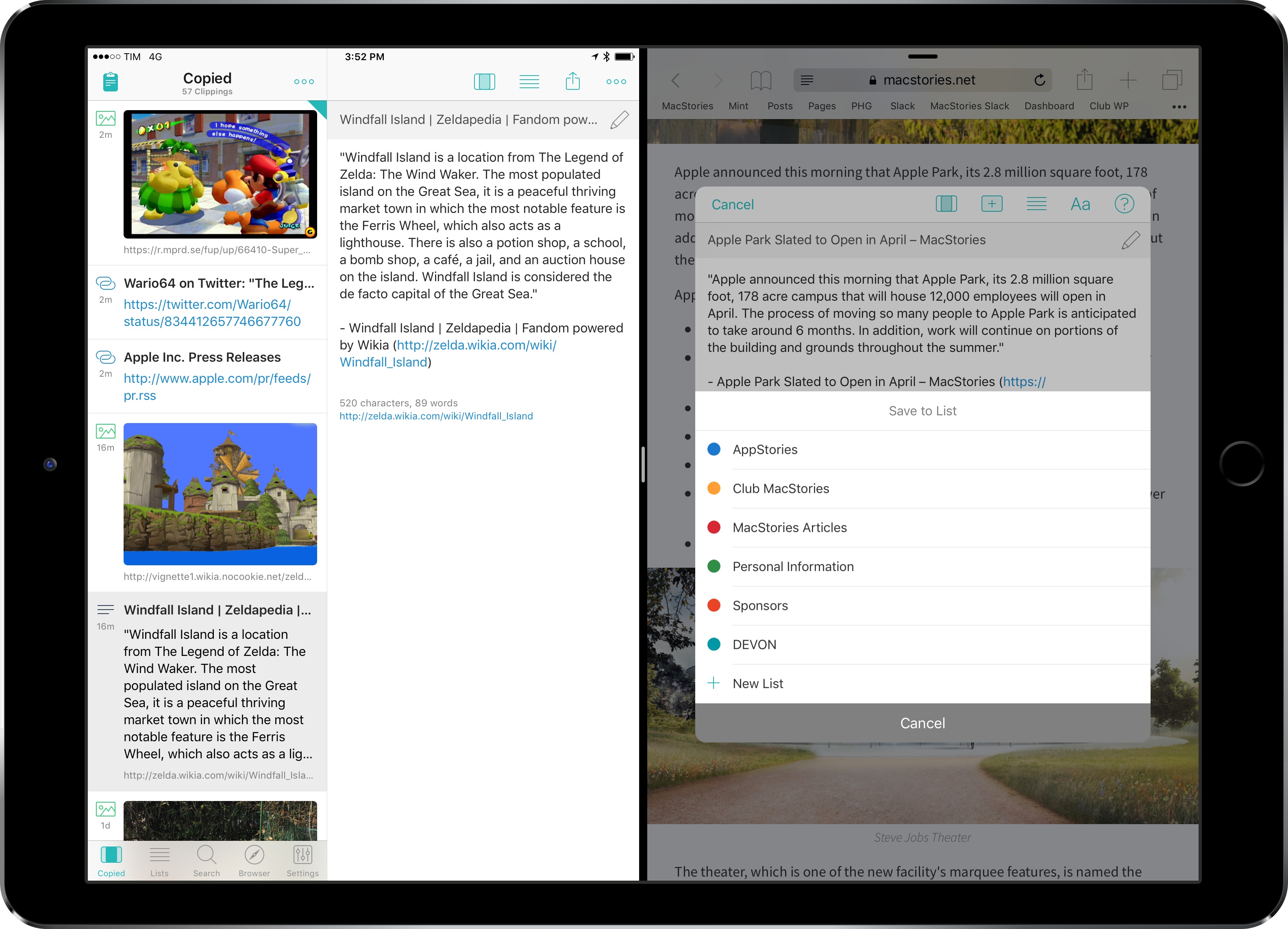
A different episode of Canvas this week – we talked about the best apps and services to save articles for later, including Apple’s own Reading List and some alternative power-user methods. You can listen here.

Sponsored by:

  • Pingdom: Start monitoring your websites and servers today. Use offer CANVAS to get 20% off.
Permalink

Balance Brings Financial Accounts to the Mac’s Menu Bar

Balance is a macOS menu bar app that tracks the balances and transactions in your bank, investment, and online financial accounts. The app supports thousands of financial institutions and takes advantage of some of Apple’s latest innovations on the Mac like the Touch Bar and Touch ID. If you want immediate access to balance and transaction data across multiple accounts at your fingertips, Balance is worth a look.

Read more


Fire Emblem Heroes Arrives on the App Store

Nintendo’s third iOS title, Fire Emblem Heroes, is now available on the App Store. The game, which features characters from throughout the history of the popular Fire Emblem series, is also launching on the Google Play Store today.

Nintendo describes Fire Emblem Heroes as:

A world with two kingdoms: the Emiliano Empire, which wishes to rule all worlds, and the Askran Kingdom, which stands in its way. You are a summoner with the special ability to call upon legendary Heroes from different Fire Emblem worlds. In order to save the Kingdom of Askr from destruction, join the Order of Heroes and face a never-ending challenge.

Fire Emblem Heroes comes on the heels of Nintendo’s Miitomo and Super Mario Run titles, which were released in 2016. Earlier this week, Nintendo said it intends to release 2-3 mobile games each year. The next game, a mobile version of Nintendo’s Animal Crossing franchise, was originally set for release in March, but has been delayed until sometime during Nintendo’s next fiscal year, which begins in April.

Polygon has a great preview video that is an excellent explanation of how Fire Emblem Heroes works:

Fire Emblem Heroes is a free download on the App Store with In-App Purchases.


TxtBck is an iMessage App that Makes You a Better Texter

Generally, I feel like I’m a pretty good texter. When I receive a message, I’m quick to respond and make sure that the important texts always take priority.

But for many people, managing texts along with countless other notifications on their phones is a tricky task. To help remind you to text back your loved one or coworker, there’s TxtBck, an iMessage app that I’ve been playing with for a few days.

Read more


Evernote 8: A Review and Comparison with Apple Notes

Evernote has a long and storied history. It once reigned as king of note-taking services, successfully blossoming in an increasingly mobile world. But as the service grew larger, it became a less efficient tool for the core task of viewing and creating notes. New features and tangential apps added over time created bloat and became distractions. For a time, there weren’t many worthwhile alternatives for Apple users to explore. That changed in June 2015, when Apple introduced a revamped Notes app for iOS and macOS.

I’d been unhappy with the clunky state of Evernote at the time iOS 9’s Notes was unveiled. My experience with Notes in the past had been frustrated by poor syncing that led to data loss on multiple occasions. But what Apple demonstrated with Notes’ overhaul looked promising, and I gave it a shot.

Notes has kept me satisfied since its big update, and I know many people are in the same boat. But Evernote recently launched version 8 of its iOS app, which led me to give that service another try.

Read more


YouTube Updated with Chromecast Control Features

If you own a Google Chromecast or Chromecast-compatible device, you now have more options for controlling it from an iOS device. The YouTube app received an update that lets you play, pause, skip forward and back, and control the volume of streaming video from the Lock screen and Control Center of an iOS device, or from an Apple Watch. This functionality has been available on Android for a long time, so it’s nice to see it extended to iOS users who have a Chromecast too.