

Any game with Dropbears has to be good, right? Maybe not any game, but it works for Mallow Drops, a title created by Gritfish Games and published by Green Stripe Snake. Mallow Drops debuted on Steam late last year and landed on the App Store earlier this week. Part platformer, part sliding tile puzzle, the real key to Mallow Drops’ success is its unique gameplay.
Game Day: Mallow Drops
Fill in the Gaps with Polycolor
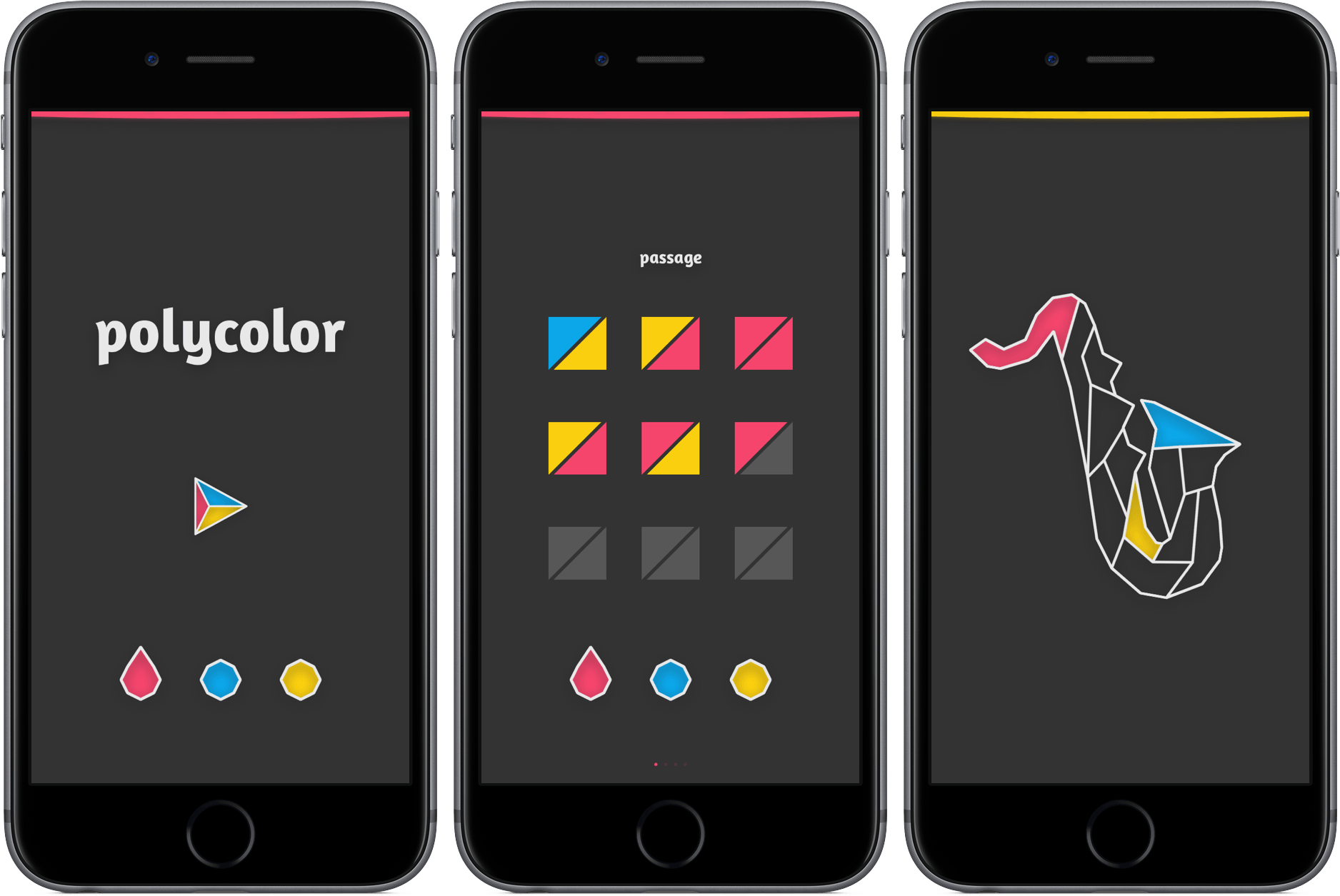
Some games don’t require a manual. They won’t bring out your inner rage, send you searching for answers online, or require you to ask your friend for help. Instead, they challenge you quietly, providing a gaming experience that’s equal parts difficult and soothing.
Polycolor is the epitome of the relaxed puzzle genre, a game so basic that it requires almost no explanation. Here’s why: all you have to do is fill in a pattern so that none of your three colors touch one another, yet the picture is fully colored. You select either red, blue, and yellow, assign it to a shape, and work your way toward a piece of art that signifies your accomplishment. As you continue in the game, you’ll be restricted to only a couple of moves to complete the task.
For an example, take a look below.
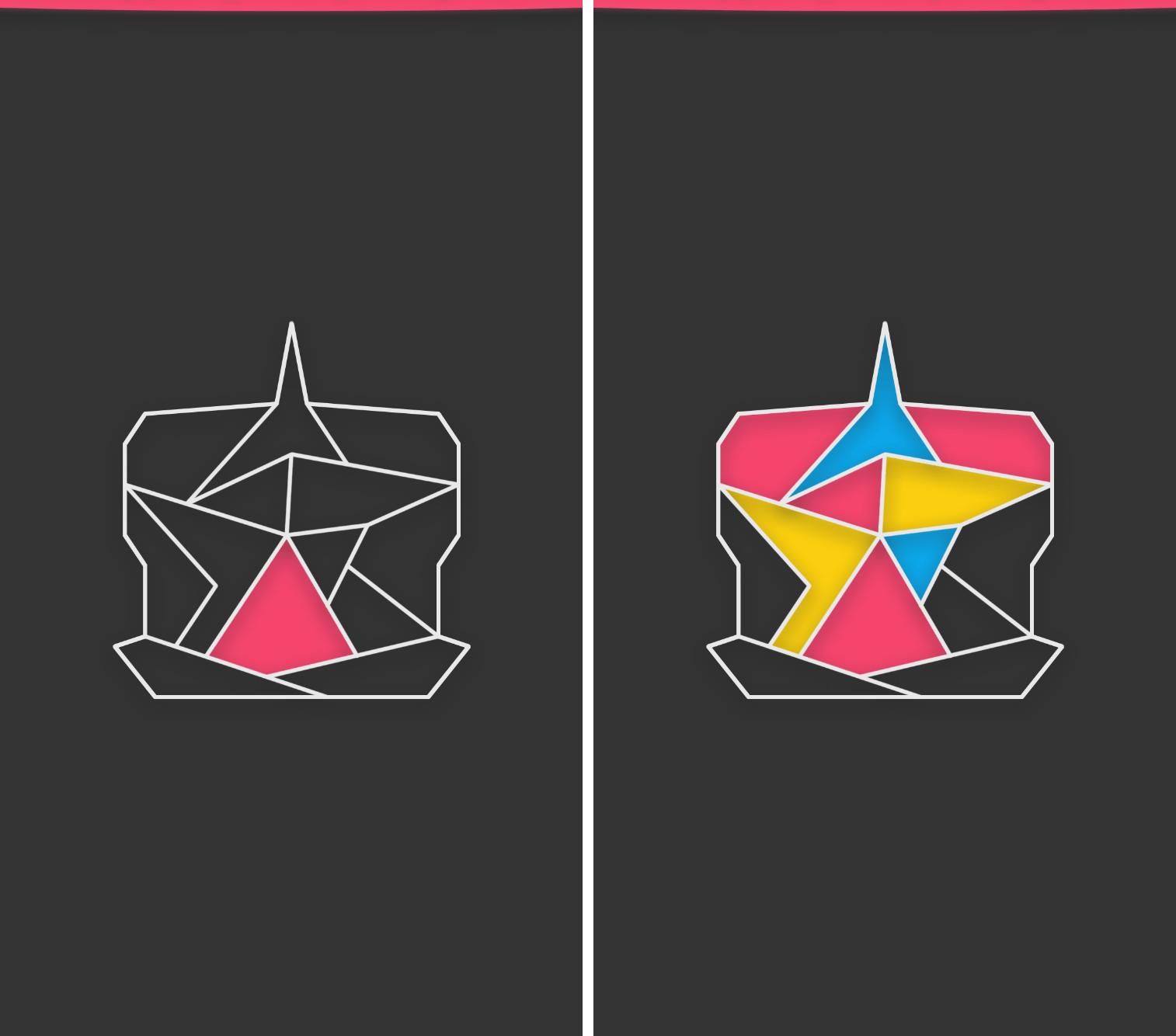
Although the premise is simple and early levels don’t pose much of a challenge, polycolor has grown on me as I continue to work through its 70+ levels. It’s a game that requires little physical effort, but increased mental exertion while progressing. Still, I’ve found that it’s perfect for tapping away during moments of boredom or peace.
If you’d like to give polycolor a try, you can download it in the App Store for $0.99 (universal).
Canvas, Episode 33: iOS Device Security→
This week, inspired by true events, Fraser and Federico look at the user-facing security technologies available in iOS.
On the latest Canvas, we go over the best practices to set up an iOS device with security in mind and to make it easy to lock everything and retrieve data when things go wrong. You can listen here.
Sponsored by:
- Pingdom: Start monitoring your websites and servers today. Use offer CANVAS to get 20% off.
The Taming of the iBook
Last month, I took a look at the Clamshell iBook G3, the most colorful notebook Apple ever made.
The Clamshell saw just one speed bump, and was replaced in less than two years. The second-generation iBook introduced the form factor most people think of when they think of the notebook:

 MacStories Weekly: Issue 75
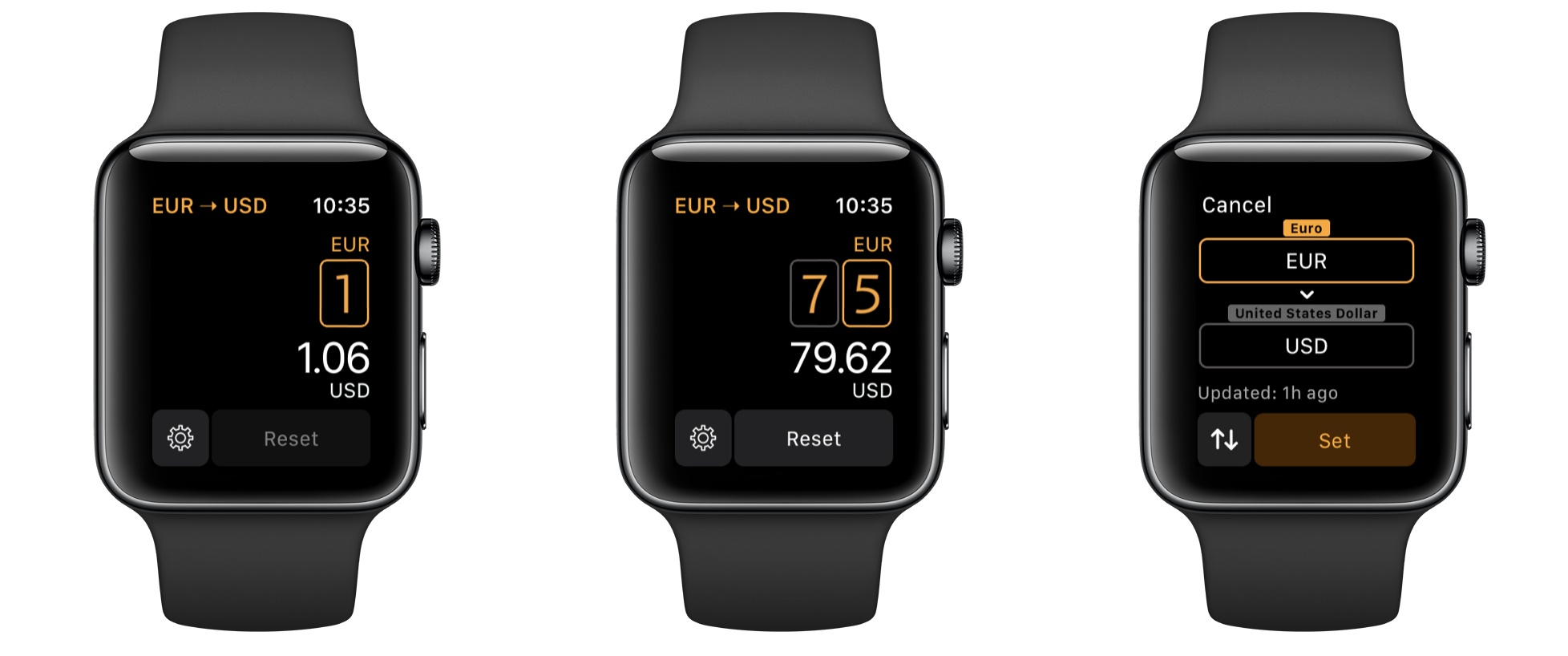
Elk: Currency Conversion on Your Wrist
iPad Diaries: Numbers, Accounting, and Currency Conversions
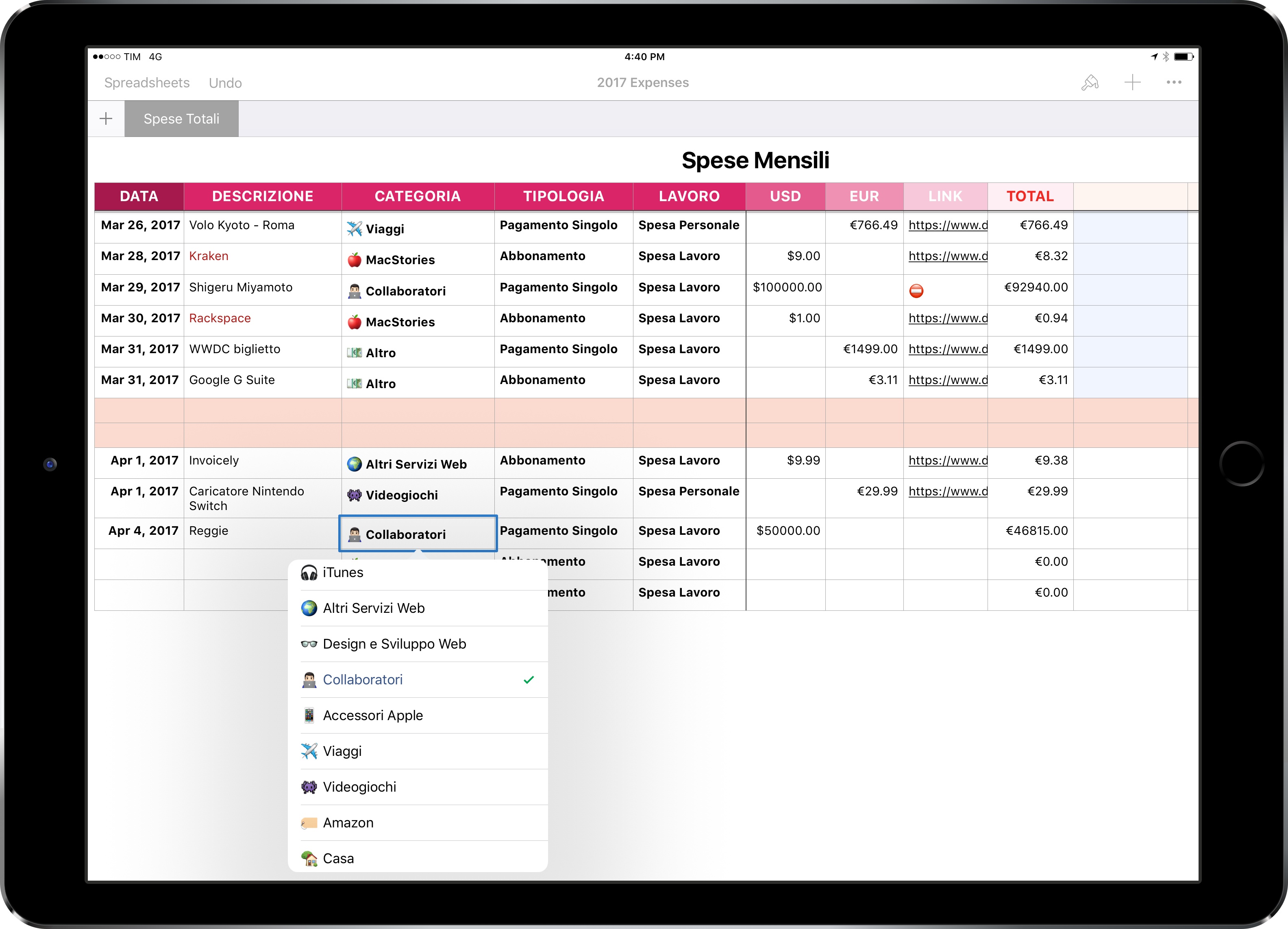
iPad Diaries is a regular series about using the iPad as a primary computer. You can find more installments here and subscribe to the dedicated RSS feed.
For years, I struggled to settle on an accounting workflow I truly liked.
In the past 8 years of MacStories, I’ve tried organizing financial records and statements with plain text files and PDF documents; I’ve used and then abandoned dedicated finance management apps; for a couple of years, I even tested a combination of Dropbox, Excel, and Editorial to visualize transactions and generate invoices with a Markdown template. My Italian bank doesn’t support direct integrations with third-party accounting services, and my particular requirements often include converting expenses from USD to EUR on a per-receipt basis.
Eventually, I always managed to keep my records up to date and neatly sorted with the help of an accountant, but I never loved any of the workflows I had established. In the end, several factors contributed to begrudgingly assembling reports and statements with systems I didn’t find flexible enough.
Outflow Review: Simple Subscription Tracking
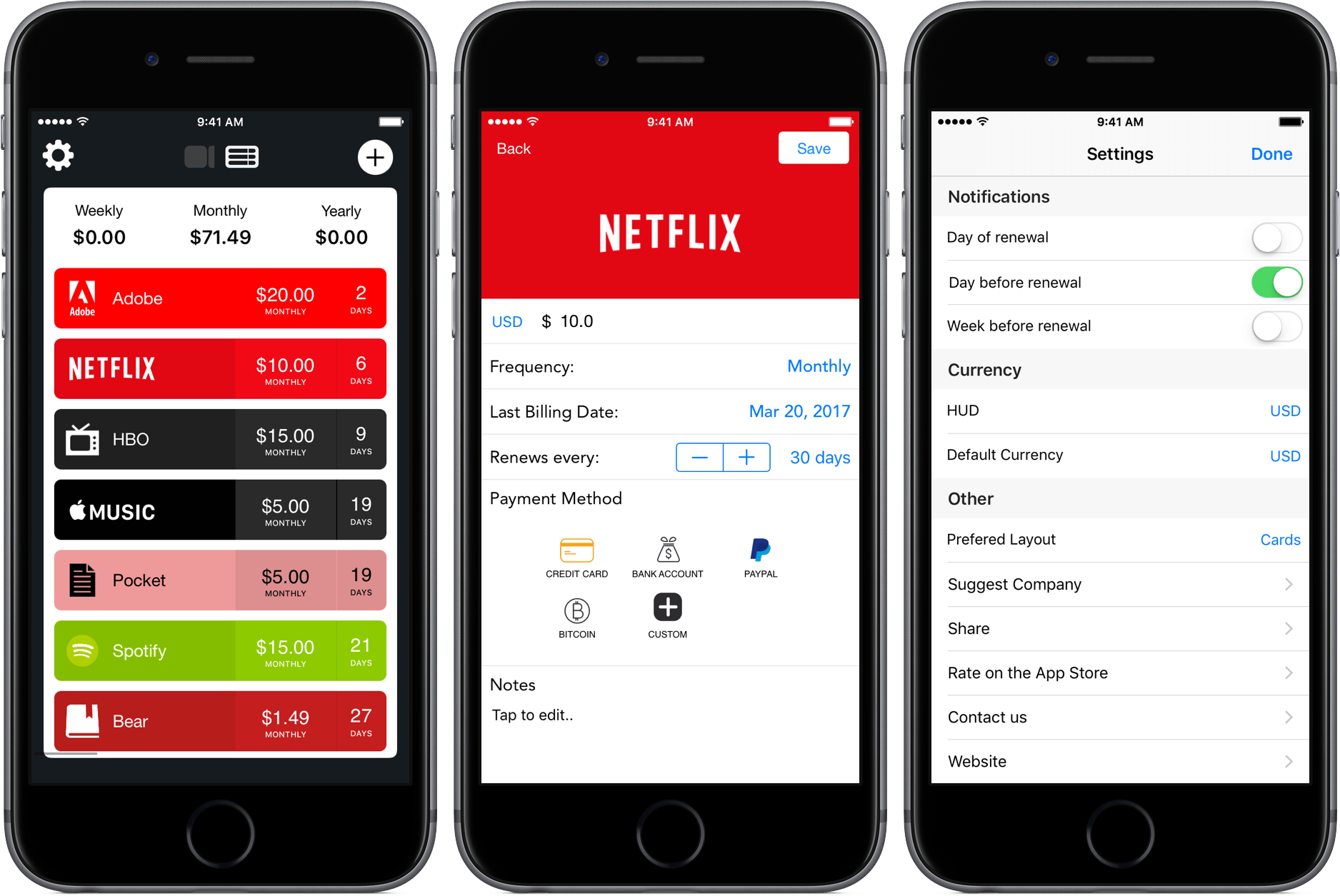
As I’ve mentioned in previous articles, I’m a huge fan of Bear, the minimalist note-taking app developed by Shiny Frog. To show my appreciation and grab an extra feature or two, I pay a monthly subscription fee of $1.49, a price so low that I forgot that I paid it at all.
It’s a similar story for other services, too – $5 each for Pocket Premium and Apple Music slip out of my bank account monthly without much thought. But that’s where the cheap stuff ends, and the expensive subscriptions begin: $15 for HBO Now, $15 for a Spotify family subscription, and $20 for the Adobe Creative Suite. After all of this, I’m at $71.49 a month for software, some of which I’m rarely putting hours into.
Because my subscriptions span different platforms and renew at different times, I’ve been looking for ways to track where all my money is going. With Outflow, I’ve found a new way to do that.
Connected, Episode 137: Fancy Screwdrivers→
With Myke pondering life in the woods, Stephen and Federico talk about Clips and what the Mac and iPad can learn from each other before quizzing each other on their preferred platforms in a battle for eternal nerd glory.
A fun episode of Connected this week, with a special final segment. You can listen here.
Sponsored by: