


App Camp for Girls is making a big jump geographically this summer. The camp for middle schoolers who self-identify as female, trans (regardless of identity), or gender non-conforming, was founded in 2013 by Jean MacDonald and Grey Osten in Portland, Oregon to address the gender imbalance in technology professions. Since then, App Camp has started camps in other cities including Seattle and Phoenix, but the debut of a camp in Chicago, Illinois this summer marks the first time a camp has been held east of the Mississippi River.
App Camp for Girls is Coming to Chicago
iPad Diaries: DEVONthink’s New Advanced Automation
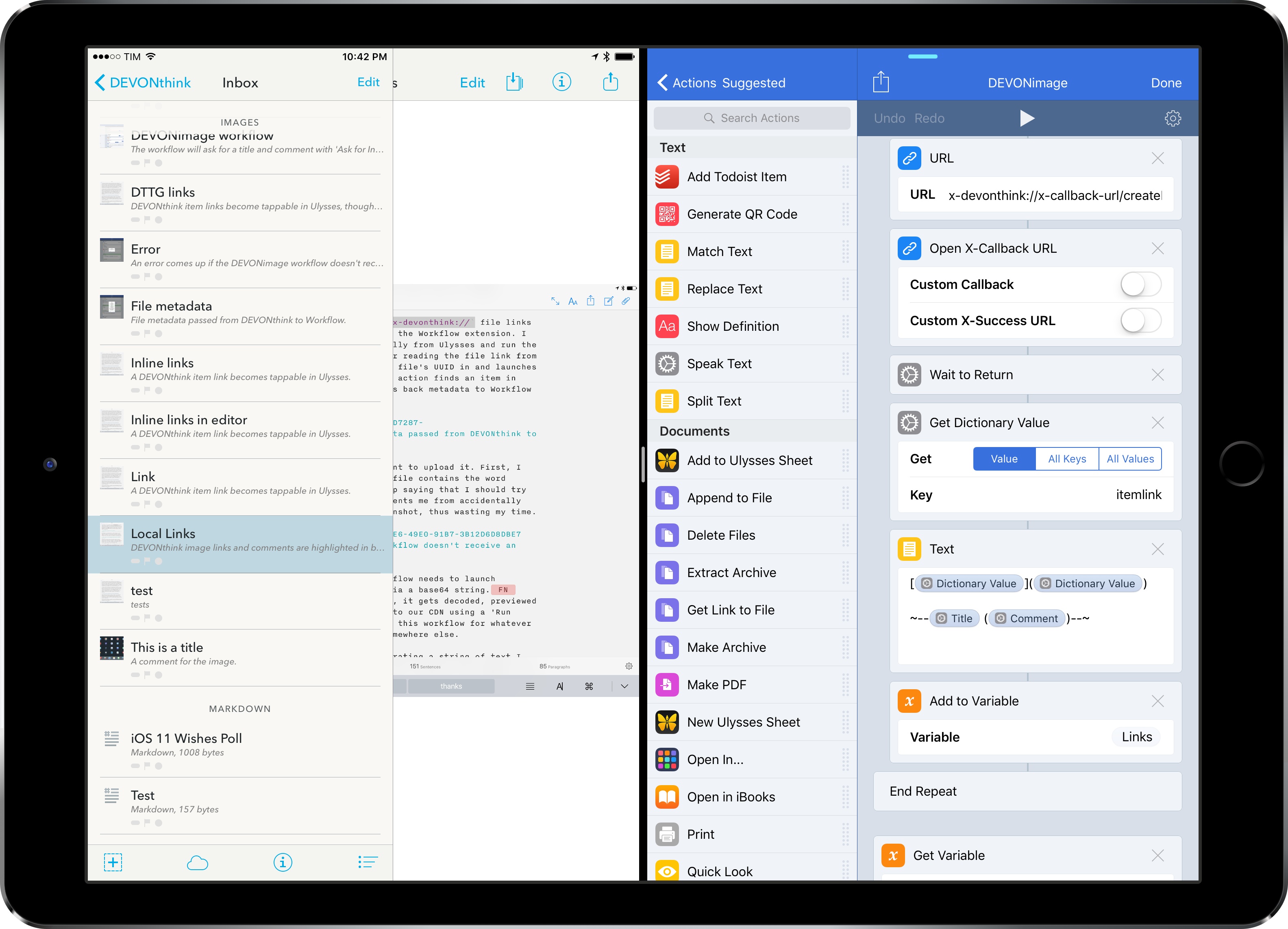
iPad Diaries is a regular series about using the iPad as a primary computer. You can find more installments here and subscribe to the dedicated RSS feed.
When I covered DEVONthink To Go in the first iPad Diaries column back in February, I briefly mentioned the app’s limited support for URL schemes and automation. I concluded the article noting that DEVONthink’s advanced file management features were ideal candidates for my writing workflow – particularly given the app’s ability to store different types of documents, reference them with unique links, and search them with Boolean operators. I also expanded upon the idea of using DEVONthink as my only iOS file manager in the latest episode of Mac Power Users.
I’ve been moving more work documents and other research material (web archives and PDFs, mostly) to DEVONthink over the past two months. The turning point occurred a few weeks ago, when DEVONtechnologies began adding advanced x-callback-url automation to DEVONthink’s beta channel and were kind enough to let me test and provide feedback for the functionality.
I was genuinely excited by the prospect of a scriptable DEVONthink: due to iOS’ lack of a deeply integrated Finder, I’ve always wanted a file manager that could be extended and enhanced through automation and other apps. With an improved set of URL commands and various optimizations for usage in Workflow, DEVONthink To Go can now be that kind of file manager. I made my decision: this is the app I’m going to use to manage the research content for my iOS 11 review this summer.
The automation features introduced by DEVONtechnologies in the latest DEVONthink for iOS go deep into the app’s structure, covering discrete functionalities such as file creation, search, and data retrieval. These changes will enable a greater number of users to integrate DEVONthink with their favorite iPad apps and workflows. And while the new commands are documented in the app, I thought it’d be useful to provide some concrete examples of how we can take DEVONthink to the next level through automation.
Rogue Amoeba Releases Airfoil Satellite TV for the Apple TV
Airfoil by Rogue Amoeba is a Mac app that lets you stream audio from a Mac to multiple connected devices using technologies like Bluetooth and AirPlay. I reviewed version 5 of Airfoil last year, and was impressed with its ability to stream audio to every device I could find in my home and keep them in perfect sync.
Rogue Amoeba has done some impressive reverse engineering of Apple’s OSes to make Airfoil work. The upside is Airfoil is a remarkable audio hub for anyone who wants to stream audio to virtually any connected device. The downside is that changes to Apple’s OSes can break Airfoil, which is what happened when Apple released tvOS 10.2. That update broke Airfoil streaming to Apple TVs that updated to the latest version of tvOS.
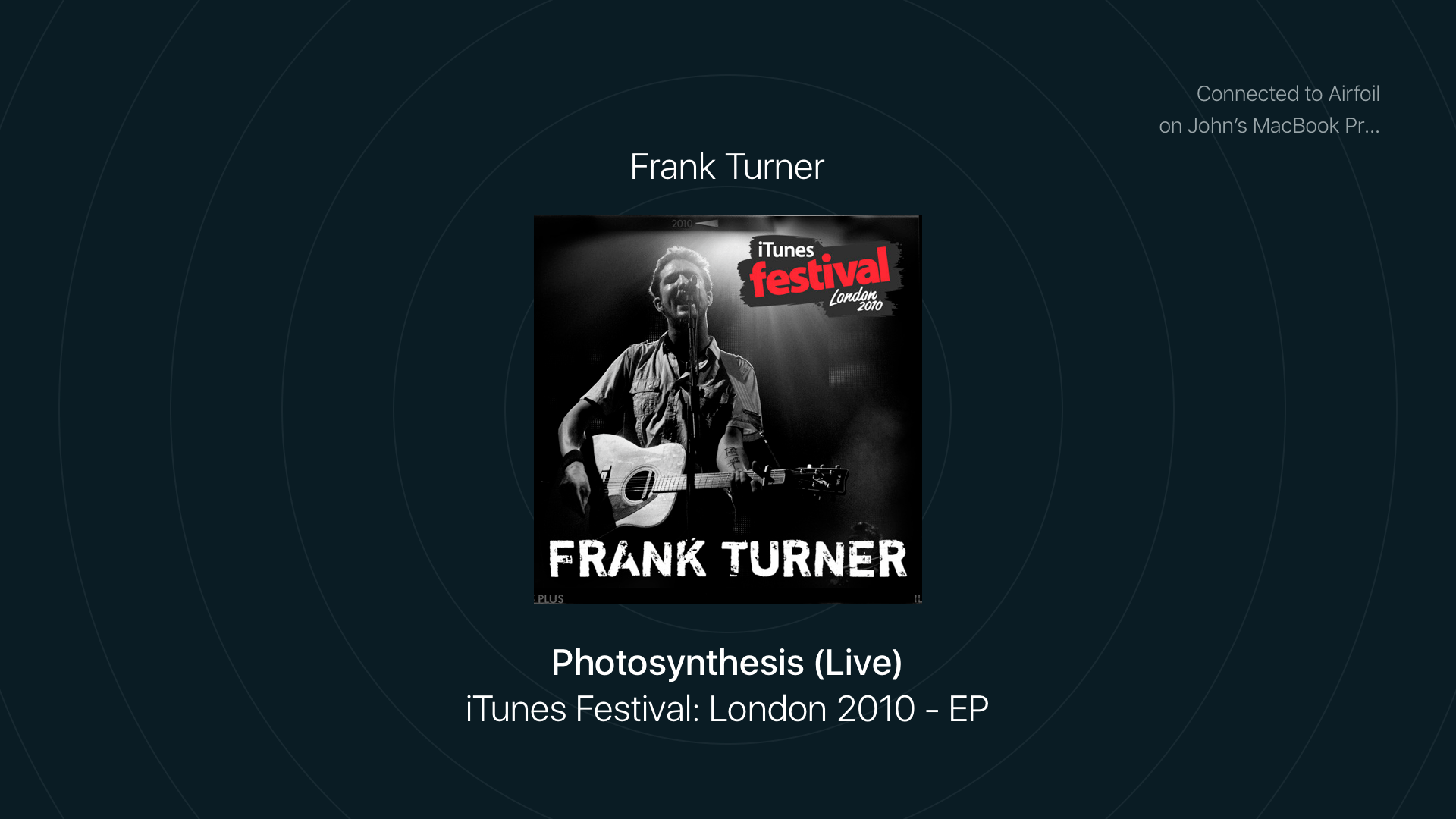
Since tvOS 10.2 was released about a month ago, Rogue Amoeba has been working on two solutions for customers. The first is Airfoil Satellite TV, a tvOS app that was released earlier this week. The app, which can receive an audio stream from Airfoil for macOS, is available as a free download on the Apple TV App Store. When you open Airfoil Satellite TV on your Apple TV, a new audio destination appears in Airfoil on your Mac named ‘Airfoil Satellite on [Your Apple TV Name].’ Pick that destination and music starts streaming from your Mac to your Apple TV.
Connected, Episode 139: Artisanally-Raised, Hand-Crafted Yaks→
Casey Liss comes to set Federico straight about Plex in a new segment called Follow-on. Then, Stephen and Federico talk about Apple’s recent environmental push, the changes coming to the iTunes Affiliate Program and AppStories, Federico’s new podcast and website.
On this week’s Connected, Casey tells us why managing media in a Plex library isn’t so complicated and we also discuss the recent launch of AppStories. You can listen here.
Sponsored by:
- Incapsula: Secure and accelerate your website. Connected listeners get one month free.
- Blue Apron: A better way to cook. Get three meals free with your first purchase, and free shipping.
- TextExpander, from Smile: Multiply your team’s productivity.
Latest iWork Updates Bring Back Previously-Removed Numbers Features
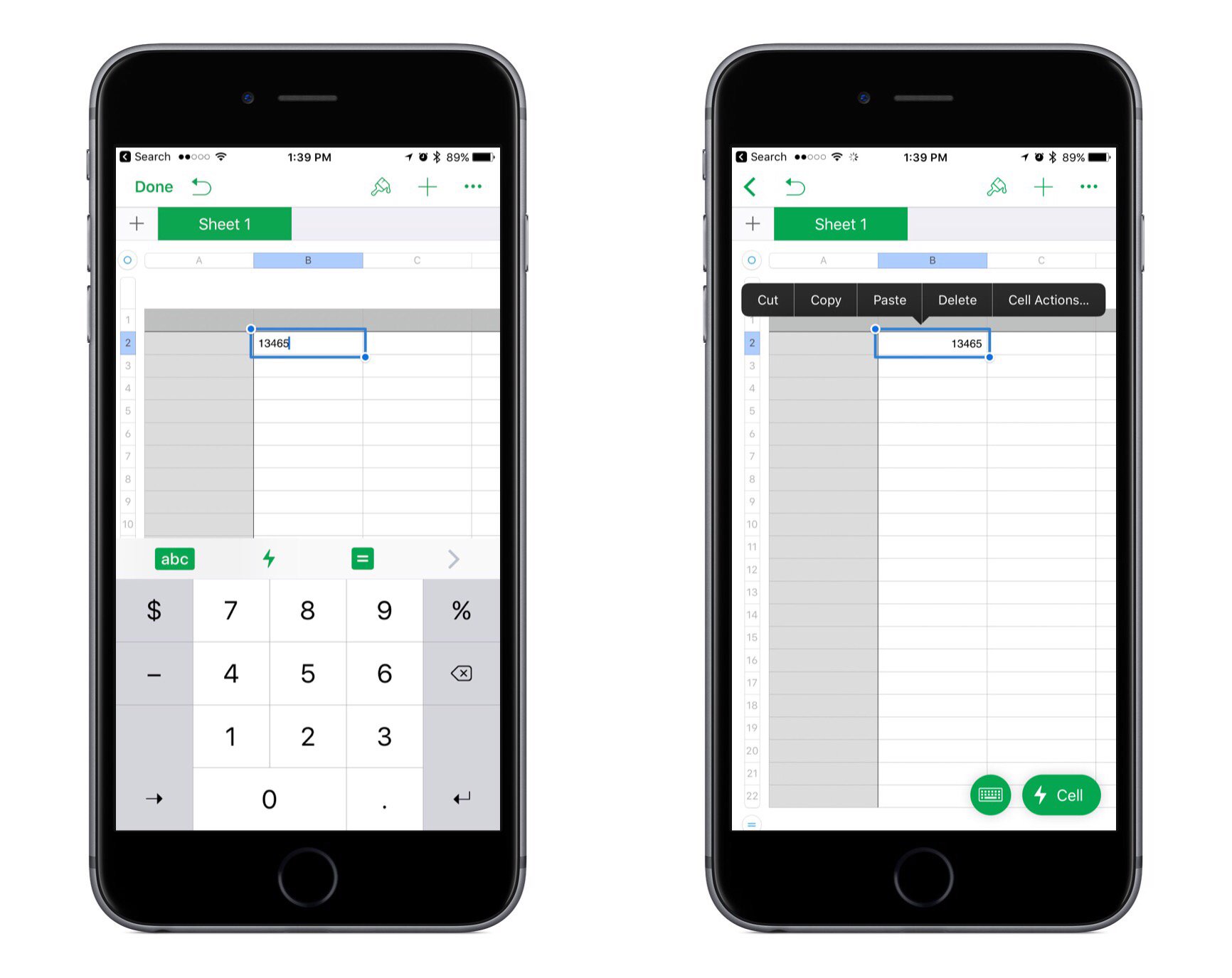
Apple released updates to its iWork suite across iOS and macOS today. The changes largely consist of bug fixes and stability improvements, but a couple of notable improvements were made to Numbers.
In the last big update for Numbers, a new cell action menu was added to handle common tasks like copying/pasting, adding formulas, and more. But with the arrival of this cell menu, a couple subtractions were also made: the numeric keyboard on iPad was removed, along with the copy/paste menu that would appear when you selected a cell. Federico covered the details of those changes in his recent iPad Diaries story on Numbers. But with today’s update, both of those items have now been restored to the app.
In the past when Apple has removed features from an app, those features often would never come back, or if they did it took a while. I’m thankful that Numbers users don’t have to wait any longer to work in the app the way they’re used to.
Day One Offers Printed Journals
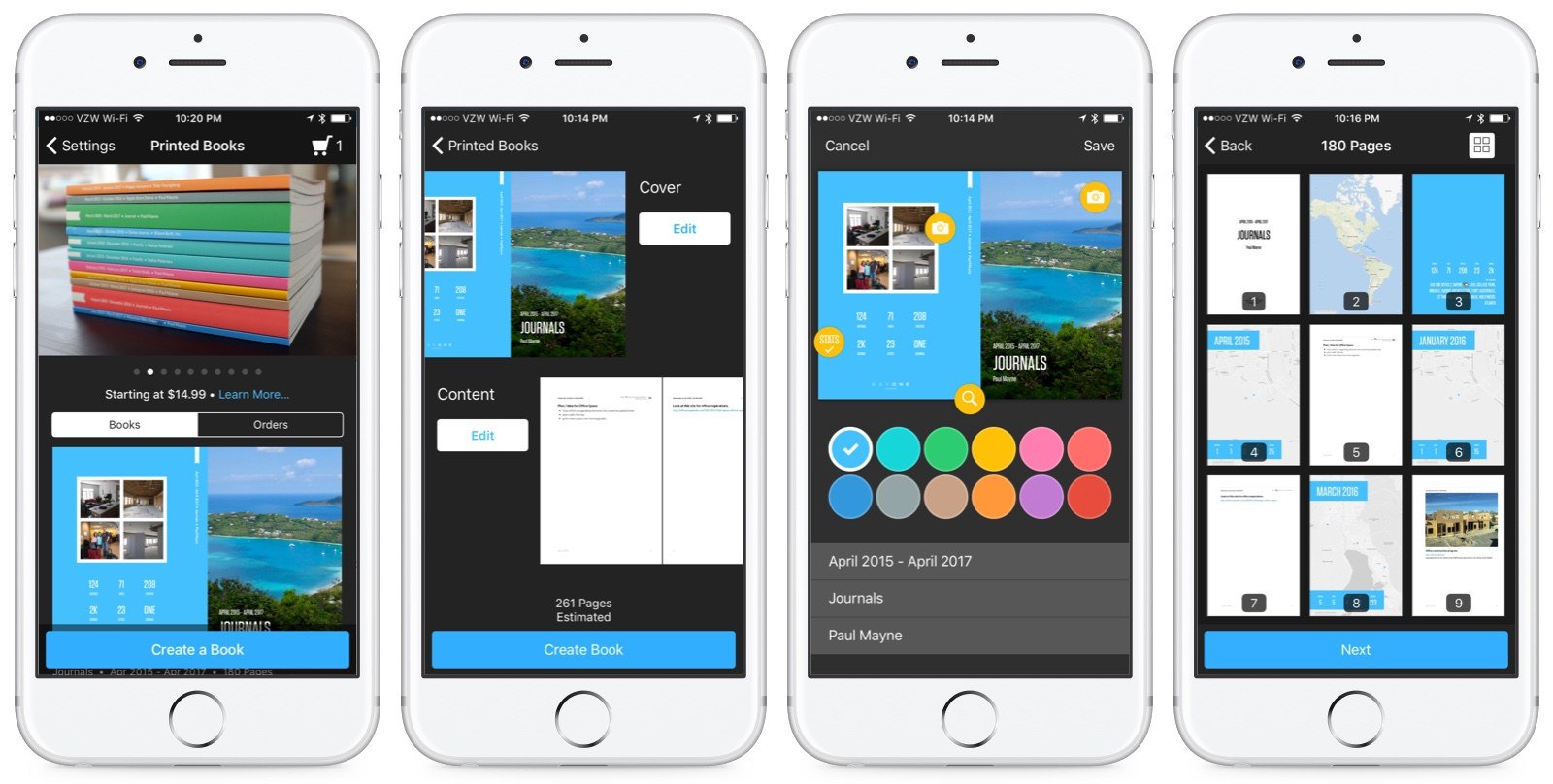
Day One has evolved over the years into one of the premier journaling apps on iOS. The app lets you combine your words with images, weather data, location information, and even your step count to create a highly-personalized journal. Now, you can preserve your memories as a book too.
Apple Launches Store Redesign and Today at Apple Program

Apple announced a major redesign of its retail stores today. The changes combine alterations to the physical space of some stores as well as a new series of events called ‘Today at Apple.’
The 100 largest Apple Stores will be redesigned to include live trees, meeting spaces, and screens similar to the upgrades that Apple’s Union Square store in San Francisco received last year. The Genius Bar will be renamed the Genius Grove in a nod to the addition of trees.
Apple Stores will also add a series of educational sessions in 495 locations that will launch at the end of May. The program is called ‘Today at Apple’ and will feature a wide range of presentations and hands-on sessions covering topics like photography, programming, design, art, and music. Sessions will be led by Creative Pros, a new retail store position filled by people with deep domain knowledge in the subjects they teach. In some cities, sessions will also be taught by world-class artists, musicians, and the like.
Apple Cuts Affiliate Commissions on Apps and In-App Purchases

Today, Apple announced that it is reducing the commissions it pays on apps and In-App Purchases from 7% to 2.5% effective May 1st. The iTunes Affiliate Program pays a commission from Apple’s portion of the sale of apps and other media when a purchase is made with a link that contains the affiliate credentials of a member of the program. Anyone can join, but the Affiliate Program is used heavily by websites that cover media sold by Apple and app developers. The announcement, which was made in the May Affiliate News email that Apple sends to participants in the program says:
Starting on May 1st 2017, commissions for all app and in-app content will be reduced from 7% to 2.5% globally. All other content types (music, movies, books, and TV) will remain at the current 7% commission rate in all markets. We will also continue to pay affiliate commissions on Apple Music memberships so there are many ways to earn commissions with the program.
With ad revenue in decline, affiliate commissions are one way that many websites that write about apps generate revenue, MacStories included. Many developers also use affiliate links in their apps and on their websites to supplement their app income. This change will put additional financial pressure on both groups, which is why it’s especially unfortunate that the changes are being made on just one week’s notice.
AppStories, Episode 2: Setting Up a New iOS Device→
On this week’s episode of AppStories, we discuss setting up a new iOS device, whether we do a clean install with new iOS releases, the first apps we install, and we share some tips and tricks to make the process easier.
Sponsored by:
- Streaks – The to-do list that helps you form good habits.
- Where To? – Find the best places around you – wherever you are.
You can listen to the episode below.

AppStories Episode 2 - Setting Up a New iOS Device
0:00
31:20
31:20





