From a Turntable to an iPad Home Dashboard: My First Experience with Vinyl

This month, amidst the increasingly chaotic rumblings of the world in the news, I found myself looking for a new distraction. Since Civilization VII wasn’t out just yet, my eyes quickly turned to the vinyl record player that my partner and I had been storing in its cardboard box for months without ever taking the time to set it up. It’s not even ours; we’ve been keeping it safe, along with a sizable vinyl collection, for a close friend who unfortunately doesn’t have enough space for it in their current home.

This turntable is definitely not fancy – it’s even quite affordable compared to similar models – but it looks pretty, and our friend gracefully gave us permission to set it up for ourselves in the living room. While I’m sure they only pitied my desperate need for a new distraction, I took them up on this offer and opened the turntable’s box for the first time.

At the risk of sounding like a total youngster, I must disclose that until three weeks ago, I had never interacted with vinyl before. All I had were some presumptuous preconceptions. ”Doesn’t music sound worse on vinyl? Also, why should I bother with large, fragile music discs and a whole record player when I already have Apple Music in my pocket with lossless audio and Dolby Atmos?”

Still, I was not only intrigued, but also motivated to solve the main problem that setting up this record player posed: how can I make it work when our audio gear at home consists only of a handful of HomePod minis, one pair of wired headphones, and several pairs of Bluetooth headphones? While some turntables ship with built-in Bluetooth connectivity, ours can only output audio over USB or RCA with the help of a sound amplifier, and it definitely can’t broadcast audio to AirPlay devices like our HomePod minis.

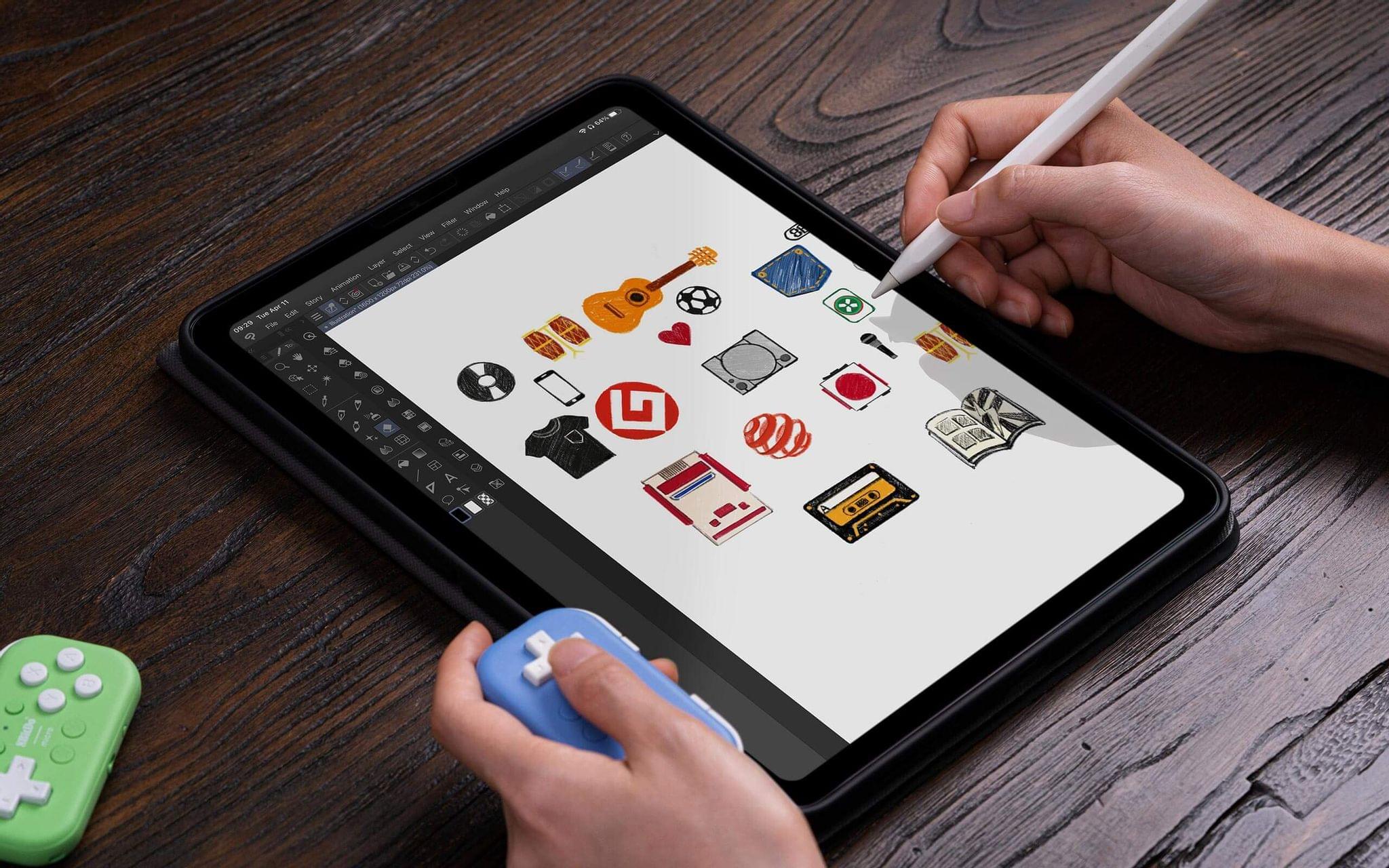
Allow me to spoil the ending of this story for you: in the end, unboxing this turntable escalated into a legitimately awesome tech upgrade to our living room. It’s now equipped with a docked 11“ iPad Pro that acts as a shared dashboard for controlling our HomeKit devices, performing everyday tasks like consulting the weather and setting up timers, and of course, broadcasting our vinyls to any HomePod mini or Bluetooth device in the apartment. This setup is amazing, and it works perfectly; however, getting there was a tedious process that drastically reinforced my long-standing frustrations with Apple’s self-imposed software limitations.

Let me tell you how it all went.

Read more


The Latest from Comfort Zone, MacStories Unwind, and Magic Rays of Light

Enjoy the latest episodes from MacStories’ family of podcasts:

Comfort Zone

Niléane is developing an obsession with remotes, but she swears she’s finally got The One, Chris has found a box that lets him store anything, and another color-based challenge leads to controversy (who saw that coming???).


MacStories Unwind

This week, I take listeners back to the animal kingdom, before Federico and I share a couple of TV recommendations. Plus, I show off a recent dream device acquisition.


Magic Rays of Light

Sigmund and Devon highlight this weekend’s debut of Apple Original film The Gorge starring Miles Teller and Anya Taylor-Joy, discuss Sigmund’s experience of working with Vision Pro on a real TV set, and share their thoughts on the Apple Music Super Bowl Halftime Show headlined by Kendrick Lamar.


Read more


Netflix Appears to Be Rolling Out Apple TV App Integration in the U.S.

Source: [FlatpanelsHD](https://www.flatpanelshd.com/news.php?subaction=showfull&id=1739529080).

Source: FlatpanelsHD.

Update: A spokesperson for Netflix has told The Verge that the integration with the Apple TV app’s Watchlist and Continue Watching features was a mistake and is being reversed. Perhaps the reaction to the change will cause Netflix to reconsider its refusal to participate in the TV app, but I wouldn’t hold your breath waiting for that to happen.


FlatpanelsHD has discovered that Netflix, long a holdout that was unavailable in Apple’s TV app, is beginning to prompt users to add the service to the TV app:

Today, FlatpanelsHD received a prompt on Apple TV 4K to integrate Netflix into the Apple TV app, as shown at the bottom. After accepting, Netflix content appeared in the Continue Watching queue and Watchlist within the Apple TV app, as seen below.

FlatpanelsHD says the feature is currently limited to Netflix Originals programming and users who are also U.S. account holders.

I’ve looked for this myself and haven’t seen it yet, but it may just be that the rollout is happening gradually. As of publication, I haven’t seen an update to the Netflix app (though the update may be a server-side change) and as 9to5Mac points out, Apple’s list of apps that support Watchlist hasn’t been updated in almost one year. So, it’s possible that after more people have the new feature, we’ll see an official announcement from Apple and/or Netflix.

This is great news, although my enthusiasm is tempered by the reported limitations. I hope the feature extends beyond Netflix Originals and to other countries. Still, for a lot of people I’m sure the only service they use that isn’t in the TV app is Netflix, so any integration after all these years is better than none. I know I’ll be checking my Apple TV throughout the day to try this myself.

Permalink


DefaultSMS Lets You Choose Your Default Messaging App

In iOS 18.2, Apple introduced the ability for users to set their default apps for messaging, calling, call filtering, passwords, contactless payments, and keyboards. Previously, it was only possible to specify default apps for mail and browsing, so this was a big step forward.

While apps like 1Password quickly took advantage of these new changes, there have been few to no takers in the calling, contactless payments, and messaging categories. Enter DefaultSMS, a new app that, as far as I can tell, seems to be the first to make use of the default messaging app setting.

Default SMS is not a messaging app. What it does is use this new setting to effectively bounce the user into the messaging app of their choice when they tap on a phone number elsewhere within iOS. Telegram, WhatsApp, and Signal are the options currently supported in the app.

Initial setup is quick. First, you select the messaging app you would like to use within DefaultSMS. Then, you head to Settings → Apps → Default Apps → Messaging and select DefaultSMS instead of Messages.

When you tap on a phone number, DefaultSMS will launch your chosen messaging app to start a conversation.

When you tap on a phone number, DefaultSMS will launch your chosen messaging app to start a conversation.

Now, whenever you tap on a phone number from a website, email, note, or other source within iOS, the system will recognize the sms:// link and open a new message to that number in your default messaging app, now specified as DefaultSMS. The app will then bounce you into your messaging app of choice to start the conversation. The developer says the process is 100% private, with DefaultSMS retaining none of this information.

It’s worth pointing out a few things about the app:

  • You can only message someone who already has the app you are messaging from.
  • If someone sends you an SMS, it will still be delivered to the Messages app.
  • Once you start a conversation, you will be messaging from the app you have chosen (such as WhatsApp), not via SMS.

So why does this app exist? I put this question to the developer, Vincent Neo, who said, “The focus of the app is more towards countries where a significant part of the population already prefers a specific platform very frequently, such that users are very likely to prefer that over other platforms (including SMS), similar to your case, where everyone you know has WhatsApp.”

Quite simply, DefaultSMS allows you to choose which app you want to use to start a conversation when you tap a phone number, rather than always reverting to Messages. The app also highlights a flaw in the phrase “default messaging app”: there are still no APIs for apps to receive SMS messages. Until those are added, we will have to rely on clever third-party utilities like DefaultSMS to get us halfway there.

DefaultSMS is available on the App Store for $0.99.


Apple Resumes Advertising on X

Yesterday, it was reported that Apple had resumed advertising on X (formerly Twitter). The company ceased advertising on the site without comment in November 2023, but earlier this week, ads for a Safari privacy feature and the Apple TV+ show Severance began appearing on X. Apple has not commented on why the change was made.

Apple’s relationship with X has been rocky since Elon Musk took over in October 2022. That fall, it was reported that Apple significantly decreased its advertising on the social media platform. That was seemingly corroborated by Musk himself, who said in November 2022 that Apple had ended most of its advertising and threatened to remove X from the App Store. Musk and Tim Cook then met at Apple Park, and they seemingly resolved the rift for about a year.

In the following months, reports surfaced indicating an increase in hate speech on X. In what may be Apple’s only public statement about its advertising relationship with the social media company, Tim Cook told CBS News in September 2023 that Apple was constantly assessing its advertising on X. Then in November, after Musk endorsed an antisemitic post on X, Apple stopped advertising on the platform, though it never explained why.

Last month, The Wall Street Journal reported that Apple was considering resuming its advertising on X. It has now done so, joining many other major brands.

Apple hasn’t explained the reason for the change, which comes hard on the heels of a report of significant increases in hate speech on X during Musk’s tenure. This has led to speculation that the move is an attempt to appease Musk, who has assumed an unprecedented and unelected position of power in the Trump administration. Whatever the reason, though, it’s not a good look for Apple.


Apple’s TV App Launches on the Google Play Store for Android Users

Apple has released its TV app on the Google Play Store for Android users. In a press release, Apple stated:

Available around the world, the Apple TV app for Android was built from the ground up to deliver Android users a familiar and intuitive interface. Android users can subscribe to Apple TV+ and MLS Season Pass using their Google Play account on Android mobile and Google TV devices. Apple TV+ also offers a seven-day free trial.

With Major League Soccer beginning on February 22nd and Friday Night Baseball just around the corner, it makes a lot of sense for Apple to expand the TV app’s availability. Android users will have all the same options Apple’s users do including subscribing to Apple TV+, which comes with a seven-day free trial, and MLS Season Pass.

As for the design, the Android version of the TV app looks as expected. It’s an Android-ified version of the iOS and iPadOS version of TV, with a similar layout and functionality controlled with standared Android UI elements.

The TV app can be downloaded for free from the Google Play Store.

For more examples of the TV app on Android, here are shots of it running on Federico’s Lenovo Legion Y700 (2024), which we recently covered on NPC: Next Portable Console:

Icon.

Icon.


Episode view.

Episode view.


Episode options.

Episode options.


Subtitle menu.

Subtitle menu.


Sharing.

Sharing.


Settings.

Settings.