Siri Featured in Apple Ad Starring The Rock

Apple released an advertisement showcasing Siri starring former pro-wrestler turned film star, Dwayne (‘The Rock’) Johnson. Teased yesterday by Johnson on Twitter and Facebook, the video, posted to Apple’s YouTube channel, features Johnson accomplishing a long list of life goals with the help of Siri during a single day. The tongue-in-cheek spot highlights several Siri features such as:

  • reading Johnson’s schedule;
  • creating a reminder;
  • scheduling a Lyft ride;
  • getting the weather forecast;
  • reading email;
  • displaying photos;
  • texting someone;
  • converting measurements;
  • playing a playlist;
  • starting a FaceTime call; and
  • taking a selfie.

The Siri ad is a clever and entertaining way of explaining the breadth of tasks that can be accomplished with Siri, from the basics like weather forecasts to less well-known features like taking a selfie.


Game Day: Color Magnet

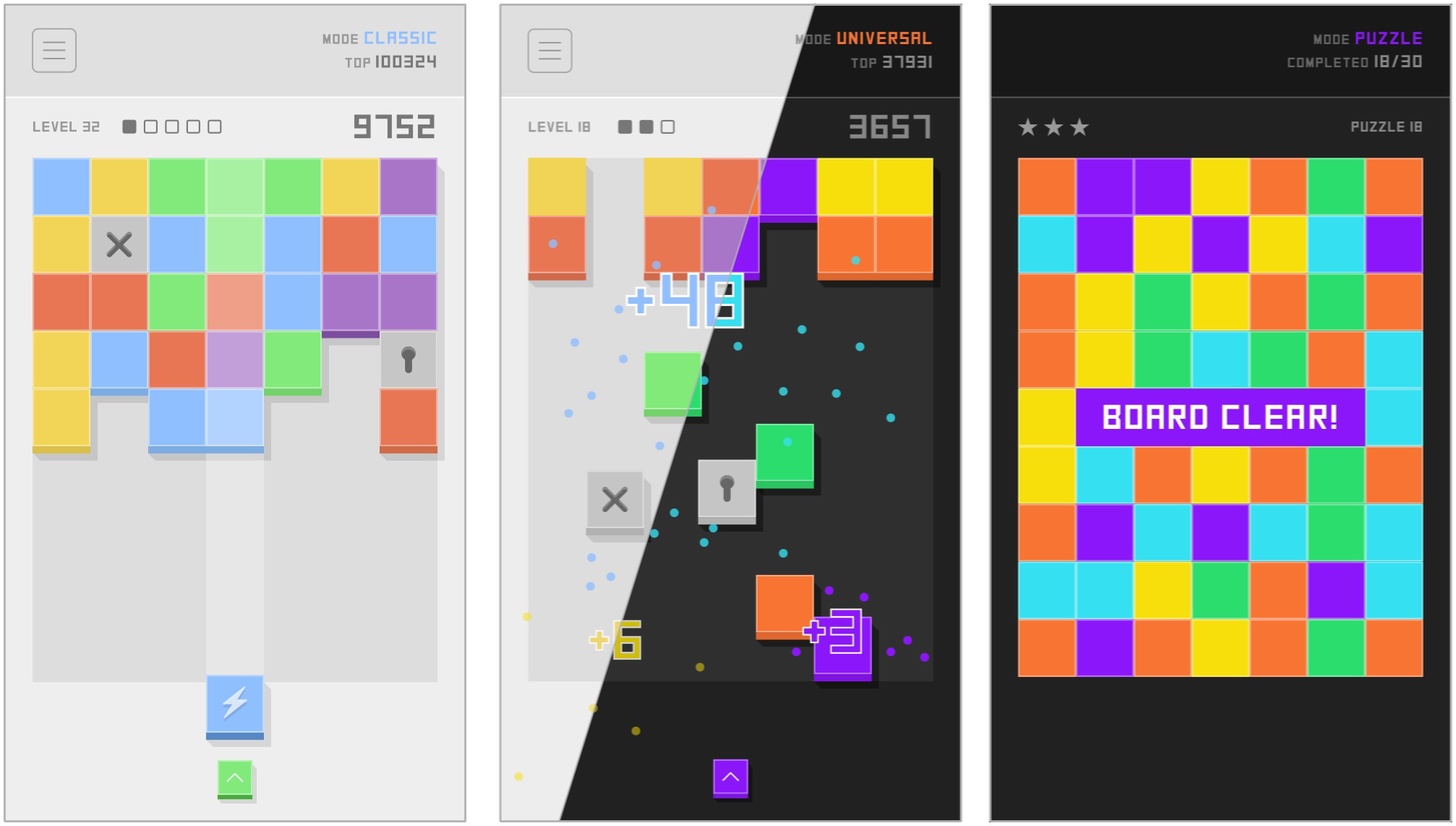
Color Magnet, by The One Pixel, is a classic color-matching puzzle game with a twist. A grid of colors blocks advances down the screen as you drop in strategically placed new blocks to make color matches. The blocks are magnetically attracted to other blocks of the same color. When placed on the grid, the blocks between the newly placed piece and the closest piece horizontally or vertically of the same color change to match the color of the block you placed. Match five or more blocks to clear them and the ones below them on the board.

Gameplay is complicated by locked and cross blocks. A locked block is unlocked by matching colors nearby or clearing a cluster of blocks next to it. Once unlocked, a block becomes a random color. Cross blocks can only be destroyed by clearing blocks above them in the stack. It’s not nearly as complex as it sounds, though it requires careful planning and strategy.

Color Magnet looks and sounds great, pairing a palette of pastel colors with a playful soundtrack. There are also light and dark themes for comfortable late-night binge playing in bed.

Replay-value is enhanced by three game modes. Classic mode challenges players to beat their high score. Universal mode pits you against the rest of the Color Magnet-playing world with the same sequence of puzzles presented to everyone. Puzzle mode has 30 unique puzzles that challenge you to clear the entire board.

The magnet mechanic and depth added by the trio of gameplay modes takes what might have been a ‘me-to’ matching puzzle game and gives it a unique spin that’s fun and addicting in the same way Threes is. If games like Threes are your thing, Color Magnet won’t disappoint.

Color Magnet is available on the App Store.


Apple Names Deirdre O’Brien Vice President of People

Long-time Apple executive Deirdre O’Brien was named Apple’s Vice President of People today. O’Brien, who has worked at Apple for 30 years, most recently as its Vice President of Worldwide Sales and Operations, will report directly to CEO Tim Cook. As Vice President of People, O’Brien will take on HR functions including talent development, recruiting, benefits, compensation, business support, and Apple University.

Tim Cook had this to say:

“As long as I’ve been at Apple, Deirdre has been the glue that bonds our operations, sales, marketing and finance teams to deliver products to our customers,” said Tim Cook, Apple’s CEO. “Deirdre deeply understands Apple’s unique culture and that people join Apple to do the best work of their lives. She is a superb leader and I’m thrilled she will be bringing her experience and talent to this critical role.”

O’Brien added:

“I love Apple and, like so many of my colleagues, I’m honored to have made it my life’s work,” said Deirdre. “I’m excited to begin this new chapter, supporting 120,000 incredibly talented people around the world who are motivated to do amazing things every day. It is a privilege to work among such a diverse and talented team, and to help them thrive here at Apple.”

O’Brien is scheduled to assume her new role in the fall.


Apple’s Clips App Receives Update Adding Disney/Pixar Content and More

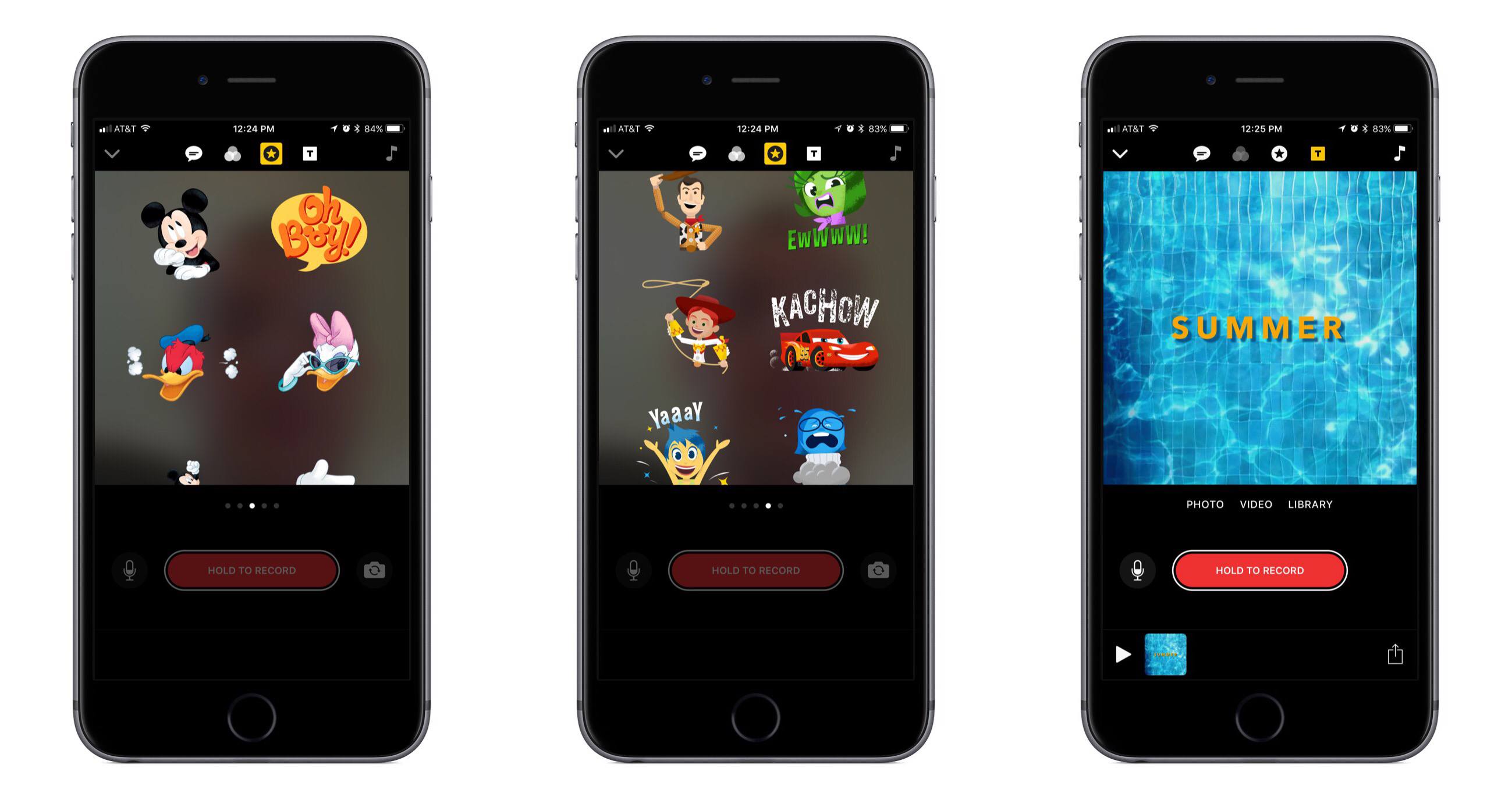
Today Apple released the first major update for its short form video creation app, Clips. Version 1.1 includes, most notably, a variety of animated graphics featuring beloved characters from Disney and Pixar films.

In the Disney department you can add Mickey, Minnie, Donald, and Daisy to your videos, each with their own unique animations. And from Pixar, characters originating in Toy Story, Inside Out, and Cars are available. There are also a variety of new posters available to be used as title cards, some of which were designed by Disney and others by Apple. A selection of the new posters feature vibrant animations when you use them, such as water rippling in a pool.

In addition to the new content available for creating videos, Apple has also refined some design aspects in the app to make it easier to use. For example, Live Titles could always be edited by tapping on the text, but that wasn’t a very discoverable interface. Now there’s a new button to accomplish the task.

Apple’s press release announcing the update mentions that Clips “is included on all new iOS devices,” which should help bolster adoption of the app. That press release also features a video seemingly created in Clips that’s worth checking out.


Google iOS App Adds Personalized Feed with News, Interests, and More

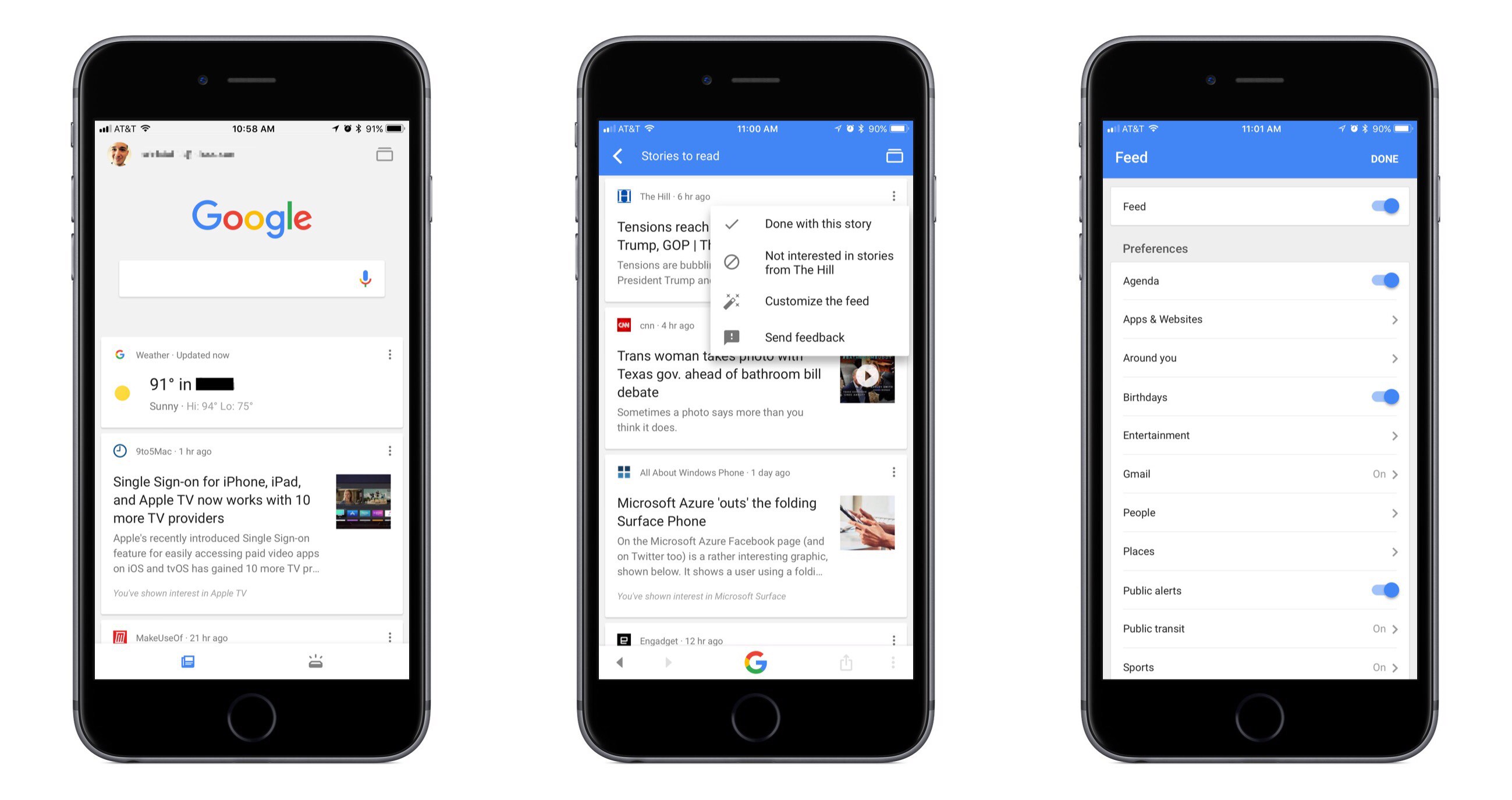
Google has long been the first place most of us go when searching for something specific, and now it wants to be our primary destination for personalized, proactive content as well. Launching today in the US, and internationally in the coming weeks, the Google app for iOS now includes a personalized feed filled with things like news stories, live sports highlights, and suggested videos, all of which are merged in the feed with other data we’ve come to expect from the Google app such as local weather, relevant travel info, and more.

While Google’s iOS app formerly served as a place to mainly perform searches and see a bit of personalized data, today’s update transforms the app experience entirely. The search option is still at the top of the screen, and that data you’re used to seeing is still around, but the additions included here change the app’s primary purpose. It becomes a place to go not only when you need to find something, but also just when you have a little time to kill and want to catch up on what’s going on in the outside world. If the feed becomes good enough at knowing what’s important to me, I can see myself regularly checking and scrolling through it the way I do with social apps like Twitter or Facebook.

Google promises that the feed will get better over time as its machine learning algorithms gain a more accurate understanding of a user’s interests. One way that users can help that process is through using the new ‘Follow’ button that will soon begin appearing next to Google search results. This button will allow you to selectively follow certain movies or TV shows, sports teams, musical artists, celebrities, and more. Another layer of customization is found in the ‘Customize the Feed’ menu accessible by tapping the three dots in the upper right corner of any content card. Here you can turn the feed off entirely if you’d like, but you can also customize exactly which categories of content will populate your feed.

If you’d like more in-depth information about today’s update, Google has a blog post walking through the changes.



AppStories, Episode 14 – Pick 2: Ulysses and FullContact

On this week’s episode of AppStories, we pick two apps and discuss how and why we use them for our work. For the first installment of Pick 2, Federico covers Ulysses and how he’s used it over the past year and for the iOS 11 review he is currently writing; John explains how he uses FullContact to keep in touch with developers and sponsors of MacStories and AppStories.

Sponsored by:

  • Audible - Audible books inspire and entertain anywhere, anytime.
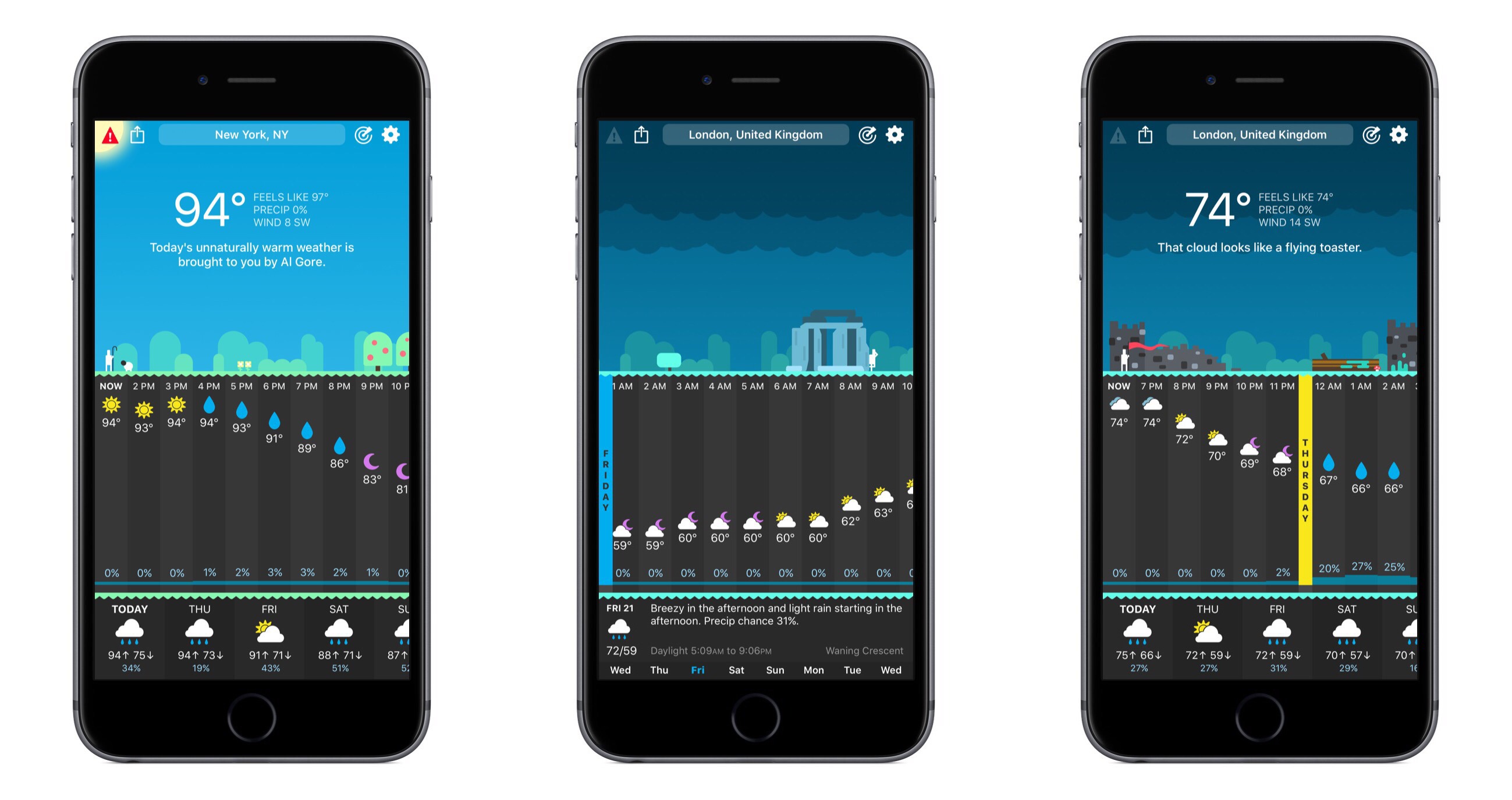
  • Hello Weather - The exceptionally useful, no-nonsense weather app.
AppStories+ Deeper into the world of apps

AppStories Episode 14 - Pick 2: Ulysses and FullContact

0:00
33:55

AppStories+ Deeper into the world of apps

Permalink