Cardhop by Flexibits Takes on Contacts

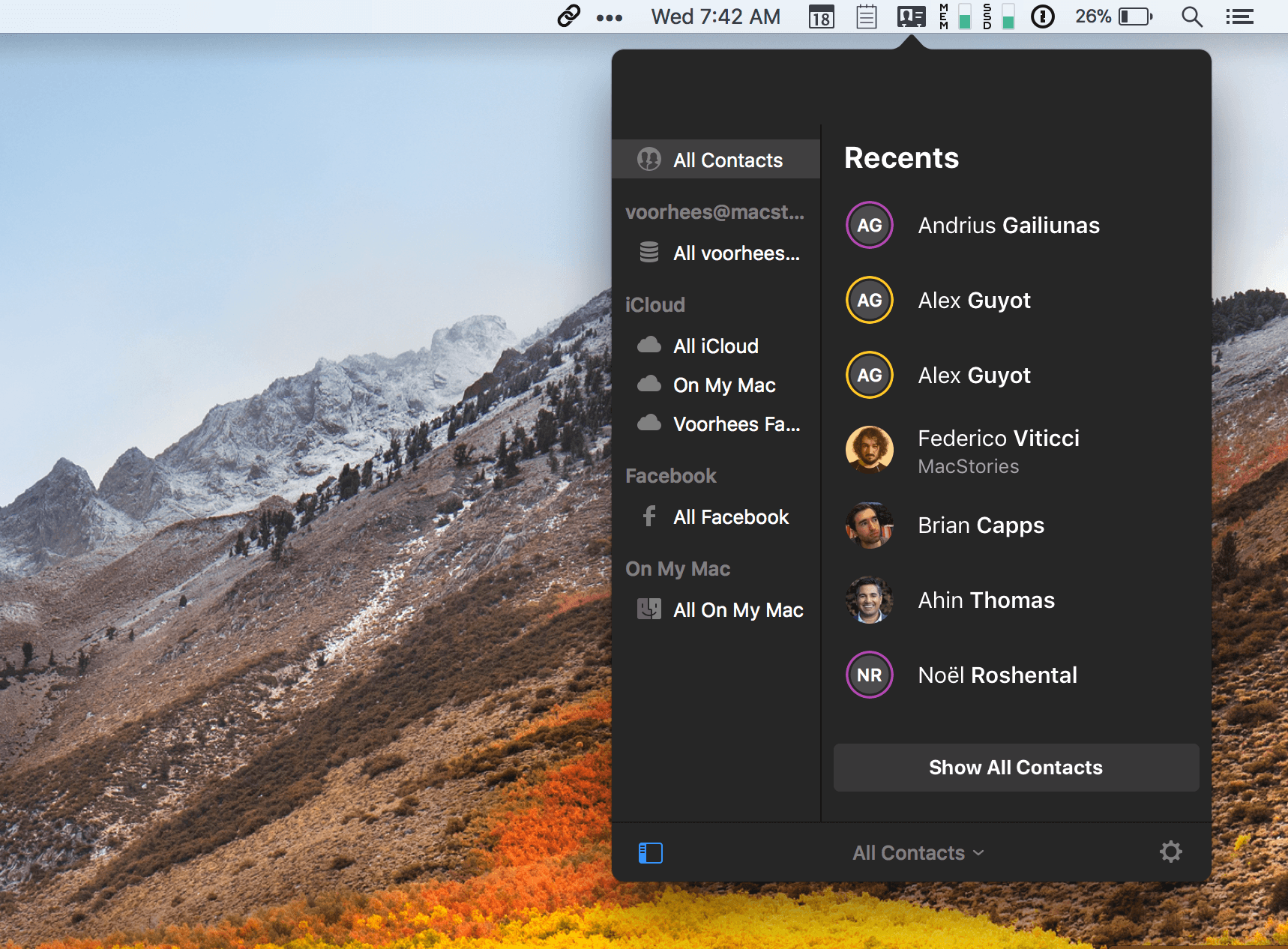
Flexibits took much of the frustration out of calendars when it introduced Fantastical for macOS in 2011 by leveraging natural language input of events. It followed up with iPhone and iPad versions. Now, Flexibits wants to do the same for contacts with a brand new app called Cardhop by integrating contact creation, management, and interaction into a single text field of a macOS menu bar app. The app is beautifully-designed and powerful but solves a problem that I’m not sure many people have today.

Many contacts apps are notoriously clunky, hard to get information into, and prone to creating duplicates, which limits their utility. However, contacts apps are less necessary today than ever before. Email clients and messaging apps automatically fill in contact information based on past messages you’ve sent. Other apps and services make it easy to bypass contacts apps altogether with favorites and recent contacts lists. In a communications app-centric world, I expect Cardhop will be a tough sell.

Read more


Balance Is a Wallet For the World’s Currencies [Sponsor]

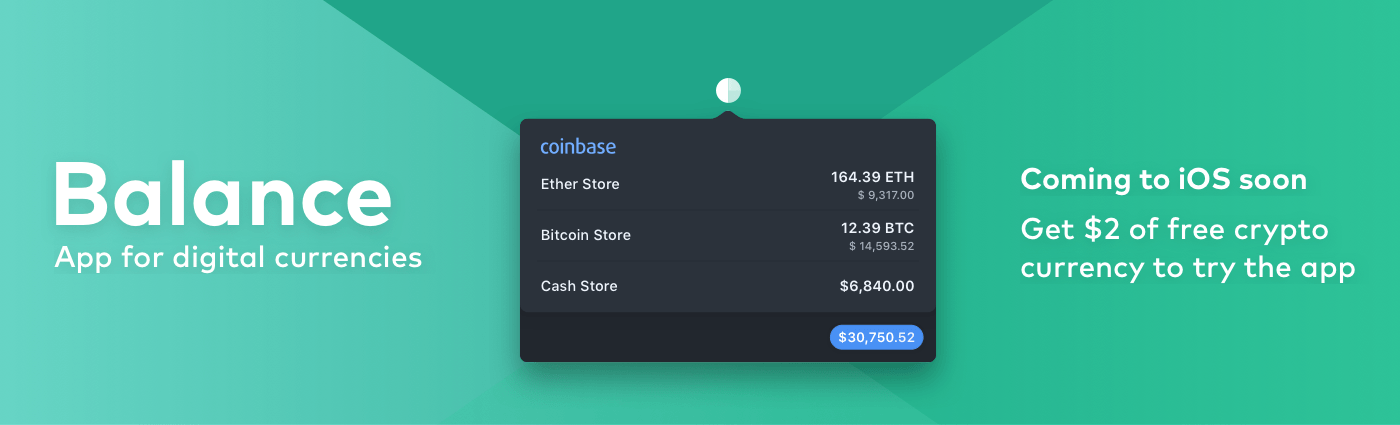
We are on the cusp of a financial revolution fueled by crypto-currencies and Balance makes it easy for everyone to get involved. You’ve probably heard of Bitcoin, one of the earliest crypto-currencies, but there are others including Ethereum. Balance connects to the most popular crypto-currency exchanges like Coinbase along with traditional financial institutions bridging the gap between the old financial world and the new one.

Balance connects with crypto-currency exchanges as well as traditional bank accounts, investment accounts, credit cards, and online services like PayPal using Plaid, a super-secure platform that works with financial institutions around the world.

When you set up accounts in Balance, the app automatically updates them periodically with new transactions, so you’re always up to date. You can view balances, transactions, notifications and gain insights about your spending. Soon, Balance will release an iOS version of their app too.

Balance is ready for the future. The current financial system is based on outdated, legacy software. Blockchains are the bedrock of a more secure and open system based on cryptocurrencies, but not many people are using them yet. Balance is poised to change that by becoming a single destination for traditional financial accounts and crypto-currency exchanges.

Balance has a great offer for MacStories readers who want to see what crypto-currencies are all about. Just go to bal.money/macstories this week and submit your email address to join the Balance iOS beta when it’s released along with $2 worth of Ether in a Coinbase account that you can track with Balance. It’s a great way to see for yourself what the financial world’s future looks like.

Our thanks to Balance for sponsoring MacStories this week.


Connected, Episode 164: My Mother Has a Bunch of Keyboards

Live in Chicago, the boys discuss the Google Home Mini’s rough launch, the future of AR at Apple and Federico’s baker.

We had so much fun recording this episode of Connected live in Chicago last night. We rarely get to record Connected in person, so this episode is extremely special to me. You can listen here.

Sponsored by:

  • Squarespace: Make your next move. Enter offer code WORLD at checkout to get 10% off your first purchase.
  • Timing: The automatic time tracking app for macOS. Use this link to get 10% off your purchase of Timing.
  • Incapsula: Secure and accelerate your website. Connected listeners get one month free.
Permalink

Microsoft Outlook for Mac Undergoing Major Redesign

Tom Warren of The Verge reports on Outlook for Mac details shared at the Microsoft Ignite conference last month:

A lot of the changes look very similar to the Outlook for iOS app, with a single-line ribbon and a smaller set of default commands. Reducing complexity is one of the key aims of the redesign, to make it easier for new and existing Outlook users to navigate the email app.

A new customizable ribbon will let Outlook for Mac and Windows users control which buttons are available, so you can tailor the email interface to your own common tasks. The left navigation panel will include quicker access to folders across multiple accounts, and looks like the switcher in Outlook for iOS.

Outlook for iOS has long been among the top email clients on the mobile platform. It pairs a clean, beautiful interface reminiscent of iOS’ Mail.app with the power user features Apple appears content to ignore. Moving Outlook for Mac away from its traditional desktop roots and further into the modern era looks to be a clear win.

The full Ignite session detailing future Outlook changes is available on YouTube.

Permalink

Canvas, Episode 46: Versions

Making, accessing and using versions of files is something that has been built into some iOS apps for a while now but few know how to access the feature.

On this week’s Canvas, Fraser and I take a look at our favorite options for dealing with file revisions on iOS, including my workflow for collaborating with the MacStories team. You can listen here.

Sponsored by:

  • SaneBox: Clean up your inbox in minutes. Sign up for a two-week free trial and a $20 credit.
Permalink


More Great Shelf Apps to Boost iPad Productivity

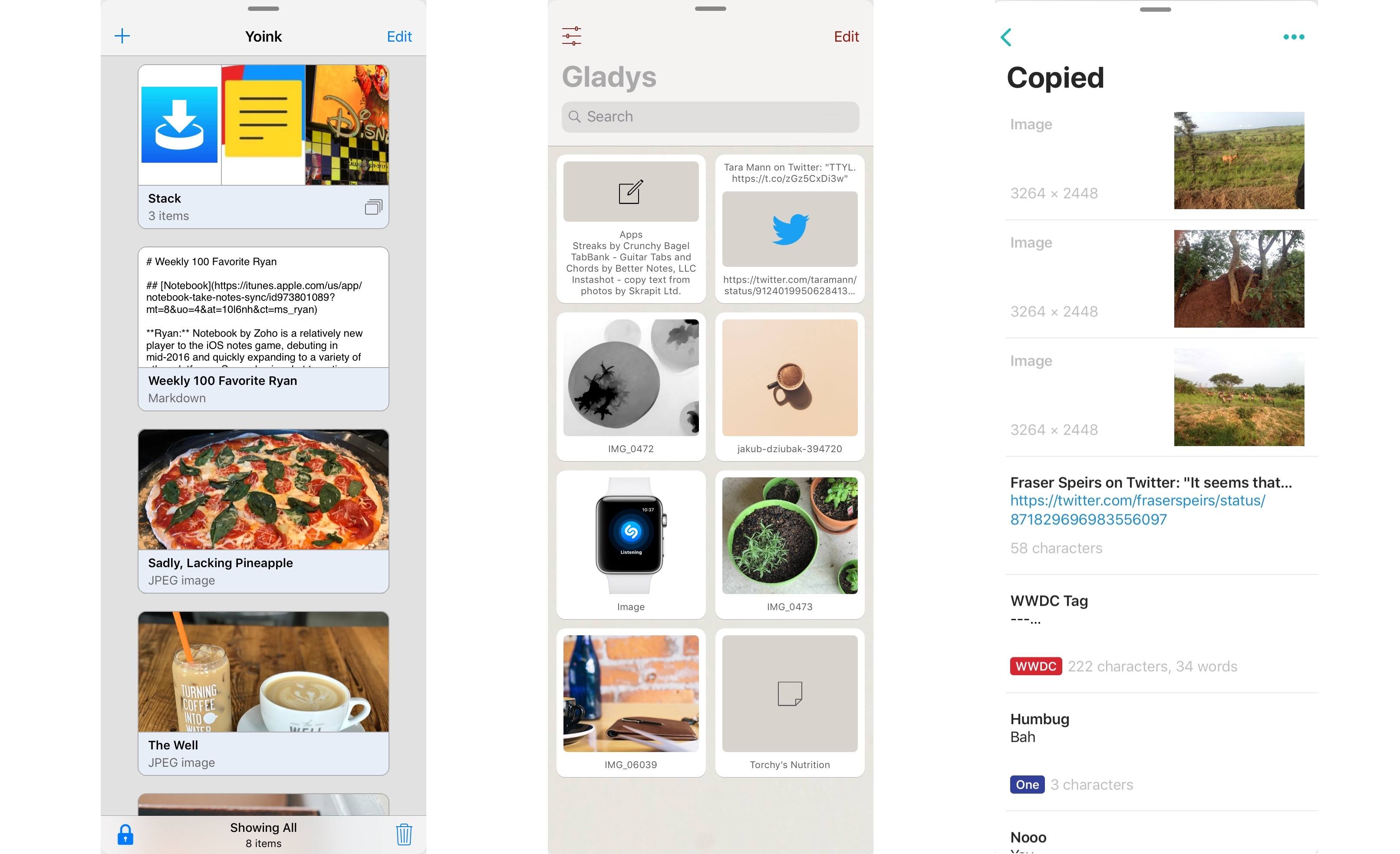
Left to right: Yoink, Gladys, Copied

Left to right: Yoink, Gladys, Copied

Last month after iOS 11’s launch I pulled together a roundup of iPad apps belonging to a whole new category of apps. Dropped, Workshelf, The Shelf, and Scrawl Pouch all launched as manifestations of Federico’s dream for a drag and drop-powered temporary holding place for content on the iPad. If you’re unfamiliar with this concept, here’s how I described it in my last shelf roundup:

The need for a shelf springs from the addition of drag and drop to iOS 11. It’s not always practical to drag content directly from one app to another; sometimes you know you’ll need that content soon, but you’re not ready to drop it elsewhere yet. Additionally, in some situations you may wish to drop the same data into multiple places over a short period of time, and it can be cumbersome to re-open the data’s source app to pull it out multiple times. A shelf can solve these problems: it serves as a temporary resting place for anything you know you’ll need quick access to soon. In this way it can serve a role similar to the macOS desktop, which is commonly used as a temporary holding zone.

While all the apps I originally highlighted continue to fill this role well, several additional quality apps have launched that bring new things to the table in this young category of apps.

Read more


Motion Stills Adds In-App Motion Still and Live Photo Capture, GIF Export, and More

Google introduced Motion Stills on iOS in 2016. The app enables users to convert Live Photos into movies or GIFs applying stabilization to the video in the process. Live Photos can also be combined into moving collages.

Google has released version 2.0, which dispenses with the need to access your photo library to add Live Photos to a Motion Still. Instead, the app can now capture Live Photos and Motions Stills from within the app itself. The option to import from your photo library is still there, but having the option to shoot from within the Motion Stills app is a convenient addition. The new version also lets you delete Live Photos from your photo library with a swipe gesture and export collages you create as GIFs.

Motion Stills is available on the App Store.


Movie Studios Launch Movies Anywhere Service

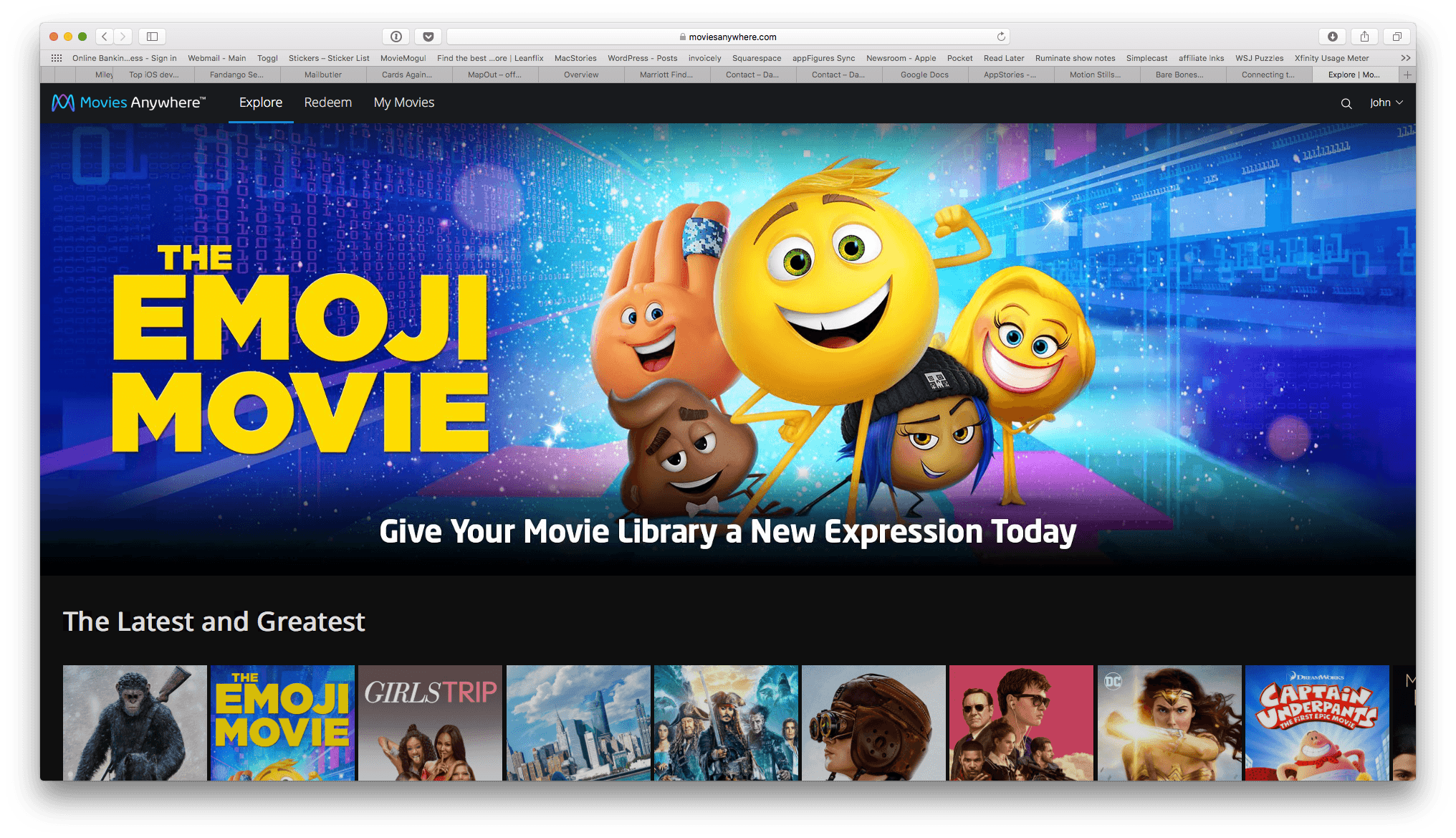
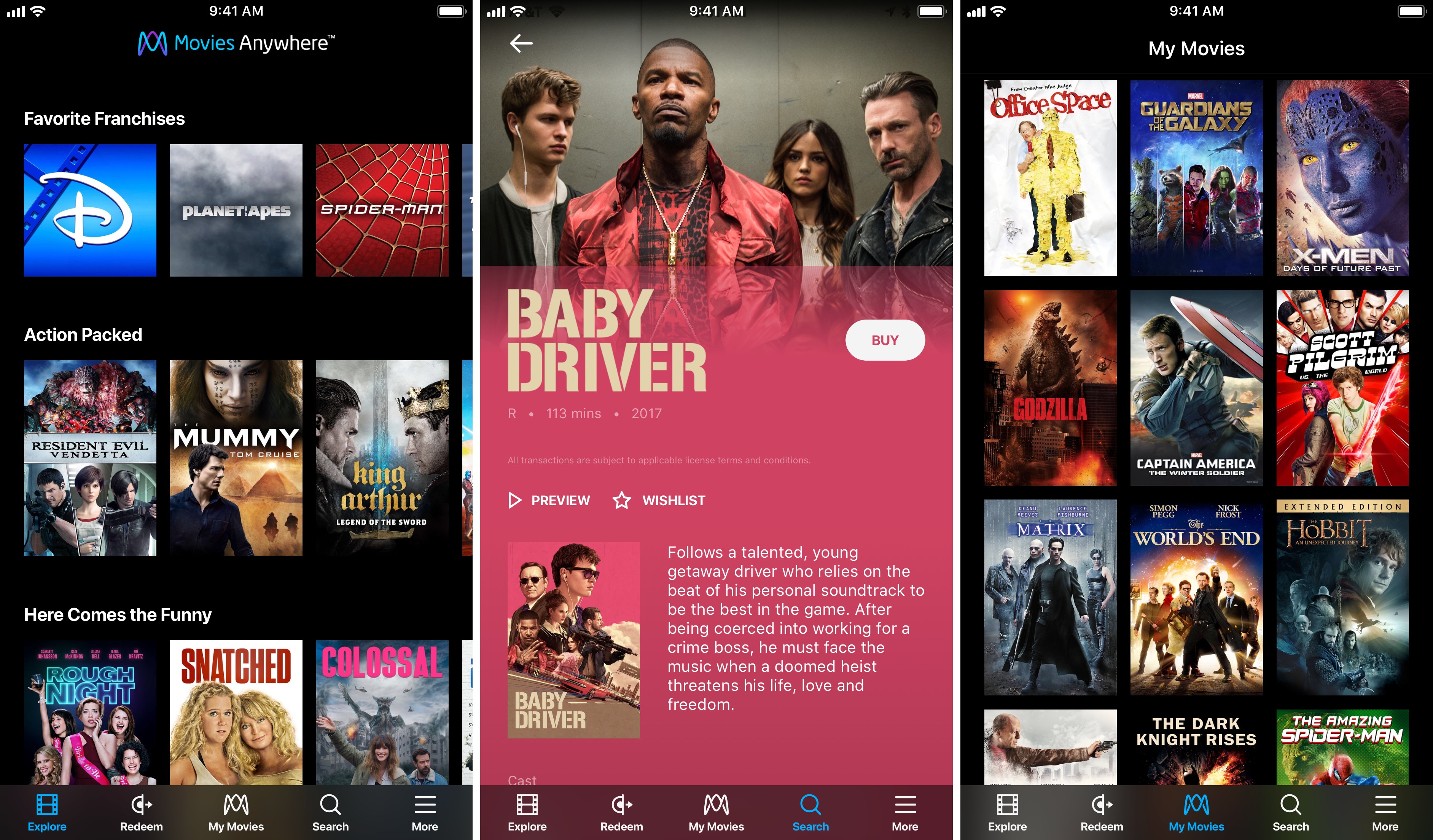
Services that promise to consolidate your digital movie collection in one place have come and gone over the years, so I was initially skeptical when I heard about Movies Anywhere, a new US-only service launched by Disney and other movie studios. However, after some preliminary testing of the service, I’m optimistic that Movies Anywhere stands a chance to become the first such service to catch on.

As reported by The Verge:

The big difference here is selection. Warner Bros., Universal, Sony Pictures, and Twentieth Century Fox have all signed on to Movies Anywhere. Along with Disney’s films, that gives the service a launch library of more than 7,300 titles.

Another differentiator with Movies Anywhere is platform support:

The promise of “buy once, watch anywhere” only works if a customer’s preferred device supports the service in question. The Movies Anywhere app will be available for iOS, Apple TV, Android, Android TV, Amazon Fire devices, and as part of Roku’s offerings. It will also support Chromecast, and titles will also [be] watchable through the service’s standalone website. And while apps for competing services have usually been clunky or awkward, the brief demo we saw of the Movies Anywhere app looked sleek and well-designed.

Movies Anywhere also gives customers the choice of where to buy their movies, though not without caveats on iOS.

Movies Anywhere will let customers browse for titles they’re interested in within the app itself, then allowing them to complete the purchase with their retailer of choice at the very end. (Android users will have the ability to purchase from Google Play, Amazon, or Vudu; those with Apple devices will only be able to purchase from iTunes, unless they head to a browser to purchase from a competitor directly.)

I tried to purchase a movie from the Movies Anywhere iOS app and sure enough, the only option was to buy it from iTunes. The workaround is to log into the Movies Anywhere service in Safari or another web browser, which will present you with the full menu of purchasing options. One other limitation that affects all platforms is that Movies Anywhere does not tell you how much a movie costs on each service. If you’re looking for a bargain, you’ll have to follow the link to each service to see how much they charge.

In the limited time I’ve had to try Movies Anywhere, I’ve been impressed. Logging into iTunes and Amazon Prime Video was quick and easy, and the movies I own on both providers showed up almost instantly in the iOS app and on the Movies Anywhere website. Playback happens in the Movies Anywhere app in a player that supports subtitles, closed-captioning, AirPlay, chapters, 15-second skipping ahead and back, and the option to pick up where you left off or start over if you exit the player. If Movies Anywhere can continue to grow its library of titles, the promise of all your movies anywhere you want them may finally become a reality.

Movies Anywhere is available on the App Store (US only).

Permalink