T3 Interviews Phil Schiller About Face ID, AirPods, HomePod, and More

UK lifestyle site T3 has an in-depth interview with Phil Schiller, Apple’s Senior Vice President of Worldwide Marketing. The interview covers a wide range of topics including the iPhone X, Face ID, AirPods, ARKit, HomeKit, the Apple Pencil, the iMac Pro, and the HomePod.

Schiller credits Apple’s tight integration of software and hardware and cross-team collaboration with the success of Face ID:

Other companies certainly have had the vision of ‘can you unlock something with someone’s face?’ but no one [has] actually delivered technology as advanced and capable and ubiquitous and consumer friendly as Face ID. And that is the direct result of this collaboration, and how these teams work for years together on a simple powerful idea with all that technology.

He also uses the AirPods as an example of the extent of the engineering that goes into making a product as seemingly simple as the AirPods:

So frequently, I talk to customers who say, ‘My favourite product Apple has ever made are AirPods.’ And that’s just a really nice thing to hear. I love when customers respond that one of their favourite product is something this simple, and yet so much work went into it.

At the surface level, it’s an incredibly simple product. But the reality is it’s actually an incredibly complex product to make. Each AirPod really is its own computer, running software and hardware. And those two computers need to deliver this very clear experience that you want, and they have to work together, because we’re very attuned to synchronisation in audio as a species. And so it has to work the way you want.

One of our favourite features is just the idea that you take it out and the music stops – you put it back in and it keeps going again. “Again, that’s a simple idea, but took a lot of engineering to make it work quickly, reliably, for all of us in all different ear sizes and different situations. And they have to work with this iPhone that may be in your pocket or your bag, across your body. And as you know, our bodies are big bags of water, which are really bad for radio signals to get through.

Phil Schiller has an impressive knack for explaining Apple’s vision for its products, which makes this interview worth reading in its entirety.

Permalink

Apple Announces iMac Pro to Begin Shipping December 14th

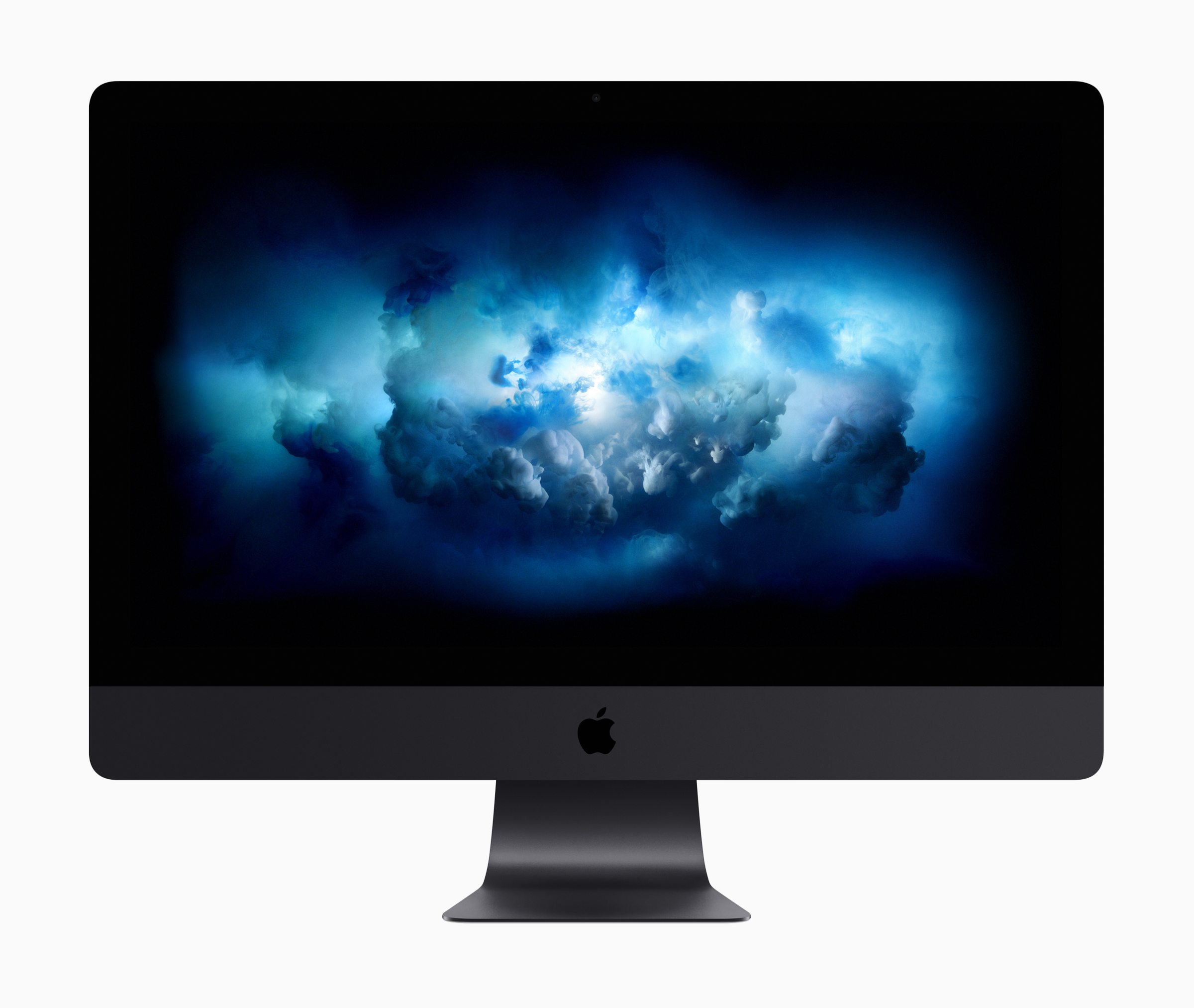
Apple updated its website with news that the iMac Pro is shipping beginning on December 14, 2017. The pro-level iMac features a long list of impressive specifications. The desktop computer, which was announced in June at WWDC comes in 8, 10, and 18-core configurations, though the 18-core model will not ship until 2018. The new iMac can be configured with up to 128GB of RAM and can handle SSD storage of up to 4TB. Graphics are driven with the all-new Radeon Pro Vega, which Apple said offers three times the performance over other iMac GPUs.

The desktop, which Apple touts as a solution for video editing, virtual reality development, and other graphics and processor-intensive tasks was taken through its paces by Marques Brownlee on his YouTube channel:

According to Brownlee, the machine runs quiet and cool, but suffers from the inability to upgrade components, which is uncommon for a pro-level computer. Brownlee also notes that the iMac Pro worked well on Final Cut Pro X tasks that would typically choke another iMac.

Jonathan Morrison also got an opportunity to preview the iMac Pro, showing off his setup here:


Apple Opens App Pre-Orders to All Developers

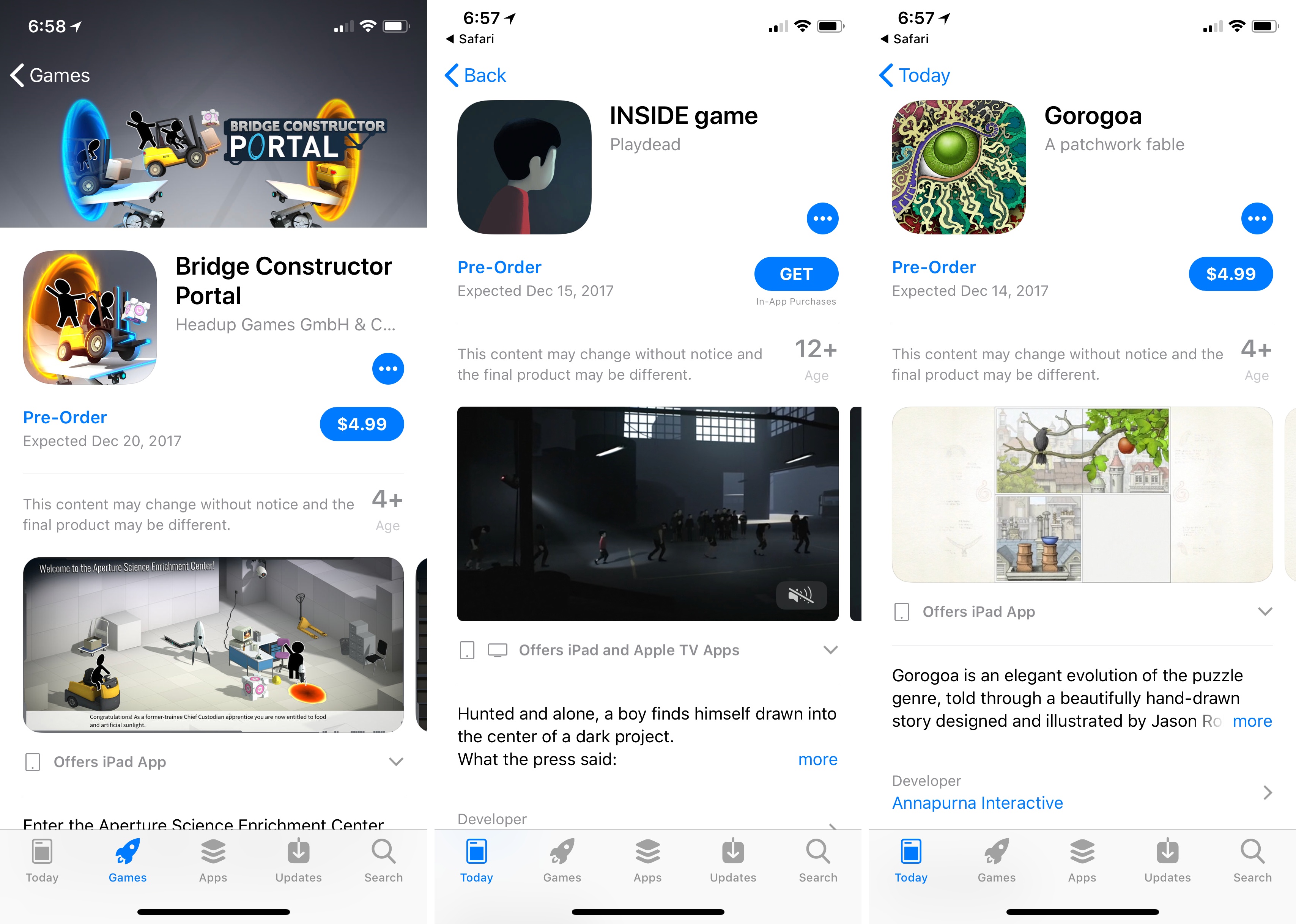
You may recall that when Super Mario Run was announced in 2016, customers could request notification of its release, which was a first at the time on the App Store. Now, all developers can do something similar by offering their apps for pre-order. According to iTunes Connect’s Resources and Help documentation:

Now you can make your new apps available for pre-order on all Apple platforms. Customers can see your product page and order your app before it’s released for download. Once your app is released, customers will be notified and your app will automatically download to their device. For paid apps, customers will be charged before download.

The process for submitting an app for pre-order seems relatively straight-forward:

To make your new app available for pre-order:

  1. From the homepage, click My Apps, select the app, and select Pricing and Availability in the left column. You’ll see the Pre-Orders section if your app has never been published on the App Store.
  2. Select Make available for pre-order, choose a date to release your app for download, then click Save in the upper-right corner. The release date must be at least two days in the future, but no more than 90 days in the future.
  3. Submit your app for review.

  4. Once your app is approved and you’re ready to make it available for pre-order, return to Pricing and Availability, confirm the date your app will be released for download, and click Release as Pre-Order in the upper-right corner.

In addition to offering apps for pre-orders, Apple will report pre-orders as part of the Sales and Trends section of iTunes Connect. Apple has also included an FAQ with further information about the pre-order process.

It’s been about a year since Apple tested the pre-release notification waters with Super Mario Run and it’s nice to see that it’s been opened up to all developers who can use it to get customers excited about their apps ahead of launch.

Update: According to a new webpage published by Apple that summarizes the pre-order program, it also applies to macOS and tvOS apps.

In addition, Apple has added a ‘Pre-Orders’ section to the Games tab of the App Store, which currently includes five games. No similar section has been added to the Mac App Store or Apple TV App Store.


Pixure 3.0 with PanelKit 2.0

I first linked to Louis D’hauwe’s pixel art editor for iOS, Pixure, in March, when he introduced PanelKit in the iPad version of the app. If you’ve never played around with Pixure and PanelKit, imagine the ability to grab iPad popovers or sidebar panels and detach them so they’re floating onscreen like tool palettes would on macOS. I was skeptical of this idea initially – I feared it would overcomplicate the iPad’s UI – but it works surprisingly well on the 12.9-inch iPad Pro. I know that after using PanelKit months ago, I tried a few times to grab popovers in iPad apps like Omni’s, realizing that they didn’t support PanelKit.

D’hauwe is back today with Pixure 3.0, another excellent update that, among various enhancements, brings a version browser (a feature more apps should offer on iOS), drag and drop, and advanced export options. With today’s release, Pixure also includes PanelKit 2.0, a major update of the framework that now supports pinning multiple panels to the side of the screen as well as resizing them. Plus, your custom panel configuration is now saved across multiple app launches, so once you set up your workspace in Pixure, the app always remembers it.

Even if you’re not interested in editing pixel art graphics, I recommend checking out Pixure 3.0 just to play around with PanelKit 2.0. Support for multiple panels on the side is particularly impressive – try, for instance, to resize and stack the Color Picker and Layers panels on top of each other. It’s fun and intuitive, and I bet you’re going to wish more pro iPad apps offered this kind of flexible, customizable UI. You can find Pixure 3.0 on the App Store and read more about PanelKit 2.0 here.

Permalink

Apple Acquires Shazam Song Identification Service

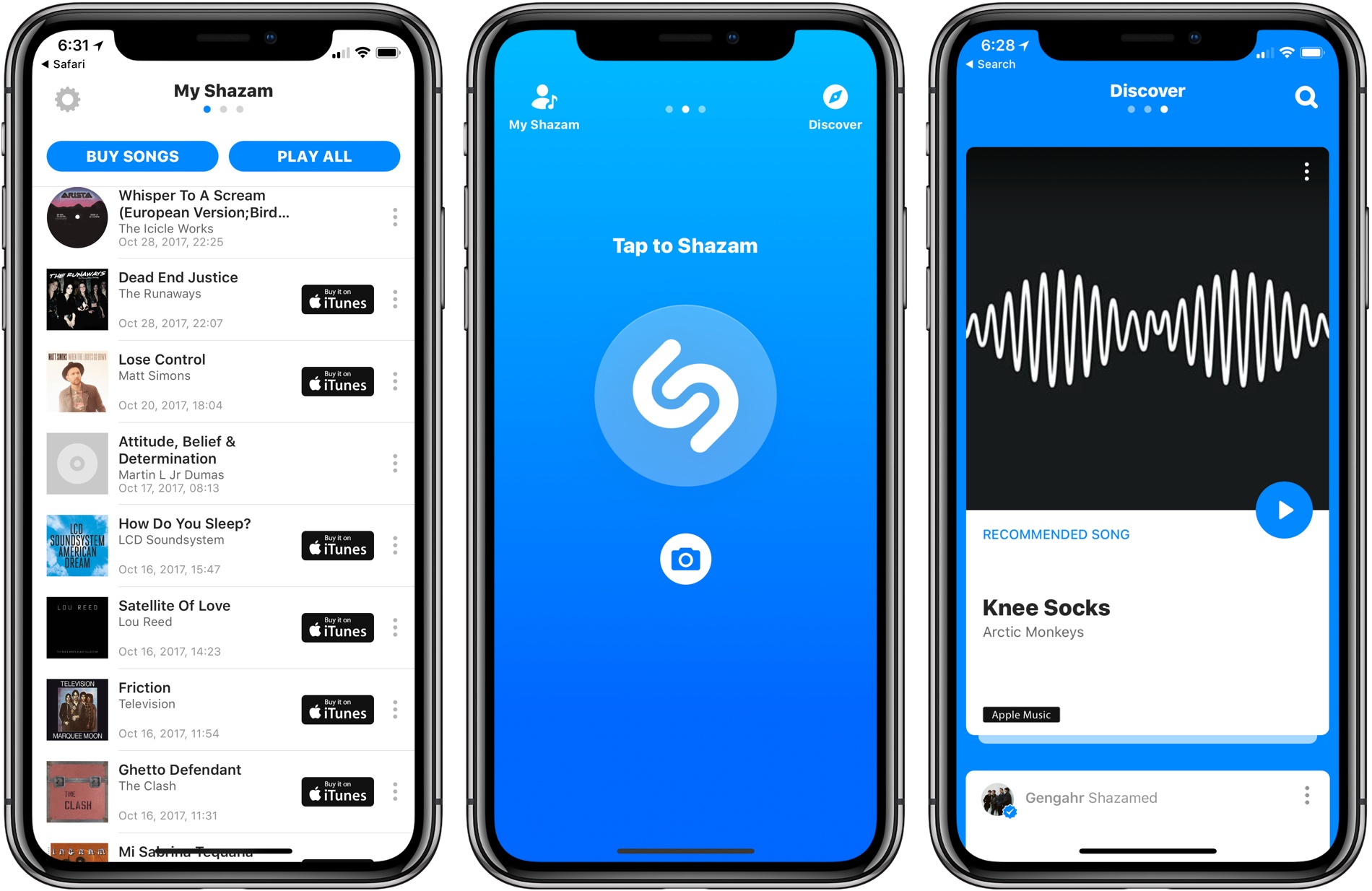
On Friday, TechCrunch reported that Apple had agreed to acquire music discovery service and app-maker Shazam. Today, Apple made it official confirming the deal to BuzzFeed News. Shazam, which makes iOS, watchOS, and macOS apps that can detect songs, TV shows, and advertisements from their sound signatures, has been on Apple’s platforms since the early days of iOS and is the engine behind Siri’s ability to recognize songs.

The financial terms of the deal were not disclosed in the announcement, but according to TechCrunch, Shazam cost Apple somewhere in the neighborhood of $400 million. According to a report from The Wall Street Journal last year, Shazam accounts for about 1 million clicks per day and 10% of digital download sales. However, as streaming services have gained popularity over paid music downloads, Shazam’s affiliate link revenue from music sales has shrunken. To compensate, Shazam has turned increasingly to advertising. With today’s acquisition, Shazam should continue to drive traffic to Apple Music without the need to sustain itself as a standalone business.

In addition to Apple’s music services, Shazam sends significant traffic to Spotify. Shazam also has an Android app. It remains to be seen what will happen to the Spotify relationship or Android app now that Shazam is part of Apple or whether Apple plans to maintain Shazam as a separate iOS app. Deeper integration with Siri is one direction Apple may take Shazam’s technology implementing something like the Google Pixel 2’s automatic song identification feature called ‘Now Playing.’

Past MacStories coverage of Shazam is available here.


Timing: Stop Worrying About Time and Focus on Your Work Instead [Sponsor]

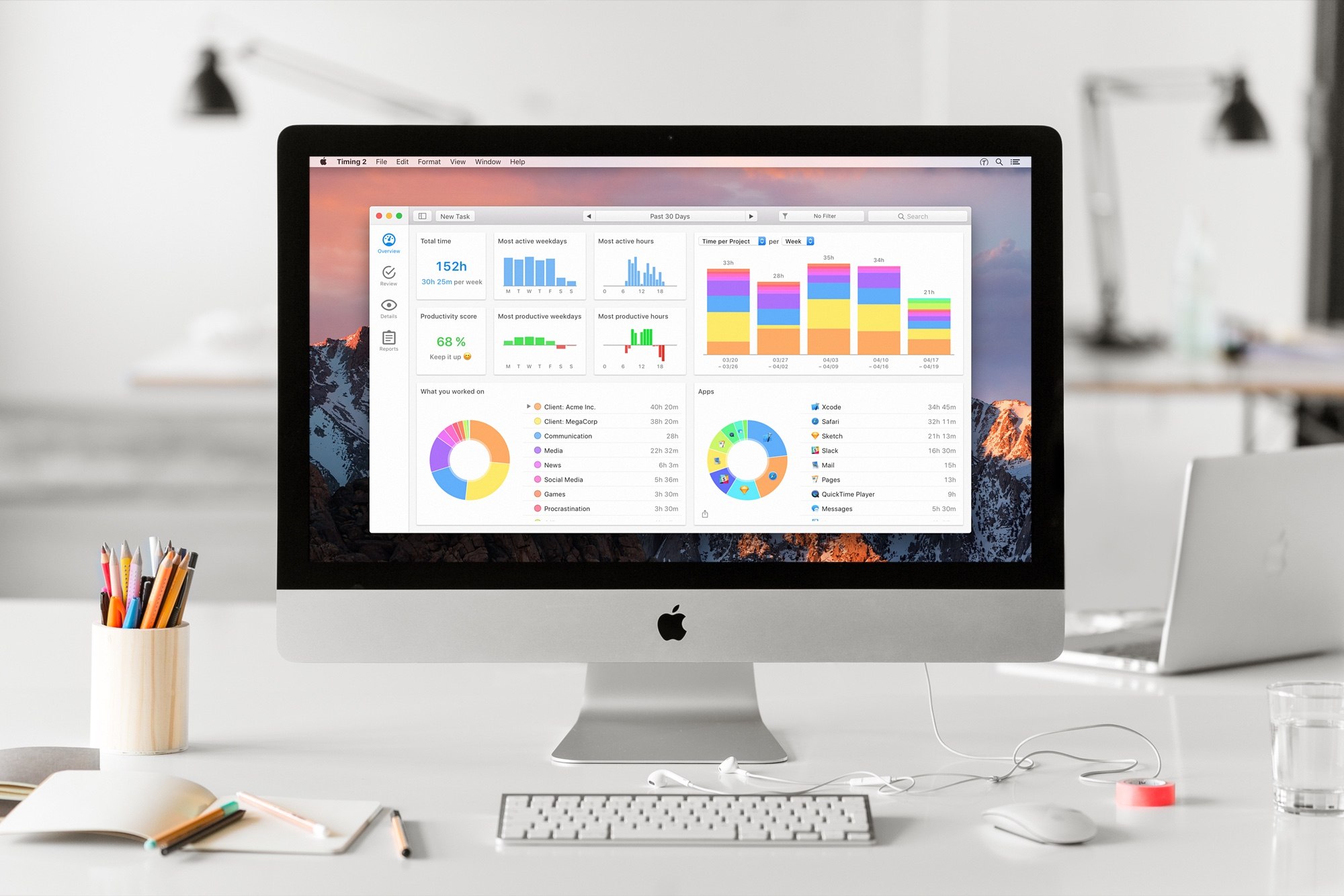
Timing for macOS is the first step to recapturing your most precious resource: time. Before you can find lost time, you need to understand how you are spending it. But manual time tracking interrupts your workflow, and it’s easy to lose track of what you’ve done. That’s where Timing comes in. It’s different because Timing automatically tracks how you spend time on your Mac.

Timing shows you how much time you spend per app, website, and document, and categorizes that time into projects. Timing helps you be more productive by analyzing how you are wasting time too. Best of all, Timing includes automation features to help you save more time by doing things like automatically categorizing activities. The app can even ask you what you did when you return to your Mac, so you never forget to track a meeting. In addition, freelancers will love Timing’s ability to generate a timesheet for your clients.

Download Timing’s 14-day free trial today and save 10% when you decide to buy. You can also download Timing as part of Setapp, the service that gives you access to more than 100 Mac apps for just $9.99/month.

Stop worrying about time and focus on doing your best work instead with Timing.

P.S.: Check out Faviconographer too. It’s a free utility from Timing’s developer that adds a favicon to your Safari tabs. It’s a clever touch. When you have a lot of tabs open, it’s much easier to find the one you want when you can see its favicon.

Our thanks to Timing for sponsoring MacStories this week.


On Ive’s Return to Design Team Management

Bloomberg’s Mark Gurman and Alex Webb reported yesterday on a change in Apple’s design team, confirmed by Apple PR with a statement:

Apple Inc.’s Jony Ive, a key executive credited with the look of many of the company’s most popular products, has re-taken direct management of product design teams.

Ive, 50, was named Apple’s chief design officer in 2015 and subsequently handed off some day-to-day management responsibility while the iPhone maker was building its new Apple Park headquarters in Cupertino, California. “With the completion of Apple Park, Apple’s design leaders and teams are again reporting directly to Jony Ive, who remains focused purely on design,” Amy Bessette, a company spokeswoman, said Friday in a statement.

I don’t know what to think about this. I never assumed Ive would leave Apple after Apple Park was completed. From the outside, we can only infer that his return to managing the design team is important enough for Apple to issue an official statement and remove Design VPs Dye and Howarth from the Leadership page.

Benjamin Mayo also raises a good point:

It’s hard to parse what this means because nobody on the outside really has a good idea of what the title change two years ago meant. Jony Ive’s elevation to Chief Design Officer felt like the first steps to his retirement with Howarth and Dye taking up the posts of lead hardware and software design.

Yet, Apple never tipped its hand that Ive was on the way out. I expected Howarth and Dye to slowly start appearing in keynote presentation videos, in interviews, and new product marketing. Ive would slowly fade from relevance in Apple’s public relations before he left for real. That simply didn’t happen. If anything, Ive became even more intertwined into Apple’s public image. He has done countless interviews and photo shoots in the intervening years.

Permalink

TechCrunch: Apple Is Acquiring Shazam

Ingrid Lunden, writing for TechCrunch:

As Spotify continues to inch towards a public listing, Apple is making a move of its own to step up its game in music services. Sources tell us that the company is close to acquiring Shazam, the popular app that lets people identify any song, TV show, film or advert in seconds, by listening to an audio clip or (in the case of, say, an ad) a visual fragment, and then takes you to content relevant to that search.

We have heard that the deal is being signed this week, and will be announced on Monday, although that could always change.

Assuming that Apple keeps Shazam’s standalone app around in the short term, I wonder if the built-in Spotify integration for streaming and saving songs will remain (I wouldn’t be surprised if it gets pulled). I’m a fan of Shazam’s iPhone and Watch apps, but it’d be great to have Shazam baked into Siri without having to ask any special song recognition command. Shazam’s discovery and recommendation features could also tie in nicely with Apple Music.

Permalink